


iOS 8 adoption rate ticks up to 72%

Apple’s latest App Store distribution numbers show that iOS 8 has now been installed on 72% of all compatible devices as of Feb. 2, 2015. iOS 7 now stands at 25%, with all the older versions claiming a total of 3% of installs.

While the new stats represent a 4% gain compared to the iOS 8 adoption numbers from January 7, 2015, they are still behind the installs of iOS 7 at this same time a year ago, when it claimed 85% of all compatible devices. Clearly some iPhone and iPad owners have yet to make the change to iOS 8, although there could be several reasons for that decision.
iOS 8 launched in September 2014, so getting a 72% adoption rate in about five months is still pretty solid. By contrast, Android 5.0 Lollipop has only been installed in 1.6% of all Android devices since it launched in November 2014.

Fhotoroom for Windows 8 – a fabulous touchscreen photo editor (especially for tablets)

You may be familiar with Fhotoroom as a photo-editor, camera app and photo sharing Windows Phone app but did you know there’s a Windows 8 version of the app?
While we have taken a look at the Windows 8 version of Fhotoroom before, a series of recent updates has delivered a serious design makeover to the app and a host of new features. The end result gives the photography app some serious mojo and well worth revisiting.
Fhotoroom is currently at version 5.5.1 and adds a HDR editor, Tiny Planets integration, RAW file support and a lot more. You also have a small footprint with the Windows 8 version of Fhotoroom that makes it especially appealing for Windows 8 tablets where storage space is often at a premium.

Dropbox for Windows Phone can now automatically upload your photos

Dropbox has updated its Windows Phone app again with a big, and much requested, feature. The new 1.0.3.0 version now includes a “system camera auto-upload option” which means that any photos you take on your device can be automatically uploaded to your Dropbox cloud account.

Who has won a free BlackBerry Classic? Find out now!

In our most recent contest for a free BlackBerry Classic, we asked you to send out tweets letting the world know why you love this device and why you’d like to own one of your own. There was a huge turnout, with thousands of tweets being sent over the course of the giveaway.
It seemed like a pretty close race between the features that people were most interested in. Tweet after tweet saw mention of the amazing keyboard, the familiar form factor, and the usefulness of the trackpad. Several tweets indicated that people were longing for the feel of a legacy device, but aware that the BlackBerry 10 operating system is a must have. It was really awesome reading through the tweets everyone sent, and it’s fantastic to know that even non-BlackBerry lovers saw them. Hopefully a few got the message and are looking at BlackBerry for themselves now.
Keep reading to see who won the giveaway!
A redesigned Tweetbot for Yosemite gets a blurry teaser

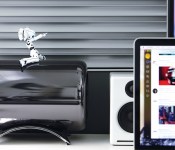
Tweetbot, one of our favorite Twitter apps, looks like it’s finally getting the redesign we’ve been clamoring for for, well, years. The Mac app has seen several updates since release, and even a surprise disappearance and return to the App Store, but has carried something of a legacy styling into this modern OS X Yosemite era. That all is poised to change at some point later this year, if this blurry teaser from Tapbots developer Mark Jardine is any indication.
His teaser is simple and to the point:
Full Speed Ahead. 2015 is going to be great.
— Mark Jardine (@markjardine) February 3, 2015
Obviously there’s much more to say about this teaser of the revamped Tweetbot for Mac, though there’s only so much we can divine from the intentionally-out-of-focus photo. There looks to be some Yosemite-style translucency happening here, and they also seem to be maintaining the basic current layout of Tweetbot for Mac (account and stream selections on the left, stream(s) to the right).
Also teased: what looks like Calcbot for iPhone, which isn’t nearly as exciting.
Source: Mark Jardine (Twitter)

Disqus for Windows Phone gets updated with site moderation and more

Disqus for Windows Phone has been bumped to version 2.4, offering a more feature-rich experience for both users and web masters. Today’s release contains a handful of improvements, which include comment moderation, more translations and API support.

Best calendar apps for iPhone

Apple’s built in Calendar app covers the basics: appointments and schedule management. For anyone brand new to the iPhone, it’s more than enough to get started. The App Store, however, is full of alternatives that’ll suit a wide variety of different tastes and workflows. Whether you need to organize yourself, your family, your business, or everything, there’s certainly a calendar app for you. Which one you choose will depend on what’s most important to you.
Here’s a list of our favorites. Check them out for yourself, choose the best iPhone app for you. When you’ve picked — or if you’ve already picked — tell us which one in the poll above and why you picked it in the comments below!
1. Fantastical 2

For speed organizers
Fantastical 2 lets you quickly enter appointments using natural language text, and quickly find them again using its lightning-fast bi-directional interface. There’s also built-in support for Reminders and a widget. If you want to get organized fast and stay that way, you want to check out Fantastical.
- $4.99 – Download Now
2. Sunrise Calendar

For the social butterfly
Sunrise Calendar keeps track of all your calendar appointments and meetings alongside your Foursquare checkins, Twitter status updates, and more. Sunrise also ties into business apps like Trello. If you want a great mix of work and play, you’ll want to check out Sunrise.
- Free – Download Now
3. Pocket Informant

For feature fanatics
Pocket Informant is the Swiss Army knife of calendar apps. It packs in almost every feature you can think of and likely several you couldn’t. From weather to widgets and everything in between, if you want it all, give Pocket Informant a look.
- Free with IAP – Download Now
4. Calendars 5

For list makers
Calendars 5 has everything you want in a calendar, including natural language input, but adds powerful list views and task management as well. If you want something different than grids and tables, give Calendars 5’s streams a try.
- $2.99 – Download Now
5. Agenda Calendar 4

For serial swipers
Agenda Calendar 4 is completely gesture driven. It offers a wide variety of views and integrates with everything from Reminders to Fantastical to Drafts to Clear to Due to… you get the idea. If you’d rather tap than swipe or move between apps than stay in the same place, check out Agenda Calendar 4.
- $1.99 – Download Now
7. Tempo Calendar

For the detail oriented
Tempo is a smart calendar that gives you everything from flight statuses to information you may need about a client before going into a meeting. The more you tell Tempo, the more it learns. If the little details are important to you, give Tempo a twirl.
- Free – Download Now
8. Week Calendar

For at-a-glancers
Week Calendar is packed with views enough to suit any personality or preference. It can also assign icons, duplicate events, and more. If you can never have enough information in a single glance, Week Calendar you may not be able to get enough of Week Calendar.
- $1.99 – Download Now
9. Super Calendar

For the customizer
Super Calendar lets you customize almost every aspect of how your calendar looks. From setting background images to adjusting font types and sizes, if you want it, you can likely do it. If the idea of a unique looking calendar appeals to you, Super Calendar will appeal to you.
- $4.99 – Download Now
Your favorite?
If you’re new to the iPhone, go through the list of apps above and try all the ones you like. No doubt you’ll find the best calendar app for you. Then tell us which one it is, and why you like best about it!
Note: We didn’t forget to include Calvetica. It hasn’t been updated since November 2013, so we don’t feel comfortable recommending it unless and until an update happens. There have also been rumors of a Google Calendar for iPhone app. If and when Google releases it, we’ll take a look and update as appropriate.
<!–*/
.imageleft
float: left;
margin: 0 25px 0 0;
.imageright
float: right
margin: 0 0 0 25px;
.screenshot-16×9
height: auto;
width: 88.97%;
.screenshot-16×9.imageleft,
.screenshot-16×9.imageright
width: 50%;
.screenshot-4×3
height: auto;
width: 66.66%;
.screenshot-4×3.imageleft,
.screenshot-4×3.imageright
width: 50%;
/*–>*/
What if the iPad ran iPad OS?

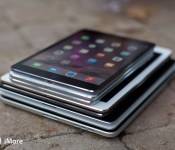
The Apple Watch runs WatchOS. It’s a stripped down version of iOS, optimized for a much smaller screen and much smaller battery. It also has its own, distinctive look and feel, including the Home screen, its own interaction methods like the digital crown and force touch, and its own, distinctive capabilities optimized for a wearable. In contrast, when Apple decided to launch the iPad, they used iPhone OS. It was originally suggested they use the exact same single-column interface, but because it wouldn’t make efficient use of the much larger screen, they decided to implement a dual-column interface instead. Yet the Home screen and design language remained the same as the iPhone as did the interaction methods and capabilities.
Imagine instead, like the Apple Watch, the iPad ran its own distinct version of iOS: iPad OS. Rather than stripped down version for smaller screens and batteries, imagine it ran an amped-up version that really took advantage of bigger screens and batteries, with a Home screen, interaction methods, and capabilities optimized for a tablet.
The original iPad was famously dismissed as being “just a big iPhone,” yet that was its genius. It gave everyone for whom traditional computing was unapproachable, inaccessible, or intimidating something something that comforted and empowered them. Those who tried to compete against the iPad by offering more desktop-style interfaces have, to put it mildly, failed.
To keep the iPad as a mainstream point of entry into the world of computing, its primary interface layer has to remain approachable, accessible, and friendly. Apple has been very careful to make sure that, as more “advanced” features have been added to iPad and iOS — like the app switcher, notification center, control center, and extensibility — no one ever has to see or use them unless they seek them out and want to.
An iPhone can just be your phone, camera, and music player if that’s all you want or need. Likewise, an iPad can just be your web browser, ebook reader, and video watcher.
That’s exactly how the iPad was originally pitched: As being better than an iPhone and MacBook at those kinds of tasks. Yet the iPad now exists in a world of big screen iPhones and lightweight, long lasting MacBooks.
The iPad has been given some distinct features beyond the split view, of course. Apple added multitouch navigation gestures and USB adapters uniquely for the iPad. Yet Apple recently duplicated the split view controller in landscape mode on the iPhone 6 Plus as well.
At the same time we now have an iPad Air 2 with and Apple A8X processor — tri-core CPU, octa-core GPU, 2GB of RAM — and technologies like Swift and Metal that make it as fast and powerful as some laptops. We have an iPad so fast and powerful it might well exceed the capabilities currently afforded it by its software.
There remarkable apps — like Keynote and GarageBand that launched with the original iPad, and Pixelmator that launched with the iPad Air 2 — but those apps remain just that: remarkable. They’ve not become the norm. That might be a constraint of the market and not the system, but a distinct system could help unlock the potential of that market.
Rumors suggest Apple is already working on new capabilities — providing mechanisms for multiwindow apps, possibly with the ability to drag data between them. That would greatly increase the utility of the platform for people for whom productivity is important. There are also rumors of an iPad Pro with an Apple Pen, which some have come to hope would provide a digitizer to enable not only additional functionality for everyone from real estate agents to warehouse workers to enterprise sales teams, but creativity as well.
Those feel like first steps, though, not final ones.
Microsoft has been working on their Surface line of — tabtops? laplets? — for three generations (not counting the company’s previous decade-long dalliance with Tablet PC). They include not only pen and digitizer technology, but a highly integrated, detachable keyboard. Like Google with Material Design, however, Microsoft is pursuing a one-design-to-rule-them-all strategy where the Metro/Modern language gets painted across all screens, no matter the size or capabilities.
With OS X Yosemite, Apple has maintained a separate though related operating system and a separate though consistent design language for the Mac, and with the Watch OS is now doing a variant operating system and design language for the Apple Watch. The company is letting each device remain distinct and true to itself, but letting the computer and the watch work with mobile through technologies like iCloud and continuity but is also letting each device stay true to itself.
By decoupling activity from device, we move seamlessly through the range of screen and power sizes, from convenience to capability and back, depending on our needs. And that liberates the system behind those devices to better suit its needs as well. It lets there be cars and trucks, but it also introduces the possibility of an SUV.
What could iPad do if, like the Apple Watch, it had its own variant of iOS with interfaces, interaction methods, design language, and capabilities even more optimized for its size and power? What could the iPad do if it had its own iPadOS?

Should you install the Windows 10 Technical Preview on your phone?

A few points to consider before you go ahead and take the plunge
Now that February is here the big thing as yet unmarked on the calendar is the release of the Windows 10 preview for phones. We know it’s coming, but we don’t know when. It could be in a couple of days, it could be on February 28, or any time in between. But, as with the desktop preview, there are going to be a lot of people out there who want to play with it.
But there are some things to consider before jumping in with both feet. Shiny new things are always exciting but perhaps more so than a computer, the smartphone in your pocket is something you rely upon every single day. So tread carefully and consider these points first.

Apple mapping vehicles reportedly sighted in San Francisco area

A number of minivans have been spotted in the San Francisco area, and are believed to be from Apple. What makes these vehicles rather interesting is the equipment mounted on the racks, which appear to house cameras and LiDAR sensors (one on the front, another on the rear). It’s reported that Apple is looking to improve its mapping service. According to Apple Insider:
The number of cameras on the minivan — there appears to be at least 12 — seems to be a high number for a mapping vehicle, but Google’s latest-generation Street View cars use a ring of 15 5-megapixel CMOS sensors. Aside from the physical configuration, the equipment on the Apple-registered van appears to be broadly similar to the technology fitted to a Street View car.
Some, including tech analyst Rob Enderle, believe the vehicles to be part of a self-driving program, but Apple doesn’t have the necessary permits in its possession, bringing us back to its mapping platform.
LiDAR technology is also utilized by both Google, as well as Nokia for its HERE maps platform. Our friends over on Windows Central previously took a tour of Nokia’s fleet of vehicles, which also sported similar equipment. Should the reports be accurate and Apple is indeed absorbing huge amounts of data for its mapping platform, we could well be witnessing the potential birth of Apple Street View.
Source: CBS

