



Comcast job ad hints at wireless ambitions

There’s not much you can learn from a Comcast job ad, but that won’t prevent speculation about its entry into the mobile business. The company has posted an advert asking for warm bodies executives to lead the company’s push into the “wireless ecosystem.” According to the pitch to would-be employees, the job centers around making Kabletown’s existing triple-play offerings more mobile friendly, as well as evaluating “potential entries into the wireless ecosystem.” Comcast may already have an MVNO agreement with Verizon and Sprint, but FierceCable feels that it’s at least plausible that its long-rumored WiFi calling service may finally be coming.
Mobile businesses are sufficiently pricey that cable companies have been looking for cheap ways to get in on the action. This January, Cablevision activated a New York-based mobile offering, Freewheel, that just uses the million plus WiFi hotspots that the company has seeded around the city. Given that the advert specifically mentions Comcast’s 22 million internet subscribers – many of which double as Xfinity hotspots — as well as 8 million public WiFi points, then it’s not hard to see that the idea has some legs.
Filed under: Internet
Via: Fierce Cable
Source: Comcast

Get a triple dose of Strider during our Strider History Night tonight on Twitch

Back in December, Windows Central streamed a downloadable Xbox and Windows game from Capcom called Strider. The game became one of my favorites of 2014 thanks to its sleek style, fast pace, and rewarding sense of exploration. We’ve been wanting to come back to Strider on the stream ever since, and at last we’re doing just that.
Why just play the newest Strider though? Last year’s Strider is actually the latest in a long-running series. Seeing as how many readers and viewers probably haven’t played the previous games, we’ve decided to turn back the clock a bit. Tonight we’re playing the original Strider, Strider 2, and Strider (2014) all in one historic Twitch stream. Join us to see why the series is so beloved with hardcore gamers and have a blast chatting with the Windows Central crowd!
To tune in during the livestream, follow me on Twitch.tv/Eastxtwitch and watch along at 8pm Central (9pm Eastern, 6pm Pacific). You can also watch the stream right here live or after the fact.
How BabyTalk made remote therapy accessible with iPad and FaceTime
BabyTalk is a free program offered by the Stanford Ear Institute and Weingarten Children’s Center that uses Apple’s iPad and FaceTime to bring speech therapy to deaf and hard-of-hearing children in the rural areas of California.
Kathy Sussman is executive director at Weingarten, and a passionate advocate for the children, aged newborn to three years, served by BabyTalk. I spoke with Kathy over the phone for our Experts series and found out just how much work and dedication it took, from everyone involved, to make the program a reality, and the challenges it faces moving forward.
Weingarten’s Children’s Center is nestled in Redwood City, California, and provides an invaluable service for kids who are able to attend. Kathy and the BabyTalk program, however, were determined to extend those resources far beyond the walls of the school — to dozens of children in 28 rural counties whose parents couldn’t afford the time and loss of income it would take to travel for speech therapy.
That therapy is critically important for very young children, especially for those with cochlear implants — devices that bypass the inner ear and deliver sound directly to the auditory nerves. Those children need to learn how to process and make sense of the sound information, and that requires an expert coaching and a lot hard work.
When the children’s families live far from in-person therapy, when they have limited resources, limited eduction, and limited language skills themselves, telemedicine — the ability to do the therapy remotely — is the only practical solution.
“Traditional telemedicine was expensive, cumbersome, and restrictive.”
Studio cameras, crews, and the resources needed to run them were cost-prohibitive for the school, never mind the families, Kathy had to look into alternatives. The solution she found was the iPad. Not only was it relatively inexpensive, it could be moved as the children and parents move.
Kids, especially at that young an age, don’t stay still for long. Moreover, in dwellings with extended families, finding someplace quiet enough for a therapy session can often involve going outside or to a park. The iPad can go almost anywhere the family needs it to.
“FaceTime has end-to-end encryption. It was the only system Stanford would accept.”
Because of HIPPA, the The Health Insurance Portability and Accountability Act, any conversations with a therapist also have to be protected, and that means end-to-end encryption.
After exploring options including Skype, whose lack of end-to-end encryption made it unusable for Stanford, Kathy settled on FaceTime. Not only was FaceTime secure enough to satisfy Stanford, it was built right into the iPad.
Fueled by a $260,000 grant, the BabyTalk program was able to hire therapists, setup computer systems and high-bandwidth internet connections on their end, and supply iPads, cases, stands, and mobile broadband connections for 30 children in need.
“The iPad was seamless. It was incredibly easy for parents to use.”
The iPad itself proved simple for the parents. When it came time for their weekly appointments, all they had to do was answer the FaceTime call.
Connectivity issues did occur at times, and while BabyTalk lacked dedicated IT support resources, they managed to troubleshoot them anyway. Since the stands for the iPads also included chargers, and since Parental Restrictions prevented them from being used for games or other non-therapeutic apps, they were almost always charged, and had more than enough data for the sessions.
Because the iPad was so portable, parents and children seldom missed sessions. There were no travel conflicts or delays to worry about, and in one case when a child had to be taken in for medical treatment, a family member was easily able to bring the iPad along.
“Sessions last for one hour and are focused on the parent.”
Moreover, even if the child was sick or otherwise unable to participate, since the parent had the iPad and FaceTime, the speech therapist could make sure the parent got all the information they needed to help their child continue with his or her development.
That could include anything from making the parents feel more comfortable with the cochlear implant equipment itself, to troubleshooting, to helping their children become accustomed to everyday sounds like doorbells, to working on language skills.
Because FaceTime is such a visual means of communication, it also helped everyone feel better connected, and made it so parents weren’t afraid to ask questions. That helped create a bond and made the experience engaging, with further reduced cancelations and missed appointments.
“It’s a gift.”
The great news is that BabyTalk is working. The challenge is that, with the initial three year grant running out, they’ll need additional funding to maintain and expand the program. If you want to support the work Kathy and the team at BabyTalk are doing, you can donate now.
Accessory of the Day: 6ft MicroUSB cable $4.79
Always a good thing to have on hand, this MicroUSB cable from AmazonBasics has thousands of 5-star reviews. This is a perfect combo with a wall or car charger or to just keep on hand for file transferring. Supporting 480Mbps transfer speed, these cables are a wonderful deal at only $4.79 (Prime eligible).
Join Prime and get this deal with FREE two-day shipping!
Also worth checking out:
The post Accessory of the Day: 6ft MicroUSB cable $4.79 appeared first on AndroidGuys.
AVG reveals the worst storage, battery and data hogging apps

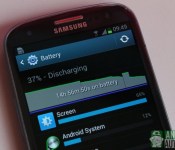
AVG, an antivirus and app cleaning software prodiver, has put together its latest quarterly study to help identify the worst battery, data, storage and performance consuming apps on Android smartphones and tablets. The list contains a number of familiar faces from the last report, as well as a few new entries.
It seems that Samsung’s “bloatware” still can’t seem to shake its resource cravings, particularly in the battery draining category. Although, there aren’t as many Samsung’s apps in the top 10 this time around. In the battery cateogories, Samsung’s Beaming and Security Updates services appear as the two worst run-at-startup apps, while Samsung’s WatchOn remote app was the most energy consuming app run by users.

Again, we see some familiar faces when it comes to hampering a handset’s performance and eating up message space. Facebook, Instagram, Spotify and Google’s Chrome Browser are now regular contenders in the “storage eaters” category. Interestingly, the NY Times app previously held the number 1 spot for storage consumption, but is now completely out of the top 10. Facebook, Spotify and Instagram are also the three worst apps if you want to keep your Android devices running smoothly, all of which also featured in the top 5 last quarter. The Amazon AppStore has also leapt into the top 5 this year.
As you may expect, social media and video platforms are the worst for your data usage, with Facebook, Instagram, Spotify, Nextflix and Tumblr all ranking highly, although the Daily Mail app is the worst offender. As they consistently rank highly in almost every category, these social apps populate AVG’s top 10 overall performance sapping apps of Q4 2014.

If you are suffering from performance issues, AVG also has some top tips for you:
- Turn off unnecessary notifications and notification apps
- Turn off app specific features that you don’t use, such as location tracking
- Regularly delete cache data for larger apps to save space
- Where possible, limit the amount of data consumed by adjusting refresh intervals and/or WiFi only settings
- Lower your display brightness and turn off wireless features (WiFi, Bluetooth, NFC, etc) when you’re not using them
The report also contains lots of information on AVG user habits, commonly installed apps and statistics for games, although obviously 3D content is more performance draining than most other applications. You can read the full details right here.
Galaxy S 6 to be pricey, Galaxy S 6 Edge to be very limited and pricey

I don’t think anyone will be surprised by part of this news. If you were looking to get your hands on the Galaxy S 6 Edge, plan on jumping through hoops because it will be very limited as Samsung won’t be able to produce them fast enough. And not surprisingly, it will be pricey. The 64 GB version will go for €949 and the 128 GB version will be €1,049. That’s €50 more expensive than the iPhone 6 Plus. Converted to U.S. dollars, that’s $1,076 and $1,189 respectively, but it probably won’t work out that way due to extra taxes in Europe.
As to the Galaxy S 6, it appears Samsung won’t be giving them away either. According to a source from Arstechnica, the 32 GB version will go for €749, the 64 GB will be €849, and the 128 GB version will be €949. Now we can convert these to U.S. Dollars, and you will get $849, $963, and $1,076 respectively, but as mentioned before, it doesn’t always work that way because of European taxes and such. Based on this pricing, it’s possible that the U.S versions will run $799, $899, and $999, but until the carriers announce their real intentions, it’s anyone’s guess. Either way, the Galaxy S 6 will be priced higher than the Galaxy S 5 at launch, which was €650 in Europe and $650 in the U.S. Granted, that was for the 16 GB version, but will Samsung get some push back from consumers with this pricing model?
Source: Arstechnica
Come comment on this article: Galaxy S 6 to be pricey, Galaxy S 6 Edge to be very limited and pricey

Samsung pokes some fun at Galaxy S6 rumors

We are fast approaching launch day for the Galaxy S6, which is an especially important event this year, as the company intends to turn last year’s misfortune around. But the pressure hasn’t stopped Samsung’s marketing team from having a little fun with some of the rumors and hype built up over the past few months, which have produced some rather odd looking results.
As with all major product launches, there have been plenty of rumors circulating about what Samsung may or may not have planned for its next smartphone. Some have been reasonable and others a little more bizarre, but both can have pretty humorous results if taken a little too literally.


I actually think that the speakers look pretty awesome, what do you think?

iGrann Pro gets updated once again with improvements and a UI refresh

One of the apps that is always open as an Active Frame on my BlackBerry 10 device is iGrann Pro. Today a small, but welcomed, update is rolling out and although the improvements are not huge, it’s nice to see yet another update from the developer.
Video: here’s what makes the G Flex 2 special, according to LG

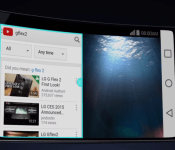
We’ve already brought you our take on the G Flex 2, in our review, camera shootout, and versus comparison with the LG G3. But if you prefer your information straight from the manufacturer’s marketing department, here’s a product video that will walk you through the core features of the LG G Flex 2.
Unsurprisingly, the video raves about the several curves making up the G Flex 2’s profile, but also touches on everything from the “incredibly fast” Snapdragon 810 processor, to the self-healing back, Lollipop, and the fast camera. Check it out and let us know what you think. Curved shape aside, would you consider the G Flex 2 as your next purchase?
HTC says it still has surprises in store for March 1

The blogosphere is ablaze with leaked images and product videos that allegedly show the HTC One M9, due March 1. Now a comment from HTC’s global head of communications suggests we are yet to see the real good stuff.
The best parts of HTC’s March 1st launch event are the parts you have NO IDEA are coming.
— Jeff Gordon (@urbanstrata) February 24, 2015
One could interpret this tweet in two ways – it could be a tacit acknowledgement by Jeff Gordon that the leaks that have been making the rounds over the past days are real. The HTC exec may be trying to preserve some excitement for the Sunday event by hinting at some of the other devices that HTC has in store: a fitness band developed together with Under Armour, an Ultra (Max?) version of the M9, or something else.
But the tweet can also be read as a hint that the leaked videos are sending us on the wrong path, and that the real M9 will be different. Fans of conspiracy theories who still believe everything is a giant ruse by HTC (or a plain misunderstanding) will probably find some hope in this tweet.
Personally, I lean towards the first explanation – HTC is likely trying to salvage what it can by focusing on the announcements that haven’t leaked yet. Especially because the reactions to the M9’s M8-like design have been largely negative.
What do you think? Are you still hoping for a new design? Do you think HTC can really surprise after all?
 AIVAnet