



D&D-themed MMO ‘Neverwinter’ launches for the Xbox One March 31

The long awaited Dungeons and Dragons-themed MMO game Neverwinter will finally be released for the Xbox One on March 31. The game, from developer Cryptic Studios and publisher Perfect World Entertainment, launched a closed beta test for the game on Microsoft’s console earlier this month.

The Windows Phone action game I, Gladiator is this week’s myAppFree Deal

I, Gladiator is an action adventure Windows Phone game that has you playing the role of Rufus, a pawn that is caught in the middle of two warring Roman gods. To escape the clutches of the gods and regain control of his fate, Rufus must battle his way from the bottom of the gladiator hierarchy in a series of increasingly difficult tournaments.
I, Gladiator normally runs $2.99 but for the next twenty-four hours, through the myAppFree deal, you can pick the Windows Phone game up for free. Available for low-memory Windows Phones, the graphics look good, gaming controls are gesture based and in just tinkering with I, Gladiator for a short time the game comes across as an entertaining way to pass the time.

Facebook’s Origami Live lets developers test app designs on their phones in real time

Facebook has made a couple of updates to its Origami user interface design tools, including launching a new app for iPhone and iPad called Origami Live. Origami Live lets developers run their user interface prototypes on both iPhone and iPad. The company also released a major update to Origami for Mac with several new features.
Origami Live for iOS lets you interact with your interface prototype directly on your device, and make adjustments without the need to write code, according to Facebook:
Since releasing Origami, the most common feature request has been the ability to run prototypes on iOS. We’re excited to release this feature today. Just install Origami Live from the App Store, plug in your device, and you’ll instantly be able to interact with your prototype right on your iPhone or iPad while editing it live. You can quickly try new ideas — using multitouch, device sensors, etc. — and fine-tune them with ease, without writing any code. Then, with your device in hand, your team members or users can try out a high-fidelity prototype that looks and feels like a final product.
While Origami Live will let you run your prototype on your device, the device will need to be plugged into your Mac while you use it.
Meanwhile, Origami for Mac has added major new features. You can now export your code, creating files for iOS, Android, and the web. There’s also a new presentation mode that includes full screen support. Origami for Mac has also integrated with Bohemian Coding’s Sketch design app:
With our new Sketch plugin we’re introducing today, it is much easier to keep your prototype in sync with your latest visuals. Origami 2.0 lets you link up layers in your Origami prototype with Sketch layers. With the press of a button, you can update every asset in your prototype with the latest graphics from your Sketch document. This all happens immediately, while the prototype is still running. If you’re a Photoshop user, Origami also supports live links to Photoshop files.
Developers can download Origami 2.0 for Mac from Facebook’s Github, and Origami Live is currently rolling out on App Store.
- Free – Download Now

Apple adds Maps Flyover support for Venice, Edinburgh and 7 more cities

Apple has added nine new cities to its list of locations that support the 3D Flyover imagery included as part of its iOS Maps app. The new additions bring the total number of cities that use the Flyover imagery to 121 locations around the world.
The list of new cities that have Flyover support include:
- Baton Rouge, LA
- Boise, ID
- Edinburgh, Scotland
- Cáceres, Spain
- Guadalajara, Mexico
- Ponce, Puerto Rico
- Venice, Italy
- Linz, Austria
- Rennes, France
While Apple has listed these new locations, the updates to the Flyover feature in Maps are currently rolling out and may not be available for every iOS user just yet.
Launch files, contacts, applications, URLs and more with Quick Launch
Upon first glance at the title of this post you may think to yourself that this is the same QuickLaunch that was on BBOS. A staple application for most of my legacy devices, it offered the ability to access your most used apps with the simple press of your right side convenience key. Of course with the introduction of BlackBerry 10, the convenience key was no longer necessary. However, that didn’t stop one developer deciding that this functionality was still important for BlackBerry users, and as it happens the name.

Iterate 82: Christa Mrgan and Audio Hijack 3

Iterate brings together the best designers and app producers in the business to talk user interface, human interaction, icon design, and user experience from concept to implementation. On this episode — Christa Mrgan of Rogue Amoeba joins Marc, Seth, and Rene to talk Audio Hijack 3, visual design for audio apps, Yosemite, and more.
Show notes
Guests
Hosts
Feedback
Yell at us on Twitter or leave a comment below.
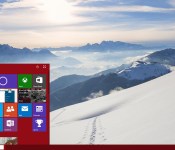
Stardock’s CEO talks to us about the company’s new Windows 10 Start menu, Start10

Windows 10 won’t officially be launched until sometime later in 2015, but software developers are already working on applications that will expand on the features in Microsoft’s next operating system. One of the most well known third party Windows app makers, Stardock, has just launched their first Windows 10 program, Start10. The app offers users a way to bring the classic Windows 7-based Start menu to Windows 10, along with a number of other features.
Do I need Mac anti-virus software?
Malware is a real and present danger on the Mac. Is it time to install anti-virus software?
It’s a question we’re getting asked with increasing frequency. As the Mac‘s popularity continues to grow and security stories makes headlines, both real and imagined, it’s something more and more Mac owners start thinking about. That’s the focus of this week’s Mac Help column.
S.B. writes:
Is BitDefender any good?
The Mac isn’t subject to the same sort of malware and virus problems as Windows, but that doesn’t mean we’re off the hook. As I’ve said before, Macs can get malware and adware just like Windows PCs can. Part of the problem comes when people indiscriminately download software from the Internet.
BitDefender is one of a number of commercial anti-virus software packages that works on the Mac which detects and eliminates malware when it finds it. Other commercial packages include Intego Mac Internet Security and Kaspersky Internet Security for Mac.
You can get protection for your Mac even without spending money. The free app ClamXav (which encourages you to donate if you find it useful) can also eliminate malware and adware on your Mac. For adware specifically, I’ve had very good luck with AdwareMedic. Like ClamXav, it’s free, though the developer encourages you to donate if you find it useful.
You can certainly take precautions to keep your Mac from getting problems with adware and malware, like making sure to use trusted sources to download software for your Mac like the Mac App Store.
You can also make sure to keep your Mac’s Gatekeeper security settings configured to only trust software from signed Apple developers. That will minimize the likelihood that you’ll launch an application that can cause security problems on your Mac.
Do you need anti-malware software on your Mac?
That depends entirely on how you use it. For many of us who rely on the Mac App Store and Gatekeeper security, an extra security app isn’t especially necessary. But if you download software off the Internet without knowing where it’s coming from, or if you start seeing your web browser or other software working in ways you don’t anticipate, like opening up strange web sites, Mac security software can give you peace of mind you won’t have otherwise.
What’s more, the free and donationware stuff I’ve mentioned (ClamXav and AdwareMedic) doesn’t mess up the regular operation of your Mac — just run it when you want to check things out.
Forewarned is forearmed, as the saying goes. The more precautions you take and the better security practices you engage in, the fewer problems you’re likely to have.

Microsoft is removing Google Chat and Facebook Chat support from Outlook.com

Microsoft is informing users of its Outlook.com web email service that it plans to remove support for both Google Chat and Facebook Chat. That means that those users will only have support for Skype for chat, audio and video calling.

Here’s how to take fantastic macro shots on your iPhone

Macro photography allows you to see the world from a different perspective.
Whether you’re shooting giant cereal pieces a la “Honey I Shrunk the Kids” or the petals of a flower, you can create fantastic scenes from otherwise ordinary objects. iPhone macro photography is especially exciting: Because your phone is so small, you can get close to objects you might otherwise have a harder time shooting with a DSLR. Here are some of my favorite tips for shooting macro photography on the iPhone 6!
Find your light
As the old theater saying goes: “Find your light!” Without decent lighting, your macro subject will come out too dark and blurry; with too much direct lighting, the subject will end up blown out you’ll lose all that great detail.

Instead, shoot for the perfect balance of light and dark: indirect sunlight. The picture above (an Apollo 11 medal given to TRW employees who worked on the launch) is taken next to a sun-drenched window, but out of the way of direct sunbeams.
Don’t get too close
Your iPhone has a fixed lens focal length of 29mm, which means that you can only get so close to an object before it blurs. Ever held your finger up to your eye but couldn’t focus on it because it was too close to your face? Same principle. You don’t want to push your phone so close to the object that it starts to blur.

If it’s your first time shooting macro photography, it might take a bit of trial and error to find the perfect distance for a close-but-not-blurry photograph; I’ve had the best success with keeping my iPhone 6 around 2 inches or more away from the subject.
Avoid messy backgrounds
When you shoot macro, you’re intentionally focusing on a foreground object close to you, which means objects in the background are going to be somewhat to heavily blurred. As such, busy backgrounds with multiple colors may still pull the focus away from the object you’re taking a photo of, even though they’re blurred.

In the photo above, while I liked the general look of the blurred snow scene to the right, the tool shed and multiple trees were pulling focus from my actual goal: shooting individual snowflakes. The second picture I took, on the left, keeps the snow as the main focus and allowed me to highlight their crystalline structure.
Use AE/AF lock for a clear shot
When you get close to that 2-inch mark — especially if you have other items in the background — the iPhone 6 will occasionally try to snap its focus back from your macro image to whatever else is in frame.

To prevent that, tap and hold on your focus point until you see “AE/AF Lock” appear; until you tap the screen again, your iPhone will stay locked to your macro subject’s focus point.
Invest in an Olloclip
On its own, the iPhone takes some pretty nice macro photos, but you can amplify those images by adding an Olloclip or similar lens system. The $70 system lets you shoot at 7x, 14x, and 21x, and even includes a focus hood to make sure your images are framed at the right distance and come out perfectly clear.

The images above, taken last year with an Olloclip 3-in-1 macro lens, show a container of sea salt at 7x, 14x, and 21x respectively. The lens kit is a fantastic little system if you plan to do macro photography often on your iPhone, quickly snapping on or off an iPhone 6 or 6 Plus.
Any macro tips?
Shot any great macro photos lately? Have other tips that make your iPhone macro photography shine? Share them below.
 AIVAnet