


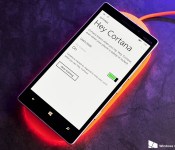
O2 rolls out Denim update for Lumia 930, ‘Hey Cortana’ passive-listening not included [Updated]

Update 2: O2 has mentioned that the issue is now fixed, and that an OTA update with the passive-listening feature enabled will be made available soon:
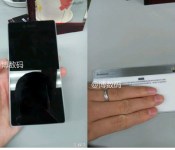
Leak reveals specs and images of Lenovo Vibe Z3 Pro ahead of rumored MWC launch

It looks like Lenovo is set to unveil this year’s flagship at Mobile World Congress in Barcelona next month. The device, which will reportedly be dubbed the Vibe Z3 Pro, is said to feature a 5.5-inch QHD display, Snapdragon 810, 4GB RAM and 64GB internal memory.
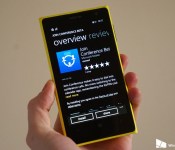
Microsoft rebrands the Nokia Conference Beta app, adds Cortana support

Microsoft has recently made a move to rebrand yet another Windows Phone app, Nokia Conference Beta. Now titled Join Conference Beta, the app acts and sings in the exact same way as the solution under Nokia, but now there’s Microsoft branding slapped on top, with the potential for future updates with new features and improvements from Redmond. In fact, the company has already started to add new functionality, including Cortana integration.
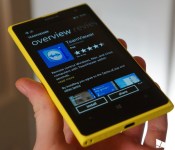
TeamViewer returns to Windows Phone and is once again available

The official TeamViewer app was pulled from the Windows Phone Store at the end of last month, but has now returned for download. What’s more is the team added improvements and bumped the release up to version 10.1 before it vanished.

Battlefield Hardline enters open beta, PC system requirements detailed

Ahead of its launch on March 17, Battlefield Hardline is now in an open beta for the Xbox One, Xbox 360 and PC. Origin published the system requirements for the game earlier today, noting that the game takes up 60GB of hard drive space.
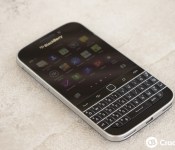
BlackBerry Classic now officially available in South Africa

To go along with the great South African BBM recruitment contest, BlackBerry has now announced the official release of the BlackBerry Classic there as well. While the press release lacks mention of carriers right now, Orange SA has the device listed online and in-stock for R5,445 with free shipping. South Africa is just one many new regions to now have rolled out the device including Australia, the Philippines, India, Malaysia and more. You can check out our full BlackBerry Classic review right here if you’re looking to learn more.
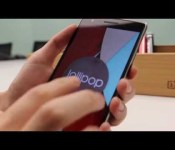
Android 5.0 Lollipop on the OnePlus One gets teased in official video
OnePlus has released a 5.0 Lollipop teaser on YouTube for the company’s One smartphone. Failing to show much off (as it’s a teaser, folks), it’s clear to see the next version of Google’s operating system running on the device. The video serves as a short tour through the OS with a Flappy Bird-like game to close.
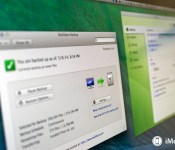
Mac Help: Online backups for huge archives

Welcome to Mac Help, our weekly column focused on helping you, our readers, with the trouble you’re having with your Mac. In this edition we tackle the subject of massive amounts of personal data and how it can best be backed up.
Chuck Rossell writes:
I recently signed up for the Backblaze trial to backup the data on my iMac. To date, I have roughly 2.5 TB of info – mostly photos and video. After doing some research, I chose to go with Backblaze. I started the data upload, and based on their calculations, it would take 2.5 YEARS to back everything up. Really?! So I will have paid them $150 before everything gets backed up! Not to mention the amount of data I have will continue to grow. I’m not sure what to do at this point.
First of all, let me commend you for adding — or at least thinking about adding — online backup to your archival rotation. I think backing up to an offsite, online service is vital. I consider it a tertiary line of defense, however.
For primary backups, I recommend looking at Apple’s Time Machine, which works equally well if you have an external hard drive connected to your Mac, or if you’re backing up to an Apple Time Capsule or some other network-attached storage.
For secondary backups, I think it’s a good idea to clone your hard drive or drives. That way, in the event of a primary drive failure, you’ll be able to resume working with relatively little disruption to your routine until you can get whatever the problem is fixed.
Now we get into the third line of defense: Online backups. Backblaze, Carbonite and CrashPlan are all excellent systems. Online services all suffer from an inherent limitation: Bandwidth availability. With 2.5 terabytes of data to store, you have a lot of data to back up. Backblaze says that it takes their average customer about two weeks to get a complete initial backup. And I suspect that with 2.5 TB of data, you’re far from average.
One thing you can do with any of these online services is to tailor what gets backed up online. If you’re already keeping your primary drive backed up, maybe you don’t need all the data on that backed up to the cloud as well (in Backblaze, that’s done using the “Exclusions” tab). Maybe it’d just be a good idea to back up files that you don’t have stored anywhere else. Backblaze does a good job of, by default, excluding system files, apps, caches, system images and other stuff that just takes up a lot of space, but that doesn’t mean you can’t ratchet it down even further.
One option to consider, depending on the service: A seeded backup. Backblaze does not offer this, but CrashPlan does: The ability to send them a drive with your backup data on it, to “jump-start” the backup process. It’s a convenient way to get a lot of data added to your account really quickly, though it does require you to have an extra drive on hand that you can send to them for the initial backup. Even then, though, there are limitations: CrashPlan, for example, will only send you a 1 TB drive. Anything in excess of that has to be uploaded. But still, better 1 TB than no terabytes, I suppose.
Anyway, I hope this helps. And if you’re reading this and haven’t really considered a complete backup strategy, here’s a guide to get you going:
Got a question about your Mac, or a problem that’s been gnawing at you? Feel free to send it to machelp@imore.com and we might feature it in a future column!

Drop Hunt, an entertaining puzzle game for Windows Phone

Drop Hunt is a Windows Phone game where you are tasked with moving colored droplets into their corresponding jar. The backstory for the puzzle game has a Dr. Wasper working on an elixir for his sick daughter when disaster strikes his lab and chemicals go everywhere.
You will have to solve eighty puzzle levels that are spread across four different locations to restore the elixir and save the daughter. Drop Hunt is nicely animated and game play can be challenging. Drop Hunt is available for low-memory Windows Phones and a nice gaming choice to pass the time with.
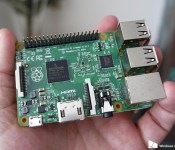
Hands-on with Raspberry Pi 2, a future Windows 10 computer for $35

So, here it is. The $35 computer that will run a version of Windows 10 later this year. The Raspberry Pi 2 is an interesting little device in its own right, but with the announcement of a collaboration with Microsoft to bring the latest version of Windows to it, naturally it becomes even more interesting to us.
It’s not going to be the full fat, pro version of Windows 10, instead a customized version delivered by Microsoft’s developer program for the Internet of Things. But it’ll be free to download to all Raspberry Pi 2 owners who register.
We’ve got one in preparation for what’s to come, so here’s a quick look at what it is – and isn’t.

