



BusyContacts brings BusyCal-style contact management to your Mac

If you happen to be in the market for a high-powered contact management app, then you might want to take a look at the newly-released BusyContacts. The app, by BusyMac, makers of the much-loved BusyCal calendar app, brings smart filters, customizable views, integration with the aforementioned BusyCal and more.
We’ll let BusyMac founder John Chaffee tell you all about what’s in the new BusyContacts:
- Customizable Views — View contacts in a single-column Card View or multi-column List View.
- Tags — Tags can be used for grouping, filtering and coloring contacts.
- Smart Filters — Smart Filters are a powerful tool for filtering contacts, creating saved searches, and even applying custom view settings in the List View.
- BusyCal integration — BusyContacts integrates with BusyCal by linking contacts to events in your calendar, providing flexible CRM capabilities for tracking past and future activities.
- Activity List — The Activity List displays activities associated with the selected contact including calendar events, emails, messages, and recent social network posts.
- Social network integration — BusyContacts syncs with Facebook, Twitter and LinkedIn, combining contact information from each of these sources into a unified contact view.
- Syncing — BusyContacts syncs with the built-in Contacts app on OS X and iOS through all leading cloud services including iCloud, Google, Exchange, and other CardDAV servers.
- Sharing — BusyContacts allows you to share address books with read-only or read/write privileges through Exchange, Fruux, LAN, and other CardDAV servers.

BusyContacts certainly does seem to be one of the most powerful and flexible contacts apps out there, but getting in on the action will come at a price. Specifically, $49.99, though current BusyCal owners can get it at a reduced rate of $29.99, or you can buy both together for $79.98. If you’re not sure if that’s the kind of coin you want to spend to manage your contacts, you can check out the free 30-day trial to take it for a spin first.
Source: BusyMac
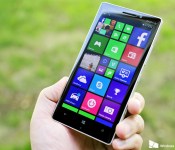
This is why higher-end Lumia phones can’t currently run the Windows 10 Preview

Microsoft’s Gabriel Aul has offered a technical explanation on why the just launched Windows 10 for phones preview cannot currently be used on higher-end Lumia smartphones, such as the Lumia 930, the Lumia Icon and the Lumia 1520.

How to install Windows 10 Preview to your Lumia Windows Phone

Microsoft today released the Windows 10 Preview for a subset of Lumia Windows Phones. Many questions abound about the update, as some phones are getting it, and others are not. Our AT&T Lumia 830, fresh out of the box with build 14157 of the Windows Phone 8.1.1 OS is getting the update while our Lumia 830 (UK, with Developer Preview) is not.
Here is how to try and get the update for your Windows Phone, assuming your phone meets the requirements.

These are the supported languages in the first Windows 10 preview for phones

If you’re joining the ranks of those on the Windows 10 Technical Preview for phones, one of the important factors to consider is whether your native language is supported. It’s too easy to presume it will be, or that everyone can speak enough English to make it through.
Microsoft has published a list of the supported languages in the first build. Read on to see them all.
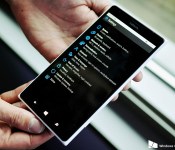
Internet Explorer in the Windows 10 phone preview has a new rendering engine

Microsoft has confirmed that the new EdgeHTML.dll rendering engine for Internet Explorer is being used in the newly launched Windows 10 techical preview for phones. The new engine is already being used in the Windows 10 preview for desktops.
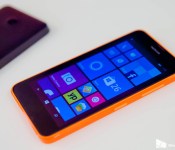
Want a phone that can run Windows 10? Grab this Lumia 635 for just under $50 right now

At the moment, the just-released Windows 10 preview for phones supports just six low-to-mid end Lumia devices. As luck would have it, Amazon is running a sale on the AT&T Lumia 635 for just $49.84 and it happens to be one of those lucky six Lumia Windows 10 preview devices.

Xiaomi intends to launch its Mi.com store in the U.S. for some products soon

Sadly, there are no official plans to launch phones or tablets in Western markets
Speaking at a press event today in San Francisco, Hugo Barra of Xiaomi said that the Chinese company intends to launch its direct-to-consumer Mi.com store in the U.S. very soon. The current time table given for a launch is “a few months” — but unfortunately for fans (or potential fans) of Xiaomi’s phones and tablets the initial launch will be limited to simpler, non-phone products.
Xiaomi makes far more than just phones — headphones, power banks, routers, smart home items, even air purifiers, and those items are far easier to bring to market in new areas. Issues with localization of hardware and software of phones, as well as certification to run on new networks and sell in new countries, present very interesting challenges to entering a big new market like the U.S.

Here’s how to go back to Windows Phone 8.1 after checking out the Windows 10 phone preview

If you decide to take the dive and install today’s Windows 10 phone preview, chances are you’ll encounter some bugs along the way. If things get a little too hairy for you, Microsoft has a nifty recovery tool available that will roll your device back to Windows Phone 8.1.

iPhone apps and games can now be up to 4GB big!

There’s some good news for iOS developers and those looking for higher quality games alike: Apple has increased the size limit of apps on the App Store from 2GB to 4GB. From Apple:
The size limit of an app package submitted through iTunes Connect has increased from 2 GB to 4 GB, so you can include more media in your submission and provide a more complete, rich user experience upon installation. Please keep in mind that this change does not affect the cellular network delivery size limit of 100 MB.
While this change will mostly effect game developers, allowing them to use higher quality assets in their games, Apple notes that developers and users will still have to contend with the 100MB cellular download limit per app.
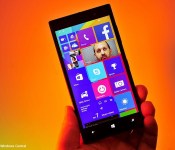
Here are the known issues and workarounds with the Windows 10 phone preview

Microsoft has posted a list of current known issues with the just-released Windows 10 Technical Preview for phones. Many of those issues do have workarounds or will be fixed in future preview releases:
 AIVAnet