



Samsung is working on a second generation Galaxy Tab S

According to a new report published online earlier today, Samsung is busy designing a second-generation Galaxy Tab S. There’s allegedly two new variants on the way — the SM-T710 and the SM-T810. The devices are expected to be revamped 8.4- and 10.5-inch models of the current slates, so it looks like we’re not going to be seeing at any major changes.
With regards to hardware, the only difference we expect to see between the new and old Galaxy Tab S is an updated processor. The original Tab S features some top-of-the-line internals, but Samsung’s Exynos 5420 CPU is on its last legs and just isn’t powerful enough to run a 2560 x 1600 display.
Previous experience shows that the 10.5-inch Galaxy Tab S tends to lag quite a bit when it comes under intense pressure from a game, or even opening a packed multitasking menu, but, thankfully, this is an easy issue to overcome. If Samsung were to install a Snapdragon 810 chipset in the unit, it would be more than capable of powering the display and give an improved user experience all-round.
If your expecting to see these new devices at MWC next month, your going to be a tad disappointed. It’s way too early for their release as they’ve only just entered their internal testing phase, but we suspect they’ll hit the market some time in Q2 of 2015.
Source: SamMobile
Come comment on this article: Samsung is working on a second generation Galaxy Tab S

Samsung starts pushing out Lollipop update to Galaxy Note 3 (LTE) & Snapdragon Galaxy Note 4 in Germany

Hot on the heels of the Exynos variants, Samsung has today started pushing out the much-anticipated Lollipop update to all Snapdragon-powered models of the Galaxy Note 3 (LTE) and Galaxy Note 4 located in Germany. In terms of added functionality, this upgrade brings the latest build of the Android operating system, together with a multitude of bug fixes and stability improvements.
Hit the break for the full changelog.
System Improvements:
- Radio stability improvement
- Transition improvements
Eye Experience Implementation:
- Split Capture
- Crop-Me-In
- Photo Booth
- Auto Selfie
- Voice Selfie
- Swipe-To-Switch
- Video Face Tracking
- Live Makeup
- Video Screen Sharing
- Application Improvements:
Material Design: You will quickly notice a whole new colorful look and feel to your device – from fluid animations to new application and system themes, colors and widgets.
Notifications UI & Priorities: In order to alert you to the most timely and relevant information, the format and behavior of notifications have evolved:
- notifications will appear on the lock screen and are intelligently ranked by type and who sent them.
- you double-tap to open one, swipe left or right to clear one, or clear all notifications from the bottom of the list.
- you can set the priority and privacy of notifications for each application.
- very high priority notifications will pop up briefly over other applications so that you can take action.
- when you dismiss a notification on one device it will be dismissed on your other Android devices, if they are connected to the Internet.
- you can further tailor how notifications behave with the new Downtime and Ambient Display settings (see below).
New Interruptions & Downtime Settings: You can tailor how interruptions behave, choosing to allow all, none, or only priority interruptions. You can personalize what counts as a priority interruption (reminders, events, calls, messages) and even tailor them to be from only contacts you specify. The Downtime setting will allow only priority interruptions during the times and days that you specify. e.g. allow only priority interruptions on the weekend.
Recent Apps (Multi-tasking): The redesigned Overview space (formerly called Recents) will include both applications and separate activities within those applications. For instance, each open tab in Chrome will also appear here along with recent applications; both your Gmail Inbox and a draft email message will appear as separate cards. This provides a consistent way to switch amongst tasks.
Flashlight: Lollipop includes a new flashlight option as part of Quick settings (swipe down with two fingers from the status bar to see it).
Pin a view/app: Screen pinning allows you to keep a specific app or screen in view. For example, you can ‘pin’ a game and your child will not be able to navigate anywhere else on your phone.
Battery: The Battery settings panel now shows an estimated projection for how much time you have left while discharging or charging. You can also enable a new battery saver mode that will save power by reducing performance and most background data operations to extend your battery life.
Smarter Internet Connections: With Android Lollipop, your phone will not connect to a Wi-Fi access point unless there is a verified Internet connection. This feature improves hand-offs between Wi-Fi and cellular connections, helping to maintain your video chat or voice-over-IP (VoIP) call as you switch.
Performance: Your phone now uses the new Android Runtime to help optimize application performance. After upgrading to Lollipop, your applications will undergo a one-time optimization process. Note that the optimization for ART requires more space.
Security: Encryption can now use a stronger 256-bit key to help protect your data. Note that the stronger key willonly be used after you perform a factory reset on Android Lollipop. Otherwise encryption will continue to use 128-bit key. You can turn on encryption in the Security settings menu.
To see if the update is ready for your device, head into ‘Settings’, ‘About Device’, then tap ‘Check for Updates’.
Come comment on this article: Samsung starts pushing out Lollipop update to Galaxy Note 3 (LTE) & Snapdragon Galaxy Note 4 in Germany

Yahoo Aviate search now on home-screens around the world

Yahoo‘s third-party Aviate Launcher has pushed out an update today that will now allow users all over the world to conduct Internet, apps, and contacts searches directly from their home-screens via the search bar widget.
The update is available in over 70 countries and only where Yahoo Search is available.
Aviate had the following comment concerning the release:
Today we’ve rolled out Search to Aviate users around the world. No need to open a new window, because Aviate shows your Apps, Contacts and Web Search results right on your homescreen.
Search on Aviate is available in over 70 markets where Yahoo Search is available. Users on Android 4.0+ will see a Search box appear on their Aviate homescreens when their devices update to the latest version of Aviate.
I took the liberty of creating a gallery of screenshots on my device to give you an idea of what this search box does, because, let’s face it, a picture is worth a thousand words and I know you all are busy.


You can see that the search box is removable and there are settings available to it. Unfortunately, it locks you into the Yahoo search engine, should you choose to do an Internet search. You can put Google’s search widget on your home-screen, and it performs similarly, but it lacks the aesthetics that Aviate overlays its own search window with.
If you’ve never heard of Aviate before and are interested in checking out, look to the download link below!
Source: Yahoo Aviate
Come comment on this article: Yahoo Aviate search now on home-screens around the world

New Samsung Galaxy Tab 4 8.0 passes through FCC on way to U.S. market

We already know Samsung is working on a new 8-inch Galaxy Tab 4 tablet device thanks to a GFXBench entry that was discovered last month. While the chip used is the mid-tier Snapdragon 410, that is a 64-bit chip meaning the device can fully support Android Lollipop. Based on a new FCC filing for the device, the Galaxy Tab 4 8.0 should be headed to U.S. markets.
The FCC filing does not reveal much information about the new tablet. However, the test report that was submitted only covers Bluetooth and WiFi wireless, so it is not clear whether Samsung will release an LTE enabled version.
The release of the FCC filing is a good indication that Samsung is close to making the Galaxy Tab 4 8.0 available to consumers. They could announce it at MWC 2015 in a couple weeks.
source: FCC
via: TechnoBuffalo
Come comment on this article: New Samsung Galaxy Tab 4 8.0 passes through FCC on way to U.S. market

Google Helpouts shutting down April 20th

Friday the 13th’s first reaping is upon us, as Google’s Helpouts program, launched back in November 2013, will be shutting down at the end of April.
The service, utilizing the Google Hangouts platform, provided a way for people to get help on a variety of topics, spanning from cooking to tech support. Helpouts also allowed providers of expertise to sell their services, like in the case of piano lessons.
Google has posted a short informational about the closing on its product support page, but also took the time to send out an email discussing the matter:
Hi Joseph,
We have some sad news to share with you today: Helpouts will be shutting down onApril 20th, 2015. While this announcement was just posted on our site, we wanted you to hear the news directly from us.
Since launching in 2013, Helpouts has been a home for people to connect with experts on topics they want to learn about or seek advice and solutions to everyday problems. The Helpouts community includes some engaged and loyal contributors, but unfortunately, it hasn’t grown at the pace we had expected. Sadly, we’ve made the tough decision to shut down the product.
Starting April 20th, you’ll be able to download your Helpouts history using Google Takeout (available until November 1st, 2015). Until then, you can email us with any questions or concerns you have about your account or take a look at these FAQs.
We want to thank you for your support—both the providers who shared their expertise with the world, and the people who needed some extra help or advice along the way. You’ve had a lot to contribute—and we’ve loved learning alongside you.
Our best wishes,
The Helpouts Team
The Google Takeout mentioned by Google is a web-based program that allows users to download their Google data across the entirety of the Google products spectrum. You can visit that page by clicking here.
So long, Google Helpouts. It actually was a clever idea, it just never seemed to take off.
Source: Google
Come comment on this article: Google Helpouts shutting down April 20th

SpongeBob: Sponge on the Run brings endless runner to Bikini Bottom

You’d be hard-pressed to find someone who doesn’t know that SpongeBob Squarepants has a new film in theaters. He’s pretty much everywhere you look; this is doubly so for folks with children. What better time to deliver a mobile game based on the lovable Nickelodeon character? SpongeBob: Sponge on the Run is done in the tradition of Subway Surfers, Minion Rush, and Temple Run. It’s no surprise, then, that it’s a trending app in Google Play this week.
They say
Play the brand-new SpongeBob: Sponge on the Run based on the new SpongeBob Movie: Sponge out of Water!
SpongeBob and Plankton are in a race to find the lost Krabby Patty formula somewhere in Bikini Bottom, Apocalyptic Bikini Bottom and a real-world beach. When he’s not running, SpongeBob is flying, floating in a bubble, or has Plankton jumping around his surreal imagination. And when the running gets tough, the tough get heroic! SpongeBob becomes Super SpongeBob to knock through any obstacle in his way!
We say
One only need look at a few screen shots to see the appeal of this one. What’s more, you can also get a great sense as to what the game looks like and how it’s played. If you’ve ever played endless runners then you know exactly how addicting it gets.
You’ll find all sorts of SpongeBob goodies sprinkled throughout the game, including character customization, vehicles and obstacles, and familiar locations. It’s a little more expensive than similar titles but that matters little to the tens of thousands of people who have already downloaded.
(function() var script = document.createElement(‘script’);script.src = ‘https://stacksocial.com/widget.js?publisher=androidguys&type=editorial_post_widget_preferences’;script.async = true;var entry = document.getElementsByTagName(‘script’)[0];entry.parentNode.insertBefore(script, entry);)();
http://www.androidguys.com/pubgalaxy/728×90.html
The post SpongeBob: Sponge on the Run brings endless runner to Bikini Bottom appeared first on AndroidGuys.

Apple’s Beats-based streaming service said to be priced at $7.99/month, feature curated tunes

Apple’s been rumored to have a new streaming service in the works ever since their $3 billion acquisition of Beats Music, and now we’ve got just a few more details on what might replace iTunes Radio. One such detail the price, which is said to be currently debating around $7.99/month (higher than competitors such as Spotify or Pandora).
Interestingly, an overhaul of the music available in the iTunes Store might be in the cards:
Other clues suggest a major scrub to the iTunes store, which will rid itself of thousands of titles including soundalikes and certain covers, all at Apple’s discretion, say insiders. Moreover, the disallowed music includes artist rerecordings, favoring original or best-of versions and, critics contend, the major labels that retain those rights. Additionally, featured-artist sliders, previously chosen editorially, may now be determined by sales velocity, leaving some to wonder if iTunes is becoming less like a Tower Records and more of a Target — limited selection and a focus on hit titles. “Until now, iTunes has been good to the indies,” contends one vet. Conversely, an Apple source says such case-by-case house-cleaning to eliminate duplicative and deceptive versions is routine.
While we find it hard to imagine Apple actively culling thousands of titles from iTunes, we can see the “duplicative and deceptive” cleansing as a net positive for customers (especially if that same library is going to be leveraged for streaming). What form, exactly, Apple’s new streaming service will take is up in the air, though we’ll likely find out more about it in the next several months.
Source: Billboard

Android 5.0 Lollipop users reportedly experience fewer crashes than iOS 8 users
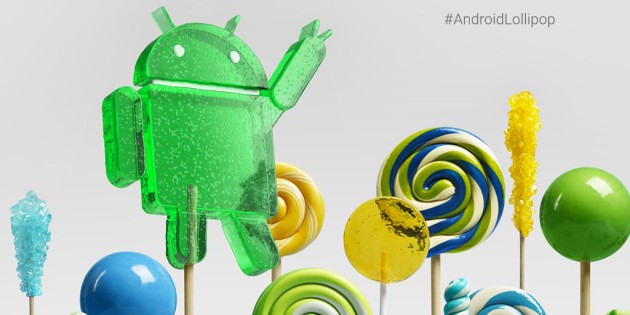
Comparing Android to iOS is always a delicate topic. Both sides have hard-core fans who are often unable to appreciate what the opposite number brings to the table. One aspect that is often brought up by iOS fans when debating which OS is best is the alleged ‘bugginess’ of the Android operating system when compared to the ‘reliability’ of Apple’s mobile offering. This point of contention would appear to be invalid though, with the news that the latest version of Android (Lollipop) offers increased stability. By comparison, it seems that iOS 8 has gone in the opposite direction, with it’s users experiencing higher app crash rates.
As you can see from the figures quoted below, the difference in app crash rates is barely noticeable, but for the hard-core fan in a heated discussion it may prove to be a satisfying point to raise to their fellow debater. The data was compiled by Crittercism, a company that monitors the performance of mobile applications.
- Android 5.0 Lollipop: 2.0 %
- iOS 8: 2.2%
Unlike iOS 8 that actually increased its app crash rate by .3% over iOS 7, Android 5.0 Lollipop managed a decrease of .6% over it’s the previous version of Android (KitKat). While that .6% isn’t a large number, it’s definitely a step in the right direction, which is another point to raise when debating which mobile operating system is best. It’s also impressive considering all the different devices that Android has to offer. It should be noted that crashes can occur for any number of reasons. Sometimes rather than it being the fault of the operating system, an app can crash from poor coding or issues with the device itself.
Source: ZDNet
Come comment on this article: Android 5.0 Lollipop users reportedly experience fewer crashes than iOS 8 users

Google intros Carboard-based View-Master
On Friday, Google and Mattel announced the fruit of a new partnership: a View-Master that uses Google’s Cardboard technology.
Cardboard is Google’s virtual-reality platform, and Mattel hopes to use it in a product that will allow kids to explore famous places, landmarks, planets, and so forth. It uses an Android smartphone as the display and the View-Master itself as the housing.
This device is a successor to the View-Master made decades ago, which projected 3D-like images as children flipped through its picture reels.
It might be what Mattel needs to hold off rivals such as Hasbro and Lego. The company’s revenue has been decreasing slightly in recent quarters, even while the aforementioned have been able to increase theirs.
Google and Mattel expect the View-Master to be released in October.
For more information on the product, check out the official site here.
FEATURED POSTS


(function() var script = document.createElement(‘script’);script.src = ‘https://stacksocial.com/widget.js?publisher=androidguys&type=editorial_post_widget_preferences’;script.async = true;var entry = document.getElementsByTagName(‘script’)[0];entry.parentNode.insertBefore(script, entry);)();
http://www.androidguys.com/pubgalaxy/728×90.html
The post Google intros Carboard-based View-Master appeared first on AndroidGuys.
Google and Mattel reinvent the View-Master and turn it into a VR headset filled with wonder
If you are an 80’s kid they you are probably very familiar with the View-Master. While it is much older than that with its first show of sorts appearing at the 1939 New York’s World Fair. The history of the product is pretty interesting and rather exciting to know it got its start in Portland Oregon. […]
The post Google and Mattel reinvent the View-Master and turn it into a VR headset filled with wonder appeared first on AndroidSPIN.
 AIVAnet