


Google Play Music now lets you upload 50,000 of your favorite songs

Google on Wednesday announced that its Google Play Music service will now let users upload up to 50,000 personal songs. Up 250% from its previous allotment of 20,000, the feature works for both paid and free accounts. Indeed, you can take all of that music you’ve got on CD’s and hard drives and put them in the Google cloud. Once there, you can access them from a variety of platforms including Android, iOS, PC, and Mac. What’s more, you can also stream your songs to a Chromecast.
Here’s how you can store your music online today:
- Sign in to Google Play Music – Go to your computer and visit play.google.com/music. Sign in with your Google account if needed.
- Claim your free storage – If you’d like to try our subscription service too, click “Get Started.” Otherwise, click “No Thanks” to continue with the free storage.
- Add your music collection – The setup process will guide you through adding our Chrome app, which provides seamless uploading. You can choose to simply upload your entire iTunes library or select other music folders.
- Access your music everywhere – You can stream or download music to your Android, iPhone or iPad for easy offline listening. It’s also all available on the web when you’re on your computer. And best of all, when you upgrade to a new computer or phone, your music comes along, too.
The post Google Play Music now lets you upload 50,000 of your favorite songs appeared first on AndroidGuys.

Fantastic new LG G Flex 2 info video released
If you weren’t interested in LG’s G Flex successor before, you might want to take a gander at their new informative video on YouTube highlighting all of the curved phone’s new features.
LG showcases everything about the phone from the 5.5 inch curved 1080p P-OLED display, powered by the 64-bit octa-core Snapdragon 810 processor, to the durable body and glass that can withstand much more than other phones, including its upgraded self-healing back cover.
Tell us what you think about the G Flex 2, and if you plan on getting one!
The post Fantastic new LG G Flex 2 info video released appeared first on AndroidGuys.
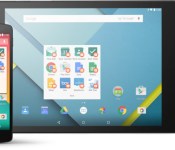
Google officially launches Android for Work, aims to make the workplace safer

We’ve known about Android for Work for quite some time, ever since Google announced the program at Google I/O 2014. Now it’s official, and Google has partnered with multiple companies to make the workplace an all-around safer place for everyone.
Android for Work is centered around four key technology components: work profiles, the Android for Work app, Google Play for Work, and built-in productivity tools. Each user needs to set up their own work profile on a Lollipop-running device, and will then have access to work data thanks to enhanced SELinux security enforcement. Once set up, your IT professional can deploy or remove work-approved apps to connected devices.
If your device is running Ice Cream Sandwich through KitKat, you can download the Android for Work app. It will deliver secure mail, contacts, events, documents and much more, and can be completely managed by your IT professional. Here’s the full list of components Google has worked into the new program:
- Work profiles – We’ve built on the default encryption, enhanced SELinux security enforcement and multi-user support in Android 5.0, Lollipop to create a dedicated work profile that isolates and protects work data. IT can deploy approved work apps right alongside their users personal apps knowing their sensitive data remains secured. People can use their personal apps knowing their employer only manages work data and won’t erase or view their personal content.
- Android for Work app – For devices running Ice Cream Sandwich through Kitkat, or that don’t run work profiles natively, we’ve created the Android for Work app. The app, which delivers secure mail, calendar, contacts, documents, browsing and access to approved work apps, can be completely managed by IT.
- Google Play for Work – It allows businesses to securely deploy and manage apps across all users running Android for Work, simplifying the process of distributing apps to employees and ensures that IT approves every deployed app.
- Built-in productivity tools – For everyday business tasks, we’ve created a suite of business apps for email, contacts and calendar, which supports both Exchange and Notes and provides document editing capabilities for documents, spreadsheets and presentations.
Google has also teamed up with a number of IT partners to make this all work, including Cisco, BlackBerry, Motorola, Samsung, Box and many others. Google explains that these partnerships bring a consistent management platform that allows enterprise managers to control all Android devices, old and new. These partnerships also bring more secure business apps and devices to the program
If you’re interested in signing up for the program, head to the Android for Work website.

Oculus offers $1 million prize pool for Gear VR developers

Oculus VR has a challenge for aspiring game and app developers: Create something new and exciting for the Gear VR Innovator Edition, Samsung’s Oculus-powered headset, and get a shot at a cash prize from a $1 million pool. The Oculus Mobile VR Jam 2015 kicks off on April 13 and ends on May 11, with sign-ups open now at Challenge Post. The Jam — and the cash — is split between two tracks, “Games” and “Apps or Experiences,” with Platinum, Gold, Silver and Bronze winners in each segment. The top Platinum Game gets $200,000, while the Platinum App or Experience snags $100,000. There are multiple winners for each of the remaining ranks, and prizes bottom out at $10,000 for each Bronze victor.
The Oculus Mobile VR Jam has four must-hit milestones for participants: Pitches are due by April 20, screenshots by April 27, videos by May 4 and the final build is due by May 11 at 9AM PT. After all that hard work, Oculus will announce winners “on or around” June 4. Developers can go in solo, with a team or as part of an organization, and lonesome devs looking for love can put together a group directly on Challenge Post.
This jam is all about the Gear VR Innovator Edition, a virtual reality headset that uses the Samsung Galaxy Note 4, with a side of Oculus VR software. We were reasonably impressed with the Gear VR Innovator Edition in September, though we noted that it had some rough edges, technically speaking. A Samsung rep told us at the time that these technical issues were what made it an “Innovator Edition,” meant for early adopters, VR enthusiasts and professionals. It seems that the Gear VR is sticking around, and we wouldn’t be surprised to see a new, less buggy model featuring Samsung’s flagship phone, the Galaxy S6, at the Mobile World Conference in early March.
Source: Challenge Post

Google Calendar for Android gets a new ‘week view’ feature

The Gmail team has just announced an update for the Google Calendar app on Android. This update brings a new week view feature which was previously missing on the app. Also new on the app is the ability to add and control Google Drive files to your calendar events.
Another minor but handy feature is the ability to view the week numbers, which can be enabled from the Settings. Here is the complete change log listed by Google:
- See more events at a glance with 7-day week view and pinch-to-zoom
- Add Google Drive files to events. Drive will even check if everyone can open them.
- Control whether birthdays from Google+ are shown in settings. You’ll also see the same changes on the web next week.
- A new option to show week numbers in settings.
- Import .ics files sent to you in Gmail and other apps
The changes should be rolling out with the next major update to Google Calendar, so make sure you give it a look. Google has also assured iPhone owners that an app for them is on its way as the users grow frustrated of waiting.
Source: Google+
Come comment on this article: Google Calendar for Android gets a new ‘week view’ feature

New leaked images show off the Samsung Galaxy S6 in full (Update: more images!)

Update 1: The XDA user has posted one more photo of the handset on the thread which looks to be a clearer shot of the center image (shown above). The new image is attached below the original post.
Update 2: The user has posted more pictures, this time of the full device outside of the bubble wrap. They’re much more clear than the original photos posted, and the user also mentions that the battery cannot be removed (which lines up with previous rumors). The five new images can be found at the bottom of this post.
Original post: As the launch date for the Galaxy S6 is getting closer, we’re hearing more and more rumors about Samsung’s next big handset. We’ve heard a ton of rumors regarding the Galaxy S6’s build quality, and that it will likely feature much more premium materials than we’ve seen from Samsung devices in the past. Today we get another leak of the handset, and it’s quite a detailed one. A user posted pictures on XDA of what’s purported to be the Galaxy S6. While the majority of the phone is wrapped in bubble wrap, we can still see that these are the clearest photos of the handset so far.
The back of the device doesn’t show anything out of the ordinary. We’re seeing a camera module with a flash towards the top of the device, and that’s about all we can make out for that image. The side of the device is also shown off, revealing the metallic edging that wraps around the device. The last image, also covered by bubble wrap, shows off the front of the handset. Again, there’s not too much out of the ordinary with this one either – a home button, a front-facing camera and a big screen – all placed in their normal spots. The home button does appear to be a tad bigger than previous versions, but that’s about the only notable change we can see from the leak so far. Now, we can’t say for sure that these are images of the S6. There’s a good chance that the photos could be of another Samsung handset or a knockoff of some kind. But given the rumors we’ve heard in the past, most of the details seem to match up.
Judging from the leaked images and all of the other leaks we’ve heard up to this point, this is turning out to be one attractive device. What are your thoughts on the new leaked images?


Apple Adds ‘GasBuddy’ and ‘GreatSchools’ as New Maps Data Partners
 Apple added several new companies to its Apple Maps Acknowledgements page over the course of the past month, possibly hinting at future plans for improvements to its mapping app. The Acknowledgements page lists all of the sources that provide information to Apple for the Maps app.
New listings include GasBuddy/OpenStore and GreatSchools, two additions that AppleMapsMarketing speculates could lead to Maps upgrades like gas prices on gas station locations and school data for school locations. GasBuddy.com is a site that is designed to highlight local gas prices, helping users find the cheapest gas in any given area. GreatSchools.org is a community-based site that aggregates information about schools, including students enrolled, available programs, ratings, and academic test scores.
Apple has also added Yext to the page, a site that allows businesses to update their locations for multiple online sites at one time, but the company’s partnership with Yext was previously known. The National Land Survey of Finland Topographic Database is also new, likely adding new maps data for the country.
Though Apple’s acknowledgements page lists GasBuddy and GreatSchools, the above-mentioned data is not yet showing up in the Maps app, and it is unknown exactly when and if Apple will add gas price and school information to Maps. It’s entirely possible that the company’s partnerships with GasBuddy and GreatSchools have been established to bolster existing data on the locations of gas stations and schools.
Since Maps’ rocky debut in 2012, Apple has made continued efforts to improve the app by hiring mapping experts around the world, fixing user-reported errors, and boosting points of interest through its data partners. Most recently, Apple added 10 new data sources to Maps, sometime around November of 2014.
Apple is rumored to be working on some major Maps improvements like transit directions and indoor mapping information, but the launch of these features seems to have been pushed back due to internal organizational issues. It is not known when Maps might see its next major update, but because there seems to be no sign of Maps upgrades in iOS 8.2 and iOS 8.3, it’s possible Apple is saving the feature for iOS 9.
 AIVAnet