


DOM Distiller now available for all channels of Chrome, mobile included
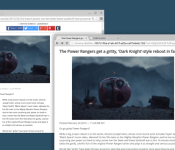

Document Object Model (DOM) Distiller for Chrome is now available for all channels of Chrome, including your Chrome browser on your smartphone or tablet. This feature is basically “reader mode” and it modifies a webpage to bring you the meat-and-potatoes of that page’s content front-and-center.
In a Google+ post, Chrome developer Francois Beaufort talks about the new addition to Chrome, as well as how to enable it on your devices. Click after the break to read the post in its entirety.
The DOM Distiller is an exciting open-source project created by the chromium team whose goal is to provide a better reading experience by distilling the content of the page. Yes, we’re talking about Reader mode here: a mobile-friendly viewing mode for Chrome mobile but not only.
If you’re on Mobile, you can already open Chrome on your mobile device, turn on the Reader Mode flag at chrome://flags#enable-reader-mode-toolbar-icon, relaunch and tap on the “Reader mode” icon in the toolbar to try it out.
If you’re on desktop, playing with it is as easy as running chrome with the –enable-dom-distiller switch. Once it’s done, you’ll notice a new “Distill page” menu item.
For info, the internal debug page is chrome://dom-distiller. And since you’re still there, open your JS console and give a try to some themes with useTheme(‘sepia’)or useTheme(‘dark’).
If you’re not sure how to enable a command-line switch in Chrome, here is an awesome link to Ghacks.com that walks you through the process.
Source: Francois Beaufort
Come comment on this article: DOM Distiller now available for all channels of Chrome, mobile included
 AIVAnet