


How To: Disable or enable sounds in Facebook app for Android


So you’ve recently installed or updated the Facebook app for Android and now you’re tired of hearing those weird sounds. You know which ones we’re talking about: notifications, refresh, etc. Did you know that you could turn that stuff off? Yes, and it’s really easy, too.
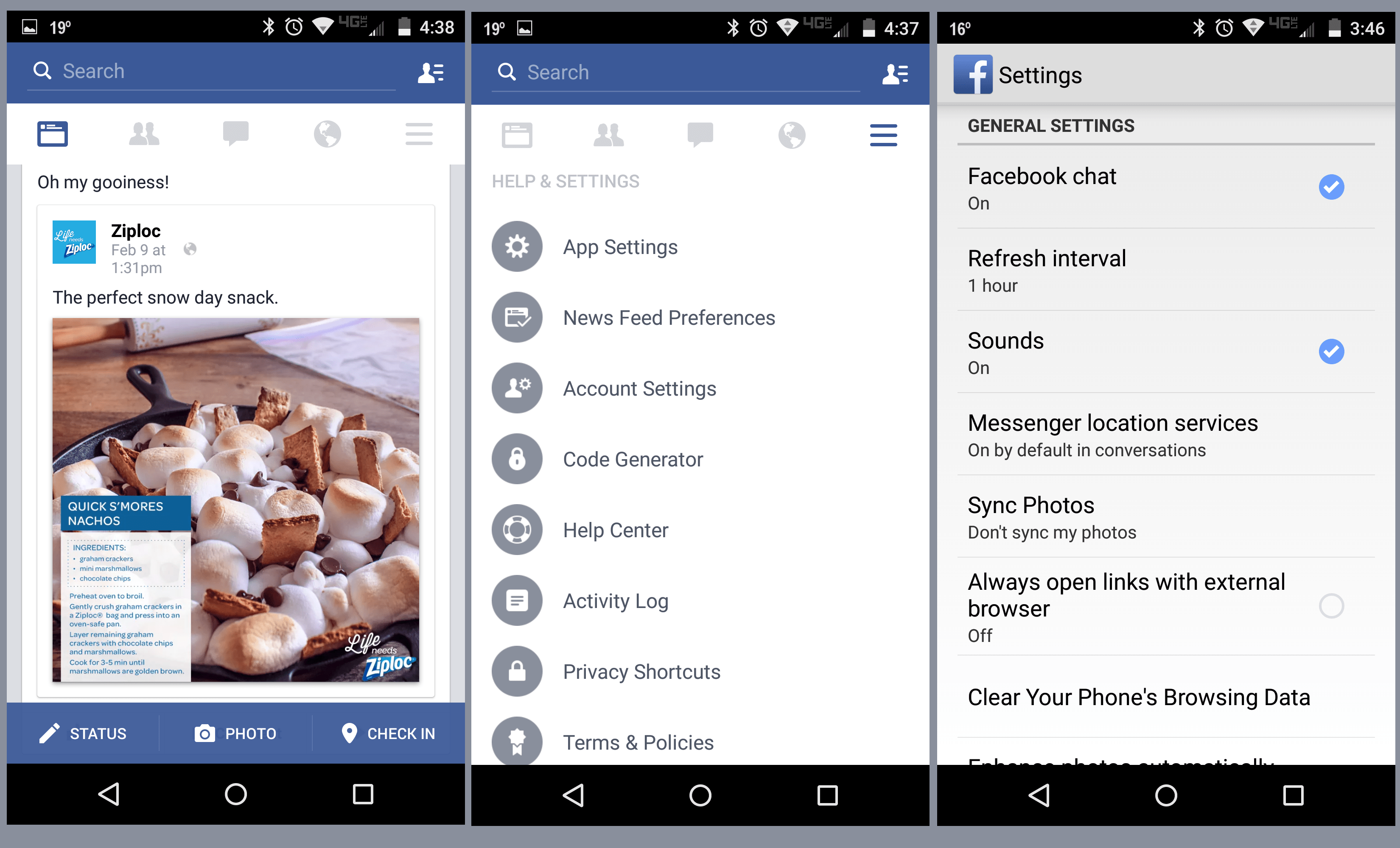
Here’s a quick step-by-step process of how to disable sounds in Facebook for your Android.
- Open the menu icon (top right, looks like three horizontal lines)
- Scroll to app settings
- Tap the button for Sounds
As you would expect, it’s the same process to turn these back on.
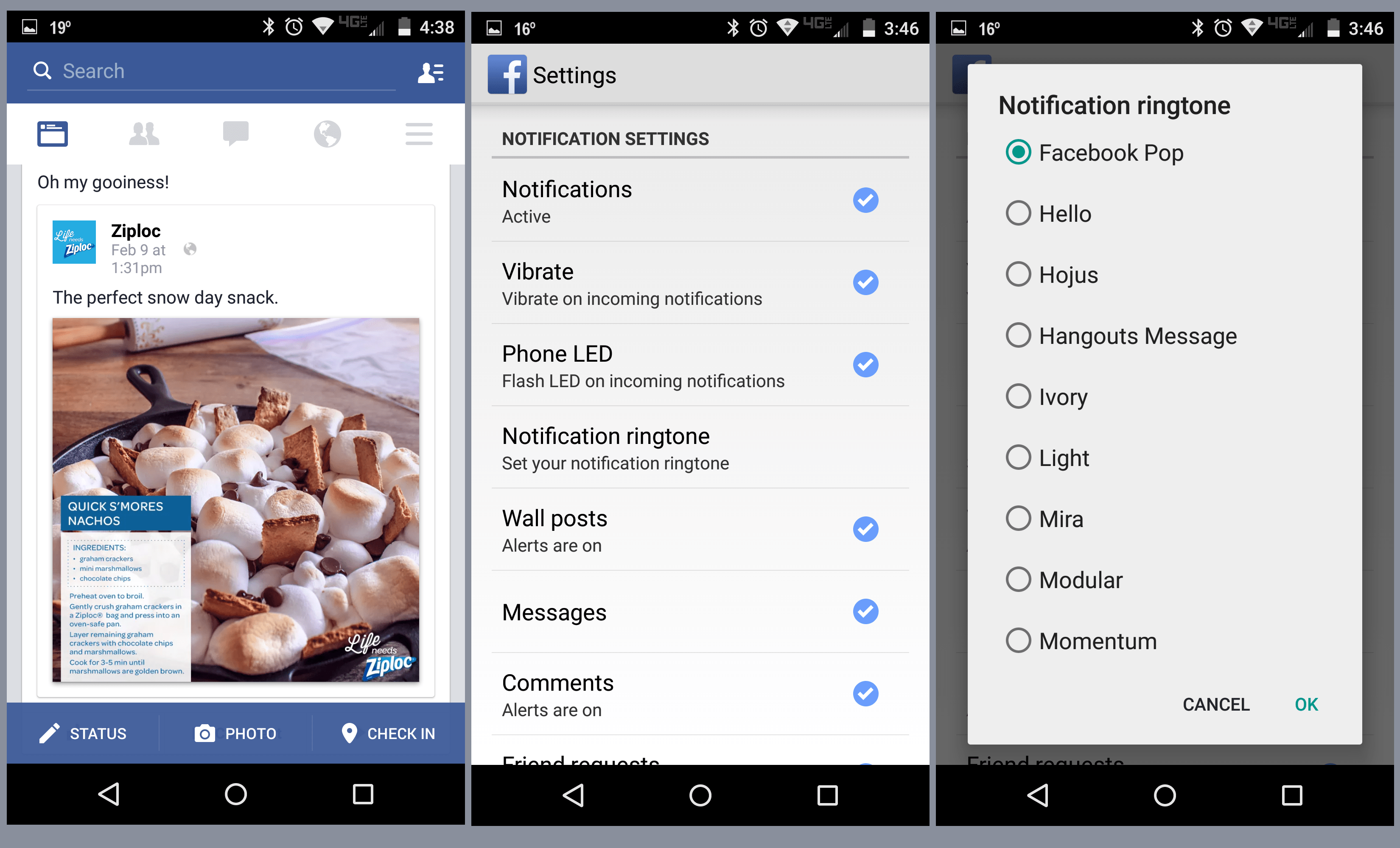
In the event you were simply looking to change the notification sound, you’re nearly there, too.
- Open the menu icon (top right, looks like three horizontal lines)
- Scroll to app settings
- Scroll to Notification ringtone
- Pick the one that you love most
(function() var script = document.createElement(‘script’);script.src = ‘https://stacksocial.com/widget.js?publisher=androidguys&type=editorial_post_widget_preferences’;script.async = true;var entry = document.getElementsByTagName(‘script’)[0];entry.parentNode.insertBefore(script, entry);)();
http://www.androidguys.com/pubgalaxy/728×90.html
The post How To: Disable or enable sounds in Facebook app for Android appeared first on AndroidGuys.
 AIVAnet