



Samsung should make a not-Apple TV

Samsung has been most successful when it’s made products specifically to fill gaps in Apple’s lineup. When you couldn’t get an iPhone or Verizon, Samsung made sure you could get a not-an-iPhone on Verizon. When you couldn’t get an iPad that was smaller than 9.7-inches or an iPhone that was bigger than 4-inches, Samsung made sure you could get not-an-iPad at 7-inches and not-an-iPhone at up to 6. They were never as polished as what Apple eventually released, but they existed and people bought them. In some cases, in droves.
When Apple started making those products, however, and there was no longer a need for not-an-iPhone or not-an-iPad, Samsung faltered. While the Apple Watch is coming this April and the Apple Car might follow one day, the Apple television doesn’t seem to be leaving the labs any time soon. So, maybe that’s an opportunity for Samsung to make a not-Apple television?
Yes, Samsung already makes “televisions”, but they’re not making televisions. They’re doing what everyone else is doing, gunking up their gadgets and muddling their marketing. They’re also making a lot of mistakes.
Last week there were two separate controversies swirling around Samsung’s “television” products. The first revolved around the admirably candid yet terrifying language used in their “always listening” voice-control system:
Please be aware that if your spoken words include personal or other sensitive information, that information will be among the data captured and transmitted to a third party through your use of Voice Recognition.
Samsung updated the language it uses and posted it on Samsung Tomorrow, but by then a second controversy had surfaced. This one involved the injection of advertising into private video streams. Samsung told The Guardian:
We are aware of a situation that has caused some Smart TV users in Australia to experience programme interruption in the form of an advertisement. This seems to be caused by an error, and we are currently conducting a full and thorough investigation into the cause as our top priority. This situation has so far been reported only in Australia. We would like to apologise for any inconvenience experienced by our customers.
Televisions are a hugely competitive space, often with razor-thin margins. The pressure to extract more money from customers is what leads to things like data harvesting, partnerships, and ad insertion models. Samsung is hardly alone in that regard. And that’s the problem — Not only is Samsung playing the same game as every other major manufacturer on the planet, they’re stumbling while doing it. So, why not try something else?
Apple’s customers are among the best customers in the world. We care more about value than cost. We have iPhones, iPads, Apple TVs, and Macs, and will soon have Apple Watches. What we don’t have is an Apple television. We don’t have a simple, terrific panel to enjoy all our content on.
Instead of microphones or ad intercepts, instead of curves or Tizen-tie-ins, imagine Samsung just made a line of premium televisions that did nothing more nor less than provide a fantastic display and a slew of HDMI ports.
Samsung’s strength has never been software or ecosystems. It’s been panels and components. If they avoided the former and doubled down on the latter, they could take advantage of a gap in Apple’s current product line and make something extremely appealing to Apple’s customers.
I don’t think they’d ever do it, but I know I’d buy it if they did.
In case you missed it:
- Our ongoing redesign is ongoing! We updated slide shows last time, now we’re updating articles like this. As always, your thoughts are appreciated.
- Apple Car. Get used to seeing those words.
- Our experts column was terrific again this week, with Steve Aquino reminding us that Accessibility really is for everyone. Likewise Maddy Myers’ backpage on iOS gaming culture.
- Up next: Jessie Char and Kevin Michaluk!
- I can confirm Serenity, Ally, Peter, and Georgia have all, indeed, trolled me in iMessage just like this.
From around the web:
- Google’s Project Zero is getting more pragmatic. Looks like a good compromise.
- David Carr passed away this week. I’ll miss his work tremendously.
- Kara Swisher interviewed U.S. President Obama about cyber security. I guess personal privacy didn’t get much emphasis because Tim Cook had nailed it in his speech?
- Now that Apple being doomed is boring again, Google being doomed seems to be the new narrative: Don’t be Google, Google, Mighty Now, but Not Forever.
- Speaking of Google, credit where its due for doing this Android security Q&A.

Basketball Tournament, a little string music for your Windows Phone

The other week we took a look at the Windows Phone game Field Goal Tournament where you try your skills at kicking field goals from various spots on the football field. The same developer has released a similar game that centers around the basketball court to see how good of a jump shot you have.
Basketball Tournament has two gaming modes that will challenge your ability to make a basketball shot from various spots on the court. Some shots are gimmes while others send you downtown. As with Field Goal Tournament, Basketball Tournament is available for low-memory Windows Phones and is a fun game to pass short bits of time with.

iMore show 443: When Rene’s away…
The iMore show brings you everything you need to know about the week in iPhone, iPad, Mac, and Apple! On this episode — With Rene fled to warmer climes, Serenity, Peter, and Ally take over to talk Photos for Mac, Cars for Apple, and all the week’s iPhone, iPad, and Mac news.
Support the iMore show: Go to Harrys.com and save $5 off your first purchase with coupon code “iMore”.
Hosts

Get a Lumia 535 at Carphone Warehouse from £49.99

The Windows Phone deals continue to come out of the woodwork for British buyers and the latest could save you a few pounds on a new Lumia 535. At Carphone Warehouse right now you can grab one on pay-as-you-go on Vodafone for £69.99, but if you’re an existing Orange customer you can snag one for just £49.99.
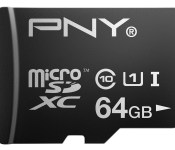
Save up to 67% on PNY microSD cards, Flash drives and more today at Amazon

Today is President’s Day in the US, and PNY has chosen this federal holiday to run one of its big mobile accessory sales on Amazon. Prices in this collection of products. which include microSD cards, SD cards, Flash drives and battery packs have been cut by between 23% and 67%.

AT&T exclusive version of the BlackBerry Passport available Feb. 20th

Have you been waiting for AT&T’s exclusive version of the BlackBerry Passport to arrive? If you have, it arrives officially on February 20th. If you head on over to the AT&T website you can grab the details for the more rounded off version of the device.
The BlackBerry Passport is ideal for the power professional who wants an innovative wireless device focused on productivity, said Jeff Bradley, SVP, Device Marketing and Developer Services, AT&T. “Available first on the AT&T network in the U.S., customers will benefit from the newly redesigned Passport’s enhanced features, including a wider screen, 32 GB of storage, and a 3450 mAh battery.
When it comes to pricing, you have a few options to consider. You can grab it for $199.99 on a new two-year agreement, you can purchase it outright with no contract for $649.99 or you can venture into the AT&T Next plans which, start at 0 down on and $21.67 per month with AT&T Next 24, $27.09 with AT&T Next 18 or finally, $32.50 per month with AT&T Next 12.
Save up to 67% on PNY microSD cards, Flash drives and more today at Amazon

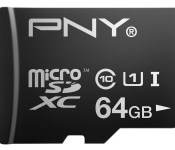
Today is President’s Day in the US, and PNY has chosen this federal holiday to run one of its big mobile accessory sales on Amazon. Prices in this collection of products. which include microSD cards, SD cards, Flash drives and battery packs have been cut by between 23% and 67%.

BlackBerry Classic arrives on AT&T February 20th

As previously announced during CES 2015, AT&T has now laid down the arrival date of the BlackBerry Classic and let us know it will be made available for purchase through their site and in stores on February 20th. AT&T customers looking to pick one up can expect to lay down $49.99 with a new two-year agreement to call one their own. If you’re not into contracts, AT&T is also offering the BlackBerry Classic for $419.99 outright.
The BlackBerry Classic is an excellent addition to AT&T’s leading line-up of smartphones, said Jeff Bradley, SVP, Device Marketing and Developer Services, AT&T. AT&T customers will be thrilled with the Classic. It blends the best of familiar features, such as BlackBerry’s QWERTY keyboard with enhanced capabilities including BlackBerry’s digital assistant.
Additional purchase options include AT&T Next plans wherein you can purchase the BlackBerry Classic for $0 down on at $14.00 per month with AT&T Next 24, $17.50 per month with Next 18 or $21.00 per month with AT&T Next 12.

The New Yorker goes behind the scenes with Apple’s Jony Ive

Jony Ive is the subject of an unprecedented profile by Ian Parker that delves into Ive’s history with Apple, the design process for the iPhone 6, Apple Watch, and much more. Ive himself was interviewed numerous times, and it includes comments from Apple CEO Tim Cook, executives Jeff Williams and Bob Mansfield, peers in the design community, members of Apple’s design team, and Laurene Powell Jobs. From The New Yorker:
Team members work twelve hours a day and can’t discuss work with friends. Each project has a lead designer, but almost everyone contributes to every project, and shares the credit. (Who had this or that idea? “The team.”) Ive describes his role as lying between two extremes of design leadership: he is not the source of all creativity, nor does he merely assess the proposals of colleagues. The big ideas are often his, and he has an opinion about every detail. Team meetings are held in the kitchen two or three times a week, and Ive encourages candor.
The profile also reveals that Ive is apparently working with Apple’s SVP of Retail, Angela Ahrendts, on a redesign of Apple Retail Stores that will make room for the upcoming Apple Watch:
The table previously covered with a flat cloth was now uncovered: it was a glass-topped Apple Watch display cabinet, accessible to staff from below, via a descending, motorized flap, like the ramp at the rear of a cargo plane. Ive has begun to work with Ahrendts, Apple’s senior vice-president of retail, on a redesign—as yet unannounced—of the Apple Stores. These new spaces will surely become a more natural setting for vitrines filled with gold (and perhaps less welcoming, at least in some corners, to tourists and truants).
The article talks about the relationship between Ive and the late Steve Jobs, including the first meeting between the two:
During the visit, Ive said, Jobs “became more and more confident, and got really excited about our ability to work together.” That day, according to Ive, they started collaborating on what became the iMac. Soon afterward, Apple launched its “Think Different” campaign, and Ive took it as a reminder of the importance of “not being apologetic, not defining a way of being in response to what Dell just did.” He went on, “My intuition’s good, but my ability to articulate what I feel was not very good—and remains not very good, frustratingly. And that’s what’s hard, with Steve not being here now.” (At Jobs’s memorial, Ive called him “my closest and my most loyal friend.”)
You can read the full profile in The New Yorker at the link below.
Source: The New Yorker

Notability for Mac harmonizes writing, drawing, and recording

Ginger Labs’ Notability is one of the best note-taking apps for iOS thanks to the way it harmonizes writing, drawing and recording audio. Does the Mac version follow suit?
If you’re a visual thinker, prone to doodling or sketching ideas using paper and pen, you owe it to yourself to check out Notability. It’s easy to type with, easy to draw with, and easy to embed recordings with, making it a versatile and truly intuitive note taking app for the Mac.
Here’s what you’re presented with when you open Notability for the first time. A three-pane interface with a sidebar on the left showing you your notes and thumbnails associated with them, so you can figure out which note you want to open at a glance.

Notes are the basic mode of collecting thoughts, images and audio files together. Notes can be collected into subjects, with dividers used to differentiate them. So you can create a divider called “School,” for example, with subjects for each class, perhaps, then individual notes for specific lectures or lessons.
The navigation bar gives you access to note taking tools including text editing, handwriting and highlighting markers, an eraser tool and a selection lasso and a marquee tool to select what’s on the page.
The right side of the page is bordered with tool palettes specific to whatever input method you’re handling at that point; text formatting options, pen and highlight colors and more.

Writing in Notability is a linear affair; position the cursor where you want, it’ll flush left on the page. You can style text with different fonts and colors, add bold, italics and underline and select three different list styles: plain, bulleted and ordered (by number and letter if you use multiple indents; bullet lists change formatting as they indent as well). Text also reflows around images you’ve embedded in your notes.
The handwriting and highlighting tools should be familiar to Notability for iOS users; this is really where the app made its bones on the iPad and iPhone. Of course, handwriting and visual input isn’t quite so straightforward on the Mac, but if you’re lucky enough to be working with pen tablet (or skilled enough with a mouse), then you can combine your written notes with sketches, highlights to text and other visual embellishments.
Drawing and highlighting tools include a palette of 16 different colors, pen and highlighter width adjustment, and pen style (uniform, which paints an even line, and variable). The erase tool will step back actions you take using the highlighter and pen tools.
You can import images and PDF files, editing them using the pen and highlight tools. Pinch and zoom works as you’d expect it to. You can also import Microsoft Word, PowerPoint and Excel content after a fashion (using Google Drive as a bridge), along with RTF files, and Note files.
Clicking the mic button attaches an audio file to the note, recorded from your Mac’s microphone. You can start and stop recording at any time; each audio file is indexed. The files can be easily scrubbed during later playback, to make it easy to find that segment of the lecture or conversation you found particularly illuminating. You can slow down and speed up playback as well.
If you already use Notability on your iOS device, getting the Mac version is as close to a no-brainer as possible. Notability for the Mac integrates with iCloud to provide really seamless workflow with your iOS Notability data. Quite frankly, this is where Notability really shines: Taking notes, sketching and doodling on the iPad is effortless, then bringing it to the Mac to take further notes or edit what you’ve done is very simple, straightforward and intuitive.
Notability sports an “AutoBackup” feature that works with Dropbox and Google Drive, putting files in a new Notability folder. iCloud is also supported, and this makes it simple to sync Notability files between Mac, iPad and iPhone.

If you’ve already invested in the workflow of another note-taking tool for the Mac like Evernote or OneNote, adjusting to Notability may be more trouble than it’s worth. But if you haven’t had any luck finding a note app that you’ve been happy with, I strongly recommend giving Notability a try.
- $5.99 – Download now
 AIVAnet