


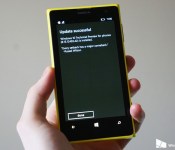
Windows 10 Technical Preview for phones is coming. Today!

Today is the day! Microsoft has confirmed that the long awaited Windows 10 Technical Preview for phones will be pushing out later on today.
From Microsofts Gabe Aul:
“Okay #WindowsInsiders, you’ve all been patient enough. TODAY is the day for Win10 Technical Preview for phones. Stay tuned for more info.”
Sit tight. We’ll be back with more soon!
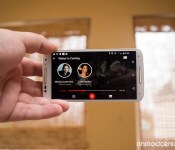
Watching television with Second Screen apps

There’s an increasing number of people with a smartphone, tablet, or laptop in their hands during TV time. Whether it’s for social commentary on your network of choice, completing a task during the commercial breaks, or you just want your internet connection handy in case an argument breaks out about some tiny detail (try watching “Marvel’s Agents of SHIELD” in a room full of nerds), having your tech nearby is a must for some. This behavior, coupled with a desire to keep users focused on the core show as much as possible, has given rise to an increasing number of Second Screen apps for TV shows.

The Phorm case adds physical keys to your iPad mini screen
The newly revealed Phorm case for the iPad mini will create disappearing physical key-hump things over the tablet’s touchscreen keyboard, and in theory offer what the developers at Tactus hope is a better typing experience.
Phorm is a two part case, with one part that goes on the back and wraps around the sides, and the other part which is a transparent screen that goes on top of the tablet’s display. The screen contains microfluidic channels that are activated when a slider is moved on the back of the case. The transparent keys on the screen then rise up on top of the virtual keyboard.
The Phorm case is currently available for $99 during its pre-order period, but the price will go up to $149 when it launches sometime in the summer of 2015. This case is obviously not compatible with any third party keyboard for the tablet, and could become useless if Apple decides to change the virtual keyboard or if you prefer to type sideways. There are plans to launch a similar case for the iPhone 6 Plus and the iPad Air in the future.
Source: Phorm

ReFocus Tech brings Passport and Classic support to ARKick

The folks from ReFocus Tech have been back in the app lab and this time around they’ve rolled out a new update to their augmented reality app ARKick that allows you to discover venues around you. The additions in this latest build should please not only current owners of the app through the various bug fixes it offers, but also those who might have bought ARKick previously and then moved in either a BlackBerry Passport or BlackBerry Classic, only to find those two devices weren’t fully supported by the app.

Get a first look at Windows 10 for Phones with Microsoft’s Joe Belfiore
While you’re waiting on downloading the Windows 10 Technical Preview to your phone, or waiting to see what others say, how about this. Microsoft’s Joe Belfiore has released a much anticipated first look video of how it all looks for us to enjoy.

Xiaomi says it has 100 million active MIUI users

We’re in beautiful San Francisco today for a quick meet-and-greet with Xiaomi, and the Chinese company just let loose a pretty major statistic. There are now 100 million active users of MIUI, the highly visual fork of Android built and maintained by Xiaomi.
In addition, Xiaomi co-founder and president Bin Lin says five of the top eight Android phones activated (we’re presuming he meant in China) were Xiaomi devices. Specifically, the Xiaomi Mi 2S, Mi 3, Redmi Note, Redmi 1s and the original Redmi.

BusyContacts brings BusyCal-style contact management to your Mac

If you happen to be in the market for a high-powered contact management app, then you might want to take a look at the newly-released BusyContacts. The app, by BusyMac, makers of the much-loved BusyCal calendar app, brings smart filters, customizable views, integration with the aforementioned BusyCal and more.
We’ll let BusyMac founder John Chaffee tell you all about what’s in the new BusyContacts:
- Customizable Views — View contacts in a single-column Card View or multi-column List View.
- Tags — Tags can be used for grouping, filtering and coloring contacts.
- Smart Filters — Smart Filters are a powerful tool for filtering contacts, creating saved searches, and even applying custom view settings in the List View.
- BusyCal integration — BusyContacts integrates with BusyCal by linking contacts to events in your calendar, providing flexible CRM capabilities for tracking past and future activities.
- Activity List — The Activity List displays activities associated with the selected contact including calendar events, emails, messages, and recent social network posts.
- Social network integration — BusyContacts syncs with Facebook, Twitter and LinkedIn, combining contact information from each of these sources into a unified contact view.
- Syncing — BusyContacts syncs with the built-in Contacts app on OS X and iOS through all leading cloud services including iCloud, Google, Exchange, and other CardDAV servers.
- Sharing — BusyContacts allows you to share address books with read-only or read/write privileges through Exchange, Fruux, LAN, and other CardDAV servers.

BusyContacts certainly does seem to be one of the most powerful and flexible contacts apps out there, but getting in on the action will come at a price. Specifically, $49.99, though current BusyCal owners can get it at a reduced rate of $29.99, or you can buy both together for $79.98. If you’re not sure if that’s the kind of coin you want to spend to manage your contacts, you can check out the free 30-day trial to take it for a spin first.
Source: BusyMac
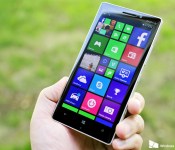
This is why higher-end Lumia phones can’t currently run the Windows 10 Preview

Microsoft’s Gabriel Aul has offered a technical explanation on why the just launched Windows 10 for phones preview cannot currently be used on higher-end Lumia smartphones, such as the Lumia 930, the Lumia Icon and the Lumia 1520.

How to install Windows 10 Preview to your Lumia Windows Phone

Microsoft today released the Windows 10 Preview for a subset of Lumia Windows Phones. Many questions abound about the update, as some phones are getting it, and others are not. Our AT&T Lumia 830, fresh out of the box with build 14157 of the Windows Phone 8.1.1 OS is getting the update while our Lumia 830 (UK, with Developer Preview) is not.
Here is how to try and get the update for your Windows Phone, assuming your phone meets the requirements.

These are the supported languages in the first Windows 10 preview for phones

If you’re joining the ranks of those on the Windows 10 Technical Preview for phones, one of the important factors to consider is whether your native language is supported. It’s too easy to presume it will be, or that everyone can speak enough English to make it through.
Microsoft has published a list of the supported languages in the first build. Read on to see them all.
 AIVAnet