



Review 41: Legend

Review is like app or game coverage but for movie series, television shows, comic books, and other geeky entertainment. It’s great stuff you can watch and enjoy on your iPhone, iPad, or Apple TV! On this week’s episode — Legend is Ridley Scott’s 1985 fantasy adventure starring Tom Cruise, Mia Sara, and Tim Curry. So gather round as a bunch of nerds who require the solace of the night get together to talk about it, and it’s much better Director’s Cut. With Don Melton, Matt Drance, Guy English, and Rene Ritchie.
Show notes
- Legend (Theatrical Version) – iTunes – Download now
- Legend (Ultimate Edition) – Amazon – Order now
- Legend FAQ
Panel
- Don Melton of donmelton.com
- Matt Drance of Apple Outsider
- Guy English of Kickingbear
- Rene Ritchie of Mobile Nations
Feedback
Leave a comment or yell at us via the Twitter accounts above. Loudly.

BerryFlow Upstream Podcast – Typo
Upstream is a weekly session where members of #TeamBlackBerry come together for an extended discussion on the latest happenings.

Miss Upstream live? If so, you can check out the audio and video right now or at your convenience. This week we discussed the Alex Saunders return to Microsoft, how BlackBerry security works, the BBM Shop hitting 1 billion views along with Typo being ordered to pay $860,000 to BlackBerry for violating a sales ban and finally, regulators Investigating BBRY stock manipulation.

Microsoft’s Cortana-powered Office Work Assistant highlighted in video
Microsoft’s upcoming Cortana-powered Office Work Assistant was revealed in a series of leaked images over the weekend, and now there’s a video highlighting the functionality of the app. The video shows how Work Assistant can be launched via Cortana, and can then search for files stored on multiple locations, including your phone, OneDrive, OneDrive for Business, PC and SharePoint.

How would you change NVIDIA’s Shield?

The whole point of NVIDIA’s Shield was that it could stream PC games straight to it. Rather than stopping there, however, the experimental handheld console could also play any Android title, as well as all of the other internet-based stuff you expect from a smartphone or tablet. When we shoved the device into Ben Gilbert’s hands, he found that the Shield was fine for Netflix, browsing and everything else, but that the PS Vita’s smaller size and better game selection made it the better mobile games platform. We imagine, however, that plenty of you folks bought one of these, if only for curiosity’s sake. So, now that you’ve had a year and a bit to test it out, why not hop over to the forum and tell us what you think?
Source: Engadget Product Forums
How to type the Apple symbol with your iPhone or iPad

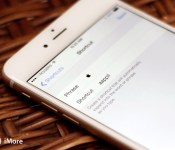
How do you type the Apple symbol on your iPhone or iPad? After posting the keyboard shortcuts roundup yesterday, I was flooded with requests (and suggestions!) for just exactly that. Some want to use it to save characters on Twitter, others to properly render Pay or Watch. Whatever the reason, the short answer is — you can’t.
Unlike the Mac, where shift-option-k produces the Apple symbol just fine, there’s currently no special character alternative on the iOS keyboard. So, what can you do?
Right now the quickest and simplest way to enter the Apple symbol with your iPhone or iPad is to set up a keyboard shortcut. That way, when you type a combination of letters, iOS will automatically replace them with the Apple symbol. It should be short, so it doesn’t take long to type, but it also needs to be unique, so you’ll never type it as part of another word and trigger the replacement by accident. After some experimentation, I’ve settled on “aappll”, but you’ll need to find what works for you.
How to set up the Apple symbol as a keyboard shortcut in iOS
- Copy the symbol from this post
- Launch Settings
- Tap General
- Tap Keyboards
- Tap Shortcuts
- Tap + at the top right
- Double tap next to Phrase to bring up the edit menu
- Tap Paste to insert the symbol
- Enter your shortcut of choice
- Tap Save

Now you’ll be able to type your shortcut of choice on your iPhone or iPad and insert the Apple symbol wherever and whenever you like. For the sake of Apple and the Internet, however, use your newfound powers wisely and sparingly. (Yes, that was meant to be humorous!)
Note: I’ve filed a feature request for the Apple symbol to be added as an alternate character on the iOS keyboard: rdar://19759808
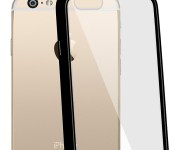
Save 47% today on these slim hybrid bumper cases for iPhone 6 Plus

With this low-profile cover you get transparent, impact resistant hybrid casing with a durable TPU bumper that protects against damage. The bezel surrounding your screen is extended for a lay flat design, too. Get yours today for only $7.95!

Hands on with Road Redemption, a motorcycle combat racer coming to Xbox One and Windows

Many games that succeeded on Kickstarter have been sequels to classic games that had languished in obscurity for years: Wasteland 2, Broken Sword 5, and several more long-wished-for sequels owe their lives to Kickstarter. And then you have spiritual successors like Shroud of the Avatar and Underworld Ascendant, which are sequels in all but name to beloved past games.
Road Redemption is one such game. During the Sega Genesis and early 32-bit days, Road Rash was a popular combat racing series. But Electronic Arts hasn’t released a Road Rash game since 2003, leaving fans of the series without their fix of fantasy motorcycle violence. Luckily, New Orleans-based indie developer Darkseas Games is currently hard at work on its own modern motorocycle combat game called Road Redemption.
Road Redemption is already available on Steam Early Access and will be coming to Xbox One, Playstation 4, and Wii U later this year. Read on for my detailed impressions and our developer interview and gameplay video!

Deal Alert: Get a free AT&T Lumia 635 with a 12-month Xbox Music Pass for $99

The Microsoft Store has a limited time offer on a new contract-free AT&T Lumia 635 bundled with a 12-month Xbox Music Pass subscription. You can get the deal for just $99.90 until the end of the day today online and in select Microsoft Store retail locations.
We have 2000 copies of Instant for BlackBerry 10 up for grabs

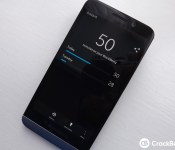
Nothing like an app giveaway to shake up a lazy Sunday, right? If you remember, Instant launched for BlackBerry 10 back in August 2014 and it’s the perfect tool for tracking how much time you spend on your trusty BlackBerry each day. Some folk won’t care for it, but for us real BlackBerry addicts it’s interesting to see how our usage pans out day to day.
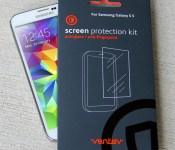
These anti-glare screen protectors for Galaxy S5 are only $4.95 today!
 Shield your Samsung Galaxy S5’s display from annoying fingerprints and scratches while preventing glare at the same time with these precision cut protectors from Ventev! Including two per package, they’re simple to apply and leave absolutely no sticky residue when removed.
 AIVAnet