


Microsoft Outlook Preview delivers unified calendar, email, contacts, and more
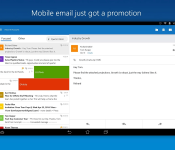

Prior to the mobile-first mindset that a lot of us have today, Microsoft Outlook was the preferred way for many us to manage our email. And calendar. And contacts. Well, you get the point. Heck, it’s still the main way a lot of users get their corporate/Exchange work done. As some of you may know, Microsoft recently launched an Android app that delivers its unified approach to your handheld device.
They say:
Outlook is a free email app that helps you get more done from anywhere with one unified view of your email, calendar, contacts, and attachments. Outlook automatically surfaces your most important messages – across all your email accounts. Swipe to quickly delete, archive, or schedule messages you want to handle later. Easily view your calendar, share available times, and schedule meetings. And attach files from your email, OneDrive, or Dropbox with just a few taps.
Outlook works with Microsoft Exchange, Office 365, Outlook.com (including Hotmail, MSN), Gmail, Yahoo Mail, and iCloud.
We say:
When it comes to Exchange support, it’s really hard to argue against Microsoft’s own approach. Thanks to the integration of other cloud services, and Android’s built-in sharing features, we’re able to efficiently manage our emails and appointments. If you’re in the hunt for a different approach to handling your Gmail account we say give this one a whirl.
(function() var script = document.createElement(‘script’);script.src = ‘https://stacksocial.com/widget.js?publisher=androidguys&type=editorial_post_widget_preferences’;script.async = true;var entry = document.getElementsByTagName(‘script’)[0];entry.parentNode.insertBefore(script, entry);)();
http://www.androidguys.com/pubgalaxy/728×90.html
The post Microsoft Outlook Preview delivers unified calendar, email, contacts, and more appeared first on AndroidGuys.
 AIVAnet