


BlackBerry App Roundup for February 6, 2015
A weekly look at new, exciting, and cool apps to try

Howdy CrackBerry nation! Hope you all have had a fantastic week. This was certainly a week that saw its share of important news. First there was the judge ordering Typo to pay BlackBerry damages amount to $860,000. Next there was the FCC seeking to classify the internet as a utility. Finally, there was the news regarding the new unlocking rules that begin on February 11th. Another mention also goes out to BlackBerry Blend, BBM protected, and QNX being nominated for the GSMA Global Mobile Awards.
Now on to the more important topic of the day. It is time to bring you this week’s picks for all your passionate BlackBerry addicts out there. You can find each app and game I’ve rustled up for you by clicking through the gallery below. If your favorite did not make the cut this week, remember you can help by offering your suggestions at the end.
ModPlayer Plus by idispatch

Best note apps for iPhone

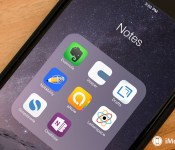
The iPhone comes with a built-in Notes app. It syncs with iCloud and has been slowly adding formatting options, if not features, over the years. It’s still really basic, however, so if you need more from your notes, you’re going to need to turn to the App Store. There you’ll find a host of different note-taking apps, each with its own area of focus. Whether you need to take notes in class, in meetings, around the house, or while on the go, there’s sure to be something there for you to like. Here some of the best iPhone apps available when it comes to note taking.
Once you’ve checked out our picks, pick the one that suits your needs best, and let us know which one you ended up going with by voting in our poll off the to left!
1. Evernote

For cross-platformers
Evernote is available for almost every operating system and device imaginable and syncs seamlessly between all of them them. From text notes to reminders to image uploads, Evernote is versatile enough to cover almost every kind of note taking scenario imaginable.
- Free – Download Now
2. Vesper

For the minimalist
Vesper is a simple but beautiful note taking app that’s designed for quickly entering text, tagging it, and then sorting the text by the tags. Vesper currently syncs between multiple iPhones and a Mac app is in development.
- $2.99 – Download Now
3. Drafts

For text-shifters
Drafts is like a personal recorder for your notes. Enter text whenever it’s convenient and then push it out to any service you like, including social networks and other apps, whenever you’re ready.
- $9.99 – Download Now
4. Notability

For the studious
Notability lets you write, record, and sketch all together in perfect harmony. If you’re listening to lectures or presentations and you want to keep track of everything, you’ll want to try Notability.
- $2.99 – Download Now
5. Awesome Note

For an all-in-oners
Awesome Note combines your notes with your calendars, todos, and reminders. It syncs with all those services as well, so you’re always up to date.
- $3.99 – Download Now
6. Letterspace

For the hashtaggers
Letterspace is a new kind of note app that lets you add not only hashtags, but mentions as well so you can easily find references when you need to.
- Free – Download Now
7. Simplenote

For no frills note taking
Simple Note lets you write down your text, make your lists, and sync it all between iPhone, iPad, and Mac. Just like the name implies, Simple Note really is just that simple.
- Free – Download Now
8. Microsoft OneNote

For the Office workers
OneNote brings Microsoft’s Office note-taking about to your iPhone. If you like Evernote but you’re all in with Microsoft, you’ll want to check out OneNote.
Your favorite note taking app?
Did you end up picking one of the above apps or something else? Be sure to vote in our poll and let us know your thoughts in the comments below. And as always, if you feel we missed something particularly get, be sure to let us know that too!
<!–*/
.imageleft
float: left;
margin: 0 25px 0 0;
.imageright
float: right
margin: 0 0 0 25px;
.screenshot-16×9
height: auto;
width: 88.97%;
.screenshot-16×9.imageleft,
.screenshot-16×9.imageright
width: 50%;
.screenshot-4×3
height: auto;
width: 66.66%;
.screenshot-4×3.imageleft,
.screenshot-4×3.imageright
width: 50%;
/*–>*/
Even more Windows 10 phone screenshots get posted showing off Cortana and more

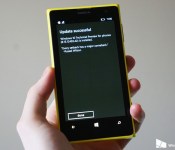
The still unreleased version of Windows 10 running on smartphones is popping up all over the Internet, with new screenshot leaks. This follows some images of the mobile version of Windows 10 being leaked on Wednesday and again earlier today.
ITHome, the China-based source of today’s earlier leak, has updated its post with even more screenshots showing off things such as how Cortana looks with Windows 10 on mobile devices.
Do you need an antivirus program for your Windows PC in 2015?

In the not-so-distant past, legitimate fear of viruses online spurred an industry of antivirus software for PCs. A general lack of security consciousness among those making their first steps on the internet led to lost files, ruined computers, and, in the worst-case scenarios, sensitive data falling into the wrong hands. For a long time the susceptibility of Windows to viruses was a major selling point for anyone hawking Apple’s wares. Now, in 2015, that relationship between platforms is a tired and inaccurate caricature. Web standards have evolved and improved, from routers, to browsers, to operating systems. The security solutions built into Windows manage to stop many threats the average user stumbles into.
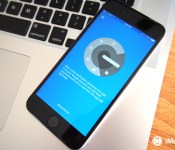
Yosemite 10.10.3 beta bakes in support for Google’s 2-step verification

t looks like managing your Google accounts on your Mac is about to get a tad easier. The OS X Yosemite 10.10.3 beta for developers appears to contain native support for Google’s 2-step verification when adding Google accounts in system preferences.
The new settings, which were spotted by MacRumors, enable users to activate a given Google account on their Mac by entering a one-time code sent via text message, or obtained from Google’s Authenticator app. For comparison, the current version of OS X Yosemite requires users with 2-step verification enabled to create an app-specific password in order to add their Google accounts to a Mac.
The OS X Yosemite 10.10.3 beta was released to developers yesterday, and contains the long-awaited Photos app that was first announced at WWDC 2014.
If you’d like to check out more about the integration of 2-step verification in OS X, you can find screenshots and more from MacRumors at the source link below. If you’re also curious about more 10.10.3 newness, be sure to take a gander at our first look at Photos for Mac.
Source: MacRumors

Xbox One’s upcoming screenshot feature teased via (what else) a screenshot

Microsoft’s Xbox leader Phil Spencer used his Twitter account today to post a teaser image of the upcoming, and long promised, Xbox One screenshot feature. The feature is scheduled to be released as part of a system update later in 2015.
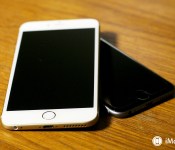
Corning’s ‘Project Phire’ takes on sapphire with super scratch-resistant, durable displays

Though Apple‘s famously-rumored quest for sapphire screens didn’t really pan out as predicted, it could soon have something equally scratch-resistant from Corning. The company announced today that it is working on a new type of glass for screens that is almost as scratch-resistant as sapphire, while retaining the durability of its Gorilla Glass.
The announcement came during an investor meeting today, and was reported originally by CNET:
“We told you last year that sapphire was great for scratch performance but didn’t fare well when dropped,” Clappin, president of Corning Glass Technologies, told the crowd at the event. “So, we created a product that offers the same superior damage resistance and drop performance of Gorilla Glass 4 with scratch resistance that approaches sapphire.”
Corning is currently using the term “Project Phire” for the new glass, and plans to get it out to phone manufacturers sometime later this year.
The interesting question about Corning’s new project is whether it will make it onto the next iteration of the iPhone. Gorilla Glass has been the go-to for screens on the iPhone since its inception, but things looked to be taking a turn when it was rumored that Apple would go with sapphire displays for its iPhone 6 and iPhone 6 Plus. Apple already uses sapphire glass to cover its TouchID sensor and camera on the iPhone, so the idea of a full-on sapphire screen seemed like the an obvious expansion of the material. However, that approach was ultimately abandoned when GT Advanced, the manufacturer responsible for production of the sapphire displays, wasn’t able to meet production demands, and ultimately filed for bankruptcy.
We already know that the some models of the Apple Watch will feature a sapphire display. However, it will definitely be interesting to see if Apple flirts with sapphire yet again for the iPhone, or if Corning’s Project Phire can sway the company back.
Source: CNET
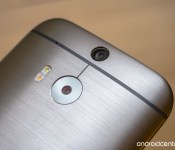
T-Mobile HTC One M8 to get Lollipop starting Feb. 9

A bit of good news is headed to owners of the HTC One M8 on T-Mobile. Looks like Lollipop is on the way starting Feb. 9, according to HTC’s Mo Versi.
Android One and Lollipop Rants | The Friday Debate Podcast 003

Android One has come back into the news recently because an update to its Android iteration shows 5.1, the newest version of Lollipop. While this is good news for users all around, it made us think – is Android One actually fulfilling its promise of being an easier way for developing countries to get the full Android experience? The panel gets together once again after a heartbreaking (or not) Super Bowl and Josh’s trip to China in order to bring you their newest podcast
And with that, welcome to this 3nd episode of The Friday Debate Podcast! Host Joshua Vergara is joined by lead editor Andrew Grush, writer Jonathan Feist, and our app guy Joseph Hindy to talk about Android One and – later on – rant about Lollipop.
The Friday Debate Podcast – discussing topics in Android every week.
Links to Podcast
RSS Feed
iTunes
Stitcher
Direct Download
Relevant Links
Android One
Android One and Android 5.1
Follow our Hosts

Joshua Vergara
Twitter | Google+

Joseph Hindy
Twitter | Google+

Andrew Grush
Google+

Jonathan Feist
Twitter | Google+
Recorded on February 5, 2015 – Hosted and Produced by Joshua Vergara

T-Mobile HTC One (M8) getting Android 5.0 Lollipop this Monday, February 9
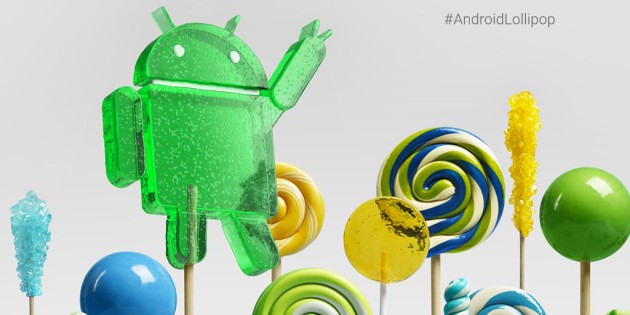
Owners of the HTC One (M8) on T-Mobile have something to get excited about this weekend. Android 5.0 Lollipop will start pushing to the device starting this Monday, February 9th.
This news comes from Mo Versi who Tweeted that the update has received technical approval.
Sprint already started pushing the update to their branded One (M8) today, so we can only assume that AT&T and Verizon won’t be too far behind.
source: @moversi
Come comment on this article: T-Mobile HTC One (M8) getting Android 5.0 Lollipop this Monday, February 9
 AIVAnet