



It will soon be a lot easier to unlock a phone from America’s top carriers — here’s what you need to know

The top five carriers in the United States will on Feb. 11 implement new unlocking procedures for smartphones, tablets, and other cellular devices sold on their networks. The new unlocking standards were set forth by the CTIA in late 2013 and, though a voluntary commitment by the carriers, define the conditions under which carriers must unlock your devices — and it’s all looking good for the consumer. Once you’ve paid off your phone, you’ll probably be able to get it unlocked, and it’ll be even easier with future smartphones.

Clash of Clans for Android, as explained by an 8-year-old

It’s 3 p.m. … Do you know what your kids are playing?
This little Clash of Clans excursion we’ve been taking started because of one thing: My daughter has grown beyond my control. I gave her the Nexus 7 (2013) to take for a spin, and she, unsurprisingly, ran with it. She has more games and apps and lord knows what on there than I ever imagined. She’s not browsing the Web. She’s listening to music, and watching weird Barbie videos.

And, mostly, she’s playing Clash of Clans, a game I had absolutely no intention of caring about. It was something other people played. (Like, you know, Candy Crush. Which I also didn’t ever play — until I played it.) Like a lot of you, I figured it was an in-app-purchase grab, and that’s it.
There’s nothing to be ashamed of, though, right? Many millions of people are playing it. So there’s got be something about it. And if it’s good enough for my kid, it should be good enough for me. Only, I had no idea what Clash of Clans was. So, I had Mia explain it to me.
And it went a little something like this:

First Windows 10 preview build for phones will support some 512MB devices

If you were wondering if your 512MB device would get a taste of Windows 10 for phones with the upcoming preview build, you might be in luck. Though he couldn’t give any specifics, Microsoft Engineering General Manager Gabriel Aul just confirmed on Twitter that there will indeed be some 512MB Windows Phones included in the list of supported devices in the first release.

Watch our epic first playthrough of Dragon Age Inquisition

Windows Central has recently rolled out an aggressive Twitch livestreaming schedule. Tuesdays we play The Witcher 2, Wednesdays we play various Xbox One games, and Saturdays we play Xbox One games and give out big prizes. And now we’re starting up a weekly Thursday stream to boot. That’s a lot of chances to tune in for live commentary and gameplay while chatting with your fellow readers and viewers. It’s like a live interactive podcast!
Our new Thursday night stream focuses on Dragon Age: Inquisition from Electronic Arts – chosen by our terrific and loyal viewers! We’ll be playing Inquisition live every Thursday night at 8pm Central (9pm Eastern, 6pm Pacific) for the foreseeable future. I’ll also be writing a full column about the events of the previous week’s stream. Even if you miss a stream, you can still catch up and follow along on the next one!
Update: The stream has now ended. Read on for the full replay video, and tune in next week for this week’s recap and a new episode of our playthrough!

Yo, SlideShare and Tapatalk make their debut for Chrome OS

Some new Android apps are now available for Chrome OS and Chromebook users from the Chrome Web Store. Yo, the limited but still inexplicably popular messaging app, is among those on that list, along with the SlideShare presentation app and the Tapatalk forum discussion app (with which our forums are compatible).

Microsoft shares some #TileArt tips and tricks in new video
Microsoft has just released a new video highlighting several features, as well as some tips and tricks, of its recently-released #TileArt app for Windows Phone.

What you need to know about Photos for OS X

Our long national iCloud photo-syncing nightmare is almost over: Apple’s put out some new information about Photos for Mac, OS X Yosemite’s official successor to iPhoto, and released an early private beta inside OS X 10.10.3 for developers. When can you expect to see Photos arrive on your own computer? What’s changed from iPhoto? What’s stayed the same? Read on.

When is it coming out?
Apple’s website and marketing materials say “Spring 2015,” which technically means any time before June. But we’re thinking April sounds like a good target for the official OS X 10.10.3 and Photos app release.
That said, you may not have to wait until spring to get your paws on Photos: If you’re a Mac developer, you can download 10.10.3 right now from Apple’s developer website, though we highly caution against using your primary computer or photo library for such an excursion.
Apple also plans to release a public beta sometime before Photos’s official release via the AppleSeed OS X Beta program; if you’re an average user looking to get your hands on Photos a little early, we advise enrolling in the program now.
Will I be able to import my iPhoto or Aperture Library into Photos?
You bet! Your iPhoto or Aperture library is compatible, and can be imported seamlessly into the Photos app. When you first launch Photos, it’ll either auto-convert your primary library or ask you to pick which library you’d like to import.

Your old library won’t be converted, just imported, so you can still open it in Aperture or iPhoto if you like (though once you import, if you do anything new with that library in Aperture, it won’t carry over to the Photos version).
The new Photos library references the same master images as your old library, so you don’t need the space to store images twice. It also makes for an incredibly efficient migration process.
Can you import multiple libraries?
Just like iPhoto, the Photos app supports opening and working with multiple libraries, but you won’t be able to unify multiple libraries within it.
That means that once you pick, say, your iPhoto library, you can’t import an Aperture library into that new Photos library. You can, however, create a separate Photos library (by holding down Option when launching the program) and import your second library into that.
If you want to unify your photos, we suggest combining your libraries into one master Aperture library first. (We’ll have a how-to on doing so shortly on iMore.com.)
Note: If you have images that *aren’t organized in a formal library setting, you can import any of those — be they individual images or a folder — into Photos with no issue.
Will I have to store my photos in the Photos Library?
Nope! There’s a setting you can uncheck to just link to your photos in their existing locations, rather than directly importing/duplicating them.
What about duplicates in my library?
The Photos app will check for duplicates during import, like iPhoto or Aperture. There unfortunately appears to be no way to check for duplicates after import, however.
Okay, so do you need to enable Apple’s iCloud Photo Library to use Photos?
You don’t! You can use the Photos app as an offline storage home base for your images if that’s what you want.
That said, we think you probably should enable iCloud Photo Library if you’re willing to pay for Apple’s extra storage costs ($1/month for 20 GB; $4 for 200 GB; $10 for 500 GB; $20 for a terabyte). It provides you with an online, always-there backup as well as easy Web access to your photos on your other devices — be they Mac, PC, iOS, Android, what have you. And Macs and iOS devices have the Photos app in which to view and edit their images.
How does iCloud Photo Library work?
When you enable it on your Mac, the Photos app immediately uploads every image in your library to the cloud. (There’s no way to exclude images, so if there are pictures you’d rather not keep online, we suggest not storing them in this Photos app library; you can always create a secondary library if need be.) From there, you can adjust whether you want to keep the high-res versions of all your photos on your computer, or optimize your storage.
Optimized storage? What does that mean?
If you select optimized storage, your computer will only store a percentage of your images on-device at high resolution, with the rest available from iCloud. That percentage changes depending on how much free space you have available on your Mac, and it intentionally doesn’t take up the entirety of your hard drive. (You won’t have to worry about your optimized library only leaving you 500 MB of free space to work with on a 128GB MacBook Air, for instance.)
High-resolution pictures and video are prioritized behind the scenes, with specific groups of images — say, favorites and recently edited photographs — chosen to be stored locally. Additionally, any time you open up an image to edit it, the high-resolution version is pulled down from iCloud’s central repository.
Are Raw files supported?
Absolutely — they’ll import into the Photos app and upload to iCloud Photo Library.
How do I know if a photo is stored locally or not?
Like with iTunes, files that aren’t stored on your device appear with a cloud icon atop them.
Can I delete a locally-stored photo from my computer without deleting it from iCloud?
Nope. iCloud Photo Library does all of that magic behind the scenes, so you shouldn’t have to manually delete anything. And if you want to, you’re unfortunately out of luck.

What’s happening with My Photo Stream? Does it still exist?
My Photo Stream — which uploads the last 1000 photos (or 30 days’ worth) to the cloud and your Mac for free — is alive, well, and continuing into the foreseeable future with no plans on Apple’s part to change it. If you have iCloud Photo Library enabled, it will sidle off into the background and you shouldn’t really notice it. Those who choose to keep iCloud Photo Library disabled, however, will still see the My Photo Stream option.
What about editing? Are the tools pro-worthy?
On first glance, Photos for Mac offers the same three Light, Color, and B&W edit sliders that are present on the iPhone and iPad — both their simplified and in-depth versions. Photos gets a few extra tools not present in the iOS lineup, however, including detailed histograms, sharpening masks, a vignette tool, levels, definition, white balance, and more. It may not be quite Photoshop- or Pixelmator-level without layers, but as a general color-correction and editing tool, it should please many former Aperture and Lightroom users.

Like iPhoto, all your adjustments are non-destructive, with your specific settings even staying in place after you press Done, so you can pop back in at any time to readjust.
Does “Open In” still exist?
Not in this beta, no. Photos for Mac does support OS X’s Sharing Extensions, however, so other apps and services can present themselves right in the standard Share menu.
Do iPhoto’s print projects still exist?
Yes! Though they’ve been removed from iOS, print projects are back front and center in the Photos app. Apple is offering new book styles (including square books); auto-sized photographs, which allow you to print panoramas; posters; calendars; cards; and more. And the entire print project area has gotten an iOS 8-style makeover — nice and clean with a birds’ eye overview of the process.

Will Photos for Mac work for DSLR owners and Aperture/Lightroom lovers, or is it just for iPhone photography?
From my limited time with the app, it’s absolutely a great tool for iPhone and DSLR users alike. If your goal is heavy-duty organization, however, I’m not sure if it’s a perfect replacement for Aperture or Lightroom; keywords exist, but flags have been replaced with the “flag” keyword and a premade smart album, and a lot of custom metadata options from Aperture aren’t present in the Photos app.

For my semi-pro usage and large photo library, I think the Photos app will be just fine — far better and smoother to work with than iPhoto, that’s for sure. I just can’t say yet if it’s going to be the perfect tool for power organizers.
You mentioned a flag smart album. Does that mean smart albums live on in Photos?
They do! Though sadly, they’re Mac-only at present and don’t sync with your iPhone. You can create and adjust smart albums within the Photos app, just as you can in iPhoto and Aperture.
Will it be as clunky as iPhoto was with big libraries?
Time will tell, but on first impression, neither myself nor Rene found Photos to be anything but speedy. Ally however experienced a little sluggishness in larger albums while scrolling. That being said, future betas could address things like that. We’ll see how the final version handles bigger libraries, but lets hope that many of the memory leaks that plagued iPhoto are gone in the Photos app when it finally releases.
Should I trust Photos for Mac beta with my primary photo library?
To quote my good friend and colleague Peter Cohen, “HELL no.” Betas are betas for a reason — to work out bugs — and you don’t want to accidentally overwrite precious vacation memories or early childhood photographs. If you’re intent on trying out the Photos beta today, and you have a developer’s license, do it on a non-primary Mac with a backup iPhoto library.
By the time the Photos public beta arrives, this advice may change somewhat, depending on the stability of the beta, but in general, for anything you’re beta testing, you’ll probably want to make sure you have a backup of your files.
Other questions?
If you have any other questions on Photos for Mac, let us know in the comments and we’ll try and get to them ASAP. And keep an eye out for Rene’s first look, coming tomorrow; in the meantime, you can keep up with all the Photos news on our Photos for OS X topic page.
6:30pm: Updated to clarify spring time frame, external editors and library migration storage requirements.

Sprint and RadioShack pen deal to establish 1,750 co-branded stores

After hearing various rumblings on such an agreement in recent days, it looks like Sprint has struck a deal with RadioShack that would see the carrier expanding into 1,750 RadioShack locations. According to the press release, the deal will “establish co-branded stores that will exclusively sell mobile devices across Sprint’s brand portfolio as well as RadioShack products, services and accessories.”
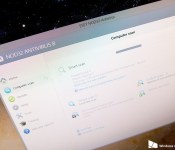
ESET NOD32 Antivirus 2015 review

ESET NOD32 is an entry-level premium antivirus program that earns high marks from the Windows community. Core functions include live malware scanning, web protection (including social media), and a gamer mode to make sure ESET doesn’t slow down any high-demand applications. A particularly interesting feature aims to educate users in online security.

Sprint and RadioShack pen deal to establish 1,750 co-branded stores

After hearing various rumblings on such an agreement in recent days, it looks like Sprint has struck a deal with RadioShack that would see the carrier expanding into 1,750 RadioShack locations. According to the press release, the deal will “establish co-branded stores that will exclusively sell mobile devices across Sprint’s brand portfolio as well as RadioShack products, services and accessories.”
 AIVAnet