


You can finally upload to Google Play Music on an ARM-powered Chromebook
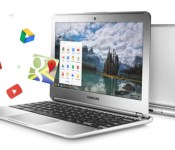

Back in March of last year, Google introduced a web-based way to upload locally stored music files onto Google Play Music. The feature not only played nicely with the Chrome browser, but it also meant that, for the first time, Chromebooks also had an option for Google Play Music uploading. On the downside, the feature only supported Chrome OS devices with Intel processors, leaving ARM users out of luck — until today.
Google’s François Beaufort announced the good news on Google+ today:
Google Play Music upload is now available for ARM Chromebook users thanks to the updated Google Play Music for Chrome App. Make sure you’ve installed the App from the Chrome Web Store first, then go to https://play.google.com/music, click on the “Add Music” orange button and upload your best-loved music directly from your ARM Chromebook.
Considering there are a number of Chromebooks that utilize ARM processors over Intel, personally we feel that Google should have added compatibility long before now, but better late than never. You can grab the updated Google Play Music app from the Chrome Web Store.
 AIVAnet