


Microsoft’s #TileArt app helps you make your background awesome

Microsoft has just launched a new app for Windows Phone called #TileArt, which offers a quick way to customize the tiles on the Start screen, along with creating a custom lock screen. The app was made by Microsoft team member Ricc Webb.
Here’s what you can do with it:

How to use Google Hangouts with the Messages app on your Mac

The Messages app for Mac lets you easily send iMessages and even regular text messages without ever having to pick up your iPhone. Aside from cellular messages, the Messages app can also integrate into other messaging services, including Google Hangouts. Once linked, you can easily send and receive Hangouts messages right on your Mac, no annoying browser plugins necessary!
How to receive Google Hangouts messages with the Messages app for Mac
Note: If you have two-step verification enabled for your Google account, keep in mind you’ll need to generate a password specifically for your Mac if you haven’t already. If you don’t, you’ll receive errors that your login information is not correct.
- Click on the menu in the upper left hand corner of your Mac.
- Select System Preferences.
- Once in System Preferences, click on Internet Accounts.

- Add your Google account if it isn’t already added.
- Once added, turn On the option for Messages.

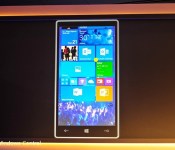
About those ‘rumors’ of a February 4 release of Windows 10 preview for phones

The Windows Central tip box has been pinging constantly regarding the so called ‘rumor’ of the Windows 10 preview for phones launching on February 4. Microsoft’s Gabe Aul puts the situation into words better than any of us here ever could.
“@doctuitt LOL, you might be overdoing it a bit. Just sayin’. We’re working on it, but the rumors of the 4th are just rumors.”
So, there’s that.
iOS 8 adoption rate ticks up to 72%

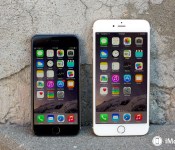
Apple’s latest App Store distribution numbers show that iOS 8 has now been installed on 72% of all compatible devices as of Feb. 2, 2015. iOS 7 now stands at 25%, with all the older versions claiming a total of 3% of installs.

While the new stats represent a 4% gain compared to the iOS 8 adoption numbers from January 7, 2015, they are still behind the installs of iOS 7 at this same time a year ago, when it claimed 85% of all compatible devices. Clearly some iPhone and iPad owners have yet to make the change to iOS 8, although there could be several reasons for that decision.
iOS 8 launched in September 2014, so getting a 72% adoption rate in about five months is still pretty solid. By contrast, Android 5.0 Lollipop has only been installed in 1.6% of all Android devices since it launched in November 2014.

Fhotoroom for Windows 8 – a fabulous touchscreen photo editor (especially for tablets)

You may be familiar with Fhotoroom as a photo-editor, camera app and photo sharing Windows Phone app but did you know there’s a Windows 8 version of the app?
While we have taken a look at the Windows 8 version of Fhotoroom before, a series of recent updates has delivered a serious design makeover to the app and a host of new features. The end result gives the photography app some serious mojo and well worth revisiting.
Fhotoroom is currently at version 5.5.1 and adds a HDR editor, Tiny Planets integration, RAW file support and a lot more. You also have a small footprint with the Windows 8 version of Fhotoroom that makes it especially appealing for Windows 8 tablets where storage space is often at a premium.

Dropbox for Windows Phone can now automatically upload your photos

Dropbox has updated its Windows Phone app again with a big, and much requested, feature. The new 1.0.3.0 version now includes a “system camera auto-upload option” which means that any photos you take on your device can be automatically uploaded to your Dropbox cloud account.

Who has won a free BlackBerry Classic? Find out now!

In our most recent contest for a free BlackBerry Classic, we asked you to send out tweets letting the world know why you love this device and why you’d like to own one of your own. There was a huge turnout, with thousands of tweets being sent over the course of the giveaway.
It seemed like a pretty close race between the features that people were most interested in. Tweet after tweet saw mention of the amazing keyboard, the familiar form factor, and the usefulness of the trackpad. Several tweets indicated that people were longing for the feel of a legacy device, but aware that the BlackBerry 10 operating system is a must have. It was really awesome reading through the tweets everyone sent, and it’s fantastic to know that even non-BlackBerry lovers saw them. Hopefully a few got the message and are looking at BlackBerry for themselves now.
Keep reading to see who won the giveaway!

A redesigned Tweetbot for Yosemite gets a blurry teaser

Tweetbot, one of our favorite Twitter apps, looks like it’s finally getting the redesign we’ve been clamoring for for, well, years. The Mac app has seen several updates since release, and even a surprise disappearance and return to the App Store, but has carried something of a legacy styling into this modern OS X Yosemite era. That all is poised to change at some point later this year, if this blurry teaser from Tapbots developer Mark Jardine is any indication.
His teaser is simple and to the point:
Full Speed Ahead. 2015 is going to be great.
— Mark Jardine (@markjardine) February 3, 2015
Obviously there’s much more to say about this teaser of the revamped Tweetbot for Mac, though there’s only so much we can divine from the intentionally-out-of-focus photo. There looks to be some Yosemite-style translucency happening here, and they also seem to be maintaining the basic current layout of Tweetbot for Mac (account and stream selections on the left, stream(s) to the right).
Also teased: what looks like Calcbot for iPhone, which isn’t nearly as exciting.
Source: Mark Jardine (Twitter)

Disqus for Windows Phone gets updated with site moderation and more

Disqus for Windows Phone has been bumped to version 2.4, offering a more feature-rich experience for both users and web masters. Today’s release contains a handful of improvements, which include comment moderation, more translations and API support.

Best calendar apps for iPhone

Apple’s built in Calendar app covers the basics: appointments and schedule management. For anyone brand new to the iPhone, it’s more than enough to get started. The App Store, however, is full of alternatives that’ll suit a wide variety of different tastes and workflows. Whether you need to organize yourself, your family, your business, or everything, there’s certainly a calendar app for you. Which one you choose will depend on what’s most important to you.
Here’s a list of our favorites. Check them out for yourself, choose the best iPhone app for you. When you’ve picked — or if you’ve already picked — tell us which one in the poll above and why you picked it in the comments below!
1. Fantastical 2

For speed organizers
Fantastical 2 lets you quickly enter appointments using natural language text, and quickly find them again using its lightning-fast bi-directional interface. There’s also built-in support for Reminders and a widget. If you want to get organized fast and stay that way, you want to check out Fantastical.
- $4.99 – Download Now
2. Sunrise Calendar

For the social butterfly
Sunrise Calendar keeps track of all your calendar appointments and meetings alongside your Foursquare checkins, Twitter status updates, and more. Sunrise also ties into business apps like Trello. If you want a great mix of work and play, you’ll want to check out Sunrise.
- Free – Download Now
3. Pocket Informant

For feature fanatics
Pocket Informant is the Swiss Army knife of calendar apps. It packs in almost every feature you can think of and likely several you couldn’t. From weather to widgets and everything in between, if you want it all, give Pocket Informant a look.
- Free with IAP – Download Now
4. Calendars 5

For list makers
Calendars 5 has everything you want in a calendar, including natural language input, but adds powerful list views and task management as well. If you want something different than grids and tables, give Calendars 5’s streams a try.
- $2.99 – Download Now
5. Agenda Calendar 4

For serial swipers
Agenda Calendar 4 is completely gesture driven. It offers a wide variety of views and integrates with everything from Reminders to Fantastical to Drafts to Clear to Due to… you get the idea. If you’d rather tap than swipe or move between apps than stay in the same place, check out Agenda Calendar 4.
- $1.99 – Download Now
7. Tempo Calendar

For the detail oriented
Tempo is a smart calendar that gives you everything from flight statuses to information you may need about a client before going into a meeting. The more you tell Tempo, the more it learns. If the little details are important to you, give Tempo a twirl.
- Free – Download Now
8. Week Calendar

For at-a-glancers
Week Calendar is packed with views enough to suit any personality or preference. It can also assign icons, duplicate events, and more. If you can never have enough information in a single glance, Week Calendar you may not be able to get enough of Week Calendar.
- $1.99 – Download Now
9. Super Calendar

For the customizer
Super Calendar lets you customize almost every aspect of how your calendar looks. From setting background images to adjusting font types and sizes, if you want it, you can likely do it. If the idea of a unique looking calendar appeals to you, Super Calendar will appeal to you.
- $4.99 – Download Now
Your favorite?
If you’re new to the iPhone, go through the list of apps above and try all the ones you like. No doubt you’ll find the best calendar app for you. Then tell us which one it is, and why you like best about it!
Note: We didn’t forget to include Calvetica. It hasn’t been updated since November 2013, so we don’t feel comfortable recommending it unless and until an update happens. There have also been rumors of a Google Calendar for iPhone app. If and when Google releases it, we’ll take a look and update as appropriate.
<!–*/
.imageleft
float: left;
margin: 0 25px 0 0;
.imageright
float: right
margin: 0 0 0 25px;
.screenshot-16×9
height: auto;
width: 88.97%;
.screenshot-16×9.imageleft,
.screenshot-16×9.imageright
width: 50%;
.screenshot-4×3
height: auto;
width: 66.66%;
.screenshot-4×3.imageleft,
.screenshot-4×3.imageright
width: 50%;
/*–>*/
 AIVAnet