
Why doesn’t Verizon make their “supercookie” an opt-in program?

For months, both the public and Congressional leaders have questioned Verizon Wireless over their data collection methods. Verizon has especially been taking heat for altering customer’s traffic and inserting unique identifiers that users could not control through a so-called “supercookie.”
But now, Verizon is allowing customers to completely opt-out of this program. Previously, Verizon only allowed customers to opt-out of a portion of this program, which left Verizon customers continually vulnerable to third parties being able to track the customer regardless of the customer’s approval to do.
But as CNET and the Electronic Frontier Foundation ask, why isn’t this feature turned off by default? Verizon is already being questioned about whether their previous privacy comments (about the supercookies) were accurately portrayed to customers.

The answer is quite simple. Verizon wants to continue selling customer data to advertisers. By making the program opt-out, it allows for many more customers to stay involved in the program due to apathy or inability to figure out how to opt-out. With a market expected to reach $11 billion by 2016, it’s no wonder Verizon is desperate to have as many customers as possible tracked by these intrusive cookies.
But there is another reason to be concerned as telecom companies have quite the history with opt-out options.
For example…..
Verizon
In Verizon’s case, they have a history of simply hiding the fact that customers can opt-out of certain privacy programs. In September of last year, Verizon settled an investigation with the FCC where they agreed to pay a $7.4 million fine for failing to notify approximately two million new customers of their privacy rights and for failing to tell them how to opt-out of Verizon marketing. This meant that Verizon was simply using these customer’s personal information for marketing products.
AT&T
When AT&T launched their 1 Gbps service, called Gigapower, they allowed customers to pay the same monthly price as Google Fiber customers but only if the customers agree to opt-in to their Internet Preferences program. This program allowed AT&T to snoop heavily on customers using deep packet inspection. This means that AT&T knew (amongst many things) every web site you visited and for how long. But what if you wanted to opt-out of this AT&T program? As GigaOM found out, AT&T forces customers to pay a $50 activation fee.
In 2011, AT&T came under fire for forcing customers into their “Customer Proprietary Network Information.” AT&T sent postcards to customers with confusing language that basically said that all customers were being put into this marketing program unless the customer opts out. One customer even wrote about his experience trying to opt-out of this program:
I got a postcard from AT&T today… They don’t want me to read it… It is densely packed and uses a very narrow, very thin font. It’s tough to read… Even if you want to say “no” there are roadblocks. I found that out firsthand. The card gives a phone number to call and opt-out. After dialing I was presented with an unforeseen hurdle. They wanted a three digit number that appears on my phone bill. Nowhere on the card did it say I’d need this. I didn’t have it at hand… – Geofffox
Comcast
This telecom company has set just about every customer service hatred record. In 2013, Comcast decided to turn all of their customer’s routers into a nationwide system of wireless hotspots. Although one would think that Comcast would let customers opt-in to this company-benefiting move, you would be wrong as Comcast activated the public Wi-Fi hotspots automatically and forced customers to opt-out if they didn’t want to help Comcast. Comcast claims that it is easy to opt-out of this program: Just call them or visit the Comcast web site. Sounds easy, right? Not exactly.
“My ability to turn Wi-Fi off via the ‘Users & Preferences’ page (does) not exist,” one customer wrote on the DSLReports forums. “Calling the 800 number and going to internet support gave me someone who only suggested trying to disable & re-enable bridge mode (which didn’t eliminate ‘xfinitywifi’). He then suggested I (get this!) read up on the Comcast customer forums on their website as ‘there are constantly updates to the firmware in our modems and this is probably just an update that has an issue at the moment.’” – RT.com
A simple visit to the Comcast forums show many other customers who can’t seem to have these hotspots removed from their router.
Dish Network
Dish Network recently settled a case with the Federal Trade Commission in which Dish was found guilty of violating the Federal Do Not Call Registry. Dish simply ignored consumers who decided to opt-out of marketing calls. Dish didn’t just ignore the Registry several times but had “millions” of cases in which they violated customers opt-out wishes.
Mediacom
Mediacom has been called out for their non-working opt-out programs for years. Dating back to 2011, Mediacom joined other ISP’s in using a DNS redirection service that directed people who mistype URLs to their own ad-laden search portal instead of a 404 error. After customers demanded a way to get out of this program, Mediacom implemented an opt-out function. Just one problem….it didn’t work. In fact, if we fast-forward to 2014, Mediacom STILL hasn’t actually fixed this opt-out issue.
Frontier
Years ago, Frontier introduced an absurdly low 5GB per month usage cap for select customers. As StopTheCap noted at the time, this change was a “materially adverse change” that allowed customers to get out of their contract with Frontier at no charge for the following 30 days. But rather than send a letter to Frontier customers or even email those customers, Frontier decided to announce that this was a “materially adverse change” by burying the language in fine print on their web-site. Essentially, Frontier was hiding their opt-out option in the hopes that customers wouldn’t know about this change.
LG TV
Even though this isn’t a telecom company, I still chalk this up as one of oddest opt-out disasters. As DSLReports reported in 2013, a security blogger noticed that LG “Smart” TVs were monitoring everything a user watched and then sent that data back to LG unencrypted via broadband. In fact, even if a customer filed out a request to opt-out of this service, the snooping continued. Soon, other sites found that LG’s data collection extended into the home network. Eventually, LG sent out a firmware that made the opt-out setting work.
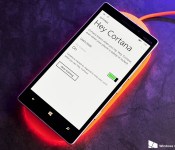
O2 rolls out Denim update for Lumia 930, ‘Hey Cortana’ passive-listening not included [Updated]

Update 2: O2 has mentioned that the issue is now fixed, and that an OTA update with the passive-listening feature enabled will be made available soon:

Leak reveals specs and images of Lenovo Vibe Z3 Pro ahead of rumored MWC launch

It looks like Lenovo is set to unveil this year’s flagship at Mobile World Congress in Barcelona next month. The device, which will reportedly be dubbed the Vibe Z3 Pro, is said to feature a 5.5-inch QHD display, Snapdragon 810, 4GB RAM and 64GB internal memory.
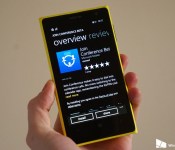
Microsoft rebrands the Nokia Conference Beta app, adds Cortana support

Microsoft has recently made a move to rebrand yet another Windows Phone app, Nokia Conference Beta. Now titled Join Conference Beta, the app acts and sings in the exact same way as the solution under Nokia, but now there’s Microsoft branding slapped on top, with the potential for future updates with new features and improvements from Redmond. In fact, the company has already started to add new functionality, including Cortana integration.
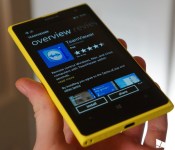
TeamViewer returns to Windows Phone and is once again available

The official TeamViewer app was pulled from the Windows Phone Store at the end of last month, but has now returned for download. What’s more is the team added improvements and bumped the release up to version 10.1 before it vanished.

Battlefield Hardline enters open beta, PC system requirements detailed

Ahead of its launch on March 17, Battlefield Hardline is now in an open beta for the Xbox One, Xbox 360 and PC. Origin published the system requirements for the game earlier today, noting that the game takes up 60GB of hard drive space.

BlackBerry Classic now officially available in South Africa

To go along with the great South African BBM recruitment contest, BlackBerry has now announced the official release of the BlackBerry Classic there as well. While the press release lacks mention of carriers right now, Orange SA has the device listed online and in-stock for R5,445 with free shipping. South Africa is just one many new regions to now have rolled out the device including Australia, the Philippines, India, Malaysia and more. You can check out our full BlackBerry Classic review right here if you’re looking to learn more.

Android 5.0 Lollipop on the OnePlus One gets teased in official video
OnePlus has released a 5.0 Lollipop teaser on YouTube for the company’s One smartphone. Failing to show much off (as it’s a teaser, folks), it’s clear to see the next version of Google’s operating system running on the device. The video serves as a short tour through the OS with a Flappy Bird-like game to close.
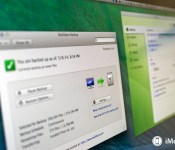
Mac Help: Online backups for huge archives

Welcome to Mac Help, our weekly column focused on helping you, our readers, with the trouble you’re having with your Mac. In this edition we tackle the subject of massive amounts of personal data and how it can best be backed up.
Chuck Rossell writes:
I recently signed up for the Backblaze trial to backup the data on my iMac. To date, I have roughly 2.5 TB of info – mostly photos and video. After doing some research, I chose to go with Backblaze. I started the data upload, and based on their calculations, it would take 2.5 YEARS to back everything up. Really?! So I will have paid them $150 before everything gets backed up! Not to mention the amount of data I have will continue to grow. I’m not sure what to do at this point.
First of all, let me commend you for adding — or at least thinking about adding — online backup to your archival rotation. I think backing up to an offsite, online service is vital. I consider it a tertiary line of defense, however.
For primary backups, I recommend looking at Apple’s Time Machine, which works equally well if you have an external hard drive connected to your Mac, or if you’re backing up to an Apple Time Capsule or some other network-attached storage.
For secondary backups, I think it’s a good idea to clone your hard drive or drives. That way, in the event of a primary drive failure, you’ll be able to resume working with relatively little disruption to your routine until you can get whatever the problem is fixed.
Now we get into the third line of defense: Online backups. Backblaze, Carbonite and CrashPlan are all excellent systems. Online services all suffer from an inherent limitation: Bandwidth availability. With 2.5 terabytes of data to store, you have a lot of data to back up. Backblaze says that it takes their average customer about two weeks to get a complete initial backup. And I suspect that with 2.5 TB of data, you’re far from average.
One thing you can do with any of these online services is to tailor what gets backed up online. If you’re already keeping your primary drive backed up, maybe you don’t need all the data on that backed up to the cloud as well (in Backblaze, that’s done using the “Exclusions” tab). Maybe it’d just be a good idea to back up files that you don’t have stored anywhere else. Backblaze does a good job of, by default, excluding system files, apps, caches, system images and other stuff that just takes up a lot of space, but that doesn’t mean you can’t ratchet it down even further.
One option to consider, depending on the service: A seeded backup. Backblaze does not offer this, but CrashPlan does: The ability to send them a drive with your backup data on it, to “jump-start” the backup process. It’s a convenient way to get a lot of data added to your account really quickly, though it does require you to have an extra drive on hand that you can send to them for the initial backup. Even then, though, there are limitations: CrashPlan, for example, will only send you a 1 TB drive. Anything in excess of that has to be uploaded. But still, better 1 TB than no terabytes, I suppose.
Anyway, I hope this helps. And if you’re reading this and haven’t really considered a complete backup strategy, here’s a guide to get you going:
Got a question about your Mac, or a problem that’s been gnawing at you? Feel free to send it to machelp@imore.com and we might feature it in a future column!

Drop Hunt, an entertaining puzzle game for Windows Phone

Drop Hunt is a Windows Phone game where you are tasked with moving colored droplets into their corresponding jar. The backstory for the puzzle game has a Dr. Wasper working on an elixir for his sick daughter when disaster strikes his lab and chemicals go everywhere.
You will have to solve eighty puzzle levels that are spread across four different locations to restore the elixir and save the daughter. Drop Hunt is nicely animated and game play can be challenging. Drop Hunt is available for low-memory Windows Phones and a nice gaming choice to pass the time with.
 AIVAnet