


11 best Android media center apps

Turning an Android device into a media center is a somewhat difficult task. There isn’t a lot available and Android as a whole doesn’t always play nice with what’s available. However, there are some apps that can help you along the way. Let’s take a look at the best Android media center apps.
 AllCast
[Price: Free / $4.99]
First on our list is AllCast and it isn’t a media center on the face of it but it can act like one. You can keep your media on your Android device and with AllCast, stream it to practically anything including Roku, Apple TV, Chromecast, Xbox 360 and One, and others. This essentially turns your phone into a media center that you can control and send content to your home TV screen at will. It’s a clean solution that requires little set up and you can pick up the AllCast Receiver app to turn any Android device into a device that AllCast can stream to.

 BubbleUPnP
[Price: Free / $4.69]
BubbleUPnP is a DLNA app that lets you stream your media to a variety of devices similar to AllCast. It works with Chromecast, DLNA TVs, most modern gaming consoles, and it also supports local playback. Much like AllCast, it’s not a media center on the face of it, but you can use it to manage and stream your media to practically anywhere straight from your Android device. A bonus is that you can also access media from other DLNA-enabled devices (e.g. your PC) and play media from them.

 LocalCast
[Price: Free with in app purchases]
LocalCast is another competitor in the DLNA-streaming space and, as such, also works well as a media center app. It supports the usual array of devices including gaming consoles, DLNA-enabled TVs, Chromecast, and others. You can also stream from some unusual places like Google Drive, Dropbox, and more so you can manage and stream your media without keeping it on your Android device. It’s a nifty app with some good features.
 Matricom MediaCenter
[Price: Free]
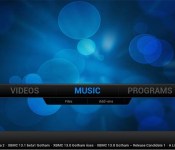
Matricom MediaCenter is a fork off of XBMC and one of the few ways to get XBMC straight from the Google Play Store. It’s based on the latest build (Kodi) so you can expect to see all of the features (and issues) found in XBMC’s Kodi. It’s a good alternative media center, especially for fans of XBMC. It says that it only officially supports the Matricom G-Box Q, but I was able to install it on all of my current devices. That said, it may not be available for all devices. There is also a matching launcher you can install for a full experience.

 Media Browser for Android
[Price: Free]
Media Browser for Android is a basic media center-style application. With it you can browse your media and the app will pull information about it in order to make more in depth. It requires a media server set up that’s very similar to Plex which means it can be installed and will work across multiple devices. The interface is basic, but effective, and it’s a good alternative to Plex when it comes to a media center and media streaming setup.

 Mizuu
Mizuu
[Price: Free]
Mizuu is a more classic media center app that manages your on-device media and also some places where you can stream content such as YouTube and TED Talks. It features a Material Design inspired interface that made headlines not long ago. It used to be a paid app but it recently went completely free so you can try it out without spending a dime. It has one of the best interfaces of any app on this list and if all you need is local media management, this is a great option.

 My Media Center
[Price: Free]
My Media Center is an interesting application because it integrates so many various functions. It manages your local media but you can also connect your TV services (using compatible devices) and use the app as a DVR. It cannot stream live TV or recorded TV but it does allow you to manage your TV from your Android device. This includes a universal search so you can find the stuff you want, the aforementioned DVR scheduling, and then, of course, your local media is integrated in. It’s a fun app with a lot of potential to be an all-in-one sort of solution.
 Plex for Android
[Price: Free / $4.99 for the app. $4.99/month, $39.99/year, $149.99 lifetime for Plex Pass subscription]
Plex is known as one of the premiere media browsers available. You have to set up a media center on your PC which is surprisingly easy but after that you can stream media from your PC to your Android devices, TV, gaming consoles, and a lot more. The paid version of the app is fairly useful but the best features are in the Plex Pass subscription which actually allows you to use gaming consoles and lets you stream from literally anywhere with an Internet connection. The interface is quite lovely and functional as well.
 Remote Media Center HD
[Price: Free with in app purchases]
Remote Media Center HD is a bit different because its point is to communicate strictly with your PC. That lowers the potential points of failure and simplifies things for people who only need to engage with media on their computer. It also has some features similar to My Media Center where you can search the EPG grid (TV) and schedule DVR recordings. You can even use it as a remote. It does take a little bit of set up and know-how to get it to work flawlessly but it is still a solid option.
 VLC for Android
[Price: Free]
VLC for Android is a long time favorite media player for desktop and laptop users and the Android variant became stable at the end of 2014 so mobile users can enjoy it as well. It plays music and videos from a vast number of codecs and even allows you to stream video content if you have the URL for it. It has a media center style interface which makes it a light and solid option for people looking to manage their local content with a few extra features tossed in for good measure. It’s also totally free and easy to use.
 XBMC (official)
[Price: Free]
XBMC has been a popular media center option on a ton of devices for many, many years and it’s getting better on Android all the time. You can get the latest Kodi stable builds for your Android device with the only hiccup being that it’s not actually available in the Google Play Store. You’ll have to download and sideload this application on your own. XBMC is a full featured media center that manages your DLNA media, your local media, and there are a host of plugins that let you access all sorts of other content. It’s trusted by many but it does require a little bit of know-how to set up so prepare for that.
You can find the installation instructions and download links for XBMC by clicking here
Wrap up
If we missed any awesome Android media center apps, let us know in the comments!
To see our complete list of Android apps and games lists, click here!
 AIVAnet