



12 best games like Minecraft on Android

Minecraft is a culture all its own. It’s made billions of dollars across many platforms and have vaulted many YouTubers to new heights in terms of popularity thanks to Let’s Play videos. However, after a while, you start asking yourself what else is out there. Here are the best games like Minecraft on Android.
 Block Story
[Price: Free / $1.99]
Block Story is a mashup between Minecraft and an RPG. You play through a story, do quests, and level up your character. It also keeps many Minecraft elements like building, the graphics, and crafting. The story is infinite as you can continue questing in various maps and regions even after you’ve completed them to gain more resources to build more things. It’s a bit buggy here and there but the overall reception is generally positive.

 The Blockheads
[Price: Free with in app purchases]
The Blockheads is a 2D/3D mix game that is a mix between your standard Minecraft and a platform game. The premise is you play as a Blockhead and you must create a shelter before nightfall so you don’t freeze to death. The platformer feeling is unique and jumping around collecting things has a bit of a different feeling than normal Minecraft-style experiences. It does still have the mining, crafting, and building of traditional Minecraft so the differences aren’t that big.
 Delver
[Price: $1.99]
Delver is one of the higher rated Minecraft substitutes. It’s a first person dungeon crawler where you must fight monsters, collect loot and potions, and level up. It’s another game that puts an RPG spin on the Minecraft genre and it does so arguably better than pretty much anyone else. It doesn’t have most of the features of Minecraft like building or mining but the graphical style, sandbox elements, and general mechanics are similar. Plus, there’s a perma-death mode for those hardcore enough to play with only one life. There are also no in app purchases!
 Discovery
[Price: Free / $1.99]
Discovery essentially takes the building parts of Minecraft and scraps everything else. This game is all about creativity and the various ways to build things. There are different times of day so things like lighting are always changing. The textures are of higher quality than most of these other games which gives it a polished feeling. The paid version has extra elements such as animals that the free version doesn’t have but it is recommended you try the free version out first to make sure this game works on your device before paying for it.
 DroidCraft
[Price: Free / $1.99]
DroidCraft is a very old game. So old that it hasn’t been updated since 2012 so those who run devices with ART will probably want to skip this one. Those with older devices or are running older versions of Android may be able to take this for a good spin. It’s a top down survival and crafting game that keeps the core elements of Minecraft and simply puts them in an overhead view with even more old school graphics. Much like Discovery, we recommend trying the free version to make sure it works on your device before buying it.
 Growtopia
[Price: Free with in app purchases]
Growtopia is kind of like Minecraft mixed with Mario Paint thanks to the sheer number of things you can do in it. It is a 2D game but you still have full control over the world you play in. There are also various mini games you can play such as quizzes, PvP battles, parkour courses, Operation-style surgery, and more. You can even compose music if that’s something you enjoy. It’s one of the more popular games on the list and it has a pretty decent user review rating.
 Guncrafter
[Price: Free with in app purchases]
Guncrafter takes the fun of building in Minecraft and and combines it with the undeniable popularity of firearms. In Guncrafter you use various materials to craft your own gun. Your creations will be more or less powerful based on your design choices and your material choices, You can then take that gun and match up against other players online to see whose gun can score more points. As you progress, you’ll get better materials and larger design options.
 Monstercrafter
[Price: Free with in app purchases]
Monstercrafter is a lot like Guncrafter and that’s probably because they’re developed by the same studio. Monstercrafter takes the fun of crafting in Minecraft and adds in the ability to build and battle your own monsters. Much like Guncrafter your can use various materials to build your monsters. The design choices and materials ultimately affect how strong your monster is. You can then go into matchmaking and dual with other monster creators. It’s also worth noting that practically every monster you face in single or multiplayer is made by another player which is kind of neat.

 The Sandbox
[Price: Free with in app purchases]
The Sandbox is a highly popular sandbox and simulation game on iOS and it has done pretty well on Android as well. It features a very high number of possibilities in terms of scenery and game play. It keeps many of the Minecraft elements including crafting and full control over the landscape. It also borrows from games like Farmville in that you can also plant crops for resources instead of just mining for them. It’s a large game even if the graphics are a step backward from Minecraft.
 SurvivalCraft
[Price: Free demo / $3.99]
SurvivalCraft is one of the main competitors of Minecraft and thus has most of the same sort of game play elements and graphics. It expands on the core premise by adding things like marksmanship with bows and arrows. Other than a few expansions on ideas, the game is pretty much just like Minecraft. You can mine things, craft things, build things, and change things til your heart is content and there is even a free demo so you can try it before you buy it.
 Terraria
[Price: $4.99 with in app purchases]
Terraria is essentially the 2D Minecraft experience that expands on the core elements by a whole bunch. Unlike Minecraft, Terraria has a story and a point. You’ll craft things, mine things, engage in boss fights, and travel to various landscapes. It features 1250+ crafting recipes, about 15 pets, 15 bosses, and over a dozen environments for you to check out. Some users have complained about how it’s not quite like the PC version but most generally like this mobile version.

 WorldCraft
[Price: Free]
Last on the list (for now) is WorldCraft. It is pretty much like Minecraft in every way but suffers from the pitfalls commonly associated with a game being totally free with no in app purchases. Despite being a tad underdeveloped, the game still manages to be fun. It includes features like online multiplayer, the ability to explore worlds created by other people, and most of the elements of Minecraft. It’s not amazing but it’s definitely worth checking out if you’re looking for a cheap alternative.
Wrap up
If we missed any great games like Minecraft on Android, let us know in the comments!
To see our complete list of Android apps and games lists, click here!
Clash of Clans: Top 8 tips, tricks, and cheats!
If you just saw the Super Bowl, then you just saw the Clash of Clans commercial featuring Liam Neeson, who appeared quite… taken with the game. (Sorry!) If you’re taken with it too, then you’ll want to make sure you get the most out of it!
If you’re not familiar with Clash of Clans, it’s a a game where you build forts with gold and elixir resources. Buildings are dragged and dropped however players like, and resources are collected and stored whenever you hop into the game. Over time, they build an army of various troop types. They can be taken on single player missions to raze the villages of nearby goblins, or on raiding parties of neighboring villages. Similarly, other players can raid your town, but don’t worry, nothing is permanently destroyed (though they can snatch some of your gold and elixir). Players earn and lose trophies through their multiplayer raids, and band together in clans in order to concentrate their attacks.
It sounds simple, but there’s a lot more to it. And we’re here to help!
1. Be patient, save your gems

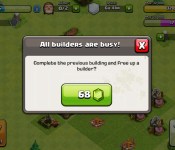
The biggest caveat with any casual free-to-play game is the premium currency system. Just about everything is on some kind of timer, and as you progress, those timers get longer. Don’t cave and spend your precious gems on speeding up production – save them for something important that you get to keep. Make a point to complete missions and clear natural obstacles to build your gem count. Maybe it’s a building that’s only available for a limited time. Maybe it’s your next builder’s hut. The point is, you need to save the gems you earn from missions and terrain clearing for stuff that’s more than just a convenience. You shouldn’t even spend the gems they suggest you do during the beginning tutorial session.
When you do have enough gems, think long and hard about what’s important to you in the game, since if you want to get through this without paying dime, it’ll take awhile before you make another major purchase. On the flip side, you’ll have a hard time getting through the competitive end-game content without spending some cash.
That said, if timers have got you down, play a few other games and cycle through them. Candy Crush Saga and Tapped Out are both solid options. A top-ranked Clash player actually went out and made his own similar game, Samurai Siege, and Gameloft has a Rome-themed knock-off called Total Conquest.
2. Offense is the best defense (and vice versa!)

Your upgrade and build order will vary significantly based on if you want to sit back and collect resources, or take the fight to other players. Odds are you’ll regularly be bouncing between these two. If defense is your primary interest, your first upgrade should be your town hall, then walls, then defensive structures – first mortar, then archer tower, then cannons. Mortar and air defense are your most important towers, so make sure they’re close to the middle and have lots of protection. After that, start working on your various resource production buildings, and make sure they’re fully upgraded. Some players intentionally leave a few elixir gatherers and mines outside the walls so other players can farm them without destroying everything they have, though it’s often practical to leave lower-priority buildings like those outside your walls so you can make sure the important stuff is better-protected with overlapping fields of fire rather than covering a wider area.
Also, remember that players with higher level town halls earn less from raiding lower-level players – don’t be in a rush to upgrade your town hall if you’re playing defensively. Just because you’re playing defensively means you should neglect your barracks – in fact, you can queue up troops to train there, and then get a refund on those in the queue later on, turning your barracks into a kind of temporary, unraidable elixir storage.

If you’re getting aggressive, the order is similar. First build up your town hall, then get your elixir production up and running so you can start stockpiling resources right away. Then get your barracks and camps upgraded so you can get started on building an army. Neither of those structures provide resources to raiders, so feel free to plant them outside your walls. After that, flesh out your defenses with walls and cannons.
The only things left would be the laboratory for upgrading troops, spell factory for added offensive power, and gold mines for upgrading structures.Since matchmaking is based on trophy count, some players intentionally keep theirs low so they can clean up against lower-level players, so be careful about which fights you pick early on. That said, if you want to farm players that are lower level than you, intentionally lose trophies by raiding with a single unit.
3. Shields up!

Getting attacked can suck, but luckily if 40% of your town is destroyed, or your Town Hall comes crumbling down, you’ll have a 12-hour shield. If 90% of your base is wiped out, you’ll get an extra four hours. How do you best make use of this time? Well, don’t go out and start attacking right away, that’s for sure. That will cancel out your shield immediately.
The safety time is valuable, so use it to your advantage – take some time to figure out how you can improve your economy, build up your army, upgrade towers (since they don’t fire when upgrading) or simply stockpile and spend resources before the pain train comes rolling around again. Shields are useful enough that you may even want to voluntarily move your town hall out into the open; you’ll lose trophies and some resources, but often the amount of safety time you get out of it is worth it. If you get really itchy for battle, remember that Clan Wars don’t affect your shield timers at all.
4. Learn the lay of the land

The core strategic mechanic of Clash of Clans combat is to have as many walls between your resources and the outside as possible. To do this, you’ll want to make sure there are no gaps in your perimeter, and definitely make sure that there are no spawnable tiles within your base. You’ll want to make sure that structures are tight together, so cannons and other defensive structures can cover as many of them as possible.
Putting your buildings into small compartments formed by upgraded walls is vital to slowing an enemy’s advance. You’ll also want to have your most powerful defenses positioned more closely to the center of your base; provide as much of a buffer zone with other buildings and walls as possible, so attacking troops have to take longer chewing on other stuff to get to the guns.
5. Pick your targets

When finding opponents, there are a few things you want to take into account before you start dropping troops. First, look at their Town Hall level – if it’s far lower than yours, you’ll be getting a smaller cut of the spoils. You’ll get to see exactly how many resources are available for plundering. At the very least, you want to be able to earn back the resources you spend on troops. If resources are all you’re after, it’s often more profitable to send in a handful of goblins than a full-blown assault.
Before you deploy your first troop, be aware of which resources you’re going for. If you’re going for trophies to climb the ranks, you’ll need to be investing a lot of troops to get two or three stars on your raid. You’ll also want to tap elixir reserves if you want to replenish (or earn back) resources for troops. Once you’ve done that, it’s simply a matter of targeting the most powerful defenses for those resources.Use giants to draw fire from towers initially, then wall breakers to breach, then more giants to mop up defenses. Barbarians, wizards, and archers can chew on structures once areas have been cleared of cannon and mortar fire, while goblins can bee-line for resources. Be mindful of how many troops you drop in, though. You want to be able to pull off a win while burning through as few as possible.
Remember that you have no direct control over your troops – know what the unit’s favorite targets are and deploy accordingly. Barbarians will run head-first at the nearest building, which isn’t great news if there’s a well-defended mortar just a little further in. Send the wall breakers and giants in first to take care of that first. Smart players will create bases that funnel troops right into areas with a ton of traps, which can blunt your offensive very quickly.
6. Get raiding buddies

Once you’ve maxed-out your village level, gone through the single-player levels, and rebuilt your castle, you’re probably pretty hardcore about the game and ready to start getting into organized clan play. Not only are these great ways to socialize in the game, but coordinated attacks can help you bring in some pretty good hauls, too.
Keep in mind that although you can use clans to call in back-up, you’ll be expected to contribute troops too – it’s a team effort, after all. Communicate regularly about what you’re up to, get advice from senior members when you’re trying to figure out what to do next, and have fun! Your clan may have aspirations for competitive league play, which can get pretty intense.
7. Punch your weight in Clan Wars

Attack unstarred villages first, since you and your clan have the most to gain from attacking them. When picking targets for the first time in Clan Wars, let the game’s matchmaking figure out a good opponent for you. If you end up succeeding against tougher opponents, your lower level allies may have a hard time dealing with an equivalent increase in challenge. If you go for easy ones, then you’re taking away good opponents for those lower-level allies, forcing them into battles they can’t win. Punch your weight, and the whole clan wins.
8. Tailor your armies in Clan Wars

You’ve got a whole day to prepare before war kicks off. Use the scout function for your target enemy encampment to get a lay of the land, and build your army around defeating it. If the walls are low level, go land. If the air defense isn’t upgraded, go air. Make specific requests in your clan chat for the types of troops you want to send in. Identifying the strengths and weaknesses of who you are attacking will help you build the best army to take it on.
9. Your top Clash of Clans tips, tricks, and cheats!

For a casual game, Clash of Clans has a surprising amount of depth. If you’ve got any personal strategies for winning bigger, faster, and better, leave them in the comments, or sing out for help with particularly tricky situations.
- Angry Birds Go!: Top 10 tips, tricks, and cheats!
- Bejeweled Blitz: Top 8 tips, hints, and cheats to get your highest scores ever!
- Boom Beach: Top 10 tips and tricks to defeating the Blackguards without spending tons of real cash!
- Candy Crush: Top 10 tips, tricks, and cheats!
- Candy Crush Saga: Another 10 killer help, hints, and guide to extra lives!
- Card Wars – Adventure Time: 5 tips, hints, and cheats to be the cool guy
- Clash of Clans: Top 6 tips, hints, and cheats!
- Clumsy Ninja: Top 10 tips, tricks, and cheats to train harder and level up faster!
- Cut the Rope 2: Top 10 tips, tricks, and cheats to help Om Nom beat levels and find his candy faster!
- Despicable Me: Minion Rush tips, tricks, and cheats
- Disco Zoo: Top 10 tips and tricks to help you grow your zoo as fast as possible!
- Duet Game: Top 10 tips and tricks!
- Dwarven Den: Top 10 tips, hints, and cheats to blazing a path to buried treasure!
- Family Guy: The Quest for Stuff: Top 10 tips and tricks you need to know!
- Farm Heroes Saga: Top 10 tips, hints, and cheats
- FarmVille 2 Country Escape: Top 10 tips, hints, and cheats!
- Flappy Bird: Top 5 tips, hints, and cheats
- Hay day: Top 6 tips, tricks, and cheats to save cash and grow your farm fast!
- The Hobbit: Kingdoms of Middle Earth: Top 5 tips and tricks for building an empire and forging alliances
- Minecraft Pocket Edition: Top 10 tips, hints, and cheats!
- Mini Ninjas: Top 10 tips, hints, and cheats to getting your best run possible!
- Monument Valley: Top 10 tips and tricks to help guide Ida on her journey
- Pet Rescue Saga: Top 10 tips, hints, and cheats!
- Plants vs. Zombies 2: Top 10 tips, hints, and cheats to pass levels faster
- Plague Inc.: Top 5 tips, tricks and cheats
- Real Racing 3: Top 10 tips, hints, and cheats for better cars and faster upgrades!
- The Simpsons: Tapped Out: Top 8 tips, hints, and cheats for donuts, cash, and XP!
- Slayin: Top 5 tips, tricks, and cheats
- Smash Hit: Top 10 tips, hints, and cheats to help you achieve your best distance yet!
- Tiny Death Star: Top 10 tips, hints, and cheats to crush the rebellion faster!
- Tiny Wings: Top 10 tips, hints, and cheats to help you fly higher and nest up faster!
- 2048: Top 7 tips, hints, and cheats to stack your way to a higher score!

10 best cryptocurrency apps for Android

Cryptocurrency has taken the world by storm. All over the world there are people mining for Bitcoins, Doge coins, and various other forms of currency. They’re starting to carry some real value in the real world and some places even accept cryptocurrency as payment for goods and services. In this roundup, we’ll take a look at the best cryptocurrency apps for Android.
 Bitcoin Checker
[Price: Free]
First on our list is Bitcoin Checker. This rock solid app is a go-to for many people who use cryptocurrency. It shows you the up-to-date prices on most cryptocurrencies all around the world. It features a simplistic UI, but the simplicity works in the app’s favor due to the amount of information it shows. Whether it is Bitcoins, Doge coins, or something more obscure, this app will probably have information on it. It’s also totally free to use.

 Bitcoin Ticker Widget
[Price: Free with in app purchases]
Bitcoin Ticker Widget is a quick and easy solution for people who want to know the current exchange rates of various cryptocurrencies straight from their home screen. The app supports dozens of currencies and the widgets are made in such a way that they should fit on most themes. The app that accompanies the widget is fairly useful and simple to understand. You can also set multiple widgets for multiple currencies if there is more than than one that you follow. It’s a good way to keep up to date if you’re a fan of widgets.

 Bitcoinium
[Price: Free / $2.98]
Bitcoinium is kind of a hybrid between the ticker widget and Bitcoin check above. Bitcoinium shows you the latest exchange rates for a vast number of currencies, allows you to set alarms for when a currency hits a certain price, and even provides Bitcoin mining statistics. It comes with a widget that you can set up for your favorite currency or set up multiples if you want them. It’s a good all-in-one solution.

 Bitcoin Wallet
[Price: Free]
Bitcoin Wallet is an app that lets you manage your personal Bitcoins. It’s developed by Coinbase which is a reasonably trusted company in the Bitcoin game. With this app you can buy, sell, and spend Bitcoins as well as manage your account. Think of it like a PayPal but for Bitcoins. You can also send and request Bitcoins from other people and remotely disable phone access if it’s lost or stolen. The interface is also quite good with some Material Design goodness and ranks as among the best designed apps on this list.

 Cryptocurrency for DashClock
[Price: Free]
DashClock is a powerful app that many people use to get more information on their lock screens. Cryptocurrency for DashClock allows you to add various currencies right to your lock screen so you can monitor them. There are dozens of currencies that are supported. It’s simple to use and easy to understand. Of course, you will need to be using the DashClock app in order to use this one. DashClock users who follow cryptocurrencies should definitely check this one out.

 CoinDesk
[Price: Free]
CoinDesk is another pricing app for cryptocurrencies. What makes this one unique is that it also has a news feed for relevant news so you can keep up on what’s going on in the world of cryptocurrency. You can also find analysis, charts, a currency converter, and you can set notifications for when a currency hits a certain value. It’s another really good all-in-one solution although we do question the use of burnt yellow as a main color scheme for the app’s UI.

 Crypto Currency Converter
[Price: Free]
Crypto Currency Converter is a totally free application with no advertising and requires no permissions to run (aside from Internet). It allows you to convert over 1100 online currencies all while keeping track of currency values in the form of graphs. It’s a simple application without a lot of pizzazz which isn’t necessarily a bad thing if you just want an app that works. It doesn’t have a lot of downloads yet but the people who have used it seem to enjoy it so far.

 Crypto Miner Pro
[Price: $2.51]
While you’re Android device isn’t in use, why not use it to mine some coins? Crypto Miner Pro allows you to do exactly that. It’s a minimal app with a minimal interface. You just input the information you need, click the “Start Mining” button, and you’re off to the races. There is a free version of this app but it is apparently much, much worse than the paid version. You should definitely try the free version first, though. You can mine a variety of different coins and once you get used to it, it’s easy to use.

 Cryptonator
[Price: Free]
Cryptonator is another all-in-one cryptocurrency option. With it you can convert over 500 different varieties of crypto-coins. You can also track your favorite currencies, use the portfolio tool to track the value of coins you own, and there’s a fun segment that shows you which currencies did the best and worst in any given month. There is even a widget you can use if you need it. It competes favorably with the other all-in-one solutions.
 CryptoX CryptoCurrency Checker
[Price: Free with in app purchases]
Last on our list is an app called CryptoX. It’s an app that lets you check the prices of various cryptocurrencies and compare them to other currencies. It features a simple Holo-card style UI and plenty of information for those who follow cryptocurrencies. It also integrates the Twitter feeds of various exchanges so you can keep up on what’s going on with all of them. It’s a younger app and the developer has plans to add more features so if it’s not good enough yet, keep an eye on it because there are plans for more things.

Wrap up
If we missed any great cryptocurrency apps for Android, let us know in the comments!
To see our complete list of Android apps and games lists, click here!

Get your free Mac games!

Ric Molina over at MacGamerHQ has rounded up his list for the 10 best free Mac games you can play right now:
Looking for the best free Mac games? It doesn’t matter if you’re broke or you just love free stuff (who doesn’t), Mac gaming has plenty of quality free games to offer. In fact, there are more than enough options to satisfy you, whether you like strategy games, First Person shooters or else!
The list includes some some straight up free-as-in-freedom-not-as-in-beer free games and some “free to play” games that incorporate some sort of in-app payment system to unlock special features. And some require you to set up accounts through their various services in order to download and play. The bottom line, though, is that you can play all of these games without having to invest a dime.
There are some fabulous games on here that we really love to play around my house, like the incomparable MOBA (multiplayer online battle arena) League of Legends, Steam’s hilarious and fun team-based first person shooter Team Fortress 2, and Blizzard’s collectible card game Hearthstone. Click through for the full list, and have fun!
Source: MacGamerHQ

The free year-long Windows 10 upgrade won’t be offered to Enterprise users

While Microsoft will offer consumers who own a Windows 7 or 8.1 PC a free upgrade to Windows 10 for a year after it officially launches, the company won’t extend that same offer for Windows 7 and 8.1 Enterprise users.

Cleartrip update lets users in India book train tickets directly from their phones

Cleartrip has launched an update to its Windows Phone app that allows users in India the ability to book train tickets. The added functionality is on top of the flight and hotel booking services already being offered. Along with the ability to book train tickets, users can also view schedules for up to two weeks, as well as the running status of the train, all from within the app.

The world seems to be ending in Mophie’s first Super Bowl ad
Smartphone battery case company Mophie has decided to join the Super Bowl TV commercial train for the first time this year, and they have already posted their 30-second commercial online. The ad shows the entire world on the brink of destruction.
There are visions of snow in the African desert, a hurricane entering Nebraska, and more weather anomalies. Even gravity doesn’t seem to be working like it should. What does all of this have to do with a battery extender case for the iPhone? Well, we won’t spoil the ending here, but let’s just say the ad gets its point across nicely.
Mophie has also posted a behind-the-scenes video of the making of their Super Bowl commercial, although a lot of it is just company executives talking about how big Mophie has become. Needless to say, don’t watch this clip until you watch the actual ad first.
By the way, Mophie has a Super Bowl promotion where they will give away $1 million worth of $100 gift codes to folks if the game runs into overtime. For the record, none of the previous Super Bowls has ever needed to go into overtime. If the game runs through its normal four quarters, Mophie will still give out $10,000 of gift codes. You need to register at Mophie’s website ahead of Sunday’s game to be eligible.
Source: Mophie (YouTube)

The top 5 things you need to know about the Blu Vivo Air

Thinking about getting a Blu Vivo Air? Here’s what you need to know
So you’re wondering if the Blu Vivo Air is the right phone for you, eh? Well, you’ve certainly got some questions, no doubt, and we’re here to help answer them for you.
The Vivo Air is a unique smartphone, with some eye-popping specs and a surprising price tag. But there’s more to it than just being thin and affordable. And so, here’s what you need to know about the Blu Vivo Air.

From the Editor’s Desk: Long week, fast week, tough week, good week

This job never ceases to amaze me. Sometimes the weeks fly by. Sometimes they drag. Sometimes they’re full of headaches. Sometimes the work perpetuates things. Sometimes I hit the weekend thankful for a couple days’ respite.
The past week was a fun one, speaking as an editor. We cruised through our Nest series, the first of our new focus on, well, focus. We’re still going to do all the news and reviews we’ve always done, but we’re also going to take a more focused look at specific topics. And I picked Nest to start with because, well, I felt like it. (It’s good to be the boss.) That and because I have one and Russell has one and it seemed like as good a place as any to start. Don’t let the nattering naysayers in the comments fool you — we’re not inventing the idea of a series here. If someone can’t understand the idea of a story a two a day over several days on a single topic (again, amid the sea of Android news we typically cover anyway), that’s their problem. Not mine.

These Galaxy S5 hard cases are now only $4.95 while supplies last
 Made from a durable polycarbonate, these Samsung Galaxy S5 hard cases are strong enough to withstand drops and thin enough to keep in your pocket. The case snaps together around your device leaving access to the screen, camera, ports and buttons. Choose from 6 six different colors!

