


Now you can use Android Pay with your favorite apps
When Android Pay launched a few months ago, Android users with compatible phones gained the ability to pay for goods and services with a single tap of their phone. Since then, over 1 million merchants in the USA have signed up to accept Android Pay payments.
Google has now unveiled the next evolution of Android Pay, in-app payment. This Paypal-esque feature will allow users to pay for in-app purchases using their preferred Android Pay payment method.
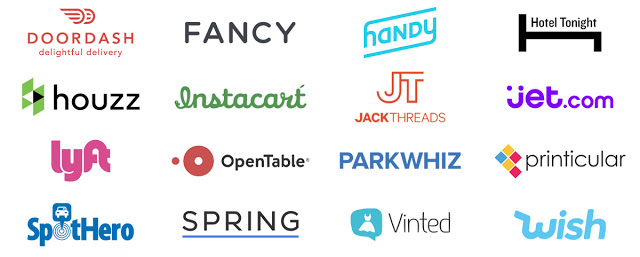
Over the next few months, more and more app developers will be rolling out compatibility for the in-app payments. To kick off this new feature, several merchants are offering special limited-time deals when purchases are made using Android Pay.
- $20 off on OpenTable dining
- $10 off your Lyft ride
- $10 off DoorDash
- 30% off Vinted
Google also announced that they will be bringing Android Pay to Australia in the first half of 2016 and more countries to be announced.
What do you think? Let us know in the comments below.
The post Now you can use Android Pay with your favorite apps appeared first on AndroidGuys.
OtterBox Launches New Cases for iPad Pro, iPad Air 2 and iPad Mini 4
OtterBox today announced the debut of new protective cases designed for the iPad Pro, the iPad mini 4, and the iPad Air 2. The Defender Series is being updated with cases for the iPad Pro, the Profile Series is being updated with cases for the iPad Air 2, and a new Symmetry Series Folio is available for the iPad mini 4.
The Defender Series for iPad Pro, priced at $129.95, includes a built-in screen protector to keep the tablet’s display free from scratches, and like other cases in the Defender Series, its three-layer design protects the iPad from drops and dust. It also includes a shield stand for use when watching videos. Unique to the iPad Pro is a slot that holds the Apple Pencil.

OtterBox’s Symmetry Series Folio for the iPad mini 4 is priced at $59.95 and offers full coverage with a protective back shell and a wrap-around faux leather or fabric cover. The Folio cover converts into a multi-position stand with 360-degree rotation for use in both landscape and portrait mode.

The Profile Series for the iPad Air 2 is an inexpensive, simple folio case that’s priced at $49.95. It includes a protective rear shell that keeps the iPad Air 2 safe from drops and scratches, plus a wrap-around folio-style cover that doubles as a single-position stand.

OtterBox’s new cases for Apple’s iPad lineup are available from the OtterBox website and are currently discounted by 25 percent. Cases for the iPad Air 2 and the iPad mini 4 will ship by Christmas with free express shipping, but the iPad Pro Defender Series Case won’t be in stock until January.
Discuss this article in our forums
Pebble Debuts New ‘Pebble Health’ Fitness Tracking Feature
Pebble today announced new software updates for its line of Pebble smart watches, bringing the timeline feature to Pebble Classic and Steel and introducing a new Pebble Health feature for the Pebble Time lineup.
According to Pebble, Pebble Health was created through a collaboration with researchers at Stanford University. Pebble Health is able to track daily activity and automatically detect sleep phases, displaying stats and insights right on the wrist. Pebble Health brings the Pebble Time in line with the Apple Watch and other activity trackers with a first-party solution that eliminates the need for third-party fitness tracking apps on the device.

Since you are your best motivator, Pebble Health focuses on personal success. Instead of striving for an arbitrary step count, your daily progress is measured against your own personal average. At night, Pebble Health tracks how long and well you sleep, helping you make better sleep decisions. Weekly graphs of both step and sleep stats make it easy to see trends over time.
Pebble Health is compatible with Apple HealthKit and in the future, Pebble plans to launch a Pebble Health API that will allow developers to build apps and watchfaces around the new feature.
Pebble Time, Time Steel, and Time Round owners will get access to Pebble Health after updating the Pebble smartphone app and the watch to the latest version of the software. Pebble Health is not available on earlier Pebble watches.
Discuss this article in our forums
Sonos for Android updated with support for Apple Music beta

Sonos has started rolling out a pretty appealing update for its official companion application for Android. The upgrade brings support for the Apple Music beta, which grants users access to four music-related sections of the service: For You, New, Radio, and My Music. In addition to the new compatibility, the update also bundles performance enhancements for several other third-party music services.
If you’re a frequent Sonos user and you’d like to install the update on your Android-powered smartphone simply open up the Play Store, toggle the hamburger menu by swiping in from the left-hand side of the screen, select ‘My Apps’ and click on Sonos, then tap the update button. Alternatively, you can hit the link below to initiate the download on your handset from the Web.
Come comment on this article: Sonos for Android updated with support for Apple Music beta
Samsung Pay continues expansion with 19 new partners

If the fact that a provider is expanding their network is an indication that they may finally be building some critical mass in the digital payments market, then Samsung appears to be on their way to moving things into the mainstream. Today Samsung announced that they were adding 19 new issuers to their “partnership ecosystem” that can process Samsung Pay. Perhaps the two biggest names on the list include PNC VISA credit and debit cards and KeyBank MasterCard credit and debit cards. Cardholders for any of the issuers on the service can use Samsung Pay at just about any location where they would normally swipe or tap their card.
Samsung’s executive vice president and Global Head of Samsung Pay, Injong Rhee, notes that,
“More Samsung users will be able to use Samsung Pay to shop this holiday season, thanks to new support from MasterCard and Visa issuers, including our valued partners at PNC Bank and KeyBank. With the widest acceptance of any mobile payment service, Samsung Pay continues to expand its reach and provide its customers unparalleled choice, flexibility and access.”
Representatives from PNC and KeyBank noted that the addition of support for Samsung Pay is a step they are taking to make it easier and more convenient for their customers to make mobile payments. Samsung Pay is marketed as being a solution that is simple, safe and “almost anywhere.” That last item is key to Samsung’s efforts as they took steps to incorporate technology that means supported devices can use Samsung Pay even at retailers with older equipment that only reads magnetic stripe cards.
Below is the full list of the latest partners to join Samsung Pay:
- PNC Visa® credit and debit cards
- KeyBank MasterCard credit and debit cards
- TCF Bank VISA cardholders
- Central Florida Educators Federal Credit Union VISA cardholders
- Financial Center Federal Credit Union VISA cardholders
- Greater Kinston Federal Credit Union VISA cardholders
- Keypoint Credit Union VISA cardholders
- Numerica Credit Union VISA cardholders
- Utah Community Credit Union VISA cardholders
- Amegy Bank National Association VISA cardholders
- California Bank and Trust VISA cardholders
- Pentagon Federal Credit Union VISA cardholders
- Achieva Credit Union MasterCard cardholders
- Associated Bank MasterCard cardholders
- Bayport Credit Union MasterCard cardholders
- Bethpage Federal Credit Union MasterCard cardholders
- Cambridge Savings Bank MasterCard cardholders
- USC Credit Union MasterCard cardholders
- Navy Federal Credit Union MasterCard cardholders
Samsung Pay Adds 19 New MasterCard and Visa Issuers, Including PNC Bank and KeyBank
Most accepted mobile payment service continues to expand card issuer support
NEW YORK – December 15, 2015 – Samsung Electronics Co., Ltd. announced today that Samsung Pay, the most accepted mobile payment service that works at the majority of merchants today, has further expanded its partnership ecosystem by adding 19 new issuers, including support for eligible PNC Visa® credit and debit cards and KeyBank MasterCard credit and debit cards. Other new Visa issuers supported include TCF Bank, Central Florida Educators Federal Credit Union, Financial Center Federal Credit Union, Greater Kinston Federal Credit Union, Keypoint Credit Union, Numerica Credit Union, Utah Community Credit Union, Amegy Bank National Association, California Bank and Trust and Pentagon Federal Credit Union. Additional new MasterCard issuers supported include Achieva Credit Union, Associated Bank, Bayport Credit Union, Bethpage Federal Credit Union, Cambridge Savings Bank, USC Credit Union and Navy Federal Credit Union. Cardholders of all these issuers will be able to use Samsung Pay to pay almost anywhere they can swipe or tap their card.
“More Samsung users will be able to use Samsung Pay to shop this holiday season, thanks to new support from MasterCard and Visa issuers, including our valued partners at PNC Bank and KeyBank,” said Injong Rhee, EVP of Samsung Electronics, Global Head of Samsung Pay. “With the widest acceptance of any mobile payment service, Samsung Pay continues to expand its reach and provide its customers unparalleled choice, flexibility and access.”
“Samsung Pay delivers the purchasing power of PNC credit and debit cards right to the place where customers want it most – on their mobile devices,” said Thomas Trebilcock, who leads Mobile & Emerging Payments for PNC. “Offering payment services like Samsung Pay illustrates PNC’s commitment to convenience and delivering enhanced mobile capabilities to customers.”
“Key is pleased to offer Samsung Pay to its clients,” said Jason Rudman, Head of Consumer Payments and Digital Banking at KeyBank. “Its wide acceptance and simple user experience are consistent with Key’s effort to bring ease, value and expertise to our clients and provide choice in their ability to make mobile payments.”
Samsung Pay supports all major payment networks and many of the country’s major financial institutions, and it continues to expand its partnership ecosystem. Click here for the full list of financial partners that support Samsung Pay.
- SIMPLE: To make a payment on Samsung Pay, users can simply swipe up on their phone screen to launch Samsung Pay, select a card, scan their fingerprint and pay
- SAFE: Samsung Pay uses tokenization, Samsung KNOX, and fingerprint authentication to provide secure payments. And, as terminals are upgraded to EMV, that security is leveraged, too.
- ALMOST ANYWHERE*: Samsung Pay is compatible with the majority of existing and new terminals, including most magnetic stripe, EMV and NFC terminals*. That means Samsung Pay works at more places than any other mobile payment service.
About Samsung Pay
Samsung Pay, a mobile payment service from Samsung Electronics, is simple, safe and works almost anywhere you can swipe or tap your card. . Combining NFC with Samsung’s proprietary MST technologies, Samsung Pay provides consumers a way to pay almost anywhere you can swipe or tap a card at millions of merchant locations. Samsung continues to strategically expand its partnership ecosystem for Samsung Pay to provide greater flexibility, access, and choice for customers while enabling an easy and safe payment experience. Samsung Pay is compatible with select cards and Samsung devices, and leading wireless providers. Visit www.samsung.com/pay to learn more.
*Samsung Pay is compatible with select cards, Samsung devices, and leading wireless providers. Visitwww.samsung.com/pay to learn more. Some card reader terminals may require software updates to be compatible with Samsung Pay.
About Samsung Electronics America, Inc.
Headquartered in Ridgefield Park, NJ, Samsung Electronics America, Inc. (SEA), is a recognized innovation leader in consumer electronics design and technology. A wholly owned subsidiary of Samsung Electronics Co., Ltd., SEA delivers a broad range of digital consumer electronics, IT and home appliance products. Samsung is the market leader for HDTVs in the U.S and America’s fastest growing home appliance brands. To discover more of the award-winning products you love with Samsung, please visit www.samsung.com.
About Samsung Electronics Co., Ltd.
Samsung Electronics Co., Ltd. inspires the world and shapes the future with transformative ideas and technologies that redefine the worlds of TVs, smartphones, wearable devices, tablets, cameras, digital appliances, printers, medical equipment, network systems, and semiconductor and LED solutions. We are also leading in the Internet of Things space with the open platform SmartThings, our broad range of smart devices, and through proactive cross-industry collaboration. We employ 319,000 people across 84 countries with annual sales of US $196 billion. To discover more, and for the latest news, feature articles and press material, please visit the Samsung Newsroom atnews.samsung.com.
Come comment on this article: Samsung Pay continues expansion with 19 new partners
You can now pay for in-app purchases using Android Pay

If you’re a regular Android Pay user, you’ll be happy to hear that you can now make purchases in supported Android applications using the service; meaning you no longer have to enter your card details each time you want to buy something. Using the feature couldn’t be easier. All you have to do is tap the Android Pay button when you’re making an in-app purchase, and your preferred payment method will be automatically charged.
At present, only a bunch of apps have compatibility for Android Pay, a few of which are offering promotions to encourage you to use the service. Lyft is giving $10 off your next ride, and $20 will be deducted off your next meal if you book using OpenTable. The full list of supported third-party apps together with their respective deals can be seen in the list below:
- Lyft ($10 off your next ride)
- Instacart
- Spring
- JackThreads
- Jet
- OpenTable ($20 off your next meal)
- Wish
- Fancy
- Zumper
- Hotel Tonight
- Houzz
- DoorDash ($10 off your next delivery)
- Turo
- Vinted (30% off your next purchase)
- SpotHero
- ParkWhiz
- Handy
- Printicular
- Dealflicks
- Luxe
- ParkMe
- Rukkus
If you’ve had an opportunity to complete an in-app purchase using Android Pay, be sure to let us know if your transaction was smooth in the comments section below.
Source: Google
Come comment on this article: You can now pay for in-app purchases using Android Pay
You can now pay for in-app purchases using Android Pay
If you’re a regular Android Pay user, you’ll be happy to hear that you can now make purchases in supported Android applications using the service; meaning you no longer have to enter your card details each time you want to buy something. Using the feature couldn’t be easier. All you have to do is tap the Android Pay button when you’re making an in-app purchase, and your preferred payment method will be automatically charged.
At present, only a bunch of apps have compatibility for Android Pay, a few of which are offering promotions to encourage you to use the service. Lyft is giving $10 off your next ride, and $20 will be deducted off your next meal if you book using OpenTable. The full list of supported third-party apps together with their respective deals can be seen in the list below:
- Lyft ($10 off your next ride)
- Instacart
- Spring
- JackThreads
- Jet
- OpenTable ($20 off your next meal)
- Wish
- Fancy
- Zumper
- Hotel Tonight
- Houzz
- DoorDash ($10 off your next delivery)
- Turo
- Vinted (30% off your next purchase)
- SpotHero
- ParkWhiz
- Handy
- Printicular
- Dealflicks
- Luxe
- ParkMe
- Rukkus
If you’ve had an opportunity to complete an in-app purchase using Android Pay, be sure to let us know if your transaction was smooth in the comments section below.
Source: Google
Come comment on this article: You can now pay for in-app purchases using Android Pay
Verizon’s now pushing out a vital security update for the Galaxy S6 Edge+ and Note 5

Hot on the heels of T-Mobile, Verizon has just started distributing a vital security update for the Galaxy S6 Edge+ and Note 5. The upgrade bundles the latest Android vulnerability patch, along with a multitude of bug fixes and stability improvements aimed at improving the overall performance of the handsets.
As is the norm, this update is being rolled out in stages. To see if it’s ready for your device head into Settings, tap on “About Device”, select “System Updates”, then trap “Check for updates”. Alternatively, if you don’t feel like sifting through the menus, you can always wait until you receive a push notification prompting you to install the update.
Source: Verizon
Come comment on this article: Verizon’s now pushing out a vital security update for the Galaxy S6 Edge+ and Note 5
Verizon’s now pushing out a vital security update for the Galaxy S6 Edge+ and Note 5
Hot on the heels of T-Mobile, Verizon has just started distributing a vital security update for the Galaxy S6 Edge+ and Note 5. The upgrade bundles the latest Android vulnerability patch, along with a multitude of bug fixes and stability improvements aimed at improving the overall performance of the handsets.
As is the norm, this update is being rolled out in stages. To see if it’s ready for your device head into Settings, tap on “About Device”, select “System Updates”, then trap “Check for updates”. Alternatively, if you don’t feel like sifting through the menus, you can always wait until you receive a push notification prompting you to install the update.
Source: Verizon
Come comment on this article: Verizon’s now pushing out a vital security update for the Galaxy S6 Edge+ and Note 5
The best snow blower

By Doug Mahoney
This post was done in partnership with The Sweethome, a buyer’s guide to the best things for your home. Read the full article here.
After 75 hours of research, including interviews with two snow blower manufacturers and a consultation with an expert who has personally reviewed more than 350 snow blowers, we’re convinced that the best snow blower for most people is the Craftsman 88694 Quiet 208cc Dual-Stage Snowblower. It’s easy to maneuver, simple to start, and quiet, and it has power steering and a four-way chute control. No other snow blower offers the same combination of features at such an excellent price.
Who this is for
A snow blower is a big investment that not everyone needs to make. If you have a small driveway, see only infrequent snowfalls of less than 6 inches, and enjoy a physical workout, you would be happier with a snow shovel, a pusher, or a sleigh. We’ve researched those tools thoroughly, and we offer several recommendations in our snow shovel guide.
That said, a lot of people do need a snow blower. These machines are faster and better for handling deep snows, and they’re also easy on the body, causing minimal muscle and back strain. And as expensive as snow blowers are, over time they’re cheaper than a hired plow. The drawbacks? Maintenance and storage. Maintenance mostly consists of oil changes and belt tightening, but not everyone wants to deal with that. As for storage, a two-stage snow blower takes up as much space as a bulky lawnmower, so you should plan for it to occupy a corner of the garage in the offseason.
Our pick

The controls of the 88694: The chute-control joystick is on the left, and the deflector cap is in the up position. If you shift the joystick forward, toward the front of the machine, the cap will tilt downward.
If you regularly get 6 inches to a foot of snowfall, and you have to clear a two-car driveway up to about 80 feet long, we recommend the Craftsman 88694 Quiet 208cc Dual-Stage Snowblower. We know it isn’t cheap, but it comes with premium features that you usually find only on competing products that cost hundreds more. It has power steering, four-way chute control, and an engine so quiet that both Consumer Reports and MovingSnow’s Paul Sikkema say it requires no hearing protection, which is convenient for you and courteous to your neighbors. It’s also self-propelled, so you don’t have to push it, and like all quality blowers, it has an electric start and no-mar skid shoes, which make it easy to get running and safe to use on a deck or patio without leaving scratches.
The 88694 doesn’t have a headlight, but a good headlamp is much better for snow blowing anyway because it allows you to direct light anywhere you want, not just in front of the blower. Sometimes it’s more important to see where you’re blowing the snow, and a headlight can’t help with that.
Popular snow blowers sell out each season, so if the Craftsman isn’t available, we have a runner-up in our full guide.
For smaller properties and less snow

The Toro Power Clear 721 E.
If you regularly get only 6 inches of snow or less, and you need to clear a small, flat paved driveway at an urban home or townhouse, we recommend the Toro Power Clear 721 E. Our main pick is a two-stage blower, but some people can get by with a less-powerful single-stage blower like this one. It can toss snow about 15 feet, and it has a convenient electric start—not a standard feature on blowers this size. But the big drawback of any single-stage model is that it will also throw gravel, so it’s really suited only for smooth surfaces.
For the biggest jobs

The Troy-Bilt Storm 3090 XP.
If your driveway is more than 100 feet long, or if you’re constantly getting hit with 15- to 20-inch snowfalls, we recommend you either move somewhere else or get the Troy-Bilt Storm 3090 XP 357cc. It offers the same durability and reliability as our main pick, plus many of the best features, but it can finish big jobs in half the time. It has a massive engine, trigger-operated power steering, and a cool electronic chute control that uses a small thumb-operated joystick. It also has heated handles.
Wrapping it up
After 75 hours of research, we can say that the Craftsman Quiet 208cc Dual-Stage Snowblower is our pick for the best snow blower. It’s easy to maneuver with power steering and on-the-fly chute control, it’s simple to start, it operates quietly, and it has the best combination of premium features for its price.
This guide may have been updated by The Sweethome. To see the current recommendation, please go here.
 AIVAnet