


Check out these 5 sub $200 Lollipop smartphone deals
I recently wrote about why unlocked Android smartphones will rule the market in 2016. It doesn’t take much to make a high-powered smartphone these days. There are many up and coming manufacturers pushing on companies like Samsung and Qualcomm to get more creative and competitive. Huawei proved to Google and Android fans that it knows how to make devices that can compete with the best. There’s a long list of manufacturers similar to Huawei waiting to make their mark on the U.S. smartphone market.
$600 is no longer needed to buy a fantastic smartphone and customers are finally starting to take notice.
Here are five incredible unlocked Android Lollipop smartphones on sale for $200 or less. All devices are tax free and come with free shipping. All of these devices come contract free, and can be used on local networks such as AT&T and T-Mobile. Check them out and see for yourself how incredible these deals are.
OUKITEL K6000 – $119.00 LINK

5.5 inch 4G Phablet Android 5.1 MTK6735 64bit Quad Core 1.0GHz 2RB RAM 16GB ROM 13.0MP + 5.0MP OTG 2.5D Screen
Main Features:
Display: 5.5 inch 1280 x 720 HD Screen
CPU: MTK6735 64bit Quad Core 1.0GHz
GPU: Mali-T720
System: Android 5.1
RAM + ROM: 2GB RAM + 16GB ROM
Camera: Back camera 8.0MP ( Interpolation to 13.0MP ) with flashlight and auto focus + front camera 2.0MP ( Interpolation to 5.0MP )
Battery: 6000mAh large capacity built-in battery
Reverse charging: Can charge other devices at the same time by the dedicated line
Sensor: Gravity sensor, Proximity sensor, Light sensor
Bluetooth: 4.0
Features: GPS, GPRS, OTG
SIM Card: Dual SIM dual standby, Dual Micro SIM
Network:
2G: GSM 850/900/1800/1900MHz
3G: WCDMA 900/2100MHz
4G:FDD-LTE 800/1800/2100/2600MHz
Elephone P8000 – $154.99 LINK

Display: 5.5 inch IPS
CPU: MTK6753 64bit Octa Core, 1.3GHz
System: Android 5.1
RAM + ROM: 3GB RAM + 16GB ROM
Camera: 5.0MP front camera + 13.0MP back camera
Bluetooth: 4.0
GPS: GPS, A-GPS
Features: Fingerprint ID
Battery: 4165mAh
SIM Card: Dual SIM dual standby, dual micro SIM
Network:
2G: GSM 850/900/1800MHz
3G: WCDMA 900/2100MHz
4G: LTE 800/1800/2600MHz
DOOGEE F5 – $139.99 LINK

Android 5.1 5.5 inch 4G Phablet FHD IPS OGS Screen MTK6753 64bit Octa Core 3GB RAM 16GB ROM
Display: 5.5 inch FHD 1920×1080 IPS OGS Screen
CPU: MTK6753 64bit Octa Core
System: Android 5.1
RAM + ROM:3GB RAM + 16GB ROM
Camera: Samsung-3M2 13.0 MP (SW16.0MP) rear camera + PIP mode OV5.0MP(SW8.0MP) front camera
Bluetooth: 4.0
GPS: GPS, A-GPS
SIM Card: Dual SIM dual standby, dual micro SIM
Network:
2G: GSM 850/900/1800/1900MHz
3G: WCDMA 900/2100MHz
4G: FDD-LTE 800/900/1800/2100/2600MHz
LEAGOO Elite 1 – $179.99 LINK
 Android 5.1 5.0 inch 4G Smartphone Corning Gorilla Glass 3 Screen MTK6753 64bit Octa Core 3GB RAM 32GB ROM 13MP + 16MP Cameras OTA HotKnot Fingerprint ID
Display: 5.0 inch FHD Corning Gorilla Glass 3 Screen
CPU: MTK6753 64bit Octa Core,1.3GHz
System: Android 5.1
RAM + ROM:3GB RAM + 32GB ROM
Camera: 8.0MP (Interpolation To 13.0MP) front camera + 13.0MP (Interpolation To 16.0MP) Sony-IMX214 with AF
Bluetooth: 4.0
GPS: Yes
OTA: Yes
SIM Card: Dual SIM dual standby, dual micro SIM
Network:
2G: GSM 850/900/1800/1900MHz
3G: WCDMA 900/2100MHz
4G: FDD-LTE 800/1800/2100/2600MHz
XIAOMI REDMI Note 3 – $189.53 LINK

The Redmi Note 3 runs the ultra-powerfulHelio X10, has a full metal body, fingerprint sensor and massive 4000mAh battery.
The Redmi Note 3’s fingerprint sensor unlocks in just 0.3s.
Display: 5.5 inch, 1920×1080 Pixel Screen with 403 PPI
CPU: Helio X10 64bit Octa Core 2.0GHz
GPU: PowerVR G6200
System: Android 5.0
RAM + ROM: 2GB RAM + 16GB ROM
Camera: 5.0MP with f/2.0 aperture front camera + 13.0MP with 78 degree wide-angle, f/2.2 aperture back camera
Sensor: Light sensor, G-sensor, Proximity sensor, Hall Sensor
Feature: GPS/ A-GPS / Glonass / Beidou
Bluetooth: 4.1
SIM Card: Dual SIM dual standby, Dual Micro SIM
Network:
2G: GSM 900/1800/1900MHz
3G: WCDMA 850/900/1900/2100MHz
4G: FDD-LTE 1800/2100/2600MHz
Additional Christmas deals can be found here on a massive selection of gadgets.
The post Check out these 5 sub $200 Lollipop smartphone deals appeared first on AndroidGuys.
32 QHD(1440p) and HD(1080p) snowflake wallpapers in time for the holidays
It’s chilly outside, and in some areas it is downright freezing. Here in San Diego we never get snow, but that doesn’t mean we can’t celebrate the cold weather from afar. We’ve curated 32 QHD and HD wallpapers of beautiful snowflakes for your backgrounds.
I’m sure you many of you who live in cold weather know these facts about snow, but for those of us who live in the sun, here are a few interesting tidbits(thanks to snowbrains.com):
Snow is actually clear and colorless.
“The complex structure of snow crystals results in countless tiny surfaces from which visible light is efficiently reflected. What little sunlight is absorbed by snow is absorbed uniformly over the wavelengths of visible light thus giving snow its white appearance.” – National Snow and Ice Data Center
World Record Snowfall
Mt. Baker ski area in Washington State has the world record for snowfall at 1,140 inches of snow in the 1998/1999 winter season. Mt. Baker ski area is located near but not on the real 10,781’ Mount Baker. You can just imagine what the snow totals were on the real Mount Baker that year
What is a Blizzard?
A blizzard occurs when you can’t see for 1/4 mile. The winds are always 35 miles an hour or more. The storm must last at least 3 hours to be classed as a blizzard. If any of these conditions are less, it is only a snowstorm.
6 Sides or Bust
All snowflakes have 6 sides. Period. The reasoning behind this gets techy, but it’s cool:
“The oxygen atom has a particularly strong attraction to the electron clouds of the two hydrogen atoms and pulls them closer. This leaves the two hydrogen ends more positively charged, and the center of the “V” more negatively charged. When other water molecules “brush up” against this growing snowflake, strong forces between the negatively charged and positively charged parts of different particles cause them to join together in a very specific three-dimensional pattern with a six-sided symmetry. Each water molecule that joins the snowflake reflects this pattern until eventually we can see its macroscopic six-sided shape.” – Learner.org
Check out the wallpapers and download as many as you would like.
The wallpapers are all in the scrolling images above, and if you want to save them, follow these instructions:
- Click the left/right arrows to scroll through the images
- Maximize the image you like by clicking on it
- Long press or hold down on the image and click “save”
- Go to your gallery or Google Photos and find your image
- Click “use as” and then click wallpaper
If you see a wallpaper that belongs to you and you would like to receive credit, I would love to give it to you! Just drop a comment in the section provided below with some proof (You know, just so we don’t have people claiming things that are not theirs…) So, please choose those that you like and enjoy!
Some of my favorites are listed below.


The post 32 QHD(1440p) and HD(1080p) snowflake wallpapers in time for the holidays appeared first on AndroidGuys.
Google Now on Tap update helps you take Android screenshots

To take a screenshot on an Android phone so far, you’ve typically had to press an awkward button combo — or, worse, use a palm gesture. It’s getting much easier, though. Google is pushing a Google search app update for Android that lets Marshmallow users take screenshots using Now on Tap. All you do is invoke Now on Tap and hit a share button to send it to your app of choice. This isn’t a straightforward replacement for the hardware command, since it doesn’t save images right away (you need to choose a destination first) and has a long delay. However, it’s both easier to use and gets rid of the usual notifications mess. If you’ve ever wanted to show off your home screen or a new app without jumping through hoops, you’ll want to upgrade as soon as you can.
Via: Android Police
Source: Google Play
Microsoft: “you can have your 15 GB of OneDrive storage back”

While most of us around here are all about Google Drive, some of you still like to take advantage of what other cloud storage services have to offer. Namely, we all love having all that free storage these services, and it sure doesn’t feel good to have it taken from you.
This is what happened in November, when Microsoft decided to stop offering unlimited storage for Office 360 and cut down on free OneDrive storage to 5 GB (from 15 GB). That is quite the cur down, and it really isn’t a pleasant thing to see for customers. After all, you should never ask for a gift back, right?
 See also: 10 best cloud storage apps for Android
Microsoft has decided to give legacy customers their full 15 GB back. You just have to go to Microsoft’s dedicated page and request your free 15 GB before January 31st. Your storage will go down and stay at 5 GB otherwise. Just make sure you sign up before then.
It still makes no sense to me that new users will have to conform with just 5 GB of free storage. That is below the current standard, and Google Drive does still offer 15 free GB of cloud storage. Whatever happened to competition? Well, at least current users can keep the original storage amount, right?
Google rolls out another update to the Google+ web preview

When Google announced they were opening a preview version of the next overhaul to their Google+ social media platform, they quickly found themselves inundated with negative feedback concerning both the design and the lack of features. Despite the criticism, the developers have continued to work on improving the new version. Their latest efforts were released on Friday.
The updates to the web preview include the following changes:
- Links to categories in Communities now appear in the side panel so users can quickly navigate to them;
- Animated GIFs will now auto-play, although a setting was added to turn that on or off depending on the user’s preference;
- Posts in Collections can now be pinned to the top;
- The notification indicator has been changed to a white circle with black text instead of the red circle with white text that was getting lost in the top bar;
- A new pop-up warning will appear if a user starts to navigate away from a page while a new post is still being drafted to verify whether they want to discard changes.
Google staff indicated the changes were based on feedback they have been receiving. In some cases the feedback was unanimous, like with the display of Community categories. Others, like auto-play of GIFs, took some creative problem-solving to balance competing requests from users.
Google encourages users who check out the web preview to continue to make use of the Send Feedback menu item to help the developers continue to improve Google+.
source: Luke Wroblewski (Google+)
Come comment on this article: Google rolls out another update to the Google+ web preview
Moscow’s prominent cemeteries will get free WiFi

Remember this next time you’re stuck in a place with no internet connection: even some cemeteries in Moscow will offer free WiFi visitors can use starting in 2016. These are no ordinary graveyards, though — Novodevichy, Troyekurovskoye and Vagankovo are the most prominent in the city, and where a number of the country’s most recognizable citizens were buried. In fact, that’s the exact reason why the local government has decided to install “zones of psychological comfort,” or simply WiFi hotspots for the rest of us browsing the internet outside of burial grounds, within these three locations.
Officials want to make it easy for history geeks and any curious visitor to locate famous people’s graves, such as Russian President Boris Yeltsin’s in Novodevichy. In addition, since these particular cemeteries are steeped in history, they’re now treated much “like open-air museums.” Moscow’s city-run funeral service spokesperson Lilya Lvovskaya told AFP that a lot of people “come and find themselves standing in front of a grave and want to know more about the person lying there.” Obviously, the best place to look for answers is the internet, and with the “zones of psychological comfort” in place, visitors don’t need to wait until they’re home to google information.
[Image credit: Wikipedia]
Source: BBC, Moscow City, The Guardian
Amazon handing out $5 credit to anyone who downloads one of these apps

You can never turn down free money, right? If you are looking to get a nice deal (free cash), Amazon is making it really easy to get $5 in credit to use towards “products sold by Amazon.com or digital content sold by Amazon Digital Services”.
 See also: 15 best Android apps of 2015
So, how do you sign up? You pretty much just have to download an app from a selected list. First you must download the Amazon Underground application, but this must be sideloaded. Simply go to Amazon’s Underground page and request a download by inputting your phone number or email.

Users will then receive a message containing a download link for the APK file. Make sure your phone can install applications from unknown sources (in the settings, under Security). After downloading and installing the Amazon Underground application, simply download one of the qualifying apps and you will get your free $5 credit in an email some minutes later.
 See also: 10 best Android tablet apps that all tablet owners should have
Yep, it’s that easy! You have to love Amazon for always offering great value to their customers. Amazon Underground already showcases a long list of free applications. Not only do you not have to pay for these applications, but now you actually get money for downloading them. We live in good times, guys.
You can go ahead and read the terms and conditions here, but there’s not much of a catch here. It’s just free money! Go get it.
Google’s Pichai enters the fray over immigration policy

In recent weeks several sources have been stoking the flames of intolerance on the coat tails of recent terrorist incidents. Jumping into this fray is Google CEO Sundar Pichai who penned an open message on Medium calling on people to “not let fear defeat our values.”
The values that Pichai believes are being threatened include tolerance and open-mindedness, strengths that he says are rooted in America’s history of being a country of immigrants.
Pichai also extols the idea of America being a “land of opportunity.” He demonstrates this by recounting his own personal history of coming to the U.S. from India 22 years ago. Upon arriving, he was able to attend school, work hard and ended up building a life here.
Pichai indicated in his post that he was hesitant about posting his message as it seems any attempts at discussion merely fan the flames. Do you think his message was a good move?
source: Sundar Pichai (Medium)
Come comment on this article: Google’s Pichai enters the fray over immigration policy
Nexus 5X review: is the “all-around champ” back?
Another year, another Nexus. Except this time around, Google has released two Nexus phones. One of which is the phablet sized Nexus 6P, the all-metal Huawei smartphone that packs a punch in nearly every way possible. The other is the LG made Nexus 5X, marketed towards those looking for affordability and a smaller sized phone. Plenty of attention and anticipation has been given to the Nexus 5X this year, as it is the successor to the top sold Nexus phone back in 2013, the Nexus 5. The 5X attempts to fill the big shoes of its predecessor by bringing the year’s high-end specifications into a minimal, rectangular slab of plastic that’s around half the price of most premium flagship phones. Do Google and LG succeed this time around?
Before I start the review, a point must be made. Ever since last year, the smartphone market has taken a new direction. Many smartphone manufacturers now realize the potential of more affordable handsets, and have begun offering stellar hardware for almost half the price of the competition. We’re seeing more and more consumers purchasing these more affordable unlocked smartphones rather than the subsidized versions offered by many carriers.
High-end smartphones are entering into the “mid-range” price point, which is around $200-$300 less than they use to be a few years ago. Mid-range smartphones are going for price points between $100-$300 unlocked, and budget phones can be found for less than $100 outright, a la Moto E.
What’s my point? Compared to a couple years ago when the Nexus 5 came out, the current Nexus line has some heavy competition when it comes to price unlocked. No more can we say, “this is an amazing phone… for the price.” because there are currently a plethora of amazing phones… for the price. This leads me to the first category of the review, the overall design and build quality.
Design and Build Quality
My daily driver before the 5X was the Moto X 2014, another 5.2 inch phone, which currently goes for $299 unlocked. My immediate impressions of first holding the 5X left me with no excitement. I was holding a phone that felt lighter, cheaper, and more uncomfortable to hold. The first thing I noticed about the Nexus 5X design was how tall it was. Google went with an HTC kind of style that gives the phone a giant top and bottom bezel, making it look tall and narrow. I would be okay with this if there was a solid reason for how tall these bezels are, especially compared to the much more compact feeling Nexus 5 of two years ago. So far, I can’t seem to find one.
Sure, the 5X includes what looks like top and bottom front-facing speakers, but similar to the Moto X 2nd gen., only the bottom speaker provides sound for audio, while the top is merely there for voice calls.

“Who cares? At least the speaker is facing the right direction!” Well, while that statement is very popular, you won’t be very impressed with the sound coming out the 5X’s speaker. I usually love turning my phone speaker up to full volume to listen to music and for YouTube videos, but the 5X is almost painful to hear at that volume. It gets loud, louder than my Moto X, but the quality is just not there and not worth listening to at high volumes.
It’s just a bit of a bummer that the smallest Nexus offering from Google is still barely qualified to be held and used with one hand. I don’t have the biggest hands on the block, which is why I use smaller handsets and loved the original Nexus 5, but I feel betrayed that even by holding the 5X with my pinky on the bottom for support, I can barely reach the notification bar of the screen, thanks to the giant bottom chin of the phone.
As for the build quality, I have mixed feelings. The device is very light at 136 grams, but it almost feels hollow. As I tap the front or back of the phone, I feel a “springing” reaction inside, as if there is a lot of empty space. This makes me even more confused as to why Google would add so much space to the top and bottom of the phone. I cannot accept the excuse that the phone’s build quality and materials resembles the price asked, because it doesn’t. There are numerous phones that feel twice as solid and premium for the same price if not less.
Not to point out specific devices, but believe when I say the 5X build quality could be better for the price.
Negatives aside, I like the feeling of the matte plastic on the sides and back of the phone, mainly because of how smooth the backs feels when I hold it. The buttons on the right side feel great and durable, however I’ve gotten used to barely using the power button thanks to the addition of a fingerprint scanner on the back, AKA Nexus Imprint.
Nexus Imprint
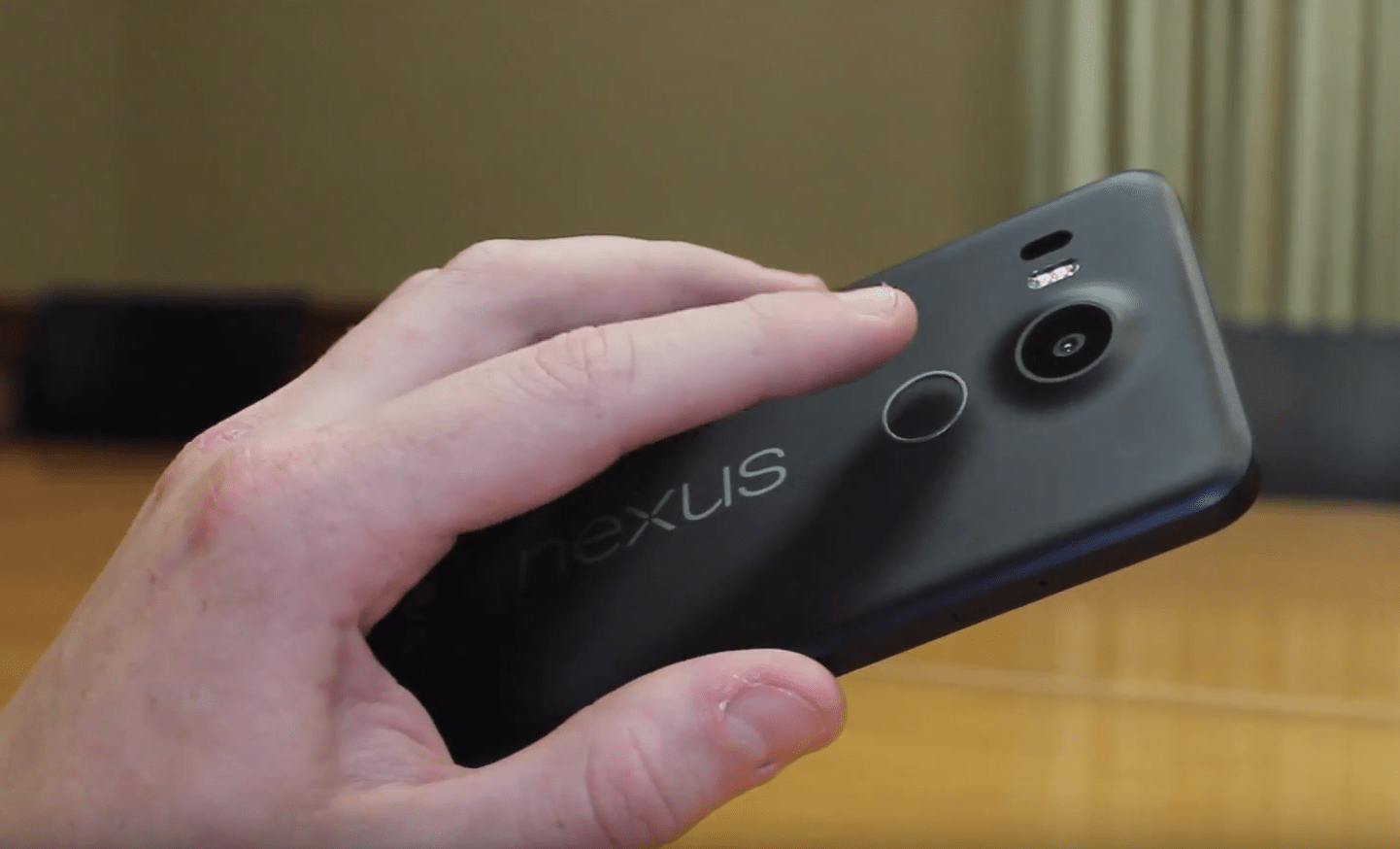
One of my favorite features of the 5X is the new fingerprint scanner that Google calls Nexus Imprint. It’s placed on the back of the device right beneath the camera, and performs amazingly. The best part about it? It wakes the device without even needing to press the power button. Just place your finger on the scanner for a split second and your phone is awake. I did a quick test with my roommate’s iPhone 6 to see which scanner is faster at going to the homescreen from the unlock screen, and while it was extremely close, the Nexus 5X definitely unlocked faster. LG and Google nailed this part of the phone.
Performance
The Nexus 5X uses the Snapdragon 808 hexa-core chip capable of 64-bit computing. While this isn’t the fastest Snapdragon chip offered by Qualcomm this year, every day performance of it is incredibly close to the more powerful 810 chip. Apps launch quickly, animations are very smooth, and overall navigation of the device is easily one of the smoothest experiences of any phone out there.
The only downside to the Nexus 5X in terms of performance is multitasking, but only slightly. When using both my Nexus 5X and 6P and switching between apps, it was obvious which device had 3GB of RAM and which one only has 2GB. On average, I found that I could switch back and fourth between 5-7 regular apps (not games) before they were closed by the system and had to relaunch. If I kept the device on without powering it off for almost a week, the amount of apps the phone could keep running shrunk down to around 3-4 before closing them.
Gaming on the device is also quite smooth, as I played Modern Combat 5 Blackout, Contre Jour, Smashy Road, and Asphalt 8. Modern Combat wasn’t a very smooth gameplay experience, averaging about 25 frames per second, but other games performed just fine. From the one second launch of Google’s camera app, to scrolling through Google Now, Google+ and Chrome, the Nexus 5X is a solid performance upgrade from the original Nexus 5 and many other phones.
Battery
For a phone with a 5.2 1080p display and 2,700mAh battery, I was expecting a bit more from the 5X. My day starts at around 9:00 when I take the phone off the charger, and typically I was getting till about 8:30 pm. when the battery reached about 10% and I made the move to plug it back in. I consider myself a moderate smartphone user. I watch a couple YouTube videos (especially now that it’s holiday video game season), text using Google’s Messenger app, install and app or two and browse reddit quite a bit.
I have about three one hour long classes a day that I don’t use the phone at all either, so the 5X seems to have a heavy battery drain when the screen is on. I think this is because LG is still using some pretty old LCD technology that’s not very battery efficient, but I’ll talk about that in the display section of the review. However, when the screen is off and the phone is sleeping, that’s when the real battery saving magic happens. Doze, which is one of Android 6.0’s newest features, is a battery saving software optimization that restricts heavy app activity when the phone is sleeping. With my Moto X ’14, I lose about 3-5% battery when my phone is off during my hour class. With the 5X, I didn’t lose a single percent.
So, if you’re a user that doesn’t have the screen on all the time and keeps the phone asleep a lot, you’re going to be getting great battery life.
Software
The premier feature of Google’s Nexus phone are the promise of the latest and greatest Android updates before any other phone. The Nexus 5X ships with Android 6.0 AKA Marshmallow. Marshmallow is a much more polished and speedy version of Android 5.0 Lollipop. Performance of Android 6.0 on this phone flies through anything you throw at it, and because this phone will be updated for quite some time with newer version of Android, you should not expect this software to slow down anytime soon, especially compared to other smartphones on the market that weigh themselves down with heavy UI skins.

Android has needed better battery management for a long time, and Google’s finally taking steps to improve this with Doze. Doze has eliminated my fear of not plugging in my phone overnight, risking the loss of 5-15% battery life. Now, I’ll be surprised if I lose more than one percent overnight. Doze works fantastically.
Google Now on Tap is a new feature exclusively for Marshmallow that allows the users to hold the home button on any screen to scan all words present to provide an overlay of Google search results right on top of the screen pertaining to information you need. It’s a really neat feature that works almost flawlessly, and I can’t wait to see what Google does next with it.
Overall, the software of this phone leaves me with the impression I’ve never experienced before with Android. I no longer feel like I’m beta testing Android. I feel like I’m using an incredibly polished software that does just what I need it to and more.
Display
The Nexus 5X sports a 5.2 inch 1920x1080p display using IPS LCD technology. If you have any worry that images won’t look as sharp as a 1440p display, ditch that thought now. The 1080p display on this phone is incredibly crisp and you’re not going to be noticing any pixels. The only problem with this display is the fact that LG is using the same screen tech that the original Nexus 5 had, which was considered cost-effective even in 2013. The only difference is this screen is .2 inches bigger. When you compared this screen against the Nexus 6P or most newer AMOLED panels, you’re definitely going to prefer the latter.
Colors are a bit washed out and don’t pop as much as AMOLED panels. What’s most troubling is the fact that LG is capable of making LCD panels look amazing, such as their Quantum Dot displays on the G4 and V10 smartphones. Yet they still use dated LCD panels for the 5X because it’s considered a “budget phone”. Overall, I consider this screen average for today’s offerings, and wasn’t made to “wow” anyone.
Camera

Nexus devices have always lacked an impressive camera, but Google aims to change that this year. The Nexus 5X and 6P share the same 12.3 megapixel camera with laser auto-focus and dual flash. While this doesn’t sound as impressive as other camera offerings on paper, such as the Galaxy S6 and G4’s 16 megapixel camera, the real world results are exceptional.


“The best all-around camera we’ve ever put into a Nexus shines in low-light conditions.” Google was not kidding when they stated this on the device page.
The camera on the 5X captures the perfect amount of detail and is the best camera I’ve ever used in low light situations. As I took a walk through campus at night, I was amazed with the clarity the 5X was able to capture. Take a look at some of the pictures below. I wouldn’t dare attempt these with my beloved Moto X 2nd gen.


Switching to the front of the phone, the 5X offers a large 5 megapixel camera, and it performs just as it should. I use my front-facing camera mainly for Snapchat, and I was very impressed with the camera capturing low-light selfies without much noise.
I don’t record very much video with my phones, but my judgement on the Nexus 5X’s video recording capabilities are average. The detail and focusing abilities are great for me, but I really wish they included optical image stabilization, something the original Nexus 5 included. Even with the software image stabilization enabled, the videos were shakier than I would have liked. The new Sony Xperia series, as well as LG and Samsung flagships provide much better stabilization in their cameras.
Conclusion
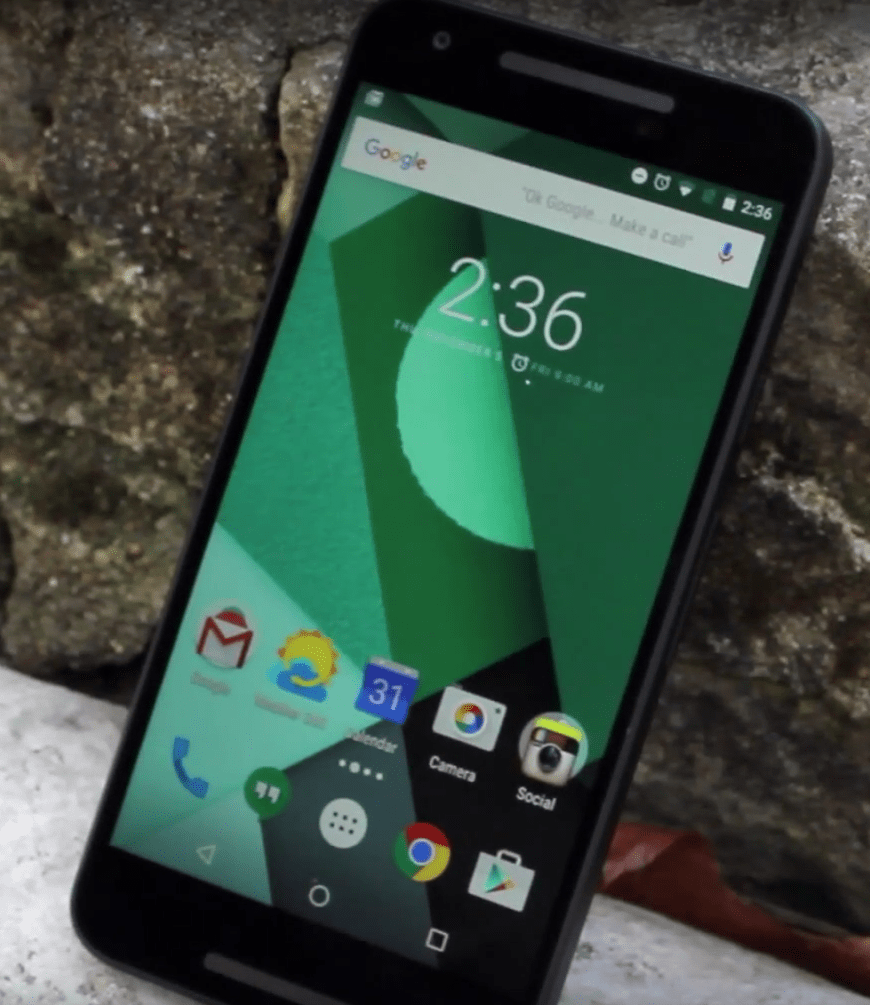
The Nexus 5X is almost everything I wanted for the successor to Google’s 2013 flagship phone, but it’s not enough for me to keep as my new daily driver. The build quality feels cheaper than it should be considering other options in the same price range with better build materials, such as the new Moto X, OnePlus 2, OnePlus X, and more. I also don’t see why Google couldn’t have included the Snapdragon 810 instead of 808, considering they used the latest and greatest Snapdragon 800 in 2013’s Nexus 5. Google also skipped out on higher RAM memory, and it definitely shows when multitasking slows down when not powering the phone off after a few days.
However, the Nexus 5X offers a camera that competes heavily for best smartphone camera of 2015, the best battery life of any Nexus phone, and zippy performance that bests just about any high-end Android phone today. On top of this, you’re getting the latest Android updates before any other phone, and monthly security updates from Google, keeping this one of the most secure phones available today. Google currently offers this phone for $299, but that will go back up soon. For that price, I heavily recommend this phone. But once the price goes back up to the original offer, that recommendation is a lot harder to make.
The post Nexus 5X review: is the “all-around champ” back? appeared first on AndroidGuys.
Twitter warns users targeted by state-sponsored attacks

Facebook and Google already warn you if they think you’re the victim of a state-sponsored cyberattack, and now Twitter is joining the fray. The social network recently alerted some users that that they “may have been targeted” by government attackers trying to get email addresses, network connections and phone numbers. Twitter doesn’t think the intruders got any account info, but it’s offering suggestions (including using Tor) to anyone worried their personal info is out in the wild.
It’s not certain which country was responsible, and there isn’t much of a pattern in the attacks. Some of the targets are activists or security gurus, but there’s no obvious thread linking everyone. In that sense, the warnings are raising more questions than answers — just how worried should people be? Still, it’s good to know that Twitter isn’t waiting before it gives users a crucial heads-up.
Just received this email from Twitter suggesting my account may have been targeted by state-sponsored actors. pic.twitter.com/QLcCzsHphw
— Runa A. Sandvik (@runasand) December 11, 2015
Via: Christopher Soghoian (Twitter), Motherboard
Source: Coldhak (Twitter), Runa Sandvik (Twitter)
 AIVAnet