Skip to content

Archive for

2
Jan

Mad scientist sends a bunch of HTC One M8s to the stratosphere


If you’ve never seen YouTube user Colin Furze in action, you’re frankly missing out. From DIY Wolverine claws to walking on the ceiling, this guy makes everything you wish you could. His most recent video is one of his best, as he sends multiple HTC One M8 handsets into the stratosphere using balloons.

How does he do this, you ask? He packs 2-4 M8s into a styrofoam box, then attaches a few phones to mounts for filming purposes. He then ties everything to a high-altitude balloon, and they’re off. Not only does he send the devices into space, once the box reaches 20,000 feet, they set off a bunch of fireworks to make it even more insane. The devices keep rising all the way up to 106,500 feet, making it the first cell phone recording of that altitude. The coolest part? All of the devices survived the sub-zero temperatures they went through in space.

HTC has been working on many different projects in their Creatography initiative lately, and you can find out more of what the company is doing by visiting their website. But honestly, none of the other videos are quite as awesome as this one.


2
Jan

Bingo Bash App Review


Screenshot_2015-01-02-10-04-57~2

Bingo Bash is one of those games that sneaks up on you and causes you to be addicted without realizing it. Did you think playing Bingo would be something that would keep you hooked? No, but for some reason this game makes you want to keep playing.

Gameplay

Bingo Bash has a mixture of playing Bingo and mini games in one package. You use “balls” to buy Bingo cards to enter a room of your choice (you unlock more rooms as you gain more experience). If you run out of balls to use for Bingo, than you can play a mini game, which help give you more chips to use for power ups in Bingo.

Each room has a different feel, and even different options while playing. For example, the Bingo Royale room shows all the numbers that have been called, whereas other rooms do not. Other than that, most of the other stuff in the game is for hype to get you to play more.

Graphics

The graphic was one aspect of the game that was inconsistent. I can’t quite put my finger on it, but transitions were terrible, and everything except the actual Bingo moved slow and stuttered. I have a first gen Moto X, so arguably not the best phone in terms of processing, but it’s no slouch either. Yet, whenever I opened the game, I would turn down the volume, and that would cause the game to force stop.

Conclusion

Overall, while the app becomes addicting after paying, the slow graphics and processing make it a but frustrating to use at times. Still, if you’re looking to sate that gambling thirst (without spending real money) than Bingo Bash is a feature filled game that can keep you busy.


The post Bingo Bash App Review appeared first on AndroidGuys.

2
Jan

Samsung now rolling out Android 5.0 update for Galaxy S5 in Russia and Malaysia


galaxy-s5-samsung-sign

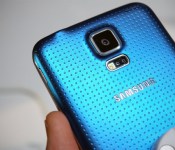
If you own a Galaxy S5 and live in either Russia or Malaysia, you may want to listen up, as Samsung has just started pushing out the much-anticipated Android 5.0 Lollipop update to all unlocked variants of the handset located in these regions.

All the changes you’d expect to find in Lollipop have been bundled into this upgrade, including support for multiple accounts, improved notifications, a smoother multitasking experience and the recently-announced Material Design guidelines.

The full changelog can be seen below:

Material Design: You will quickly notice a whole new colorful look and feel to your device – from fluid animations to new application and system themes, colors and widgets.

Notifications UI & Priorities: In order to alert you to the most timely and relevant information, the format and behavior of notifications have evolved:

  • notifications will appear on the lock screen and are intelligently ranked by type and who sent them.
  • you double-tap to open one, swipe left or right to clear one, or clear all notifications from the bottom of the list.
  • you can set the priority and privacy of notifications for each application.
  • very high priority notifications will pop up briefly over other applications so that you can take action.
  • when you dismiss a notification on one device it will be dismissed on your other Android devices, if they are connected to the Internet.
  • you can further tailor how notifications behave with the new Downtime and Ambient Display settings (see below).

New Interruptions & Downtime Settings: You can tailor how interruptions behave, choosing to allow all, none, or only priority interruptions.  You can personalize what counts as a priority interruption (reminders, events, calls, messages) and even tailor them to be from only contacts you specify.  The Downtime setting will allow only priority interruptions during the times and days that you specify.  e.g. allow only priority interruptions on the weekend.

Recent Apps (Multi-tasking): The redesigned Overview space (formerly called Recents) will include both applications and separate activities within those applications.  For instance, each open tab in Chrome will also appear here along with recent applications; both your Gmail Inbox and a draft email message will appear as separate cards.  This provides a consistent way to switch amongst tasks.

Ambient Display: While your phone’s display is off, Ambient Display can show notifications without turning on the full display. This will be triggered when a notification arrives. You will see notifications similar to that shown on the lock screen.  You can turn this feature on in the Display menu in Settings, and note that it will increase the power consumption of your device.

Motorola Assist and Downtime: Motorola Assist integrates the new Downtime settings to control when you don’t want to be disturbed.  Motorola Assist also now uses the new Interruptions settings so that you can customize exceptions, such as letting only people on your starred contacts list get through.

Flashlight: Lollipop includes a new flashlight option as part of Quick settings (swipe down with two fingers from the status bar to see it).

Share your Device: You can now set up multiple user accounts on your phone.  Guest mode is enabled by default.  You can give calling and text privileges to other users of your device, or restrict them as you like in the Users menu under Settings. Note that the personalized Motorola experiences (Motorola Assist, Motorola Connect)  are for the owner account only. The Motorola Camera, Motorola Gallery, and Motorola FM Radio applications support multiple user accounts.

Pin a view/app: Screen pinning allows you to keep a specific app or screen in view. For example, you can ‘pin’ a game and your child will not be able to navigate anywhere else on your phone.

Battery: The Battery settings panel now shows an estimated projection for how much time you have left while discharging or charging.  You can also enable a new battery saver mode that will save power by reducing performance and most background data operations to extend your battery life.

Smarter Internet Connections: With Android Lollipop, your phone will not connect to a Wi-Fi access point unless there is a verified Internet connection. This feature improves hand-offs between Wi-Fi and cellular connections, helping to maintain your video chat or voice-over-IP (VoIP) call as you switch.

Performance: Your phone now uses the new Android Runtime to help optimize application performance.  After upgrading to Lollipop, your applications will undergo a one-time optimization process.  Note that the optimization for ART requires more space.

Smart Lock (Trusted Devices): Android Lollipop adds native support for allowing trusted devices to keep your phone unlocked (such as your Moto 360, a Bluetooth car kit or headset, etc.).  Smart Lock replaces the prior trusted device capability in your Motorola phone.  Note that you will need to add your trusted devices back after the transition to Lollipop in the Security settings menu under Smart Lock.

Security: Encryption can now use a stronger 256-bit key to help protect your data.  Note that the stronger key willonly be used after you perform a factory reset on Android Lollipop.  Otherwise encryption will continue to use 128-bit key.  You can turn on encryption in the Security settings menu.

As is customary with all manufacturer updates, the upgrade is being distributed in stages, but if you don’t feel like waiting for a notification to hit your handset confirming that it’s ready for your device, you can search for the update manually.

Come comment on this article: Samsung now rolling out Android 5.0 update for Galaxy S5 in Russia and Malaysia

2
Jan

Strings is a messaging service that lets you delete those drunk texts


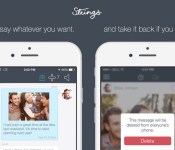
It’s still early enough in January that if you promise not to drunkenly text pictures of your behind to your friends, it still counts as a New Year’s Resolution. Still, in an age where everyone’s off-hand conversations can be made public in a flash, it’d be nice to regain some control of where our words are shared. That’s where Strings comes in, since the iOS app is a rival to Snapchat and WhatsApp that clearly hopes to foster a consent culture around mobile messaging.

With Strings, users can converse with pictures, videos and text, but if people want to save any of those locally, they have to ask you for your permission. Even better is that a user can edit data on other people’s devices, so if you carelessly send the wrong picture or use the wrong word, you can delete it whenever you need to. It’s free to download, and the app even mirrors Snapchat’s solution to the dreaded screenshot problem. If the recipient takes a screenshot, not only will you be informed, but they’ll be given a warning too, which is something, at least.

Filed under: Cellphones, Internet, Software

Comments

Via: TechCrunch

Source: Strings (App Store)

2
Jan

Hyundai will show off its upcoming Android Wear app at CES 2015


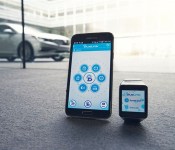
If you own an Android Wear smartwatch, you might be able to start your car remotely sometime in 2015. Hyundai has just revealed it will show off an upcoming Android Wear app that will offer that kind of feature, among others, as part of its CES 2015 product lineup.

2
Jan

Alcatel Onetouch announces a smartwatch and Pixi 3 series phones ahead of CES


CES 2015 doesn’t officially begin until January 6th, but that never stops companies from announcing their new products a bit early. Alcatel Onetouch is one of the first manufacturers to make an early announcement, and it’s quite a big one. The company has just announced a new affordable smartwatch, as well as the Pixi 3 line of smartphones. They plan to show these devices off in full at CES 2015 in the coming days.

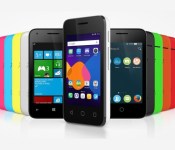
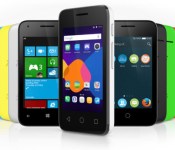
The Pixi 3 line is a set of affordable smartphones that come in 4-inch, 4.5-inch and 5-inch sizes, which are all 4G LTE compatible. There’s also a 3G-capable 3.5-inch model that will likely cost much less than the others. The best part about these devices is that they’re OS-agnostic, meaning there are three different operating systems to choose from: Android, Windows or Firefox OS. One thing to remember about these devices: Alcatel’s Pixi line has been around for a few years now, and they shouldn’t be confused with the Alcatel Onetouch/Palm rumors that have surfaced lately. Unfortunately, we shouldn’t get our hopes up to see Palm coming back anytime before CES.

Alcatel-OneTouch-Watch-Header-big-2

Alcatel Onetouch has also announced their new affordable smartwatch. Named the Watch, it connects to Android devices to monitor daily activity, control music, receive notifications and more. The Watch has a circular display and small bezels, and unlike the Moto 360, it doesn’t appear to have a break in the display at the bottom for any type of sensors. Alcatel Onetouch says the Watch aims to be an small, affordable smartwatch that will be sold for a fraction of the price of its competitors. There is no mention of the OS running on the Watch, so we’ll have to wait until the company shows it off at CES.

The company will have both of these devices to show off at CES in the coming days. If the price is right for both of these devices, would you buy into the Pixi 3 line or the Watch?

Show Press Release
With a series of announcements at the International CES, ALCATEL ONETOUCH, one of the world’s largest smartphone brands, makes good on its commitment to offer the latest technological innovations to all.

The brand’s new PIXI smartphones make mobile Internet available to everyone, while offering another innovative feature of OS-agnostic. It is available with Firefox, Windows or Android, providing the flexibility to all consumers. What’s more? The smartly priced WATCH creates a newly attainable smartwatch category.

4G LTE at an affordable price

First among ALCATEL ONETOUCH’s announcements at CES, the smartphone brand is launching its affordable PIXI 3 series, ranging from a pocket-friendly 3.5-inch display to a larger 5-inch display. Offering both 3G and 4G LTE connectivity for the PIXI 3 (4″), (4.5″) and (5″) and 3G for the PIXI 3 (3.5″), the PIXI 3 series further features easy customization and the most popular applications pre-loaded.

OS-agnostic – Firefox, Windows or Android

Besides being the first among the PIXIs to offer 4G, the PIXI 3 series is also first to be compatible with three major operating systems: Firefox, Windows and Android.

“Our users do not want complicated systems — they want something familiar from their work environment in the office, but also on a smartphone,” said ALCATEL ONETOUCH Chief Marketing Officer Dan Dery.

Cross-device integration, from smartphones through to PCs. PIXI 3 series offers consumers simplicity of use and the reassurance of having the same system at home, at the office and on the go. With its OS-agnostic PIXI 3 series, ALCATEL ONETOUCH presents operating-system choices to its customers.  This continues the efforts begun last year, when the brand teamed with Mozilla to launch the Firefox OS on its FIRE series of smartphones.

A Smartwatch at a Smart Price

It looks like a watch and feels like a watch but it’s much smarter than that. ALCATEL ONETOUCH introduces the WATCH series, a smartwatch that puts a premium on elegant design at a very accessible price. In launching the WATCH, ALCATEL ONETOUCH creates a new market segment: the affordable smartwatch.

Offering the WATCH at a fraction of the cost of competitors, the smartphone brand has implemented its compact design expertise to offer a series of fine finishing that meet the demands of everyone looking for the same look and feel as a traditional watch.

While offering choices and styles, the WATCH is also packed with sensors and apps that allow users to monitor daily activity, and connects to Android smartphones to control music, take photos, receive notifications and more.

A Blast of Color: ALCATEL ONETOUCH’s Interactive Booth

Visitors to ALCATEL ONETOUCH’s CES booth will not only be able to test the brand’s products but also really get in the game with activities such as the Interactive Color Run. Color Run is a five-kilometer race during which runners are doused with color at every kilometer. In this virtual version, a video wall will display landscape at a scrolling speed that matches the runner’s speed. To win points, players will be able to throw colored sand at the images of other people as they run. Four different smartwatch functions will also display onscreen.

Stop by our booth #9829 at the International CES.


2
Jan

Panorama Speaker: Clear and portable Bluetooth audio for under $25


redesign_PanoramaSpeaker_MF1_1214

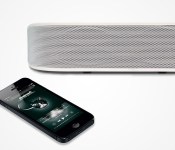
Whether you’re the type to catch up on your latest podcasts or are itching to hear the new Kanye West and Paul McCartney track, having portable audio at your fingertips is a great addition to any household. I, for one, know that without my Bluetooth speaker unit, dish-washing would be an unbearable chore. While the price-point for these little boomboxes can drift into the high hundreds, TOCCS has delivered a worthy competitor for under $25.

The Panorama Bluetooth Speaker boasts crystal-clear signal for your music and phone-calls. The rechargeable battery is good for 6 hours of playback and the unit features a 30ft wireless range. Of course, Bluetooth means that just about any device will be compatible. AndroidGuys readers can get this speaker, regularly priced at $109, for just $24.99. Enjoy the sweet sound of saving money!

See more at deals.androidguys.com

Do Not Miss These Other Deals!

Top gear deals of 2014

geardeals4

Another year has come and gone and with that transition comes the time to ask yourself, “Did I get every piece of gear on my wish-list?” From drones to batteries and everything in …


The post Panorama Speaker: Clear and portable Bluetooth audio for under $25 appeared first on AndroidGuys.

2
Jan

Montblanc Unveils ‘e-Strap’ Band Accessory With iOS Integration for Analog Luxury Watches


With luxury watchmakers turning their attention to the smartwatch market ahead of the Apple Watch launch later this year, Montblanc is one of the first to announce specific plans. As noted by aBlogtoWatch, Montblanc’s initial foray is an “e-Strap” accessory band for traditional watches that connects wirelessly to a smartphone.

montblanc_estrap
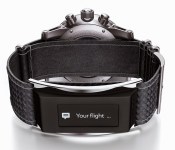
The Montblanc e-Strap incorporates a small 0.9-inch wide screen into a high-quality leather band that attaches to a traditional analog watch. The screen lays flat against the underside of the wrist, allowing users to receive notifications, count steps, and control music playback on a connected smartphone. The band connects to an iPhone or iPad via Bluetooth and offers up to five days of battery life.

How impressive as a connected wearable device will the e-Strap’s electronic module be? It will have a 0.9 inch monochromatic OLED touchscreen display with a 128×36 pixel resolution. That isn’t exactly industry changing, but this is more than just a mere notification device. Montblanc has made it clear that in addition to basic calls, texts, e-mails, calendars, social media, and reminder notifications, the e-Strap will function as an activity monitor/tracker with a pedometer and accelerometer to measure data that feeds into an included iPhone or Android phone app.

The e-Strap will reportedly sell separately for 250 Euros and will also be available initially as an option with select Timewalker Urban Speed watches. The band will, however, apparently be compatible with all 42-mm or 43-mm wide Timewalker watches.

Montblanc is one of several luxury watchmakers adding smartwatch-inspired products to their 2015 portfolios. Timex and Fossil reportedly are partnering with Qualcomm and Intel, respectively, on upcoming smartwatches, while Swiss watchmaker TAG Heuer is exploring partnerships and acquisitions in order to jumpstart its own smartwatch projects.


2
Jan

Alcatel OneTouch unveils a trio of new OS-agnostic smartphones


Alcatel OS Agnostic

Alcatel OneTouch has just announced a trio of affordable Android-powered PIXI smartphones it will showcase at the annual Consumer Electronics Show in Las Vegas, Nevada, between Tuesday, January 6, and Friday, January 9, 2015.

Sadly, Alcatel didn’t provide too much information with regards to the upcoming handsets. All it volunteered is that the new PIXI smartphones will come in four different sizes – 3.5”, 4”, 4.5”, and 5″, and will be OS agnostic, meaning that they will be compatible with three different operating systems — Android, Firefox and Windows Phone.

The manufacturer claims that its new range of PIXI smartphones will be priced competitively, thus putting “4G LTE connectivity within everyone’s reach.”

Be sure to check out the full press release below:

CES – Las Vegas, January 2, 2015 – With a series of announcements at the International CES, ALCATEL ONETOUCH, one of the world’s largest smartphone brands, makes good on its commitment to offer the latest technological innovations to all.

The brand’s new PIXI smartphones make mobile Internet available to everyone, while offering another innovative feature of OS-agnostic. It is available with Firefox, Windows or Android, providing the flexibility to all consumers.

4G LTE at an affordable price

First among ALCATEL ONETOUCH’s announcements at CES, the smartphone brand is launching its affordable PIXI 3 series, ranging from a pocket-friendly 3.5-inch display to a larger 5-inch display. Offering both 3G and 4G LTE connectivity for the PIXI 3 (4″), (4.5″) and (5″) and 3G for the PIXI 3 (3.5″), the PIXI 3 series further features easy customization and the most popular applications pre-loaded.

OS-agnostic – Firefox, Windows or Android

Besides being the first among the PIXIs to offer 4G, the PIXI 3 series is also first to be compatible with three major operating systems: Firefox, Windows and Android. “Our users do not want complicated systems — they want something familiar from their work environment in the office, but also on a smartphone,” said ALCATEL ONETOUCH Chief Marketing Officer Dan Dery.

Cross-device integration, from smartphones through to PCs. PIXI 3 series offers consumers simplicity of use and the reassurance of having the same system at home, at the office and on the go. With its OS-agnostic PIXI 3 series, ALCATEL ONETOUCH presents operating-system choices to its customers. This continues the efforts begun last year, when the brand teamed with Mozilla to launch the Firefox OS on its FIRE series of smartphones.


Come comment on this article: Alcatel OneTouch unveils a trio of new OS-agnostic smartphones

2
Jan

​The new Nabi Square HD is a 4K action camera for kids


​The new Nabi Square HD is a 4K action camera for kids

There are a lot of durable, high-resolution action cameras on the market, but how many would you feel comfortable giving to your kids? Probably not many: Most such cameras won’t tolerate absentminded abuse without a protective case — and they’re expensive to boot. An attentive parent could lend a GoPro or a Sony Action Cam to their offspring, but it could become an expensive proposition. Instead, Fuhu wants to call your attention to its new Nabi Square HD: a “kid-proof” 4K action cam that costs $170.

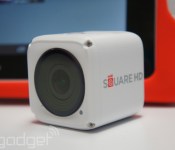
The Square HD isn’t the company’s first take on a child-friendly action camera. In fact, it’s not even the company’s first product to bear the name, but the Square HD we see here is more than an iterative update — it’s a complete redesign. To start, the new Square trumps the original model by actually matching its name: This camera is an actual square, tossing out the follies of the original’s rectangular design for a sleek, white cube that measures 44mm on every side. It’s also more powerful, and supports 4K video recording at 15 fps, 2.7k recording at 30 fps, 1080p at 60 fps and high-speed, 120 fps capture at 720p.

The best part about the upgrade, however, is its advertised durability. Sure, 4K recording is great (and its 60 fps at 1080p looks pretty snazzy too), but as a cam designed for kids, it has to be durable. Fuhu, the product’s creator, assured me it is: The Square HD can survive under 30 feet of water without a case and is generally shockproof and dustproof, too. As strong as it is, though, the company says it’s not built to compete with mainstream action cams — it’s designed for capturing “family-first moments through the eyes of a child,” a company representative told me.

Officially, the company says children should be 13 or older (due to the size of certain components), but the development team has given it to children as young as four, with proper supervision. Naturally, the Square HD integrates well with Fuhu’s line of kid-friendly Nabi tablets — which feature apps that allow kids to share automatically cloud-edited videos to (prenatally approved) friends and family. A less robust camera-control app will be available to regular iOS and Android users as well.

In all, the Nabi Square HD seems like a pretty easy-to-use action cam. It’s not the best camera on the market, but it’s durable, small and capable of recording in 4K. At $170, can you ask for much more?

Filed under:

Comments