


Samsung Galaxy Note 4 Wireless Charging Accessories
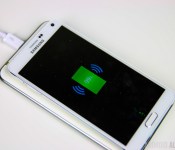
Wireless charging has been around for a while now but you’ll be hard pressed to find very many phones with this technology built in. One of those phones being the Samsung Galaxy Note 4. However, all hope is not lost and there’s several different ways that you can bring wireless charging to your Galaxy Note 4. We go over some of the best wireless charging accessories so check them out down below!
You also might like: 7 popular cases to protect your Galaxy Note 4

S Charger Cover for Galaxy Note 4
The S Charger cover is an official wireless charging accessory from Samsung and this replaces the standard back on your Note 4. The S charger cover preserves the stock look and feel of the Note 4 with only one minor difference. The charger cover is thicker than the regular Note 4 back. This added thickness not only makes the overall phone thicker but it also makes the camera flush to the body of the phone which is a good thing. I did not find this added thickness to be a huge problem but for those of you out there who like to use cases, it could ultimately be a deal breaker as the phone will no longer fit most cases. Otherwise the charger cover works just as advertised. Place it on any Qi compatible charger and your Note 4 will start charging wirelessly. The output is rated at 800 mAh so it’s not going to charge nearly as fast as being physically plugged in but it should still be fast enough for overnight charging. Available colors include charcoal and white.


Wireless Charging S-View Flip Cover for Galaxy Note 4
This is essentially the same case as the normal S-view Flip Cover that we covered previously with the exception of wireless charging built in. Just like the S Charger cover is thicker than the normal Note 4 back the S-View flip cover with wireless charging is thicker than the standard S-View flip cover but if you didn’t have them side by side you’d hardly notice the difference. To install just simply remove the stock Note 4 back and snap on the S-View flip cover in its place and you’ll be ready to charge wirelessly on any Qi-enabled charger. Just like the S Charger cover this is also rated at an output of 800 mAh so it’s best to be used in situations where you have plenty of time to charge your phone. Available colors include charcoal and white.
Qi-infinity Wireless Charging Receiver for Galaxy Note 4
If you want to wirelessly charge your Note 4 without adding any bulk at all and still be able to use protective cases then the Qi-infinity wireless charging receiver is your best bet. This little receiver sits on top of the battery and can be held in place by the pressure of the battery cover itself but you can choose to tape it down if you wish. To install, just line the receiver up as shown on the box making sure the copper connectors on the top and left sides are properly aligned with the copper connectors inside the Note 4. Place the battery door back on and you’re ready to wirelessly charge. The biggest drawback to this receiver is that it’s output is rated at only 600 mAh so it’s much slower than the official wireless charging methods from Samsung but it’s definitely worth it to not have any additional bulk to deal with. Out of all the wireless charging options this one is my personal favorite.
S Charger Pad Wide
Once you have enable Qi wireless charging on your Note 4 you’ll need an actual wireless charger to complete the process. While the S Charger Pad Wide will work with any Qi enabled device, it is perfectly optimized for the Note 4 because of how spacious it is. The Note 4 fits directly on top with plenty of room to spare and you’ll never have any doubt that your Note 4 is actually charging. The charger itself is thin and sleek with a rubber material on the underside to prevent it from sliding around on your desk and it features an indicator light to notify you that charging has taken place just in case you decide to charge other devices that don’t have indicator lights of their own.
And that wraps up some of the best wireless charging options for the Galaxy Note 4. Are you a fan of wireless charging? If so, which option is your favorite? Let us know in the comments!
 AIVAnet