


The Importance of Social Media in Today’s Restaurant World
Social media has come a long way since its beginning and it has grown into its own entity.
Most people use social media in one way or another each day for a variety of reasons. There are now more social media sites than ever before and they can be accessed from computers or mobile devices. People use these sites in order to communicate with family and friends, update the world on what is going on in their life, and just to pass the time and have fun.
More businesses are also turning to social media sites. These sites offer the businesses something print ads, TV ads, and radio ads can’t; they allow the companies to build a more personal relationship with customers and potential customers. When people feel as if they are able to communicate with a company and ask questions directly to them, they feel heard and as if they are going to be able to count on that company more than others. When you see a business being involved with their social media page and talking back and forth with customers, doesn’t it give you a better feeling about that company? Many people feel this way as well. A business who isn’t taking advantage of social media is missing out on a great advertising opportunity.
How has Social Media Changed the Restaurant World?
Restaurants are now able to become more than simply a place people go to in order to enjoy a quick meal and it’s all thanks to social media. Now, they have become places where customers feel they have a connection to. This is due to the fact that the customers are invited in to enjoy a more personal connection to the restaurant. Often, pictures of the staff in their restaurant uniforms, current happenings and other information can be posted on social media. When you are connected to an eating establishment on a social media site you will feel almost as if you are a part of the family. When you go to eat at that restaurant it will be more familiar to you and this makes the experience more comfortable.
It also helps if the restaurant you are connected to on social media is very good about responding to others. This lets you ask questions and make comments knowing a member of the staff is reading what you are saying and paying attention. If you have any concerns or even good ideas you want to suggest to the company, it’s nice to know you are actually being heard.
Social Media Helps Restaurants Know What the Customers Want
A restaurant can put all the survey cards they want on their tables or offer them in other ways, but the truth is nothing is going to let the restaurant really learn what customers want the way social media will. When a restaurant wants to know how an idea is going to be perceived, all they need to do is post it on their social media pages. Soon, there will be hundreds and possibly even thousands of responses from customers who have something to say on the matter.
Restaurants can also get new ideas from reading the postings and suggestions from their customers. This is a good way for them to learn about certain problems they may have been oblivious to before. That means they can resolve a problem they normally may not have learned about for a long time. Social media has become a fantastic resource restaurants should be sure they are getting full use out of.
Restaurants can Keep Customers informed of Special Promotions
Restaurants can use their social media site to update customers on specials, events, or new menu items. This is a free form of advertising.
Customers who are looking for a Good Restaurant can Check Social Media
If you want to find a good restaurant you can also turn to social media and look at the response a restaurant in your area seems to get online. This will let you see if it has a large following or unsatisfied customers.
Finding a good RSS reader to replace iGoogle
The iGoogle service was a powerful dashboard for the internet. It allowed users to access their favourite RSS feeds, news tickers, and Google properties all on one page. Users could view the latest instalment of their favourite web comic, see their calendars and social media profiles, catch up with their RSS feeds and more all via their web browser’s home page.
Sadly, Google made the decision to shut down iGoogle, for reasons that only Google employees will ever fully understand. This means that there are a huge number of people hunting for iGoogle replacements. While other search engines, including Yahoo, have tried to make their own iGoogle replacements, most have failed. The big draw of Google’s offering was that it was so comprehensive. There were gadgets for almost everything. Some web users have decided that there’s no point trying to completely replace iGoogle, and instead they have moved to RSS readers.
Why RSS readers?
RSS readers, such as Pulse for Mobile, NetVibes for your web browser, FeedDemon for your Windows desktop, or the Sage browser plugin for Firefox, make it easy for you to see all of your feeds in one easy interface.
RSS readers are, in some ways, better than iGoogle was for managing large amounts of content. They may not have the widgets and tickers that iGoogle had, but they do archive content, support categories and filtering, let you see at a glance how many unread posts you have, and even support some searching features.
You can view posts from inside the RSS reader and cache them for further reading, or you can open them in your web browser to go explore the blog. If you limited yourself to just a handful of blogs on your iGoogle homepage to keep the page manageable, then an RSS reader will be a breath of fresh air because it allows you to manage a much bigger number of blogs without feeling swamped or confused.
A proper iGoogle replacement
If you are looking for a full iGoogle replacement BlueG is a good option. It offers a similar layout and many of the same features, including RSS feeds, weather reports, news, how-to tips and shopping offers, as well as tabs for games, and a selection of gadgets that you can use to customise your start page. BlueG is perhaps the closest thing to a true iGoogle replacement available today.
It is unfortunate that Google decided to shut down the iGoogle service. The service was incredibly popular with power users around the world. There are many services springing up to replace it, but there will always be an iGoogle shaped gap in the lives of the most dedicated users. One lesson that many iGoogle lovers have learned is not to depend on Google’s smaller projects.
iGoogle isn’t the only thing that the company has sunset. Believe it or not, they once had their own dedicated RSS reader – Google Reader, but they closed that down too!

Find the Best Dog Bed Possible
There are a wide variety of factors that come into play when determining which type of bed is best for your pet. This article will discuss these factors and how they should affect a person’s pet bed decision.
 Animal Size
Pets who are larger will need larger pet beds. That’s a fact that many people ignore when they are trying to find the perfect bed for their dog, instead going for the cutest bed with the most features. Dogs simply need a place to lie down and if the bed is not big enough, then the dog will not be comfortable. When shopping for a pet bed, it is also highly recommended to take into account the size that the dog will eventually grow to be, or at least make a rough estimate. This will prevent the dog owner from having to purchase another pet bed.
Temperature
A second factor that needs to be looked at is the temperature in which the dog is going to sleep. If the dog is regularly going to sleep in a room that is very warm, then the dog is going to either need a mat that is flat against the ground or an elevated bed. An elevated bed will help the dog catch as much cool air from breezes as possible, while a mat on the ground will help avoid the heat. These beds should be flat, with no raised edges, in order to allow a dog to spread out as much as possible and shed any excess body heat.
Dogs that are sleeping in cooler climates should sleep on beds that have raised edges. Not only will this provide an additional level of support for the dog, but will also encourage the dog to curl up in a ball and retain body heat–something that is especially important for smaller or short hair breeds.
Whether It’s Washable
It’s very important to make sure that the dog bed that is being purchased is washable. This is because the bed will need to be washed a regular basis and if it is not able to be washed by machine, then there is a very high chance that the pet owner will not have the time or the funds to clean it on a regular basis. This could cause bacteria and dirt to spread and possibly cause the dog to fall ill.
How Long it Will Last
Another important factor to think about is the overall durability of the bed. If the bed is durable, then it is made out of materials that are strong enough to bear a dog’s weight for an extended period of time without becoming distended or damaged. This is important because it will ensure that the customer does not have to keep purchasing dog beds, saving him or her a great deal of money.
Dog’s Sleeping Style
Some dogs like to sleep sprawled out on a bed, while others like to sleep completely curled up. For the latter, beds should be purchased will raised walls, while flat beds should be purchased for the former.
Author Bio. : Bilbo Baggins is a pet blogger and dog enthusiast who has devoted his life to finding the perfect pet beds and puppy beds that will allow his precious dogs the best rest possible.
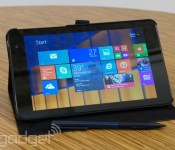
Microsoft is cutting Windows prices to compete with Android and Chrome OS

At present, it’s tricky to make Windows PCs that cost as little as basic Android tablets and Chromebooks. While Microsoft charges vendors $50 to use Windows, Google often gives its software away. The crew in Redmond may have found a way to narrow the price gap, though. Bloomberg claims that Microsoft is cutting Windows 8.1′s license fee to $15 for any device that sells for less than $250, letting builders offer very cheap Windows PCs without destroying their profits. The developer isn’t commenting on the reported discount, but this would be a familiar strategy; Microsoft slashed Windows XP’s pricing to wipe out Linux netbooks a few years ago. There’s no guarantee that the company will repeat its earlier success if the lower Windows 8.1 prices take effect. However, it may feel compelled to act when PC shipments are still declining and mobile OS tablets are on the rise — the status quo clearly isn’t working.
Filed under: Laptops, Tablets, Software, Microsoft, Google
Via: The Verge
Source: Bloomberg
Microsoft to Cut Windows Pricing by 70% to Compete with Apple [Mac Blog]
Microsoft is set to cut pricing of Windows 8.1 by 70 percent for computer and tablet manufacturers, according to Bloomberg, partly due to increased competition from both Apple and Google in the PC space.
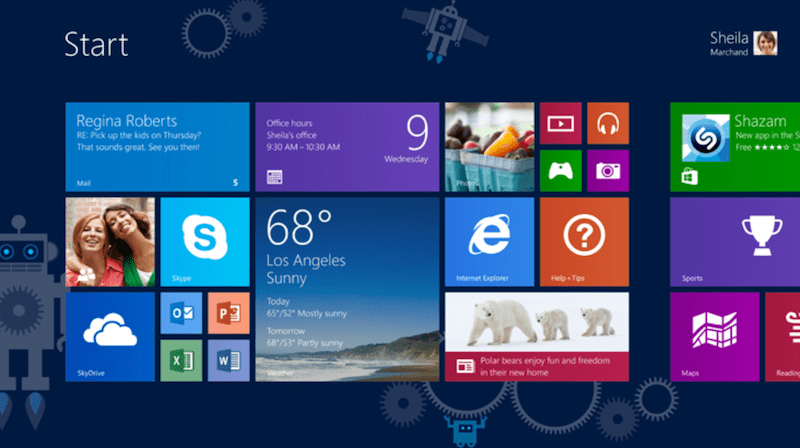
Stronger competition from Apple Inc. (AAPL) and Google cut revenue last quarter at Microsoft’s devices and consumer licensing division, which includes Windows software, as the computer industry posted its biggest annual decline on record. By offering incentives for PC makers to sell cheaper models, Microsoft may be able to increase its share of the growing $80 billion tablet market and stave off Chromebooks, notebooks that run Google’s operating system.
Under the new terms, manufacturers will be charged $15 for Windows 8 licenses to preinstall it on devices that retail for less than $250. Previously, the fee was $50, although many manufacturers were able to pay $30 because of incentives provided by Microsoft.
The software company said last month that Windows 8 adoption was moving at a slower pace than Windows 7. Over the past several years, notebook and desktop PC sales have declined as lighter, more portable tablets have surged in popularity — an area that, so far, Google and Apple have dominated.
In recent years, Apple has been the top vendor in the PC market, selling more combined tablets, notebooks and desktops than any other manufacturer. Research firm Canalys predicted that tablets would account for half of all shipped PCs in 2014, with Apple taking up 30 percent of tablet shipments, Google’s Android taking up 65 percent of tablet shipments and Microsoft taking up 5 percent of tablet shipments.
     |

Daily Roundup: the future of the smartwatch, MWC 2014 and more!

You might say the day is never really done in consumer technology news. Your workday, however, hopefully draws to a close at some point. This is the Daily Roundup on Engadget, a quick peek back at the top headlines for the past 24 hours — all handpicked by the editors here at the site. Click on through the break, and enjoy.

Smartwatches are dumb, but they don’t have to be
Like it or not, smartwatches are here to stay. But do people really need another window into their digital worlds? Read on as Engadget’s Joseph Volpe breaks down the latest trends.

Jolla preparing Android launcher
Though its first phone wasn’t well received, Jolla wants to expand the Sailfish OS footprint by tapping into the Android community. Starting with its own Sailfish-based launcher, the company will follow up with a complete firmware download later this year.

Mobile World Congress 2014
The biggest mobile event of the year is just a few days away, and between the Galaxy S 5 and next-gen HTC One, it’s shaping up to be a doozy. Here’s what to expect from this year’s Mobile World Congress.

Fitbit Force recall
Many Fitbit Force owners have been dealing with unfortunate skin irritation caused by the device. In fact, the company received so many complaints that it halted Force production and issued a voluntary recall for all units sold.
Filed under: Misc
Apple quietly issues iOS update to patch faulty SSL authentication

Is that an iPhone in your pocket? Then you’d better pull it out, dive into the settings menu and check for updates: there may be an important patch waiting for you. Apple has quietly pushed out iOS 7.0.6 and 6.1.6 — small updates that addresses a hitherto unknown security issue with its mobile OS. According to the company’s security notes, the previous versions of iOS was missing key SSL validation steps that kept Secure Transport from validating authentic connections, making it possible for “attackers with a privileged network position” to “capture or modify data in sessions protected by SSL/TLS.” In other words, iOS devices were failing to protect themselves on shady networks, unbeknownst to the user. It’s not clear if this security flaw was known outside of Cupertino, but it certainly is now. Lucky you, then, that Apple has already issued the fix. Well, what are you waiting for? Update your phone/tablet/Apple TV, already.

BBM beta now offers stickers, because that’s really what it needs to catch up

Good news! BlackBerry has finally figured out how BBM will pose a threat to messaging giants like WhatsApp. It’s… stickers. Yes, of all the things the company could do to improve its chat app, it’s introducing the same sort of purely cosmetic decals that everyone else offers. As with rival services, those using a new BBM beta can buy themed sticker packs to express themselves in creative (and very cutesy) ways. In all fairness, the addition may help BlackBerry court younger chatters. However, we hope that the phone maker has a lot more up its sleeve than this — me-too upgrades can only go so far.
Filed under: Cellphones, Mobile, Blackberry
Via: The Verge
Source: Inside BlackBerry

Samsung and UCSF create a research space for mobile health tech

Samsung has been developing its own mobile health technology, but it knows that it can’t do everything; there are plenty of entrepreneurs that have their own clever ideas. To help get those projects off the ground, the company is partnering with the University of California San Francisco to create the UCSF-Samsung Digital Health Innovation Lab. The venue will give up-and-comers a space to develop and test their mobile health breakthroughs, whether they involve wearable sensors or cloud services. We’ve reached out for more details regarding the lab, but it’s safe to presume that Samsung isn’t waiting for the lab to open before it releases some more health-related products of its own.
Filed under: Cellphones, Wearables, Science, Mobile, Samsung
Source: UCSF

Tablet deals of the week: 2.21.14

If you’ve taken a look at our winter 2014 tablet buyer’s guide, you now have a good idea of what slates you should be buying. With many purchases, price can be a sticking point, but thanks to our pricing tools, it doesn’t have to be. We’ve compiled some of the best deals from over the past week — including products from the buyer’s guide, and a few older models you should also take a look at — so you can add a new tablet to your tech arsenal without taking a serious hit to your wallet.
If there are other tablets you have your eye on that we haven’t included here — join us and add them to your “Want” list. Every time there’s a price cut in the future, you’ll get an email alert!
Nexus 7 (2013)

Price: $200
Regular Price: $229
Engadget Score: 90
Buy: Newegg
Though it’s not the most powerful small tablet, the 2013 version of the Nexus 7 still packs in a gorgeous screen, a fast processor, stock Android 4.4 and a rubberized casing that feels good in the hand. While its full retail price is still pretty affordable, today’s deal for a refurbished model takes the 16GB version to a sweet spot of $200, the lowest it’s been since November.

Nexus 7 (2012)

Price: $160
Regular Price: $199
Engadget Score: 88
Buy: Amazon
When we last looked at the original Nexus 7, it could be had for the low price of $170. If you passed on that deal, you’ll be happy to know that the 32GB version can still be had for the even lower price of $160. If that $40 difference between the old and new is making a buying decision hard, take a look at a direct comparison of specs, scores and prices; you can even add other tablets from our database to the mix if you want to see how they stack up.

Kindle Fire HDX 7-inch

Price: $200
Regular Price: $230
Engadget Score: 85
Buy: Best Buy
Another product from our buyer’s guide that’s getting a discount this week is the 7-inch Kindle Fire HDX, with Best Buy offering the 16GB version for $30 less than the folks at Amazon. If you value speed, the Kindle Fire HDX is a good buy (see how it compares to some other 7-inch tablets), but if you love the freedom that Android brings, you might want to look elsewhere — with the HDX you’re limited to Amazon’s content ecosystem and support services.

iPad 2

Price: $299
Regular Price: $399
Engadget Score: 90
Buy: Target
The iPad Air might be the big thing right now, but it’s worth noting that the iPad 2 is a great tablet that’s still available from Apple for $100 less than the Air — and it’s even cheaper at other retailers. It’s not featherweight like the iPad Air, but it does have the standard 10 hours of battery life and it runs iOS 7, so the iPad 2 can still run all the latest apps in the App Store.

 AIVAnet