Skip to content

Archive for

8
Jan

Verizon to offer a 20-30 channel package for mobile-only viewing later in 2015


Lowell McAdam Source url

Speaking at the Citigroup Internet, Media & Telecommunications Conference in Las Vegas this week, Verizon CEO Lowell McAdam announced Verizon’s plan to offer an over-the-top video service at some point later in 2015. The service will include 20-30 channels and will initially be available on mobile devices only.

As MultiChannel reports, McAdam told those at the conference that TV providers were now realizing that customers weren’t interested in paying for “300 channels” when they only watch a select number of channels.

Verizon itself is coming off a failed challenge to Netflix with their streaming video joint venture with RedBox. But this time, Verizon is aiming at strictly LTE customers who want to watch entertainment on their mobile devices. To gear up for this new challenge, Verizon has purchased Intel Media’s OnCue online video assets, content delivery company EdgeCast and upLynk, a startup that develops multiscreen video publishing platforms.

But even with the new acquisitions, Verizon will face the same uphill battle that other video offerings battle against: license restrictions. Intel put hundreds of millions into their failed video venture and were unable to strike a single content deal. Not one.

VerizonUplynkEdgecast GigaOM

In his speech to the conference, McAdam admitted to the annoyance of dealing with such restrictions and noted that the license restrictions were why Verizon could only offer the video service initially to only mobile-devices.

Even with Verizon’s size and current FiOS offerings, the chances of them getting broadcasters to loosen programming rights (so that customers could watch shows wherever and however they want) is unlikely.


8
Jan

CES 2015: ibattz Claims Upcoming Power Banks Will Fully Charge in 15 Minutes [Updated] [iOS Blog]


Earlier this week, mobile accessory manufacturer ibattz turned a few heads at the Consumer Electronics Show with a new external battery charger called the ASAP Fast Charge Power Bank that the company claims can fully charge an iPhone 6 from 0 to 100 percent in just 15 minutes. (See update at bottom of this article for correction.)

Available in two sizes of 5,600 mAh and 11,200 mAh, the new charging banks are the company’s fastest to date. By using lithium polymer batteries and replacing the traditional 5V 1A input with a 20V 2A upgrade, the company says the ASAP charging banks can reach a recharge speed of up to four times faster than traditional external battery packs.

Screenshot (98)
No specifications have been given on the charge time for any device besides the iPhone 6, and no pricing or tentative launch date has been announced by the company.

Though the company has a decent track record with its existing lineup of other power bank and battery case devices, hands-on time with the device will be needed to test the company’s latest claims. Users will also want to weigh potential long-term negative effects from charging their phone batteries so quickly in deciding whether ibattz’s new power banks will be a worthwhile investment.

Update: ibattz has clarified to MacRumors that the power bank itself can charge in 15 minutes, with charging of an iPhone from the bank taking about an hour. The company has not yet updated its press release to correct the error.


8
Jan

Montar Universal Car Mount review


Montar

One smartphone accessory have begun to use more and more is a car mount for my device. With all the laws going into place to prevent texting from behind the wheel (I don’t do that…), the last thing I want to do is get pulled over for pulling my phone out of my pocket to answer a call.

I have been struggling to find the perfect car mount for myself, having owned a few different ones. The problem is, some devices don’t work very well with certain car mounts. WinnerGear was nice enough to send me a MONTAR Universal Car Mount to review, and let me tell you that I am impressed not only with its design, but its functionality.

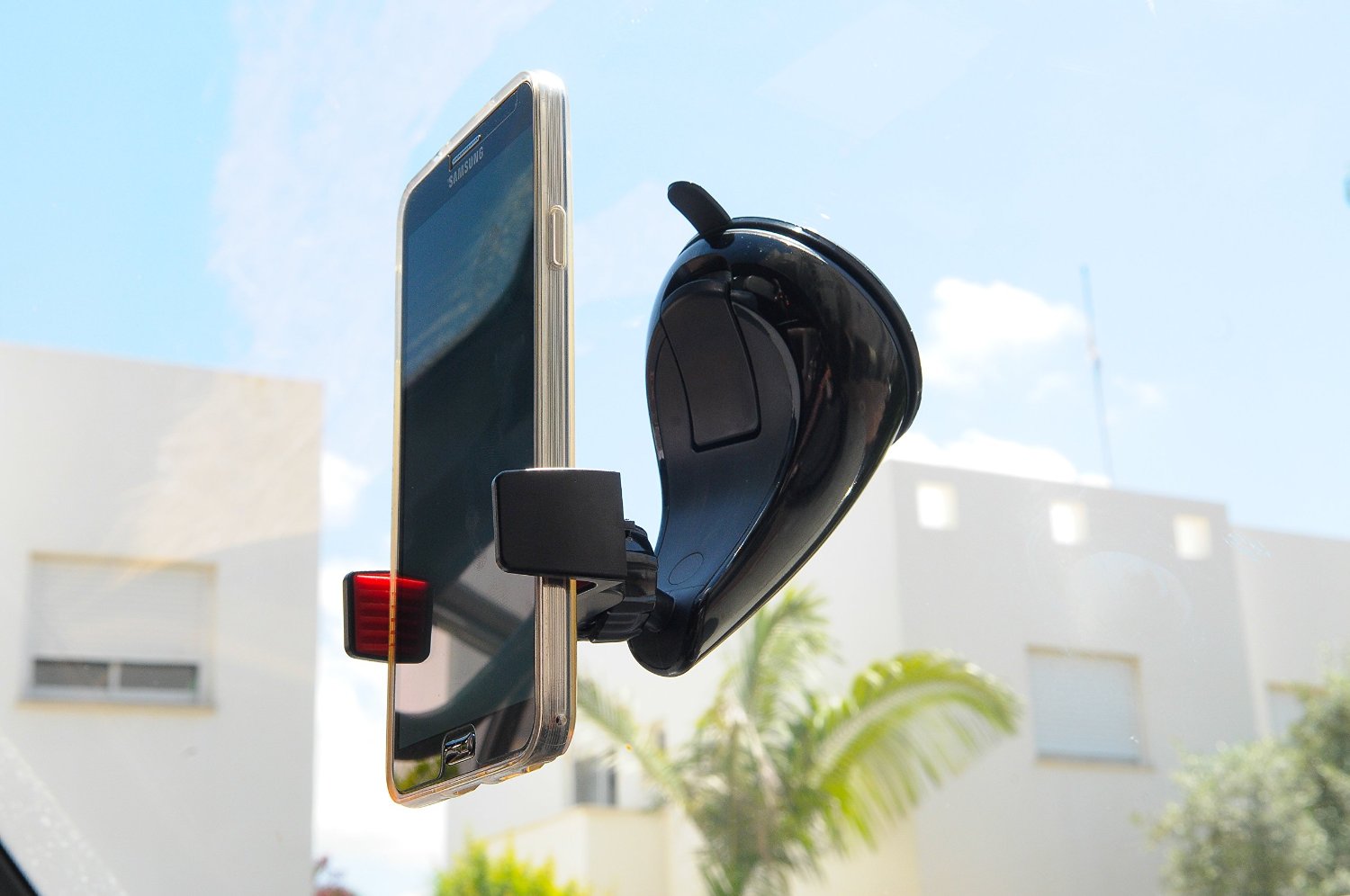
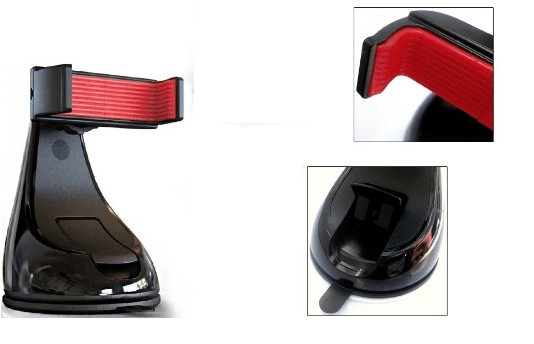
First off, this car mount is not flashy whatsoever. When they designed it, they kept in mind that its job is to hold a phone; not to be the center piece of your car. As long as the mount has functionality, it brings along with it a certain type of design that is appealing. That is exactly what WinnerGear has done with the MONTAR Universal Car Mount. Other than the red rubber inside the claw that holds your device and a small M representing the MONTAR logo, this car mount is entirely gloss black.

The car mount also features a suction cup for mounting that has a gel coating over it, which gives it maximum grip. We’ll cover that later. The mount that actually holds the device does swivel 360 degrees which allows for maximum compatibility with smartphones today.

Montar window mount

The jaws spread out to just over 3.5 inches so the biggest phones on the market will fit. That includes the popular phablets such as the Galaxy Note 4, iPhone 6 Plus, and the Nexus 6. They edges of the claws are just under one inch tall, so the grip they have on the device is slim, yet sturdy. This is due to the fact that all phones have different volume rocker and lock button locations and it was a great move by the design team.

Montar overview

Like I stated earlier, I have been trying to find the perfect car mount, so I have been through about three or four different ones. The MONTAR Universal Car Mount gives by far the strongest grip of any previous car mounts I have used.

The claws are very taut and the red rubber lining that it has help immensely when gripping a device. I am currently sporting the Nexus 6. I could put my device in the claws and shake it vigorously and my phone would not fall out. That is how strong the grip is on this car mount.

To coincide with strength of the claws that hold your phone, a car mount is worthless if it can be mounted properly to your vehicle. The MONTAR Universal Car Mount has a suction cup on the bottom that features a gel like coating. This gel gives the suction cup amazing grip once you use the handle to lock it in. I have had problems with mounts before falling off my windshield and or dashboard; not with this one. In the two weeks I have used it, it has never fallen off.

Montar suction cup

To check the strength of suction cup on the car mount, I put it on the inside of my car door, on the side panel. It wasn’t even on the window, so it was suction cupped to the vinyl. I slammed my door a few times and the car mount never fell off. I even trusted it enough to put my phone in the car mount while I did it. The suction cup never failed.

Overall, this is one of the most satisfying accessories I have ever gotten for my device. Not only does the Montar Car Mount look sleek and is easy on the eyes, it is functional beyond belief. That is one thing that companies forget about when making a product, but WinnerGear definitely spearheaded the right idea. I am impressed with strength in both the claw and suction cup and it never failed me.

If you are looking for a car mount, give this one a shot. You can find it on Amazon for $34.99 and it is Prime eligible.

Writers note: Since all cars a different, have different sloped windshields, dashboards, etc., be mindful of which device you have and which car mount you choose to purchase.


http://www.androidguys.com/pubgalaxy/728×90.html


CES 2015 Coverage Sponsored By:

The post Montar Universal Car Mount review appeared first on AndroidGuys.

8
Jan

The new Typo 2 for iPhone’s not that great, but their iPad keyboard’s kinda neat


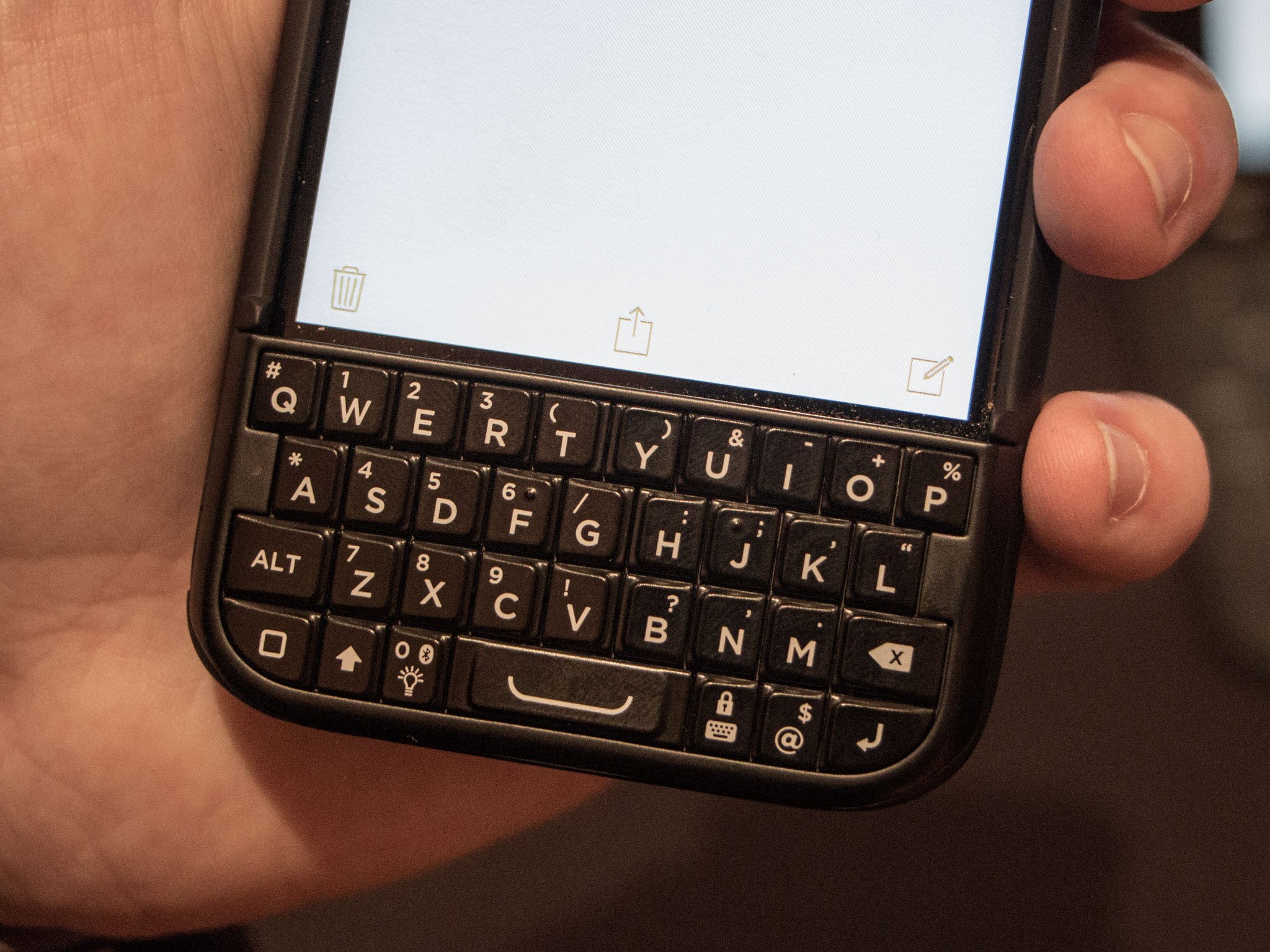
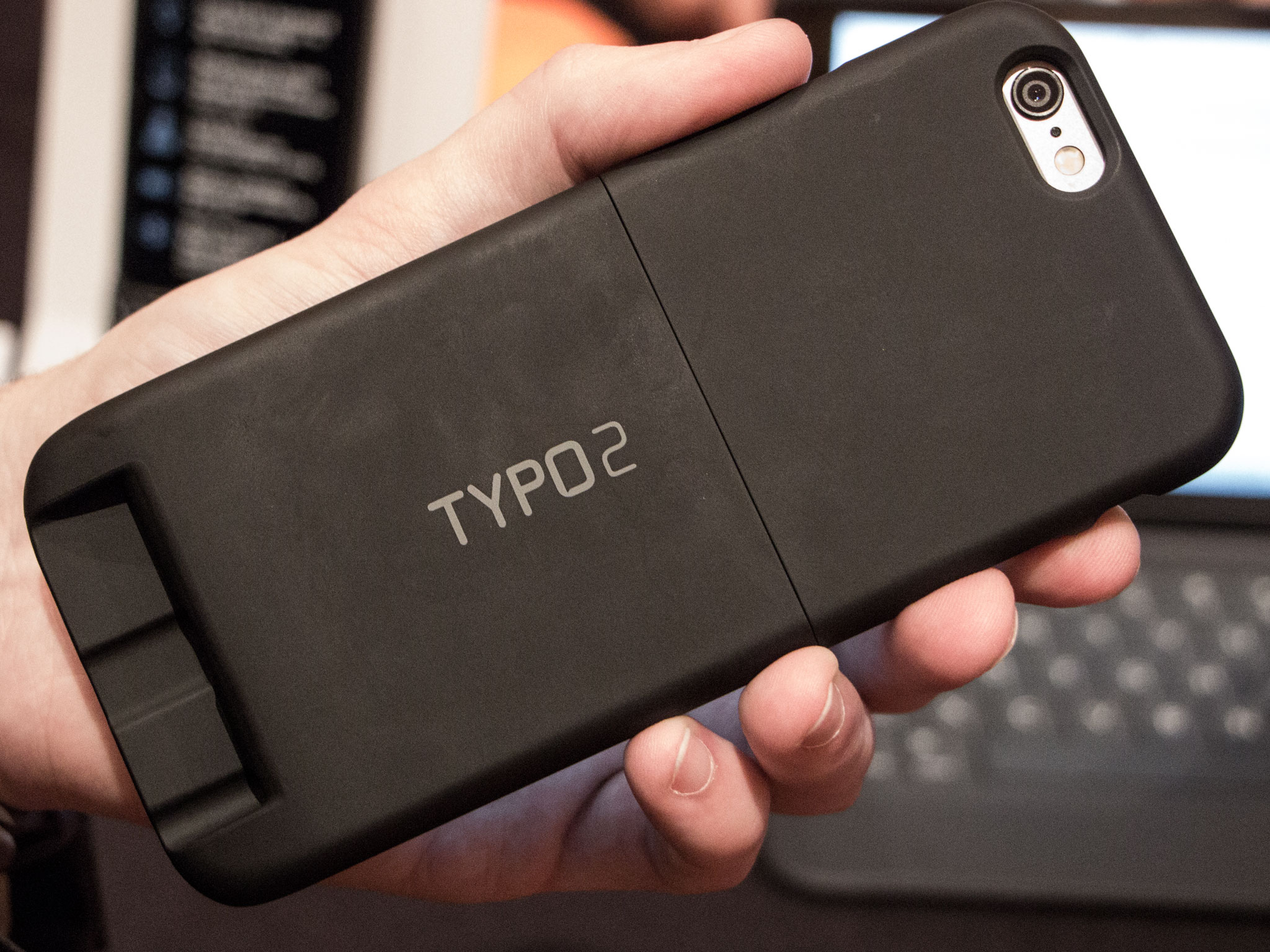
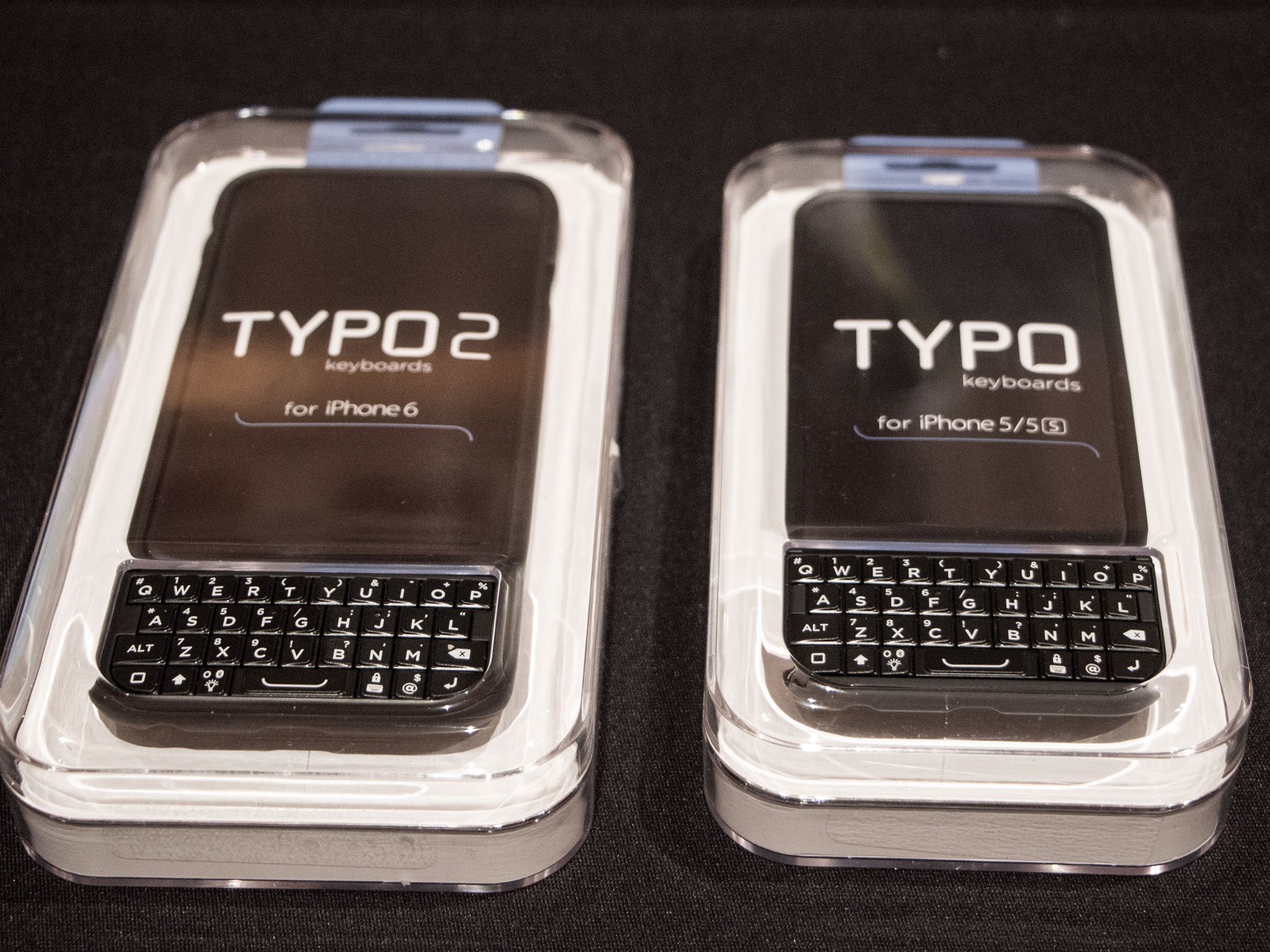
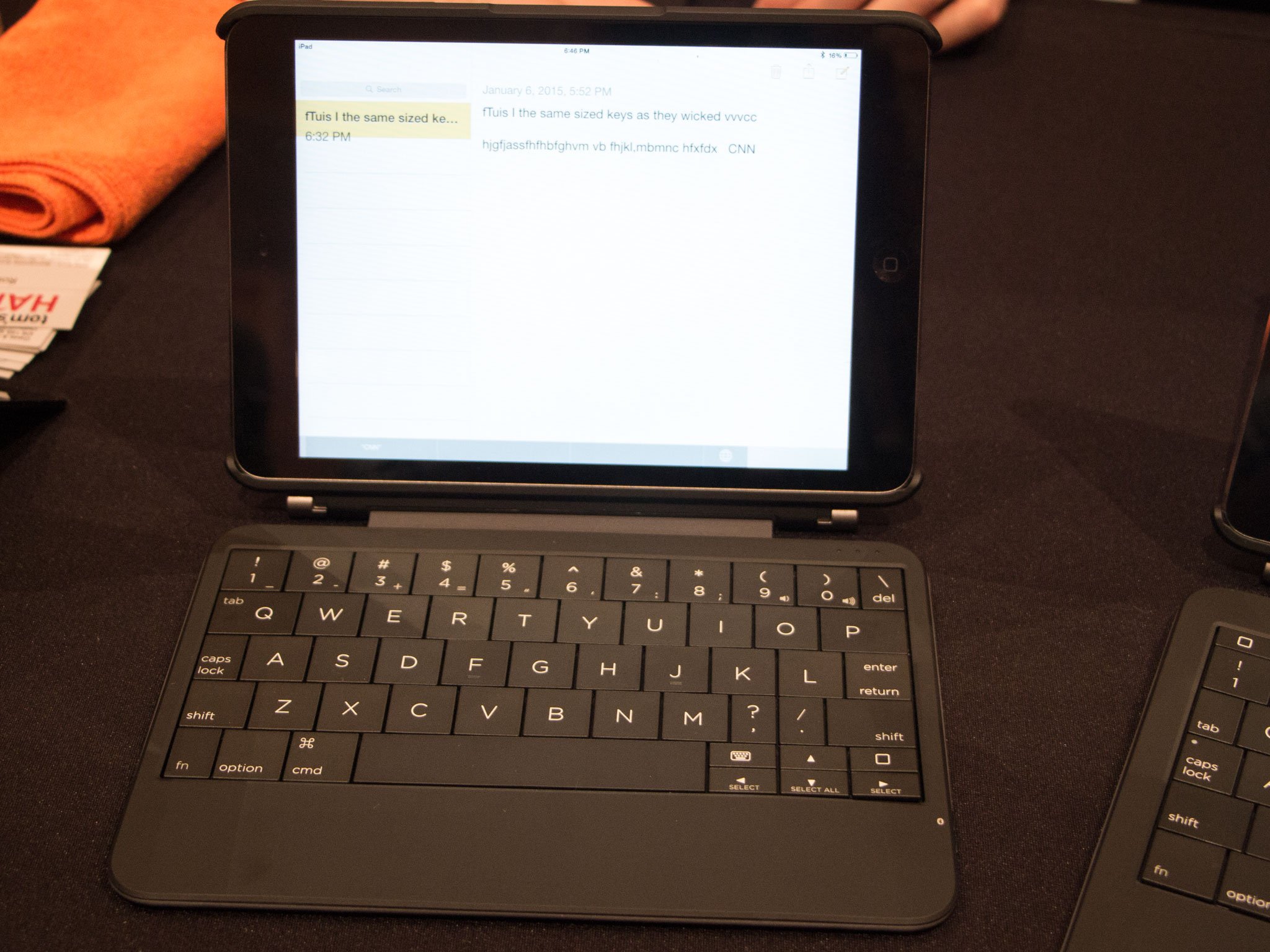
Typo made a splash at CES 2014 with the BlackBerry-aping Typo keyboard for iPhone, and they were at CES 2015 to show off their new not-patent-infringing Typo 2 keyboard. But really, the more interesting news out of Typo was their new iPad keyboard, it doesn’t try to copy Apple. If anything, it feels more like a copy of the Microsoft Surface Type Cover, but with some slick software.

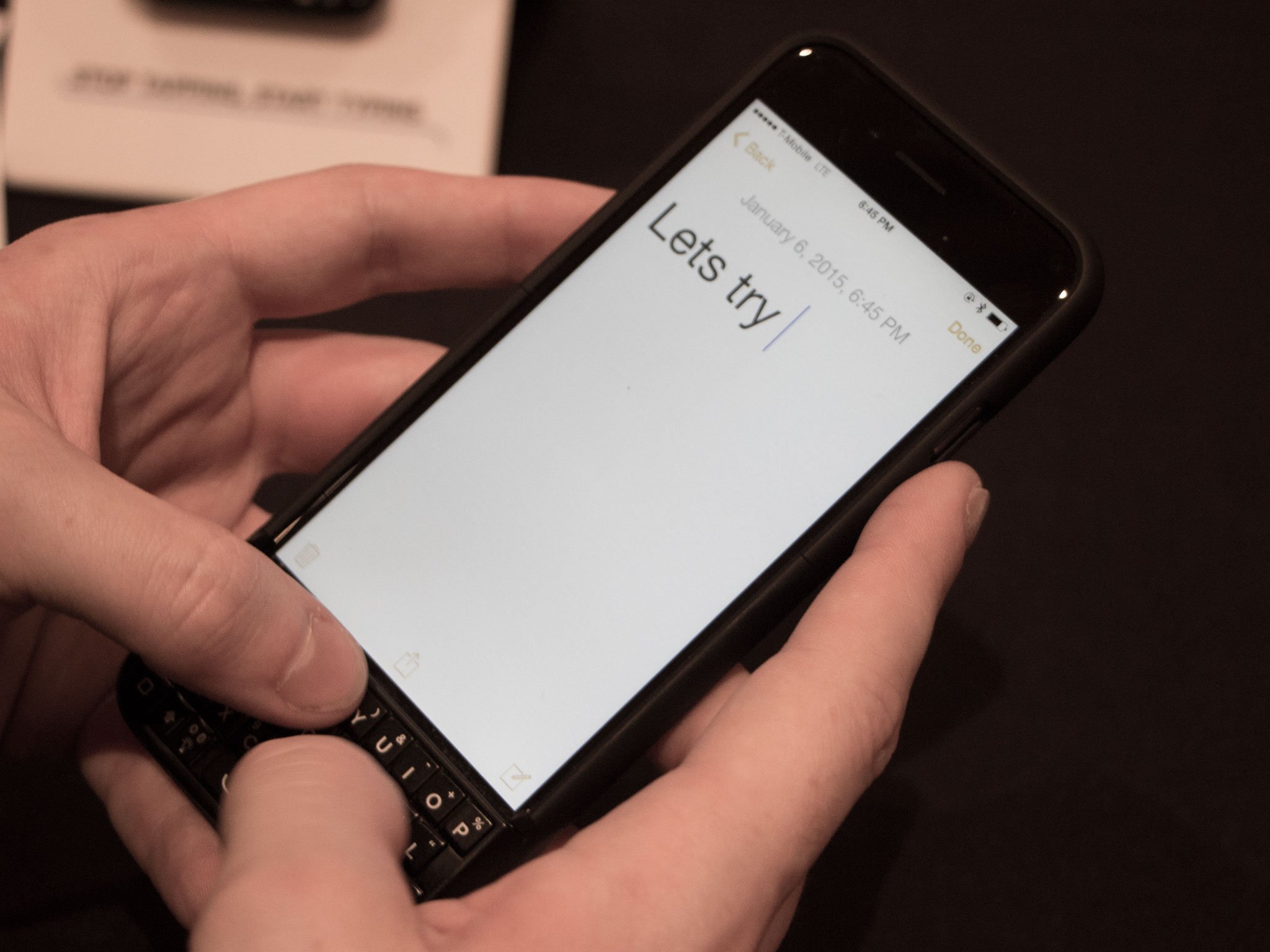
But first, let’s look at the Typo 2 for iPhone. Leaving behind the BlackBerry-style design of version one was obviously the right legal call for Typo, but it’s led to a keyboard that’s not quite as functional as before, and certainly nowhere near as attractive (not that the original Typo was a good-looking device). Additionally, the Typo 2 still covers up the iOS home button, and while there’s a supplementary home button on the keyboard, it lacks the Touch ID fingerprint sensor you can find on the iPhone 5s and iPhone 6, which means you can’t use Apple Pay. Typing was decent, but in our short time we found the keys rather stiff and the offset layout a little difficult to get used to.

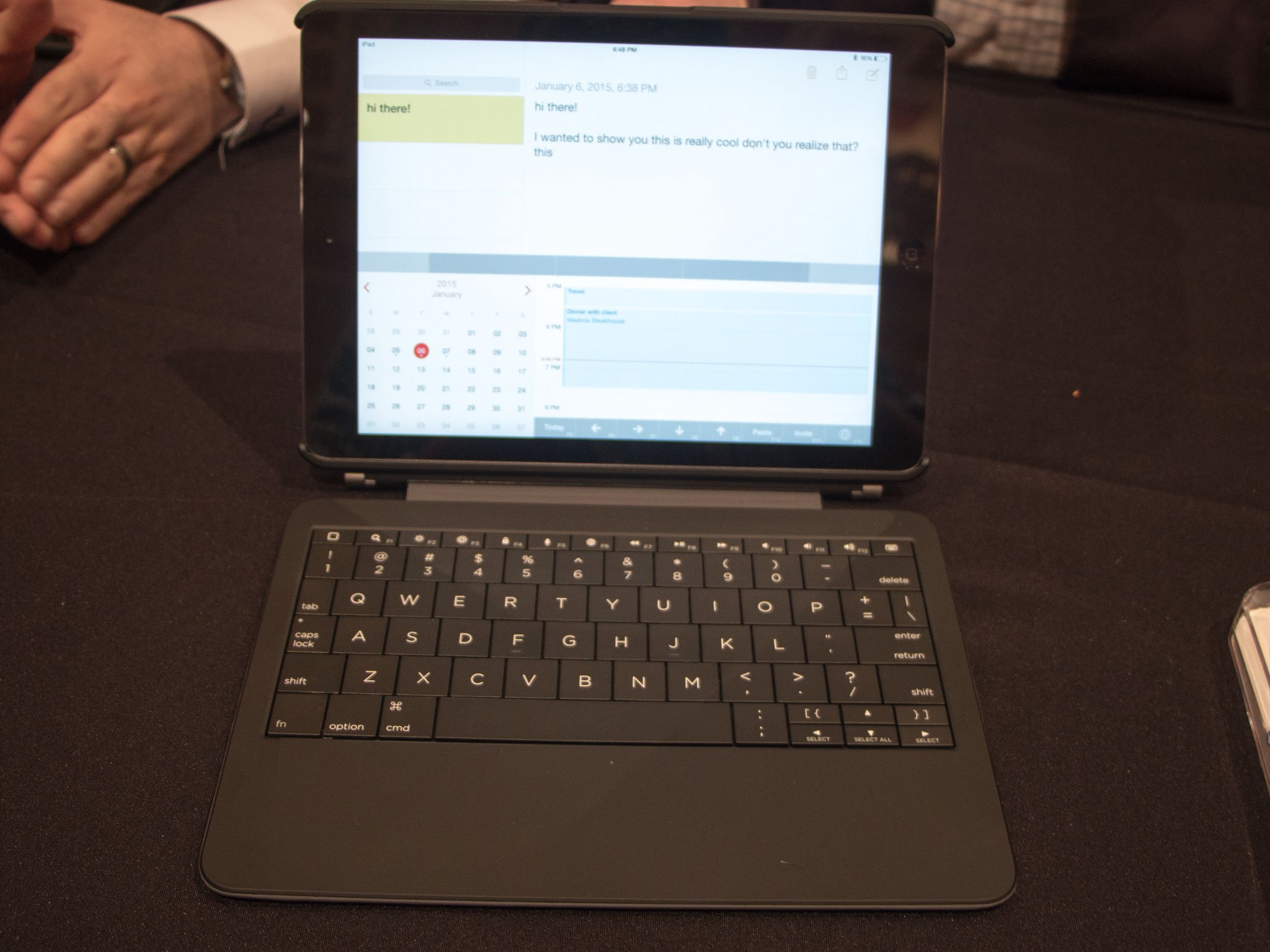
The Typo for iPad, however, actually isn’t that bad. Typo says the $179 keyboard is the thinnest Bluetooth keyboard for iPad. Both the full-size iPad Air and the smaller iPad Mini keyboards offer full-size keys, although the iPad Mini one combines a few keys (tab and Q, for example) to help with the condensed layout. Typing was a relative breeze on both models.

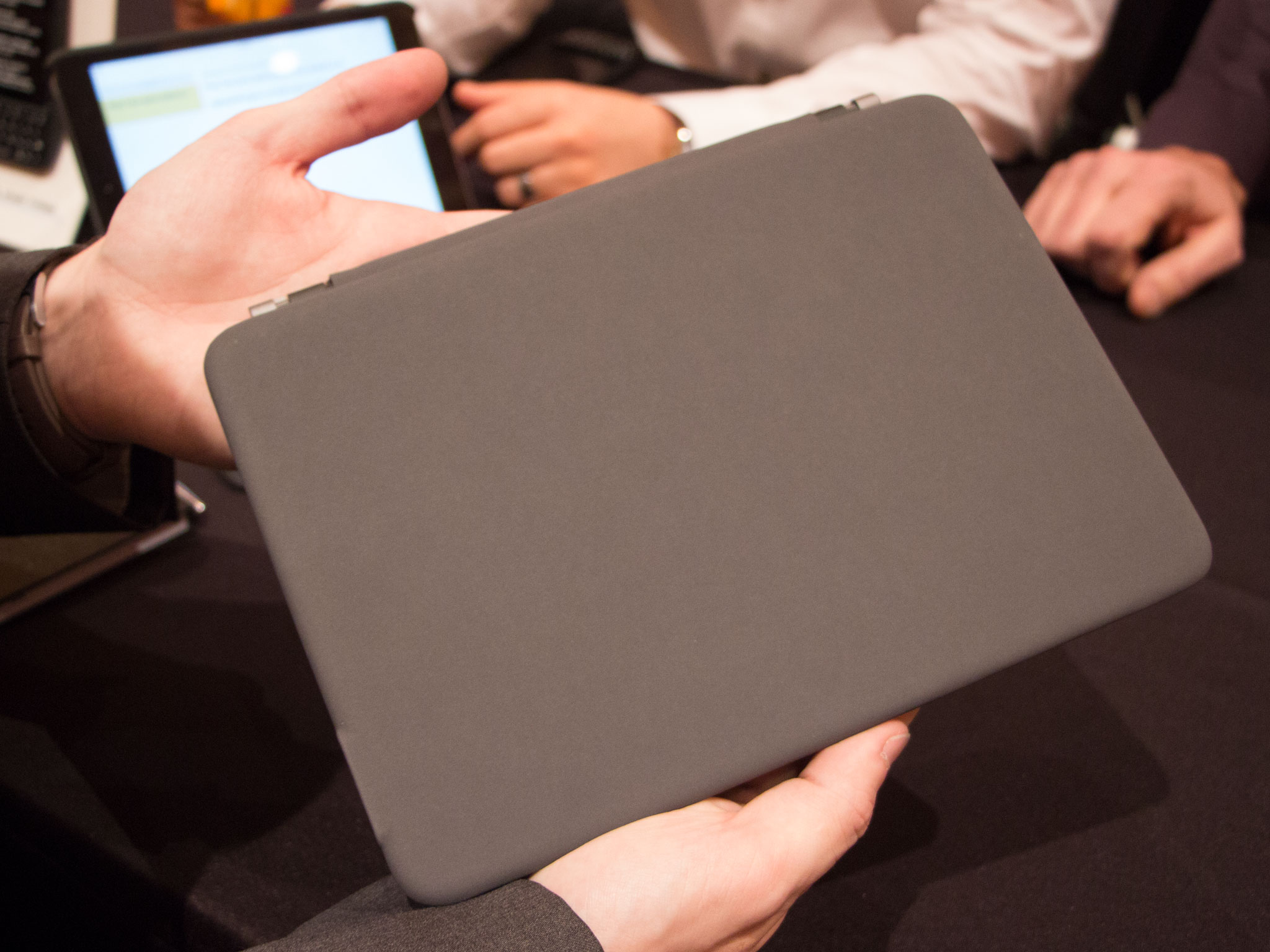
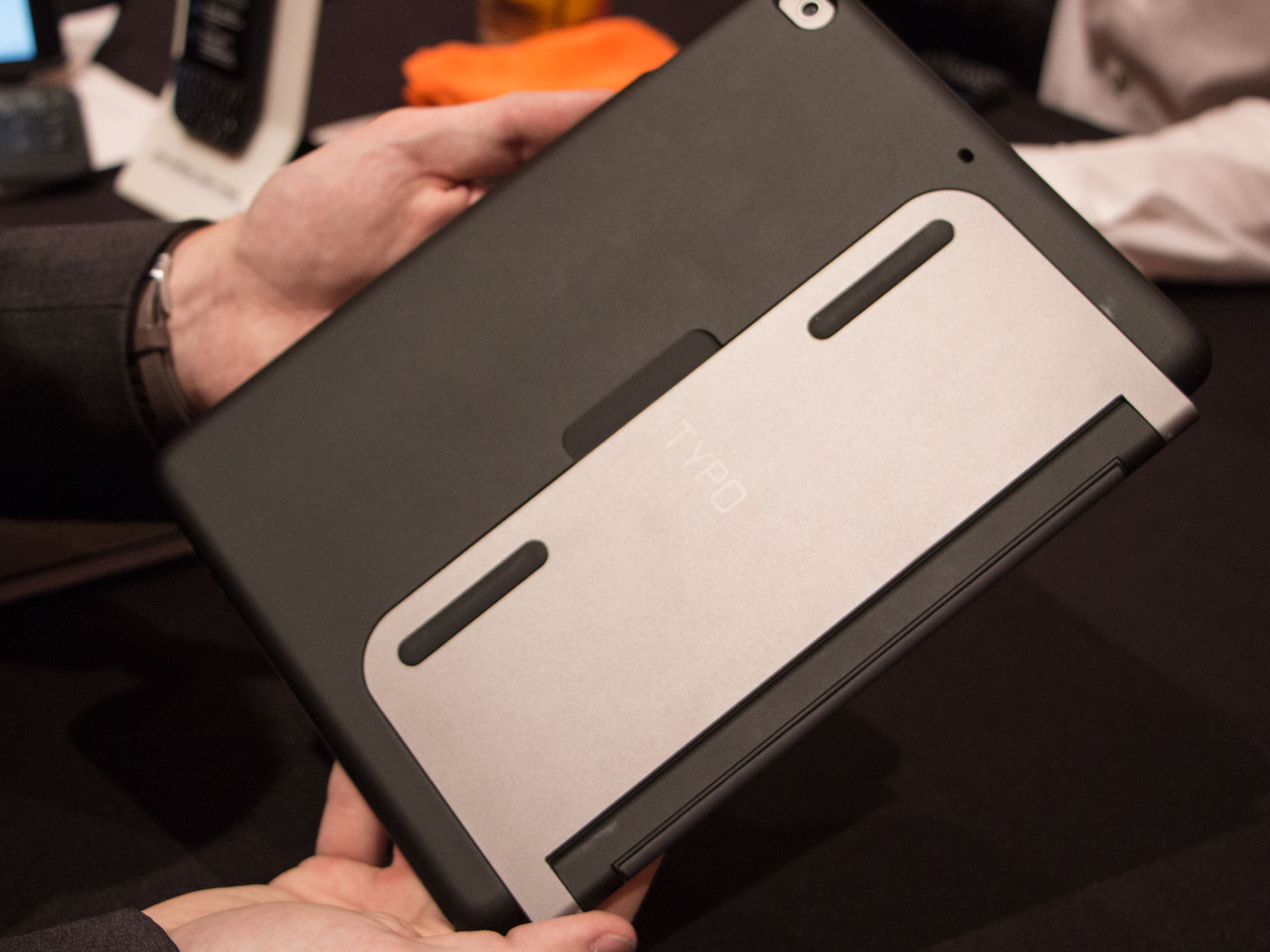
The keyboard’s not the only part of the Typo Air. There’s also a case for the tablet that while adding some bulk, also ads a friction hinge metal kickstand to prop up the tablet at whatever angle you desire. Typo says their using the same provider that builds the hinge that keeps the MacBook Air‘s display upright.

Possibly the coolest part, and likely the most controversial, is the software that Typo’s developed. On one part, they’re touting built-in autocorrect (not predictive typing), something that few other Bluetooth keyboard manufacturers can claim. That comes courtesy of the Typo app for iPad, which includes a custom software keyboard that’s not at all a keyboard. In their demo, Typo brought up a calendar inside their keyboard app, essentially giving the iPad dual-app capability. But if we had to guess, that kind of app would flies in the face of Apple’s App Store review guidelines.

Even without the app, the Typo for iPad keyboard seems like it might be pretty decent. We’ll need to get more time with it to make a final judgement, but even the combination of the keyboard and case might well be enough.

8
Jan

Upcoming Android Auto feature could help you navigate to an empty parking spot


android_auto_volvo_car_intro_2

Google already offers real time details on traffic and incidents during navigation on Android. It can even tell you where your car is parked thanks to real time tracking. And a new patent filed by Google suggests that the company could take it a step further by letting users navigate to an empty parking spot. This feature will reportedly make its way with Android Auto, so you might require a vehicle with the required hardware to make use of the feature.

The patent filing posted by Google says the following – “Provided are systems, methods, and computer-readable media routing users for determining a parking route near a user’s destination. A request for parking near a destination and user parking criteria are obtained. A list of parking spaces based on the destination and near the user parking criteria are determined, and a parking mute from the user’s current location that traverses the list of parking spaces is also determined. The first portion of the parking route between the user’s current location and the first parking space is determined. Additional portions of the parking route to additional parking spaces are provided until parking termination criteria are met.”

It is likely that Google will use real time parking lot monitoring at public places like airports, malls etc. As pointed by Phandroid, this would require Google to team up with people responsible for the infrastructure in the particular area. Sadly, this could take some time to get implemented on a global scale. But it seems like Google wants to test this feature out in California where it is also conducting tests for its self driving cars.

It’s certainly an innovative idea and we’ll keep a close eye on Google for more word on this feature’s development over the coming months.

Source: USPTO
Via: Phandroid

Come comment on this article: Upcoming Android Auto feature could help you navigate to an empty parking spot

8
Jan

Interview with Yota Devices CEO at CES 2015


In terms of design, the modern smartphones we see today basically all feature the same design: a plastic or aluminum chassis and a flat screen on the front. Sure, there are companies trying to change that like Samsung and their Galaxy Note Edge or LG and their recently-announced G Flex 2, but there is one company out there that is really innovating when it comes to design. Yota Devices is a Russian smartphone manufacturer that has come up with an awesome idea to make our smartphones much more useful, and their idea is quite simple. The company created a smartphone with a normal AMOLED display on the front, but they also included a low-power E Ink display on the back of the device. The company’s first iteration came to market as more of a prototype back in 2012, and has since improved on the design and functionality with their second iteration, the YotaPhone 2. At CES 2015, we got the chance to speak with Vlad Martynov, CEO of Yota Devices, and he sheds some light on what it takes to build such a device, the company’s overall vision and much more!

Yota Devices began with a big vision as a startup company three years ago, without much knowledge on smartphones or supplies to mass-produce devices. Through having a great idea and passion to bring an innovative device to market, Yota Devices eventually convinced suppliers and investors to get behind the project. Qualcomm and E Ink are the notable manufacturers Yota roped in to their idea, and ever since they were on board, Yota Devices knew they had a big future ahead of them.

Yotaphone 2-4

When it comes to moving this dual-screen technology to multiple devices, Vlad explains that the company is just sticking to smartphones for now. The company has entertained the idea of creating a tablet with an E Ink display on the back, but one of the biggest problems with current smartphones is battery life, and Yota Devices aims to solve that problem. The YotaPhone 2 is a huge step forward for the company, as it’s the company’s first device meant for mainstream use.

One of the biggest problems with current smartphones is battery life, and Yota Devices aims to solve that problem.

The company’s first iteration was more of a “proof of concept” device, and was meant to show the world that this technology exists and can work well. With all of the positive feedback the company received, they really stepped up to make the YotaPhone 2 a more consumer-friendly device. The company has been reaching out to application developers to create more user-friendly apps specifically tailored for the E Ink display, and Yota is working to get more and more developers on-board for their next device.

See also: E Ink Prism demo and interview at CES

So, what can we expect from a YotaPhone 3? Vlad mentions that the company is working with E Ink to bring a faster refresh rate, improved contrast, and potentially the addition of another color. Yota Devices hopes to keep the same concept for their next iteration, only with much more content and services to use on the rear-facing display.

Yota Devices has a great product and idea on their hands, and we’re really excited to see what’s to come for the company in 2015 and beyond. If you’d like some more info on the YotaPhone 2, check out our full review! Also, be sure to stay tuned with Android Authority for the best coverage of CES 2015.


8
Jan

Evernote Offering Automatic Document Scanning With New ‘Scannable’ iOS App [iOS Blog]


Evernote today released a new iPhone and iPad app that adds scanning to its repertoire of available services. The new Evernote Scannable app debuted last year as a beta service and is now publicly available in the iOS App Store.

Similar to competing scanning apps, Evernote Scannable includes an automatic scanning feature that allows users to scan a document simply by launching the app. Upon launch, the app will locate the document in the camera’s field of view, initiate the scan and sharpen the contents to improve image quality.

evernote-scannable
Once scanned, the document can be uploaded to Evernote in a format that makes it searchable. Alternatively, scans can be uploaded to iCloud or shared via AirDrop, text messaging or email. If the scanned document is a business card, the Evernote service will automatically associate the scanned information with the contact’s LinkedIn account. The new Scannable app also will serve as a controller for the ScanSnap Evernote Edition Scanner.

Scannable moves paper forward. Scan contracts, receipts, business cards, and any paper that comes your way. Save or share documents instantly and move on.

Automatically capture high-quality scans anywhere
– Scan fast: Point your camera at documents, Post-it® Notes, or whiteboards. Scannable immediately captures them.
– Save time: Scannable automatically rotates, crops, and adjusts images so your scans are clear and easy to read.
– Share or save: Send documents to colleagues via email or text, or save them to Evernote and other apps.

The Evernote Scannable app is available for free from the iOS App Store. [Direct Link]


8
Jan

Upcoming Ultra-Thin 12-Inch MacBook Air Design Imagined in New Renderings


Following a set of artist renditions that gave fans a basic look at Apple’s long-rumored 12-inch Retina MacBook Air earlier this week, well-known 3D modeler and designer Martin Hajek has created a set of realistic renderings of the unannounced notebook on his blog.

15607725144_ef44411b5b_b
Hajek follows details found in previous reports of the machine, creating the model with an edge-to-edge keyboard relocating the on-board speakers to grilles above the keyboard. Though the display will be 12 inches diagonally, the new MacBook Air will keep roughly the same footprint as the current 11-inch model thanks to slightly narrower bezels surrounding the screen.

12_macbook_air_gold_rendering
Apple’s further attempt to thin out the next generation of MacBooks continues in the Retina MacBook Air’s alleged lack of a USB and MagSafe ports, amongst other traditionally expected inputs. The new MacBook will reportedly have just two ports: a headphone jack and a USB Type-C Port, alongside a pair of microphones lining the sides of the device.

16044301457_48f87ed07a_b
Hajek’s renderings also mirror rumors suggesting the Retina MacBook Air will come in multiple color options that include the same Space Gray, Gold, and Silver colors the company has used since the iPhone 5s. Apple has yet to comment on the rumors swirling around the device, though supply chain sources believed the 12-inch MacBook could enter production sometime in early 2015. The full suite of Hajek’s renderings can be found on his blog.


8
Jan

Game Developer Bundle: Learn to create the next hit Android game, 93% off


redesign_AndroidGameDev_MF-Earn__1214

Remember Flappy Bird? What a hit! With just a little bit of code and some retro minimalism, an amazingly viral sensation was created and generated tons of income for its creator. Do you have a great idea that you’ve been tossing around? We’ve entered a new year and you owe it to yourself to reach your goals and bring that game to life! This Android Game Developer Bundle is the exact purchase you should make to start the year off right.

The Android Game Developer Bundle gives aspiring creators 7 quality courses on game development. Learn to build with no prior knowledge of coding required. These courses will empower you and remove the barrier between you and your creative dreams. Heck, maybe we’ll even get to review your creation here on our site! Regularly priced at $761, AndroidGuys readers get limited-time access to this bundle for only $49! We will expect a small commission when your game reaches #1 on Google Play, though. ;)

See more at deals.androidguys.com

Do Not Miss These Other Deals!


http://www.androidguys.com/pubgalaxy/728×90.html


CES 2015 Coverage Sponsored By:

The post Game Developer Bundle: Learn to create the next hit Android game, 93% off appeared first on AndroidGuys.
8
Jan

Crossy Road hops onto Android


An absolutely addictive one-touch action game, Crossy Road, has made the jump from iOS to Android today. Very simply, you have to get the chicken to cross the road so he can get to the other side. The catch is that there is no other side, and you’re just dodging traffic, speeding trains, torrential rapids, and hungry eagles for as long as possible before meeting an inevitable and grisly demise. You collect coins in the process which get you new blocky characters to embark on this quest of ultimate futility. If there’s one in particular you want to get, they’re available individually through in-app purchases.