



HTC’s web browser app hits the Play Store
 HTC typically puts their core applications on the Play Store for easy updates in between OTA rollouts, and the latest to get the treatment is HTC Internet, the web browser found on many of their devices. This release doesn’t really add any features that weren’t already present on the phones out of the box, but it’ll be useful for bug fixes and the like later on.
If you’re interested, you can find the app at the link below.
How many of you use your device’s default browser over Chrome?
Come comment on this article: HTC’s web browser app hits the Play Store

Microsoft’s mystery Lumia 532 passes through Brazil’s regulatory agency

File this one under odd, but it looks like Microsoft is set to bring a regional variant of the Lumia 530 to Brazil in the coming weeks. Website Janela Tech has combed through some documents from ANATEL, the Brazilian regulatory agency akin to the FCC and found references to a ‘Lumia 532′ phone likely due in the near future.
Not much is known about they mystery device, although the model name RM-1032 is used in the documents. The phone appears to be 3G only, dual-SIM and due to the 5xx series we can bet it is nothing to excited over, likely being just a regional variant.

Palabre is a beautiful RSS reader from the developer of Plume and Beautiful Widgets

If you’re a fan of popular apps like Beautiful Widgets, Bright Weather or Plume, you may want to listen up. The developer of those beautifully-designed apps, LevelUp Studio, created a new RSS reader app that’s available now in open beta. The new app is called Palabre, a Material Design-focused RSS reader that integrates with Feedly or acts as a standalone news application.
When starting the app for the first time, you can either sign in with your Feedly account or simply click Start. If you don’t have a Feedly account, don’t worry. Palabre will suggest a number of popular feeds for you to choose from. Once you’re signed in, you’ll see a list of your unread articles which you can view in a list or a card-like view (shown above). Clicking on an article brings up the in-app browser which is actually quite speedy. The app has a number of different settings which can be accessed in the pull-out menu on the left. If you’re not too fond of the dark theme I have pictured above, there’s a lighter option that’s also quite nice.
Here is the entire list of app features you’ll get with Palabre:
- RSS support
- Feedly support with full synchronisation of articles
- Material design with delightful animations
- Beautiful Magazine or List user interface
- Readability support
- Built-in browser or use your own browser to read articles
- Manage your sources, their categories
- Browse the most popular articles (Feedly only)
- Search within articles
- Mark as read (manual, automatic on scroll)
- Change reading order (oldest/newest first)
- Dark theme
- Save articles for reading later
- Share articles
- Android wear support
Since this app is still in beta, there may be a few bugs to deal with if you’d like to be an early adopter. I’ve personally only experienced two or three hiccups in the app in the few hours I’ve spent with it. Still, it’s one of the smoothest RSS apps I’ve ever used. The app is free, but you can remove ads via an in-app purchase for $2.47. The ads aren’t too bad and don’t arise often at all, so you should be okay to use Palabre without spending any money.
So, how do you get your hands on this RSS reader? Since it’s still in beta, you’ll need to head here and join the Google+ community, then follow this link to become a tester. After that, head to the Play Store link to download the app. After you become a tester, you may need to wait an hour or so to actually download the app.
If this application is anything like the others that come out of LevelUp Studio, we should expect to see a well-running app that will receive updates for quite some time. Has anyone out there tried Palabre yet? Let us know what you think about it!

Federal Review Blames Lack of Resources and Planning for L.A. Schools’ Failed iPad Initiative
A recent study by the U.S. Department of Education has found the Los Angeles Unified School District’s $1.3 billion “iPad-for-all” education initiative, announced in the summer of 2013, had been “plagued by lack of resources and inadequate planning for how the devices would be used in classrooms,” reports the Los Angeles Times.
The iPad initiative was officially canceled last month amidst an investigation by the FBI focusing on the relationship between Apple executives and former LAUSD superintendent John Deasy. The investigation was sparked by claims the bidding for the deal had been altered to favor Apple and Pearson, the higher-education company providing content for the iPads.
The troubled project led to the resignation, under threat of dismissal, of former head of technology for LAUSD, Ronald Chandler. Deasy also resigned under similar circumstances last October.

The new report deems the project too heavily focused on Apple’s iPad as the centerpiece for the initiative, with no willingness to focus on a less-expensive alternative. It also found that the teachers who were supposed to incorporate the iPads into their classroom on a daily basis weren’t provided nearly enough training in ways to successfully integrate the technology into an effective lesson plan.
The report further mentions that senior managers were “unable or unwilling” to voice concerns over these issues before they snowballed into bigger problems, with the Department of Education mainly looking at a lack of an immediate replacement for Chandler, as well as general mismanagement of the project, as main points of blame.
Attempts to fix the program before its eventual end were tried, but faced stonewalling at the hands of a few Deasy supporters, all believing the former superintendint did nothing unethical at any time before or during the intiative’s lifespan.
“The Department of Education had a number of common-sense suggestions … such as better planning, better testing and evaluation of technology, and better training,” said school board member Monica Ratliff, who chaired a panel that reviewed the technology project last year. She produced a report that raised issues similar to those of the Education Department, but it was discounted by some Deasy allies as unfair to the superintendent.
The initial rollout of the program – in 47 schools and with $30 million spent on Apple products – in the fall of 2013 met immediate criticism amid ill-prepared teachers, spotty Internet connections, and crafty students bypassing security filters.
Following a suspension of the contract between the LAUSD and Apple back in August, the program initially begun over a year and a half earlier was officially canceled last December. The iPad-for-all program and its components currently remain under review by the FBI.

Download 30 Texture Wallpapers

Enjoy a new batch of wallpapers ranging from wood, leather, camo and brick to give your screen the look you want. Download away, folks!


The post Download 30 Texture Wallpapers appeared first on AndroidGuys.
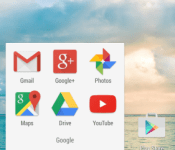
Devices with Jelly Bean and KitKat get Material Design with Google Now Launcher update

The majority of Android devices are not powered by the latest version of the operating system. Instead, it is Jelly Bean and KitKat running the show around the world. Google is doing the best it can to provide the benefits of Lollipop to those without it. For example, the Google Now Launcher has Material Design elements for Jelly Bean and KitKat devices. The elements include new animations (like when opening and closing apps) and a redesigned app launcher button. Also, Google Now itself has been improved with quick access to accounts and settings.
Hit the break for download links.
Come comment on this article: Devices with Jelly Bean and KitKat get Material Design with Google Now Launcher update

21 best Android games with no in app purchases

Freemium hit Android in a big way. In an atmosphere where developers were literally being destroyed by piracy, they needed to fight back and in-app purchases came into existence. This allowed them to make their games free and to slowly pluck money out of consumers’ pockets as they played. This turned into a serious cash cow for developers as in-app purchases now account for over 90% of all app and game revenue. However, even though in app purchases have slowed the lost flow of revenue from piracy, developers are still learning how to use them without offending all of us. For those who hate Freemium, there are still some developers who rock the old school model of pay-once. Here are the best Android games with no in app purchases.
 Baldur’s Gate, Baldur’s Gate II, and Icewind Dale
[Price: $9.99 each]
We grouped these three games together because they were all released by the same developer (Beamdog). All three titles are huge, immersive RPGs that were ported from PC to Android in 2014. They feature very long stories with complex game play and are sure to keep you busy for months upon months. The graphics are decent but not amazing because even by PC standards these games are pretty old. However, these are three of the better RPGs to grace PC and Android. It says that these games have in-app purchases but the purchases are nothing more than voice packs and other miscellany that has no effect whatsoever on the actual game.

 The Banner Saga
[Price: $9.99]
The Banner Saga is a strategy RPG developed by former members of BioWare. It features beautiful hand-drawn graphics, a deep story line that requires the gamer to make decisions that affect the story, and an easy learning curve. It’s inspired by Norse mythology and it happened to be a member of our best designed Android games of 2014. It’s a wonderful play if you like strategy RPGs.
 Doom & Destiny
[Price: Free / $0.99]
Doom & Destiny is another RPG title with a lot of content and no in app purchases. It uses retro style graphics similar to the SNES and NES RPGs of old and includes a 20-hour story line with 20 hours of additional stuff to do, turn based combat, 10,000 lines of dialogue, and hundreds of spells, items, and other things to collect. The $0.99 price tag makes this among the cheaper games on this list and there is even a free version you can pick up with advertising.
 Five Nights at Freddy’s 1 and 2
[Price: $2.99 each]
Five Nights at Freddy’s 1 and 2 are horror games. You play as a security guard who has to keep watch over possessed animatronics in a pizzeria. If you don’t do a good enough job (or disguise yourself in the 2nd one), they’ll get you. These games are strangely terrifying and were two of the best games released in 2014. They’re also fairly cheap and the game play is easy to learn.
 Goat Simulator
[Price: $4.99]
A lot of people don’t like Goat Simulator because it is, at its core, an intentionally unfinished piece of buggy garbage. However, if you have a sense of humor, this game can be quite a bit of fun. You control a goat as you do goat things like exploding and flying through the air as though you were shot out of a cannon. The frequent bugs and glitches are the game’s biggest draw and it’s a goofy way to spend a couple of hours.
 Grand Theft Auto III, Vice City, and San Andreas
[Price: $4.99, $4.99, and $6.99 respectively]
Rockstar has had great success in porting their Grand Theft Auto series to mobile. In fact, San Andreas won our best game of 2013 award. These games are huge and provide dozens of hours of game play. You can drive around doing whatever you want or follow the story, the choice is yours. The graphics aren’t amazing but they’re not terrible either. The only unfortunate part is the earlier Grand Theft Auto games suffer from some bugs here and there which have angered many people. In any case, make sure you try them before the two hour refund time in Google Play in case you don’t like them.

 Ingress
[Price: Free]
Ingress is a GPS-based strategy game where you must choose sides, build up portals, and hack the portals of the other team. The entire world is your playing field and aside from Wii Fit, this game is probably more responsible for getting nerds off the couch and out exercising than any other game. There is also a scavenger hunt features called Missions where you go on missions to find things and explore the city. It’s a lot of fun and one of the more unique games available anywhere.
 A whole bunch of LEGO games
[Price: Free]
LEGO has led a solo effort in making free to play games with no in app purchases that are actually somewhat decent. Altogether, they have 29 games that are all free with no in app purchases. These are great for kids because LEGOs are about as offensive as tomato soup and they have released a good variety of games. There’s a fashion game, a hack and slash game, and many, many others. You’ll have to try them out for yourself to see if there are any that you like and some are definitely better than others. It’s a good option for pretty much anyone who doesn’t hate LEGOs or LEGO games.

 Leo’s Fortune
[Price: $2.99]
Leo’s Fortune is a beautifully done platformer that first saw the light of day at Google I/O 2014. It features simple controls, crisp and colorful graphics, and an actual story. Along with the game play, you can also complete levels in a certain time frame and do so without being hit to earn additional stars and achievements through Google Play Games services. It’s one of the best 2D platformers ever designed on any platform.
 Machinarium
[Price: $4.99]
Machinarium was one of the first truly great puzzle games on Android. It features a little robot that you control and you must move about your environment finding items and using them to solve puzzles. It’s been remastered once since its release and includes Google Play Games services, cloud saving, and improved graphics. It’ll be among the first wave of games on Android to be considered “classics” and $4.99 isn’t a bad price for it.
 Minecraft Pocket Edition
[Price: $6.99]
Minecraft Pocket Edition is the Android version of the very popular Minecraft game. It features pretty much all of the fun, exploration, and enjoyment of the PC and console versions but you can carry it around in your pocket. It’s been a long time favorite title for Android gamers and has adorned the top paid games list for very large parts of the last two years. It also includes local multiplayer which is a nice touch.
 Osmos HD
[Price: $2.99]
Osmos HD is an atmospheric puzzle game where you play as a little mote. Your job is to absorb smaller motes in order to become bigger and eventually become the biggest. In some levels you must absorb special motes that act in different ways. The levels are challenging, the graphics are crisp and colorful, and there is even multiplayer support if you want that. It was one of the best designed games of 2013 and remains one of the best games available today.
 Out There
[Price: $3.99]
Out There is a hybrid of a survival game and a sim game. It brings with it some very challenging game play, google play games achievements, three different endings, and a truly unique and fun premise. You play as an astronaut who awakens from cryonics somewhere deep in the vastness of space. You have to survive, keep your oxygen levels up, and rebuild your ship while dealing with aliens who don’t speak as you speak. It’s entertaining, difficult, and a game that’ll keep you busy for a while.
 Pool Break Pro
[Price: Free]
If you’re looking for something a little more leisure, then Pool Break Pro is worth a try. It lets you play some billiards using a number of different rules on a variety of different tables. You can also play Snooker, Carrom, Crokinole, and other games with sticks, balls, and a table. There is a multiplayer available if you choose to use it and your moves go back and forth like chess so you can pick it up and play when you have time. It’s the best billiards game on Android and it doesn’t have in app purchases.

 The Room 1 and 2
[Price: $0.99 and $2.99 respectively]
The Room 1 and 2 are puzzle games with a unique premise and some amazing graphics. Each item in each room is a puzzle within a puzzle within a puzzle. In the background of all of these puzzles is an arcane and dark story line that revolves around the supernatural. The overall feel and atmosphere of the games is dark and the puzzles are very well done. The only downside is the length because these games are pretty short but that shouldn’t stop you from checking them out. It’s only a few bucks.
 Shadowrun Returns and Shadowrun: Dragonfall
[Price: $2.99 and $6.99 respectively]
The Shadowrun series of games are a part of a much larger line of products that dates back to a tabletop RPG game first released in 1987. Along with a rich history, you’ll get decent graphics and game play mechanics that are easy to learn. These are both strategy RPG titles that mix steampunk and fantasy elements to create a machines and magic universe that is just delightful to play in. On top of taking part in a series of games that have had a loyal fanbase for the better part of two decades, you’ll also get a couple of pretty good games.
 A whole bunch of Square Enix games
[Price: Varies]
Square Enix has released a good percentage of their early game library to Android. The re-releases include Final Fantasy 1, 2, 3, 4, 5, and 6 along with various Dragon Quest games, Chrono Trigger, and Secret of Mana. The best part is that these games remain untainted from their earliest days aside from a graphical boost here and there. The other best part is that none of them have in-app purchases. They can get kind of expensive but these are all games with tons of game play, deep stories, some of the best video game music of all time, and lasting value. The button will take you to Square Enix’s developer page on Google Play where you can browse all of their titles. Do beware, there are some Square Enix games that do have in app purchases but none that we just mentioned do.
 Star Wars: Knights of the Old Republic
[Price: $4.99]
Star Wars: Knights of the Old Republic (KOTOR) is an old PC RPG that took the world by storm. It allowed you to make decisions that affected the outcome of the game and let you play how you wanted. It helped start a trend that continues today with games like Fallout: New Vegas where you can pretty much create the story. This is a full port and has not been scaled down in any way from its original PC version which is just fantastic. For RPG fans, it’s a must-have.

 Surgeon Simulator
[Price: Free]
Surgeon Simulator is another satirical game much like Goat Simulator. In this game, you kind of play Operation but the intention is to lose. This can be accomplished by abusing the life out of your patient with various machines and tools of destruction and you can play as a doctor or a dentist. It’s meant to be humorous and that means how entertaining this game is depends heavily on your sense of humor. It’s pretty goofy and we can all agree on at least one thing: poor Bob.
 World of Goo
[Price: $4.99]
World of Goo is a puzzle game where you must connect little pieces of goo to reach a destination. The challenge comes with the physics of the game which drag you down combined with the limited number of goo bits you have to build with. The game is well designed with muted colors and tricky game play. There are a ton of levels to play and after a while, you can play in free-build mode where you simply aim to build the tallest tower of goo that you possibly can. It’s a lot of fun even if $4.99 is a tad expensive.
 XCOM: Enemy Within
[Price: $12.99]
XCOM: Enemy Within is a strategy game that was ported to Android from PC in 2014. It features graphics that are far above average for mobile, gripping game play, and tons of stuff to do. You play as humans as you research alien technology and use it to defeat the alien invaders. This is actually a continuation of an earlier release called XCOM: Enemy Unknown with more abilities, more missions to do, and more. There is a multiplayer option if you want to try your tactics online.

Wrap up
If we missed any great games with no in app purchses, let us know in the comments!
To see our complete list of Android apps and games lists, click here!

High-end Mac mini gets 2TB Fusion Drive option

Fans of the Mac mini may have been a tad disappointed with last year’s refresh, but it looks like Apple is looking to rectify that. According to a new report, the company has added the option to purchase a 2TB configuration of the 2.8GHz version of the mini.
The new option was spotted by 9to5Mac, and appears to have popped up sometime over the holidays:
According to our digging into web archives, the 2TB option returned for the priciest Mac mini model in mid-December, right around the Christmas holidays. The 2TB Fusion Drive upgrade costs a $100 more than the 1TB drive, and it requires the machine to be built-to-order.
This is definitely good news for those who may have felt a little claustrophobic with a maximum of 1TB of wiggle room on the refreshed model.

Give your bike a sense of direction with these smart handlebars

There haven’t been a lot of elegant ways to add navigation to your bike — unless you have access to prototype bikes, you’re probably stuck mounting a GPS unit or smartphone that might take your eyes off the road. That’s where Boreal Bikes’ crowdfunded smrtGRiPS project might just come in handy. These install-it-yourself handlebar ends pair with your smartphone to give you directions, whether or not you’re on the bike. While you’re riding, the grips will shake for imminent turns or traffic problems. They’ll also help you find your wheels, and you’ll even get separation alerts if you’re traveling with another smrtGRiPS-touting cyclist.
It won’t cost too much to give your bike some smarts, at least if you act early. You’ll need to pledge between $59 and $69 to get both a pair of smrtGRiPS devices and a basic set of replacement grips, and there are both slender and sporty grips ($18 and $23 respectively) to match your transportation style. Should everything go according to plan, you’ll get your upgrade just in time for those summer biking expeditions in July or August. And if you can’t wait that long, you can always hoof it.
Filed under: Peripherals, Transportation
Via: Wired
Source: Indiegogo

Belkin Plans to Add HomeKit Support to WeMo Line in ‘Very Near Future’ [iOS Blog]
Belkin’s WeMo line, which consists of a range of home automation products like light switches, motion sensors, cameras, and more, has been around a few years, but the company has been dedicated to updating it and adding new products on a regular basis.
It appears that the WeMo line’s next major update could be the addition of HomeKit support, letting the complete range of products integrate with Apple’s upcoming home automation platform. Speaking to MacObserver, a Belkin spokesperson confirmed that the company is committed to introducing HomeKit support, which will come in “the very near future.”
WeMo will continue to evolve as we deliver on our promise of being the most approachable entry point to the connected home, and it is a natural progression based on Belkin’s long-term partnership with Apple that compatibility with HomeKit will be a part of that evolution.
We are currently in conversations with Apple, but no specifics have been finalized at this point. Though our primary goal will always be to create a robust WeMo platform and unparalleled user experience for both current and future WeMo users, we are actively engaged in bringing HomeKit compatibility to fruition in the very near future. Stay tuned.
Belkin was one of the first accessory companies to embrace home automation, and its wide collection of connected products will likely help skyrocket HomeKit to popularity once it becomes available. Belkin started out with a line of connected WeMo switches that allowed any electronic item plugged into them to be controlled by a mobile device, but has since expanded to light bulbs, slow cookers, humidifiers, coffee pots, cameras, motion detectors, and more. There’s even a WeMo Maker that can be used by do-it-yourselfers to for a wide range of connected home projects.
 Belkin’s newest WeMo products
This January, Belkin debuted several new WeMo products, including a WeMo Door and Window sensor, a Keychain sensor, an improved motion detector, and an Alarm sensor that alerts users when an existing home alarm goes off.
Belkin has even bigger plans for home automation in the future. At CES this year, the company was demoing a smart home system that included an under-the-sink WeMo Water sensor designed to measure a home’s water usage, and Belkin told MacRumors that a similar product for measuring power usage was in the works.
Quite a few companies have announced plans to integrate with Apple’s HomeKit, including iDevices, Elgato, Schlage, and more, but Belkin is one of the largest. At the current point in time, it seems that Apple is still putting the finishing touches on its HomeKit tools with chips just beginning to ship out in November, so it may be a few months yet before we begin seeing the first HomeKit-compatible products hitting store shelves.
 AIVAnet