


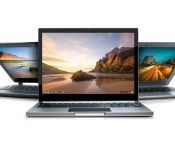
[Chrome Dev Channel] Share your Chromebook or PC via Chrome Remote Desktop

In the newest iteration of Chrome’s Dev channel, you can now share remote access to your Chromebook or PC by using the new Share feature in the Chrome Remote Desktop app. This news was published by François Beaufort, a Google Chrome developer, on Google+ yesterday.
There’s no need to enable anything in chrome://flags, the feature is automatically available inside of the Chrome Remote Desktop app by clicking a large, green Share button. Easy enough!
You’ll need a few things to take advantage of this newest feature, though:

First, you’ll need to be on the Dev channel with your Chromebook or using the Chrome Dev Channel browser. If you’re not sure how to get on the Dev channel on your Chromebook, I’ve previously written a guide on how to do so in 3 simple steps.
Second, you need to have the Chrome Remote Desktop app installed from the Chrome Web Store. If you feel like you’re going to be using a mobile device to control your Chromebook/PC, then you’re going to need the associated Android app from the Google Play Store.
Third, you need to set up Chrome Remote Desktop. Don’t worry, it’s very simple and your Chrome app will walk you through it.
After set up, you should be ready to go! I have only tested this newest feature on my Chromebook and PC, and I have no idea if this will work on Mac because they’re not allowed on my premises. (I’m like those cultures where certain things must be left at the door. Except instead of it being shoes, it’s Apple products. Joking of course…or am I?)
Just remember, though, that sharing access to your Chromebook/PC to someone else could be a huge security risk. You should absolutely only share with someone you trust and on a secure network connection. Not public WiFi, basically.
Chrome Web Store: Chrome Remote Desktop
Google Play Store: Chrome Remote Desktop
Source: François Beaufort
Come comment on this article: [Chrome Dev Channel] Share your Chromebook or PC via Chrome Remote Desktop

HTC might be releaseing a phablet called the HTC Hima Ace Plus

It appears that HTC are not yet finished in the phablet space, with new rumours emerging that the company are readying to launch the HTC Hima Ace Plus at Mobile world Congress 2015.
The 5.5-inch QHD display, 2.3GHz Snapdragon 810 processor, 3GB of RAM, and 3000mAh battery, certainly impresses on the spec front, with the reservation being solely placed on the credibility of the source itself, citing only ‘anonymous’.
However, with 5.5-inch devices not a stranger in the marketplace at the moment, there’s certainly room for the HTC Hima Ace Plus, if it’s real.
The post HTC might be releaseing a phablet called the HTC Hima Ace Plus appeared first on AndroidGuys.

Microsoft’s Larry Hryb clears up confusion surrounding the new Xbox content usage rules

Larry Hryb (aka Major Nelson) has attempted to clear up any confusion surrounding the company’s new content usage policy, which governs what content creators are allowed to do when it comes to editing and publishing video game footage. It was previously believed that Microsoft disallowed the use of the game’s title, but Lyub states this is not the case and the rules are actually more relaxed.

Google puts Nest boss Tony Fadell in charge of Glass, halts sales for now

Almost two years after the Glass Explorer program first made Google’s head mounted computer available to enthusiasts and developers, Glass is “graduating” from the Google [X] labs to become a real commercial project.
That sounds like great news, but with this graduation (“put on our big kid shoes and learn how to run,” said the Glass team) comes the end of the Glass Explorer program, and with it, Glass sales to the public:
Since we first met, interest in wearables has exploded and today it’s one of the most exciting areas in technology. Glass at Work has been growing and we’re seeing incredible developments with Glass in the workplace. As we look to the road ahead, we realize that we’ve outgrown the lab and so we’re officially “graduating” from Google[x] to be our own team here at Google. We’re thrilled to be moving even more from concept to reality.
As part of this transition, we’re closing the Explorer Program so we can focus on what’s coming next. January 19 will be the last day to get the Glass Explorer Edition. In the meantime, we’re continuing to build for the future, and you’ll start to see future versions of Glass when they’re ready. (For now, no peeking.)
Google is basically ending its public experiment with Glass and turning it into a commercial project, with the implied goal to bring Glass to market as a real product, rather than a “beta.”

Google co-founder Sergey Brin has been one of the most vocal advocates of Glass
There’s no official word from Google about it, but the WSJ reports that the new Glass team will be under the supervision of Tony Fadell, head of Google’s Nest Labs smart home division. Google’s Ivy Ross will be the exec directly in charge with the project, but she will report to Fadell, who will provide oversight and “strategic guidance.”

Tony Fadell
Fadell, a former Apple exec who led the development of the original iPod, joined Google a year ago through the $3.2 billion acquisition of Nest Labs. Soon after the acquisition, sources claimed that Fadell’s role would extend to include oversight of all of Google’s hardware projects. Fadell refuted the rumors, but looking at the addition of Glass to his portfolio, it seems that the executive is indeed turning into a hardware tsar at the Mountain View company.
“Early Glass efforts have broken ground and allowed us to learn what’s important to consumers and enterprises alike,” Fadell said in a statement. “I’m excited to be working with Ivy to provide direction and support as she leads the team and we work together to integrate those learnings into future products. I remain fully committed to Nest and am equally excited about our work there, which continues to accelerate.”
While sales to the public will end January 19, Google will continue to provide Glass to companies and developers looking to develop applications for it, reports WSJ, and a new version of Glass is coming this year.
Today’s news is a mixed bag for Glass enthusiasts, some of whom have suffered ridicule or even outright harassment by angry bar patrons, movie theaters employees, or hostile restaurant owners. The closing of the Explorer program without a clear replacement suggests Google realized that selling the $1500 Glass to the public wasn’t a good idea in the first place.
On the flip side, with a hardware heavyweight like Tony Fadell at the helm, Glass has better chances of becoming a real product.
It’s fairly safe to assume that Google will pitch the new Glass, whenever it’s coming, mainly for workplace applications. The public’s hostility towards Glass has not translated to the enterprise sector, where Glass has been explored for a number of interesting applications, including feeding info to doctors, pilots, or even soldiers.

Manual Camera gives you manual control over your picture, and it’s great

After Google opened up the APIs that allowed certain Android devices to snap full RAW photos, many have been looking for the right app to control the functions. Along came Manual Camera, which, as advertised, provides full manual control of the camera on your Android phone.
The fine art of photography has been somewhat diluted as the capabilities and automatic nature of mobile cameras have increased. We are, admittedly, at the point where a high-end Android phone can capture impressive images, I’d even venture to say photos of professional quality, but the ability to take these stunning photos is usually not a credit to the photographer’s ability to manipulate the settings. For those that are accustomed to taking manual control of their cameras, a fully automatic camera app can be a major headache and let down.

The introduction of RAW image support on Android has been very welcome for professionals looking to play with their Android devices a little bit, and Manual Camera offers the software that you can use to take it to the next level.
For our time testing Manual Camera, we found that almost every aspect of your camera, from shutter speed, ISO, white balance and more can be manually controlled. Each available setting defaults to automatic, eliminating the barrier to entry for new users, which also makes this great for those wanting to self-educate on how these typical (D)SLR caliber tools operate. Now all we need is optical zoom.
Manual Camera will run you $1.99 in the Google Play Store and will install on your Android 5.0 Lollipop and up devices.
Do you think that full manual control of your Android camera will make a huge difference in your mobile photography efforts?
Samsung Galaxy S5 Lollipop vs KitKat comparison: what was once old is now new
The Android 5.0 Lollipop update for the Samsung Galaxy S5 has been slowly rolling out around the world for a few weeks now, and it’s high time that we start seeing some comparisons between the outgoing Android KitKat software and the silky smooth Lollipop. Thanks to Phone Arena, we now have a Samsung Galaxy S5 Lollipop vs […]
The post Samsung Galaxy S5 Lollipop vs KitKat comparison: what was once old is now new appeared first on AndroidSPIN.

Upcoming Xbox One game Dying Light grabs a prequel novel

With zombie survival game Dying Light releasing in just under two weeks for Xbox One, Techland announced today the game’s tie-in novel. You can also get your hands on a cool zombie from the game!

Zano is a swarm-capable autonomous mini drone controlled by your phone
We’re no strangers to smartphone-controlled flying machines around these parts, especially those of us who have wandered the halls of CES, but the folks at Zano are promising something wildly different form the current experience with their mini quadcopter. While most flying experiences with smartphones happen at a 1:1 ration, Zano wants to give smartphone owners the ability to control a swarm of autonomous drones just by waving the phone in your hand around. To accomplish this, the tiny drone is packing GPS, sonar, IR, and an HD camera to capture your adventures from above. The collision detection smarts in this little casing, combined with additional instructions from the user, is apparently enough to allow some magic to happen.
We didn’t get to experience this setup in person just yet due to some technical difficulties, but check out Marketing Director Reece Crowther as he walks through the details with Cali.

Zano is a swarm-capable autonomous mini drone controlled by your phone
We’re no strangers to smartphone-controlled flying machines around these parts, especially those of us who have wandered the halls of CES, but the folks at Zano are promising something wildly different form the current experience with their mini quadcopter. While most flying experiences with smartphones happen at a 1:1 ration, Zano wants to give smartphone owners the ability to control a swarm of autonomous drones just by waving the phone in your hand around. To accomplish this, the tiny drone is packing GPS, sonar, IR, and an HD camera to capture your adventures from above. The collision detection smarts in this little casing, combined with additional instructions from the user, is apparently enough to allow some magic to happen.
We didn’t get to experience this setup in person just yet due to some technical difficulties, but check out Marketing Director Reece Crowther as he walks through the details with Cali.

Maker Studios’ YouTube stars are making exclusive content for Vimeo

Maker Studios, the group of popular YouTube hit-makers Disney snapped up for $500 million, has just agreed to release a series of original videos throughout 2015 — on Vimeo. While it doesn’t sound like the group has completely switched allegiances, the deal requires them to make these videos available through Vimeo’s Video on Demand service first. Maker Studios has more than 55,000 content creators, including Snoop Dogg, Kevin Smith, PewDiePie (of Let’s Play fame) and Lloyd Ahlquist (who created the Epic Rap Battles of History series). Viewers can only watch those clips exclusively through the service within a certain timeframe, though it’s unclear if the internet celebs can post their videos elsewhere after that.
Filed under: Misc
Via: TheNextWeb
 AIVAnet