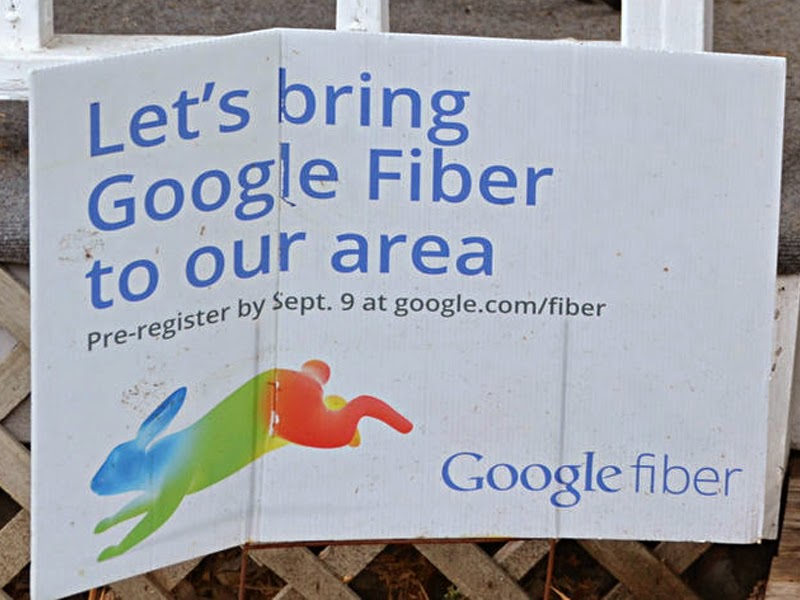
Google Fiber is coming to four additional cities

According to an official announcement from Google, Google Fiber’s 1-gigabit fiber network will be coming to Atlanta, Charlotte, N.C., Raleigh-Durham, N.C. and Nashville, Tenn metro areas. Although Google is sending out invitations to local news organizations in those four metro areas (comprising 18 cities in total), Google is also letting other cities know that they are not done expanding.
A spokesman for San Jose, Portland and other cities all have stated that Google Fiber officials are telling them that Google will also be announcing additional cities in the next few weeks. Google Fiber first launched in Kansas City in 2012 and offers a gigabit service for $80 a month and $120 a month for Internet plus a cable-style TV package. Consumers can also have the option of a free 5 Mbps tier if they’re willing to pay a $300 installation fee.
Judging by their past actions, Google will take a little more than a year to survey and engineer how they will build out their service in the cities. Much like AT&T did when Google entered Austin, TX, don’t be surprised if current ISP’s in these cities do everything they can to stop Google from actually entering the areas. This move by Google follows the recent announcement that they would be trying to enter the wireless industry and are currently in talks with wireless carriers Sprint and T-Mobile to sell and manage mobile plans.

Win a Surface Pro 3 with Microsoft’s Big Game Day competition (U.S.)

In celebration of the upcoming Super Bowl, Microsoft is giving folks in the U.S. the chance to be “the ultimate Big Game Day host” with the chance to win a truly great prize package. Up for grabs is a Surface Pro 3, Lumia 635, speakers and $100 to spend on pizza. And entering to win is easy.
Apple Releases iOS 8.1.3 With Bug Fixes, Storage Size Reduction
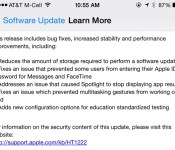
Apple today released iOS 8.1.3 to the public, with a range of bug fixes including a fix for an issue that prevented some users from entering their Apple ID passwords for Messages and FaceTime, a bug that caused Spotlight to stop displaying app results, and a problem that prevented multitasking gestures from working on the iPad.
iOS 8.1.3 also reduces the amount of storage space required to perform an iOS update and adds new configuration options for education standardized testing.
iOS 8.1.3, much like iOS 8.1.2, was a minor release that was not seeded to developers before being released to the public. The software is available immediately as an over-the-air download.

The first hints of iOS 8.1.3 first appeared in early December after devices running the updated operating system began visiting the MacRumors website, and usage picked up last week after iOS 8.1.3 was seeded to Apple retail employees for testing purposes. Apple appears to be expanding its OS X employee testing program to iOS, and iOS 8.1.3 marks the first iOS beta that’s been tested by retail workers.
iOS 8.1.3 is a minor update that includes only under-the-hood bug fixes, but Apple is also working on iOS 8.2, which will bring more drastic changes to the operating system as it contains both the WatchKit SDK and features that will allow the iPhone to integrate with the Apple Watch. It is not clear when Apple plans to release iOS 8.2, but it could come alongside the launch of the Apple Watch, which is currently rumored to be in March.
The Saygus V2 super-phone goes on pre-order soon
At CES 2015 I swung by Saygus to take a closer look at what was being touted as a super-phone that sported Android. While there I talked with the founder and got some great insight into the device and why it was created in the first place. More importantly though, I got a chance to […]
The post The Saygus V2 super-phone goes on pre-order soon appeared first on AndroidSPIN.

Smart, touch-free thermometer gets temperatures for almost anything

There’s no shortage of smart thermometers out there, but they tend to have one or more catches: many only work in certain conditions, aren’t very pocketable or require some kind of contact. JoyWing’s upcoming Wishbone may just tackle all of those problems in one fell swoop. The tiny, Y-shaped gadget plugs into your smartphone’s audio jack and uses an infrared sensor to gauge temperatures without contact, regardless of whether you’re pointing it at your baby’s forehead, a hot drink or the great outdoors. It should be both accurate and fast (just two seconds to get a reading, the company claims), and the matching Android and iOS apps will let you track conditions over time.
It won’t cost much to get a Wishbone if you’re interested, although it’s unsurprisingly more expensive than basic, single-purpose thermometers. JoyWing is crowdfunding the project, and it’ll take a pledge of between $26 to $35 to set a device aside for yourself. You shouldn’t have to wait long if you do plunk down some cash. The company plans to produce and deliver the first Wishbones in April, so you could be using it just in time to detect bouts of spring fever.
Filed under: Household, Peripherals
Source: Kickstarter

Opera’s former chief launches a web browser for power users

For a while, Opera was a power user’s web browser — what you chose when other apps just didn’t have the right mix of clever tricks and shortcuts. The company’s switch to Google-based tech dropped some of those features, however, leaving you in an uncomfortable spot if you were a fan of the old interface. Thankfully, you’re not out of luck. Vivaldi, a company co-founded by Opera’s ex-CEO, is launching its own browser to appeal to a more demanding crowd. You’ll still get Opera mainstays like the Speed Dial page (for fast access to pages you like), but you’ll also get customizable keyboard shortcuts, tab stacks and page-specific notes. There are a few nice touches, too, such as a navigation bar that changes color to match the theme of the site you’re visiting.
The browser is available now in technical preview form for Linux, Mac and Windows. There are mobile versions on the way, too, although Vivaldi isn’t ready to share more details just yet. It’s worth giving the fledgling browser a try, although there’s no doubt that it faces an uphill battle. Vivaldi is largely catering to a subset of the Opera audience, which is already pretty small (1.4 percent of desktop use). It”ll have to do a lot if it’s going to be popular enough to rival Opera’s share of the web world, let alone big-name browsers like Chrome and Firefox.
Filed under: Internet, Software
Via: CNET
Source: Vivaldi

Snapchat starts rolling out new “Discover” feature for Android devices

Snapchat has just begun rolling out an update for its official Android application via the Play Store. In terms of added functionality, the upgrade brings the inclusion of a brand new Discover feature, together with the usual multitude of bug fixes, stability improvements and speed optimizations.
Discover is essentially a revamped version of the traditional Snapchat Story, but this time it’s main focus is online video and photo publications. It works by bringing together an assortment of photographs and videos from a selection of external sources, in addition to Snapchat’s own collection, to provide a short art presentation.
Here’s what Snapchat had to say about its new feature:
“Discover is different because it has been built for creatives. All too often, artists are forced to accommodate new technologies in order to distribute their work. This time we built the technology to serve the art: each edition includes full screen photos and videos, awesome long form layouts, and gorgeous advertising.”
The staff over at Snapchat will refresh the Discover feed every 24-hours with new “curated” content from a variety of different partners, including ESPN, Food Network, Comedy Central, People Magazine, National Geographic, Cosmopolitan, CNN, Vice, The Daily Mail, and Yahoo.
To install the update, simply open up the Play Store on your device, toggle the hamburger menu by swiping in from the left-hand side of the screen, select ‘My Apps’ and click on Snapchat. Next, hit the update button, and the application will instantly start to download and install the upgrade from the Google Play servers.
Come comment on this article: Snapchat starts rolling out new “Discover” feature for Android devices

Motorola offers up to $140 off on Moto store purchases starting February 2nd

In honor of Valentine’s Day, Motorola has announced a new promotion that will go live on February 2nd at 11am CT and will give you as much as $140 off your purchase.
For those looking to save the max amount, you’ll need to register for a special promo code on February 2nd between 11am and 11:59pm CT. A total of 200,000 promo codes will be issued, allowing you to get $140 off any purchase of at least $499.99 or $50 off any purchase of $249.99 and up. Once you have a promo code you’ll have until February 14th to use it or it will expire. Miss out on registering? Between February 2nd and February 14th, anyone can get $100 off if they spend $499.99 or $35 off on purchases of $249.99 and up — no promo code necessary.
As you’d expect, there are a few catches to this promo. First, you need to have a US shipping address. Second, certain devices are excluded from the offer including the Nexus 6 and the Moto X 2nd gen on Republic Wireless. Of course devices like the Moto X (2nd gen) and Moto 360 are very much eligible for this deal.
For a full list of exclusions, promo details or to learn how to register for a promo code, you’ll want to head on over to Motorola’s website.

How to add your Cree Connected bulb to a Hue hub

The folks at Cree dropped the first bulb in their new Connected line this week at Home Depot, and if you’re looking for cheaper bulbs to add to your connected home these are the way to go. Rather than bind themselves to a single kind of connecte hub, Cree Connected bulbs work with any ZigBee hub. You wouldn’t know that by looking at the box, however, since the only instructions included are to connect to the Wink hub. While Wink is a decent way to go if you’ve already decided to go that route, those of us with the Philips Hue hub running multiple rooms of bulbs are probably going to want to keep using the Hue apps to control those bulbs. The Cree Connected bulbs won’t automatically connect to the Hue hub out of the box, but through the manual add feature in the Hue app you can add the Cree bulbs with no problem.

The first thing you’ll need is the connection code on the side of your Cree Connected bulb. Hue needs the six digit number from the bulb in order to detect the Cree bulbs in the manual search, so locate that number and either write it down or memorize it. Connect your bulb to whatever socket you want to use it in, but leave it turned off for the time being.

Next you’ll need to open the official Philips Hue app and head to Settings>My Lights>Connect New Lights. Select Manual search from the two options that slide out, and enter in the number you grabbed from the side of the Cree bulb as the serial number. Turn on your Cree bulb, tap Search, and scroll to the bottom of the list of connected bulbs that Hue can see. The last bulb in the list should be labeled Dimmable light, and when you tap the name in the app your Cree bulb will start slowly pulsing on and off. Rename the bulb to whatever you choose, and the bulb is now connected to your Hue hub. Once connected to the Hue hub, any Hue app will be able to see and control these lights.
If you’ve already connected your Cree bulbs to a Wink hub and would like to switch them over to the Hue hub, or vice versa, you’ll need to reset your Cree Connected bulb so it can be re-paired. To do this, just turn the bulb on and off at the light switch four times in rapid succession with a two second pause in each position. The fourth time the light comes on it will flicker once and you’ll be able to add the bulb to whatever ZigBee hub you choose.

Apple Releases OS X Yosemite 10.10.2 With Security Fixes, iCloud Drive Browsing Options in Time Machine
Apple today released OS X Yosemite 10.10.2, marking the second update the operating system has received since its October release. Testing for OS X 10.10.2 began in late November, with Apple seeding six betas to developers before releasing the update to the public.
The OS X 10.10.2 update can be downloaded through the Software Update mechanism in the Mac App Store.

According to the release notes, OS X 10.10.2 solves lingering issues with Wi-Fi, fixes issues with Safari web pages loading slowly, improves VoiceOver, improves audio and video syncing when using Bluetooth headphones, and adds the ability to browse through iCloud Drive in Time Machine.
The update also fixes several notable security flaws, including an issue that caused Spotlight to load remote email content even when the Mail preference was disabled, vulnerabilities detected by Google’s Project Zero, and the “Thunderstrike” hardware exploit affecting Thunderbolt-equipped Macs.
 AIVAnet