


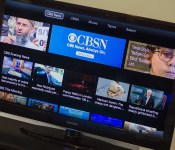
How to connect your Mac to the TV: Apple TV, HDMI, and more!

At some point or another, you’re bound to want to send the video on your Mac to your television. There’s certainly more than one way to do that, so let’s take a look at how you can!
First of all, let’s answer the obvious question: Why would I want to send Mac video to a TV? There are tons of reasons: You’re streaming content only available on your Mac — perhaps a movie you’ve downloaded, for example, or a video you’ve created on the Mac. Or a Keynote or PowerPoint presentation. Or a photo album of a recent vacation or special event. There are tons of reasons why.
With that out of the way, let’s break down the nuts and bolts of getting stuff from your Mac to your TV. I’m going to assume for the sake of simplicity that you’re using a TV with a spare HDMI input, and you know how to switch inputs. If not, check with the manufacturer of your flat-panel TV for instructions.
The most elegant way to connect your Mac to your TV is to use Apple TV, Apple’s $99 black box. The Apple TV is a streaming video device. Connected to the Internet using an Ethernet cable or Wi-Fi, the Apple TV uses your Apple ID to connect to the iTunes Store, where it can stream any movie or TV show you’ve bought or rented using iTunes. It also has dozens of channels of its own, making it possible for you to watch video content from services like Netflix, Hulu and major broadcasters like HBO and Showtime (provided you have service through a cable or satellite provider).
The Apple TV is designed to work independently from a Mac or iOS device, but if you have one, it’s made even better. Apple TV can stream video from most Macs made since 2011 using AirPlay Mirroring. If there’s a video you’d like to watch on your Mac which isn’t available on Apple TV, you simply mirror your Mac’s display on your Apple TV using the AirPlay Display menu on your Mac. Here are the instructions to help:
Many modern Macs also include another innovation that makes it simple to connect your Mac to your TV: An HDMI port. HDMI ports are standard issue on the current model 13-inch MacBook Air, Retina MacBook Pro, Mac mini, and Mac Pro. Connecting a simple HDMI cable will enable the Mac to connect to a TV and use it as an external display. You can then mirror video, or use the TV as an extended desktop.
- 2 Meter HDMI cable – $5.99
Even if your Mac doesn’t have an HDMI port, there’s still another way to connect the Mac to a television: You can use an adapter. Macs that have Thunderbolt and Mini DisplayPort can also support external displays, using an inexpensive adapter.
- Mini DisplayPort/Thunderbolt to HDMI adapter – $9.99
There’s an important point to note, however: Not all older Macs with Mini DisplayPorts can pass audio to the HDMI connector. Most 2009 and 2008 Mac models equipped with Mini DisplayPort can only pass video signals instead (The late 2009 iMac is an exception). Apple keeps a complete list on its web site.
I hope you’ve found a way to connect your Mac to a television. If you’re still confused, or if you’re still not sure how, drop me a line in the comments and I’ll try to help.

Facebook launches Facebook Lite for devices with low specifications (APK download)

Facebook is targeting users of entry-level Android devices with a new app that is now available in a handful of developing countries.
The app is called Facebook Lite and is basically a low-fi version of the full app known by hundreds of millions of users worldwide. Lite, which appears to be actually a wrapper for a web app, is just 262KB in size and it should work even on devices with very low processing power and slow 2G connections. As TechCrunch’s Jon Russell notes, the app is based on Snaptu, an app that Facebook acquired in 2011, which allows Facebook to run on some feature phones.
The app is fairly basic in functionality and design, but all the key components are present, including Messenger, Pages, Groups, and more. There’s also notification support, so users should be able to rely on it for the core Facebook experience. Here’s the app’s Play Store description:
- Fast to install — the app is less than 1 MB
- Quick to load
- Efficient with data
- Designed for 2G networks and areas with limited network connectivity
From testing the app on my Mate 7, performance and responsiveness are clearly several notches below the full Facebook app, but that is to be expected from an application designed to run on basic devices.
#gallery-1
margin: auto;
#gallery-1 .gallery-item
float: left;
margin-top: 10px;
text-align: center;
width: 25%;
#gallery-1 img
border: 2px solid #cfcfcf;
#gallery-1 .gallery-caption
margin-left: 0;
/* see gallery_shortcode() in wp-includes/media.php */


The app appears to have been quietly launched on January 20. For now, Facebook Lite is available in Bangladesh, Nepal, Nigeria, South Africa, Sudan, Sri Lanka, Vietnam, and Zimbabwe. These are all markets where connectivity is spotty, at best, and where smartphone penetration is still low. Facebook appears to be using these locales as a test bed before rolling out Facebook Lite to more regions.
Facebook has a clear interest in getting more users online, given how user acquisition has tapered off (or even turned negative) in most developed markets. Facebook Lite is just one of the initiatives that Mark Zuckerberg’s company is pursuing in developing markets, with other examples being Internet.org (bringing free Internet access to underserved areas) and Facebook Zero (sponsored access to Facebook).
You can try out Facebook Lite from the Play Store or by downloading the APK (Drive mirror) (checked for authenticity) from here. Let us know what you think of this new app.

Sling TV preview: Does this $20-a-month cord-cutter service work as promised?

Sling TV, a $20-a-month service for cord-cutters, made quite the debut earlier this month, winning our Best of CES award amid a flood of attention from press and customers alike. But can the app really live up to its promise to “Take Back TV”? I’ve had access to the beta for a few days, allowing me to get an early look before the first batch of invitations for pre-registered customers goes out tonight at midnight ET. As far as I can tell, the answer is both yes and no. Internet TV is finally real, but it has a lot of strings left over from the old days of pay-TV, and not just because it’s coming from the folks at Dish Network. Getting must-have content from the likes of ESPN has its costs, and those might make the $20 entry fee higher than you’re willing to pay.
For now, Sling TV is available on Android, iOS and Roku. Access on the web and through Amazon’s Fire TV hardware is in the works, but for the moment, that’s it. In any case, after a long weekend of watching ESPN and the Cooking Channel testing, it’s clear that Dish has already accumulated plenty of know-how with its DishWorld international service. We’ll have to wait and see how Sling TV holds up with more users signed on, but for now, the streams are clear and uninterrupted, with video quality that’s more than acceptable over WiFi. Usually the stream reported bandwidth of 2 to 3 Mbps, which was enough to keep the picture clear, although I sometimes noticed compression with fast-moving objects or dark scenes. If you’ve used Netflix, you have a good idea of what I mean, and if that’s acceptable (or if you’ve been dealing with high compression from your cable provider already), you should have no issues here. I couldn’t get quite as good of a connection over LTE, and anything at the “Medium” quality setting (0.8 Mbps) or less looked grainy, as you’d expect.

Aside from the connection, the other big question is: How does Sling TV compete on content? In short, it’s a mixed bag. The good news is that you get the core package 12 channels (ESPN, ESPN2, TNT, TBS, Food Network, HGTV, Travel Channel, Adult Swim, Cartoon Network, Disney Channel, ABC Family and CNN), but the reality of different contracts with different providers means you get a different set of features on some channels. If I’m watching Bloomberg TV, DIY or HGTV, then life is great; I can flip back and forth through the show that’s airing, and use the “Start Over” option to immediately go back to the beginning or see tons of video on demand.

But with ESPN, ABC, TNT, CNN, HLN and the entire Disney family, the service works differently. It’s like old-school, pre-2000 analog TV: There’s no rewind, pause or seek and you can forget about stuff like Start Over. It’s like staying in a hotel or sitting in a waiting room and suddenly remembering you can’t skip back to watch the highlight play that just happened, except here, you’re specifically paying a monthly fee with the expectation that you can do just that.

Unfortunately, that’s not the worst of it; licensing issues can bite users in other ways. It’s not that I wanted to watch the Pro Bowl last night (I didn’t), but if I did, then I couldn’t on my phone (as shown above). On a tablet or TV, it’s no problem, but the NFL has an exclusive deal for phones that Sling TV can’t get around. Sling TV isn’t the only one blocked; the WatchESPN app with my Comcast login suffered the same block for the same reasons. It’s understandable, but frustrating on a service we’re hoping will move the TV market out of the stone ages. Other than that, I didn’t spot any device-specific issues, although I wasn’t able to reliably use AirPlay mirroring between my Retina display iPad and Apple TV. Direct AirPlay support should be available once the public comes in tomorrow, though, so that shouldn’t be a problem going forward.

So am I already down on our CES champ? Hardly. What Sling TV promised comes through in spades. I can flip through the available channels with little pause and hop from device to device with abandon. This is live TV reshaped for the internet that’s ready for smartphones, tablets and PCs. On the channels that allow full features, I can even watch in the ways I like to, without worrying about whether or not the DVR was actually set to record or any other silliness. The video-on-demand feature is well-sorted, if a bit barebones. It’s better-designed than Vudu, but not as easy to sort as even Netflix, and I’d expect it to improve in features and content as the service goes forward.
So the million-dollar question (or billion, if you own a cable company) is: Can this replace my current TV setup? For now, and for me, no. I don’t watch cable news or the reality-style shows that flood the Scripps family of channels that together make up the lion’s share of what’s available on Sling TV. Of course, my cable subscription already includes those (at a much higher cost, plus charges for equipment and other add-ons), but it also brings all of the other channels that I actually do watch, and can’t currently get on Sling TV. If you’re sitting on a big-screen setup and a TV addiction that keeps the DVR full from one day to the next, this probably isn’t going to cut it, although you’re welcome to try. There are just too many shows missing, and despite the rise of other streaming services it’s not quite a competitor for the cable bundle, even given its much lower entry price

Of course, if you do just need SportsCenter, a quick dose of fixer-upper info, some kids shows and the occasional shot of cable news talking heads, then boom — this package is made for you. But it’s still what many cord-cutters say they hate: a bundle. Plugging the holes with more sports or other genres is just falling further into the same trap that the current TV giants have been getting rich off of. Even at launch, adding a Kids bundle for Disney Junior, Disney XD, Boomerang, Baby TV and Duck TV or News & Info Extra for HLN, Cooking Channel, DIY and Bloomberg TV costs an extra $5 per package.
At CES, Sling said there would be more options like that coming, including a sports pack, so it will be interesting to see what’s available to mix-and-match going forward. The other great part about working over the internet is that features can be tweaked and released quickly — while its taken the cable industry decades to bring connected features to our boxes, the options for Sling TV are endless. At the beginning, that will mean adding a channel from internet video provider (and Disney-owned) Maker Studios. I don’t know what’s next or down the road, but tossing out the need to roll out instantly-obsolete hardware could put Sling a step ahead in the way we’ve already seen Netflix add features, devices or buzzwords like 4K and HDR video.
If (big if) you’re not allergic to a bundle, then it does work for someone who can mostly live without TV, but wants to pick it up sometimes for a few months here and there. There’s no contract (with a 1-week free preview period on signup), and no installer, so tossing these channels on top of Netflix, Hulu, Amazon, et cetera takes just a few clicks, and so does getting rid of them when you’re ready to move on. TV still needs to evolve and Sling TV isn’t ready to address all of the industry’s issues, but if your need for TV is on the light side due to taste, budget, time or some combination thereof, it could be a great fit.
Filed under: Home Entertainment, Software, HD

Dropbox for Windows Phone gets photo upload from Pictures Hub, Windows 8 version gets an improved file picker

After making its debut on the platform this month, Dropbox has received a new update that allows you to upload photos from the Pictures Hub directly to the cloud sharing service. The Windows 8.1 version of the app also picked up an update, and now has an improved file picker along with a better PDF reader.

Viber update brings number blocking, in-chat notifications and new emoticons

Popular messaging app Viber picked up an update to version 4.4.0.0 that brings number blocking to the service. Also included in the update is message notifications when you’re already in a conversation, as well as new emoticons and performance improvements.

The Nexus 6 nearly had a fingerprint sensor in its dimple

Motorola’s Nexus 6 almost had a fingerprint sensor, but Apple spoiled the idea. In an interview with UK newspaper The Telegraph, former CEO Dennis Woodside (who now leads Dropbox) reveals that the handset’s dimple was supposed to play home to a discreet recessed sensor, but its supplier couldn’t meet its quality demands. “Apple bought the best supplier,” Woodside explains, “so the second-best supplier was the only one available to everyone else in the industry and they weren’t there yet.” At least Moto didn’t just, y’know, throw one in anyway.
We’ve known about Google’s ambitions to match Apple’s TouchID with its own fingerprint solution since December. An Ars Technica investigation of the Nexus 6’s firmware revealed support for the feature was removed late in the development cycle — presumably when Motorola worked out the sensor wasn’t up to scratch. Apparently, there was an API that all Android devices and developers could tap into, opening the door to things like payment authentication and app security measures. Given the work that Google’s already put into this, dont’ be surprised to see such features coming to Android soon.
Filed under: Cellphones, Mobile, Google
Source: The Telegraph

Apple China Posts Video Showing Creation of Mural for New Chongqing Store [Mac Blog]
Apple has posted a video on its Chinese retail website showing off an art collaboration between international photographer Navid Baraty and artist Yangyang Pan to design a mural for the company’s upcoming Jiefangbei store in Chongqing. The video shows Baraty discussing his work in taking photos of Chongqing, while Pan shares her role in painting the mural that covers the location.

Last week, Apple posted a video on the website showing calligrapher Wang Dongling creating a mural for Apple’s new West Lake store in Hangzhou, China which opened last week. Earlier this month, Apple retail chief Angela Ahrendts noted that Apple would be opening five new retail stores in the next five weeks to coincide with the Chinese New Year holiday. The new Jiefangbei store also marks Apple’s second in Chongqing, as the first opened last July.
Apple’s new Jiefangbei in Chongqing, China opens on January 31 at 10 AM local time.
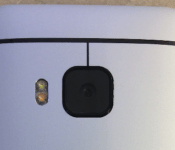
HTC to Depart Slightly from Past Flagship Designs
 HTC really hit a homerun with its HTC One design in 2013, and followed it up with another winner, the HTC One M8, in 2014. Although the design of both devices is gorgeous, some people are wondering if it might be getting a bit repetitive. These worries were exacerbated by news this week that HTC would be changing very little between its 2014 M8 model and its upcoming 2015 M9 model. This information, however, has proven to be false.
The M9, or Hima, will have some changes to the back of the device, with only one lens peeking out from its unibody, as opposed to two like the M8. However, the real changes will be on the front. The front camera should be larger and placed in the center of the top of the device, along with one of the two BoomSound speakers, the other of which will be on the bottom of the device. The bezels will be shrunk as well, with the glass panel stretching from the left side of the screen to the right.
These are just a few changes to the design, but more are sure to come as we learn more about the HTC One M9. HTC is historically very good at hiding crucial details, so we may have to be patient. What do you think about these changes? Are you looking for something more, or will this satisfy the design critic inside you? Leave a comment below, and share your opinion!
Source: HTC Source
Come comment on this article: HTC to Depart Slightly from Past Flagship Designs

Motorola returns to China with the Moto X 2014, Moto X Pro and the Moto G 2014 LTE

Motorola is making its re-entry in China with the launch of the Moto X 2014, Moto X Pro and the Moto G in the country. China will be the first market to receive an LTE-enabled version of Moto G 2014, and the first country in Asia to have access to Motorola’s Moto Maker customization utility, which will be debuting in the country in a few months’ time.

Robot finds fish beneath Antarctic ice, could be used to explore Europa

When a group of scientists drilled through 2,430 feet of ice in Antarctica to get to the water underneath, they only expected to find a few microbes here and there. Instead, they discovered a thriving community of fish and crustaceans — all thanks to a remote-controlled robot that could one day also be used to explore one of Jupiter’s moon. It took the tubular robot called Deep-SCINI (Submersible Capable of under Ice Navigation and Imaging) 45 minutes just to traverse the hole made by pumping hot water through the Ross Ice Shelf. It eventually settled three feet above the very bottom, where up to 20 and 30 fish swam close to gaze at its lights.
The camera-equipped machine can operate up to a depth of 6,500 feet, but it only had to brave 33-feet-deep waters for this mission. That space is sandwiched between thousands of feet of ice and the seabed, making it such a harsh environment with very little food and no sunlight. So when the ground crew spotted the first fish through the robot’s camera, they all broke into applause. They were surprised not only by the fact that there’s marine life in those waters, but also because Deep-SCINI worked perfectly on its first actual dive. In addition to discovering an animal population living in a hostile environmental, the team also retrieved samples and gathered data necessary to study how the continent’s ice sheets are being affected by rising temperatures.

Deep-SCINI was developed by scientists from the University of Nebraska-Lincoln. It has a predecessor simply called SCINI (pictured at the very top) that also discovered a new species of sea anemone underneath Antarctic glacial ice, though that one can only withstand waters up to 1,000 feet in depth. Despite the machine’s terrestrial purpose, NASA funded its development, as the agency is deeply invested in the exploration of Antarctica’s ice shelves in preparation for potential missions to Europa. That Jovian moon has a frozen surface similar to Antarctic’s ice shelves, and scientists think it might be hiding an ocean underneath. While NASA hasn’t sent anything there yet, it has a concept mission called Europa Clipper, which will soon begin development thanks to the Congress earmarking $100 million for it.
[Image credit: Frank Rack, ANDRILL Science Management Office, University of Nebraska-Lincoln/ Deep-SCINI UNL-Andrill SMO]

Source: Scientific American, University of Nebraska-Lincoln, SCINI Project
 AIVAnet