



Root achieved for Sony Xperia Z3 and Z3 Compact with locked bootloader

Owners of Sony Xperia Z3 and Xperia Z3 Compact Android handsets that have a locked bootloader, it is your lucky day. At least, it is if you’ve been hoping to root your device.
A clever dev over at the XDA-Forums has scored himself a touch of bounty for working out the xploit. Sorry… exploit. The method is not intended for the international Xperia Z3 and Z3 Compact devices, which come with unlockable bootloaders, and are rather easily tinkered with by the AOSP and ROM enthusiasts. Nor is it for the Verizon variants with modified hardware. Instead, the exploit is for markets like the U.S. where carriers tend to lock things down.
Let’s not beat around the bush here, with Android Lollipop set to release for Sony hardware soon, You are likely better off waiting for the OTA before rooting. Also, this is not an easy process. Right off the bat, up to date firmware is not compatible, so you’ll need to first roll back to version 23.0.1.A.5.77. From there, it is a matter of simply creating a pre-rooted version of the phone’s hardware, flash a recovery image for your model, then apply the root exploit itself.

XDA user zxz0O0 is who you have to thank for bringing root to your locked Sony Xperia Z3 or Xperia Z3 Compact. He’s been known to bring exploit and similar tools to the forums and will take home at least a part of the current $3017 bounty available for breaking the lock on Sony gear.
Head on over to the XDA post on the matter to get all the resources and instructions to root your Sony Xperia Z3 and Xperia Z3 Compact handsets.
Will you go for root on your Xperia Z3 or Xperia Z3 Compact?

DIY: How to make an awesome wall collage using your Instagram photos!

DIY, short for “do it yourself”, is a weekly column where I roll up my sleeves and go over everything and anything from field-stripped and fixing your out-of-warranty iPhone or iPad to fun projects you can do with apps, family, and friends.
Post lots of photos on Instagram? Ever think how cool it would be to turn all of your different photos into an awesome in-real-life collage to hang in your home? I recently decided I wanted to do just that with some of our vacation photos. After a quick web search, however, I realized the selection of free templates to choose from is rather dismal. That’s when I decided to make my own customizable template. Follow along for cool, free downloadable templates and complete step by step instructions to get your Instagram collage up on your wall in no time!
What you need to create a printable Instagram collage

To get started on an Instagram collage you’ll need an image editor. That can be Photoshop if you have it, or one of the less-expensive apps available on the App Store.
For Mac:
- Photoshop Creative Cloud – $9.99/month – Subscribe now
- Pixelmator – $29.99 – Download Now
- GIMP – Free – Download Now
For Windows:
- Photoshop Creative Cloud – $9.99/month – Subscribe now
- GIMP – Free – Download Now
Next you’ll need to pull the photos you want out of Instagram. You might be able to find them scattered around in your Photos app, but you can save time by using an awesome service called Instaport. It lets you easily download photos from your Instagram archive by choosing a date range or specific hashtags.
Lastly, download an Instagram collage template. You can choose from either 12×12 or 11×14:
- Download Instagram 11×14 collage template – Fits 24 photos
- Download Instagram 12×12 collage template – Fits 25 photos
If you’re comfortable enough with an image editor, you can add more rows and duplicate squares to suit any size. Each square inside the template is 2×2 but you can tweak that as well.
How to create a wall collage using Instagram photos
In the steps below I’ll be using Photoshop to make my collage. Other image editors and templates may work differently but the general steps will be the same. Just don’t get too close to the edges of the document so it doesn’t get cut off during printing.
- Open each of your Instagram photos in your image editor of choice and size them to 2 inches by 2 inches as this is the size of each square in the template.
- Repeat this for each photo you want to use and save them in an easy to access place.
- Open one of the Photoshop templates you downloaded above.
- Drag the newly resized photos one by one into the template and replace each blue square with one photo.
- Repeat this process for each photo until all the blue squares have been replaced with your own photos.
- If you ever run into a time where a blue square shows up on top of your photo, just drag the photo layer to the top of the layers panel. Remember that image editors work as a series of layers so anything towards the top will show up on top of anything towards the bottom and so on.
- Save your collage as either a .jpg or .png.


How to print and frame your Instagram wall collage

The best way to print Instagram collages is by submitting them to a photo service. Our local Meijer grocery store has a photo lab that is relatively inexpensive for prints and typically gets the done the same day. Costco or Walgreens are also popular options. If you don’t have a local service, you can use an online one that will mail you back the prints.
Framing comes down to personal preference. I like to choose frames that have a little matting around the edges to give collages more depth. If you’re looking for ideas, Amazon has a decent selection of frames to fit any budget and style.
My collage cost around $30, including printing and the frame I found locally. That’s a great price for something unique and personal that really livens up our walls.
How’d yours turn out?

If you followed the steps above, how did your Instagram masterpiece end up turning out? Let me know!

Scoop up these iPhone 5/5S hard cases on the cheap today—only $6.95

This lightweight hard shell case features impact resistance in an extremely slim profile design, showcasing your iPhone 5’s form and style. The back has a unique texture that’s easy to grip and looks great, too! Choose your favorite color and save 65%
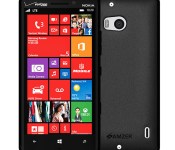
This protective skin case for Lumia Icon is only $4.95 today while supplies last

Made from multiple thermoacrylics, this Lumia Icon skin case is highly elastic and resistant to oils. Say goodbye to annoying fingerprints! The back features a matte finish with a glossy edging that enhances the grip around your device. Get yours today and save 50%

Who controls the KillCam? New Call of Duty Advanced Warfare trailer shows all
Activision has released yet another trailer for their upcoming Call of Duty: Advanced Warfare DLC pack, known as ‘Havoc.’ The new pack is due for launch on the Xbox One and Xbox 360 on January 27. This time, the trailer features a humorous live-action clip that shows us who really controls and creates those cool KillCam shots.

The music industry’s best-known production app will soon be free

You’ve probably heard the output of Avid’s Pro Tools audio production software, even if you don’t know what it’s like — it’s virtually a staple of the music industry, and spawned now-famous (or infamous) effects like Auto Tune. There hasn’t been a cheap way to try it for nearly 15 years, however, so it’s not exactly practical for crafting songs in your basement. Thankfully, Avid’s about to lower the barriers to entry. It recently unveiled Pro Tools First, a free version that lets you get your feet wet. It includes a “subset” of the usual features (you’re mainly missing extra tracks, score editing and video playback), but it otherwise behaves like the paid version. You won’t have to relearn anything if you hit the big time and start using the full software.
The real catch (besides the lack of a release date) is Avid dependence on after-the-fact purchases to make money. You’ll get 21 audio effect plugins from the outset, but you’ll have to pay for more. Also, First only lets you keep three projects in the cloud for free. While you can export finished tracks when you’re done, you’ll have to fork over cash if you want permanent offline copies or more online space. All the same, this junior version of Pro Tools may be enough if you want to spruce up your indie band’s sound without spending hundreds or thousands of dollars to get started.
Filed under: Software
Via: Gizmodo
Source: Avid

Apple’s missing spark, hands-on with HoloLens, the end of Skymall and other stories you might’ve missed this week

Microsoft dives head-first into augmented reality, President Obama addresses the State of the Union — and the internet– and (say it ain’t so!) Skymall files for bankruptcy. Get caught up on these stories and more in this latest edition of Weekends with Engadget.
When did Apple become the boring one?

Apple has made some tiny tweaks and several size adjustments to its arsenal of gadgets lately, but the company is lacking the unique ideas it had in the 2000s. Read why Aaron Souppouris thinks Apple is falling behind among the likes of Microsoft and Google.
I experienced ‘mixed reality’ with Microsoft’s holographic computer headset, ‘HoloLens’

Microsoft’s “mixed reality” holographic headset is still a bit rough around the edges, but its potential is pretty amazing. Read what augmented reality buffs have to look forward to when this device hits the market in Ben Gilbert’s hands-on.
Microsoft isn’t saying much about what’s inside HoloLens

What is the HoloLens packing under its hood? Microsoft is keeping its specs pretty vague, but here Tim Seppala sums up what we’ve been able to confirm so far.
Can Microsoft make HoloLens more than a mirage?

Now that Microsoft has all eyes on Project HoloLens, will it be able to launch it without screwing things up? We revisit a list of Microsoft gadgets that sounded great at the time, but didn’t quite live up to the hype.
Obama pledges to ‘protect a free and open internet,’ tackle climate change

Net Neutrality made it onto the President’s agenda during his State of the Union address Tuesday. He pledged to not only keep broadband internet “free and open,” but also to make it more accessible to underserved communities.
How a queer black filmmaker made virtual reality a reality at Sundance

Virtual reality is coming to Sundance film festival courtesy of filmmaker Shari Frilot. Her New Frontier exhibit will feature 11 movies that blend art and technology in a format that’s already grabbing the attention of big names like Joseph Gordon-Levitt and James Franco.
What’s new in Windows 10 for PCs? A lot.

Sure, we’ve known Microsoft’s new OS was coming since September, but the company still managed to surprise us with news of universal apps, Project Spartan and its move into augmented reality. Read on for the full breakdown of this week’s Windows 10 event.
Here’s a closer look at the latest build of Windows 10 (video)

We got to take a test run of Windows 10 in its more final form on a Dell Venue Pro 11 tablet. Watch the video in this story for a peek at the notification center, the “revamped Photos and Settings apps,” Cortana’s new desktop voice search and more.
Crapgadget purveyor Skymall is filing for bankruptcy

In completely unsurprising but strangely disappointing news, Skymall has filed for bankruptcy. The company’s CEO blames in-flight WiFi for its demise, which we assume means passengers are no longer forced to browse this beloved catalog of ridiculous gadgets as their only source of entertainment when they forget to bring a magazine.
Please don’t use these passwords. Sincerely, the internet.

C’mon, guys. If you’re using one of these passwords you’re practically begging for someone to hack you. View the full list of the most popular passwords of 2014 to feel a little better about that time yours was abc123.

Closer look: Windows 10 January Preview includes new OneNote for Office Touch

Yesterday, Microsoft let loose the latest overhaul of the nascent Windows 10 operating system aka build 9926. There are hundreds of changes throughout – some big, some small – but one interesting find you may not yet have noticed is the new OneNote for Office Touch.
Although it was known that the new Outlook, Excel, and PowerPoint would not be in this build, the status of OneNote was not heavily discussed. Most of us presumed that the same touch-friendly version of OneNote would be included, but instead we are getting a peek at the new Touch Office version.

These are Samsung’s Qi charging backs for the Galaxy Note 4

Qi doesn’t come free on the Note 4 — get ready for a couple of compromises
Samsung put a big ‘ol battery in the Note 4, and didn’t even cover up the USB port with a flap like the Galaxy S5 — but that doesn’t mean many of us aren’t still wishing that the phone came with wireless charging capabilities out of the box. Just as it’s done for the past few flagships, Samsung instead sells replacement back covers for the Note 4 that add Qi charging capabilities.
Both a standard back and S-View Flip Cover style are available — coming in at $30 and $60, respectively — that each add a little extra bulk but get your Note 4 charged up without any wires involved. There’s a trade-off to be had here in either case, but for most folks it’ll be worth it to forego plugging in every night — read along for a review of these two replacement charging backs.

ICYMI: January 24, 2015

A lot can happen in a week. New apps join the Windows Phone Store or Windows Store. Your favorite apps can get a big update with a new look or new features. Device rumors come and go. Seven days might not seem like much, but it can be an eternity in the tech news cycle.
Every week we’re going to compile the biggest stories into one post, so you never fall behind – In Case You Missed It (ICYMI).
 AIVAnet