



6 common problems with the Nexus 6 and how to fix them
With the Nexus 6, Google has attempted to provide a worthy competitor in the phablet space dominated by Samsung. Packed with top of the line specifications, a sharp display and the best iteration of Android yet, you’re bound to find something impressive in this larger than life phone. Unfortunately, there isn’t a smartphone in the market without its flaws, and that is true with the Nexus 6 as well. Today, we’ll be taking a look at some of the most common problems with the Nexus 6, and offer potential solutions on how to fix them.
Disclaimer: Not every user of the Nexus 6 will face these issues, and it is quite likely that you won’t come across any of the problems listed below.
Problem #1 – Issues with random rebooting

A number of Nexus 6 users have reported that their phone suddenly reboots with no apparent reason. Sometimes, this can happen multiple times in a row, with the phone booting to lock screen, and then rebooting the moment a PIN or lock-code is entered.
Potential Solutions:
- Corrupt or fragmented data in your phone could be causing an issue. Back up any important data and perform a factory reset.
- Disable active notifications – this is sometimes helpful.
- Disable the primary messenger application and try using hangouts instead.
- Enable Google Play Services and GPS high accuracy.
- Make sure your device is charged fully.
- Wipe the cache partition on your phone, as this can remove any fragmented data.
Problem #2 – Bugs with Bluetooth connection

A number of Nexus 6 users have struggled with problems regarding Bluetooth connectivity.
Potential Solutions:
- Start by turning the Bluetooth on your device off and back on again.
- If the problem continues, clear the cache for Bluetooth by going to Settings – Apps – All – Bluetooth Share – Clear Cache.
- Go to Bluetooth Share and tap Clear Data
- Restart the phone after clearing the data and cache, if this doesn’t work, try booting the phone into safe mode using the directions below.
Problem #3 – Abnormal battery drain

Though its large battery suggests that the battery life of the Nexus 6 should be quite good, a number of these devices have been affected by abnormally fast drain despite normal usage.
Potential Solutions:
- Third party applications could be causing excess battery drain, so disable any power-heavy applications that are running in the background unless they are used frequently.
- Ensure all applications are updated to the latest version.
- Try uninstalling power-hungry applications one by one to see if the problem can be isolated.
- Turn off vibrations, and reduce screen brightness if possible.
- Try rebooting the device with all third-party applications uninstalled, or factory resetting the phone. This should help to clear out any damaged files in your data.
Problem #4 – Cloud Print errors and force closing

Some users have reported that on the Nexus 6, it is difficult to keep the Cloud Print application running.
Potential Solutions:
- Update your Cloud Print application and ensure that the device is fully up to date.
- Go into Settings – Apps – All – Cloud Print and select both Clear Cache and Clear Data
- Attempt a factory reset to get rid of any fragmented data.
Problem #5 – Screen isn’t bright enough outside

An issue that has plagued many users of the Nexus 6 is that when outside, the screen brightness seems too low, especially on bright or sunny days.
Potential Solutions:
- Go to Settings – Device – Display and change your settings.
- You should be able to alter the brightness level of set auto-brightness on the device.
- Turn on adaptive brightness to automatically optimize the level of brightness on your phone screen in regards to the light around you. This setting is generally on as default, and still allows for brightness settings to be altered when needed.
Problem #6 – Slow charging

Slow charging is one of the problems that many Nexus 6 owners have complained of since buying the phablet.
Potential Solutions:
- If the phone is charging slowly, disable any unwanted applications
- Press the back button twice when exiting an application, instead of simply tapping “Home”, this closes the app from the background and prevents the excessive drain of power.
- Don’t play games when the Nexus 6 is charging, as they require extra processing power.
- Check the charger cable is working by attempting to charge using another cable, or charging a different device with the same cable.
- Try charging through direct connection to a laptop or computer.
- A malfunctioning application could be causing the problem, boot the phone into safe mode and see if it charges faster. This will imply a faulty app. If an application is the problem, perform a factory reset and reinstall apps selectively.
These are some of the most common issues that users of the Nexus 6 have been suffering. If you have struggled with one of these problems yourself, or have experienced something that we haven’t mentioned above, make sure to get in touch through the comment section. We’ll be working to keep this list updated as more solutions and problems appear.
SEE ALSO: Nexus 6 Review
Following are the guides on how to delete data, factory reset, and boot your Nexus 6 into safe mode.
Related Videos
.rvs_wrapper
width: 335px;
.rvs_wrapper.align_left
float: left;
.rvs_wrapper.align_right
float: right;
.rvs_wrapper.align_center,
.rvs_wrapper.align_none
width: 100%;
.rvs_wrapper.align_center
text-align: center;
.rvs_wrapper.align_center.cbc-latest-videos ul li
float: none;
display: inline-block;
vertical-align: top;
.rvs_wrapper.cbc-latest-videos:not(.align_none) ul li:nth-child(2n+1)
clear: both;
.rvs_title
font-weight: 600 !important;
margin: 0 !important;
.rvs_wrapper.align_right .rvs_title
padding-left: 20px;
.rvs_title a
font-family: ‘Roboto Condensed’;
color: #3a3a3a;
.rvs_wrapper.cbc-latest-videos ul
padding-top: 10px;
.rvs_wrapper.align_left.cbc-latest-videos ul li,
.rvs_wrapper.align_none.cbc-latest-videos ul li
padding: 0 15px 0 0;
.rvs_wrapper.align_right.cbc-latest-videos ul li
padding: 0 0 0 15px;
float: right;
.rvs_wrapper.align_center.cbc-latest-videos ul li
padding: 0 7px;
.rvs_wrapper.cbc-latest-videos ul li > a
font-weight: 400;
.rvs_wrapper.cbc-latest-videos ul li > a .yt-thumbnail
margin-bottom: 0;
@media only screen and (max-width : 480px)
.rvs_wrapper
width: 100%;
text-align: center;
#page .rvs_wrapper.cbc-latest-videos ul li
padding: 0 7px;
display: inline-block;
float: none;
vertical-align: top;


Deleting Data:
- Go to Settings – Personal
- Tap Backup and Reset
- Choose Factory Data Reset
- Confirm with Reset Phone
- Enter your PIN or pattern code.
- Tap Delete everything
Hardware Factory Reset:
- Turn off the phone
- Hold the volume down button and Power button simultaneously until the device switches on.
- You should see “Start” with an arrow
- Tap volume down twice and the power button to enter Recovery Mode
- Hold the power button then press and release the volume up button
- Use the volume buttons to select wipe data/factory reset
- Choose “Yes – erase all data” with the power button
Safe Mode:
- Hold the power button after ensuring the screen is on.
- Tap and hold the Power off selection in the menu
- Tap OK to initiate Safe Mode

VLC beta for Windows Phone scores more bug fixes in 1.0.9 update

VLC for Windows Phone has picked up an update today, bringing it up to version 1.0.9. While there’s no changelog listed on the WIndows Phone Store, we expect that this build brings some bug fixes and cosmetic changes that VLC developer Thomas Nigro hinted at last week.

Expedia buys Travelocity, but don’t expect much to change

How much does it cost to buy one of the biggest brands in online travel? Only about $280 million, as it turns out: That’s how much Expedia paid in cash to acquire Travelocity today from its parent company Sabre Corporation (no relation to these the makers of the critically panned Pyramid). So what does that mean for you, the average vacation-loving consumer? We reached out to Expedia to clarify matters (their spokesperson didn’t offer much in the way of new info), but don’t expect things to change dramatically… if they change at all.
Thing is, Expedia already owns a slew of other big-name travel sites – think Hotels.com, Hotwire and Trivago – all of which started off as independent companies before being snapped up by the former Microsoft company. In case you don’t feel like searching, yes, all of those sites still exist and still proffer flight and hotel deals to people in search of their next big sojourn. The events that led to today’s announcement were set into motion back in 2013 when Expedia and Travelocity cooked up a deal that basically saw the former offer its travel platform to be painted over in the latter’s colors and served up to Travelocity customers. In other words, the lines between Travelocity and Expedia have been pretty blurry for the past year and change anyway; it was basically just for Expedia to tap into its rivals pool of loyal customers.
And if you don’t like the idea of giving your money to a veritable travel juggernaut? Well, mainstay travel companies Orbitz and TripAdvisor join upstarts like Hipmunk, Kayak and Hitlist as worthy players that have so far escaped Expedia’s clutches. Let’s see how long they hold out.
Source: Expedia
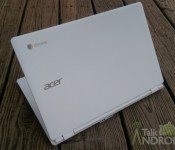
Research suggests that Windows 10 will not have a major impact on the Chromebooks

According to a new report from Digitimes Research, Microsoft’s recently announced unified Windows 10 experience would not have a massive impact on the Chromebooks which is eating its way through the notebook marketshare with each passing month.
Microsoft is using a unification system with Windows 10 which will bring together its mobile, tablets and PCs with the same apps running seamlessly across devices. This can be partially likened to what Apple is doing with iOS and Mac OSX.
However, the steadily increasing Chromebook sales will be hard to contain, according to the report. Chromebooks are affordable and offer seamless integration with Android devices, which pegs the odds in its favor.
While Microsoft will still dominate the notebook segment, it probably won’t see as much success as it is currently expecting. It is being said that Windows tablet sales will see growth in the current year, which is offering some hope for Microsoft.
But as it stands, it seems like Google and Apple will continue to dominate the mobile segment while Chromebooks slowly sneak up on the PC marketshare.
Source: Digitimes
Come comment on this article: Research suggests that Windows 10 will not have a major impact on the Chromebooks
US variants of the LG G3 to see Android 5.0 Lollipop updates ‘soon’
The LG USA Mobile Twitter account pushed out a tweet earlier this morning with the image you see above. It is obviously in reference to the LG G3 and a Android 5.0 Lollipop update. Being that the tweet came from the LG USA account, we surmise that this means the US variants are close to seeing the […]
The post US variants of the LG G3 to see Android 5.0 Lollipop updates ‘soon’ appeared first on AndroidSPIN.
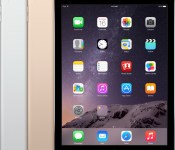
Buyer’s Guide: Deals on iPad Air 2, iMac, Apple Accessories, and More [iOS Blog]
Deals have been scarce in recent weeks following all of the holiday discounts, but it appears things are beginning to pick up again. Best Buy is offering discounts on its stock of iPad Air 2 models, and there are also some deals to be had on iMacs, Retina MacBook Pros, and Macbook Airs.
We’ve also got a selection of Apple-related accessories that are on sale, including quite a few speakers. Finally, we’ve rounded up a few games and apps that can be had at a discount this week.
iPad Air 2
Best Buy has temporarily discounted its entire iPad Air 2 stock by $50 to $100, which is the best iPad Air 2 deal we’ve seen since the holidays. With the sale, the entry-level 16GB Wi-Fi only iPad Air 2 is available for $449.99, down from $499.99. The 64GB model is available for $549, and the higher-capacity 128GB model is available for $599, $100 off. All cellular models are discounted by $50 to $100 depending on capacity too.

Older iPads
Best Buy is also continuing to offer now-discontinued higher-capacity Cellular versions of the original iPad Air at up to $130 off.
– iPad Air Cellular Silver 64GB (AT&T) – $499.99
– iPad Air Cellular Space Gray 64GB (AT&T) – $499.99
– iPad Air Cellular Silver 128GB (AT&T) – $599.99
– iPad Air Cellular Space Gray 128GB (AT&T) – $599.99
Retina iMac
As of last week, Apple is selling the new 27-inch Retina iMac in its online refurbished store, offering discounts of 15 percent off, which beats any Retina iMac price that can be found in store this week.
Selection varies, but there are quite a few configurations available for purchase at a discount, which gives consumers looking for a Retina iMac deal a lot to choose from beyond the standard configuration.

All of Apple’s refurbished machines come with a 1 year warranty, but stock fluctuates often, so potential buyers may need to wait for a desired machine to show up in the store.
Non-Retina iMac
– 21.5-inch 2.7GHz/8GB/1TB (Best Buy) (B&H Photo)- $1,179, $120 off
– 21.5-inch 2.9GHz/8GB/1TB (Best Buy) (B&H Photo) – $1,399, $100 off
– 27-inch 3.2GHz/8GB/1TB (Best Buy) (B&H Photo) – $1,659.99, $139 off
– 27-inch 3.4GHz/8GB/1TB (Amazon) (B&H Photo) – $1,899, $100 off
MacBook Air
– 11-inch 1.4GHz/4GB/256GB (B&H Photo) – $999, $100 off
– 13-inch 1.4GHz/4GB/128GB (B&H Photo – $919, $80 off
– 13-inch 1.4GHz/4GB/256GB (B&H Photo) – $1,099, $100 off

Retina MacBook Pro
– 13-inch 2.6GHz/8GB/128GB (B&H Photo) (MacMall)- $1,199, $100 off
– 13-inch 2.6GHz/8GB/256GB (MacMall) (B&H Photo) – $1,399, $100 off
– 13.inch 2.8GHz/8GB/512GB (Amazon) (B&H Photo) – $1,599, $200 off

Apps
Apple’s free app of the week is puzzle game Shades, and it can be downloaded for free for the next week. Other games temporarily on sell include Lost Yeti, a puzzle adventure game, and Ghost Blitz, a skill-based game. Cycloramic for the iPhone 5/5s is also available for free this week.
For more app deals, make sure to check out our sister site AppShopper, which has a section dedicated to price drops.
Apple Accessories
The Jawbone Big Jambox Bluetooth speaker is available for $184.99 from Woot, down from its original price of $299. Groupon is selling refurbished Jawbone UP24 fitness trackers for $69.99, $30 off the regular $99 price tag. The regular Jawbone Jambox (refubished) can also be purchased from Groupon for $69.99, down from $150.

Beats by Dre Studio Headphones are available from Groupon for $199, $100 off the regular price. Groupon is also selling Apple EarPods for $14.99, a discount of $14. The Beats Beatbox portable Bluetooth speaker can be purchased from Best Buy for $199, $200 off the regular price.

Best Buy is selling iTunes gift cards for 10% off, dropping the price of a $15 card to $13.50. A refurbished Mophie Powerstation portable USB battery charger can be purchased from Groupon for $29.99, down from $79.99.

MacMall is offering the Otterbox Defender Series Case for the iPad Air 2 for $58.99, down from its normal price of $89.95, and it’s also selling the Speck CandyShell Card case for the iPhone 6 Plus for $39.99. The Lenmar ChugPlug External Battery pack for Apple MacBooks is available from Best Buy for $79.99, down from its regular price of $159.99.

MacRumors is an affiliate partner with some of these vendors.
Sprint targeting T-Mobile customers with promise of $200 minimum for your device with Triple Threat
The wars the ensue between carriers don’t always pan out well for them, or the consumers. However, they are rather entertaining when one is on the outside looking it. It would seem that Sprint is a little irritable and is targeting T-Mobile in their latest advertising offer. The offers landing page is calling it the […]
The post Sprint targeting T-Mobile customers with promise of $200 minimum for your device with Triple Threat appeared first on AndroidSPIN.
LG says Android 5.0 Lollipop coming soon to G3
LG G3 users get ready for because your time is almost here; Android 5.0 Lollipop is coming to your device very soon.
The company took to Twitter to greet LG G3 owners with the news that the update will be “coming soon” to their device.
Introducing Lollipop: a sweet treat for your #LGG3. pic.twitter.com/yg0qPqgzjM
— LG USA Mobile (@LGUSAMobile) January 23, 2015
Unfortunately, it doesn’t seem like any sort of timeframe was offered, but soon has to mean soon, right?
The post LG says Android 5.0 Lollipop coming soon to G3 appeared first on AndroidGuys.
Google’s Nexus Player is about to hit retail stores
Up until now, Google’s Nexus Player has only been available on the official Google Play Store. Now, the latest from Gigaom shows that the Nexus Player will be hitting virtual shelves of Newegg starting January 25th and is available for pre-order.
The Newegg website lists the Nexus Player for $99.99 as well as the game pad for $39.99. It is unknown when the device will hit actual storefronts, but Gigaom found a thread on Reddit where a few users are finding the Nexus Player popping up at certain Wal-Marts. If you are the type that you must see what you’re buying in person, you might not have to wait too long.
The Nexus Player, which was introduced back in October alongside the Nexus 6 and Nexus 9 is made by Asus, runs a version of Android 5.0 Lollipop, sports a 1.8 GHz Intel Atom processor, 1 GB of RAM, and has 8 GB of storage.
Source: Gigaom
The post Google’s Nexus Player is about to hit retail stores appeared first on AndroidGuys.
A-Audio Icon Wireless review
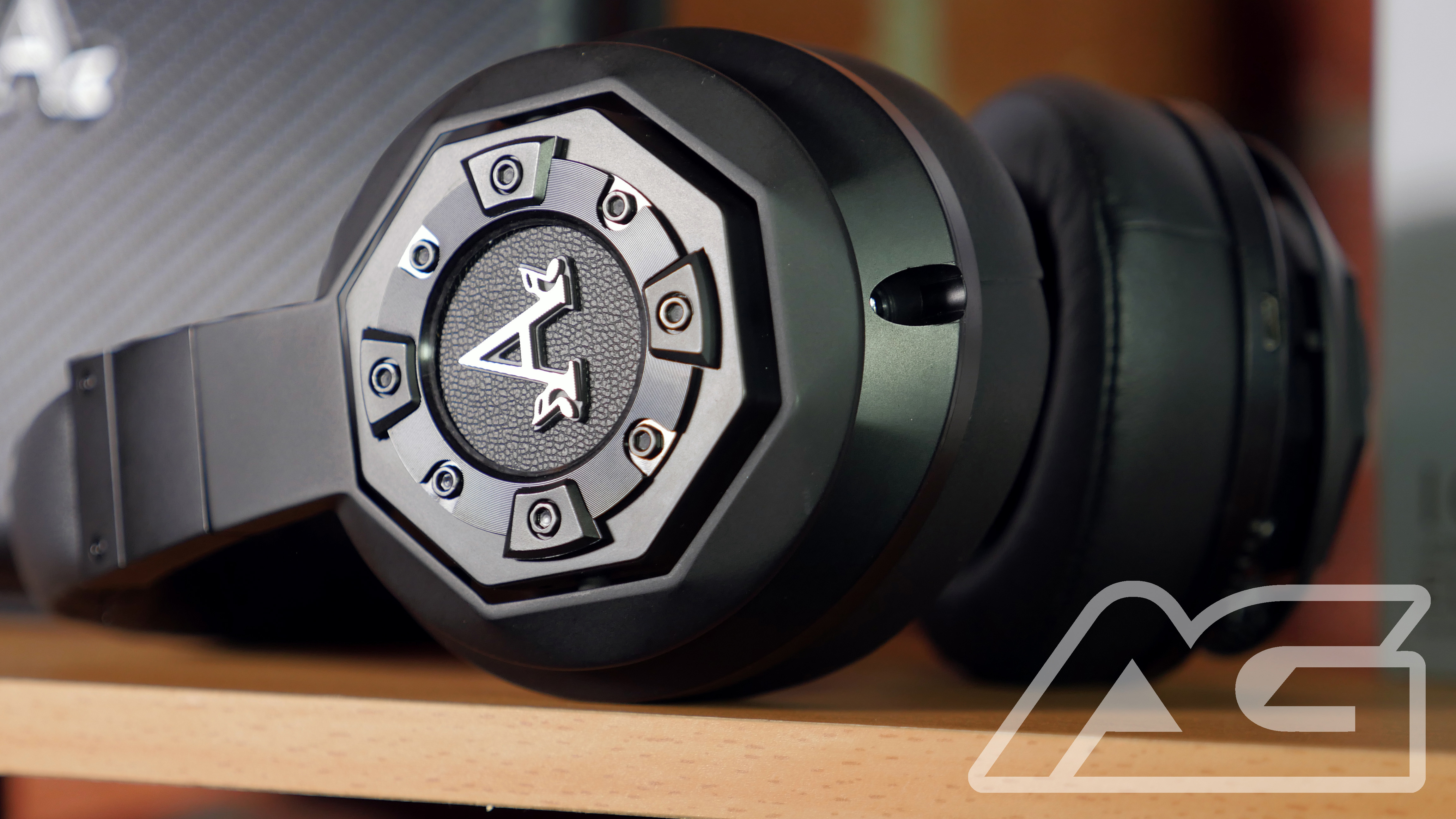
What do you look for in a pair of high-end headphones? Many audiophiles will point to fidelity, longing for accurate reproduction of an audio source. Fashion-forward folks may crave a sleek design or something emblazoned with a logo of a brand that represents hip. Thrifty readers might argue that it all comes down to the bottom line and getting the best buy for their buck. They say you can’t please all of the people all of the time but with their new Icon Wireless headphone, A-Audio has certainly shot for the moon.
 Upon opening the box, you can sense that you’re about to handle a premiere product. The headphones are packed with care inside of a luxurious case that houses all of the included goodies. The cans themselves weigh just under a pound (.80lb to be precise), which makes them ever-so-slightly lighter than the Pro model of Beats By Dre, a similarly-priced competitor. While there are two different color options, I received the Phantom Black, which I prefer to the Liquid Chrome alternative, and was immediately taken by the smooth matte finish. The underside of the headband is memory-foam quilted and appears rather couture, if I may say so myself. The A-Audio logo is featured on each ear-cup and, as somebody who favors minimalistic design, is something I could have done without. With that said, the neutral color-scheme did make for a very clean aesthetic and they did an excellent job of integrating the transport controls subtly into the earcups. So, they look great… That’s nice, but how do they sound? I slipped these bad boys on and went to work, enjoying a bit of Google Play Music as a tester.
The Icon Wireless headphones sound absolutely wonderful. I connected to my Samsung Galaxy S4 via Bluetooth (the Icon Wireless support 4.0 technology and a range of 30ft) and was blown away by the gorgeous, rich sound. As someone who creates music, I sincerely appreciate a full-spectrum approach to audio and these headphones deliver. Bass is reproduced accurately out-of-the-box and with the Bass Enhancer functionality, one can even customize their own level of oomph. Mids are clear and highs are present without being too harsh. Once I took them off, my ears craved being back in these headphones. Quite simply, they sound like luxury.
The stats boast a 12-hour battery life but, quite honestly, I wasn’t away from a charger for long enough to put that claim to the test. I’ll take A-Audio’s word for it. There are cables included in the packaging that allow for a wired audio experience. I decided to see if there was much difference between the quality of Bluetooth and tethered passive mode, and am pleased to say that both are pristine. The active noise cancellation feature certainly helps drown out ambient noise but I don’t think anything short of gun-range protection could eliminate the clamor of New York City streets. I could see this feature being absolutely ideal for airplanes or public transit, though. Call quality, thanks to the included Control Mic, is clear and conductive to conversation. With all of the attention paid to every other area of this product, I wouldn’t expect anything less.

Overall, I’m enamored with these headphones. They may very well be the most comfortable, warm-sounding, headphones that I’ve ever used. The fact that they’re wireless only further elevates their prestigious status. They look, feel, and sound like class — even though wish I could get a model without the logo so prominently displayed. The flip-side to luxury, however, is the price. Retailing at $379.00, these are no impulse purchase. If you’re on the fence about dropping nearly four hundred bucks, do yourself a favor and try them out. A fair warning, though: You may never be able to go back to life without them.
Check out the A-Audio Icon Wireless at A-Audio.com
The post A-Audio Icon Wireless review appeared first on AndroidGuys.
 AIVAnet