



The press gallery over the State of the Union looks like an Apple ad

Michael McAuliff, Senior Congressional reporter for the Huffington Post, tweeted a picture of the U.S House floor during the State of the Union. There, in the press gallery above the president and vice president, can clearly be seen a veritable forest of aluminum MacBooks replete with brightly shining Apple logos.
Wow. The press gallery over the House floor for #SOTU looks like a damn Apple ad. pic.twitter.com/uubqdon5qc
— Michael McAuliff (@mmcauliff) January 21, 2015
MacBooks have become so common at tech events — including events completely unrelated to Apple and events for Apple’s competitors — that I’ve stopped even thinking about it. Like coffee shops and universities, it’s just the way things are. Seeing it on Capitol Hill, however, once again reminds me of how valuable people find the Mac and OS X.
And that’s better than any ad.

This transforming phone is all heart, no brains

In Japan, people still use feature phones. But despite the smartphone revolution, dumb phone innovation is not dead. Not when a phone can magically, (Transformer-ly) convert from a heart shape into something approaching a chubby handset you can actually talk into. Imaginatively titled “Heart”, it’ll come to Nihon in both red and black options, and according to our Japan team, weighs a mere 54 grams. Curiously, it doesn’t launch until after Valentines’ Day (late March), but when it does arrive, the phone will also come with in a special Sailor Moon iteration, with magical wand dangly accessory and livery.

The phone charger is also adorably heart-shaped: this is an all-out attack of the kawaii kind. That being said, there’s not much going on inside that pretty little head: no Bluetooth for starters, let alone anything to do with cameras or a color display. However, if your phone is only for kawaii calls, you unmistakably have a winner.
Filed under: Cellphones, Mobile

NBC will stream Super Bowl XLIX online and through the Sports Live Extra app

The Seattle Seahawks are facing off against the New England Patriots for the title of Super Bowl XLIX champions this Sunday, February 1st. The game is airing on NBC, and this year, the network is treating football fans to tons of Super Bowl coverage. NBC is streaming 11 straight hours of football coverage via the NBC Sports Live Extra app, including the Super Bowl XLIX itself, the halftime show, pre-game, post-game, and even the new episode of The Blacklist that airs following the post-game coverage. NBC will also stream the game on the network’s homepage. There is no subscription or log-in required to access any of these live streams.
For those of you worried about missing out on the great ads the Super Bowl historically offers, fear not. Though the advertisements will differ between TV and digital streams, NBC will offer all in-game television ads on their website sometime after the game is over. One thing we should note, is that these streaming privileges are for tablets and desktops only. Verizon holds the rights to stream Super Bowl content exclusively to their NFL Mobile app users on mobile phones, so you’ll need to be a Big Red customer to watch the game on your smartphone. If you’re interested, head to the link below to grab the NBC Sports Live Extra app.
Download NBC Sports Live Extra from Google Play

Tmvel T3 Wireless Charger review
I’ve used a couple different wireless chargers in the past, but I haven’t quite gotten into permanently using wireless as opposed to typical corded charging. Tmvel’s T3 3-Coils wireless charger is something you should definitely look into if you’re thinking about getting a wireless charger. Here’s why:
With so many chargers out there, it’s hard to choose which is the right now for the amount of money. The T3 wireless charger stands out from the crowd with its foldable, aluminum design, which makes it easy to take on the go, and just feels super premium. The charger can hold the phone at any angle, be it completely flat or all the way up at an 80 degree angle. I’m a big fan of adjusting the angle as opposed to most other chargers.
The three coils inside the charger allow you to put your phone on almost any part of the surface and still allow it to charge, which means you can lay your phone horizontally on the stand if you want to watch movies and it will still charge. Charging times were pretty standard for the Nexus 5 I used it with, however I’ve seen reports on the internet that users charging higher capacity phones such as the Nexus 6 were having trouble getting it to charge properly, but this only depends on what wall adapter you are using, so be sure you are using a powerful enough adapter when charging.

I recommend this wireless charger to anyone on the market looking for a quality, durable wireless charger. It looks sleek, has a great design, and charges like it should.
You can check out its Amazon page here.
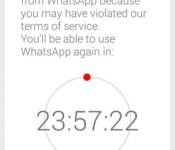
WhatsApp is banning 3rd party apps and blocking users for 24 hours

The most popular messaging app is banning the use of 3rd party apps today. WhatsApp already has an official app that most people use, but there are some notable 3rd party apps such as WhatsApp+. Users of these apps are finding a message that states they are temporarily banned from using the service because they might have violated the terms of service. This temporary ban is exactly 24 hours and there is no way around it.
WhatsApp is recommending that if you’re a user of any of these 3rd party apps, you should install the official app instead. That is okay for those that haven’t been banned yet, but if you have been banned, you will have to wait the 24 hours regardless.
The developer of the most popular 3rd party app, WhatsApp+, is urging users to use the official app until they are able to rectify the situation. More importantly if you are a user of WhatsApp+ or any other 3rd party app and you haven’t been banned yet, you should still install the official app so that you don’t get thrown out for a full 24 hours.
It’s unclear whether these 3rd party apps will be able to fix this issue. I am leaning on the side of probably not, but we will keep you updated.
source: WhatsApp
via: 9to5Google
Come comment on this article: WhatsApp is banning 3rd party apps and blocking users for 24 hours
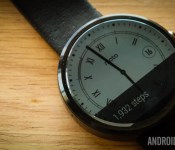
22 best Android Wear watch faces

Android Wear is starting to come into its own. The latest round updates added unprecedented smoothness and reliability and the upcoming hardware is both more stable and more stylish. Of course, one of the most important things you’ll need to find is an Android Wear watch face. You’ll look at it more than anything else so you should find one that suits your needs. Here are the best Android Wear watch faces.
To see the best Android Wear apps, click here!
 500px
500px
[Price: Free]
500px is actually a wallpaper application where you can find some of the best photography out there and use it as your background. One of the more recent updates added an Android Wear watch face so you can take the gorgeous photos you find on 500px and put them directly on your smartwatch. The layout is minimal but the photos are gorgeous and it is free without in app purchases so you can enjoy it without spending a dime.


 About Time Watch Face
[Price: $0.99]
About Time Watch Face embraces a minimal design with some smooth animations and a classic set up. It’s an analog style watch face with separate minutes/hours and seconds dials as well as some fun gear animations to give it that expensive watch feeling. It is only for round smartwatches so rectangular watch owners will have to keep looking. It’s designed in a way where the notifications don’t mess with the clock face and that’s important too.
 Battery Watch Face
[Price: $0.99]
Battery Watch Face is a minimal watch face that shows the basics and that includes the time, date, and, of course, the battery level. You can customize the color to suit your tastes and it’s a great option for people who want to keep it simple but informative. If you purchase this watch face, you’ll also get Wear Battery Stats free of charge so you can take advantage of all of the battery monitoring features.

 Chrono Watch Face for Wear
[Price: Free / $1.50]
Chrono Watch Face for Wear was one of the earlier watch faces to come out and it remains one of the more popular options now. It features a simple analog-style interface and you can customize the colors to your taste. You’ll also see the battery stats for both your phone and your watch along with the date. It also features 12/24 hour modes, a seconds hand, Samsung Gear Live monochrome mode, and it’s been specially designed to prevent battery drain and burn in.

 Despicable Watch Face
[Price: $0.99]
Despicable Watch Face is here because really, who doesn’t love minions? It also shows how whimsical and fun a watch face can be which is surprisingly rare. It’s a fairly basic watch face and comes with the time and a picture of a minion. It does have a few issues, including no 24-hour mode and no date options. It partially makes up for these by having some fun and goofy animations.

 Facer Watch Face
[Price: $1.00]
Facer earned early fame in the watch face game by allowing users to customize and create their own watch faces. It’s even better because those designs can be exported, shared, and imported elsewhere. Thus, a small community of watch themers have created a bunch of Facer watch options and there’s even a subreddit. There are some smaller bugs like some information becoming unsynced but it’s a solid option, especially if you like to change things up often.

 Human Time Watch Face
[Price: Free]
Human Time Watch Face is a simple text-based watch face. Instead of having dials or numbers, it simply says what time it is in text. There are 10 fonts and each one can be bolded, italicized, or both. You can also change the position, add a shadow, control capitalization, and you can choose whether or not to show the date. It’s very simple but effective and customizable. It’s also totally free.

 InstaWeather for Android Wear
[Price: Free with in app purchases]
InstaWeather for Android Wear is a set of watch faces that focus on showing you the weather as well as the time, date, and sometimes the battery. There are roughly half a dozen watch faces to choose from that showcase the weather in different ways. The app itself also doubles as a weather app complete with weather radar support. You can also get weather alerts for snow/rain, and there are a number of other small features you can play with. Do beware, the app is confusing when you first use it but it works well once you get the hang of things.

 Krona Sunlight Watchface
[Price: $1.69]
Krona Sunlight Watchface is another watchface that shows you the weather. This one is a little more sleek and minimal than InstaWeather and useful for people who don’t want a gaudy design. It shows things like temperature, cloudiness, precipitation, and the times of the sunrise and sunset. One of its most unique features is the ability to save the weather for 24 hours so even if your phone loses Internet connectivity, you can still get the weather forecast on regular intervals.

 Military Digital Watch Face
[Price: $1.45]
Military Digital Watch Face takes the old school style of military digital watches and puts it on your Android Wear smartwatch. It shows the time, complete date, battery life on both your phone and watch, and finally it shows the step count. On the downside, this is only for circular watch faces so only the Moto 360 and LG G Watch R. It’s a shame it doesn’t support rectangle watches but nevertheless, it’s a great design.
 Muzei Live Wallpaper
[Price: Free]
Muzei Live Wallpaper has garnered a positive reputation for being the best live wallpaper for viewing classic art like The Starry Night or The Mona Lisa. As it turns out, Muzei also comes complete with its own Android Wear watch face that pretty much does the same thing. The layout is basic so don’t expect a lot of features but if you’d like to see various pieces of classic art, there’s no better app available than this one.
 PAC-MAN Watch Face
[Price: $0.99]
Fans of old school gaming can get a bit of nostalgia out of a watch face that features the world’s hungriest hero. The PAC-MAN watch face is simple but features some tasteful PAC-MAN graphics that includes the border that features characters from the game down to the time itself, which is in an 8-bit style font. It’s very basic and doesn’t include things like the date or a battery monitor but if you dig simplicity and the 8-bit days, this is a good way to go.

 Pujie Black, Pujie Blue, Pujie Red Wear Watch Face
[Price: $1.27, $1.00, $1.00 respectively]
The Pujie colleciton of watch faces feature a variety of designs and customization options in three colors. It sucks a little bit that they all come in different apps but if you don’t like two of the colors, then you’ll probably save money buying just one. Each app has a small set of presets to show you to the kind of stuff you can do but you can ultimately customize the watch to your tastes. There are 13 analog and a totally customizable digital clock to start you out and then you can change a bunch of stuff. It’s not quite as deep as Facer but it’s still a good option.
 Ranger Military Watch Face
[Price: $0.99]
Ranger Military Watch Face is another military-style watch face with a simple but beautiful design and some nifty features. You can view weather, the seconds hand, compass, step tracker, battery levels, and date. The compass and weather is a little finicky but otherwise everything works well. There is also a night-mode that illuminates the watch in green. It’s a solid option for fans of analog watch faces.

 Skymaster Pilot Watch Face
[Price: $0.99]
Skymaster Pilot Watch Face is a more sophisticated option for Android Wear owners. Aside from its astounding design, you can see the time, date, battery indicator, and weather which is supplied by OpenWeatherMap. This is a fairly simple watch face so there aren’t many customization options and what you see is pretty much what you get. This isn’t necessarily a bad thing and it is a really good looking watch face.

 Speeds Pro Watch Face
[Price: $0.99]
Speeds Pro Watch Face is another analog style watch face with some unique features. You can see the time, date, the seconds hand, step counter, weather, and battery indicator. There is also a feature that shows you how fast you’re going. It only displays in MPH which will turn off a lot of people and reports are that it does use quite a bit of battery. Aside from those issues, it’s a solid watch face that looks nice.

 StarWatch Watch Face
[Price: $0.99]
StarWatch Watch Face is the watch face to get for fans of space, the cosmos, and the stars. The watch face features a the time and date and you can set it between 24-hour mode and 12-hour mode. The big feature is that the app always shows the stars that are directly above you in a star map format. It looks beautiful and even shows the location of plants and the sun. The image changes based on what time of day it is and what time of year it is.

 Station Watch Face
[Price: $0.99]
Station Watch Face is the initial release of all-star icon themer Tha Phlash. It features a fantastic design that can be customized in red, blue, or green and there are a number of other customization features. It shows the time and date as well as the battery level and you can set it to show other things as well. It’s a solid design with a good layout and it works on both circular and rectangular watch faces.

 Timeless Wear Watchface
[Price: Free]
Timeless Wear Watchface is a simple digital watch face. It shows the time along with the seconds in both 12-hour and 24-hour formats. There is also an option to keep the background black for battery saving purposes or you can have it show a wallpaper for a bit of extra flair. You can also show the date, change where the clock is so it doesn’t interfere with the “Okay, Google” or notification cards, and you can add custom backgrounds if you wish.
 Un Petit Monde Watch Face
[Price: Free]
Un Petit Monde translates to “a small world” and this is one unique watch face. It does the basics like showing the time and date but the background is actually a stop motion video that sort of tells the story of an adventurer named Moses. The animations correlate with the time of day so night time will bring night scenes and day time will bring day scenes. The stop animation videos are a nice touch even if they burn the battery a little bit.

 Watch Face Minimal & Elegant
[Price: $0.99]
Last on our list for now is Minimal & Elegant. It’s a unique spin on the digital watch face where the hours and minutes are in rows instead of the standard style. It is, as the name implies, actually kind of elegant. It also shows the date and the battery levels for your watch  and phone (P). It also comes in 12-hour and 24-hour formats, and you can view the time in text instead of numbers.

 WatchMaker Watch Face
[Price: Free / $0.99]
WatchMaker Watch Face is the biggest competition to Facer that you can find. Much like Facer, you can create and customize your own watch faces to make them look, feel, and act how you want them to. Some of the more unique features include calendar support, weather, GIF support, compass, and plenty of other features you can’t find anywhere else. Also like Facer, you can find watch faces made by others if you don’t feel like making your own. It’s great for tinkerers and for those who want to try to make their Wear experience their own.

Wrap up
If we missed any great Android Wear watch faces (and we likely did), let us know in the comments!
To see our complete list of Android apps and games lists, click here!

Daily Roundup: Windows 10, weak passwords, SpaceX and more!

Microsoft will unveil Windows 10 to the masses tomorrow, giving us a closer look at what the folks in Redmond have been working on. Meanwhile, everyone on the internet is still using weak passwords like “123456” and Google decided to drop some serious money on SpaceX. Get all the details on these stories and more in today’s daily roundup.
What to expect from Microsoft’s next Windows 10 event

Tomorrow, Microsoft will give us a closer look at its latest operating system, Windows 10. What sorts of things do they have in store? Cortana, mobile optimizations and gaming improvements, just to name a few. We take a look at all the things you can expect.
Please don’t use these passwords. Sincerely, the Internet

If one of your passwords is on this list of the most popular passwords of 2014, it’s probably time for you to change things up. The most popular passphrase people used in 2014? “123456.” Well, at least it’s not “password” (that’s the second most used entry).
SpaceX is now a $10 billion company thanks to Google

SpaceX just secured $1billion in funding thanks to investments by Google and Fidelity, who will collectively own 10 percent of Elon Musk’s company. Both Google and Elon Musk are interested in using satellites to make the internet accessible around the world.
YouTube’s first Super Bowl halftime show may beat what’s on your TV

The Super Bowl halftime show is usually the perfect time to restock the fridge, stretch your legs and prepare yourself for two more quarters of exciting football action. This year, there might be a reason to stick around, as YouTube will host its first-ever halftime show.
The NSA knew North Korea hacked Sony because it hacked North Korea first

The US government sounds pretty confident when they say North Korea was responsible for the Sony Pictures hack. How do they know for sure? They inserted backdoor software into North Korea’s computer systems years ago.
Troubled Steve Jobs movie starts filming at last

Aaron Sorkin’s adaptation of Walter Isaacson’s Steve Jobs biography has finally started filming. CNET caught a glimpse of a film crew preparing to shoot in Jobs’ childhood home.
‘Borderlands’ on PS4 and Xbox One comes in a $399 edition with a robot

If you have $399 burning a hole in your pocket, consider this Borderlands: Claptrap-in-a-Box Edition for your Playstation 4 or Xbox One, which includes an actual robot.
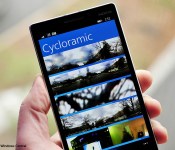
Cycloramic update brings ability to export to camera roll, save as video

Well, would you look at that. Cycloramic, a pretty great panorama app that recently made the jump from iOS to Windows Phone, has grabbed an update today. While it’s relatively minor, it does bring the ability to save to the camera roll, save as video, and the usual smattering of bug fixes and improvements.
Details about Qualcomm’s upcoming Snapdragon processors leak
 Qualcomm’s latest Snapdragon 810 is going to be one of the fastest processors available in phones and tablets this year, but that doesn’t mean the company is going to stop pushing forward. The latest information about Qualcomm’s next plans has surfaced, detailing where the company wants to push processors next.
The biggest thing to look forward to is the Snapdragon 820 processor. Rumors suggest the 820 will feature a full 8-core architecture that doesn’t use ARM’s big.LITTLE setup, so this might be the first high-end processor we’ll see that utilizes all 8 cores simultaneously. It will also supposedly utilize a 14 nm process and LPDDR4 memory support.
Qualcomm ideally wants the 820 to hit the market in late 2015, but due to supply conflicts with Apple, it may end up being pushed back to early 2016.
The direct step up from the Snapdragon 810 is going to be the Snapdragon 815, which will still use the big.LITTLE architecture and a 20 nm process. It won’t be a major upgrade like the 820, but there’s a slight bump in the GPU to make up for it.
In the mid-range sector, Qualcomm is working on a Snapdragon 616, 620, 625, and 629. The 616, 625, and 629 chipsets will feature an octa-core architecture, while the 620 is sticking with a quad-core design. All of those processors will be getting GPU and memory upgrades, which is great for those of you that try to stick to budget phones.
Expect to hear more about these processors once the dust settles around the Snapdragon 810.
source: UDN
via: G for Games
Come comment on this article: Details about Qualcomm’s upcoming Snapdragon processors leak
AfterShokz Bluez 2 gives you open ear, bone conductive music and calls
AfterShokz Bluez 2 gives you open ear, bone conductive music and callsBuild QualitySound QualityEase of Use4.2Overall ScoreReader Rating: (0 Votes) When we think of Bluetooth headphones or ear pieces one typically things or either earbuds or over the ear headphone styles. Even most Bluetooth headsets that are mono sit in the ear. This method of […]
The post AfterShokz Bluez 2 gives you open ear, bone conductive music and calls appeared first on AndroidSPIN.
 AIVAnet