


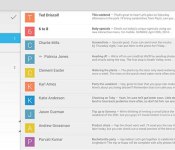
12 best Android email apps

Email is one of the oldest forms of internet communication and one of the few from “the good old days” that we still use today. Email has evolved quite a bit since the old days but how we use and process emails has changed very little. Despite that, some still seem to be able to do it better than others. In this roundup, we’ll take a look at the best Android email apps.
 AOSP Email
[Price: Free]
The good old AOSP Email is first on our list because it’s a classic and has been around since the earliest days of Android. Of course, it’s been updated, refined, and redesigned multiple times since it was first created and that’s why it’s one of the best on the list. It supports pretty much all of the most popular email clients and has a clean design that is easy to use. It is important to keep in mind that this is a very basic email client. If you need something more feature rich and powerful, this is not the one you should be using.


 Aqua Mail
[Price: Free / $4.95]
Aqua Mail is an email client with a little bit more power and a lot of peripheral features. It allows for Exchange and IMAP accounts but also allows integration with Office 365, OAUTH2 for Gmail, and it has support for Tasker and Light Flow along with a number of other apps. It’s been updated with a fresh Material Design look that helps keep it with the times in terms of design. The pro version allows you to set up more than two email accounts and removes the promo signature from outgoing emails.

 Blue Mail
[Price: Free]
Blue Mail is another simple but elegant email solution that supports a metric ton of email accounts including Yahoo, Gmail, iCloud, Office365, and others. It has a simple interface similar to AOSP Email with a few unique tweaks here and there. Along with the standard features, you can also do a bunch of other things like set quiet hours for when you don’t want notifications, set emails to send at a later time or date, configurable menus, and a lot more. There are even some security features like locking up your personal emails.

 CloudMagic
[Price: Free / $4.99/month]
CloudMagic burst into the scene a little more recently than others. It has some Material Design elements but remains fairly minimal and that helps it feel more efficient and useful. It supports multiple accounts from a number of email providers and all of the standard features. Its most unique feature is the integration of various tools like Todoist, Asana, MailChimp, Pocket, Evernote, and others to help include your emails more fluidly in your workflow which is really useful. It recently updated with a new subscription model that wants $60/year for a few additional features but the free version should suffice for most.
 Email for Exchange – Mail Wise
[Price: Free with in app purchases]
One of the more difficult features to get right for most email apps is Exchange support and this app aims to be the one that Exchange users should use. It’s not perfect but it’s solid and reliable and uses a message-style email thread system that makes email conversations easier to read. Despite the focus being on Microsoft Exchange, you can also add other email accounts. It’s completely free with the in-app purchases being optional developer donations.
 Gmail
Gmail
[Price: Free]
For many, the road need go no further than Gmail. It contains the latest in Google’s design standards and comes complete with Google Now and Google Drive support. It’s frequently updated, provides a stable experience, and evolves every time Android does. Recent updates also allow for Microsoft Office support, the management of multiple accounts, and Android Lollipop optimizations. Most people who have just a Gmail account for their Android devices don’t need anything more than this.
 Inbox by Gmail
[Price: Free]
Inbox by Gmail is a different take on email from Google and the same team that brought you Gmail. It features heavier integration with Google Now along with advanced label management and a “newsfeed” style email layout. When it first debuted, a lot of pundits found it confusing and too “in your face” to be useful, but as the platform has grown, so has the positive opinions about Inbox. It’s a solid email application and a must-try if you also use Google Now heavily.
 K-9 Mail
[Price: Free]
K-9 Mail is one of the oldest email clients on Android and has garnered considerable respect over the years. It still utilizes an older, minimal interface that’s almost similar to Reddit but it manages to be easy to use and efficient. It’s also open source which is great if you’re a fan of FOSS. It has a basic set of features which is good for those of you who don’t need anything complicated or overly powerful. It’s also totally free.

 Mail.Ru
[Price: Free]
Mail.Ru is an enigma. It’s not a name that gets thrown a lot in the email game but it has silently amassed over ten million downloads to date and has accumulated a 4.5 out of 5 rating in the Google Play Store. It has multi-account support, advanced search, notification filtering, and a built-in spam filter. The interface is clean and looks a little bit like an older version of Gmail which isn’t bad at all. It’s totally free and has a decent design and feature set.

 myMail
[Price: Free]
myMail is a slightly antiquated email app with a decent list of features. It supports most popular email services including Google, Microsoft, Apple, Yahoo, and even AOL. The interface is a tweaked Holo which means it’s easy to navigate and use. There isn’t much that helps this one stand out other than its wide range of supported protocols and decent interface but sometimes that’s all people need. This is also the official email client of my.com and you can use extra features if you have a my.com email address.

 WeMail
[Price: Free]
WeMail was released in late 2014 and with it came some unique ideas. The main feature is its interface. It uses a modified Material Design, sorts emails by sender rather than chronologically, and shows emails in a messaging format. This gives the email experience an entirely different feel than normal and for some, it’s really good. Also included is the ability to search messages and attachments separately, one-touch voice emails, and access to all files you’ve ever sent or received to others. The only major downside is that it doesn’t work with as many email services as these others.
 Yahoo Mail
[Price: Free]
Yahoo Mail is last on our list and it remains one of the best ways to use Yahoo Mail. Other than the basic email features, Yahoo has also integrated a news section in with email so you can literally check your mail and read the news at the same time which may be a nice feature for some. Obviously, only Yahoo users can use it and much like other official apps, Yahoo Mail users can simply do more than they probably could in other clients.
Wrap up
If we missed any great Android email apps, let us know in the comments!
To see our complete list of Android apps and games lists, click here!

Grab this protective bumper case for BlackBerry Z30 today for only $4.95

Made from a glossy and matte double molded polycarbonate, this low-profile frame conforms perfectly around the BlackBerry Z30 to provide casual protection against minor drops. The bumper even slightly elevates the phone from flat surfaces, keeping it safe from unwanted scratches and scuffs. Get yours today and save 50%

Best of CES 2015 Awards, Startup: AmpStrip
#fivemin-widget-blogsmith-image-644482display:none; .cke_show_borders #fivemin-widget-blogsmith-image-644482, #postcontentcontainer #fivemin-widget-blogsmith-image-644482width:570px;display:block;
 trydocument.getElementById(“fivemin-widget-blogsmith-image-644482″).style.display=”none”;catch(e)
With so many companies offering wearable devices at this year’s CES, perhaps it’s apt that the best startup we saw at CES 2015 was a company that was taking a different approach to the fitness tracker. AmpStrip is a health wearable that stays out of the way: a Band-Aid style strip that’s waterproof and comes with disposable adhesive strips to attach right to your skin. Despite the slim profile, the company has crammed in an accelerometer, thermometer and heart rate sensor, which, in tandem, can monitor your heart rate, movement and activity. T-shirts are, apparently, optional.
Filed under: Wearables

Filming begins on upcoming Steve Jobs biopic

After a tumultuous few months concerning casting details, it looks like the upcoming Steve Jobs biopic, written by Aaron Sorkin and directed by Danny Boyle, has finally started filming. A film crew was spotted today setting up the garage at Steve Jobs’ childhood home to prepare for filming.
The setup was first reported by CNET, who detailed the layout of the set:
Cinderblock and wood shelves are pieced together along the walls. Roller skates, a Thermos, an old vacuum cleaner and 8-track player and stereo lay haphazardly about. An advertisement for a Braun electric coffee maker hangs on the wall, as does a poster featuring Bob Dylan holding a “Get Born” sign from a film clip featuring the song “Subterranean Homesick Blues.” And the house itself has been painted a beige color with darker tan trim, contrasting with the formerly lighter exterior.
The Sorkin-penned biopic has been a long time in the making, going all the way back to 2011 when Sony purchased the rights to Walter Isaacson’s biography of the late Apple co-founder. Since then, we’ve seen numerous rumors that indicated Christian Bale, then Leonardo DiCaprio would assume the role of Jobs. Later it was confirmed that Michael Fassbender would be starring in the film alongside Seth Rogen as Steve Wozniak.
If you’d like to get a peek at what the set looks like, CNET was able to snap lots of photos which are on display at the source link below.
Source: CNET

You can buy a giant mech suit on Amazon Japan for $1 million

We’ve been tracking the Kuratas mech suit — a 13-foot-tall tribute to anime fandom that you can actually ride — for a few years, but now it looks it’s finally ready up for order on Amazon Japan. That is, if you’ve got $1 million … and live in the Kyoto region of Japan. Oh, and you better be comfortable assembling large machinery, because it’s just a starter kit. And be prepared to pay extra for arms, because you can’t leave home without those. When the Kuratas first appeared it just seemed like some geek’s dream project, but surprisingly, its creator Suidobashi Heavy Industries has apparently stuck with it. Better move fast though, as there’s only one unit on sale (and we’re not sure if it really exists). Unfortunately, there’s no sign of the smile-activated BB gatling guns we saw a few years ago — but really, that would be asking for too much.
Via: TechCrunch, CNET
Source: Amazon (JP)

Facebook begins testing sound clip transcription in Messenger

Facebook‘s David Marcus took to his, well, Facebook page today to detail a new voice transcription feature that the company is testing for Facebook Messenger. The feature will take any sound clip that you send or receive and transcribe its contents in text below the voice clip itself.
Marcus points out that, for right now, Facebook is testing the feature on a rather limited basis:
Our plan is to test this feature at a tiny scale for now and we’re looking forward to seeing what you think of it before making the experience more widely available.
Sound clips have been a part of Facebook Messenger for quite some time. However, automatic transcription of each message’s contents should be a welcome addition for those times where you want preview a message rather than accidentally blaring obscenities from your friends in front of grandma.
Source: David Marcus; via The Verge
Sony’s mobile division could be split off due to continued poor performance
It wasn’t long ago that Sony‘s mobile division looked like the dark horse in the mobile industry, producing quietly brilliant devices that had subtle advantages over their competitors. Unfortunately, it hasn’t quite panned out for Sony as it forecasts a net loss of 230 billion yen ($1.9 billion USD) for the year up to March, not […]
The post Sony’s mobile division could be split off due to continued poor performance appeared first on AndroidSPIN.
Oaxis Bento Magnetic Induction Audio Speaker Review: Simple and a little bit magic
The speaker market is getting more saturated with each passing year with more and more companies putting out their versions of speakers, more often than not with Bluetooth capability. Which is why we were particularly intrigued by the Oaxis Bento Magnetic Induction Audio Speaker, a speaker that has no convention connection to the device playing the […]
The post Oaxis Bento Magnetic Induction Audio Speaker Review: Simple and a little bit magic appeared first on AndroidSPIN.

Bellabeat Leaf activity and health tracker can also monitor reproductive cycle

There was a time when “gadgets for women” were silly novelty items or pink-colored, Swarovski-covered versions of existing devices. Well, OK, those still exist, but at least there are now decent gadgets for women with features we actually need, like Bellabeat’s Leaf. The Leaf isn’t even available yet, but the huge pre-order sales (where Bellabeat earned $1.2 million in revenue) prompted the startup to add a new feature: the capability to track your reproductive health. Leaf will be able to monitor and notify you about your ovulation, contraceptive intake and incoming period, making it a valuable tool for those who want to conceive (and those who don’t). A lot of existing apps out there can already do those, of course, but if you’re already thinking of getting this device, that’s a nice plus.
Bellabeat’s Leaf, which was announced last year, is part of a trio of wearables designed for women, including Shell for expecting moms, and a smart scale called Balance. It’s a metal leaf mounted on wood that can be used as a bracelet or a pendant. In addition to being able to monitor reproductive cycles, it can also track activities, steps, calories burned and even sleep. The company already sold 65,000 devices via pre-order, which isn’t open at the moment, but it plans to bring its products to US retail stores this first quarter.
Filed under: Wearables
Source: TechCrunch

NSFW: ‘Dad, I want a PC…’

My 14 year old son is defecting for the Dark Side. About two weeks ago he told me that he wants a Windows PC for his birthday. As a near-lifetime Mac user, I have to say that I was disappointed. Sad even. But I knew this day was coming.
My kids all use Mac minis of various ages; the oldest is an ’09-era machine that my 17 year old daughter uses (and complains about regularly, it seems); the newest is a ’12-era model that my 19 year old son uses. The 14 year old’s was right in the middle: We picked it up in ’10. It’s the last of the optical drive-equipped Mac minis. When they refreshed it again in 2011, Apple pulled the SuperDrive out of there all together.
The two boys both love gaming, and do most of their gaming on computers. We have Xbox 360 and PlayStation 3, but they’ve tired of console games, so we haven’t jumped on the Xbox One and PS4 bandwagon. PC gaming suits them better, and their friends play games on PCs too.
The 19 year old is still safely ensconced in the Mac fold, but about a year ago the 14 year old came to me and asked if I would install Windows on his Mac using Boot Camp and a copy of Windows 7 we already had. I indulged him, hoping it would a quickly-passing phase.
He wanted to play games he just couldn’t play on the Mac. It started with Smite — a massively multiplayer online role playing game, but it soon grew to others. What’s more, he discovered that Mac games he could play on his Mac mini actually ran better in Windows. League of Legends, for example. Defense of the Ancients 2. The list went on.
After a few weeks he never even bothered to reboot into the Mac partition – he used Windows full-time. So when he approached me about putting together a custom PC, I can’t say that I was surprised.
I’ve been using Macs on and off since I was 15 years old — 30 years ago now. I’ve strayed occasionally: I dabbled with Commodore Amigas in the late 80s; I event went PC for a while in the early 1990s. But I always came back to the Mac, and the Mac’s always been central to whatever I’ve been doing professionally. My three kids have all been raised with Macs, of course.
But at the same time, I have to admit that the Mac isn’t always the best solution for everything. Understanding my 14 year old’s love of gaming, I can totally appreciate why his four-year-old Mac mini wasn’t up to the task of serving him games anymore. I’m not going to replace that $600 computer with a more expensive model just to play games, however.
Fortunately the boy’s been working an after-school job, and he saved up enough to buy himself the parts to put together the PC (though I’m doing the labor as his birthday present). All told, he’s spent about $700 to put together a machine that isn’t the fastest gaming computer on the block, but once it’s together, it will be spectacularly faster than what he could get on the Mac side for the same money (because for that cash, he’d still be limited to a Mac mini).
What’s more, the PC we’re putting together is modular and expandable. If he wants to trade up to a faster video card in a couple of years, or a quad-core processor, he’ll be able to swap stuff out (or call on me to help him swap stuff out) without any issue. RAM is replaceable, and upgradable. Something that Apple took away from us in the latest Mac mini refresh.
“What will you do with the Mac mini?” he asked me the other day, on the way to the bank to take out the money he needed to buy the PC parts.
In all likelihood, I’ll recycle the Mac mini for his older sister, who’s been asking for an upgrade. For his part, the 14 year old is pleased it’ll continue to be useful. But for him, that usefulness has come to an end.
Even as dyed-in-the-wool a Mac enthusiast as I am, I have to admit that sometimes the Mac just isn’t the right solution for every computing problem, or every user’s needs. And this is one of those times.
I hope my son will find his way back to the Mac fold eventually, but it’s one of those moments as a parent that I have to support his decision, even if I don’t fully agree with it, and even though it pains me a bit to do it.
Now it’s time to roll up my sleeves and start putting together this thing.
 AIVAnet