


How to turn off Facebook’s in-app browser for external links
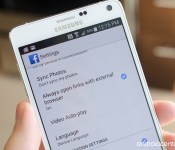

In August of last year, Facebook started rolling out an in-app browser that let you view links completely in the app without being thrown out to your own installed browser of choice. That’s all fine and good, but if you want the additional features, bookmarking, familiarity or added security of choosing your own browser to open links, you’ll need to dive into the Facebook settings and change this setting. It’s a quick process with just a few steps, and this is how you do it.
 AIVAnet