



Accessory of the Day: Galaxy Note 4 screen protectors (3 pack), $6.95

Keep that resale value as high as possible by protecting that gorgeous screen on your Samsung Galaxy Note 4. These screen protectors from Tech Armor feature the standard bubble-free installation that we all have come to love and expect and also boost a lifetime warranty. For just $6.95 (Prime eligible), you can’t go wrong.
Join Prime and get this deal with FREE two-day shipping!
Also worth checking out:
The post Accessory of the Day: Galaxy Note 4 screen protectors (3 pack), $6.95 appeared first on AndroidGuys.

This isn’t the last we’ve heard of Samsung buying BlackBerry

How does that old song go? Everything old is new again? I’m reminded of it every time Samsung and BlackBerry get wrapped up in some will-they-won’t-they acquisition intrigue like they did yesterday. In case you somehow missed all the fun, Reuters reported that Samsung offered a cool $7.5 billion to BlackBerry as part of a potential buyout deal. In the hours that followed, BlackBerry balked, Samsung shot the notion down and investor hope — seen in the form of surging BBRY stock prices — all but evaporated.
Samsung and BlackBerry have an interesting history together, at least as far as rumored business tie-ups go. In very early 2012, a poorly sourced acquisition report from a tech blog caused BlackBerry (well, RIM at the time) shares to surge in price. Samsung denied it was looking for a deal. Then, later that year, Jeffries analyst Peter Misek released a note to investors fingering Samsung as the company most likely or most interested in licensing BlackBerry 10 for its own phones. Considering how fervently Samsung’s been trying to make its alternative Tizen platform a thing, that scenario doesn’t seem all that outlandish. So what’s different this time around? Why would Samsung want to envelop BlackBerry in its many folds? Well, a bunch of reasons, really.
First up, there’s the patent angle. The folks in Waterloo have nearly 44,000 patents tucked away in BlackBerry’s global coffers (about 10 percent were granted in the US), including a set of recently awarded ones that protect concepts like a wearable that lets users access their phones without punching in a code first. Fine, that one in particular is hardly intriguing, but make no mistake: BlackBerry has some really juicy ones. Law360 did a deep dive back in 2013 and found that of the lot of them, 2,500 BlackBerry patents pertaining to “Security, Email, Messaging [and] Data Delivery” provide the backbone for the company’s standout security and networking features.
Those patents — and their analogs filed in different countries to afford BlackBerry global intellectual protection — are worth a small fortune alone. Still others pertaining specifically to information encryption (mostly owned by a BlackBerry subsidiary called Certicom) are being licensed for use by the United States government because the elliptic-curve cryptography techniques they outline are just that good. What happens when other security-minded organizations bite the bullet and decide they need to use that tech too? They pay up, big. Cha-ching for BlackBerry, and that revenue stream could be Samsung’s too.

And hell, let’s just get really pragmatic here. Remember Nortel? We can’t blame you if you don’t, but the former communications juggernaut sold off over 6,000 of its patents and patent applications in mid-2011 in exchange for around $4.5 billion. Even if all Samsung wanted to do was flip BlackBerry’s huge store of intellectual property, it’d still have a somewhat decent chance of turning a profit. Oh, and that’s not to mention the extra ammunition that IP would provide if/when Samsung gets wrapped up in another giant legal kerfuffle like it did with Apple. Patents are power, protection and profit all rolled into one.
But let’s take the legal nitty-gritty of patents out of the mix for just a moment. Despite a shift to alternative devices and platforms, BlackBerry’s phones and services are still being used by businesses, conglomerates and governments the world over. That’s a level of enterprise savvy and infiltration that Samsung hasn’t yet been able to match, even with its Knox security initiative on the books and some promising momentum — why, just last year the NSA gave Knox its blessing for governmental use… after a handful of security researchers managed to poke disputable holes in the fabric of Samsung’s security. If Samsung wants to truly own the enterprise space, picking off one of its most notable (and most vulnerable) competitors is a great way to do it.
And hey, it’s not like BlackBerry has a huge hand in making phones now anyway; its deal with Foxconn allows the company to essentially offload not just the manufacturing, but also the distribution of future BlackBerrys straight to the Chinese company. Design work is still done in-house, but Samsung could easily take over those teams and keep a quiet stream of new BlackBerrys flowing if it wanted to.

So yes, there are a few perfectly plausible reasons why Samsung would (and arguably should) snap up BlackBerry. But why now? It’s all about the shifting market, friends. The Samsung we have now isn’t exactly the same, old “let’s throw everything at the wall and see if it sticks” company we’re so used to watching. It’s not selling as many of its flagship phones as it thought it would, and you can’t really deny that those devices have been a big driver of growth for Samsung these past few years. In order to please all those finicky shareholders, Samsung’s got to keep the gravy train going, and when growth in one direction slows, you’d better believe the company will try to find a catalyst to make sure things move.
On the flip side, BlackBerry’s starting to dust itself off a bit now that former Sybase chief John Chen is sitting at the head table. It’s cutting costs. It’s retuning to the company’s mission. It’s pushing ever closer to profitability. Hell, it just might get there (Chen says it’ll happen sometime in 2016), and by then, it’ll be that much more expensive a target for anyone looking to buy. By kicking off these talks now, Samsung just might be trying to buy low.
Even now, some might balk at the price Samsung reportedly offered — after all, the deal involved paying a hefty premium on each of BlackBerry’s shares. And BlackBerry’s reported $7.5 billion price tag stands in stark contrast to the relatively paltry $200-ish million Samsung paid for SmartThings, an originally crowdfunded hardware company that the Korean titan gobbled up not too long ago. Here’s the thing about the Internet of Things market: It’s young. It hasn’t solidified yet. There’s no clear market winner. You can think of Samsung’s $200 million as a ground-floor investment. But BlackBerry? That’s a company with rebounding clout, and one of the most ardent, devoted and possibly craziest fan bases you’ll ever see. Alas, both companies have buttoned up on the matter, so we might not ever know what they saw in each other. One thing’s for sure, though: This isn’t the last time you’ll hear these rumors. Everything old is new again.
Filed under: Cellphones, Mobile, Samsung, Blackberry

Wearables Box by Lumoid lets you try 5 different wearables or rent Google Glass for $18

More so than smartphones and tablets, wearables must truly walk the line between being fashionable as well as functional. Unless you’re both very patient and doing well for yourself financially, the process of finding that perfect wearable that compliments your personal style and gives you the information you want, can end up being a torturous lesson in frustration.
So Lumoid decided that they’d help you out by sending you a box of five wearables of your choosing and let you play with them for a week. If you like one or more of the devices, you can purchase them after you send the box back (so you’ll have a fresh unit and not one of the trial devices). If you didn’t like any of the five, you pay the relatively small amount of $20 USD. From there, you can try a different five or quit your quest altogether.
There are three categories of wearables you can choose from on the Lumoid website: sleep tracking gadgets, fitness bands, and stay-connected devices. You are not limited to just one category, by the way! You can mix and match until you hit the five you really want to try. You do need to make sure your smartphone is compatible with the wearable you’re wanting to try before finalizing your box.
Of the wearables offered, they are mostly limited to the fitness variety. You will find fitness bands like Samsung’s Gear Fit and the Jawbone Up. You will not find wearables like the Moto 360.
Additionally, Lumoid is offering a wearable for rent outside of the Wearables Box category. On their website, you can pick up a Google Glass unit for $18 USD for a minimum rental of three days. You can check out that offer by clicking here. I’m not sure how long this promotion will last seeing as how Google is planning on shutting down the Explorer service.
Lumoid is no stranger to the field of try-it-before-you-buy-it. They have been doing the same process with cameras and drones for a while now. You can check out the video below, which discusses their camera service.
Click here to view the embedded video.
Source: Slate
Lumoid: Wearables Box
Come comment on this article: Wearables Box by Lumoid lets you try 5 different wearables or rent Google Glass for $18

OS X Yosemite review: 3 months later

Three months ago Apple senior vice-president of software engineering, Craig Federighi, stood up on the Town Hall stage and said OS X Yosemite would be available that very day. We posted our OS X Yosemite review as soon as it went live, based on almost four months of beta testing. And we’ve had an additional 90 days to live with the final version. So, what have we grown to love and what has gotten on our nerves? It’s time to check in on Apple’s latest version of the Macintosh operating system, three months later…
Design

 Ren: I remember letting out an audible gasp when Apple revealed the new set of Yosemite icons on stage at WWDC last year. Not out of surprise, necessarily — more appreciation. Yosemite’s design has come with a dose of knowledge and experience from two years of working on iOS’s flat-color UI, and it shows. I may not be a huge fan of the super-transparency, but I love the icons and the general fit and finish of Yosemite. Anything pre-OS X 10.10 just looks stale and dated — much the way iOS 9 felt in comparison to OS X.
I wish Dark mode was more fully-realized, though. I love the dark menu bar, but what about dark Safari, or dark Finder? Give me more!
 Ally: I’m ecstatic that the design language on my Mac now matches more closely to iOS. At first I wasn’t too sure but after only a few days, the whole experience just seemed more refined. I opened a friend’s conputer recently that was still running Mavericks and it just felt “old”
 Rene: I’m still loving the Yosemite design. Last year I waited almost 9 months to update my podcast machine from Mountain Lion to Mavericks. This year I took a hard look at those waves and updated to Yosemite almost immediately. And it wasn’t for any of the new features — I keep the podcast machine stripped down to the basics — it was for the interface. Yosemite made Mavericks look intolerably outdated.
 Peter: Yosemite looks a lot more clean and up to date than Mavericks thanks to a redesign that emphasizes a flatter interface — buttons and user interfaces have been reworked with a more modern austerity that echoes the changes introduced in iOS 7 without parroting them enough to be called “iOSified.”
This new design is clearly optimized with Retina displays in mind — it’s serviceable on the MacBook Air and older laptops, but looks positively brilliant on the Retina MacBook Air and other machines with the pixel-pushing power to really make it look good.
Extensibility

Rene: Extensibility on iOS changed the way I use my iPhone and iPad. It transformed interface from pull to push. On OS X… not so much. I like the Yosemite extensions well enough, from markup to share to widgets, I just don’t use them as much. That could be because the Mac has always been productive enough without them. It could also be that Mac extensions will take some time before they come fully into their own — as a plugin architecture accessible to the masses.
Ally: I am with Rene here. While I love extensibility, I just haven’t found very many use cases on OS X like I have on iOS. I may have to attribute some of this to the fact that I am a creature of habit when it comes to my Mac workflow and get anxiety about straying from it.
Peter: I agree with Rene. I haven’t found a lot of use for the new extensibility functions in Yosemite. Even some of the hallmark ones, like Markup, which Apple showcases in Mail, really isn’t something that grabs me. I’m sure it’ll evolve and come into its own, but so far, I’m not finding a lot of use for it.
Ren: Yep, singing with the choir here. I haven’t used Markup in three months, and I thought I was going to love that feature. Really want to see a couple of key apps make extensibility something worth caring about.
Continuity

Ren: I have sung the praises of Continuity’s promise many a time, so I’ll refrain from doing it at length here. In short: I like what Apple offers, wish more third-party apps would take advantage of the tools, and want the bugs gone.
Ally: I use Continuity calling and texting like crazy. I honestly can’t imagine not having it at this point. Sure there are bugs that need working out but I still believe it’s the one amazing thing that ties both work flows together. Unfortunately, OS X hadn’t yet received the love iOS has gotten just yet. Hopefully that changes soon.
Rene: Continuity is the beginning of something big. We’ve been able to sync data and content for a long time, but now that we can sync activity, what I’m using becomes less important than what I’m doing. We’ve been able to tether and transfer files, make voice calls and message, for a long time. We’ve never been able to instantly tether or filedrop, make calls or send texts from any device as though it was our phone. It’s potent enough between iPhone and Mac. It’ll be even more so between Apple Watch, iPhone, and Mac.
Peter: Unquestionably for me, the key improvement in Yosemite. For years we’ve been hearing warnings from hand-wringers that Apple would “iOSify” the Mac. That hasn’t come to pass, but something much more important has: Apple’s figured out that the sum of the iPhone, iPad and Mac is greater than the whole of the parts.
Continuity represents one of the most fundamental shifts in workflow approaches we could have imagined: The concept that regardless of what Apple product you use, what you’re doing with it is the important thing. And Continuity is the embodiment of a concept that Apple’s head designer Jony Ive has described as “the interface just getting out of the way.”
In practical applications, Continuity features like Handoff can make your life much better — I use Call Relay every day to make and take calls from my iPhone using my Mac, for example. But it’s experiencing some growing pains: Features don’t always work consistently. I’ve had a lot of trouble getting Mac to iOS AirDrop work with any regularity, for example, and had to jump through hoops before the Mac would recognize my iPhone as an automatic hotspot. I hope Apple gets all these issues ironed out before they put the full court press on whatever succeeds Yosemite.
Spotlight

Ren: Spotlight in Yosemite is a great upgrade — and with third-party plugins like Flashlight, almost worth giving up third-party launchers for. I do wish you could move the search window around, though; I use Spotlight a lot for calculating figures, and I often end up typing over the numbers I want to consult. It’s something that Alfred does very well, and Apple’s default, not so much.
Ally: I like pretty much everything about the new Spotlight search except its placement. I frequently use Spotlight as a calculator and having it in the middle of the screen isn’t very convenient. I wish there was an option to relocate it back to the top right again. Other than that, it has worked as advertised for me, and then some.
Rene: I really dig the new Spotlight. Center screen is where it’s at and giving me the app launch possibilities and file finding powers front and center is exactly what I want. The new smarts are great as well. Sure, there’s a privacy price to pay for letting Spotlight be that smart, but it’s a small one and the improvement is well worth it. I’m using it even more than I did previously, and I wouldn’t have thought that possible.
Peter: Spotlight gains a new look, going front and center into the middle of your Mac’s screen, and adds some important new functionality and usability, with search results popping up as you type. Full previews, Wikipedia entries, movie results with Fandango, unit conversion, iBook searches and more now populate in the Spotlight window.
I find myself more and more reliant on Spotlight for tasks that I’d otherwise relegate to web searches, Dashboard widgets or applications. So the added functionality is great. What I like the most about Spotlight, though, is that as soon as you’re on to the next task, it disappears from view and gets out of your way. Smart design from Apple.

Ren: I am so grateful that Mail.app works again for me in Yosemite. The Mavericks horror days were dark days indeed, and while I tried to love Airmail and other third-party clients, it just wasn’t the same. Strangely enough, I’ve never used Mail Drop, not even to test — I’ve already integrated Dropbox so thoroughly into my workflow that it never even occurs to me to try out Mail’s new iCloud feature.
Ally: I don’t use Mail.app. I’ve been terrified of it since Mavericks ate my Gmail account last year. I did launch it and play around with it for a day or so on just my iCloud account. Nothing was compelling enough for me to switch back. Sorry Apple, I’ll just stick with Airmail and Mailbox.
Rene: Mail.app is my jam. No, seriously. I like IMAP, I like multiple account types, and I like a unified inbox. I don’t like sharing my login with middle-mail providers. Put all that together, and it makes Mail made for me. Unlike Peter, I didn’t have many problems with Maverick’s mail — I don’t sync that many folders — and the same has held true for Yosemite. I haven’t had occasion to use Markup or Mail Drop more than a handful of times but I like that both exist. Mostly Mail has just been working for me the way it always has, and that’s exactly what I want.
Peter: Mail in Mavericks was a mess. Apple went back to the basics with Yosemite to make sure users didn’t have the same sort of problems with Gmail-based accounts and other systems that didn’t seem to play too well with Mavericks. On balance the results have been okay for most of us.
One of Yosemite’s great innovations for Mail was the introduction of the Markup extension, which enables you to, as the name implies, mark up graphics and images included in e-mail attachments. It does have some handy features, like the ability to attach a signature to a PDF using your trackpad as the signing surface, which I’ve actually used on occasion. But for the most part Markup is a snoozer for me — I often forget it’s there entirely.
The other tentpole feature of Mail is called Mail Drop, and it uses iCloud to store and forward large file enclosures so they don’t get caught in mail server relay hell. It’s a good idea; for my purposes, it really hasn’t been an issue, but I can image it’s making the lives a lot easier of people who have never heard of Dropbox.
Safari

Ally: Chrome for life yo.
Ren: Oh, Safari. I love your new interface and features, but you’re still such an extraordinary memory hog. My MacBook Air loathes you, and yet, I use you still. Chrome just doesn’t do it for me — you’re fast, your rendering is beautiful, and iCloud Keychain is just too useful, especially when paired with 1Password.
Rene: Ally — so dead to me! I love Safari. The interface is light and the rendering is fast. I have been bitten by a nasty JavaScriptCore crash bug that’s been affecting iMore.com, but the latest WebKit nightlies have made that a thing of the past. Like Mail, I don’t use a lot of the new features, though some of them are interesting. I do use the web, however, and a lot. Aside from Flash and anything Google-related, which I lock away in Chrome, I do all of that in Safari and Yosemite hasn’t let me down.
Peter: Safari’s streamlined toolbar leaves more space on the page for actual web content, and the new Tab view makes it easy to navigate to different tabs you already have open. I tend to pile a ton of tabs in each window, so I use this feature quite a bit. Apple’s also made private browsing — a feature it pioneered — even easier to use by making it window-specific, rather than something that has to be on or off entirely.
iTunes 12

Rene: Since iCloud, the only thing I use iTunes for is adding metadata to the podcasts. For that reason, I still long for the day when Windows no longer required a native app and we can have iTunes for iCloud, and just access our music, TV shows, and Movies from any browser, anywhere.
Ren: Die, iTunes, die! I can’t believe I’m saying that about an app I used to cherish in the early OS X days, but it’s become too bloated and too much of a beast to launch on a regular basis. I’ve turned to playing my music through my iPhone to AirPlay speakers over using the iTunes client, in order to keep free memory available on my computer. I’m waiting for a reimagining, Apple. Please tell me 13 is iTunes’s lucky number.
Ally: I rarely launch iTunes except to make backups occasionally. I still don’t completely trust iCloud. Other than that, it rarely gets any use. For music I depend on Rdio. All other media is consumed on one of the many Apple TVs we have floating around. I would have rather seen Apple spend time making iTunes useful instead of throwing on a new coat of paint. In so many words, I have to agree with Peter here.
Peter: Every time I think Apple can’t make iTunes any worse, they find a way to completely crap it up even further. That’s what I think about iTunes 12, in a nutshell.
iTunes doesn’t need streamlining or reworking — it needs to die. It just needs to be taken out to a field and shot, and left there as an example to other apps never to become the fat, broken, slow, bloated mess than iTunes has become.
God, I hate iTunes with an almost pathological loathing.
Messages

Ally: Do Not Disturb, SMS relay, and the ability to leave conversations is like unicorns and chocolate covered rainbows. AMAZING. So many group threads are less annoying and obnoxious. Location sharing and groups are also awesome. I rarely use the audio message feature but every once in a while it has been convenient in a pinch, and I guess that’s exactly the point.
Ren: Golly do I love me some updated Messages features. Like Ally, I find that SMS relay has only improved Messages’s ability to function as a desktop replacement for the app on your phone. It’s slowly become an AIM replacement for me — something I never thought possible a few years back.
Rene: The new group messaging features in Messages are great. We have an iMore group, we had a CES group, and my family and friends and I have a couple groups. The ability to name them, mute them, and leave them have made them much more useful. Likewise, Continuity means all my Android Central friends can now be replied to from my Mac as well. The other stuff, like soundbites, is either something I’m too old and nervous to employ, or needs some interface tweaks to make me feel less old and nervous. I’m hoping for the latter.
Peter: Paired with Continuity’s SMS relay feature, Messages provides uninterrupted messaging between the Mac and non-iPhone texters. This is such a great innovation — now I can use Messages to talk with anyone, regardless of whether they’re part of the Apple ecosystem. Provided my iPhone is within range, of course.
I really haven’t found any excuse to use Soundbites, which enable you to send automatically expiring audio files to other Messages users, though it’s a cool feature for those for whom typing something out isn’t the right solution, either because of nuance, security or for whatever reason.
Group messaging is the other place where Messages really stands apart — features like the ability to mute or exit group messages and title group chats are long overdue, and welcome.
Bottom line

Ally: I’m extremely happy with Yosemite not only aesthetically but with how it minimizes the gap between iOS and OS X. However, I hope 2015 is the year developers take advantage of OS X. The Mac App Store isn’t nearly as robust as it could be and I sincerely hope features like Continuity and Handoff give developers more reason than ever to develop amazing Mac apps that knock our socks off.
Rene: I like Yosemite a lot. I’ve used it through the betas in June and the release in October and now, three months later, I’m still delighted with it. There are some bugs, of course, and some odd behavior, but I’ve had that with every version of OS X. More importantly, there’s a new flag in the ground from Apple — more than ever it feels like they know where the Mac fits in, and they’ve made it fit in there better than ever.
Ren: Like Rene, I’ve used Yosemite since the early betas, and I’m very happy with it; it’s a much more stable release in my opinion than Mavericks, though it does have its bugs and quirks. (Dark mode in particular is still very half-baked, which breaks my heart.) I also wish Apple would just acknowledge that the majority of its “Accessibility” display preferences should really just be “Display” preferences — hiding away things like high contrast make it more frustrating for users who’d prefer not to deal with muted colors or transparency.
Peter: My complaints and comments about growing pains aside, I think Yosemite is a very impressive release. Apple’s modernized the Mac user interface while still keeping it uniquely Mac-like, and Continuity is the biggest thing to happen to the Macintosh since the Intel switch — it’s something that increases the value of getting a Mac to millions upon millions of iPhone and iPad users.
Apple’s had a pretty relentless schedule of OS releases now for a while. And some of the stumbling blocks we’ve faced with Yosemite have made me wonder if it’s not time for Apple to take a breather — to really sit down, assess the landscape and make sure that OS X is as tight, reliable and thoroughly user-friendly as it can be — before piling on more features. I wrote about this in November, and I know I’m not alone — other folks like Marco Arment have chimed in with similar sentiments. Maybe Apple should take a page from its own history with Snow Leopard and make 2015 the year of Snow Yosemite, so to speak.

Sense object recognition could create a limitless, interactive encyclopaedia

Informative augmented reality with a full encyclopaedia’s worth data at your fingertips has been the promise of many smart products and wearables, such as Google Glass, but object recognition software and the necessary libraries that go with it haven’t made their way into many consumer products yet. However, Sense, an intelligent cloud-based recognition engine being developed by British Cambridge-based startup Neurence, could help bridge this gap.
Sense works as an online database that comprises of information input by its users. It is being used to build up an encyclopaedia of video, image, audio and text data for use with third party application. Data can be submitted to the master library through smart devices using Neurence’s Taggar app, which is available to download from Google Play.
From there, Neurence plans to offer apps and users access to its database, which can be used as a search engine for products, places, and various types of media, depending on how the app-developer chooses to integrate Sense. Potential applications include informing users about the history of a place or object, linking them up to online shops where they can buy said object, or launching a video trailer for a movie after scanning a poster.
The program is still in its early stages, but Neurence is already working with six device developers. These include big names like Google and Samsung, so Sense may end up integrated in smart products in the not too distant future.
I’ll leave you with the video below, which gives some idea of what Sense could be used for.

Download 11 Lollipop Material Design HD Wallpapers

Material design is undeniably beautiful, so why not embrace it even more by downloading one of the below Lollipop Material Design HD Wallpapers?


Credit: Ankit Anand
The post Download 11 Lollipop Material Design HD Wallpapers appeared first on AndroidGuys.

Android 5.0.2 factory images for Nexus 7 (2013) and Nexus 10 available for download

On Thursday, Jan 15th, Google released the factory images for the latest Nexus 7 (2013 edition), as well as the Nexus 10.
They both are shown with a build LRX22G, which is the same build number as the Nexus 7 (2012).
You can use these images for a fresh build of Android 5.0.2 Lollipop for your Nexus 7 (2013) and Nexus 10 and can be grabbed from here. For those who want to just update OTA then Google will begin issuing these shortly.
The post Android 5.0.2 factory images for Nexus 7 (2013) and Nexus 10 available for download appeared first on AndroidGuys.
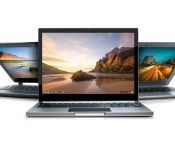
[Chrome Dev Channel] Share your Chromebook or PC via Chrome Remote Desktop

In the newest iteration of Chrome’s Dev channel, you can now share remote access to your Chromebook or PC by using the new Share feature in the Chrome Remote Desktop app. This news was published by François Beaufort, a Google Chrome developer, on Google+ yesterday.
There’s no need to enable anything in chrome://flags, the feature is automatically available inside of the Chrome Remote Desktop app by clicking a large, green Share button. Easy enough!
You’ll need a few things to take advantage of this newest feature, though:

First, you’ll need to be on the Dev channel with your Chromebook or using the Chrome Dev Channel browser. If you’re not sure how to get on the Dev channel on your Chromebook, I’ve previously written a guide on how to do so in 3 simple steps.
Second, you need to have the Chrome Remote Desktop app installed from the Chrome Web Store. If you feel like you’re going to be using a mobile device to control your Chromebook/PC, then you’re going to need the associated Android app from the Google Play Store.
Third, you need to set up Chrome Remote Desktop. Don’t worry, it’s very simple and your Chrome app will walk you through it.
After set up, you should be ready to go! I have only tested this newest feature on my Chromebook and PC, and I have no idea if this will work on Mac because they’re not allowed on my premises. (I’m like those cultures where certain things must be left at the door. Except instead of it being shoes, it’s Apple products. Joking of course…or am I?)
Just remember, though, that sharing access to your Chromebook/PC to someone else could be a huge security risk. You should absolutely only share with someone you trust and on a secure network connection. Not public WiFi, basically.
Chrome Web Store: Chrome Remote Desktop
Google Play Store: Chrome Remote Desktop
Source: François Beaufort
Come comment on this article: [Chrome Dev Channel] Share your Chromebook or PC via Chrome Remote Desktop

HTC might be releaseing a phablet called the HTC Hima Ace Plus

It appears that HTC are not yet finished in the phablet space, with new rumours emerging that the company are readying to launch the HTC Hima Ace Plus at Mobile world Congress 2015.
The 5.5-inch QHD display, 2.3GHz Snapdragon 810 processor, 3GB of RAM, and 3000mAh battery, certainly impresses on the spec front, with the reservation being solely placed on the credibility of the source itself, citing only ‘anonymous’.
However, with 5.5-inch devices not a stranger in the marketplace at the moment, there’s certainly room for the HTC Hima Ace Plus, if it’s real.
The post HTC might be releaseing a phablet called the HTC Hima Ace Plus appeared first on AndroidGuys.

Microsoft’s Larry Hryb clears up confusion surrounding the new Xbox content usage rules

Larry Hryb (aka Major Nelson) has attempted to clear up any confusion surrounding the company’s new content usage policy, which governs what content creators are allowed to do when it comes to editing and publishing video game footage. It was previously believed that Microsoft disallowed the use of the game’s title, but Lyub states this is not the case and the rules are actually more relaxed.
 AIVAnet