


How to add a trusted place in Android 5.0 Lollipop
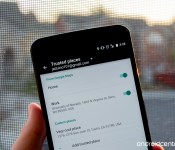

No longer bother with you lock screen at home
With the introduction of Android 5.0 Lollipop, Google has brought a new type of Smart lock to the operating system — Trusted locations. Don’t let the name fool you though, these smart locks aren’t a new way to lock your device, these are actually new ways to unlock your phone or tablet. With the Trusted places lock your Lollipop device will disable its lock screen security when you are in a designated location.
It’s super convenient, and quite easy to set up as well. Read along and we’ll show you the way.
 AIVAnet