


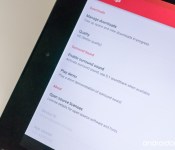
How to fix poor audio on your Nexus 9

Not all audio tracks are created equal, turning off the emulated ‘surround sound’ may help
Ever fire up a movie (even one you’ve downloaded) in the Google Play Movies and TV app on your Nexus 9, and noticed the sound was just horribad? That underwater warbly sound likely isn’t an issue with your new tablet, or with the movie you just rented or bought — it’s probably an incorrect setting.
There’s not much we hate more than bad audio around these parts, so lets have a look at how you might be able to fix it.

Researchers can profile Facebook users with just their likes

Remember the time you liked a beer pong video on Facebook and thought nothing more of it? That may have said more about you than your friends and family ever knew, according to researchers at Cambridge and Stanford. They created a computer program that sifted through the Facebook likes of over 85,000 users to see if a person’s preferences could rat out their true persona. The team used certain associations that seem fairly obvious; for instance, liking tattoos means you’re more likely to drink alcohol. Others were more bizarre: apparently, people who like curly fries tend to be intelligent. Who knew?
The researchers made the subjects take a MyPersonality survey to create a baseline, then asked friends and relatives to judge them with a similar survey. The results were surprising — the computer model could judge someone better than a friend or roommate by analyzing just 70 likes, and do better than a parent or sibling with 150 likes. The average number of likes per user in the study was 227, enough for the computer to evaluate someone better than almost anyone, with one exception: their spouses.

So what does that mean? We had our senior editor and resident Facebook ace, Nicole Lee give it a whirl, since she was the only one of us who had liked enough things — it won’t work if you’re not very active. Bottom line, she was meh on the results (above): it guessed her age incorrectly at 25, thought her more likely single than not (wrong) and gave her a 58 percent openness score, which she called “so off the mark I can’t even.” It also judged her to be 2 percent lesbian for reasons she can’t fathom, though she now plans to include that stat in her profile. On the plus side, Lee did feel the 38 percent neurotic score was “spot on.” If you’re a reasonably prolific Facebook user, feel free to give it a spin yourself.
[Image credit: AFP/Getty Images]
Filed under: Science, Internet, Facebook
Via: Washington Post
Source: PNAS (pdf)

Was Google the best of CES 2015 without actually being there?

When January rolls around, thousands of people flock to Las Vegas, Nevada for the Consumer Electronics Show. The trade show allows the press (and the world from afar) to observe what new technology will arrive throughout the year and launch in the future. Even though many companies host their own events for major announcements, CES provides good exposure. It can be a make-or-break time for some while being another platform with the spotlight for others.
There were phones, tablets, televisions, set-top boxes, speakers, and much more all showcased at CES. Something has to power these things, right? Enter Google and more importantly Android. The company did not have a formal presence at this year’s CES; however, devices powered by or connected to Android in some way were seen everywhere. Google might have been the best of CES 2015 and they didn’t have to show up.
Android Devices

Phones and tablets running Android are a lock to appear each year at CES. The flashy names (Samsung, HTC) do not announce flagships or any major devices, but plenty of other companies take full advantage of the massive amount of media coverage. Throughout the week, we saw so many devices that all push something of their own. And that is what Android is all about: variety. Screen sizes, processors, cameras, and software enhancements differences make an Android device unique from any other.

Both high-end and low-end Android phones impressed. The LG G Flex 2 was touted as the first device with the Qualcomm Snapdragon 810 processor. The specifications of the G Flex 2 trump its predecessor and pushes us to think just how mainstream a phone with a curved display can be. There was also ASUS who introduced the ZenFone 2 and ZenFone Zoom to the world. The latter has true 3x optical zoom to capture incredible photographs. Instead of wheeling out a predictable phone, ASUS is gambling. On the low-end and mid-range portion of the market, BLU Products covered consumers of all tastes and budgets with seven new phones. CES 2015 had an Android phone for everyone this year.

Things were a bit more hushed for Android tablets. Still, there was noteworthy hardware to be seen. Polaroid is delivering budget tablets with Android 5.0 Lollipop. You heard that right! Polaroid is already on the Lollipop bandwagon. An extremely thin tablet with a crisp display and Intel’s RealSense technology from Dell impressed. For those awaiting Android to reach a place where productivity is seamless, the Remix tablet is coming. Think of it as the Android equivalent of the Microsoft Surface. Of all the tablets at CES, nothing compared to the massive Fuhu nabi tablets. Android is suitable for sizes big and small.
Android TV

The launch of Android TV has not been particularly smooth. We are six months removed from the platform’s launch at Google I/O 2014 and just one device is on the market. And that one device, the Nexus Player, is available through one retailer which is online. Also, the hardware is a bit underwhelming. All signs have pointed to Android TV facing the same fate as Google TV. Support from hardware manufacturers was announced, but nothing materialized for months. Everything turned around last week in Las Vegas.
A multitude of television manufacturers stepped forward with plans for Android TV in 2015. Sony, Sharp, and Philips and others committed to the platform with their upcoming lineups. Most of them will be 4K Ultra HD televisions. The next step for televisions is met with Google’s vision for Android in the living room. The prices of 4K Ultra HD televisions are starting to fall and that means more consumers will be purchasing them to replace current living room setups. Android TV will be adopted at a pace very similar to 4K Ultra HD. Google TV was introduced with little innovation on both the software and hardware side. Now, the two are being matched perfectly.

Then there is the only set-top box that debuted at the trade show. Razer unveiled the Forge TV micro-console. The Nexus Player is completely blown out of the water by it because the Forge TV is exactly what Google should have released: a set-top box that serves entertainment and gaming content without a hitch. The specifications are leaps and bounds better than the Nexus Player. Furthermore, the Forge TV is able to stream PC-level gaming. All of this is packed into a device that costs just $99, the same price as the inferior Nexus Player.
Android Auto

Another area that Google did not have Android supplanted in prior to I/O 2014 was the car. The platform for automobiles was also launched in June with an impressive amount of partners. Considering how much planning is involved in the automobile industry, it was highly unlikely that Android Auto would gain any traction in 2014. Now is the time for Google to step on the gas pedal and get Android Auto moving.
Volkswagen announced that upcoming cars in 2015 would support Android Auto (and Apple’s CarPlay). The first vehicle to have Android Auto support from the company is the Volkswagen Golf, a more affordable option. The Golf is one of Volkswagen’s top-selling models and that means access to Android Auto is way easier than, say, a vehicle from Mercedes-Benz. Volkswagen is a valuable partner for Google because it allows a larger group of consumers to drive with their software.

The real stars for Android Auto at CES 2015 were the aftermarket head units from Parrot, Pioneer, and Kenwood. These products are what will jump-start the platform this year because of the low cost. Consumers will be able to purchase a head unit with Android Auto to install themselves for far less than it would be to purchase a new vehicle. Shopping for a new vehicle is completely different than shopping for a head unit.
Google Cast for Audio

Google Cast, the technology that is the backbone for Chromecast, has expanded to a new range of equipment. Cast for Audio enables music streaming for speakers, sound bars, televisions, and set-top boxes. Google revealed Cast for Audio a few hours before compatible hardware arrived from LG, Sony, and Denon. Google and its usual partners are together once again and this time the target is Sonos. Almost all of the hardware compatible with Cast for Audio has a Sonos counterpart. The difference is that Cast for Audio extends to entire televisions and set-top boxes rather than strictly audio equipment.
Who do you think had the best CES 2015? Let us know in the comments. Click here to see everything that was part of CES 2015.
Come comment on this article: Was Google the best of CES 2015 without actually being there?
Some Moto G devices starting to receive Android 5.0.2 Lollipop

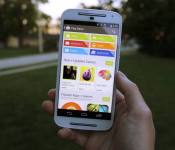
Hot on the heels of the news that Lollipop will be coming soon to various Motorola 2013 and 2014 devices, it now seems that Android 5.0.2 Lollipop has started to roll out on some 2nd generation Moto G handsets.
According to Jose G. from the USA, his 2nd generation Moto G has received an update. Previously he was running 5.0.1 which was build 22.21.25, but now after the over-the-air update he is running Android 5.0.2, which is build 22.21.28.
The roll out of Android 5.0 Lollipop seems to have been quite slow. In my house we have a Nexus 7 (2012) and a first generation Moto G. Neither have received the update from Android 4.4.4 to Android 5.0.x.
The apparent slowness of the roll out could be to do with a huge memory leak in Android 5.0, which many users are saying causes big problems. According to comments left here on the Android Authority web site, some users aren’t having any issues at all, however some are being hit quite bad. I was wondering why Lollipop was closing apps and behaving badly. I was wishing I could go back to 4.4.4. That release was so much smoother.” While Oktar added, “I have to reboot my Nexus 5 every 4-5 days!!! It’s awful!!!”
Until now the only device to get Android 5.0.2 was the Nexus 7 (2012). All other devices were on Android 5.0.1. Let’s hope that the new Android 5.0.2 that is starting to roll out is smoother than 5.0.1!
Have you got a Motorola device? Any updates? Please let me know in the comments below.

Meet the Devs – Neverlift Studios

Welcome back to our Meet the Devs segment! In this piece we take a little time to get to know the people who really make Android what it is today and that is the app developers. In this week’s developer interview, we are talking to Matthew Breden of Neverlift Studios.
Name: Matthew Breden
Developer Name: Neverlift Studios
Country: Canada
Website: Official Facebook page
Social Media Profile/Page: N/A
How many people on your team? 3

Apps
About your company?
Neverlift Studios is a mobile software developer company based in Vernon, British Columbia, Canada. Hipster Dave was made by the owner – Matthew Breden, the artist – Jennifer Read, and the musician – Stephen Gibson. There, now that the professional part of it is out of the way, here’s the real story: Neverlift Studios is about two siblings and a friend trying to make a go of app creation, in a learn-as-you-go kind of way. It started in 2011 as an idea to make a simple app for iPhones, which quickly turned into making games for Android. December 2014 marks an important step forward for the company, as their first game was released – Hipster Dave.

What level of experience do you have with coding and development?
I started coding for a game called Operation Flashpoint back in high school (10 years ago). This was using their built-in language, which is extremely simple and limited. The real programming began in 2011 when I realized I wanted to make apps. After realizing Android was the way I wanted to go, I picked some books up on Java and started teaching myself. Oh god was it frustrating. But hey, here I am!
What languages do you know? How and where did you learn them?
Java. That’s… About it. Yeah. Completely self taught from books and online resources – through strong will power I struggled through it. And hey, I think I made something that actually works on some devices. Pretty neat.
What level of experience do you have with design?
If we’re talking about graphical design – my drawings make grown men tear. It’s that bad. As far as technically goes, absolutely no professional experience. Hell, I was a laborer working in warehouses when I dreamed the idea of making an Android game.
What apps have you made?
Hipster Dave! A hipster (named.. Dave) falling through the sky collecting vinyl records and avoiding unwound cassette tapes. There’s cat hats. Each record he collects plays a note in a song unique to the level. It’s pretty.. Hipstery.
How do you monetize your apps?
So far I’ve signed up as a merchant in order to sell apps and in-app purchases, but I haven’t used this technique yet. I went with banner ads for Hipster Dave to see how they do. I don’t want ads or purchases to hinder the gameplay too much, if at all. Which is why during gameplay I hide the ads.

Do you consider yourself successful?
I consider my original plan to be successful. That is to make a game from scratch, using my own custom engine, and have it available on the Play Store. All without a dime invested. It is too early to see if it brings financial success!
How difficult is it to make money as a developer?
Honestly it’s still too early to tell. I haven’t had any overhead costs involved other than setting up the business accounts and such, so I have no real pressures. On the other side, I don’t have any real budget to advertise the game either. Initial ad clicks show promises. That is, if millions of people play the game and click the ads then maybe I can stop eating ramen noodles?
What can Android do to improve?
They’ve honestly improved a lot since I started programming. And what I mean by that is, the developer information and resources seemed kind of scattered everywhere. Now everything seems to tie in together really well with how to get started in things. However, at my level, I still find myself googling examples of how to implement code that I can’t wrap my brain around on the Android developer site. Perhaps they could explain things to me like I’m 5, that’d be better…
Why did you choose Android? Do you develop for other platforms? What are the differences between them?
Honestly, the funny thing is, I started out my plan with developing for iOS. Once i started doing some research into the language, the developer support etc, it seemed daunting. I heard reports that the code was really hard to learn, there wasn’t much for support, you had to pay quite a bit even to get started, etc.
Android really appealed to me because Java is easy to learn and implement, the documentation is immense, and it was free to start out with. Once I decided on Android, I got myself a Galaxy Nexus and went to town.

What are your thoughts on iOS and Windows 8?
I like iOS, I really do. It’s fast, simple, and there’s not a million different kind of devices. I think I will eventually develop for it. Honestly though I’ve never tried a Windows phone. I’d like to one day, just never had the opportunity. Although I did do a crap-ton of programming on my Windows 8.1 desktop. I love 8.1, its stupidly fast.
What do you think of the Android design guidelines?
Pretty straight forward. I mean, because I’m focusing on games I don’t have as much guidelines to follow. I have a bit more lee-way involved. Their policies are very well thought out though, no complaints from me.
What are your favorite apps?
Obvious choice but flappy bird. That game is what I strive towards. The immense viral popularity, the money the guy was making, how addictive and simple it is. Everything about it is awesome.
What has been your experience been like working with Google?
Really positive. Things like signing up to be a developer are really smooth, their process of uploading the games to Google Play and such have worked flawlessly. Really good stuff.
What does the future of development look like?
In-App purchases are huge, and I don’t know if they’re a fad that will go away. At least not with mobile games. Other than that, I think the future is going to grow and grow. It’s a massive market with a ton of opportunity. If someone out there is thinking about starting out now and is daunted by the time invested – don’t be. It took me three years to get to the point I am, of off and on. I’d go months without even looking at the game. The market is substantially better than what it was three years ago and I don’t think it’s going anywhere.
What tips do you have for aspiring developers?
Stop browsing reddit, Facebook, etc. And pick up a book of programming. Seriously, power through the basics and everything else. Also, if you’re unsure how to do something, Google the hell out of it. Just don’t lose hope. There were times I was so unbelievably frustrated that I quit for a few months, but I kept coming back. Just cram as much basic information of how the language works, of how Android works. Don’t try and memorize complicated things – I sometimes forget how to do the simplest of things that I haven’t done in awhile. It happens. Also, if you’re developing a game and have any questions about game engines – look up Replica Island by Google. That basically taught me how to write my engine.
If you are struggling and don’t know what to do, email me at neverliftapps@gmail.com and we’ll talk.
Anything else you’d like to share?
Developing a game for Android has been a goal of mine for three years. Today it finally came to fruition. I couldn’t be more stoked and proud of myself and my small team. I just want to say thanks to everyone in my life who has supported me.
And thanks to everyone who plays Hipster Dave! Also, the picture that we posted of the team – that was the only one I had on hand when I made this. I’m sorry Stephen, you got Photoshop’d in.
Developer interview wrap up
We want to thank Matthew for chatting with us in this week’s developer interview! If you’re a developer and this looks like something you’d like to do, check out our Meet the Devs form! We look forward to hearing from you!
Apple Quietly Ends Free iTunes ‘Single of the Week’ Promotion After 11 Years
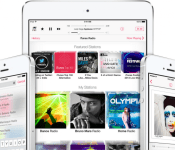
Apple has seemingly ended its weekly iTunes “Single of the Week” promotion that gave out a free music single download each week on the iTunes storefront. As noted by Business Insider, a member of the Apple discussion forums claims an Apple support employee informed him the company decided to drop the weekly promotion.

I contacted iTunes Support and they told me the decision was made to drop the free Single of the Week. Seems they don’t want people browsing the Store anymore. I told them that the free single each week got me to the Store and I usually bought a few songs. Now, there’s less reason to go. They’ve stopped the free single in other countries too.
The “Single of the Week” promotion began in 2004, and in a similar vein to Apple’s “App of the Week” promotion on the App Store, it gave out free singles every week from artists and bands of varying genres and popularity. Though forum user Bob Foss’ confirmation of the promotion’s end remains unverified, Apple also recently decided to end its annual “12 Days of Christmas” iTunes Store giveaway.
Volunteers in our forums have tracked the free iTunes Store content in several countries for a number of years, but the 2015 music thread remains empty as evidence of Apple’s apparent decision to cancel the promotions.
PDFpenPro 7 for OS X adds editable OCR layer

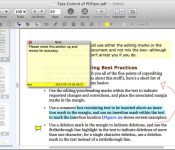
PDFpenPro, a heavy-duty document editing app for OS X, has updated to version 7 with the ability to fix OCR text which is scanned in from a document before exporting to Excel, PowerPoint, or PDF. You can stash your documents in iCloud through the app now, plus create interactive forms. The interface has been updated for Yosemite, too.
PDFpenPro continues to offer the ability to redact or erase PDF text, fill out interactive forms, adjust resolution and skew of scanned documents, and otherwise put together and work with all sorts of digital docs. More details are available in the press release below.
- $124.99 – Download now
PDFpenPro 7 Features Editable OCR Layer; Excel, PowerPoint and PDF/A Export; Updated Interface
San Francisco, CA – January 13, 2015 – Smile has released PDFpenPro 7, the latest version of its all-purpose PDF editing tool for OS X. This major upgrade features the ability to proofread and edit the OCR text layer and export to Microsoft® Excel, PowerPoint, and PDF Archive (PDF/A) formats, all with an interface updated for OS X 10.10 (Yosemite).
PDFpenPro and PDFpen 7 support document sharing via iCloud Drive.
The numerous tools, such as the text box and comment tools, remember their color preferences, and context-sensitive popup-menus allow for quick edits. Freeform highlighting enables smooth highlighting over diagrams, drawings, and unrecognized text.
Users can sign PDF forms containing interactive signature fields, though this is not cryptographic “digital” signing. PDFpenPro allows users to create PDF forms which include interactive signature fields.
PDFpen shares all but the most advanced features with PDFpenPro. It can view, but not edit, the OCR text layer; export to Microsoft® Word, but not Excel, PowerPoint, or PDF Archive (PDF/A) formats; and gives the ability to sign using interactive signature fields, but not to create those fields.
“We’re excited to embrace Yosemite and to further enhance usability, performance, and functionality with PDFpen 7,” said Philip Goward, Smile founder. “We’re also thrilled to bring new professional features to PDFpenPro 7, including editing of the OCR text layer, Excel export, and interactive signature fields for PDF forms.”
The PDF-to-Excel, PDF-to-PowerPoint, and PDF-to-PDF/A export functions use the Nuance OmniPage Cloud Service for document conversion. PDFs are securely uploaded to the service and returned as Excel documents in either .xlsx or .xls format, PowerPoint documents in .pptx or .ppt format, and PDF Archive documents in PDF/A format. PDF Archive format is an Internationally-accepted format for archival storage and long term use of PDFs.
PDFpenPro and PDFpen 7 work with PDFpen for iPad & iPhone version 2, allowing seamless editing across devices when used with Dropbox storage or iCloud Drive. iCloud storage is available when PDFpen is purchased via the Mac App Store.
PDFpen retails for US $74.95, PDFpenPro for $124.95. Family Pack licenses, which cover up to five computers in one household, are $94.95 for PDFpen and $149.95 for PDFpenPro. Office Pack licenses start at $224.95 for PDFpen (5 users) and $349.95 for PDFpenPro (5 users).
Upgrades from earlier single user versions of either application are US $30.00, and free to users who purchased on or after August 1, 2014. Upgrades from previous versions of PDFpen to PDFpenPro 7 are $50. Upgrade pricing for Family Packs and Office Packs is found on our web store: http://smle.us/store
PDFpen 7 and PDFpenPro 7 require OS X 10.10 (Yosemite) or later. For OS X 10.9 (Mavericks), see our website for compatible previous PDFpen versions. Demo versions are available at http://www.smilesoftware.com/PDFpen/download.html. Full versions of PDFpen and PDFpenPro are also available for purchase on Apple’s Mac App Store.
What’s New in PDFpen 7:
- Modern Yosemite user interface
- Proof OCR text from your scanned pages
- Edit OCR text from your scanned pages (PDFpenPro only)
- Context-sensitive popup-menus enable quick edits
- Export to Microsoft® Excel (.xlsx, .xls), Microsoft® PowerPoint (.pptx), and PDF Archive (PDF/A) formats (requires Internet connection, PDFpenPro only)
- Load and save performance improvements
- Compatible with iCloud Drive
- Tools remember color preferences
- Freeform highlighting calls out diagrams and drawings
- Create PDF forms with interactive signature fields (PDFpenPro only)
- Sign PDF forms containing interactive signature fields (not digital signing)
PDFpen features:
- Add text, images and signatures to PDF
- Correct text in original PDF with editable text blocks
- Fill out interactive PDF forms and sign them
- Redact or erase text, including OCR text
- Search and redact text; search and replace text
- Export in Microsoft® Word format (requires Internet connection)
- Scan directly from Image Capture or TWAIN scanners
- Perform OCR (Optical Character Recognition) on scanned documents
- Viewable OCR text layer for proofing OCR text from scanned pages
- Adjust resolution, color depth and contrast, skew, and size of an image or scanned document
- Sign PDF forms via interactive signature fields (not digital signatures)
- Insert and remove pages; re-order pages in a PDF by drag & drop; combine PDFs
- Move, resize, copy and delete images in original PDF
- Save PDFs directly to Evernote
- Insert page numbers and specify positioning and format, including Roman numerals and Bates Numbering
- Copy and paste rich text; retain fonts and formatting when copying from PDFs, including columns
- Context-sensitive popup-menus enable quick edits
- Add (and print) notes and comments
- Mark up documents with highlighting, underscoring and strikethrough
- Save frequently-used images, signatures, objects and text in the Library
- Apply business-related and sign here stamps via the Library
- Print notes and comments with or without the original text
- Print a list of all annotations along with the document
- Full screen mode, as well as zoom to document width and zoom to actual document size
- Password protect a document with up to 256-bit AES encryption
- Compatible with iCloud Drive
- Sync Library items with PDFpen for iPad & iPhone via iCloud (Mac App Store version only)
- Create cross-platform fillable PDF forms (PDFpenPro only)
- Add interactive signature fields to forms (PDFpenPro only)
- Create and edit Table of Contents (PDFpenPro only)
- Convert websites into PDFs (PDFpenPro only)
- Correct typos in OCR text layer (PDFpenPro only)
- Add and edit document permissions (PDFpenPro only)
- Automatic form creation – detects text fields and check boxes in existing PDF and makes them fillable (PDFpenPro only)
- Create submit buttons to submit form data via web or email (PDFpenPro only)
- Gather submitted form data via backend integration (PDFpenPro only)
- Export in Microsoft® Excel (.xlsx, .xls), Microsoft® PowerPoint (.pptx), and PDF Archive (PDF/A) formats (requires Internet connection, PDFpenPro only)
- Automate PDF manipulations with AppleScript and JavaScript Automation
- Available in English, Japanese, German, French, Italian, and Spanish

Woody Allen to create his first television series for Amazon Studios

Amazon has signed up famed movie writer and director Woody Allen to create his first television series, which will be shown exclusively on Amazon Prime Instant Video.
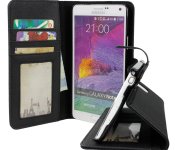
Accessory of the Day: Note 4 wallet flip case, $12.95

Consolidate your credit cards, money, and big beautiful Samsung Note 4 all into this portable protective case. Designed with minimum bulk in mind, this is a great grab at only $12.95 (Prime eligible).
Join Prime and get this deal with FREE two-day shipping!
Also worth checking out:

The post Accessory of the Day: Note 4 wallet flip case, $12.95 appeared first on AndroidGuys.

Amazon signs Woody Allen for his first TV show

Even Woody Allen is getting into the streaming content game. The prolific writer and director has scored a deal with Amazon Studios to produce his first-ever television series. Unfortunately, there’s no word on a title, casting, or even what the heck the series is going to be about. But we imagine there’ll be plenty of idle chatter and an overwhelming sense of ennui. Amazon says Allen will write and direct the half-hour show, and it’ll premiere on its Prime video service next year. Ever the professional, Allen seemed prepared for the challenge of television in a statement: “I don’t know how I got into this,” he said (and yes it’s real). “I have no ideas and I’m not sure where to begin. My guess is that [Amazon Studios VP]
Roy Price will regret this.”
Of course, Allen is downplaying his freakish ability to pump out a new film every year for the past few decades. He’s likely got plenty of ideas that never quite fit into the format of a single film. Signing Allen is also a surprising move for Amazon, as he’s still dealing with the fallout from some nasty sexual abuse allegations from his adopted daughter Dylan Farrow. It’s certainly Amazon’s biggest get yet, but just like with Netflix’s cancelled Bill Cosby special following his career implosion, there’s a chance that further controversy may kill the project outright.
[Photo: Barry Brecheisen/Getty Images]
Source: Amazon
 AIVAnet