



Mad Catz releases high-end transformable L.Y.N.X. game controller for $300

Mad Catz, the folks who brought us the M.O.J.O. micro-console, have just released their new creation at CES 2015. It’s called the L.Y.N.X., and it’s vastly different from any other game controller we’ve ever seen. The controller is meant to be a one-size-fits-all controller, in a sense. It has a built-in microphone, keyboard, smartphone stand, and it can even hold your tablet.

The L.Y.N.X. features three main components (left wing, right wing, and the device’s ‘brain’) that fold out to create a number of different gaming options. The smartphone holder looks just like any other portable gaming controller we’ve seen, but that’s just the beginning of what this thing can do. Keep folding the device outward to reveal the tablet stand, compatible with most tablets 7-inches and smaller. If you aren’t interested in mounting your mobile device to the controller, you can always fold it to make a standard gaming controller, compatible with most set-top boxes. What’s more, Mad Catz has also included a detachable QWERTY keyboard in the box, so you can really bring your mobile gaming to the next level, if you so choose.

While there is no exact battery information available quite yet, Mad Catz is reporting that the controller can last up to 30 hours on a single charge. The Mad Catz L.Y.N.X. is available now for preorder for $300 in black, white and red, though the controllers won’t ship until March of this year. Are there any mobile gaming fans out there that would spend this much money on a portable controller?
“The trend towards mobile gaming continues unabated and is set to explode further into 2015. We believe that a disruptive, high-quality product like the L.Y.N.X. 9 will enable us to further cement our reputation as leaders in mobile gaming and contribute significantly to sales in 2015.”
Designed for the passionate gamer who typically plays across multiple devices, the L.Y.N.X. 9 features a patent-pending design which allows it to fold into a compact footprint, fitting into a shirt pocket for travel without compromising on the classic console-style ergonomic feel gamers are accustomed to.
The L.Y.N.X. 9 design uniquely enables the controller to be assembled in a variety of different configurations to fit the gamers’ chosen device. Consisting of three primary components (Left Wing, Right Wing and Controller ‘Brain’), theL.Y.N.X. 9 can break apart and attach to the included tablet stand, transforming a tablet of up to seven inches into a portable games console! Configure as a standard controller and enjoy living room gaming on a compatible set-top box or PC or attach the mobile clip and dock your smart phone for console quality gaming on the go.
The L.Y.N.X. 9 is an ideal companion for Smart TVs and living room browsing. The included QWERTY Keyboard Module attaches simply to the underside of the L.Y.N.X. 9 and provides effortless on screen typing. At the top of the controller, the integrated Mouse Sensor Pad and media controls allow for all manner of traditional control and theL.Y.N.X. 9 even includes an integrated microphone allowing for voice search with compatible hardware and applications.
“We believe the L.Y.N.X. 9 represents a generational leap in mobile game controllers. Today, gaming is commonly format agnostic, with most of us playing games across a variety of platforms and locations. The L.Y.N.X. 9 is designed to offer a premium gaming experience in almost any situation. Traditionally a mobile controller meant that comfort had to be sacrificed, unsuitable for sustained play and complex software now being introduced to mobile. Thanks to the ingenious design of the L.Y.N.X. 9, Mad Catz has produced a truly portable controller that delivers a full size, uncompromised gaming experience,” said Darren Richardson, President and Chief Executive Officer of Mad Catz. “The trend towards mobile gaming continues unabated and is set to explode further into 2015. We believe that a disruptive, high-quality product like the L.Y.N.X. 9 will enable us to further cement our reputation as leaders in mobile gaming and contribute significantly to sales in 2015.”
The L.Y.N.X. 9 is designed for precision performance, featuring hard-wearing metal and premium components, with action buttons rated to one million button presses. Owners of the L.Y.N.X. 9 are encouraged to download the free L.Y.N.X. app to their Android™ smart device. As well as providing gamers with a constantly updated list of compatible software, the app allows gamers to tune the sensitivity of the thumb sticks and triggers, creating a custom feel for their chosen software and ideal for FPS and action titles.
The L.Y.N.X. 9 will be debuting at CES Las Vegas 2015 and can be seen via appointment only at the Mad Catz suite, located at the Westgate Las Vegas Resort & Casino, suite number: 12121. Mad Catz will also be unveiling the L.Y.N.X. 9 Controller at the ShowStoppers CES event, taking place the evening of January 6, 2015 at The Wynn, Las Vegas.
For additional information or to order your own L.Y.N.X. 9 please visit: http://store.madcatz.com/Mad-Catz-L-Y-N-X-9-Mobile-Controller-for-Android-Smartphones-Tablets-PC.html
About Mad Catz
Mad Catz Interactive, Inc. (“Mad Catz”) (NYSE MKT/TSX:MCZ) is a global provider of innovative interactive entertainment products marketed under its Mad Catz® (gaming), Tritton® (audio), and Saitek® (simulation) brands. Mad Catz products cater to passionate gamers across multiple platforms including in-home gaming consoles, handheld gaming consoles, Windows® PC and Mac® computers, smart phones, tablets and other mobile devices. Mad Catz distributes its products through its online store as well as distribution via many leading retailers around the globe. Headquartered in San Diego, California, Mad Catz maintains offices in Europe and Asia. For additional information about Mad Catz and its products, please visit the Company’s website at www.madcatz.com.
Kensington Unveils ‘MiniSaver Mobile Lock’ for Use With Ultra-Thin Laptops and Tablets [Mac Blog]
Kensington’s ubiquitous hold on security locks for computers and other devices has loosened somewhat as devices have grown smaller and more portable, and the space requirements for the company’s traditional lock mechanism have led Apple to even omit Kensington security slots from many of its recent products such as the MacBook Air and Retina MacBook Pro.
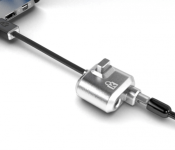
Kensington hopes, however, to reinvigorate the security lock with today’s announcement of the new MiniSaver Mobile Lock designed specifically for use on ultra-thin notebooks and tablets and touted as “the industry’s thinnest security lock system.”

As opposed to the traditional “T-Bar” mechanism used for years by Kensington, the new MiniSaver lock features a patented “Cleat” locking design, including the smallest attachment points the company has ever made, to safely and securely provide ease of mind when leaving a computer or tablet alone in a public space or at the office.
The company says it’s aware that though the technology has gotten smaller over the years, consumers’ security needs haven’t, and the MiniSaver is Kensington’s answer to that problem. While the original Kensignton slot design is intended for devices at least 12 mm thick and requires internal vertical clearance of at least 7.5 mm for the T-Bar to rotate into locking position, the MiniSaver requires only about 3 mm of vertical clearance, allowing for installation on thinner devices.
“Today’s increasingly mobile workforce is creating more demand than ever for ultra-thin devices and those devices need protection to prevent the mounting risk of theft and resulting data breaches,” said Judy Barker, Global Product Manager, Kensington. “The first-line-of-defense provided by physical security locks can stave off device theft and save businesses and their employees from the costly exposure of a data breach. With our revolutionary MiniSaver design, now protection is not only easy but sleek and convenient as well.”
Amongst other features, the lock also provides one-handed operation thanks to the simple push of a button on the security lock, includes a cut and theft-resistant carbon steel and protective plastic-lined cable, and allows greater freedom of movement and reduced blockage of nearby ports thanks to an off-body lock and pivot-and-rotate cable.
Kensington’s MiniSaver Mobile Lock is available to purchase online now with prices starting at $59.99.
Apple’s 12-Inch Retina MacBook Air Shown in Artist’s Renditions
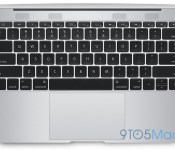
In a set of artist renditions, 9to5Mac offers a look at Apple’s long-rumored 12-inch Retina MacBook Air. The renditions and details shared in the report are consistent with previous reports on the machine, although plans do sometimes change during the development process.

As previously described in rumors, the next MacBook Air will have roughly the same footprint as the current 11-inch model, but include a 12-inch display nestled inside narrower bezels. The machine’s keyboard will also extend from edge to edge while the speakers move to a set of grilles above the keyboard.
 Comparison of 12-inch Retina MacBook Air (left) with current 11-inch MacBook Air (right)
As part of Apple’s effort to reduce the thickness of the MacBook Air, the new 12-inch model will do away with nearly all of the ports currently found on the machine, including the usual USB and MagSafe ports. Instead, the machine’s sides will include only a headphone jack, a pair of microphones, and a USB Type-C port that appears set to handle both connectivity and charging.
Apple’s new Retina MacBook Air is expected to run on new Broadwell Core M to allow for the thin, fanless design and perhaps come in multiple color options similar to the company’s iPhone and iPad lineups. The machine has been rumored to be entering production as soon as this month, although it is unclear whether Apple may wait until its Worldwide Developers Conference in June to launch the device or introduce it earlier in the year.
Razer introduces a slew of new products for the living room
<img src="https://i1.wp.com/www.androidguys.com/wp-content/uploads/2015/01/wpid-controller-box1.png-e1420585796622.png?resize=640%2C360" class="attachment-medium wp-post-image" alt="Razer Forge TV" style="display: block; margin-bottom: 5px; clear:both;" data-attachment-id="74900" data-orig-file="https://i1.wp.com/www.androidguys.com/wp-content/uploads/2015/01/wpid-controller-box1.png-e1420585796622.png?resize=640%2C360" data-orig-size="800,450" data-comments-opened="1" data-image-meta=""aperture":"0","credit":"","camera":"","caption":"","created_timestamp":"0","copyright":"","focal_length":"0","iso":"0","shutter_speed":"0","title":"","orientation":"0"" data-image-title="Razer Forge TV" data-image-description="<p>FEATURED IMAGE</p>
” data-medium-file=”http://www.androidguys.com/wp-content/uploads/2015/01/wpid-controller-box1.png-e1420585796622.png” data-large-file=”http://www.androidguys.com/wp-content/uploads/2015/01/wpid-controller-box1.png-e1420585796622.png” />
It appears that Razer, the company known for making high-end peripherals, has been very busy as of late with their recent announcements at CES 2015. Four new products were announced, all aimed at providing a new connected living room experience.
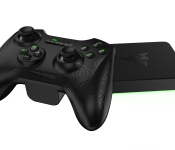
First off is the Razer Forge TV. This “micro-console” runs android TV to bring games and entertainment to the living room for an affordable $99. The powerful hardware included should be able to handle any games or apps you could throw at it, but the defining factor of the console is the ability to stream PC games at full HD over Wi-Fi or an ethernet connection. More details should be available soon, as the release date listed from Razer is Q1 2015.

Packed inside the plastic exterior are a Snapdragon 805 processor, paired with 2 GB of RAM, a 2.5 GHz quad core CPU and an Adreno GPU. The processor offered in the console was built for supporting 4K resolutions, but so far Razer has not commented on whether or not 4K will be possible on this device.
The second announcement was an update to the popular PC game launcher, the Razer Cortex. This new update takes care of the software side of streaming to the Forge TV. It should be an easy setup as Razer has described it as “one-click … PC game streaming.” Multiple PCs are supported and the software will identify whether each game has a traditional mouse and keyboard style, or if a gamepad is worthwhile. The software will retail for $39.99, unless you buy the Forge bundle, or one of the console’s accessories in which case the software will come bundled along for free. As important as Cortex is to the overall experience and individuality of the Forge TV, it is set for a Q2 2015 release, meaning that the console will ship without streaming capabilities at first.

The last two announcements were accessories for the console, the Razer Serval and the Razer Turret which are a gamepad and a lapboard (basically a keyboard with an edge for a mouse) respectively. The Serval has multiple modes to be used with the console, android phones and tablets or with a PC, though it is described as being an android gamepad so its uses on PC are not yet clear. The turret is to be used with the console to bring the accuracy and familiarity of the keyboard-mouse combo to the big screen.
With a $150 bundle including the Serval and the console, 1080p 60fps PC game streaming and all the features of android, the Razer Forge TV is looking like a great deal for an all-in-one home entertainment system. Do you think PC streaming is worth it? Or would you rather hook up your PC or use existing consoles for gaming? Let us know in the comments down below!


The post Razer introduces a slew of new products for the living room appeared first on AndroidGuys.
The Dell Venue 8 7000 Series Android Tablet is now available at Best Buy

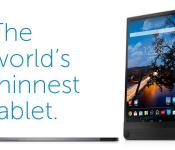
Earlier today at CES, Dell released the Dell Venue 8 7000, which was first shown in September at Intel’s Developer Forum. The tablet is the thinnest in the world with a 6mm thickness, and it is the first with Intel’s Real Sense 3D camera.
The Venue 8 7000 has an 8.4-inch, 2,560 x 1,600p, OLED display, which extends edge-to-edge. Dell calls it an infinity display. On the back, there is an 8MP camera near the bottom. Two 720 stereoscopic sensors above it are Intel’s RealSense Snapshot Depth Camera. The technology is already included in some laptops, but Dell is the first to take advantage of its software with Dell Gallery, a photo manager. The RealSense camera and Dell Gallery together make image post-processing and refocusing easier. For example, you can change the background color of a photo while leaving the foreground subject’s color intact.
Also included in the tablet are a 2.3GHz Intel Atom quad-core processor, 2GB of RAM, 16GB of storage, and a micro SD card slot that is capable of accepting cards up to an astonishing 512GB. An LTE version is in the works. While the device currently runs Android 4.4 KitKat, Dell explains that the update to Lollipop will be available soon. The company also adds that users could update it themselves since the tablet is unlocked.
The Dell Venue 8 7000 will be available in the US and Canada later this week for $399. It can be bought from Dell.com and Best Buy stores. Dell says that the tablet will arrive in Australia, New Zealand, China, Hong Kong, Japan, Singapore, India, Germany, and the UK early this year.


Source: TheVerge
FEATURED POSTS


The post The Dell Venue 8 7000 Series Android Tablet is now available at Best Buy appeared first on AndroidGuys.
It’s confirmed! TCL is bringing back Palm!

TCL is resurrecting the Palm brand with a brand-new Palm, Inc. based in California. As we reported last week, TCL purchased the Palm brand from HP late last year, although at the time it wasn't clear what the company had planned. It's not at all clear what TCL intends to do with the Palm brand, although they seem to recognize the history that the brand carries.
Says TCL:
Palm has always carried a lot of affect and emotions. That's why TCL has set the direction to rebuild the brand involving Palm's very own community, making it the largest scale crowd-sourced project ever seen in the industry.
Where TCL's Alcatel Onetouch has long produced entry-level and mid-tier smartphones, and it seems that TCL wants Palm to be a division that produces "a more-advanced device", with "breakthrough innovations" across the hardware, software, and even sales models.
TCL's full weight will be behind Palm, touting 5000 engineers and 7 research-and-development centers around the world. When we'll see more from TCL and Palm isn't clear, but we do one thing: Palm is coming back.
The story of Palm is a twisted one, with Palm being founded as an independent company in 1992, being bought by US Robotics in 1995, and then 3Com in 1996, being spun off in 2000, split in half in 2002 and renamed PalmOne, merged with Handspring in 2003, rebranding as Palm, launching webOS in 2009, selling to HP in 2010, getting canceled in 2011, webOS getting open sourced in 2012, and the remnants of the Palm company (minus the branding) being sold to LG in 2013. It's rare that a company receives a second life as Palm did, and rarer still to be revived after being left for dead.
Regardless, the Palm brand carries a lot of emotion for many, so it's good to see it coming back and we hope TCL produces a phone that's worthy of the name Palm.
Pepcom’s 80s-themed news conference in less than 60 seconds
#fivemin-widget-blogsmith-image-108998display:none; .cke_show_borders #fivemin-widget-blogsmith-image-108998, #postcontentcontainer #fivemin-widget-blogsmith-image-108998width:570px;display:block;
 trydocument.getElementById(“fivemin-widget-blogsmith-image-108998″).style.display=”none”;catch(e)
Neon pink spandex, automated baby rockers and a Bluetooth speaker that can chill six bottles of champagne: This is Pepcom’s 80s-themed news conference in less than 60 seconds.
For more from Pepcom and and beyond, check out our 2015 CES Field Guide.

26 best Material Design apps for Android (so far)

Material Design is hitting Android by storm. It’s bowling people over with its gorgeous transitions and smooth movements. The controls give users more power than ever. It’s still young but plenty of app developers have already begun using Material Design. Here are the best Material Design apps so far! Do note that to see the full Material Design awesomeness, you’ll need to be running Android L. It still looks nice on earlier versions of Android but don’t be sad if you don’t get the full effect!
 Action Launcher 3
[Price: Free / $4.99 / $9.99]
Lights! Camera! Action!
- Comes complete with a lot of Android Lollipop style.
- Additional features like Quickdrawer, Quicktheme, Shutters, and Covers add something totally unique from other launchers.
- Smooth and stable with a free version so you can try it.
- Tablets fully supported.
- Includes icon pack support.
- There are Material Design and Lollipop elements, but it’s far from an authentic stock Android experience.
- Some features don’t have an off button and require a Pro version to use which makes the free version feel more like a demo.
Action Launcher is a complete redesign and re-write of the popular Action Launcher 2 application from Chris Lacy. This new launcher contains a number of Android Lollipop elements to help make your home screens look good and it comes with additional features as well. It’s free to try, $4.99 to buy, and you can pay $9.99 as a donation if you so choose. Aside from a few bugs here and there, it’s a solid and great launcher.

(function($)
$(document).ready(function()
$(“#aa_bottom_line .aa_bl_pros_cons”).each(function()
var aa_bl_pc=$(this).find(“.aa_bl_pc”);
var aa_bl_pros=$(this).find(“.aa_bl_pros”).height();
var aa_bl_cons=$(this).find(“.aa_bl_cons”).height();
if(window.innerWidth > 480 && aa_bl_pros != aa_bl_cons)
if(aa_bl_pros > aa_bl_cons)
aa_bl_pc.height(aa_bl_pros);
else
aa_bl_pc.height(aa_bl_cons);
)
);
)(jQuery);
 Apex Launcher
[Price: Free / $3.99]
Authentic and awesome.
- Gives a more authentic Lollipop experience with Material Design.
- A long time trusted name in Android launchers managed to stay relevant which is always a plus.
- Fully functional free version with more features on the paid version.
- Multiple customization options, including icon packs and theme skins.
- In terms of custom launchers, Apex doesn’t stray too far from center. This is good if you want something basic but customizable but bad if you’re looking for something more bold and different.
- The latest update has a few bugs that have affected a few people.
Apex Launcher is an old mainstay in the Android apps world. It was one of the first really good launchers and has managed to stay “in the times” even to this day. It was recently updated with a Material Design overhaul that gives users a more authentic feel that is also totally customizable. There is a free version that is fully functional and a paid version which unlocks extra features.
(function($)
$(document).ready(function()
$(“#aa_bottom_line .aa_bl_pros_cons”).each(function()
var aa_bl_pc=$(this).find(“.aa_bl_pc”);
var aa_bl_pros=$(this).find(“.aa_bl_pros”).height();
var aa_bl_cons=$(this).find(“.aa_bl_cons”).height();
if(window.innerWidth > 480 && aa_bl_pros != aa_bl_cons)
if(aa_bl_pros > aa_bl_cons)
aa_bl_pc.height(aa_bl_pros);
else
aa_bl_pc.height(aa_bl_cons);
)
);
)(jQuery);

 Between – Private Couples App
[Price: Free with in app purchases]
Just between you and your other half.
- Private messaging for you and your partner.
- Share voice, videos, images, and text.
- Shared calendar and weather updates (for when you’re apart) is a nice touch.
- Set the app to lock after you leave it so no one sees what you and your lover talk about.
- New updates have introduced some network-based bugs.
- May be a little too much extra for some couples who prefer to keep it short and sweet.
This is a secure messaging service for couples. Essentially you could put the entirety of your relationship communications in here and they’ll be hidden from prying eyes. There are also some fun features like photo, voice, and video sharing that are quite nice. It’s Material Design and it’s highly rated!
(function($)
$(document).ready(function()
$(“#aa_bottom_line .aa_bl_pros_cons”).each(function()
var aa_bl_pc=$(this).find(“.aa_bl_pc”);
var aa_bl_pros=$(this).find(“.aa_bl_pros”).height();
var aa_bl_cons=$(this).find(“.aa_bl_cons”).height();
if(window.innerWidth > 480 && aa_bl_pros != aa_bl_cons)
if(aa_bl_pros > aa_bl_cons)
aa_bl_pc.height(aa_bl_pros);
else
aa_bl_pc.height(aa_bl_cons);
)
);
)(jQuery);

 Cabinet Beta
[Price: Free with in app purchases]
Minimal file browsing is still cool!
- Material Design makes this app both functional and good looking.
- None of the bloaty features that casual users don’t want.
- Designed to ‘just work’ specifically for those casual users.
- Free to download.
- Minimal means it may lack some features of more powerful file browsers but you knew that already.
- Beta means bugs!
- Some small things like a progress bar while zipping things into a zip file would’ve been nice.
Cabinet is a minimalist file browser that is available for Android 4.0 and above. In terms of sheer features you won’t find all that much because that’s the definition of minimal. However, the Material Design makes it look fantastic and the little button makes finding things like cut and paste way easier than even some of the more popular and feature-filled file browsers.
(function($)
$(document).ready(function()
$(“#aa_bottom_line .aa_bl_pros_cons”).each(function()
var aa_bl_pc=$(this).find(“.aa_bl_pc”);
var aa_bl_pros=$(this).find(“.aa_bl_pros”).height();
var aa_bl_cons=$(this).find(“.aa_bl_cons”).height();
if(window.innerWidth > 480 && aa_bl_pros != aa_bl_cons)
if(aa_bl_pros > aa_bl_cons)
aa_bl_pc.height(aa_bl_pros);
else
aa_bl_pc.height(aa_bl_cons);
)
);
)(jQuery);

 Cerberus Anti-Theft
[Price: Free / $5.99]
A must-have in device security.
- One of the most prominent, stable, and trusted anti-theft apps out there.
- Includes advanced features like SIM checking, record audio remotely, auto-enabling GPS, and more.
- Free version works perfectly fine with the pro version adding more features.
- Material Design!
- Multiple ways of controlling your device.
- Cerberus is pretty much all menus so some of the impact of its Material Design update is lost.
- If you use Android Device Manager (enabled by default on some devices), many of these features are redundant.
- It’s definitely a full-featured app so it’s not for people looking for something lightweight.
Cerberus Anti-Theft is one of the biggest names in anti-theft apps on Android. It contains a metric ton of features and comes in a free version and a paid version for $5.99. It has been described multiple times as a must-have application and now it’s loaded with Material Design.
(function($)
$(document).ready(function()
$(“#aa_bottom_line .aa_bl_pros_cons”).each(function()
var aa_bl_pc=$(this).find(“.aa_bl_pc”);
var aa_bl_pros=$(this).find(“.aa_bl_pros”).height();
var aa_bl_cons=$(this).find(“.aa_bl_cons”).height();
if(window.innerWidth > 480 && aa_bl_pros != aa_bl_cons)
if(aa_bl_pros > aa_bl_cons)
aa_bl_pc.height(aa_bl_pros);
else
aa_bl_pc.height(aa_bl_cons);
)
);
)(jQuery);
 CloudMagic Email
[Price: Free]
Gmail shouldn’t get to have all the fun.
- It employs a more subtle Material Design for those who think Gmail’s Material Design is ‘too much’.
- Multiple account support so you can manage all of your email accounts in one place.
- Sign-in functionality allows you to easily sync across devices.
- Totally free with no ads or in app purchases.
- Integration with tools like OneNote, Evernote, Asana, Todoist, and others helps improve productivity.
- It’s not very colorful or bright.
- Some occasional bugs dealing with mail not sent and reauthoritzation have popped up occasionally.
- Not full Material Design.
CloudMagic Email is one of the better email applications to come out over the last few years. It allows you to easily sign in with a multitude of accounts and manage them in an interface that is familiar and simple. Its Material Design update wasn’t as bold as others, but it’s definitely still there. Also, this app is totally free to use.
(function($)
$(document).ready(function()
$(“#aa_bottom_line .aa_bl_pros_cons”).each(function()
var aa_bl_pc=$(this).find(“.aa_bl_pc”);
var aa_bl_pros=$(this).find(“.aa_bl_pros”).height();
var aa_bl_cons=$(this).find(“.aa_bl_cons”).height();
if(window.innerWidth > 480 && aa_bl_pros != aa_bl_cons)
if(aa_bl_pros > aa_bl_cons)
aa_bl_pc.height(aa_bl_pros);
else
aa_bl_pc.height(aa_bl_cons);
)
);
)(jQuery);
 Google Chrome Browser
[Price: Free]
Yep, that Chrome Browser.
- All of the Google Chrome goodness most people already know about.
- Latest update also has improved Incognito Mode.
- Material Design for the win.
- Installed on most phones by default so many of you already have this browser even if you don’t use it.
- Free with no in app purchases.
- It can be a little clunky sometimes.
- Material Design change has moved some useful features to not-so-useful places.
The venerable Chrome Browser was updated fairly recently to include some Material Design goodness. It still has all the same awesome features it’s always had but it is now wrapped in the latest design standard. There are other browser that claim to have Material Design that really don’t. This one does, try it.
(function($)
$(document).ready(function()
$(“#aa_bottom_line .aa_bl_pros_cons”).each(function()
var aa_bl_pc=$(this).find(“.aa_bl_pc”);
var aa_bl_pros=$(this).find(“.aa_bl_pros”).height();
var aa_bl_cons=$(this).find(“.aa_bl_cons”).height();
if(window.innerWidth > 480 && aa_bl_pros != aa_bl_cons)
if(aa_bl_pros > aa_bl_cons)
aa_bl_pc.height(aa_bl_pros);
else
aa_bl_pc.height(aa_bl_cons);
)
);
)(jQuery);
 Google+
[Price: Free]
Because someone will get angry if we don’t mention this.
- As far as social media apps go, this one is pretty fantastic.
- Chromecast support.
- Material Design which also lets you navigate the various parts of Google+ more fluidly once you learn your way around.
- It’s a Google app which means it gets plenty of Google updates.
- Getting around the app may be confusing at first for newcomers.
- Like all social media apps with hundreds of millions of users, there are some bugs here and there.
If you haven’t signed up for a Google+ account yet, perhaps knowing that its official app was among the first Material Design apps ever will help. Feature for feature it remains above pretty much all of the rest and it likely won’t stop there. It also recently got Chromecast support.
(function($)
$(document).ready(function()
$(“#aa_bottom_line .aa_bl_pros_cons”).each(function()
var aa_bl_pc=$(this).find(“.aa_bl_pc”);
var aa_bl_pros=$(this).find(“.aa_bl_pros”).height();
var aa_bl_cons=$(this).find(“.aa_bl_cons”).height();
if(window.innerWidth > 480 && aa_bl_pros != aa_bl_cons)
if(aa_bl_pros > aa_bl_cons)
aa_bl_pc.height(aa_bl_pros);
else
aa_bl_pc.height(aa_bl_cons);
)
);
)(jQuery);

 LocalCast (Media 2 Chromecast)
[Price: Free with in app purchases]
Put it on your TV!
- Lets you cast images, video, and PDFs to your TV.
- Cloud storage and social media supported (some). Also supports DLNA.
- Zoom and rotate lets you control how your stuff is displayed. Pan mode on images is self explanatory.
- Free to use to see if it works for you!
- Some subtitles aren’t supported.
- Small bugs here and there. Nothing bad but it keeps the experience from being perfect.
LocalCast allows you to take what’s on your device and put it through your Chromecast to your TV. It supports images, music, videos, and PDFs if you need those things. It also allows you to cast things from cloud storage like Google Drive and social media like Google+. It’s free to try so why not?
(function($)
$(document).ready(function()
$(“#aa_bottom_line .aa_bl_pros_cons”).each(function()
var aa_bl_pc=$(this).find(“.aa_bl_pc”);
var aa_bl_pros=$(this).find(“.aa_bl_pros”).height();
var aa_bl_cons=$(this).find(“.aa_bl_cons”).height();
if(window.innerWidth > 480 && aa_bl_pros != aa_bl_cons)
if(aa_bl_pros > aa_bl_cons)
aa_bl_pc.height(aa_bl_pros);
else
aa_bl_pc.height(aa_bl_cons);
)
);
)(jQuery);
 Messenger
[Price: Free]
Simple but elegant.
- Full on Material Design mixed with simplicity makes this a great texting app for anyone but the most hardcore of texters.
- Light customization options available to let you change colors.
- Totally free.
- Search through conversations to find a specific thing you (or someone else) said.
- Audio messages, emoji support, and archiving give it a more complete experience.
- Many people have had MMS issues with this app.
- If you need a more full featured texting app, this isn’t for you.
- This + Hangouts = redundant.
Google’s Messenger application seemed like an app without a place. With Hangouts handling SMS, there didn’t seem a point to its existence. However, it turned out to be a very solid text messaging app with some great Material Design elements and even some customization features. As with most Google apps, this one is totally free.
(function($)
$(document).ready(function()
$(“#aa_bottom_line .aa_bl_pros_cons”).each(function()
var aa_bl_pc=$(this).find(“.aa_bl_pc”);
var aa_bl_pros=$(this).find(“.aa_bl_pros”).height();
var aa_bl_cons=$(this).find(“.aa_bl_cons”).height();
if(window.innerWidth > 480 && aa_bl_pros != aa_bl_cons)
if(aa_bl_pros > aa_bl_cons)
aa_bl_pc.height(aa_bl_pros);
else
aa_bl_pc.height(aa_bl_cons);
)
);
)(jQuery);

 Nova Launcher
[Price: Free / $4.00]
It’s still rocking after all this time.
- It’s a trusted, stable, and popular launcher used by millions.
- The developers have added in a metric ton of Lollipop and Material Design elements.
- Customization options includes icon packs, themes, and plenty of in-app stuff.
- Includes the popular ‘OK, Google’ hotword functionality.
- Additional fun features include gesture controls, unred counts, icon swiping, and scroll effects.
- Aside from a few bugs here and there, there isn’t much wrong with Nova Launcher
Much like Apex Launcher, Nova Launcher has been around since “the good old days” and remains of the most stable, popular, and trusted launchers available on Android. The developers spent a great deal of time updating the launcher for Lollipop and Material Design and the effort shows. You can use the free version or get the pro version for $4.00.
(function($)
$(document).ready(function()
$(“#aa_bottom_line .aa_bl_pros_cons”).each(function()
var aa_bl_pc=$(this).find(“.aa_bl_pc”);
var aa_bl_pros=$(this).find(“.aa_bl_pros”).height();
var aa_bl_cons=$(this).find(“.aa_bl_cons”).height();
if(window.innerWidth > 480 && aa_bl_pros != aa_bl_cons)
if(aa_bl_pros > aa_bl_cons)
aa_bl_pc.height(aa_bl_pros);
else
aa_bl_pc.height(aa_bl_cons);
)
);
)(jQuery);

 Numix Calculator
[Price: Free / $1.50]
Material calculators rock!
- Basic calculator is free. Advanced stuff costs $1.50 so you can at least try it out first.
- Material Design looks wonderful and allows you to swipe through the app to find the functions you need.
- You can change the theme if you want to.
- According to reviews, it seems to work well for almost everyone.
- It’s a young app which means there are bugs.
- While it has as many of the Material Design guidelines as possible, it’s not 100% Material Design.
Numix Calculator is a basic calculator that has a few advanced functions. Its Material Design allows you to swipe through the various functions and we thought that was pretty neat. There is a free version and a pro version. The pro version comes with theming options if you don’t like the colors. It’s also open source!
(function($)
$(document).ready(function()
$(“#aa_bottom_line .aa_bl_pros_cons”).each(function()
var aa_bl_pc=$(this).find(“.aa_bl_pc”);
var aa_bl_pros=$(this).find(“.aa_bl_pros”).height();
var aa_bl_cons=$(this).find(“.aa_bl_cons”).height();
if(window.innerWidth > 480 && aa_bl_pros != aa_bl_cons)
if(aa_bl_pros > aa_bl_cons)
aa_bl_pc.height(aa_bl_pros);
else
aa_bl_pc.height(aa_bl_cons);
)
);
)(jQuery);
 Plume for Twitter
[Price: Free / $4.99]
Still better than the official Twitter app.
- Material Design update makes this app look very sleek.
- Includes cross-platform features such as Facebook posting and multiple Twitter accounts.
- Includes light theming options.
- Pretty much all of the standard Twitter functions.
- The free and pro versions are identical except that the pro version doesn’t have ads.
- The large Material Design update has created bugs that haven’t been fixed yet.
- May be a tad clunky for casual Twitter users.
Plume is a long time favorite of many Twitter users and recent updates helped the app stay in the mix of apps worth talking about. It contains Material Design along with a number of unique features and there’s a free version that you can use as long as you don’t mind ads.
(function($)
$(document).ready(function()
$(“#aa_bottom_line .aa_bl_pros_cons”).each(function()
var aa_bl_pc=$(this).find(“.aa_bl_pc”);
var aa_bl_pros=$(this).find(“.aa_bl_pros”).height();
var aa_bl_cons=$(this).find(“.aa_bl_cons”).height();
if(window.innerWidth > 480 && aa_bl_pros != aa_bl_cons)
if(aa_bl_pros > aa_bl_cons)
aa_bl_pc.height(aa_bl_pros);
else
aa_bl_pc.height(aa_bl_cons);
)
);
)(jQuery);

 Reddit News Free
[Price: Free with in app purchases]
Looks better than actual Reddit.
- Material features help improve navigation and it looks sharp.
- Inline video and image viewing helps keep everything streamlined.
- Allows access to pretty much all of the important Reddit features and interaction functions.
- Free to use (with in app purchases).
- Material Design elements aren’t all that prevalent on non-Android L devices.
- Some of the full screen ads can cause issues.
Reddit News Free has updated their app to include Material Design elements and it has been for the best so far. It’s a highly rated Reddit app with a bunch of features and a lot of happy users. If you’re looking for a modern Reddit experience, this is it!
(function($)
$(document).ready(function()
$(“#aa_bottom_line .aa_bl_pros_cons”).each(function()
var aa_bl_pc=$(this).find(“.aa_bl_pc”);
var aa_bl_pros=$(this).find(“.aa_bl_pros”).height();
var aa_bl_cons=$(this).find(“.aa_bl_cons”).height();
if(window.innerWidth > 480 && aa_bl_pros != aa_bl_cons)
if(aa_bl_pros > aa_bl_cons)
aa_bl_pc.height(aa_bl_pros);
else
aa_bl_pc.height(aa_bl_cons);
)
);
)(jQuery);
 Root Check
[Price: Free]
Do you have root?
- Checks your device to see if you have root.
- Gorgeous interface for such a simple app. Kudos.
- Also includes a sort of guide, terminology and a bunch of other useful tools for upcoming root users.
- Optimized for both phones and tablets.
- Some people have had trouble with it but otherwise nothing really.
Root Check is a free app that simply checks to make sure your device has root access. Nothing more, nothing less. It’s totally free with no in app purchases and does what it says it does. Could come in handy, right?
(function($)
$(document).ready(function()
$(“#aa_bottom_line .aa_bl_pros_cons”).each(function()
var aa_bl_pc=$(this).find(“.aa_bl_pc”);
var aa_bl_pros=$(this).find(“.aa_bl_pros”).height();
var aa_bl_cons=$(this).find(“.aa_bl_cons”).height();
if(window.innerWidth > 480 && aa_bl_pros != aa_bl_cons)
if(aa_bl_pros > aa_bl_cons)
aa_bl_pc.height(aa_bl_pros);
else
aa_bl_pc.height(aa_bl_cons);
)
);
)(jQuery);
 S Converter
[Price: Free]
Converted!
- Material Design makes this app look 100% more interesting than it rightfully should.
- Boat loads of conversion options.
- Free with no in app purchases and no advertisements.
- Different themes for different folks.
- While it does support a ridiculous amount of everything, there are a few things missing here and there that will likely be added in future updates.
S Converter is a free application that allows you to convert almost anything. It has mathematical stuff, physics stuff, currency, and various other units of measurement. Converting stuff like pounds to grams or something like that is one of those tasks we don’t do often but it’s always a pain to find a place to do it when we have to. This app solves that problem and it looks nice to boot!
(function($)
$(document).ready(function()
$(“#aa_bottom_line .aa_bl_pros_cons”).each(function()
var aa_bl_pc=$(this).find(“.aa_bl_pc”);
var aa_bl_pros=$(this).find(“.aa_bl_pros”).height();
var aa_bl_cons=$(this).find(“.aa_bl_cons”).height();
if(window.innerWidth > 480 && aa_bl_pros != aa_bl_cons)
if(aa_bl_pros > aa_bl_cons)
aa_bl_pc.height(aa_bl_pros);
else
aa_bl_pc.height(aa_bl_cons);
)
);
)(jQuery);

 Sliding Explorer
[Price: Free with in app purchases]
Another good looking file explorer.
- Includes all of the basic features like adding files to archives, copy/paste, and external SD card support.
- Material Design makes looking at things nice.
- Printing support (KitKat only)
- Free (with in app purchases).
- Some extra features like Dashclock and root support.
- Not as ‘Material Design’ as the other file manager on this list but that’s okay.
- Many users have noted the very slow copy/paste.
Sliding Explorer is the second file manager on this list. Much like the first, it focuses on design and ease-of-use rather than hardcore features. That means you hardcore file manager users out there are out of luck again, sadly. For casual users, this is a great (and themed) way to browser some files and it’s free!
(function($)
$(document).ready(function()
$(“#aa_bottom_line .aa_bl_pros_cons”).each(function()
var aa_bl_pc=$(this).find(“.aa_bl_pc”);
var aa_bl_pros=$(this).find(“.aa_bl_pros”).height();
var aa_bl_cons=$(this).find(“.aa_bl_cons”).height();
if(window.innerWidth > 480 && aa_bl_pros != aa_bl_cons)
if(aa_bl_pros > aa_bl_cons)
aa_bl_pc.height(aa_bl_pros);
else
aa_bl_pc.height(aa_bl_cons);
)
);
)(jQuery);

 Soundcloud
[Price: Free]
A great source of free music.
- Loads upon loads of music to listen to and check out from independent artists.
- App lets you record, upload, and manage your own Soundcloud page.
- Google+ and Facebook login support.
- Listen to, create, and manage playlists.
- Still no Chromecast support.
- Lack of mainstream music makes it difficult to compete with Google Play, Spotify, iTunes, etc.
- It’s only partial Material Design similar to CloudMagic
Soundcloud is one of the best ways to get into independent music and is also a haven for EDM fans. A recent update has added some Material Design flair without losing the charm and functionality that makes Soundcloud so much fun. It’s also totally free with no in app purchases.
(function($)
$(document).ready(function()
$(“#aa_bottom_line .aa_bl_pros_cons”).each(function()
var aa_bl_pc=$(this).find(“.aa_bl_pc”);
var aa_bl_pros=$(this).find(“.aa_bl_pros”).height();
var aa_bl_cons=$(this).find(“.aa_bl_cons”).height();
if(window.innerWidth > 480 && aa_bl_pros != aa_bl_cons)
if(aa_bl_pros > aa_bl_cons)
aa_bl_pc.height(aa_bl_pros);
else
aa_bl_pc.height(aa_bl_cons);
)
);
)(jQuery);
 SwiftKey Keyboard
[Price: Free with in app purchases]
Still going strong.
- One of the best predictive engines available in any third party keyboard.
- Plenty of themes to choose from, including Lollipop themes.
- Have the app ‘learn’ how you type using Facebook, Gmail, text messages, and Twitter.
- Above average auto correct.
- Several different keyboard formats available, including a number row, tablet style thumb keyboard, and one-handed keyboard.
- Has a history of performance issues even on newer devices for some.
- Takes some time before prediction and auto correction function well. This isn’t necessarily bad but don’t expect it to get your lingo right off the bat.
SwiftKey Keyboard has been on the forefront of third party keyboards for a long time. The developers recently released a set of Lollipop themed keyboards that allow you to have the look and feel of the stock Google Keyboard while still enjoying the many features SwiftKey has to offer. The keyboard is also totally free to use with the themes priced at a couple of bucks.
(function($)
$(document).ready(function()
$(“#aa_bottom_line .aa_bl_pros_cons”).each(function()
var aa_bl_pc=$(this).find(“.aa_bl_pc”);
var aa_bl_pros=$(this).find(“.aa_bl_pros”).height();
var aa_bl_cons=$(this).find(“.aa_bl_cons”).height();
if(window.innerWidth > 480 && aa_bl_pros != aa_bl_cons)
if(aa_bl_pros > aa_bl_cons)
aa_bl_pc.height(aa_bl_pros);
else
aa_bl_pc.height(aa_bl_cons);
)
);
)(jQuery);
 Talon for Twitter
[Price: $1.99]
Twitter but better.
- Boat loads of features. Just a metric ton of them.
- Classy, easy-to-use design that is just a joy to use.
- Theme engine available for developers if they want them.
- Talon Pull feature always listens for Tweets and Mentions.
- Widget and Dashclock support.
- If you enable all of the live feed features, your battery will hate you.
- There have been bugs reported which means there could be problems based on your device.
Talon for Twitter is one of the better Twitter clients out there. It’s had some amazing Material Design updates but unfortunately you can only see a few them without Android L. Even so, it’s a gorgeous Twitter client and worth all $1.99 they’re asking for it.
(function($)
$(document).ready(function()
$(“#aa_bottom_line .aa_bl_pros_cons”).each(function()
var aa_bl_pc=$(this).find(“.aa_bl_pc”);
var aa_bl_pros=$(this).find(“.aa_bl_pros”).height();
var aa_bl_cons=$(this).find(“.aa_bl_cons”).height();
if(window.innerWidth > 480 && aa_bl_pros != aa_bl_cons)
if(aa_bl_pros > aa_bl_cons)
aa_bl_pc.height(aa_bl_pros);
else
aa_bl_pc.height(aa_bl_cons);
)
);
)(jQuery);
 Textra SMS
[Price: Free]
Better looking than your stock SMS app.
- Looks gorgeous and is well organized.
- Multiple themes, plenty of emoticons, GIPHYs, and other fun stuff for texters.
- It does what it says it does and really, there is no bigger pro than that.
- It doesn’t cook you breakfast?
- If you use something like Hangouts, you probably won’t be replacing it with this.
Textra SMS is a free SMS replacement app that, well, allows you to send text messages. It was updated recently with a much more Material Design and if you want your text messages to have more Material Design then this is the app to do it for you.
(function($)
$(document).ready(function()
$(“#aa_bottom_line .aa_bl_pros_cons”).each(function()
var aa_bl_pc=$(this).find(“.aa_bl_pc”);
var aa_bl_pros=$(this).find(“.aa_bl_pros”).height();
var aa_bl_cons=$(this).find(“.aa_bl_cons”).height();
if(window.innerWidth > 480 && aa_bl_pros != aa_bl_cons)
if(aa_bl_pros > aa_bl_cons)
aa_bl_pc.height(aa_bl_pros);
else
aa_bl_pc.height(aa_bl_cons);
)
);
)(jQuery);

 TuneIn Radio
[Price: Free]
One of the best radio apps ever.
- Over 100,000 stations available that cover sports, talk, comedy, and music.
- There are also podcasts available.
- TuneIn Radio is totally free to use.
- Trending and other discovery tools help you find fun stuff to listen to.
- Bug reports include stream dropping and random channel switching. Thankfully, it’s infrequent but it’s there.
- Radio is a medium that is desperately trying to hang on and thus many people may opt for something like Spotify or Pandora.
TuneIn Radio is a great application for radio fans. It currently streams over 100,000 radio stations that play everything from sports to talk radio, comedy, and even music. It also supports podcasts. It’s immensely popular with over 50 million downloads to date and its Material Design will keep that number rising.
(function($)
$(document).ready(function()
$(“#aa_bottom_line .aa_bl_pros_cons”).each(function()
var aa_bl_pc=$(this).find(“.aa_bl_pc”);
var aa_bl_pros=$(this).find(“.aa_bl_pros”).height();
var aa_bl_cons=$(this).find(“.aa_bl_cons”).height();
if(window.innerWidth > 480 && aa_bl_pros != aa_bl_cons)
if(aa_bl_pros > aa_bl_cons)
aa_bl_pc.height(aa_bl_pros);
else
aa_bl_pc.height(aa_bl_cons);
)
);
)(jQuery);

 Unclouded
[Price: Free]
You still log into multiple apps?
- Log into a number of services to manage all of your cloud storage.
- Great design with muted colors is easy on the eyes.
- Easy to use.
- Free to try (with in app purchases)
- If you have a lot of pictures, thumbnails can take a while to load.
- Will find multiples of the same file in the same account, but not cross account.
Unclouded is a free (with IAPs) app that allows you to browse, manage, and control your various cloud storage accounts. Think of it like a file browser for your cloud storage. It has a beautiful design and is really the best way to manage everything at once without logging into several apps to do the same thing.
(function($)
$(document).ready(function()
$(“#aa_bottom_line .aa_bl_pros_cons”).each(function()
var aa_bl_pc=$(this).find(“.aa_bl_pc”);
var aa_bl_pros=$(this).find(“.aa_bl_pros”).height();
var aa_bl_cons=$(this).find(“.aa_bl_cons”).height();
if(window.innerWidth > 480 && aa_bl_pros != aa_bl_cons)
if(aa_bl_pros > aa_bl_cons)
aa_bl_pc.height(aa_bl_pros);
else
aa_bl_pc.height(aa_bl_cons);
)
);
)(jQuery);

 Wally
Wally
[Price: Free]
Everything a wallpaper app should be.
- Tons of wallpaper options.
- Gorgeous Material Design.
- Ability to sort by color as well as by name and category (e.g. Space or Cars)
- Free without in app purchases!
- Some users have reported network issues since the app went mainstream.
Last and certainly not least is Wally. Wally is a wallpaper application that’s powered by Wallpaper.cc. It adheres to Material Design about as closely as you can possibly get, contains a ton of wallpapers, and is a must have for Material Design fanatics. It’s free without in app purchases. Does it get any better than that?
(function($)
$(document).ready(function()
$(“#aa_bottom_line .aa_bl_pros_cons”).each(function()
var aa_bl_pc=$(this).find(“.aa_bl_pc”);
var aa_bl_pros=$(this).find(“.aa_bl_pros”).height();
var aa_bl_cons=$(this).find(“.aa_bl_cons”).height();
if(window.innerWidth > 480 && aa_bl_pros != aa_bl_cons)
if(aa_bl_pros > aa_bl_cons)
aa_bl_pc.height(aa_bl_pros);
else
aa_bl_pc.height(aa_bl_cons);
)
);
)(jQuery);
 WeMail
[Price: Free]
Email but different
- A unique take on email where organization and formatting is similar to messaging apps instead of email apps.
- Clean, solid design.
- Multiple account support.
- Some additional unique features like audio emails.
- One of the best in-mail searches ever. Search for email or for attachments.
- Fans of the traditional email paradigm may not like this.
- Not full Material Design.
- It does support multiple accounts from multiple sources, but if you don’t use Outlook, Gmail, or Yahoo, you may be out of luck.
WeMail is a newer email application that tackles email from a different perspective. Instead of treating it like email, WeMail treats it like a messaging app. The unique premise allows for easier categorization and faster responses depending on how you use your email. It’s also totally free.
(function($)
$(document).ready(function()
$(“#aa_bottom_line .aa_bl_pros_cons”).each(function()
var aa_bl_pc=$(this).find(“.aa_bl_pc”);
var aa_bl_pros=$(this).find(“.aa_bl_pros”).height();
var aa_bl_cons=$(this).find(“.aa_bl_cons”).height();
if(window.innerWidth > 480 && aa_bl_pros != aa_bl_cons)
if(aa_bl_pros > aa_bl_cons)
aa_bl_pc.height(aa_bl_pros);
else
aa_bl_pc.height(aa_bl_cons);
)
);
)(jQuery);
 YouTube
[Price: Free]
Duh
- Duh, it’s YouTube!
- Create playlists or enjoy playlists others have done.
- Music Key gives Google Play Music integration and ad-free music as well as offline videos (only for Google Play Music All Access subscribers)
- I mean really, it’s YouTube.
- No version of YouTube is perfect and this one is no exception. There are some small bugs here and there.
- Multi-account support is pretty bad.
- Video uploading is still about as minimal as it was on day 1. Content creators should still use the website.
Last and certainly not least is YouTube. This must-have app received its Material Design update much later than originally expected but it was worth the wait. You know why YouTube is awesome so we don’t have to explain it.
(function($)
$(document).ready(function()
$(“#aa_bottom_line .aa_bl_pros_cons”).each(function()
var aa_bl_pc=$(this).find(“.aa_bl_pc”);
var aa_bl_pros=$(this).find(“.aa_bl_pros”).height();
var aa_bl_cons=$(this).find(“.aa_bl_cons”).height();
if(window.innerWidth > 480 && aa_bl_pros != aa_bl_cons)
if(aa_bl_pros > aa_bl_cons)
aa_bl_pc.height(aa_bl_pros);
else
aa_bl_pc.height(aa_bl_cons);
)
);
)(jQuery);
Wrap up
Do remember that some of these apps only have Material Design when installed on Android L. If you don’t have it, then most of these will just look normal (such as Talon for Twitter). The number of great Material Design apps is going to grow exponentially over the next year so if there’s a new one out or we missed one that should be here, let us know in the comments!

Hyundai Blue Link for Android Wear hands-on at CES 2015
Whether we’re talking about Audi, Viper or a number of other car manufacturers, we’ve certainly heard seen auto makers embrace wearable technology in the past. Not more than a few days ago, Hyundai announced their Blue Link service Android Wear integration would be shown off at CES 2015. While Blue Link has been around for about three years now, the company has just made their service compatible with Android Wear, and the company is at CES 2015 to give us a first-hand look.
Once the Blue Link app is loaded on to your Wear device and your smartphone, it’s pretty easy to navigate from there. Either flip through your list of installed apps, or simply say, “Okay, Google. Start Blue Link.” You’re then presented with a clear list of all available actions, including: remote engine start, door lock, remote engine stop, door unlock, flash lights, set off horn/lights, car finder, call roadside and call Blue Link. If you’d rather speak your selection, there’s a small microphone button on the top-right of the app that allows you to choose your option by voice dictation. No matter what option is chosen on the app, the user must enter a 4-digit PIN code to proceed with the action.
Blue Link is a service built from the ground up by Hyundai, and is currently available on all Hyundai cars except for the Hyundai Accent. Due to the deep integration into the vehicle Blue Link requires, Hyundai tells us that Blue Link cannot be retrofit into a Hyundai car without the technology. Hyundai has also been slowly adopting the Android Auto platform, and they tell us we can expect to see Blue Link integration with the technology in the future.
You can expect to see the Blue Link Android Wear application available sometime in the near future. Make sure you stay tuned to Android Authority for more CES 2015 coverage!

BLU Products unleashes a new range of devices at CES 2015

BLU Products is delivering a new range of devices this year that cover various price points and all of which are off-contract. The prices start at $89 for the Studio G and reach $199 when looking at the Vivo Air and Life One XL. There are a few devices in-between perfectly capable of being a daily driver.
Hit the break for more on each device. Click here for our full CES 2015 coverage.

Vivo Air, key specifications:
- 4.8-inch display (1280×720) with Corning Gorilla Glass 3
- MediaTek 6592 octa-core processor clocked at 1.7GHz with 1GB of RAM
- 8MP / 5MP cameras
- 16GB internal storage
- 2100mAh battery
- Android 4.4 KitKat
- White/Gold, Black color options
- $199 off-contract

Studio Energy, key specifications:
- 5.0-inch display (1280×720) with Corning Gorilla Glass 3
- MediaTek 6582 quad-core processor clocked at 1.3GHz with 1GB of RAM
- 8MP / 2MP cameras
- 8GB internal storage with microSD card slot for an additional 64GB
- 5000mAh battery
- Android 4.4 KitKat
- Ceramic White, Sandstone Gray, Blue, Gold color options
- $179 off-contract

Life One (2nd Generation), key specifications:
- 5.0-inch display (1280×720) with Corning Gorilla Glass 3
- Qualcomm Snapdragon 410 quad-core processor clocked at 1.2GHz with 1GB of RAM
- 13MP / 5MP cameras
- 8GB internal storage with microSD card slot for an additional 64GB
- 2420mAh battery
- Android 4.4 KitKat, upgradeable to Android 5.0 Lollipop
- Sandstone Gray, Ceramic White, Blue, Gold color options
- $179 off-contract
Life One XL, key specifications:
- 5.5-inch display (1280×720) with Corning Gorilla Glass 3
- Qualcomm Snapdragon 410 quad-core processor clocked at 1.2GHz with 1GB of RAM
- 13MP / 5MP cameras
- 8GB internal storage with microSD card slot for an additional 64GB
- 2820Ah battery
- Android 4.4 KitKat, upgradeable to Android 5.0 Lollipop
- Sandstone Gray, Ceramic White, Blue, Gold color options
- $199 off-contract

Studio X
- 5.0-inch display (1280×720)
- MediaTek 6582 quad-core processor clocked at 1.3GHz with 1GB of RAM
- 8MP / 2MP cameras
- 2100mAh battery
- Android 4.4 KitKat, upgradeable to Android 5.0 Lollipop
- Black, White, Blue, Pink, Gold color options
- $129 off-contract
Studio X Plus
- 5.5-inch display (1280×720)
- MediaTek 6582 quad-core processor clocked at 1.3GHz with 1GB of RAM
- 8MP / 2MP cameras
- 2600mAh battery
- Android 4.4 Kit Kat, upgradeable to Android 5.0 Lollipop
- Black, White, Blue, Pink, Gold color options
- $149 off-contract

Studio G, key specifications:
- 5.0-inch display (854×480)
- MediaTek 6582 quad-core processor clocked at 1.3GHz with 1GB of RAM
- 5MP / 2MP cameras
- 2000mAh battery
- Android 4.4 Kit Kat, upgradeable to Android 5.0 Lollipop
- Black, White, Blue, Pink, Gold color options
- $89 off-contract
Here is the full press release:
BLU Products Debuts New Smartphones at 2015 International CES in Las Vegas
MIAMI, Jan. 6, 2015 /PRNewswire/ – BLU Products, the market leader in unlocked devices in the United States, introduced new smartphone devices at International CES in Las Vegas, January 6-9, 2015. BLU Products will be showcasing their latest smartphones, located at Central Plaza, Exhibit # CP7.
“BLU is dedicated to delivering choices to the consumer, driven by the demand for great looking smartphones that can do amazing things, priced for everyone,” said Samuel Ohev-Zion, CEO of BLU Products. “With our new device launches customers will see our unrelenting focus on improving design, quality and user experience in addition to continuously driving down pricing.”
Vivo Air
The VIVO Air is the fifth generation of the BLU VIVO series featuring Super AMOLED display technology, featuring remarkable advancements in technology and design, resulting in the thinnest (5.1mm) and lightest (sub 100g) smartphone device available in the Americas. Built out of one solid block of aluminum magnesium alloy using the latest CNC and antenna technologies, then covered with a Corning Gorilla glass 3 shell on both the front and back for improved damage resistance. The result is a remarkably premium and beautiful device with a lasting first impression and unique feel in hand.
The Vivo Air is powered by a Mediatek MT6592 chipset, which translates into an Octa-Core Cortex-A7 processor at 1.7GHz, Mali-450MP4 GPU and 1GB of RAM resulting in an AnTuTu score of over 30,000. Images come to life with a 4.8-inch Super AMOLED display with 306ppi, resulting in an extremely vivid and bright display, coupled with an 8.0 mega pixel main camera plus 5 mega pixel front facing camera.
The Vivo Air will be available in White-Gold or Black-Gun Metal, and will go on sale Mid-January at Amazon.com and other retailers unlocked for $199.00
Learn more: http://www.bluproducts.com/index.php/vivo-air
Studio Energy
The Studio Energy is the latest device in BLU’s Studio series delivering premium build quality, with a focus on user experience, using advancements in technology to pack a super 5000 mAh battery, while still maintaining a 10mm design. The Studio Energy is the perfect solution for users suffering from the low battery performance on standard smartphones. The Studio Energy delivers up to 4 days of battery life with standard usage, including an industry leading up to 52 hours of talk time and 45 days of standby time. Along with the powerful battery the Studio Energy also supports Reverse Charge to enable consumers to use their smartphone as a power bank to charge other devices.
Built inside the Studio Energy is a 5.0-inch HD display with 294ppi, utilizing full lamination, IPS, and OGS technologies with an incredible color reproduction, brightness and quality for a perfect viewing experience. Dual Cameras include an 8.0 mega pixel main camera plus 2 mega pixel front facing camera. The Studio Energy’s memory configuration includes 8GB built in storage plus 1GB RAM, with an expandable Micro SD slot of up to 64GB. Additional features include Dual SIM Dual Active technology for multiple SIM card support.
The Studio Energy will be available in Black, White and Gold colors, and will go on sale End-January at Amazon.com and other retailers unlocked with dual sim support for $179.00
Learn more: http://www.bluproducts.com/index.php/studio-energy
Life One Series
The creation of the second generation Life One began with the inception of element and material. Referencing the natural beauty of the elements around us, sandstone and metal were the inspirations for the design texture and feeling. Ergonomically inclined, yet attention to the feeling in hand, the design of the new Life One is a balance of nature and technology.
Aside from the texture and material the next characteristic that is noticed will be the form factor with an amazingly thin body that houses an 4G-LTE enabled Qualcomm Snapdragon 410, the intuitively placed buttons are made with beautiful anodized aluminum to match the sleek design of the side metal decor, made from aluminum, using CNC technology and treated to achieve the most aesthetic appeal. The result is a thousand tiny details that add up to something big in the second generation of the BLU Life One, totally redesigned and better in every way than before.
The second generation Life One has improved in every way when it comes to design and performance. Powered by a Qualcomm 64-Bit 1.2GHz Quad-core Processor designed to provide blazing 4G-LTE speeds, high performance capability, and long lasting battery efficiency. There is also improved performance and quality on cameras, including faster autofocus and clearer images, with a front facing 5.0 mega pixel front camera, and 13 mega pixel autofocus on the back, with 8GB expandable memory and 1GB RAM.
Display Options include a brighter than before 5-inch HD display for the New Life One, and a 5.5-inch option on the Life One XL, both protected by Corning Gorilla 3 glass, with the latest Android Lollipop 5.0 OS. There is no doubt the user experience in the second generation Life One has been totally upgraded.
The New Life One will be available in Black, White, Blue and Gold colors, and will go on sale End-March at Amazon.com and other retailers unlocked with dual sim support at $179.00 for the 5.0-inch Life One, and $199.00 for the 5.5-inch Life One XL.
Learn more: http://www.bluproducts.com/index.php/life-one-life-one-xl
Studio X and Studio X Plus
The Studio X Series comes with a promise that smartphones don’t always have to come with high prices and the belief that people shouldn’t have to compromise on quality, design or experience. With bright and large screens, great cameras, and fast processing, available in 5 trendy and gorgeous colors, the Studio X Series gives you freedom of choice – exceptionally priced.
Powered by a fast Quad-Core 1.3GHz processor, achieving 4G HSPA+ speeds nationwide on any GSM Network in the United States, with multiple band support. Both devices focus on incredible camera and display performance you have to see to believe, in addition to exceptional design, utilizing a minimalistic and stunning form with natural curves and smaller bezel and frame, all never available before at this price point.
The Studio X series feature amazingly bright and vivid HD displays with IPS, and Full Lamination Technologies either in 5.0-inch for the Studio X or a 5.5-inch option for the larger Studio X Plus. Capture remarkable photos and videos with an advanced performance 8.0 Mega Pixel autofocus rear camera, including LED Flash, and Full HD 1080p recording, in addition to a 2.0 mega pixel front facing camera, 1GB RAM, and 8G expandable memory up to 64GB, in addition to Android Lollipop 5.0 OS.
The Studio X series will be available in Black, White, Blue, Pink and Gold colors, and will go on sale End-January at Amazon.com and other retailers unlocked with dual sim support at $129.00 for the 5.0-inch Studio X, and $149.00 for the 5.5-inch Studio X Plus.
Learn more: http://www.bluproducts.com/index.php/studio-x
Studio G
The BLU STUDIO G focuses on ultimate value with a remarkably incredible user experience for the price point. Featuring a large and brilliant 200ppi 5.0-inch display with IPS for clearer and brighter images displayed from all viewing angles, the BLU Studio G maximizes on the best viewing experience ever in its class. Powered by a 1.3 GHz Quad Core Processor and 5.0 Mega Pixel autofocus camera with a frontal camera for selfies, the Studio G provides 4G HSPA+ speeds across all GSM networks in the US, along with support for the latest Android Lollipop 5.0 OS.
The Studio G will be available in Black, White, Blue, Pink and Gold colors, and will go on sale End-January at Amazon.com and other retailers unlocked with dual sim support at $89.00.
Learn more: http://www.bluproducts.com/index.php/studio-g
Full Specifications:
Vivo Air
- Network: (GSM/GPRS/EDGE) 850/900/1800/1900 MHz, (4G HSPA+ 21Mbps) 850/1900/2100
- Display: HD Super AMOLED 4.8-inch 720 x 1280, with Corning Gorilla Glass 3 protection
- Processor: Mediatek 6592, 1.7 GHz Octa-Core with MALI-450 graphics GPU
- OS: Android 4.4 Kit Kat
- Camera: Rear – 8.0 megapixel, autofocus with LED Flash, (1.1mm pixel size, 1/3.2 inch sensor, 2.4mm aperture), HD 1080p@30fps video recording Front – 5.0 megapixel
- Connectivity: Wi-Fi b/g/n/, GPS, Bluetooth v4.0, Hotspot, micro-USB, FM Radio
- Memory: 1GB RAM, 16GB internal memory
- Dimensions: 139.8 x 67.5 x 5.15 mm
- Battery: Li-Ion 2100mAh
- Available Colors: White/Gold, Black
Studio Energy
- Network: (GSM/GPRS/EDGE) 850/900/1800/1900 MHz, (4G HSPA+ 21Mbps) 850/1700/1900, 850/1900/2100
- Display: IPS 5.0-inch 720 x 1280 HD, with Corning Gorilla Glass 3 protection
- Processor: Mediatek 6582, 1.3 GHz Quad-Core with MALI-400 graphics GPU
- OS: Android 4.4 Kit Kat
- Camera: Rear – 8.0 megapixel, autofocus with LED Flash, (1.4mm pixel size, 1/3.2 inch sensor, 2.2mm aperture), HD 1080p@30fps video recording Front – 2.0 megapixel
- Connectivity: Wi-Fi b/g/n/, GPS, Bluetooth v4.0, Hotspot, micro-USB, FM Radio, OTG Reverse Charge
- Memory: 1GB RAM, 8GB internal memory + microSD slot expandable up to 64GB
- Dimensions: 144.5 x 71.45 x 10.4 mm
- Battery: Li-Ion 5000mAh
- Available Colors: Ceramic White, Sandstone Gray, Blue, Gold
Life One (2nd Generation)
- Network: (GSM/GPRS/EDGE) 850/900/1800/1900 MHz, (4G HSPA+ 42Mbps) 850/1700/1900/2100, (4G LTE) 700/1700/2600
- Display: IPS 5.0-inch 720 x 1280 HD with Corning Gorilla Glass 3 protection
- Processor: 64-Bit Qualcomm 8916 Snapdragon 410, 1.2GHz Quad-Core with Adreno 306 graphics GPU
- OS: Android 4.4 Kit Kat, upgradeable to Android 5.0 Lollipop
- Camera: Rear – 13.0 megapixel, autofocus with LED Flash, (1.12mm pixel size, 1/3.06 inch sensor, 0.5mm aperture), HD 1080p@30fps video recording Front – 5.0 megapixel
- Connectivity: Wi-Fi b/g/n/, GPS, Bluetooth v4.0, Hotspot, micro-USB, FM Radio
- Memory: 1GB RAM, 8GB internal memory + microSD slot expandable up to 64GB
- Dimensions: 143.5 x 72.1 x 7.5 mm
- Battery: Li-Ion 2420mAh
- Available Colors: Sandstone Gray, Ceramic White, Blue, Gold
Life One XL
- Network: (GSM/GPRS/EDGE) 850/900/1800/1900 MHz, (4G HSPA+ 42Mbps) 850/1700/1900/2100, (4G LTE) 700/1700/2600
- Display: IPS 5.5-inch 720 x 1280 HD with Corning Gorilla Glass 3 protection
- Processor: 64-Bit Qualcomm 8916 Snapdragon 410, 1.2GHz Quad-Core with Adreno 306 graphics GPU
- OS: Android 4.4 Kit Kat, upgradeable to Android 5.0 Lollipop
- Camera: Rear – 13.0 megapixel, autofocus with LED Flash, (1.12mm pixel size, 1/3.06 inch sensor, 0.5mm aperture), HD 1080p@30fps video recording Front – 5.0 megapixel
- Connectivity: Wi-Fi b/g/n/, GPS, Bluetooth v4.0, Hotspot, micro-USB, FM Radio
- Memory: 1GB RAM, 8GB internal memory + microSD slot expandable up to 64GB
- Dimensions: 156 x 78 x 8.3 mm
- Battery: Li-Ion 2820mAh
- Available Colors: Sandstone Gray, Ceramic White, Blue, Gold
Studio X
- Network: (GSM/GPRS/EDGE) 850/900/1800/1900 MHz, (4G HSPA+ 21Mbps) 850/1700/1900, 850/1900/2100
- Display: IPS 5.0-inch 720 x 1280 HD with Capacitive Touchscreen
- Processor: Mediatek 6582, 1.3 GHz Quad-Core with MALI-400 graphics GPU
- OS: Android 4.4 Kit Kat, upgradeable to Android 5.0 Lollipop
- Camera: Rear – 8.0 megapixel, autofocus with LED Flash, (1.4mm pixel size, 1/3.2 inch sensor, 2.2mm aperture), HD 1080p@30fps video recording Front – 2.0 megapixel
- Connectivity: Wi-Fi b/g/n/, GPS, Bluetooth v4.0, Hotspot, micro-USB, FM Radio
- Memory: 1GB RAM, 8GB internal memory + microSD slot expandable up to 64GB
- Dimensions: 144 x 72 x 10.5 mm
- Battery: Li-Ion 2100mAh
- Available Colors: Black, White, Blue, Pink, Gold
Studio X Plus
- Network: (GSM/GPRS/EDGE) 850/900/1800/1900 MHz, (4G HSPA+ 21Mbps) 850/1700/1900, 850/1900/2100
- Display: IPS 5.5-inch 720 x 1280 HD with Capacitive Touchscreen
- Processor: Mediatek 6582, 1.3 GHz Quad-Core with MALI-400 graphics GPU
- OS: Android 4.4 Kit Kat, upgradeable to Android 5.0 Lollipop
- Camera: Rear – 8.0 megapixel, autofocus with LED Flash, (1.4mm pixel size, 1/3.2 inch sensor, 2.2mm aperture), HD 1080p@30fps video recording Front – 2.0 megapixel
- Connectivity: Wi-Fi b/g/n/, GPS, Bluetooth v4.0, Hotspot, micro-USB, FM Radio
- Memory: 1GB RAM, 8GB internal memory + microSD slot expandable up to 64GB
- Dimensions: 155 x 76.6 x 10.6 mm
- Battery: Li-Ion 2600mAh
- Available Colors: Black, White, Blue, Pink, Gold
Studio G
- Network: (GSM/GPRS/EDGE) 850/900/1800/1900 MHz, (4G HSPA+ 21Mbps) 850/1700/1900, 850/1900/2100
- Display: IPS 5.0-inch 480 x 854 with Capacitive Touchscreen
- Processor: Mediatek 6582, 1.3 GHz Quad-Core with MALI-400 graphics GPU
- OS: Android 4.4 Kit Kat, upgradeable to Android 5.0 Lollipop
- Camera: Rear – 5.0 megapixel, autofocus with LED Flash, (1.75mm pixel size, 1/5 inch sensor, 2.8mm aperture), HD 1080p@30fps video recording Front – 2.0 megapixel
- Connectivity: Wi-Fi b/g/n/, GPS, Bluetooth v4.0, Hotspot, micro-USB, FM Radio
- Memory: 512MB RAM, 4GB internal memory + microSD slot expandable up to 64GB
- Dimensions: 143 x 73.2 x 9.9 mm
- Battery: Li-Ion 2000mAh
- Available Colors: Black, White, Blue, Pink, Gold
About BLU Products
BLU Products, founded in 2009, designs and manufacturers affordable, attractive and innovative mobile devices to suit a wide variety of consumer needs. Headquartered in Miami, Florida, BLU is pioneering the advancement of the prepaid and no-contract revolution by providing a vast portfolio of advanced unlocked mobile phones to thousands of dealer agents, MVNO’s, and large retailers throughout the United States and Latin America. For more information, visit: http://www.bluproducts.com
Come comment on this article: BLU Products unleashes a new range of devices at CES 2015
 AIVAnet

