



Apple Japan’s annual ‘Lucky Bag’ contents revealed

Today, Apple Store customers in Japan rang in the New Year by purchasing “Lucky Bags” from retail locations, the contents of which have finally been detailed. The bags, which go for roughly $320, contained a large swath of items ranging from an 11″ MacBook Air for the extremely lucky to a 16GB iPod Touch for the slightly less fortunate.
There were a total of 3 possible bundles, all contained in a special edition Incase Icon Slim backpack. All 3 bundles contained at least a Mophie Juice Pack Powerstation, Powerbeats2 wireless headphones, and an Apple TV. The bags were then differentiated by the additional items listed below.
On the top end, customers were able to score a 128GB 11″ MacBook Air, an Air Jacket case, and a Twelve South PlugBug.
The middle of the pack featured either a 16GB iPad Air 2 or a 16GB iPad mini 3, along with an Ultimate Ears Boom Bluetooth speaker.
Finally, rounding out the pack were bags containing a 16GB fifth-generation iPod Touch and an iTunes gift card.
No matter how you slice it, the bags were well worth the money, with even the lowest offering fetching items worth more than the total cost.
Source: 9to5Mac

Chick-Fil-A admits possible credit card breach

Chick-Fil-A is spending the beginning of 2015 not just serving chicken to hungry partygoers on their way home, but also dealing with a possible credit/debit card breach. The fast food chain has just issued an official statement admitting that it has “recently received reports of potential unusual activity involving payment cards used at a few of [its] restaurants.” It says the company has been notified on December 19th of suspicious payment activities on cards used on some of their outlets, so it has begun investigating what happened with help from authorities and IT firms. This aligns with what security journalist Brian Krebs wrote in mid-December: according to the piece, the company has been receiving rather inconsistent reports of suspicious activities from banks since November.
It also revealed that a few days before Christmas, a major credit card company alerted banks about a breach that started in December 2013 and lasted until September 2014, although it didn’t name the retailer. One of those banks told Krebs that the warning message included a list of 9,000 credit cards, with only Chick-Fil-A as the common point of purchase. “It’s crazy,” his source said, “because 9,000 customer cards is more than the total number of cards we had impacted in the Target breach.”
While Chick-Fil-A has admitted that it could have been hacked, its statement still lacks pertinent details, citing the need for further investigation. Krebs believes only some outlets were affected, though, most likely via third-party point-of-sale systems, similar to what happened to Home Depot. The company hasn’t determined yet whether customers’ info were actually stolen, so it’s probably wise to monitor your accounts if you’ve eaten at Chick-Fil-A since late 2013.
[Image credit: AFP/Getty Images]
Filed under: Misc
Via: Electronista, Krebs on Security
Source: Chick-Fil-A

Google Play Music knows when you’ve made bad choices

We’re not sure exactly what Alex did on New Year’s Eve, but we’re pretty sure Google Play Music didn’t approve.
Looking forward: What will we see from Android in 2015?
2014 was a great year for Android, so 2015 has a lot to live up to. A lot of great new stuff was released last year – like Android Wear and Android 5.0 – that have set the stage for what should be a very exciting year, and we’ve given our top 3 things that […]
The post Looking forward: What will we see from Android in 2015? appeared first on AndroidSPIN.
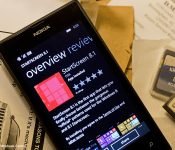
StartScreen 8.1 brings gorgeous Windows 8.1 start screen patterns to your Windows Phone

If you’ve fallen in love with the official start screen patterns on Windows 8.1 and wish you could carry over that same experience to your Windows Phone device, today is your lucky day. StartScreen 8.1 is a new app that brings those same patterns straight to your Windows Phone’s start screen.
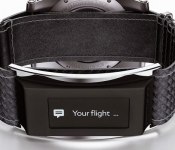
Montblanc has an ‘e-Strap’ to make its luxury watches smarter

Smartwatches continue to grow in popularity, but if you prefer a high-end mechanical timepiece instead, Montblanc has a way to still get the tech, too. A Blog to Watch reports the luxury watchmaker announced an optional e-Strap that’ll equip its Timewalker Urban Speed Collection. The add-on brings the usual activity tracking, notifications, music controls, remote camera trigger and more that we’ve become accustomed to with wrist-worn wearables. The module and its 0.9-inch monochromatic OLED touchscreen resides on the underside of your wrist, secured by a leather strap, connecting to your trusty iOS or Android device via Bluetooth. Speaking of phones, there’s a companion app to tally all of the data, and Montblanc says wearers can expect five days of use before needed to recharge. No word on when it’ll arrive, but the watch itself ranges from €2,990 up to €4,690 (about $3,319 to $5,675), that bit of tech on the band is said to add another €250 (around $300).

Filed under: Wearables
Via: TechCrunch
Source: A Blog to Watch
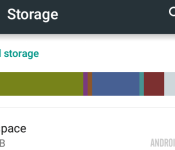
Android customization – how to regain storage space by cleaning the cache on your Android device

Last week on our Android customization post, you got to play with image files and change up your wallpaper on your Android device. After messing with all those image files, you may be finding that your internal storage space is strangely low, so we should try to fix that.
There are many things you can do to clear up the internal storage of your Android device. Uninstalling apps, deleting files, moving apps and files to your microSD card, if you’ve got one, are all great places to start, and when things get really bad, you can always perform a full system reset.
Before you go so far as to wiping your entire device, there is something else you might try, clearing your system cache.
Before we get started
We do not require anything special today, clearing system cache can be done right from your Android operating system. As always, you’ll find that we are working on a vanilla Android device, your device may have slightly different steps, but it should offer the same functionality.
Why should you clear your system cache
Let us start with a basic understanding of what your system cache is exactly, and why you might not want to clear it. Cache files on an Android device are a collection of all of the images, videos, text files and more that are required to display things like web pages, advertisements and more.
You may have noticed that the very first time you load certain apps or web pages it takes much longer to do so than the next times you load them. This is where cache comes into play. That first time around, the images and other elements have to be downloaded from the internet, or extracted from compressed app files or even have to be manually generated on the fly, as with photo thumbnails. These files are then saved into your system cache, so the next time around your app or webpage can pull the file from a local store, which makes it load much faster.
For the apps and web pages that you frequent, cache is a wonderful tool. But what about all those images for those web pages that you will never visit again, social media posts that you’ve already read or files for apps that you’ve uninstalled? They take up valuable space on your device, and it’s probably a good idea to make them go away.
How to clear your system cache

Don’t fret, clearing system cache is easy. We’ll start out by heading into your main system Settings.
Choose Storage.
Choose Cached data.
In the popup confirmation box, choose OK.
That is all there is to it.
As you might imagine, this cleared all cache on your device, so the next time you start up your apps and websites they may take an extra little bit to reload the elements into cache again. This is OK, just remember to come back here again as frequently as needed to clear things up again.
Selectively clear cache per app
If clearing cache for everything on your device is too invasive for your needs, Android offers a method to clear cache on an app-by-app basis.

In your main system Settings, tap on Apps.
Tap on each app that you wish to clear cache.
Tap on the Clear Cache button.
It can be very time consuming to go through your entire list of apps, clearing cache for each as you go, but if it is worth the hassle for you, it is great that the option exists.
What’s next
You’ll find that many apps can handle their own cache settings. Myself, I have both Dolphin browser and ES File Explorer automatically clear their own cache each time I exit the app. If you’ve been following me for long, I am sure you can imagine that my image thumbnail cache for my screenshots folder gets pretty big in no time, having ES clear that cache automatically is a life saver.
However, there are certain system app cache that do not get cleared with the above steps. The absolute worst offender in my experience, your camera/photos cache.
To clear your camera/photos cache, which I try to do after every couple hundred pictures taken, or photos viewed in the Photos/Gallery app, you’ll need a file explorer installed that is capable of viewing hidden files. Of course, I turn to ES File Explorer, but you should be fine with your app of choice.

Head into your files, look for DCIM, then .thumbnails. I usually just go ahead and delete all of the files in here, but you may wish to transfer them to SD card or other as a backup, just in case. Either way, you can see that my Christmas day photos on the phone ran up a thumbnail cache almost 600MB. Since I have removed the photos from the phone for sharing and further processing, I don’t need these cache files at all. Delete!
Next week
With all this extra space now available on your Android device, we will use next week’s Android customization post to load you back up again. How would you feel about a little home-grown device security? I’d like to show you how to use Tasker to discreetly take and store a photo from the front camera of your device every time an intruder turns on your display.
Are there any other hidden cache or thumbnail stores on your device that you regularly delete?
Happy New Year!
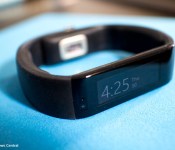
Microsoft Band possibly back in stock Saturday at Microsoft’s retail stores

If you’re still looking to get your hands on a Microsoft Band, you may be in luck this weekend — if you make the trek to a Microsoft Store, that is. According to a tip from one of our readers, Microsoft Stores could have more of the wearables available for sale as early as this Saturday, January 3rd.
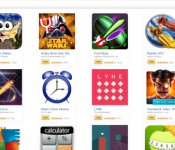
Amazon Offers Treasure Trove of Free Apps and Games for 2015

Over Christmas Amazon offered a large swathe of free games and apps, with a value north of $220. Though Christmas is behind us, Amazon has put up a newer, smaller offering of free games and apps to ring in 2015.
There are a total of 33 apps and games in the bundle, though the ratio leans decidedly more toward games. The free games include:
- Monopoly
- Stack the States
- Angry Birds Star Wars
- Fruit Ninja
- Riptide GP2
- Kingdom Rush Frontiers
- Table Top Racing
- Sparkle 2 Evo
- Lyne
- Clockwork Tales: Of Glass and Ink
- République
- Thomas Was Alone
- Alice Trapped in Wonderland
- Townsmen Premium
- Might and Magic Clash of Heroes
- Patchworkz
- Garfield’s Escape
- Uncanny X-Men: Days of Future Past
- Buttons and Scissors Pro
- Azkend: The World Beneath
Free apps include:
- Alarm Clock Xtreme
- Pho.to Lab PRO
- AVG AntiVirus Pro
- Calculator Plus
- Food Diary and Calorie Tracker PRO.
- JETFIT Pro
- Bills Reminder
- Mini Piano
- Deep Sleep with Andrew Johnson
- Orrery
- BuildCalc
- Xtralogic Remote Desktop Client
- Distant Suns: Unleash your inner astronaut
The great thing here is these aren’t just throwaway freebies that don’t count for much. There is real value in many of these games and apps. So if you’re a Kindle user, give it a look. If you’re a Fire Phone user, you’re the only one of your kind and must allow yourself to be studied by science. Also, the apps will be equally great for you.
Source: DroidGamers
Via: Amazon
Come comment on this article: Amazon Offers Treasure Trove of Free Apps and Games for 2015

LEGO launches their first BIONICLE game in the Play Store for free

It’s pretty clear that LEGO has made one of the most popular children’s toys in history. From simple building blocks, to models, to a full-length movie, the company is all over the place. One product that the company created in the early 2000’s was the BIONICLE toy line… remember those? They were part LEGO creation, part superhero, and they were a lot of fun to play with. Well, LEGO is bringing them back, and thanks to a rebranding of the product this year, they get their own mobile video game!

LEGO has just launched the company’s first BIONICLE game in the Play Store for free. The game follows the story of six Toa heroes that are on a quest to find the ancient and powerful Mask of Creation. The six heroes: Tahu (Master of Fire), Kopaka (Master of Ice), Onua (Master of Earth), Gali (Master of Water), Pohatu (Master of Stone) and Lewa (Master of Jungle) are all available at the beginning of the game, so there’s no need to wait an eternity to get certain characters unlocked. In the game, you’ll collect over 100 customizable pieces, play in 74 different arenas, and even take in-game screenshots of your characters fighting and save them to a dedicated gallery.
If that doesn’t sound good enough to you, we haven’t even gotten to the best part yet. The game is free to download, and features no in-app purchases whatsoever. What’s more, there are also no advertisements or links to distract you from gameplay (this is, after all, meant for children 8 and up).
If you’re interested, head to the Play Store link below to start playing!
 AIVAnet