



Noodlecake Studios Bringing Mikey Shorts Speed Runner to Android Feb 20th
The last time we brought a Noodlecake Studio game to your attention was back when they launched Bloop and Box Cat in August. Noodlecake has some other pretty popular tiles that you might be more familiar with like Super Stickman Golf 1 & 2, The Blockheads, Punch Quest or Ready Steady Bang. Just because we haven’t covered any releases in a while, doesn’t mean they haven’t been hard at work. To that end, Noodlecake Studios has a new game on the horizon that is scheduled to launch tomorrow February 20th called Mikey Shorts.
 In Mikey Shorts you run, jump and slide through the levels rescuing people and picking up coins to buy disguises along the way. It features a slew of things too.
FEATURES:
• 72 different levels across 2 game modes
• 6 unique environments
• Choose from over 100 disguises to wear
• Finish a level fast to earn up to 3 stars
• Golden Shorts are hidden in all Story levels
• Race against a ghost of your best score
• Split times at gates show +/- your best score
• Earn achievements both online and offline
• Easy access to Game Center scores
• Quick retry button for restarting a level
• Ability to customize controls
• View various game stats
The game controls are extremely simple. You have a left or right directional pad along with a red and blue button. The red button lets you jump and the blue button makes you slide. You can edit their placement and transparency if they are in your way at all.

 As far as gameplay is concerned. It is straight forward with the simple controls and easy to pick up and put back down. You must touch each person that has been turned into a statue to free them from their stone prison. Only after you do that are you able to break the barrier to the next section. You will want to move fast and not waste time trying to get every single coin if you want a high score. Fiddling around after a couple coins you missed will cost you precious seconds that could result in lower stars and score. You will want those stars to unlock the next set of levels as you progress through the 2 various worlds that are currently available.

 I can’t wait for this one to launch for you all to get your hands on. The game is a great side scrolling platformer. It also is fully integrated with Google Play games for leaderboards and achievements too. When Mikey Shorts does launch tomorrow you can expect to spend $0.99 to add it to your collection of time killing games. It won’t offer any sort of IAP at all. Check the video below for some gmaeplay action.
If getting your hand son this hit retro game isn’t enough, you can also expect to see Mikey Hooks in just a few weeks too. The link for its pending location on the Play Store is already in place, so when the time comes tomorrow you will be able to hit the button below and pick it up.


Your carrier wants you to buy into early upgrades, but should you take the bait?

We get it. It’s been a year since you got a new phone, and it doesn’t have a Super Ultra HD screen, 80MP camera or fancy pants 50-core processor. You pine for the latest and greatest mobile toy, but it’s probably going to cost you a lot, right? Well, yes. But in the past year, every major US network has eased the pain by introducing device installment plans, many of which allow you to trade in your current phone for a newer, hipper model. Most of these plans, which are designed to let you pay off your device over several months, are still more expensive than the average two-year contract, regardless of who you sign it with. But whether you like it or not, they’re here to stay.
T-Mobile gets credit for starting the movement: Shortly after it announced its installment and early upgrade plans, AT&T, Verizon and Sprint all followed with options of their own. Ever since, the new plans have led to a massive pricing war, and the resulting price drops (most recently from AT&T and Verizon) have made them more tempting. But what does it all mean for you?
T-Mobile JUMP
 AP Images for T-Mobile
In typical UnCarrier style, T-Mobile was the first to come out with an early upgrade program. Known as Jump (short for “Just Upgrade My Phone”), the plan is actually an add-on feature in which you pay $10 per month per phone for the privilege of upgrading to a new device once every six months (up to twice per year), and bundles that extra cost together with phone insurance.
This $10 is added to your current monthly service plan and phone installment; additionally, any time you upgrade to a new device, you’ll need to trade in your current smartphone and make down payments. As an example, a 32GB iPhone 5s costs $100 down. If you upgrade to comparable phones every six months, you’ll pay $320 per year ($120 for monthly payments and $200 in down payments). Jump is designed primarily for early adopters who always want the latest and greatest, even if it means paying more for the privilege. If you don’t plan to upgrade every six months, Jump becomes a much costlier venture than it’s worth.
Paying for regular upgrades comes at a cost. When paying for one line of service on a 2.5GB plan using a 32GB iPhone 5s, you’ll pay $340 more over two years if you upgrade your phone once, and $540 more if you upgrade every six months. It doesn’t get any better when you add more lines; the difference doubles with two lines and quadruples with four. But what if you buy a phone, such as a Nokia Lumia 521, which has a low hardware cost and doesn’t require a down payment? The figures look a bit different, but you’re still going to pay more with Jump.
On February 23rd, Jump will undergo its first major change since its launch. Instead of getting to upgrade every six months, you’ll only be eligible once you’ve paid off 50 percent of your device. This makes the program an even harder pill to swallow, since the great thing about the current policy is that you can upgrade when only 25 percent of the device has been paid off. On the bright side, at least the company will allow customers to add Jump to tablets as well as smartphones.
PROS: (Current) You get to upgrade once every six months, and insurance even comes baked in. (Next week) Tablets will be eligible for Jump.
CONS: (Current) Jump is an additional cost on top of your monthly installments, and you’ll have to put money down on pricier phones. What’s more, frequent upgraders will cough up more cash. (Next week) The same add-on cost applies, but now you’ll need to pay off half of your device before upgrading again, and that’s on top of down payments.
AT&T Next
 David Paul Morris/Bloomberg via Getty Images
AT&T quickly followed T-Mobile’s announcement with its own plan. Next made very little financial sense when it came out. This was your run-of-the-mill monthly installment plan, in which the total retail cost of the phone was split into 20 monthly payments, with the option to trade in and upgrade at the end of the first year. At the time, there were only a few ways Next benefited consumers: It had no down payments or activation fees, making the upfront cost lower than buying a subsidized phone on contract, and it was the only way to upgrade your phone earlier than 20 months. The downside was Next tacked on an extra $15 to $43 per phone to your monthly bill, which already included your rate plan and the flat-rate fee you paid to add phones, tablets, hotspots and other devices. For instance, AT&T charges $40 for each smartphone on your account.
Fortunately, Next has evolved since July. AT&T now offers incentives in the form of monthly service discounts. You’re still dishing out $15 to $35 for the installment plan, but AT&T soothes the pain by reducing the flat per-smartphone cost. Instead of $40 per handset, you only pay $25 — unless you’re on a plan with 10GB or more of data, which reduces the cost of each phone to $15. (This also applies to anyone who finishes their contract or buys a new phone at its full retail cost, so you save money each month when you grab a Nexus 5 or Moto G off contract.)
The company also lowered installment costs to compete with Verizon; it added a 26-month plan for anyone who doesn’t upgrade their phone often; and it’s brought down the price of its 10GB plans to $130 for two lines ($160 for four). Customers on existing contracts can take advantage of the offer, but the catch comes at the end of your commitment, when you’ll need to stay off-contract or sign up for Next — if you get another subsidized phone, the price will go back up. That may seem like a sneaky move, but it’s only one way AT&T is “encouraging” customers to get off traditional plans: Last month the company offered existing customers the option to switch to Next and upgrade their phone after only six months.
But is Next a good deal compared to a standard contract? It depends on your usage. Looking at a 4GB plan, regardless of the phone’s cost, you’ll still save a little bit of money over the course of two years on contract versus a 20-month Next plan. On anything above 10GB — we tested out a 15GB plan on both one and four lines as an example — the Next plan is a better deal.
PROS: It’s a great deal… if you’re a data hog. Additionally, you’ll get to hang onto the service discounts after your smartphone’s paid off, and don’t worry about shelling out a down payment when you get your phone. Oh, and it’s cheaper than Verizon Edge.
CONS: It’s still more expensive if you use 8GB of data or less, and you only get one upgrade every 12 or 18 months (depending on your plan).
Verizon Edge
 Getty Images
Verizon was the third to hop on the bandwagon, launching Edge in August. Its plan is similar to Next in concept. You pay off your phone in 24 monthly installments with no down payment, but instead of getting upgrades at a certain time, you can do it once you’ve paid off 50 percent of your current phone. (This is essentially how T-Mobile’s Jump will work starting next week, except Verizon doesn’t require down payments or add-on costs.) For example, you could upgrade your 16GB iPhone 5s once you’ve donated $325 to the cause, which takes around a year. If you’re aching for the latest and greatest smartphone before then, you can technically upgrade after 30 days, as long as you foot the full 50 percent up front. And just as we’ve seen on competing plans, you’ll need to trade in your existing phone in order to upgrade, regardless of when you do it. Unlike Next, there’s only a 24-month option.
Verizon announced last week that Edge now comes with service discounts: $10 per month per line for plans up to 8GB, and $20 for 10GB and above. This is a decent start, considering it declared last summer that it wouldn’t change its pricing structure. Unfortunately, the discounts aren’t quite as extensive as AT&T’s, and it doesn’t apply to customers who have fulfilled their contractual obligations or purchased a phone at full retail cost.
Although Edge is $5 more than Next, it still offers the same kinds of advantages and disadvantages when the costs are measured against contract plans. If you buy 10GB or more per month, Edge wins. If you go for 8GB or less, Edge loses.
PROS: The sooner you pay off the first 50 percent of your phone, the sooner you can upgrade to something new. And just like Next, Edge is a better deal if you use at least 10GB of data.
CONS: Sadly, Edge is more expensive than AT&T, and it’s costlier than Verizon’s contract plans when you use 8GB of data or less.
Sprint One Up / Framily / Easy Pay

Poor Sprint just can’t seem to make up its mind on how it should implement early upgrades. Already late to the game, the Now Network launched a program called One Up in September, which split the cost of a phone into 24 monthly installments and allowed customers to upgrade once a year. Trade-ins were required, and customers were given a $15-per-month service discount for making the switch from a standard plan.
Four months later, Sprint split the plan in two. First, the carrier introduced the “Framily” plan, which (outside of its ghastly name) is a cleverly unique idea: the more people who join your group, the less each of you pays. If you don’t need much data, 10 people could theoretically pay $25 per month per person on one plan. The downside is early upgrades don’t come included, and you’re limited to 1GB of data each month, so you’ll need to shell out an extra $20 per month per line (that’s $480 for a two-year period) to get unlimited data and yearly upgrades. If you don’t need the extra data, it’s definitely not worth paying that much more money to get a new phone every year, although $45 per person is still much more reasonable than what you can get with other carriers. The second entity is Sprint’s new financing plan called Easy Pay, which is your standard 24-month installment plan; it doesn’t include any service discounts or early upgrades.
PROS: On Framily plans, early upgrades come bundled with unlimited data.
CONS: If you want early upgrades but don’t want unlimited data, tough — you’re still paying extra for it. Anyone who uses Easy Pay won’t get to enjoy service discounts or options to upgrade early.
Evolving Strategies

When the four national carriers launched early upgrade plans, none of them actually saved customers money. Willing participants were lured in with the promise of a contract-free life and the opportunity to “lease” a fresh smartphone. They only made sense for early adopter looking for the latest and greatest gadgets. Otherwise, the numbers simply didn’t add up.
If plans don’t make sense to consumers, nobody will sign up. This poses a problem, since many carriers have decreed that subsidized contracts aren’t sustainable business models anymore. Thus, the adoption rate for the new pricing plans needs to accelerate at a much more rapid pace. In short, prices need to come down and early upgrade plans must evolve.
T-Mobile, the pioneer of monthly installments and early upgrade plans, is making its first major change to Jump on February 23rd. To the company’s credit, it’s had bigger fish to fry; why aggressively push Jump when you’re already persuading millions of customers to try device-financing plans through other initiatives? Early termination fee-buyout programs, free global roaming and ATM cards are just a few of the measures the company’s using to entice consumers over to its new plans. Jump is simply viewed as a value add-on.

Of the remaining three national networks, AT&T has shown the most dedication to getting its customers to switch to Next. It sees programs like Next as the wave of the future, and it’s pricing that plan aggressively. So far, the carrier’s efforts are working: During the month of December, Next accounted for 20 percent of all new and upgraded smartphones activated on the network.
AT&T’s biggest rival is finally firing back. Until last week, Verizon hadn’t put any oomph into making Edge more competitive, and even with its new discounts, it’s still not as compelling. Whereas Next is becoming an integral part of AT&T’s long-term strategy — complete with aggressive pricing and discounts — Verizon simply looks like it’s reacting to competition. But when you’re pulling in as many new customers as T-Mobile, why shift your focus to plans that aren’t growth factors? Edge will likely play a larger role in the company’s strategy down the road, but its higher prices aren’t slowing Verizon down at the moment.
Sprint, on the other hand, is taking the concept of evolution to a completely opposite extreme. Instead of refining its plans, it throws them at the wall to see which ones stick. Chances are, the “Framily” plan will remain — but while unique and larger groups stand to benefit, extra data and early upgrades come at a cost.
It’s going to be a long time before the traditional contract goes away for good, but US networks are preparing you for its inevitable demise. In the future, device installment plans and early upgrade options will likely become the carriers’ primary weapon of choice. And eventually we will all either make the move voluntarily or be dragged away kicking and screaming. We’d prefer the former, but it’s only going to work if these new plans evolve to a point where their benefits outweigh their disadvantages.
Filed under: Cellphones, Mobile, Verizon, Sprint, AT&T, T-Mobile

Spike supersonic business jet swaps windows for a wraparound live-view display

We’re pretty excited about the Spike S-512 supersonic business jet, but this latest feature could potentially make a three-hour Mach 1.6 hop from New York to London a bit nerve-wracking for uneasy fliers. A post on the company’s blog this week describes one of the cabin features, a “thin display screen” that’s embedded in the wall. Cameras mounted around the jet’s exterior will power a panoramic view, which can also be swapped for other images or content that’s more conductive to sleep, such as a solid dark color or a starry night scene. Removing the windows helps Spike trim the plane’s weight while also reducing drag, enabling faster speeds and boosted fuel efficiency. We don’t expect commercial airliners to follow suit, however, so if flying 1,218 mph in a windowless tube is something that strikes your fancy, you’ll need to hop aboard an S-512 after the supersonic jet takes to the skies in 2018.
Filed under: Displays, Transportation
Via: BBC
Source: Spike Aerospace

Surface 2 tablet with AT&T-ready LTE passes through the FCC

Microsoft said that a Surface 2 with LTE was coming to AT&T early this year, and it now appears that this cellular-equipped Windows RT tablet is finally close to launch. The company has just received FCC approval for a “portable computing device” that sports the Surface’s familiar 10.6-inch display as well as AT&T-native LTE and HSPA data. The filing doesn’t hold any surprises, then, but it suggests that there are few obstacles left to releasing the 4G slate in the US. Given past promises, we wouldn’t be shocked if it launches within a matter of weeks.
Filed under: Tablets, Wireless, Microsoft, AT&T
Source: FCC
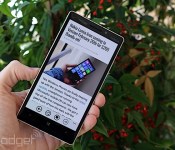
Nokia Lumia Icon review: a big step forward for Windows Phone

When Nokia came out with the Lumia 1520, we were treated to a new side of Windows Phone. All of a sudden, Microsoft’s smartphone OS had come of age; it was using the best available hardware specs and a wave of big-name apps had finally arrived in the Windows Phone Store. Even so, we were concerned that the 1520′s 6-inch screen size and AT&T exclusivity in the US would limit its appeal.
Last week Nokia announced the Lumia Icon, a new Windows Phone with nearly identical specs in a smaller, 5-inch frame. Finally, the perfect device for Microsoft to take on its high-end Android and iOS competition, right? Well, almost — the Icon is a Verizon exclusive, arriving tomorrow for $200 on-contract (or $550 with no strings attached). Meanwhile, the other three major US networks don’t offer anything comparable yet (outside of AT&T’s 1520, anyway). That said, the Icon is still worth a look if you’ve already decided on Big Red.
Hardware
Windows Phone has grown up a lot lately. The Lumia Icon is the platform’s new poster child, offering specs that would make even the most discerning of power users drool. That includes Nokia’s 20-megapixel PureView camera, a 5-inch 1080p display, top-of-the-line quad-core Snapdragon processor, 32GB of internal storage, 2GB of RAM and a 2,420mAh battery, to name just a few specs. You can check out the full list below, but for now, you get the idea.
All told, it’s hard to find fault with the specs, but the hardware itself is potentially… polarizing. With its square shape, sharp corners and flat sides, it’s as if Nokia took the Lumia 928 and changed the material from glossy polycarbonate to aluminum on the perimeters and matte polycarbonate on the back. Nokia used this same combination of materials on the Lumia 925, but that phone had a less severe design, one marked by gentle curves. What’s more, the non-removable back here bulges out slightly from the rest of the chassis. The idea was for the camera to sit flush with the device, but even so, a flat back would have made for a more streamlined look. Finally, at 5.86 ounces the Icon is a little heavy — heavier than the 4.5-inch Lumia 1020, anyway. That said, it’s still significantly lighter than the 6-inch 1520, which means it’s also more comfortable to carry around.

On the other hand, the aluminum sides and polycarbonate matte back make the Icon feel reassuringly sturdy. In particular, its 5-inch frame is small enough to fit snugly in my hand, and the edges have a blunt cut that left my fingers plenty of room to grip the device. At 9.9mm thick, it’s thicker than most high-end smartphones, but the arched back helps make its size less of a detractor from our enjoyment of the device. Oh, and speaking of durability, Nokia and Verizon must have focused on making the Icon as iron-clad as possible, because in addition to the metal sides, the phone rocks a Gorilla Glass 3 display. The glass itself curves slightly outward, so it’s exposed a little more than a standard flat sheet; it makes sense, then, that Nokia would want the glass to be as scratch-resistant as possible. It’s not shatterproof, so you still don’t want to drop it face-down on concrete, but you should at least feel comfortable putting it in the same pocket as your car keys.
As an aside, although those metal sides look nice and do indeed provide some extra durability, they’re also quite prone to dings and scratches. This is an issue we’ve experienced with the latest iPhones and the HTC One, to name but two examples. We didn’t see anything show up in our time reviewing the device, but if you’re going to be using the Icon for a year or two, the sides may look like the surface of the moon by the time you’re done with it. It may do a good job protecting your phone from impact, but it probably won’t emerge without a few battle scars.

Farther down the back, you’ll see two Verizon logos next to the external speaker grille. The sound comes out loud and clear, despite its awkward placement toward the top of that sloping back cover. You’ll also notice two tiny holes on the back for microphones (one near the top, one near the bottom). These make up just half of the phone’s four-mic setup for directional audio recording; the other two are located on the front. And, as with most Verizon phones, you also have the option of wireless charging, thanks to an embedded Qi module.
The right side of the Icon features the typical three-button layout that Windows Phone users have become accustomed to (for novices, this includes a volume rocker, power button and two-stage shutter button). The Icon’s keys stick out pretty far, but for some reason I had a difficult time pressing the camera button gently enough that I didn’t cause shaking and camera blur. Ultimately, I felt more comfortable taking shots with the virtual on-screen shutter button.
The micro-USB charging socket sits along the bottom edge of the phone, while the 3.5mm headphone jack lives up top. For symmetry’s sake, both ports are flanked by a pair of antennas. However, there’s a nano-SIM slot on the top-left corner that renders pointless any effort to make the sides look symmetrical. The Icon’s SIM slot features a small divot instead of a pinhole, so you’ll need to dig out the SIM card using your fingernail. As I discovered, this makes it much more difficult to open if your nails happen to be well-trimmed.

When we saw the Lumia 1520′s 6-inch, 1080p display, we couldn’t wait to see how that kind of screen quality would look on a 5-inch device. Having finally gotten our wish, we’re happy to say the Icon doesn’t disappoint. This time Nokia went with a 1,920 x 1,080 AMOLED ClearBlack panel, with a pixel density of 441 ppi. As expected, the dark colors are darker here than on the 1520′s LCD screen, while the whites are just a shade dimmer. One of the nice things about this type of display is that the darks blend in with the bezel, making the screen feel more expansive than it actually is. Color saturation is on par with the 1020′s OLED display as well, but if you don’t like it, Nokia offers the ability to adjust it, along with the color temperature. In addition, we could easily see the bright, 500-nit screen in direct sunlight, and the viewing angles are some of the best we’ve seen.
Since the Icon is a Verizon exclusive, its LTE radio runs on Verizon-compatible bands (700/AWS, to be specific). When 4G isn’t available, it also supports 3G CDMA. Although we’re disappointed that it doesn’t feature global LTE roaming of any kind, international travelers can use it on most GSM networks around the world; it has quad-band HSPA (850/900/1900/2100) and quad-band GSM/EDGE (850/900/1800/1900). In fact, since it’s unlocked, we were able to use an AT&T SIM and get an HSPA signal.
| Nokia Lumia Icon | |
|---|---|
| Dimensions | 136.9 x 70.9 x 9.9mm (5.39 x 2.79 x 0.39 inches) |
| Weight | 5.86 oz (166g) |
| Screen size | 5.0 inches |
| Screen resolution | 1,920 x 1,080 (441 ppi) |
| Screen type | OLED ClearBlack; Sunlight Readability Enhancement; High Brightness Mode; Gorilla Glass 3 |
| Battery | 2,420mAh Li-Polymer(non-removable) |
| Internal storage | 32GB |
| External storage | None |
| Rear camera | 20MP Zeiss, OIS, f/2.4, wide-angle lens, AF |
| Front-facing cam | 2MP sensor (1.2MP stills) |
| Video capture | 1080p / 30 fps (rear); 720p (front) |
| NFC | Yes (with secure element on SIM) |
| Radios |
LTE Bands 4/13 (AWS/Verizon) GSM: (850/900/1800/1900) HSPA: (850/900/1900/2100) CDMA: (850/1900) EVDO Rev A |
| Bluetooth | v4.0 LE |
| SoC | Qualcomm Snapdragon 800 (MSM8974) |
| CPU | 2.2GHz quad-core |
| GPU | Adreno 330 |
| RAM | 2GB |
| Miscellaneous | FM radio, GPS/GLONASS, micro-USB 2.0 HS, four-mic setup |
| WiFi | Dual-band, 802.11a/b/g/n/ac |
| Wireless Charging | Yes, Qi standard |
| Operating system | Windows Phone 8, Update 3/Lumia Black |
Software

Windows Phone 8 is now on its third major update, and the latest firmware allows the Icon to have all of the best specs on the market. Nokia took this update, bundled it with its own suite of software features and functionality and called it the “Black” update. This is the same setup that we enjoyed on the Lumia 1520, as well as a litany of older devices that also run the new software.
Aside from the obligatory Verizon apps, which are limited in number and can all be uninstalled, the Icon comes preloaded with the usual Nokia and Microsoft necessities: You’ll have roughly 500 Nokia apps (slight exaggeration), a handful of Here apps for navigation, the upgraded camera app, Data Sense, a few Bing apps and so on. There’s nothing out of the ordinary here, and nothing we haven’t touched upon before.
One thing worth noting is that since the Icon has a 5-inch display, it qualifies as a “larger screen” and is rewarded with a third column of icons on the Start Screen, just like the 1520 has on its 6-inch display. Despite the fact that you get more screen space on the Icon than the 4.5-inch Lumia 1020, the Live Tiles are actually smaller on the Icon so you have more room for that additional column.
Camera

High-end Lumia phones and good imaging seem to go hand-in-hand. Nokia’s always excelled at mobile photography, and it’s recently raised the bar with its PureView tech, which we earlier saw in the Lumia 1020′s 41-megapixel camera. That camera was so impressive, in fact, that even something as stellar as the Lumia 1520′s 20-megapixel shooter felt a little like a downgrade. The Lumia Icon’s camera is closer to the 1520′s, since it shares many of the same specs and characteristics. If that counts as cutting corners, then we can live with that.
As with the 1520, you’ll get optical image stabilization, a six-element lens, an aperture of f/2.4 and a sensor size of 1/2.5 inch (much smaller than the 1020′s 1/1.5 inch). It uses the same software algorithms and oversampling technology featured on the 1520. As you might expect, the experience is near-identical too. We won’t go into great detail on how the PureView model works — look no further than our Lumia 1020 review for the full explanation — but on the Icon, you’ll get a high-res image taken at 19 megapixels along with a 5MP lower-res shot, which will come in handy for uploading your photos to Instagram, Facebook or whatever service you want. (This is for shots taken in 4:3 mode; you can also snap images in 16:9 assuming you don’t mind a dip in resolution.)
The best part of Nokia’s photo experience is the camera app, which gives you a full suite of manual settings to help you get the perfect shot — ISO, white balance, exposure and shutter speed can all be adjusted in real time, so you’re not wasting time poking around the settings menu. And, as part of Nokia’s Black update, you now have the option of getting a copy of your high-resolution photo in RAW (DNG) format. If you’re limited on storage (32GB is a lot, but there’s also no microSD slot), we’d recommend you switch over to the standard high-res JPEG option, since each RAW file takes up nearly 25MB of space.
Largely thanks to the Icon’s smaller aperture, the 1020 still technically takes better photos in low-light situations, but even so, we were rarely disappointed in the Icon — as long as there was even a smidgen of light, we were able to achieve well-lit, detailed shots. We couldn’t rely on the shutter button for these images, however, since it’s harder to press and any little shake or bump resulted in blur. In daylight, our sample pictures showed more color saturation, and a white balance that was slightly warmer than on the 1020, although the dynamic range wasn’t quite as high. So while there are clearly some trade-offs, all but a few imaging enthusiasts will find both phones satisfactory.
Videos are captured at 1080p, and in traditional PureView fashion you get to choose among 24, 25 and 30 frames per second. (You can also bump the resolution down to 720p if you prefer.) The level of detail here is pretty good, and a bit rate of 19 Mbps certainly helps, but we noticed that the continuous focus is a little too active. What’s more, our fast-paced action footage was sometimes choppy. In low-light conditions, the camcorder had an even more difficult time trying to stay continually in focus; the footage wasn’t as crisp and the white balance even shifted on occasion. On the other hand, we picked up impressive audio, thanks to the four-mic setup. In our sample video, for instance, the two front-facing mics did a fantastic job filtering out the noise of a nearby construction crew. Aside from the superb audio, you shouldn’t expect more on the video front than what you’d get from any other flagship device.
Performance and battery life

Right now, at least, Qualcomm’s Snapdragon 800 quad-core processor reigns supreme, which means the Icon (clocked at 2.2GHz) is among the best in its class. And while even low-end Windows Phones run well, it’s still so much nicer to play graphics-intense games on a device with a top-of-the-line chip. Games like Asphalt 8 play smoothly, and we noticed that the phone saved and rendered its high-res images faster than the Lumia 1020. (In fact, it was even faster than the 1520.) In short, this is the best-performing Windows Phone we’ve ever used. As for synthetic tests, it scored slightly better than the 1520 on every benchmark test we ran, as you can see in the table below.
| Nokia Lumia Icon | Nokia Lumia 1520 | Nokia Lumia 1020 | |
|---|---|---|---|
| WPBench | 471 | 466 | 223 |
| Battery rundown | 2:42 | 3:30 | 2:12 |
| SunSpider 1.0 (MS) | 538 | 546 | 906.2 |
| AnTuTu (*GPU test off) | 25,750 (23,241) | 25,148 (22,275*) | 11,084 (9,874*) |
| SunSpider: lower scores are better. | |||
Battery life was a big question-mark for us going into this review, just because high-res screens and powerful quad-core chipsets are known to take a toll on runtime. In this case, though, none of that appears to make a difference. The Icon’s 2,420mAh battery lasted through a 12-hour day that included nonstop GPS navigation, streaming music, emails and phone calls. We still had roughly 35 percent juice left over, which means you should have no problem squeezing out a full day on a charge. And with more moderate usage, you can even get through a day and a half — not bad for a 5-inch flagship device. The only thing that gave us pause was when we were taking a steady flow of pictures and videos for testing; in one instance, the battery drained by 25 percent in an hour.
Call quality is above average, which shouldn’t come as a surprise to most Verizon customers, and the volume (for both internal and speakerphone calls) is loud enough that we didn’t have to crank it up to the max settings to hear comfortably. It handles movies and music quite well, and we had no Bluetooth connection issues. We were also able to quickly pinpoint our location via GPS, but we noticed that the Here Drive app sometimes failed to re-route when we went the wrong way.
The competition

The Icon doesn’t have a lot of Windows Phone competition at the high end. As we said earlier, the Lumia 1520 is the only other device with the same top-shelf specs, but it’s only available on AT&T in the US and is a significantly larger phone. On Verizon, your only other options are the HTC 8X ($50 on-contract), Samsung ATIV Odyssey (one dollar) and the Nokia Lumia 928 (free), none of which come close in terms of specs or performance.
For now, the Icon rests on top of the Windows Phone world, but it’s hard to know for sure how long it will stay there. Samsung’s rumored to have a high-end WP8 device coming out on Verizon. Then there’s Windows Phone 8.1, which is rumored to launch sometime in April with a full lineup of new devices. In short, there’s lots of good stuff ahead.
Wrap-up

As of this writing, the Lumia Icon is the best Windows Phone device. Just like it did with the Lumia 1520, Nokia managed to cram a fantastic imaging experience into state-of-the-art hardware. But unlike the 1520, the Icon is small enough to appeal to the masses. Although it may not be the sleekest handset, the Icon is still a sensible option (if not the best option) for Verizon users who want the best photo-taking experience possible — and don’t want to sacrifice other specs to get it.
It’s unfortunate that this combination of size, specs and functionality is only available on one carrier in the entire world. But on the bright side, this may change in the near future: Nokia will likely announce new Lumia devices in the next few months, which means the Icon may soon be just one in a handful of high-end Windows Phones. Even if that happens, however, the Lumia Icon will still be a great choice for anyone interested in a good Windows Phone device on Verizon. Its beautiful display, speedy processor and good battery life are just a few reasons to give it a close look. Most important, though, is what this means for the future: The last two high-end Windows Phones have been much better than anything we’ve used before, and it’s only going to keep improving.
Daniel Orren and Edgar Alvarez contributed to this review.
Filed under: Cellphones, Mobile, Nokia

New Google Maps is now rolling out to everyone’s desktops

Google has been testing its major redesign of Google Maps’ web interface for the better part of a year, and it’s at last ready to bring the new look to everyone. The search giant has started rolling out the updated layout to all desktop users; only some will see it today, but it should reach all visitors in the weeks ahead. As a refresh, the new Maps gets rid of the old sidebar in favor of putting search results directly on the map. It also brings real-time traffic data and a Street View carousel to help virtual tourists. The mandatory transition is unlikely to please holdouts who see the redesign as a step backward, but Google has been filling in at least some of the gaps.
Source: Google Maps Blog

TA: Little Red Riding Hood is a gorgeous game with familiar characters (App of the Day)
Looking for a fun way to kill some free time? You’ll definitely want to check out Twisted Adventures: Little Red Riding Hood, a stunningly beautiful game with familiar feel.
Play as the titular character, you job is to traverse the woods on the way way to grandma’s house. Along your way you’ll want to collect flowers and apples. Also, keep an eye out for the furry bunnies; you need to rescue those guys!

Mechanics really straightforward; tap to jump. You’ll be hopping from one round, spinning platform to the next and you’re always moving forward. It’s not rocket science but it does get harder – and fast. Bats and other shadow animals will try to stop you so you need to think on your toes.
I simply love the graphics and game play of this one and think you’ll appreciate it. The music reminds me of something out of a Danny Elfman score (Beetlejuice or Edward Scissorhands) and really adds a layer of atmosphere. The the whole game spans 60 levels with a goal to collect and free as many items as possible. If you’re fan of trying to achieve three stars or perfect scores you’ll find high replay value here.
There’s a free version of the game in the Google Play Store which is supported by ads. Don’t be a penny pincher, spring for the paid version. It’s on sale right now for $.99 and is well worth the money.
The post TA: Little Red Riding Hood is a gorgeous game with familiar characters (App of the Day) appeared first on AndroidGuys.

OneDrive from Microsoft now live in the Play Store
 Microsoft had a slight run in not to long ago about the name of its cloud storage solution. A small legal issue stemming from UK TV broadcaster BSkyB led to the need to alter its name and branding. Now what was once SkyDrive, you will now find OneDrive. The new rebranded app has been released now for Windows, iOS and Android.
The changes won’t mean a heck of a lot to previous SkyDrive users. Microsoft assures the public that all your content still remains under the new name branding. The re-released OneDrive does offer up some new goodies for the Android side of things. You can automatically upload your photos and videos to OneDrive using camera backup. Sounds like Dropbox and Google Drive. The updated app also offers improved support working with Office Mobile for Android and OneNote, larger thumbnail viewing and the usual dose of bug fixes and performance improvements.
With OneDrive you get 7GB of storage for free out the gates, but Microsoft is also taking a slight Dropbox approach to earning more. Every friend you refer to OneDrive will net you 500MBs of free storage, upto 5GBs. You can also earn another 3GB of free space for just trying out the camera backup feature.
On the downside though, it seems like many users of the Android app are pushing 1 and 2 star ratings because they can’t login to OneDrive after the branding change and slow upload speeds of photos. If you are a former SkyDrive users and wish to check out the new OneDrive just hit the Play Store below.
Source: Microsoft via AndroidCentral

Check Out the HTC One to ‘All New One’ Animated GIF

Yesterday, we got the news that the HTC M8 was going to be called the “All New One” for 2014, and then the backlash of course ensued. Many made fun of the name, which yes, it does sound like someone chose the name at the last minute. We still have a month until its unveiling, so the name still might change, althought it’s highly unlikely. This morning, king of the leaks, evleaks, posted the supposed official render of the New One, and this official render shows up in gold.
Some crafty GIF master conjured up the animation you see above showing us the slight differences between the two phones. There isn’t much when it comes to design, which a lot of people out there are talking about. Honestly, why change a design that was considered the best designed phone of 2013? I still remember last year when the original HTC One’s image got leaked out, many thought it was ugly and bulky. Maybe that will happen this time around, but for now, this is what we got, so let us know your thoughts about it.
Source: Droid-Life

Samsung Bashes iPhone Screen Size and iPad Multitasking in Two New Anti-Apple Ads
Samsung has released two new anti-Apple advertisements highlighting shortcomings in Apple products to promote both its Galaxy Note 3 and the Galaxy Tab Pro 10.1.
In the first ad featuring the 5.7-inch Galaxy Note 3, Samsung depicts the phablet-sized smartphone next to the 4-inch iPhone 5s. Basketball star LeBron James is on the screen while a voiceover mocks the iPhone’s screen size and quality, along with its lack of a stylus.
“Wait a second, shouldn’t we enjoy this high-definition jam on a screen that’s actually high definition? 5.7 inches of HD? Booyah! Or 4.0 inches of non-HD? LeBron’s literally running away from this phone.”
“And would you look at that? The Galaxy Note 3 comes with a handy little S-Pen. No S-Pen hiding in this other phone. Believe me, I’ve checked.”
The second ad is a riff on Apple’s popular iPad Air ‘Pencil’ spot that compares the ultra-thin tablet to a pencil. It starts off with a pencil, as Apple’s ad did, but eventually reveals an “even thinner” Galaxy Tab Pro behind the iPad. Samsung’s newest tablet measures in at 7.3mm thick while the iPad Air is 7.5mm thick.
“Wait a second, what’s hiding behind that pencil? Ah, an iPad Air! Almost didn’t see it there. And what’s this, hiding behind the iPad? Ah, the even thinner Galaxy Tab Pro 10.1.”
Along with the Galaxy Tab Pro’s thinner profile, Samsung also points out its screen quality and its ability to multitask, which has also been a favorite subject for Microsoft‘s anti-Apple ads. Samsung’s Galaxy Tab Pro has a 1600 x 2560 resolution compared to the iPad Air’s 1536 x 2048 resolution.
Samsung has a long history of mocking Apple products in its commercials and has famously promoted its Galaxy line of phones by making fun of iPhone fans who wait in long lines for hours.
Samsung is expected to release a new flagship smartphone, the Galaxy S5, later this month, along with a new Galaxy Gear smart watch. Apple is expected to unveil both a larger iPhone and a smart watch later this year.
     |
 AIVAnet