


Samsung and LG intro first triple-SIM devices
Multiple SIM smartphones may not be that popular in the U.S., but have been in markets around the globe, usually supporting dual-SIM cards.
One upcoming phone, codenamed the Nokia Normandy, is even said to support two SIM cards so you can have multiple numbers on multiple networks if you desired.
While dual-SIM is great and all, Samsung and LG are already thinking ahead. Recently, LG and Samsung Brazil unveiled two new smartphones with triple-SIM support, the Samsung Galaxy Star Trios and the LG Optimus L1 II Tri.
If you’re all about having a high-end smartphone, you’ll need to look-elsewhere as both have low-end specs with “tiny QVGA screens,” 512 MB of RAM, among other meager specs. Such low end specs also come with a low price of $165 for Samsung’s smartphone and $127 for LG’s. If you’re looking for a beefier budget smartphone, you may want to look to Motorola’s Moto G, but you lose the key features these offer. These phones do run Android 4.1 Jelly Bean, so I guess that’s maybe another plus.
Don’t expect to see these in the U.S., but look for them in emerging markets.
Via Samsung Brazil, LG Brazil
The post Samsung and LG intro first triple-SIM devices appeared first on AndroidGuys.
Compressor Updated With Bug Fixes and Stability Improvements [Mac Blog]
 Apple has updated its Compressor encoding app to version 4.4.1, fixing a number of reliability and stability issues. Compressor is used to encode video files for posting to websites like YouTube and Vimeo, burning to DVD or Blu-ray, and more.
What’s new in Compressor Version 4.1.1
• Resolves issues installing Compressor on a system where Qmaster was previously enabled
• Improves reliability of Send to Compressor from Final Cut Pro X
• Addresses distributed encoding errors when source files are not on the startup volume
• Fixes errors that could cause a hang when submitting a batch
• Fixes a stability issue that could occur if multiple Compressor plug-ins are installed
• Resolves an issue when viewing a plug-in setting without the plug-in installed
• Includes general stability improvements
Compressor is available for $49.99 on the Mac App Store. [Direct Link]
     |
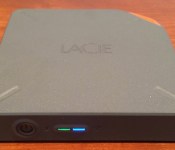
LaCie Fuel Offers 1 TB Wireless Storage with Hotspot Sharing for iOS Devices and Macs [iOS Blog]
At CES last month, LaCie announced its “Fuel” wireless hard drive for iOS and Mac devices, allowing users to easily expand storage for their devices. With the Fuel now available for purchase, LaCie has given MacRumors some hands-on time with the Fuel, showing that the device does indeed live up to its billing for those willing to carry around an extra device as needed.
Similar to the Wireless Plus from parent company Seagate, LaCie’s Fuel offers a 1 TB drive to provide ample storage for media, with iOS device users able to access content through the Seagate Media app.

With Fuel connecting wirelessly to iOS devices, the device also supports Wi-Fi hotspot functionality, allowing it to connect to an existing Wi-Fi network and passing that connectivity through to devices connected wirelessly to Fuel. Macs can connect to Fuel either wirelessly or via USB 3.0, as Fuel features a micro USB 3.0 port and an adapter cable to connect to standard USB ports on other devices. The cable can also be used to charge Fuel through an included AC adapter. Users looking for fast file transfer from their Mac should obviously opt for a wired USB 3.0 connection over the Wi-Fi option.
Read more 
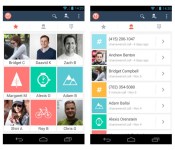
Bolt offers free voice calls and replaces your Android dialer

When it comes to making free VoIP calls using your Android phone, you have a bunch of options. Services like Skype or Fring let you call other users for free, but you’ve got to remember to fire them up before you start dialing. Instead of using one app for regular calls and another for VoIP, newcomer Bolt replaces your phone’s dialer with a one-stop solution for both. Unlike other services that require you to buy credits to make regular calls, the app connects to traditional phones the old-fashioned way — over your wireless carrier’s network. Calls made to other Bolt users are routed over the web for free, and sip a meager 60KB per minute. That means even with FreedomPop’s free deal (which includes a paltry 500MB of data), you’d be able to chat with mom for more than 142 hours before getting hammered with overages.
The company hopes to ultimately become a fully formed communication platform, and offer messaging services as well. Long-term that could mean users could pare down on mobile minutes and messaging packages, and instead spring for a slightly larger data package on their mobile bill. Android users can snag the app now from Google Play, and an iOS version is already in the works.
Filed under: Cellphones, Wireless, Mobile
Via: The Verge
Source: Bolt

Rdio for iOS delivers playlist editing and on-the-go review composition

For those using Rdio on iOS devices, today’s update adds two new functions to the software for Apple’s mobile gadgets. First, users can edit playlists from the app on an iPhone or iPod touch without having to log in on the desktop in order to do so. The curation feature allows for the usual addition, removal and rearranging of tracks while also including custom artwork, visibility and collaboration settings. Fancy typing out those music critiques while they’re fresh in your mind? Well, the latest version allows for composing on that mobile device with the ability to peruse reviews from the pros and fellow Rdio listeners. It’s time to stop procrastinating and start compiling that Yacht Rock playlist, you guys.
Filed under: Software
Source: Rdio
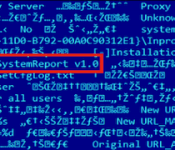
Sophisticated malware finally discovered after 7 years, likely created by a nation-state

Security firm Kaspersky Labs recently released a research paper that uncovers the existence of a piece of highly complex malware that’s been in circulation for almost seven years. It’s called “The Mask,” which is a rough English translation of Careto, a Spanish word for “ugly face” that was found in the malware’s code. Aimed at high-level targets such as government institutions, embassies and large energy corporations, Kaspersky says “The Mask” has already claimed nearly 380 unique victims (with more than 1,000 IPs) in 31 countries that include China, France, Germany, the UK and the US. Kaspersky first spotted it in a spear phishing email campaign that entices the recipient over to malicious websites disguised as news sites like The Guardian and the Washington Post.
Kaspersky reports that the malware is extremely sophisticated, with a set of tools that include a rootkit, a bootkit, versions that’ll affect 32- and 64-bit Windows, Mac OS X, Linux and possibly even mobile operating systems like Android and iOS. Once it gets its hooks into your system, it can be used to hijack all your communication channels and snatch everything from Skype conversations to sensitive encryption keys. It’s also very difficult to detect. Due to the level of finesse found in the malware, Kaspersky concludes that “The Mask” was very likely created by a nation-state, much like Stuxnet and Duqu. As to which nation-state that is, the security firm doesn’t know, but says it’s probably one that is Spanish-speaking based on the code’s language. Intrigued? Go on and hit the PDF link here to get the full rundown of what Kaspersky discovered.
Via: Vice
Source: Kaspersky Labs, (PDF)

Abandoning Olympus: Mega Man’s creator on going indie

Keiji Inafune’s been making games for nearly 30 years. He’s the man behind one of gaming’s most iconic characters (Mega Man) and several huge franchises (Dead Rising, Onimusha). After 23 years working at Capcom, one of Japan’s largest game publishers, he suddenly quit back in 2010. “Settling down means death for a creator. As long as you are a creator, you cannot settle down,” he announced on his blog. Just six months after being appointed Capcom’s Global Head of Production (overseeing the company’s entire gaming catalog, from Resident Evil to Street Fighter), he quit.
With that, he set off on his own and created two new companies: Comcept and Intercept. When we talked with Inafune last week at DICE 2014, he spoke of his plans for Comcept in detail. “I was a publisher for 20 years, so you’d be right in thinking I brought some ideas from there into Comcept,” he said. That means, first and foremost, retaining ownership of IP. That’s a major component of going with Kickstarter for the latest Comcept game, a Mega Man-esque action game titled Mighty No. 9.
The project sailed past its target goal of $900K and took in $3.8 million. Without a publisher, of course.
For the game industry, such freedom for mid-level studios is unprecedented in recent years. Comcept’s last major project, Soul Sacrifice on the PlayStation Vita, is an original work by Comcept that is wholly owned by Sony Computer Entertainment. That isn’t meant to demonize Sony — it’s standard business for game publishing, and more than likely that Sony shared non-financial resources in the process — but to contextualize the importance of self-publishing. Inafune puts it best himself:
“At Capcom, makers didn’t have rights for the game. But now independent, we’re able to make what we want…which makes us into a publisher. It’s more to be a games maker, you become a publisher. You need to think as both a developer and a publisher.”
He even said it’s harder now for studios than it was just 10 years ago. “More than publishers giving out money, they’re looking for hits (like Call of Duty), for investing into definitive things.”
Of course, even with his years of experience and current projects, he can’t speak for the entirety of Japanese game development. He’s been asked to do as much many times in the past. Part of that is assuredly due to his outspoken nature — a rarity among Japanese game devs — and another part is due to his own speeches/rallying cries for innovation in Japanese game development. Inafune sees another factor as well: “I think it’s the press that made me into this ‘representative.’” Touché.

As Comcept grows in the coming years, Inafune’s got high but reasonable hopes: “a company that creates games where we hold onto the rights…not a games maker that’s ordered to make a type of game.” His studio and games may be labeled “indie” for now, but Inafune’s goal remains the constant it’s been his entire career: to have the freedom to make great games.
Kensington AbsolutePower USB AC Adapter review
The Kensington AbsolutePower 2.1 with PowerWhiz AC Adapter is a great travel adapter to charge your gear. Handy, compact, and lightweight, it’s a must-have for those who travel regularly.
Use & Charging Speeds
The Kensington AbsolutePower 2.1 is a great USB AC Wall Adapter to charge your compatible tablet and cell phone the way it should charge — as quickly as it can. Gadgets that can take a 2.1amp work just as nicely as those which require the more standard standard 1amp charger.
This means that popular devices such as Samsung Galaxy Note 3, and Apple iPhone 5/5S/5C are capable of charging at the faster rate.
Design & Style
Rather than familiar rectangular shape, this one is more of a rounded cube design. It’s as stylish as one could make such a device; the foldaway prongs ensure ulta-portability. Instead of having little prongs poking in your bag you’ve got a tiny unit that can fit in your pocket.
Overview/Pricing
You can purchase the Kensington AbsolutePower 2.1amp with PowerWhiz USB AC Adapter at $24.99.
Also, be sure checkout more of Kensington’s Mobile Accessory Lineup.
The post Kensington AbsolutePower USB AC Adapter review appeared first on AndroidGuys.

How Business Intelligence Can Automate Workflow

What drives a transportation company’s success? Is it a flawless on-time delivery system? Is it streamlined integration of safety best practices? Is it inventory status? Whichever of these KPIs (key performance indicators) your organization is looking at, BI (business intelligence) tools can enhance and expand each stakeholder’s capacity to view and analyze them in real-time and across functionalities (Source: http://www.inetsoft.com/products/). To illustrate some of the advantages for fleet managers of using BI, we’ll look at the experience Mesilla Valley Transport has had since implementing a robust BI to capture and manage KPIs.
Case Study: BI Supports Accountability at Mesilla Valley Transport (MVT)
There were clear motivating factors that led to the company reexamining the systems governing the managing of operations. For one thing, the system MVT had been using was pretty limited in terms of reporting capabilities. Desired data wasn’t stored. For example, while managers could see the last person who’d accessed data, they could not see if they had changed a value – making it possible for customer service representatives to change a delivery date of a late load and avoid detection. In addition to improving the veracity of data auditing, MVT also needed a more efficient way to capture data, correlate it from multiple operating systems, and synthesize it in a unifying database.
Lessons Learned
Querying works best if done from a secondary database, rather than directly from MVT’s transport management system (TMS). Another best practice for those bringing BI on board is to determine what KPIs need to be measured, so that secondary KPIs that may seem highly relevant to one division don’t end up driving the focus of what you’re analyzing. In other, as you would your battles, you must (wisely) pick your metrics. MVT developed BI incrementally, in stages. IT began generating reports and then KPIs were defined for specific managers or teams, based on their responsibilities. Examples of KPIs measured include: utilization, mpg, out-of-route, driver turnover, and on-time service.
MVT now has visual dashboards, accessible through a SharePoint web interface, which provide snapshots of the KPIs and workflow – micro and macro – most germane to any given user, so that when a glitch occurs (e.g., delayed or projected late loads, unassigned drivers, and out-of-route drivers) they can respond with greater alacrity and confidence.
What They See
Fault codes: Engine fault are reparsed into a “human readable” form.
Inspections: Tire pressure, number of vehicles, and tread depth, is captured for every truck that drives through their front gate of its facilities. Also, MTVs workflow checks each driver’s safety qualifications between check points, as well as any damage to vehicles and who was responsible.
Accessorials: This dashboard shows customer service managers where accessorial charges can be collected and the BI platform queries that identify opportunities for detention.
Driver portal: Drivers can view performance metrics available to fleet managers and access driver settlements and payroll stubs (Source:http://www.ccjdigital.com/business-intelligence-tools-can-drive-accountability-automate-workflow/).

5 Tips for reducing your mobile bill
Mobile phones are great because it’s like having a tiny computer in your pocket. At the same time, the plans for these phones often cost a lot of money. Most people are paying $70 or more per month just for basic service. If you want to reduce your bill, then there are several things that you can do.
Reduce Data
One of the biggest expenditures is data. Most people spend around $15 to $40 on data so that they can browse websites and download apps. The best way to save money is to opt out of a data plan and just use free WiFi. At the same time, that might be impossible because many smartphones must have an accompanying data plan, or you might need to check your email for work.
Another strategy is to mix your carrier’s data and WiFi. Use your carrier’s data for simple things like browsing websites and checking email. If you need to download an app or stream video, then wait until you’re around a free hotspot.
You should also check your data usage. If you have a 4GB data plan, but rarely go over 2GB, then it would be better to reduce your plan so that you pay less every month. Compression apps can also reduce how much data you need by taking away all of the extra data that websites usually crave.
Check Usage
Along with your data usage, you should also check your overall usage. Many people have unlimited plans that offer an unlimited amount of data, minutes and text messages, but that isn’t always necessary. Check your monthly usage through your carrier. Most of them offer tools that will show you how much you use the phone.
Fit your plan around your usage. If you just use 100 minutes a month, then there’s no reason to have an unlimited plan.
Going too low is another issue. Some people are worried about paying more money, which causes them to use the lowest level of service. If you are constantly paying overage fees, then it might be a good idea to increase your phone’s level of service. It will cost more per month, but you won’t have to pay the high overage fees.
Negotiate
It might be surprising to some people, but you can actually negotiate a better mobile bill. The majority of carriers are in fierce competition with each other, and they are afraid of losing any customers to an opposing company. Call the company and say that your bill is too high and you are thinking of leaving.
Most representatives will try their best to reduce your bill for about a year or two. For example, you might become eligible for a 20 or 30 percent discount in exchange for your continued patronage.
Switch Carriers
If negotiating doesn’t work, or if the bill is still too high, then switch carriers. Most carriers offer very low rates for new customers. If you want to pay the least per month, then consider prepaid phone plans. Most of them now allow you to keep your phone.
The only disadvantage is that you won’t get new phones for free, but the overall cost is significantly reduced.
Leverage Data
Did you know that there are apps that will let you call or send text messages without using your plan? These apps allow you to leverage your data plan because the calls and messages will be considered data. If you have a high data plan or are near a free hotspot, then you can use your phone without worrying about overages.
This is great if you commonly have a lot of data left, or if you’re normally around a hotspot. You’ll still be able to use your phone without using your minutes or text messages. The majority of these apps are free, and the call quality for VoIP calls is just as good as a normal call.
Conclusion
Reducing your mobile bill is fairly easy if you’re willing to inspect your usage and change your smartphone habits. If you just change your plan toScratch Wireless where texting is FREE, use free data whenever possible and leverage your available resources, then you should be able to significantly reduce your mobile bill.
 AIVAnet