


FiftyThree Files for Trademark on ‘Paper’ After Facebook App Release [iOS Blog]
 FiftyThree, the company behind popular iPad sketching app Paper, has filed for a trademark on the term “Paper” following the announcement of Facebook’s magazine-style news curation tool, also named Paper.
First discovered by TechCrunch, the trademark was filed with the United States Patent and Trademark Office on January 30, the same day Facebook initially unveiled its new app. As noted by FiftyThree co-founder Georg Petschnigg in an open letter, FiftyThree was not given advanced notice of Facebook’s plans and was taken by surprise by the app release.
Though FiftyThree previously filed for a trademark on the term “Paper by FiftyThree” it did not have a trademark for “Paper” at the time that Facebook created its app. According to two trademark lawyers that spoke to TechCrunch, while the trademark is newly filed, FiftyThree could have a case if it proceeds with a lawsuit as trademarks are partially use-based and it has been using the Paper app name since early 2012.
Trademarks, to a degree, are use-based. This means that “just by using a mark in a particular field, you’ve got rights,” said Cardona. “Some are state-based and some are federal-based, but if I start using a mark before you in the same area of goods or services, I’ve got rights to the mark over you.”
It remains unclear whether FiftyThree will win the trademark, as paper is a term used by many other products, apps, and services that predate even its own app. FiftyThree has not said whether it will pursue legal action against Facebook, but Petschnigg says the company is “keeping its options open.”
For now, FiftyThree has asked Facebook to “build a brand name of their own” and to stop “using our brand name.”
Paper by FiftyThree can be downloaded from the App Store for free. [Direct Link]
Paper by Facebook can be downloaded from the App Store for free. [Direct Link]
     |
Apple Releases iOS 7.1 Beta 5 to Developers
Apple today released the fifth beta of iOS 7.1 to registered developers for testing prposes, following the release of the fourth iOS 7.1 beta on January 20.
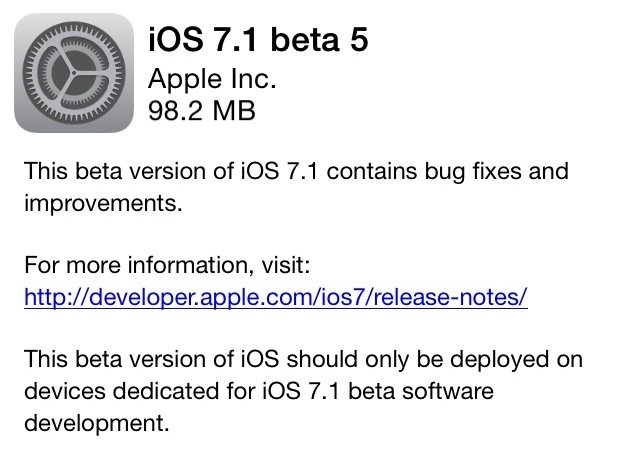
The update has a build number of 11D5145e and is available via an over-the-air update and will be available through Apple’s developer center website.
| |

AllCast updated with Chromecast support
Koushik Dutta has rolled out an updated release of his popular and handy app AllCast. As we expected would ultimately happen, his new version offer support with the Chromecast’s SDK. In essence, this app lets you cast pictures and video to “all the things“, or pretty much every type of device you can imagine. The free version of the app provides for up to 1 minute clips while the $5 version allows for unlimited streaming.
Note that you do need to have the latest version of Google Play Services (4.2) installed before this works properly. If you’re the impatient type you can force the installation yourself.
For a list of additional apps that work well with Chromecast, refer to our growing collection!
The post AllCast updated with Chromecast support appeared first on AndroidGuys.

Gameloft and Marvel announce Captain America: The Winter Soldier game
Gameloft and Marvel have announced the upcoming release of a smartphone and tablet game based on the film Captain America: The Winter Soldier. Arriving in late March, the game puts you in the boots of Captain America as you lead S.H.I.E.L.D. agents against enemies and bosses. According to the press release (below), the game is a combination of combat action and flexible tactical options. Judging by the early teaser video we’re in for a fun, cartoon-ish experience that blends the best of Gameloft and Marvel.
Gameloft to Develop Official Mobile Game for Marvel’s Captain America: The Winter Soldier
Paris, February 4th, 2014 – Gameloft, a leading global publisher of digital and social games, has teamed up with Marvel to announce the development of its upcoming smartphone and tablet title, Captain America: The Winter Soldier – The Official Game, based on the much-awaited Super Hero film coming this spring. As the official game of the film, Gameloft will bring an original blend of combat action and flexible tactical options for a complete Marvel experience that teases the upcoming movie.
“Marvel has been a longtime partner of ours, and we are once again happy to transform one of their blockbuster films into an immersive action game,” said Karine Kaiser, VP Marketing & Licensing at Gameloft. “Players can expect a truly involved Captain America experience, with many characters from both the movie and the comics.”
Fans will enjoy taking the role of Captain America and leading an elite team of S.H.I.E.L.D. agents in battle against famous Marvel villains involved in a sinister global plot. Complete with the ability to join clans in multiplayer mode and to compete for a higher position in leagues, gamers will enjoy hours of entertainment in a unique comic-book-style world. An original story inspired by the film, co-written by Marvel, provides a gripping narrative for the game.
“We are happy to expand around the Captain America: The Winter Soldier film with this game, which truly complements the global experience we are aiming to offer,” said Javon Frazier, Vice President, Games Marketing at Marvel Entertainment.
Captain America: The Winter Soldier is scheduled for release on iPhone, iPad, iPod touch and Android in late March. The upcoming film is coming to theatres on March 26th in certain Europe countries and on April 4th in the United States.
Discover the first trailer here: http://youtu.be/QfPfhAW9huU
The post Gameloft and Marvel announce Captain America: The Winter Soldier game appeared first on AndroidGuys.
Pebble Appstore Beta 8 hands-on
The time is finally here… well, almost. Pebble finally announced their appstore for iOS, and left Android users waiting around for the launch on their favorite mobile platform. Recently, the Pebble team opened up a beta build to the public. It works, but remember: this is a very early build of the software. If you’ve watched how-to’s on the build for iOS, it’s basically the same thing,this one is just more buggy.
Disclaimer: Since this is a beta build of the appstore, we can’t vouch for anything that may go wrong. It’s buggy and slow, and that’s why it is still in beta.
Start-up
When launching the store for the first time, Pebble prompts you to sign-in to their servers, or sign-up. It then checks your installed watchfaces, letting you know which ones you’ll need to drop in order to upgrade to the newest software version. Afterwards, it updates your software to version 2.0 (the newest build).
If all goes well, you’re whisked into a world of endless watchface possibilities at your disposal.
What do I do now?

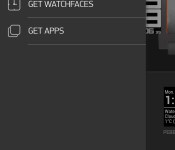
Before we get into anything else, let’s talk navigation. Pull from the left side of the screen to access the menu. The appstore is divided into three sections: My Pebble, Get Watchfaces, and Get Apps. Here is where you will also find your Pebble settings and anything else you might need.
My Pebble

This is where you’ll go to manage everything about your watchfaces and apps. Slide through the installed faces near the top of the screen, to directly manage the installed apps. Towards the bottom, sits the “locker”. This is where you’ll find your download history. If you’d like to switch one of these apps out, tap it, and it will ask you if you’d like to install. It’s that easy.
Get Watchfaces

Here is where you can browse watchfaces to your little heart’s content. Search, browse, install, do whatever you see fit.
Get Apps

This is the same premise as the watchface section, just for more useful. Here is where you can find battery indicators, games, remotes, fitness trackers, etc. It is very possible to spend hours in this section. You’ll probably find many things that you had no idea existed.
How do I get it?
If you’d like to lend a helping-hand in the production of the appstore, you can download the beta, here. And remember, use this at your own risk.
Even the early build of this appstore is wonderful, especially compared to what Pebble users had to go through to get apps in the past. Do you have a Pebble? What are some of your favorite watchfaces and apps? Let us know in the comments!
The post Pebble Appstore Beta 8 hands-on appeared first on AndroidGuys.
LifeProof Fre for Galaxy S4 Review
Last week I got my hands on a LifeProof Fre for the Galaxy S4 and after about a week of normal and rugged use, it is time to divulge the details.
When I first received the case and slapped it on my Galaxy S4 I was extremely disappointed. When I placed my first phone call to test out the audio volumes, the headset speaker sounded terrible with static and muffled voices. I figured that it might be my screen protector and body skin on the device is creating too much bulk and pushing the phone against the speaker membrane.
So I ripped them off, extremely easy to take off case, and put it all back together. However, my problem was still not resolved. So like every good reviewer I called up LifeProof, 35 minutes to get through, to see what I could do to remedy it and they told me to blow into the microphone port. Now I am thinking to myself, “What in the hell does that have to do with anything?”, well I did it and felt extremely stupid, but that didn’t fix my issue.
Now at this point I am just frustrated and I took action into my own hands. I placed a very small piece of Kleenex between the phone and the membrane and voila, my problem was solved. Now could this have been my fault, maybe, could this have been LifeProof’s fault, maybe, I can’t say it is because I didn’t give them the time of day to properly deal with it but when you’re on hold for so long I just don’t have time to deal with customer service.
Ok! Back to the review!
This case is sweet! I really enjoy the clear back and the case fits the phone like a glove. The call volumes going out and coming in are fantastic! I experienced no audio issue whatsoever and when playing music on speakerphone it is extremely clean and loud as if there isn’t a case on it at all!
Now the case does add some bulk, but we aren’t talking anything extreme when you take into account that the case is Waterproof, Dust-proof, Snow-proof, and Shock-proof. It slides easily from my pockets and doesn’t get hung up like some cases do. However, I am not a big fan of cases, I prefer to really feel a phone for what it is and not add any bulk to it. On the other hand, if I were going on a trip or taking the kids to the water park, I would, most definitely, slap a LifeProof on it and have some piece of mind!
The Good:
- Audio is clear both ways
- Speakerphone is crisp and clear
- Buttons are easy to press
- Feels and is secure
The Bad:
- LifeProof customer service
- Added bulk
Judgement:
If you are looking for a case to withstand all elements, this is the case to have! If you don’t mind some bulk and prefer piece of mind then this case will give you everything you need for a smooth $79 from LifeProof or $50 bucks from Amazon! However, if you don’t like bulk but maybe you find yourself with your family on the beach, this is something to highly consider to capture those moments you want and not worry about anything else.
The post LifeProof Fre for Galaxy S4 Review appeared first on AndroidGuys.

Android and the Smart Home
Home security is no longer just for at home. The past 5 years have seen cell phone technology transform the way we interact with the things we own, putting their management into the palm of your hand. You can now control everything from baby monitors to refrigerators with your smartphone, and Android is emerging as the dominant software in smart home technology.
 At times, their dominance is a result of their direct integration into a system. Google recently announced Open Automotive Alliance is high profile example of this strategy. By building Android into cars and
other consumer centered platforms Google can seamlessly integrate with a host of their other products and services. This is certainly the strategy behind the $3.2 billion acquisition of Nest.
But another part of their dominance has come from getting companies to integrate their own systems into Android. Companies like ADT, who were once at the forefront of smart home technology with their home monitoring system, have been forced to adapt to the new environment the smart phone has created. They released ADT Pulse on both iPhone and Android to adapt their offerings to the ever expanding Internet of Things. ADT has also expanded the traditional security features to encompass home automation in general, linking your lighting, climate control and more to any web-enabled device. Android is a key technology ADT has been forced to integrate with in their efforts to survive.
If you take a look at ADT Pulse’s features, it is clear the Internet and mobile phones have played a significant role in the product’s design. Just look at the features available:
- Arm and disarm your security system
- Lock and unlock doors
- Control climate and lighting
- Receive text and/or email alerts
- Check on video surveillance
Mobility and ease of use are driving the product offerings of ADT Pulse. They are also the same drivers behind Android’s integration into the automobile and home services landscape. Companies that once relied on Android for serving their customers could soon become overshadowed by Google itself as it flexes its software muscles to enter spaces traditionally occupied by its partners.
Remote access to your home, whether it’s turning your security system on and off, locking or unlocking your doors, managing your lights, optimizing your heating and cooling system, or generating customized alerts about the on-goings in your home, is the future of how we experience and manage our homes. Google is preparing to be a big part of how consumers will interact with their homes and Android is their big bet on how to win the market.
GUEST BLOG CONTRIBUTOR: Anna Stephens
The post Android and the Smart Home appeared first on AndroidGuys.

Microsoft offers free Lumia 520 handset with an Xbox Music pass

If you’re pondering a new phone or Windows device, Microsoft is keen to help out at the moment. First of all, it’s offering up to $250 of store credit for your well-kept smartphone or tablet, depending on the model. That trumps the $200 iPad trade-in from last year and would get you a deal on any product (sold in participating stores) and not just the Surface Pro 2 like last time. Redmond also wants to prod those looking to get Xbox Music by offering a no-contract Nokia Lumia 520 or 521 T-Mobile version gratis with a one year, $100 pass. That’s a phone we’d likely pass on at the regular price, but if you’re looking to get Xbox Music anyway, “free” definitely works. The trade-in expires on March 2nd, but you’ll have to think faster to get the Lumia 520 or 521 — that deal’s over on February 17th.
Filed under: Cellphones, Home Entertainment, Microsoft
Via: TNW
Source: Microsoft Store, Smartphone or Tablet trade-in, Microsoft Store, Xbox Music Bundle

This liquid can make any glove touchscreen-friendly

It hasn’t been all that easy to make your own touchscreen-friendly gloves short of grabbing a needle and some conductive thread. With Tony Yu’s upcoming Nanotips, however, it could be as simple as applying touch-up paint. The conductive liquid gives any pair of gloves (and many other surfaces) the same capacitive effect as your own fingers, letting you use your phone no matter what style of handwear you prefer — you can check email while you’re still dressed for a motorcycle ride. If you’re intrigued by the idea, you can pledge $22 Canadian ($20 US) to get a bottle of Nanotips Black, which is intended for rubber and other thicker materials. Outside of early bird specials, it costs $30 CAD ($27 US) to get the fabric-oriented Nanotips Blue. Both formulas should reach backers between February and March.
Filed under: Peripherals, Wearables
Source: Kickstarter

Google Maps on iOS now notifies you when a faster route is available

In an effort to bring Maps for iOS up to par with its Android equivalent, Google has released an update that makes the app on Apple’s platform smarter in real-time. Now, when you’re using Navigation mode within the iOS application, Google Maps can send a notification to let you know a faster route has become available. If that’s the case, you’ll simply have to choose from either a “Reroute” or “No thanks” option — but, you know what they say, time is money. It’s worth noting this particular feature made its way to Android last month, and now those with iDevices will be able to take advantage of it as well. Unless, of course, you’re just a big fan of Cupertino’s own map service.
Filed under: Software, Mobile, Google
Source: App Store, Google Maps (Google+)
 AIVAnet