


Get patriotic this Fourth of July with our quickest home screen theme yet

This theme is quite fitting for our country: it looks complicated, awesome and time-consuming, but it’s really quite easy.
The Fourth of July is a day to celebrate our union, to acknowledge its past and look ahead to its future. It’s also an excuse for everyone to take a day off work in the middle of the summer, go swimming by the river, grilling in the backyard, drink some star-spangled beer and blow up some fireworks. Whatever your plans for this Independence Day, make sure that your phone is decked out in some red, white, and blue brilliance with our quickest theme yet, built upon American adaptability and KLWP.
- About KLWP and our July 4th theme
- Applying the July 4th Preset in KLWP
- Adjusting the July 4th Preset in KLWP
- Applying Whicons Icon Pack
About KLWP and our July 4th theme
KLWP — short for Kustom Live Wallpaper — is the bigger, bolder brother of KWGT, the what-you-see-is-what-you-get widget builder that we’ve used in many of our theme the last few years, including our recent Heart Canada and Deadpool themes. KLWP is a what-you-see-is-what-you-get live wallpaper builder, allowing you to build widgets, shortcuts, and designs right into your live wallpaper.

See the 5 white app icons on the screen? Everything besides those is part of our live wallpaper, and that means that since we’ve already built the theme, all you lucky users need to do is apply the live wallpaper, apply your icon pack, and get on with grilling and chilling.
This theme was originally based around a widget I found and liked in Element for KWGT, which is a wonderful preset pack I recommend checking out for KWGT. I hunted down the fonts and fonticon pack to help re-create the dock in KLWP and then made several edits and additions, including:
- Converted the three app shortcuts into music controls
- Added song information to the bottom of the dock, just above the nav bar
- Organized the Time/Weather elements to help them remain better aligned
- Tied all the theme elements to Globals for easy color adjustments
- Created and adjusted a custom tricolor music progress bar to sit sit along the edge of the dock
- Added a conditional layer to hide the interactive elements while on the lock screen

This is a theme I’ve tinkered and toyed with for over a month, and a KLWP Preset that I’ve adjusted and fine-tuned through weeks of personal use. Since you’ll be importing the KLWP Preset I’ve made, you’ll need KLWP Pro, which is $4.50. Considering how powerful KLWP is and how responsive its development team and community are, I think it’s more than worth that price.
The only elements you’ll need besides KLWP and KLWP’s Pro Key are our July 4th Preset, the free Whicons Icon Pack, and a home screen launcher that supports custom icon packs. I’m using Nova Launcher so that I can take advantage of subgrid positioning and lay out my apps in an angle that matches the theme.
Applying the July 4th Preset in KLWP
Once you download the July 4th Preset, use a file manager app to copy it to Internal Memory/Kustom/wallpapers. If you haven’t opened Kustom before, you might have to make the Kustom folder or wallpapers subfolder. Once the preset file is saved in Kustom/wallpapers, let’s get it imported.
Open KLWP.
Tap the next arrow three times.
Tap Allow to let Kustom access your device’s storage.


Tap the next arrow.
Tap Allow to let Kustom access your device’s location.
Tap Done.


A welcome message will appear.After reading it, tap Done.
Tap Load Preset.
In the Presets menu, tap the Exported tab.


Tap July 4th Preset.
The preset will load, but Kustom is still missing some important permissions for our theme. Tap Fix now.
Tap Fix.


Tap Kustom LWP or Kustom Notifications.
Tap Allow.
Tap the back button.


Tap the floppy disc icon in the top right bar of the screen to Save the wallpaper.
We still need to set KLWP as our wallpaper. Tap Fix.
Tap Set Wallpaper.


Tap Home screen and lock screen.
Tap the floppy disc icon in the top right bar of the screen to Save the wallpaper.
Tap the home button to see the applied theme in action.


The theme should adapt well to most home screen sizes since most the element groups are anchored and organized from the bottom of the screen.
Adjusting the July 4th Preset in KLWP
Ideally, the only thing left you’ll need to do is set the icon pack, but if you need to adjust the theme, here are some ways you can do that.
- Is the dock not fitting the width of your screen properly? Tap Layer and adjust the Scale up to down to your liking. Be advised that not all elements adjust at the same rate, so you may need to readjust individual elements after doing this.
- Want to re-position the sections of the dock to better fit your screen? Tap the Item group or element you wish to move (for instance the Progress Bar), and then tap Position. Adjust the X and Y offsets or directional padding to re-position the element as desired.
-
You can change what tapping an individual element or group triggers. For the base Preset, tapping the Hour opens the Kustom editor so you can adjust the wallpaper to your liking, but you could change it to open your clock or calendar app.


- Weather providers offer different descriptions of current weather conditions and some providers are more accurate in different regions than others. To change the weather provider KLWP uses, tap the three-line menu icon in the top left corner of the screen and tap Settings. Under Weather, you can tap Weather Provider and select from half a dozen sources.
-
KLWP by default will pull in the details and controls for any media notification that it sees. If you only want KLWP to pull in data from one app, you can enter KLWP Settings and set Preferred Music Player to your chosen music app.


There are plenty of ways to edit and alter this theme. For instance, here in Texas, the weather is horribly hot and sunny all the time, so I’ve switched the weather fonticon out for a Google Keep icon and shortcut.
Because, really, knowing how hot it is outside during the Fourth of July barbeque doesn’t help us endure it any better; it only makes us more aware of our misery.
Applying Whicons Icon Pack
This is a simple red, white and blue theme, and it works best with a simple white icon pack, and for a simple white icon pack, we turn once again to one of my favorite icon packs on Google Play. Whicons is one of the three free icon packs from Randle that mesh with so many themes that it’s just unnatural.
Open Whicons.
Tap the three-line menu icon in the top left corner.
Tap Apply.


Tap your desired launcher.
Tap OK.


I arrange my apps on the home screen using Nova Launcher’s subgrid positioning, but you can place your icons anywhere above our patriotic dock.
Your turn

So, do put fifty icons on your home screen for the 50 stars — assuming your home screen is big enough for that many — or do you take a more reserved approach to our Fourth of July theme? Want to kick it up a little more? Try this Captain America variant I made using The First Avenger’s colors and signature shield for some Star-Spangled Awesome.
Are there any themes you’d like us to tackle? Let us know in the comments!
Best Screen Protectors for BlackBerry KEY2
Keep your KEY2’s display looking as good as can be with these screen protectors!
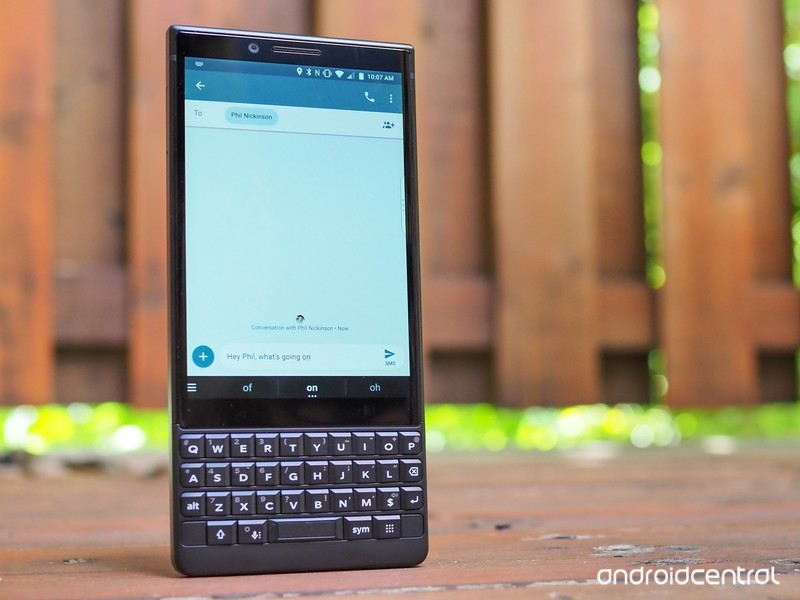
Whether you’re a productivity machine or still hate the feeling of typing on an on-screen keyboard, the BlackBerry KEY2 and its excellent physical keyboard are here to save the day.
There’s no doubt that the KEY2’s keyboard is the star of the show, but don’t forget about its 4.5-inch touchscreen display. It’s sharp, crisp, and works well in most situations, but a few nasty scratches will leave you wishing you’d put on a screen protector.
If you want to cover up your KEY2’s display so that it stays safe and sound, these are the screen protectors we recommend picking up!
- PULEN Tempered Glass Screen Protector
- AVIDET Tempered Glass Screen Protector
- Skinomi Film Screen Protector + Full Body Skin
- DeltaShield Military-Grade Film Screen Protector
- TopACE Tempered Glass Screen Protector
PULEN Tempered Glass Screen Protector
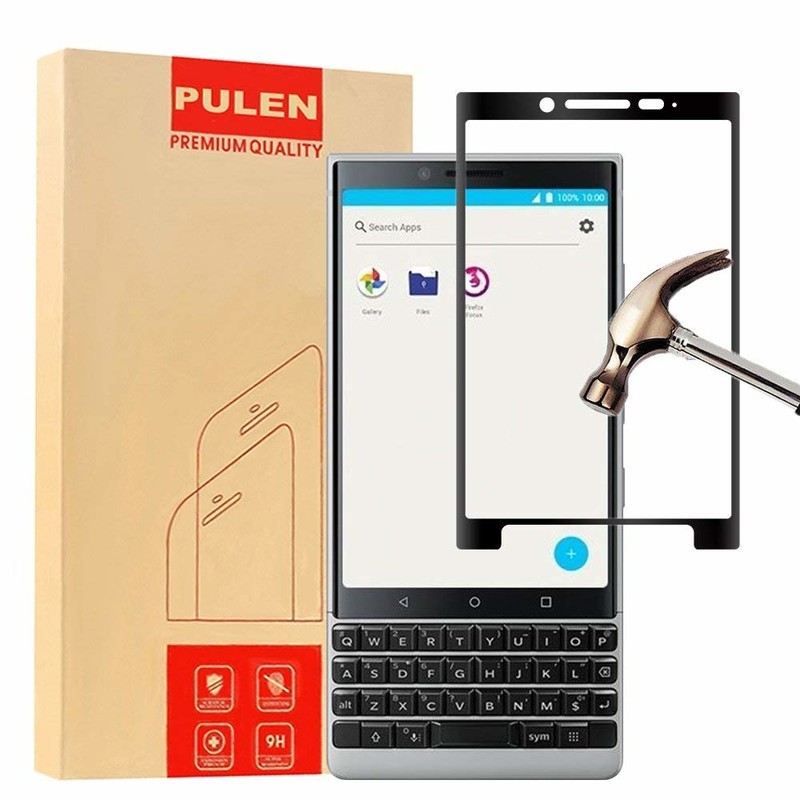
For folks in the market for a tempered glass protector, PULEN’s got you covered.
PUELN’s tempered glass screen protectors are laser-cut for the exact dimensions of the KEY2, resulting in a perfect fit for your device. There’s a 9H hardness rating to ensure no scratches find their way onto the protector, and even if you take a knife to the thing, it’ll still just as good as it did from day one.
The installation process is as easy as can be, with PULEN promising none of those pesky bubbles while doing so. There’s also a hydrophobic and oleophobic coating to prevent residue from sweat and oil.
If you’re interested, you can get a pack of two for just $7.99.
See at Amazon
AVIDET Tempered Glass Screen Protector
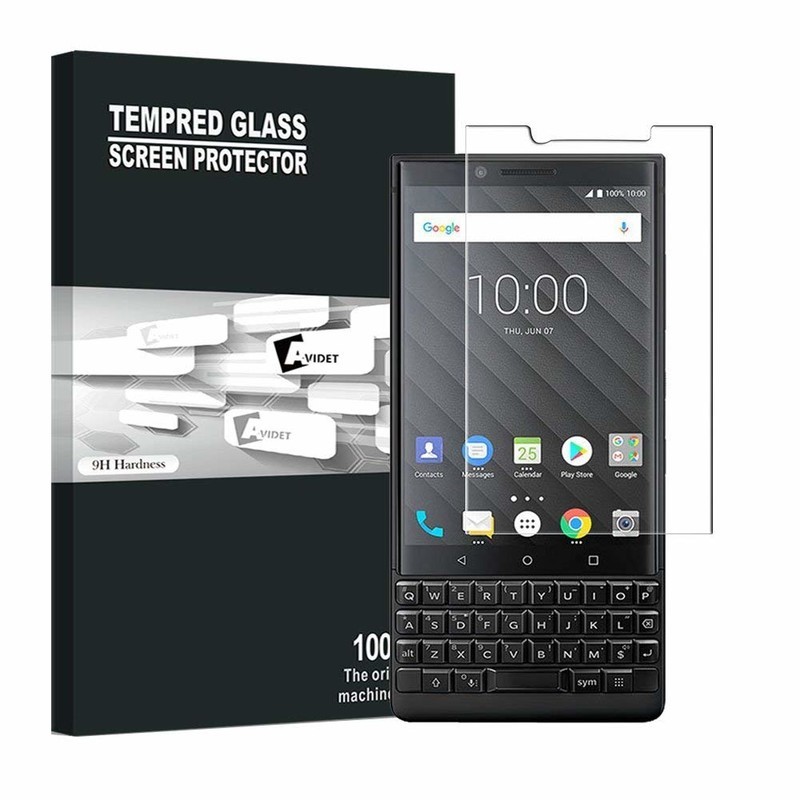
Let’s say you’re in the market for a tempered glass protector but want to spend as little as possible. For you, we’d recommend looking at what AVIDET is selling.
AVIDET’s tempered glass protector costs just $7.69, and while you don’t get two like you do with PULEN, the upfront cost is less.
The protector measures in at just 0.3mm with an impressive 9H hardness rating, 99.9% transparency makes it virtually impossible to see the protector when it’s on your KEY2, and 2.5D curved edges help to prevent any unwanted chipping of the glass.
This is an add-on item on Amazon, meaning it’ll ship on any orders that are over $25 or more.
See at Amazon
Skinomi Film Screen Protector + Full Body Skin
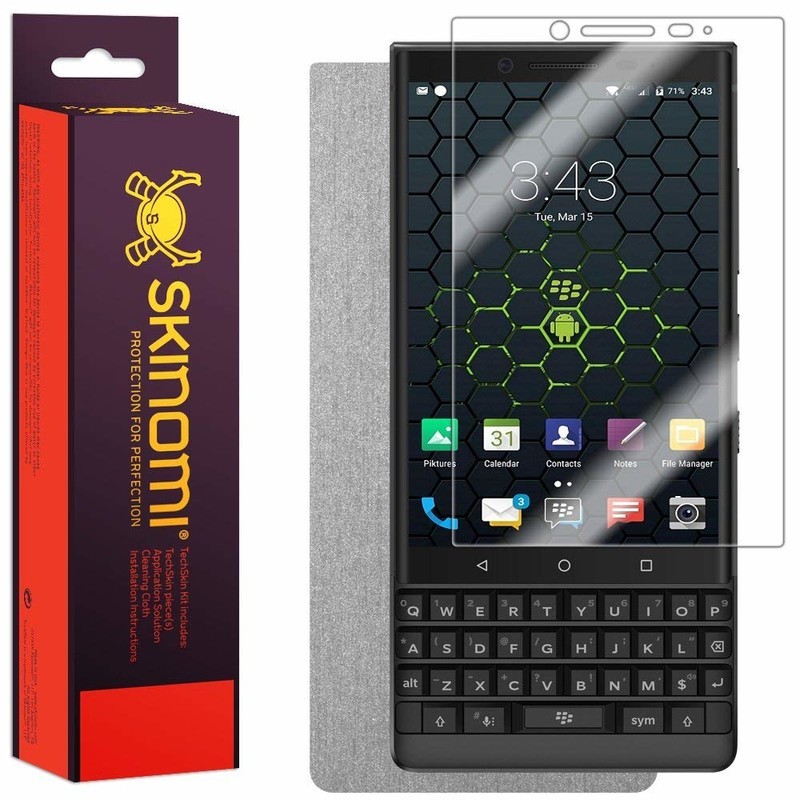
As great as tempered glass screen protectors are, they do have a tendency to crack much easier compared to film protectors. If you’re not about that glass life, Skinomi has a pretty great option for you.
Skinomi used laser cutting to match the size of its screen protector for the exact dimensions of the KEY2, and as such, it fits like a glove. The film protector is extremely easy to install thanks to Skinomi’s grid adhesive that doesn’t require any sort of liquid or solution, and it comes with a 100% risk-free lifetime replacement warranty in case anything goes wrong.
In addition to the film protector, Skinomi also includes a full-body brushed aluminum device skin! You’ll pay a bit more for this combo at $12.95, but even so, it’s a tremendous value.
See at Amazon
DeltaShield Military-Grade Film Screen Protector
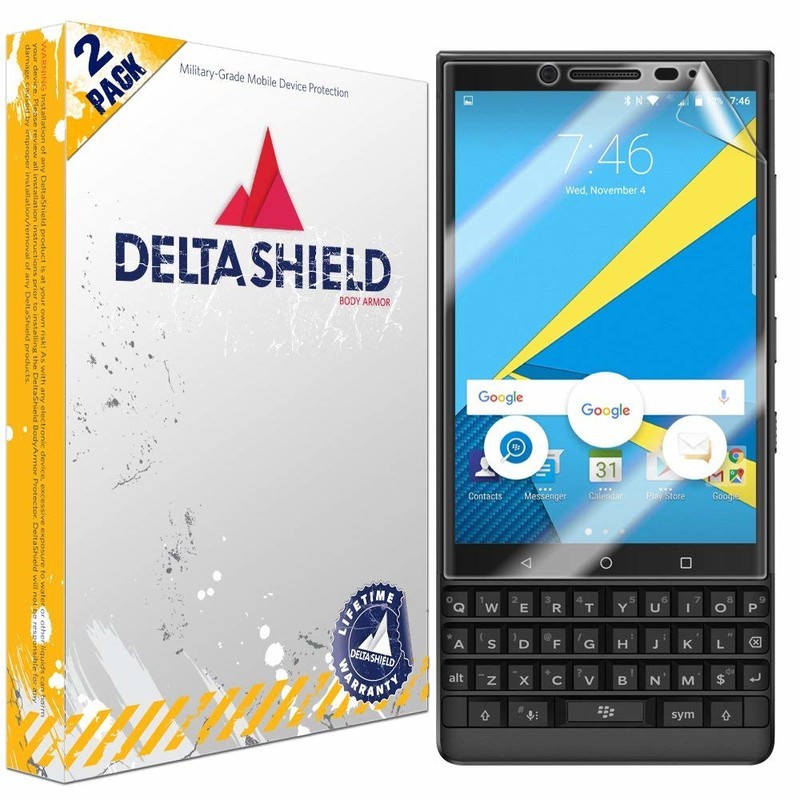
If you want another film option that’s a bit more affordable than what Skinomi’s selling, DeltaShield might have exactly what you’re looking for.
For a little more than $7, you can get two protectors with military-grade protection and a 99.9% transparency rating. DeltaShield’s protectors come with a “Self-Healing” technology that allows any imperfections in the protector to work themselves out over time and a UV-filter protects against troublesome yellowing.
The protector is barely visible once applied, and should anything go awry, DeltaShield covers its protectors with a lifetime warranty.
See at Amazon
TopACE Tempered Glass Screen Protector
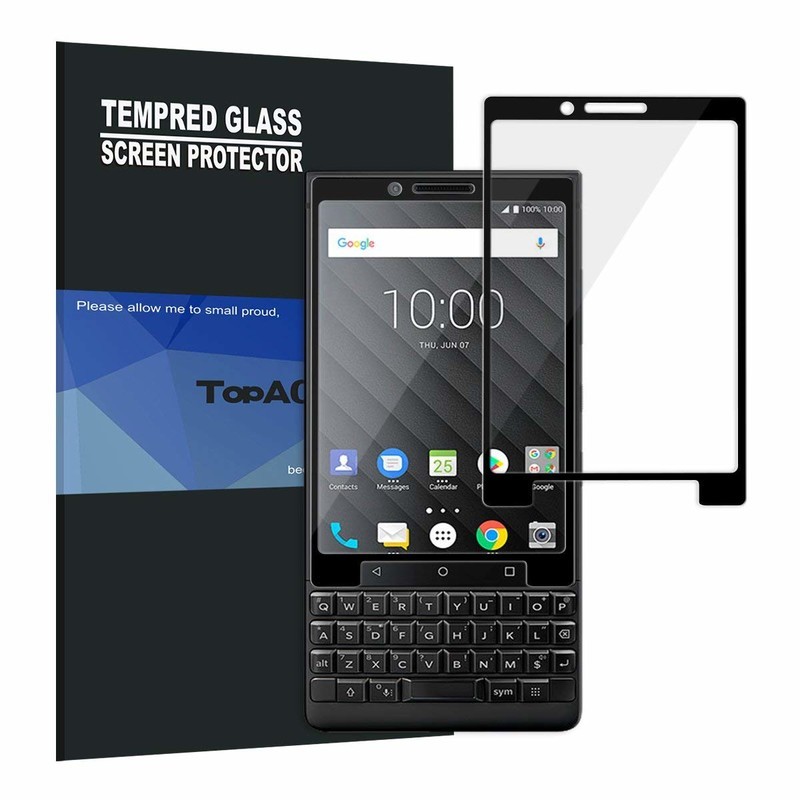
If you want a screen protector that’ll keep your KEY2’s display scratch and crack-free no matter what, tempered glass is the way to go. TopACE has created exactly that, and they’ve done an exceptionally great job.
For just under 10 bucks, you can get one glass protector with 99.9% transparency for a crystal-clear view of your screen, a 9H-rated durability, and full edge-to-edge coverage.
TopACE guarantees that you won’t get any unwanted bubbles during the installation process, and along with the protector, you’ll also get wet/dry wipes and dust removal stickers.
See at Amazon
What’s your pick?
What screen protector are you going to pick up for the KEY2? Is there another option that should be added to our list? Let us know in the comments below!
BlackBerry KEY2
- BlackBerry KEY2 review
- BlackBerry KEY2: Everything you need to know!
- BlackBerry KEY2 specs
- BlackBerry KEYone review: Coming home
- Join our BlackBerry KEY2 forums!
Buy the BlackBerry KEY2
Best microSD Cards for Lenovo Mirage Solo

Temper your expectations.
Lenovo’s Mirage Solo is a compelling option for those that love virtual reality, since you don’t need to buy an expensive phone just to enjoy VR. The Mirage Solo offers 32GB or 64GB of internal storage, but while it includes a microSD slot, it’s not what you’re expecting.
Here’s what you can do with a microSD card in the Mirage Solo, and the best cards!
- What can you do with a microSD card in the Lenovo Mirage Solo?
- Best microSD cards
What can you do with a microSD card on the Lenovo Mirage Solo?

Most Android devices let you use a microSD card as adoptable storage to serve as permanent storage. Failing this, every other Android device lets you browse the contents of the microSD card, and apps like Google Play Music or Netflix let you download music or movies onto the SD card.
The Mirage Solo doesn’t let you do either of these. You can see your movie files with the built-in file browser, but trying to select them doesn’t actually do anything. Similarly, Plex, Netflix and other movie players don’t give you the option to save media to the SD card.
The only official use for a microSD card in the Mirage Solo is to playback footage that was filmed on Lenovo’s Mirage Camera. This is a 180-degree camera specifically for recording VR video.
Best microSD cards
Since you’ll be recording high-resolution video, you’ll need a card that has the fastest write speeds you can find. Here are our picks!
Samsung EVO Plus 256GB

If you need to spend money on a card for capturing videos, you may as well spend a bit more and get the biggest card you can. Samsung’s EVO Plus card offers 256GB of storage, and is fast enough to handle all the footage you take. The card is heat-, water- and cold resistant, so feel free to take your camera to extreme locations. There are other cards that offer more storage for less money, but they aren’t nearly as fast as this one.
The Samsung EVO Plus 256GB is available for about $90.
See at Amazon
Sandisk Extreme Pro 64GB

This card doesn’t offer as much storage, but it’s also not as expensive. Just like the previous choice, this card is safe to use in almost any harsh environment, so you can take your camera snowboarding or hiking without worry. Most importantly, it’s more than fast enough to handle your 180-degree footage. If you don’t mind offloading storage from the Mirage Camera regularly, give this card a look.
The SanDisk Extreme Pro 64GB is available for $38.
See at Amazon
Samsung EVO Select 128GB

Samsung has another card that is a nice middle option, depending on how much storage you’re looking at. The EVO Select is available in 32GB, 64GB, 128GB, and 256GB flavors, but the 256GB version is more expensive than the EVO Plus above. The lower tiers are a great value though: the 128GB version runs for $40. The card offers 100MB/s write speeds, more than fast enough to keep up with your VR camera. Like the other options, this card can withstand seawater and extreme temperatures, meaning your footage will survive wherever you can take the camera.
Samsung’s EVO Select 128GB card is available for $40.
See at Amazon
What say you?
Which card would you pick for the Lenovo Mirage Camera? Let us know down below!
Best Android Launchers in 2018

Want to upgrade your Android experience? Try upgrading your launcher.
The way we arrange, organize, and interact with our apps on Android is called the launcher. Launchers usually consist of a series of home screens, where we can arrange app shortcuts and widgets and an app drawer. Every phone comes with a launcher, but when they drop the ball, there are endless third-party launchers that not only pick it up again but knock it clear out of the park.
Previous incarnations of this article have tried to claim that there is one launcher to rule them all, that there truly is a best launcher out there. I don’t believe that’s possible, even though I have a launcher I value over all others. You use your phone differently than I do, and I use my phone differently than my co-workers do or my friends or my family do. Everyone has their perfect launcher, but if you haven’t found your favorite yet, then here are a few launchers we think will satisfy users of every type.
Best light and easy launchers
- Evie Launcher
- Microsoft Launcher
Best customization launchers
- Nova Launcher
- Action Launcher
Honorable mention launchers
- Best app drawer: Smart Launcher 5
- Best business launcher: BlackBerry Launcher
Best light and easy launchers
Are you someone who doesn’t want to mess with a lot of bells and whistles? Do you just want to put your most-used apps front and center, maybe a widget or two, and get one with your Android experience? You want a fast launcher, a light launcher, one that doesn’t need a lot of fussing and tweaking, and these are the launchers for you.
Best light launcher: Evie Launcher

Evie Launcher is a lightweight launcher that just doesn’t quit and uses its gestures in effective ways. Evie’s gestures got 200% this summer, allowing us to finally set swipe down to “Open Notifications” instead of Evie Search and well as customize the rest of the its gestures the way we want rather than being stuck with their gestures or nothing. This launcher is light enough to let you hit the ground running with it while still letting your personality show through with it.
Evie is easy to set up and run with, but you can customize the desktop grid and icons just enough to keep things beautiful. It’s a quick launcher that’s completely free, so look forward to more optimizations and tweaks to help speed up your launcher experience. You can even back up your Evie layout and settings directly to Google Drive.
- Read more: Evie Launcher review
- Download Evie Launcher (Free)
Runner-up: Microsoft Launcher

You’d think that if Microsoft was going to bring a launcher to Android it’d be a launcher that matches the launcher on Windows Phone — and you’d be wrong. Microsoft Launcher doesn’t look a thing like Windows Phone, and that’s great news. Not only is Microsoft Launcher a completely Android-native experience, but it’s a top-quality launcher to boot, and one of the few launchers besides Nova Launcher to offer edge-to-edge widget placement.
Microsoft Launcher is a browser that’s centered around a clean home screen with a robust dock, a smart feed centered around your Microsoft account and your daily phone use, and a speedy app drawer where you can easily find all your apps. Microsoft Launcher’s set up is a touch long-winded, but it’s a breeze to navigate. It’s not quite as bare-bones as Evie, but it is a light launcher that’s well-worth considering, especially if you have an Outlook account for work or school that it can tie into for email and calendar appointments.
Download Microsoft Launcher (Free)
Best customization launchers
Do you want full control over your home screens? Want to set more than just an app grid and a widget or two? Want to make your home screen look and act the way you want? Then you want a customization-based launcher. Often called theming launchers because theming is one of their more obvious uses, these launchers are for far more than just making your home screen look pretty; they’re for making your home screen function more efficiently and more effectively for your life.
By giving you control over gestures, advanced UI controls, and almost every aspect of your launcher experience, these launchers let you customize the way you interact with your phone in ways that truly exemplify the Android experience. These two customization-based launchers dominate much of the third-party launcher market, and there’s a very good reason: they’re awesome.
Best customization launcher: Nova Launcher

Nova Launcher is over six years old, and this storied launcher has been a major player in the Android launcher market longer than most of us have used Android. The reason for this continued dominance is simple: Nova’s mix of customization, convenience, and cunning is unparalleled. Nova lets your phone look more Pixel-y than a Pixel and more TouchWiz than a Galaxy S9 and does it with ease and grace. In fact, Nova’s biggest strengths are things that are hidden in plain sight, like its pocket ace Subgrid Positioning or its excellent backup system.
When we build themes for our Android Central readers, nine times out of 10 the launcher we use to build it and to share it with you is Nova Launcher. It’s an excellent launcher if you want to build complex themes or if you just want a smartly laid out launcher with excellent gesture controls.
Read more: Nova Launcher review: Still king of the mountain
Download Nova Launcher (Free, $4.99)
Runner-up: Action Launcher

Action Launcher is one of the most popular launchers on the market, and the watchword of both the launcher and its users is QUICK. Quicktheme, Quickdrawer, Quickpage, Quickbar, quick, quick, quick. Action Launcher is determined to be a launcher that gets what you need to be done quickly so that you can get back to doing whatever you actually need to get done. To ensure that Action Launcher can be the quickest and best launcher for users who want to set everything up just so, Action Launcher has taken it upon itself to be one of the most customizable launchers on the market. From its robust gesture controls to its ubiquitous Covers and Shutters to hide folders and widgets under a seemingly plain looking app shortcut, no matter what you want to use, Action Launcher makes it easy to set up, even if its Quicktheme sometimes misses the mark.
Action Launcher is also quick to support features from the newest versions of Android, and it’s already started integrating some Android P flair. There’s a reason it’s the only launcher Phil uses: Action Launcher is damn good at what it does. While it’s not quite as intense as Nova Launcher, it’s a launcher that’s incredibly — well, quick — about getting you set up and on your way.
Download Action Launcher (Free, in-app purchases)
Honorable mention launchers
Now, there are launchers that don’t quite top the list for the lighter, easier quick launchers and can’t quite crack the intense theming prowess of Nova and Action. This doesn’t mean that these launchers aren’t awesome, and in an effort to highlight launchers with a standout feature or that serves a launcher niche excellently. After all, there are a lot of launchers out there, and there are a lot of ways to use them to interact with your apps.
Lawnchair Launcher was going to be added to this list, however the Lawnchair team just announced that they’re dialing back on the current version as they ramp up an overhauled v2. As such, while Lawnchair Launcher is a neat take on Launcher 3 — the AOSP launcher and base of Google’s Pixel Launcher — with some Pixel flair, edge-to-edge widget placement, and basic but beautiful theming, we’ll wait and see what Lawnchair v2 brings before adding it as the Best Early Access launcher.
Best app drawer: Smart Launcher 5

Smart Launcher has been around for a while, but they really kicked things up a notch with Smart Launcher 5. The home screen features a new gridless widget-placement system, and Smart Search has been overhauled, but the real star of the show here is still the app drawer. Smart Launcher 5 automatically sorts your apps into several categories, and if you pay for Smart Launcher Pro, you can even add your own custom categories and sort your various drawer tabs in a variety of ways, from most-used to install time to even icon color.
Smart Launcher 5 has a lot here to like, from a responsive and comprehensive categorical app drawer to some of the most precise widget placement on Android to the most diverse icon options on the market. Its gestures are also top-notch, especially the double-tap shortcuts that can at least double the functionality of every app on your home screen. Remember when I said that I use Nova Launcher for 9 out of 10 themes? Smart Launcher is the launcher I use for that other 10%, including our dead awesome Deadpool theme and our Heart Canada theme!
Read more: Smart Launcher 5 review: An amazing balance of customization and simplicity
Smart Launcher 5 (Free, $6.99)
Best business launcher: BlackBerry Launcher

BlackBerry has made something of a comeback since its migration to Android a few years ago, and nowhere is this more apparent than BlackBerry Launcher, which is openly available on Google Play. BlackBerry Launcher is a stable launcher that eases Android newcomers into the many, many possibilities available in an Android launcher today. Part of this is by necessity, as millions of government and enterprise users are introduced to Android and what an Android launcher can do through DOD-certified BlackBerry phones.
From pop-up widgets that can appear with the swipe of an icon to one of the easiest-to-understand Shortcut galleries I’ve seen on Android to a no-nonsense approach to launcher settings and customization, BlackBerry Launcher lets you get things set up just the way you like them and then streamline your launcher experience for efficiency.
BlackBerry Launcher’s keyboard shortcuts are the best on Android
Keyboard shortcuts on BlackBerry Launcher are exclusive to BlackBerry’s physical keyboard phones, but they offer unparalleled ease and versatility. In the esteemed words of our own Jerry Hildenbrand:
My KEYone and its keyboard shortcuts let me keep my home screen blank and I just long press a keyboard key to open the app I want to open: “A” for the AC app, “C” for Chrome, “G” for Gmail, “K” for Slack, and “S” for Signal. This keeps me from tapping things with my bumbling fingers or worrying about things happening in my pocket.
How to set up keyboard shortcuts on the BlackBerry Launcher
As a business-geared launcher, BlackBerry Launcher offers a premium experience, and rather than paying a one-time fee for the launcher, BlackBerry Launcher relies upon a BlackBerry Hub subscription to eliminate its ads after 30 days. Or you could buy a BlackBerry phone and get access to the best launcher shortcuts on Android.
Download BlackBerry Launcher (Free, subscription)
What’s your favorite?
Do you have a favorite launcher? What’s on your Android phone now? Sound off in the comments below.
Updated July 2018: We’ve been hopping launchers religiously, and it’s official — these are still the best launchers on Android!
Add Aukey’s 20000mAh Quick Charge 3.0 battery pack with USB-C to your bag for $33
Put all this power in your bag!
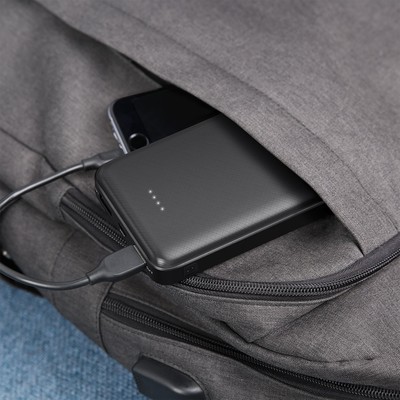
Aukey is offering its 20000mAh portable USB-C battery pack for just $33.29 when you check out using coupon code AUKEYB07 at Amazon. This battery pack normally retails for $45 and rarely drops from that price. It has support for Qualcomm’s Quick Charge 3.0 and a max output of 5V at 3A on the USB-C port or 5V at 2.4A on the USB-A port. The USB-C port can be used to charge the battery pack itself or to charge a connected device, and the two full-sized USB ports are outputs only.
The top has four LED lights to help you know how much charge is left in the battery at a glance, and there is a power button on the side for easily turning it on and off while on the go. The 20000mAh capacity is enough to charge an iPhone 8 six times, most Android devices about five times, and even a MacBook once. If you’d rather something with a little extra capacity, Aukey’s 30000mAh option is on sale for $10 more when you use coupon code AUKEYB03.
See at Amazon
Best Places To Buy A Refurbished Phone in 2018

Phones are expensive, but they don’t have to be that expensive.
Everyone wants a high-end phone, but the problem is bringing yourself to actually pay the high prices required for one. Some people are happy to pay retail, but others are looking for a deal — and one of the ways to find discounts is to look for refurbished phones.
But as you’d expect, buying a refurbished phone isn’t as simple as walking into a store and asking for one — it takes a bit more research and understanding. To help you navigate it, we have all of the information you need right here to make a good choice in buying a refurbished phone.
What does ‘refurbished’ mean?
Even though we see “refurbished” thrown around a lot, that doesn’t mean it’s necessarily a standardized term. You may often see it used interchangeably with “recertified,” “reconditioned” or just “open box” or “pre-owned” as well. No matter the exact word, in general, it means it’s a product that was manufactured to sell as new, but for whatever reason was returned to the manufacturer — either by a store, reseller or customer — and is now ready to be sold again. They’re sold at a discount, and that’s why people are interested in them.
The terminology changes, but the idea is the same.
Refurbished devices could have simply been opened and returned to a store, but could have also been returned to the manufacturer for a malfunction that was then fixed before selling again. Most of the time, depending on the country where you’re shopping, a product that was been purchased and opened — and possibly not even removed from the packaging or powered on — can no longer be sold as “new” and must be sold as refurbished instead. Stores, resellers or companies themselves then have to discount the device because it technically isn’t new-in-box and therefore can’t command the same price as a new phone.
Unfortunately, it’s hard to know when shopping for a refurbished phone why exactly the phone has made its way to refurbished status or what was done to the phone to then certify that it was refurbished.
What to look for when shopping refurbished

The issue with refurbished phones is that you don’t necessarily know which of the possible pathways it took to be refurbished in the first place. And the truth is, you may never know even after you have the phone in your hands. But there are some good tips to follow when shopping for a refurbished phone.
- Buy from the original company or reputable store whenever possible. They do the best refurbishing process, and can actually offer some sort of guarantee that the phone is in good, working condition.
- See what warranty, if any, is offered for the refurbished phones. Some manufacturers will offer a full warranty for refurbished phones, while third parties typically won’t.
- Read the fine print on the sale — even though it may be hard to find. Most refurbished or open-box phones are sold “as is” with little or no option for returns or refunds.
- Keep in mind the age of the device you’re looking to buy. Sometimes companies won’t be selling refurbished versions of the latest phones, but instead a model or two older. It may be nicely discounted, but much of that discount is likely due to it just being old.
- If the price is too good to be true … then it probably is! If you see a retailer selling a late-model “refurbished” phone for something like half the retail price or less, there’s likely some sort of catch you’ve yet to find. Refurbished phones will be cheap, but they won’t be a steal.

Where to buy refurbished
If you’re doing your researched and are ready to buy refurbished, here are some great places to look that often have refurbished, recertified, pre-owned or open-box phones.
- Best Buy sells refurbished, pre-owned and open-box phones from a variety of companies at discounts ranging from 10-30%. Open-box deals in particular are great because they’re typically devices that have just been purchased, opened and returned, not even used. Because of this, you can often find the latest models of phones for sale, rather than just old models.
- Samsung sells certified pre-owned devices, typically at least one model year old, at solid but not substantial discounts. The upside here is getting a full one-year warranty as if you bought it new.
- Gazelle refurbishes and sells phones it buys from consumers, and typically offers up popular devices from Samsung that it can turn the biggest profits on. This means there’s a small selection, and it may not always offer the latest devices, but has some great prices.
- Verizon has certified pre-owned devices, but the selection is small and isn’t always the best deal. For the most part, it only sells pre-owned Samsung phones. Buying certified from the carrier gives you a bit of security, though, as Verizon will guarantee you’re getting a working device.
- T-Mobile also sells certified pre-owned devices at deep discounts, but stock fluctuates and is generally limited to Samsung and/or LG phones. The carrier will also offer similar support to that of a brand new device, so you do have a safety net there.
- AT&T technically has certified pre-owned phones, but they’re only available online and at any given time you may find just one or two models. You’re likely better off buying an unlocked refurbished phone elsewhere.
- Sprint lands in the same situation as the other carriers, offering certified pre-owned phones but often just one or two models available depending when you look.
Do your research, pick the right store and compare prices before buying, and you’re likely to come away with a good phone at a better price than you would ever find on a new-in-box phone.
Update July 2018: All of the latest and greatest places to buy a refurbished phone can still be found right here.

How to enable developer mode on your Chromebook

Developer mode lets you access deeper parts of Chrome OS. Here’s how to enable it!
At first glance, it may not look like you can do much tinkering on a Chromebook. Open the device, sign in, and enjoy the security of the sandboxed operating system. But if you do want to do a lot more with your Chromebook you’ll need to enable developer mode first.
- What is developer mode?
- How to enable developer mode
- How to disable developer mode
What is developer mode?
Developer mode doesn’t have anything to do with the developer channel of the OS itself, despite the similar name. The developer channel is for testing brand new features with a major cost to stability: the developer channel is updated a few times a week with new features and bug fixes.
Enabling developer mode is analogous to rooting your Android phone: you have deeper access to the OS, letting you turn on cool stuff or potentially break things. You need to enable developer mode before you can run other versions of Linux, sideload Android applications and run Linux applications inside Chrome on older Chromebooks. Since Google can’t verify what operating systems are installed when the machine is in developer mode, know that it’s technically less secure than if developer mode is turned off.
How to enable developer mode

Before we get started, make a backup of any local files you have on the Chromebook. Your Chromebook will be Powerwashed in the process, erasing any accounts and local data. With that all done, let’s enable developer mode!
Boot your Chromebook into recovery mode by powering off the device, then holding the Esc and Refresh (the circular arrow) keys while pressing the power button. If you are using a Chromebook or Chromebit, there will be a hole on the device that has the recovery button inside. Stick a paperclip or similar object inside to hold down the recovery button, then press the power button.
Press Ctrl + D on your keyboard when asked to insert recovery media.
Press Enter to confirm.


When your device reboots, you’ll see a screen stating the OS verification is off. This screen will appear every time you turn the device on to warn you that the device isn’t as secure as it would be out of the box. When you see this screen, press Ctrl + D to continue booting, or wait a few seconds and the device will boot on its own.
How to disable developer mode

Since developer mode is not verified by Google, you will need to turn it off before selling the device or returning it for warranty purposes. Here’s how to disable developer mode!
Reboot your Chromebook.
Press the spacebar to re-enable verification when you see the “OS verification is off” screen. This will wipe the device and it will be secure again!
Questions?
Do you use developer mode on your Chromebook? Let us know down below!
Updated July 2018: Added the “What is developer mode?” section and the jump list.
Chromebooks
- The best Chromebooks
- Chromebooks in education: Everything you need to know
- Should you buy a Chromebook?
- Chromebook Buyers Guide
- Google Pixelbook review
- Join our Chromebook forums
Internet connectivity is a human right, and Rightmesh has a plan to fulfill it
John Lyotier poses with kids in Bangladesh, where Rightmesh held a hackathon in December of 2017.
“We believe that connectivity the way it exists today is broken,” John Lyotier, CEO of Rightmesh, told Digital Trends. “Internet accessibility and connectivity is a human right, yet we are not letting people connect.”
That sounds like a bold statement. Yet Lyotier is only saying what everyone already knows. People across the globe seem keenly aware that today’s internet isn’t as open as it once was. From state-enforced bans to private monopolies, the open internet’s enemies are many, and gaining ground.
What sets Rightmesh apart from the rest of us, though, is what it intends to do about it. The company has a plan to roll out internet to places it’s normally unavailable (or too slow to use), and is aggressively bringing it to fruition.
Does what it says on the tin
The solution is in the name; a mesh network made of devices people already own like smartphones or, in some cases, IoT devices. To be clear, we’re not talking about the sort of mesh you can set up at home with a few Google Wi-Fi routers. This is a more robust and complicated mesh which could consist of up to 100 devices.
A mesh makes sense because it bypasses the need to deploy expensive infrastructure.
“The world assumes that everything must go up to the Internet at all times, which is not always the case,” said Lyotier. He gave the example of a classroom, where students are within a few feet of each other. The internet forces use of expensive infrastructure even when a recipient is only a stone’s throw away. “The moment the send button is pushed the logic goes, take this packet of data, go up to the internet, out to the other side of the classroom, then deliver that message down.”
Not so with Rightmesh. That message could instead be delivered device to device using Bluetooth or Wi-Fi. It’s not only more efficient, but also makes connectivity possible when the internet either isn’t available or – as is often true in areas just beginning to build out internet connectivity – there but too slow to be of practical use.
That’s not to say Rightmesh wants to abandon or bypass the internet entirely, however. Lyotier recognizes the internet is the best efficient way to connect over long distances. The mesh is not a replacement (not yet, at least) but instead a better way to bridge the gap. Communication across the mesh is possible with out the internet and, when the internet is accessible to any device in the mesh, it can be shared with all of them.
Giving people reason to share
While sharing resources over a mesh makes sense, it only partially solves the problem. Rightmesh intends to operate in places with minimal internet connectivity, and as with any scarce resource, that means internet access becomes expensive.
“It’s not that the telecom companies don’t know they’re there. It’s just that it’s really hard for a telecom company to invest […] when it doesn’t make economic sense to do so,” said Lyotier.
Anyone sharing internet access across a mesh would likely see serious usage bills.
While sharing resources over a mesh makes sense, it only partially solves the problem.
That’s where cryptocurrency comes in. Rightmesh thinks crypto could give be exactly what’s needed to incentivize sharing internet over a mesh. RMESH, the platform’s token, could be distributed to people who share their internet access, providing them reason to not only share but, depending on how profitable the currency becomes, actively seek out ways to share more.
“We needed to find a way to incentivize the right behavior,” Lyotier said. “The launch of the cryptocurrency has occurred, we’re in the process of minting our tokens as we speak.”
Giving people a reason to share isn’t the only path Rightmesh is pursuing. It’s also looking for ways to expand compatible apps and encourage developers to code apps specifically for mesh networks. Strong developer support is a must-have if mesh working is to gain traction for an obvious reason — most code apps for use with the internet. Rightmesh can build a mesh, but it won’t be much use if software can’t work with it.
“We are looking at releasing our software development kit into the public,” Lyotier told us. “We are looking at public beta of the SDK this fall. That’s the next big milestone.”
Editors’ Recommendations
- ‘China’s Hawaii’ plans to ease internet restrictions for foreign tourists
- With this browser, ads can’t steal your attention — they have to pay you for it
- The best in-flight internet access prices
- Amazon patent wants to unmask Bitcoin users, sell data to law enforcement, others
- Can cryptocurrency and Overstock save Elio Motors’ 84-mpg commuter?
What is WPA3, and why is it so important for Wi-Fi security?

WPA3 means our devices and our data will be safer no matter what Wi-Fi network we’re using.
The Wi-Fi Alliance has a new standard for Wi-Fi security and it will bring plenty of new features that make your data safer while using public or private Wi-Fi. It’s great when anything makes our data safer and WPA3 also happens to be a pretty significant step for wireless security in general.
We recently saw the details for WPA3 finalized, and that means manufacturers can now start properly supporting it in new products as well as look into updating older ones. We won’t be able to benefit from it right away, but it’s definitely something to look forward to!
What is WPA?
WPA stands for Wi-Fi Protected Access. Think of WPA as a set of rules designed to protect your Wi-Fi router, all the things that use it to connect to that router, and all the traffic that’s sent through those devices. How it works is one of the instances where two devices don’t need to know any “secret” details of the other because a middle layer can communicate with each.
If you have a password on your Wi-Fi at home, you’re probably using WPA to secure the network.
If you’re using WPA, your router login is protected by a passphrase and the data you send to it and receive from it are encrypted. WPA is the service that looks at what you used as the password on your phone or laptop when you tried to log into a Wi-Fi router, compares it to the password the router requires, and if they match it connects you and handles data decryption. Security in layers like this (the password you use is also not really the password and only generates a token that the router can check for validity) means no important information is sent in plain text. In this case, that important information would be your Wi-Fi network password.
Almost every one of us is using WPA on Wi-Fi at home or in public right now. WPA2 is the current standard. It came about in 2004 and was a big improvement over what we used prior, but like all things, it’s beginning to show its age. WPA3 addresses most of the areas where WPA2 needs to be updated.
Changes in WPA3
There are some pretty sizable changes coming with WPA3, and they all are the good kind of changes. We love it when that happens!
- Your password will be a lot harder to crack. With WPA2 someone can grab data you send and receive from a Wi-Fi network then try to decrypt it by using a brute-force attack (guessing over and over and over until they get it right) on your password. With WPA3 every password guess will need to be authenticated live, in real time, by the router you’re trying to connect with.
- Connecting IoT (Internet of Things) devices will be easier than ever. Ever try to set up a device without a screen? It usually involves using your phone with a direct connection, then interacting through the phone with the thing you’re trying to get connected, and finally entering the network details so they are written to whatever it is you want to be connected to your Wi-Fi. WPA3 has what’s called “Wi-Fi Easy Connect” that will let you do it by scanning a QR code with a phone on the same network. It’s like Wi-Fi Protected Setup but without all the security vulnerabilities and it will actually work.
- Data captured without knowing your password is useless even if someone gets that password later. Forward secrecy is a new feature that means data collected and saved isn’t able to be decrypted later. This makes saving data from a connection an attacker can’t hijack is useless. Attackers won’t be bothered to save useless things.
- Public hotspots will be a lot more secure. WPA3 means even open connections will encrypt data between you and the access point. This is huge. Right now, with WPA2, if you go somewhere with an open Wi-Fi access point (one where you don’t need a password) the data between you and the access point isn’t encrypted. This is how someone can see what you post on Facebook (as well as your name and password when you sign in) if you’re using Wi-Fi at McDonald’s. You won’t believe how incredibly easy it is to do, which is why it desperately needed some sort of fix. Encrypting that traffic is the best fix anyone could have asked for.
- Stronger encryption for Enterprise-grade Wi-Fi. WPA3 Personal mode will use 128-bit encryption by default. WPA3 Enterprise mode will use 192-bit encryption by default and PSK (the Pre-Shared Key system) is replaced with SAE (Simultaneous Authentication of Equals). If you don’t know what any of that means don’t feel bad about it, most people who aren’t Enterprise IT Professionals don’t because they have no need.
- A Pre-Shared Key system is where two things use the same credentials to connect with each other (like a password). Those credentials had to have been shared with two or more people/things manually before you tried to use them to authenticate.
- Simultaneous Authentication of Equals is a system where a pre-shared key and the MAC addresses of both things that want to connect are used to authenticate based on the calculation of finite cyclic groups. That’s a big math nerd thing about calculations that even normal math nerds don’t understand.
- I told you we didn’t need to know these two things.
When can I use WPA3?
Not any time soon.
The companies who manufacturer things that use Wi-Fi, like a router or your phone or a fancy alarm clock, are working on building it into their products. That means their new products — the ones we can buy next year in 2019.
Optimists say WPA3 will be widespread in 2019.
The Wi-Fi Alliance says to expect late 2019 to be when there is a significant adoption of WPA3. I expect it to be much, much later but think we will be able to buy WPA3 products and build a network in Spring 2019.
We know “smarter” devices like your phone will be compatible but are only guessing when it comes to smart plugs or garage door openers because of how they are set up. There could be some fun times getting WPA2 IoT devices connected to a newer WPA3 capable router, even though it is backward compatible.
We’ll know more once we start to see products show up at Amazon.
Will my phone be updated to work with WPA3?

Doubtful. Phones are what’s called a power-restrained device. That means everything they can do is limited by (and must be built to optimize for) a small rechargeable battery. The chips inside your phone that handle things like encryption algorithms and Wi-Fi encoding/decoding are only as powerful as they need to be right now. WPA3 will beef up the encryption level to 128-bit minimum which will mean it needs more processing power to calculate in real-time. In other words, even your super-fast phone that you have in your hands right now won’t be fast enough to do it.
But that’s OK. While we all want better security for our phones and know that WPA3 provides it, WPA2 will be supported and updated as needed by the Wi-Fi Alliance as necessary for a long time. It also means that a router or access point that is WPA3 capable will also be WPA2 compatible for a long time.
What router do you recommend right now?
You won’t be able to buy a router that is built to work with WPA3 for a while. We expect to see some made available in late 2018, but if you need a new router waiting that long isn’t the best solution.
For most of us, Google Wifi is the best router available today.
Right now I would recommend you buy a Google Wifi mesh router setup. It’s currently one of the most secure (read: patched very quickly with no need for you to do anything) routers and unless you have very specific needs a three-pack means everywhere in your house has really fast Wi-Fi.
It’s also one of the very few routers I expect to see updated to use WPA3, simply because Google loves the darn things and the company tends to keep working on ways to make them better. A three-pack costs about $260 at Amazon and you can set it up in no time at all using the Google Wifi app through your existing Google account.
When WPA3-ready routers become available, you can bet we’ll be back here to talk about them!
See at Amazon
What else do you want to know?
There’s more to WPA3 than what’s written here. Give us some questions below and we’ll be sure to try and answer them!
Best Free Games for Oculus Go
You don’t have to splash the cash to have fun on your Oculus Go.

They say you get what you pay for, but that isn’t always the case. Oculus Go has some great content to play without having to spend a penny.
From scaring the pants off you and your friends to fishing on a virtual lake, here are the best free games to play on your Oculus Go.
Bait!

Not every VR game needs to be a slash-’em-up or shooting game. Bait! lets you relax by a virtual lake and go fishing. It’s relatively basic but if you just want to sit on your sofa and zone out while fishing, it’s a great free game to try out.
The game has just enough context to make it more than just fishing. Your goal is to catch rare fish from four different lakes to help preserve them.
See at Oculus
Temple Run VR

Temple Run has earned a good reputation on smartphones, and you can enjoy the runner in VR as well. You can dodge and jump over obstacles and avoid enemies, in this case, monkeys, to work your way towards a high score.
Endless runners are a throwback to old-school platformers and can be both frustrating and enjoyable at the same time.
See at Oculus
Face your Fears

Reviews that mention almost breaking hardware are usually bad, but in the case of Face Your Fears, it’s trying to scare you into jumping out of your seat.
You can “enjoy” getting scared by ghosts and robots in environments that range from creepy to frightening.
See at Oculus
Jurassic World: Blue

Jurassic World: Blue is an interactive cinematic experience that places you on the island from the famous film. You walk around as Blue and trying to survive the impending eruption of a volcano that will destroy the island.
It’s not a very long experience, but it gives you a glimpse of what could be the future of films in VR.
See at Oculus
Shooting Showdown 2

Taking a different approach to shooting games, Shooting Showdown 2 has you aim your gun by tilting your head and using your controller to fire. You can shoot targets this way at a firing range at targets ranging from balloons to killer robots.
Filler
See at Oculus
Project Rampage: VR

Who doesn’t want to be a gigantic gorilla that gets to destroy cities? Project Rampage: VR lets you play as George, Ralph, or Lizzie and gives you the change to destroy Paris or Chicago.
You can also create new genetically mutated monsters to increase the city destruction.
See at Oculus
What are your favorites?
What are your favorite free games on the Oculus Go? Let us know in the comments below.
 AIVAnet