


The best chat clients
In last few years, everyone has seemingly ditched the typical instant messenger like AIM and ICQ for Facebook Messenger, iMessage, and plain-old text messages. And while person-to-person instant messaging is something we all do on our phones now, desktop clients are far from dead. In fact, they’re currently enjoying something of a renaissance.
With so many choices available at your fingertips, which chat app or apps should you be using? That depends on your needs. Are you working with teams? Do you want to chat with other gamers while playing online? We cover four of the best chat clients you can use across multiple platforms.
The best
Slack
For teams, Slack is the de facto king for now, and for good reason: The software is slick, feature-rich, and pretty much ubiquitous. These days, you can’t throw a rock without hitting a business using Slack. It’s everywhere, not because it’s the default team chat application for many businesses and organizations, but because it’s simply the best on the planet.
Why? The interface is clean, stylish, and straightforward. You have your channels on the left, your direct messages directly below. You also have Slackbot, which essentially amounts to Siri and Alexa’s less-helpful cousin. You can have Slackbot set reminders, and you can even customize it to respond to certain commands.
With dozens of integrations — including support for a host of other productivity suites — Slack works well with just about every service out there, and businesses can further customize it to fit their needs.
Plus, it’s free. There are also no ads or limits on how many users you can have. There are paid plans, and they provide a more robust experience and added storage space, but most users can get by with the free version. Need another reason why Slack is the best team chat app on the market today? It runs on Windows, MacOS, iOS, Android and Linux in various flavors — even directly in your web browser — without any major variations between platforms.
Download now from:
Slack
The rest
Discord
If Slack is the best choice for the workplace, then Discord is the best solution for gamers. Discord provides a feature set that should be familiar to Slack users, or anyone who’s been a member of a guild in World of Warcraft.
Discord is less formal than other chat apps, which is refreshing since the current market is very business-oriented. But that doesn’t mean it isn’t powerful. Featuring robust chat support and a built-in Streamer-mode, this is a finely-crafted application that puts apps like Skype to shame. Unlike other popular chat apps, you only need to create one username from which you can join multiple different “servers” at a time. No need to create a work login, or a personal login — it’s the same one used across the entire platform.
Once you create or join a server, you can set up individual channels for specific topics, and even join each one like a no-fuss conference call. It’s reliable, attractive, and well-designed. Best of all, it just works.
With Discord, you can also turn off your mic if you’re not in the mood to talk, or just jump right into a real “chat room”-style conversation with just the touch of a button. Simple, easy, and reliable. It’s also worth noting that Discord also features apps on every major platform, including Windows, MacOS, iOS, Android, and even Linux.
Download now from:
Discord
If you’re looking for a straight-up one-on-one chat without all the servers and chat rooms, WhatsApp is a great solution. The client is tied directly to your phone, meaning you’ll need an active phone number to create an account. It serves as a replacement for your phone’s current SMS text messenger, but it doesn’t send messages through your wireless carrier. Instead, WhatsApp delivers messages using end-to-end encryption through your cellular or Wi-Fi internet connection.
Like any other SMS messenger, you can start a chat with a single individual or a group. But what’s interesting with this service is that you can broadcast your current status to all contacts. For instance, if you’re hiking in the mountains and come across a bear feasting on another hiker, you can take a quick snapshot and instantly broadcast your current distressful situation to everyone on your list for the next 24 hours.
But WhatsApp isn’t all about texting. The platform provides a free telephony service no matter where you’re located across the globe. You can communicate the old-fashioned way though voice-based calls or conduct a video chat when you need to see a pretty (or ugly) face. Like the texting aspect, all voice and video calls travel across the internet rather than through your mobile carrier.
Overall, WhatsApp is a great, slick communication platform for those worried about their mobile carrier stashing text messages, photos, and videos. There’s plenty to love, and the platform even provides desktop apps that synchronize with the installed mobile app so you’re not constantly picking up your phone. End-to-end encryption also means your communications stay out of the wrong hands, making it a great chat tool for parents and their children.
Download now from:
Skype
If you’re on Windows 10, chances are Skype is already installed on your PC. This chat client originally made its debut as stand-alone desktop software for Windows in August 2003, but the platform was eventually scooped up by Microsoft and turned into a Windows-centric communication tool used by businesses and individuals alike. It’s now served up in desktop and app flavors across seven major platforms.
While WhatsApp puts the smartphone first and the desktop second as a paired “receiver,” Skype doesn’t take that route. Instead, you get full-fledged Skype apps across all platforms that synchronize your conversations via Microsoft’s cloud. Consider Skype as Microsoft’s answer to Apple’s iMessages service — only Skype isn’t locked to just Microsoft’s operating system.
Similar to WhatsApp, you can text individuals or participate in group conversations. Skype doesn’t require a phone number but instead links to your Microsoft Account. That said, your messages are sent through cellular and Wi-Fi internet connections instead of relying on a wireless carrier’s SMS service. And like WhatsApp, you can throw pictures, videos, your location, and other files and media into your conversations.
In addition to messaging, Skype provides voice and video calling too. You can do this in two ways: call someone for free who also has Skype installed, or call/text a specific land or mobile phone number using Skype Credit starting at $2.99 per month. If no one answers on the other end, you can leave an audio or video message.
Of the two mainstream clients, Skype may be a better choice if you don’t mind Microsoft’s attachment. The Windows 10 app has made significant progress since its launch while the “classic” desktop versions are somewhat “old school” compared to the mobile apps. But if you’re looking for a chat tool that covers multiple platforms in desktop and app variants — even the Xbox One — Skype is definitely your best bet.
Download now from:
Skype
Editors’ Recommendations
- Yahoo Messenger will soon die as Squirrel lives on in its wake
- Everything you need to know about Discord, the chat app for gamers
- Google wants to replace texting
- You’ll soon be able to send texts on your Chromebook
- The best email clients
TaoTronics Active Noise Canceling Headphones review: Punching way above the price tag
TaoTronics’ headphones are comfy, kick out powerful sound, and come with a free (albeit huge) carrying case.

If you’re in the market for a new pair of headphones, the only ones you should seriously be considering are noise canceling Bluetooth ones. The combination of freedom from pesky wires and being able to block out the noises of the world around you is fantastic, but more times than not, headphones that offer this combo end up costing a pretty penny.
TaoTronics has made a pretty big name for itself on Amazon for selling a variety of audio products for not a ton of cash, and its latest gadget is an updated version of its Bluetooth noise canceling headphones.
These headphones promise to offer long-lasting battery life, powerful audio, and a comfortable design for well under $100. That’s a challenging feat, but for the most part, TaonTronics absolutely achieves it.
TaoTronics Active Noise Canceling Bluetooth Headphones

Price: $69.99
Bottom line: These headphones look, feel, and sound great while being relatively easy on your wallet.
The Good
- Very comfortable to wear
- Good sound quality
- Noise canceling works really well
- Comes with a carrying case
The Bad
- Uses Micro-USB for charging
- Not the most portable headphones around
See at Amazon

These things do it all
TaoTronics Noise Canceling Bluetooth Headphones What I like
Starting first with the headphones’ design, TaoTronics did a great job with both the look and feel. Everything’s made out of plastic, but even so, the headphones never feel cheap. Instead, they’re lightweight and very comfortable to wear.
There are generous amounts of faux leather padding around the earcups and headband, creating for a soft (if a tad snug) fit. When you decide to take a break from your tunes, the earcups swivel 90-degrees toward you so you can keep wearing them while giving your ears a rest. The earcups are also spaced generously apart in this mode, and I find that they don’t pinch around my neck the same way the QC35s have a tendency of doing.
The silver accents stand out nicely against the all-black paint job and the power/volume buttons are easy to press with good tactility and feedback.
In regards to sound quality, I really enjoy listening to music on these headphones. Bass is nice and punchy, the surround-sound effect works great, and you can listen at high volumes without songs sounding distorted. Add that together with active noise-canceling that does an excellent job at blocking out ambient noises, and you end up with a great pair of cans for jamming out to your favorite music.
Some other tidbits about these headphones that I really like:
- TaoTronics promotes 30 hours of battery life, and in my experience, that results in about a week’s worth of moderate listening before needing to charge up.
- You get a free carrying case for safely storing the headphones while on the go
- If you don’t want to use Bluetooth, you can use the included 3.5mm cable to plug the headphones into your phone/computer for a wired experience.

Corners need to be cut somewhere
TaoTronics Noise Canceling Bluetooth Headphones What I don’t like
There’s no such thing as a perfect pair of headphones, and this TaonTronics option is no exception to that rule.
While I’m glad you get a carrying case for safely storing the headphones in a bag/backpack, it’s one of the bulkiest ones I’ve ever used. You can move the headphones so that one of the earcups folds up towards the headband, but for whatever reason, the case is designed to store them with both cups extended.

This carrying case is h u g e
I’m also not a fan of Micro-USB being used to charge the headphones up once you do deplete the battery. I get that it’s still the more widely-used port, but if you’ve got a phone that was released within the past couple years, it means you’ll likely need to lug around yet another cable with you.
If you’re releasing a pair of headphones (or any gadget for that matter) in mid-2018, there’s no excuse to not use USB-C.

TaoTronics Noise Canceling Bluetooth Headphones
For $70, TaoTronics has an excellent product here that really is worth your time and money. I’m admittedly not much of an audiophile, but if I was looking to buy a new pair of headphones and only had around $100 to spend, I’d go for these in a heartbeat.
4
out of 5
Not only are these good headphones for the money, they’re just good headphones in general. They sound good, the noise canceling component works better than I anticipated, and they feel great to wear.
The carrying case is bulkier than I’d like and the use of Micro-USB is a pain in the butt, but aside from those two complaints, TaoTronics did an excellent job with everything else.
TaoTronics sent us this review sample and the following discount code, but in no way impacted our review content or final score.
If you decide to buy these headphones, be sure to use promo code C48VLFPG at checkout after clicking the button below to save $25 for a final price of just $44.99! (Code is valid until August 31, 2018 at 11:59 PM PDT).
See at Amazon
What colors do you want to see for the Galaxy Note 9?
Samsung’s colorful Note.
Samsung’s Galaxy Note 9 is expected to be unveiled next month, and for the most part, it’ll look nearly identical to last year’s Note 8.
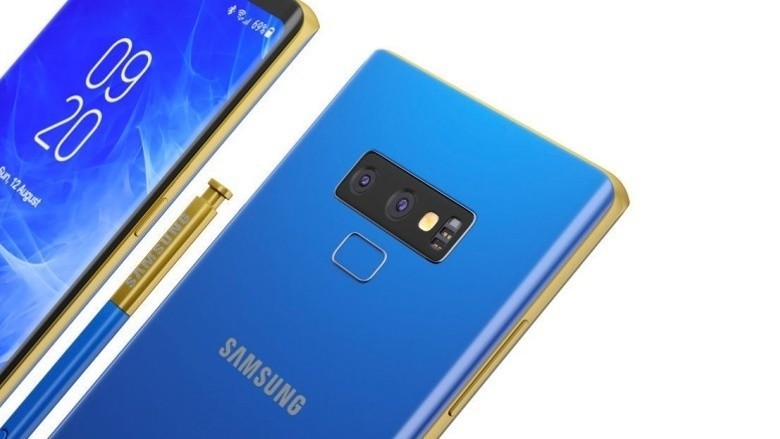
That’s not necessarily a bad thing, but to help shake things up, some rumors are hinting at the Note 9 coming in a variety of eye-catching colors.
Some of our AC forum users recently got to speculating about the colors they’d like to see, and this is what they said!
Gray Area
07-05-2018 04:22 PM“
I’m interested in seeing the two tone options. I saw a concept with a nice blue and gold with the gold spen with blue dial. I’d be interested in that.
Reply
sweetypie31
07-05-2018 05:15 PM“
I just need black. Even though I use a case I couldn’t stand looking at an off the wall color peaking out.
Reply
hasasimo
07-05-2018 08:19 PM“
Samsung makes the S9 in a burgundy red, but it’s not available in the US to my knowledge. Red phones are indeed nice. My favorite was the red Nokia Lumia 1520.
A number of OEMs are making their phones in red, so it’s definitely not just an Apple thing. In fact they were one of the last to the game.
As the Note9 is viewed mainly as a productivity device, it seems Samsung isn’t as…
Reply
mgbosshogg
07-05-2018 02:24 AM“
I’m hoping that no phone is ever released in the colour in the clip.
Reply
What about you? What colors would you like to see the Galaxy Note 9 released in?
Join the conversation in the forums!
Samsung Galaxy Note 9
- Samsung Galaxy Note 9 rumors: Release date, specs, price, and features!
- Is it best to buy the Galaxy S9 or wait for the Note 9?
- Do you plan on upgrading to the Note 9?
- Galaxy Note 8 review
- Join our Galaxy Note 9 forums
Metro Exodus for PlayStation 4: Everything you need to know
This is one nuclear winter you won’t forget.

Metro is one of those games that came out of nowhere but quickly cemented its place as a triple-A title that gamers all over owe it to themselves to check out. We’re three games in now, and the team at 4A Games seems to be hitting their stride.
Their latest game – Metro Exodus – is due in early 2019, and if you’re wondering what to expect, then wonder no more. Here’s everything you need to know.
What is Metro Exodus?
As with the previous Metro titles, Metro is a first-person survival shooter set in a post-apocalyptic time. The series is based on novels by Dmitry Glukhovsky, who still has an active hand in writing the scripts for the games.
Metro Exodus exhibits elements of survival horror and action adventure. Highly-detailed environments and an impressive overall level of graphical fidelity are paired with a shooter that can be just as satisfying as Doom.
What’s going on in the story?

Metro is your typical tale of a band of survivors trying to find their way in and around a dangerous world. Previous games have done well to set the stage, with the world having been ravaged by a devastating nuclear war. It takes place in Russia in the year 2036, which places it two years after the events of Metro: Last Light.
The fallout of the war is as you’d expect: towns and their buildings are destroyed and deserted, resources are scarce, and the lingering radiation from the nuclear bombs have caused humans and creatures to mutate into grotesque beings.
Much of the world has been forced to take shelter in underground metro tunnels, whether it be to limit their exposure to the radiation or the enemies thrashing about in the world above. There’s no cozy vault or exhaustive disaster preparedness like Fallout, then: it’s just you and your buddies trying to make your way.

Previous entries in this series follow the story of Artyom, and that won’t change with Metro Exodus. Without spoiling much from the earlier games, the plot involves coming into contact with a mysterious group known as the Dark Ones, who seemingly have an interest in helping to rebuild the planet. No one is sure whether they’re there for good or bad, but the Dark Ones’ goal is to regroup and return to rebuild earth either way.
Having been forced to make a critical decision against the Dark Ones, Artyom found himself unsure of his stance and eventually learned that warring factions – not an alien race – were the biggest threat to society.
Instead of hunkering down with his old Ranger group in the tunnels, he wants to start a new life in the far east with his buddies Anna and Miller. Their goal is to leave the metro and take a ride on the Aurora to find a new home, and perhaps approach the issue of the Dark Ones based on their own ideals, morals, and beliefs, and not necessarily those of the peacekeeping group or other factions pulling at their strings.

4A Games hasn’t given us much beyond that, but expect a far more expansive story than we’re used to. It’s said that Metro Exodus has a script that’s twice the length of all the games before it and all their DLC combined. That sets the stage for an epic tale that should finally allow us to witness the height of this conflict.
And while this element hasn’t been strictly confirmed, it’s been hinted that the karma system from previous games will return. That means you can approach certain decisions from a stance of either good or bad, and your choice will ultimately affect the ending. Product pages for Metro Exodus even suggest that some of your companions can die in the game, and their fate is ultimately in your hands.
What do you do in Metro Exodus?

Those hoping for a fully open-world Metro game will be disappointed, but Metro Exodus should strike a delicate balance. There will be both linear areas and open-world segments, depending on which mission you’re in. 4A Games has preferred this approach as it allows them to keep the player engaged with a mix of exploration in the open areas and more detailed set pieces in the tight ones. Previous Metro games were completely linear.
All throughout, you’ll generally be fighting off the nuclear winter and everything that comes with it. That includes a wealth of mutated creatures, as well as hostile humans from rival factions or those acting as bandits in the wind who are desperate enough for resources that they’ll kill you for them.
What little resources you do find will be quickly consumed through crafting. You’ll need guns, medical kits, radiation filters, and all sorts of other things to keep you going in your journey.

Some of the weapons you can create in the game include shotguns, revolvers, crossbows, and a combat knife for those times when you need to approach a situation with a degree of stealth. Guns can wear down over time, making them unreliable if they go long periods of time without you cleaning and repairing them. There’s also a wide range of accessories you can use to customize those guns, including sights, stocks, barrels, magazine types, lasers and more.
As many guns as you can create, the ammunition for those guns must be found within the game world, and that will prove difficult. Ammo scarcity has been a staple of Metro games, and that won’t change in Exodus.
Artyom also has access to a Geiger counter, which can eventually be customized to add bits like a compass for navigation. The counter shows how much time you have on your gas mask filter, which can last for as long as a minute each. You won’t need to use the filters in every single area of the game, but there will be pockets of intense radiation where you can’t survive without them.

Your map and objectives exist as an item on some sort of futuristic MacGyver-esque journal. Metro is all about eliminating the HUD wherever it can, so you can expect more crucial character information – such as the status of your gas mask filter or the wear and tear on your weapons – to be communicated in visual and audible ways.
Immersive world features such as a day and night cycle and a dynamic weather system return for Metro Exodus, but there’s something else cool being added to the mix. As this game takes place over the course of a full year, you’ll see the world change appropriately as each season passes. Winter will have snow, summer will be hot, and while we find it hard to imagine spring will allow vegetation to flourish in nuclear conditions, that will be represented in some form, too.
Where to pre-order
Pre-sales for Metro Exodus are now available. While there are no advertised pre-order bonuses just yet, Amazon is the best place to order the game for Prime customers, as they’ll get $12 off at checkout.
See at Amazon
When can you play it?
Metro Exodus was initially supposed to launch in 2018, but delays have set it back to February 22nd, 2019. You’ll be able to play the game on PlayStation 4, Xbox One, and PC.
PlayStation 4

- PS4 vs. PS4 Slim vs. PS4 Pro: Which should you buy?
- PlayStation VR Review
- Playing PS4 games through your phone is awesome
Amazon
If you’re buying a phone for $600+, you should expect to get all of these core features
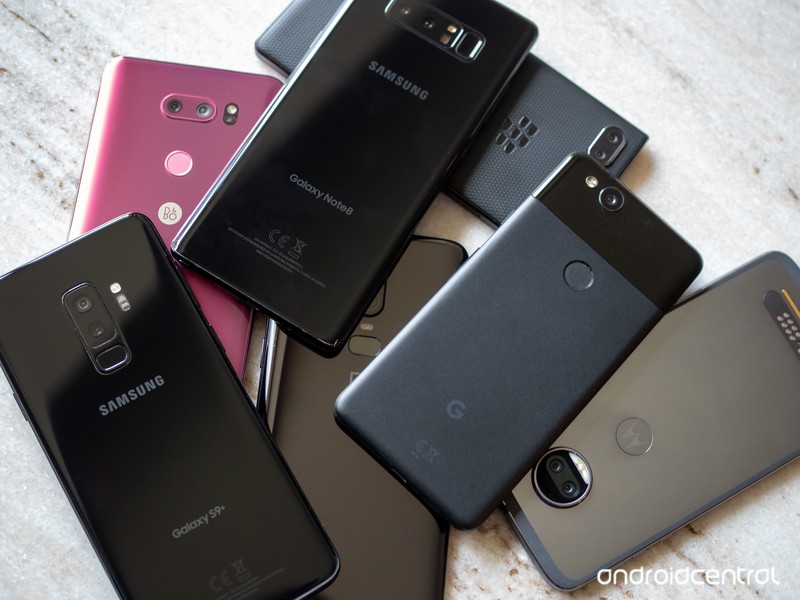
And if the phone doesn’t have these, you should question why.
There are many parts of the smartphone experience that are a matter of personal preference — like screen size, specific internal components, expandable storage, certain exterior materials, software features and the like. All of those areas provide smartphone companies with room to differentiate and make unique devices with interesting selling points. Just one of those choices could make or break your decision to buy the phone.
But no matter your preference in each of those areas, you should expect a certain level of base features and capabilities — particularly when the price tag goes above $600.
Dust and water resistance
This is the simplest thing to expect nowadays. Just about every phone and tablet that’s more than a couple hundred dollars inherently has some level of water ingress protection, but higher-end phones go so far as to actually be tested and certified up to a certain point.
You may think you’re careful and your phone doesn’t need to have dust and water resistance, but sometimes this is out of your hands — and the phone should be protected from it. There are varying levels of protection, and it’s a little annoying to try and decode, but look for your phone to have an “IP” rating of 57, 58, 67 or 68. The first number, 5 or 6, relates to dust protection, while the second number, 7 or 8, refers to water protection.
You don’t really need to know the details of the exact circumstances phones are tested to reach each level, but just know that “splash proof” definitely isn’t the same as having a proper full IP rating noted above.
How ‘waterproof’ is my phone? What those IP numbers really mean
A screen completely usable in daylight
We often focus on screen size and resolution, which are also important in their own right, but neither really matters if you can’t see the phone out in the sun. Likewise, a good camera doesn’t do you a ton of good if you can’t actually see the viewfinder and operate the buttons with sun beating down on the screen.
You shouldn’t be afraid of the sun — and knowing is about more than just nits.
A rising tide of mobile display quality has lifted just about every phone up to an acceptable level of daylight visibility, but it isn’t universal just yet. Look at the synthetic brightness level — quoted in nits — of the phone you’re considering, but know that that doesn’t tell the whole story. There are many other parts of the display components, tuning and software that make a difference in daylight visibility. Every phone looks great and seems really bright indoors, but if at all possible go get it out in the sunlight to see what it’s really like. Read reviews and look for remarks specifically about daylight visibility — you should expect to be able to use your phone unencumbered outdoors.
A camera that is usable in all lighting

There’s a never-ending battle over smartphone camera quality, and it’s one that we as consumers ultimately win from as smartphone cameras are really great nowadays. If you’re looking to buy a $600+ phone, it shouldn’t have any major compromises in camera quality — no matter the lighting.
We can compare high-end phones and quibble over their intricate differences because photos are ultimately subjective works of art. But no matter the phone you’re looking at, it should be able to capture a scene in any lighting without noticeable blur, graininess, discoloration or visual aberrations. It doesn’t have to be the most beautiful photo you’ve ever seen, but at this price point you should absolutely have the confidence to know that every photo you take is at least above average. After that point, you can start to nitpick about specifics — and probably pay $2-300 more to get the best.
Best Android phone cameras
A speaker that’s loud and doesn’t distort
You can forgive a company making a cheaper phone for skimping on the speaker system because it’s one of those areas where it won’t make or break a buying decision. But if you’re paying extra for a phone, you can expect that the company spent the few extra cents for a better speaker or even the extra engineering time to work in dual speakers.
You shouldn’t expect room-filling sound, but it should get plenty loud and not distort.
The speaker doesn’t need to offer room-filling sound. And in this age of thinner and thinner phones, it’s becoming increasingly difficult to do so. But you should be able to quickly tell if the speaker is good enough — just play whatever local music is on the phone, or open up a YouTube video, and crank the speaker to max. Is it louder than you’d need when the phone’s in your hand? Does it max out volume without distorting and crackling? That’s the bare minimum to expect in this level of phone.
64GB of storage (or more)

I think it’s totally reasonable in 2018 to use a phone with 32GB of internal storage, even if you don’t have an SDcard slot available to expand it. So long as you’re not saving multiple movies or several massive games on your phone, you won’t run out of space. But when you spend extra money on a phone to get the best specs, you should expect at least 64GB of storage.
Storage is inexpensive for manufacturers. It’s totally understandable if the company doesn’t offer multiple storage options, because managing those SKUs is expensive, but that one model it does sell better have 64GB or more. It’s not so much for today, but really for the next year or two you use this phone — as files pile up and apps get larger, you don’t want to feel the squeeze of running out of storage on your big-money smartphone.
Two years of platform updates
This is a tough one, because it requires both an analysis of historical information and also confidence in promises from companies. If you’re buying a phone that’s this expensive, you should have the expectation that the phone will get the next two major Android platform updates.
This requires some research and trust in the company you’re buying from.
There are of course updates in between these platform jumps that matter as well: monthly security updates. Very few manufacturers are releasing these updates on a consistent monthly basis, but quite a few are getting to them roughly on a quarterly basis. Look back at the news for the previous major phones from a manufacturer — are they getting updates out? What frequency have they landed on? These things are important for the longterm health of your phone, and something you should expect when you spend extra on a phone.
How do you rank these features?
It’s clear that you should expect this level of base features on an expensive phone in 2018 — the only question is how you rank them personally. Which of these is an absolutely no-budge option for you? Are you willing to give any of them up to get something else?
These are the best Android phones
Amazon Fire TV Cube or Roku Ultra? CordCutters.com weighs in
 The Amazon Fire TV Cube and Roku Ultra.
Can Roku’s simple interface compete with the likes of Amazon Fire TV? Actually …

When I think about price and power, I’d tend to put the Amazon Fire TV Cube in the same sort of bucket as the the Roku Ultra. Never mind that they’re actually $30 apart. (Roku definitely comes in lighter on the wallet.) And never mind that Amazon Fire TV is a full-blown Android-based operating system, a closer cousin to the $179 NVIDIA Shield TV.
But when you talk about performance and power, there’s no doubt about it. The Amazon Fire TV Cube is definitely closer to the Roku family. And so that’s how we went about comparing the two at CordCutters.com. One the new hotness from Amazon — the other last year’s flagship device from Roku.
Both have their advantages. Both have 4K resolution. Fire TV Cube has hands-free Alexa. Roku gets a big leg up from having a remote control that’s actually useful. But which one comes out on top? Only one way to find out.
Read: Amazon Fire TV Cube vs. Roku Ultra
Introducing CordCutters.com
- The hardware you need
- All about streaming services
- What channels are on which service
- FREE over-the-air TV
- How to watch sports
- Join the discussion
Get the latest deals
Rage 2 for PlayStation 4: Everything you need to know

Never heard of Rage? Want to know what’s going on with its sequel? Here’s everything you need to know about Rage 2
No one expected a sequel to id Software’s Rage, but publisher Bethesda had a few surprises up its sleeve this year. That is until Walmart Canada unintentionally decided to thwart it. Hey, at least marketing took it in stride. The Mad Max meets Fallout post-apocalyptic shooter originally released all the way back in 2011, and a continuation looked unlikely. Bethesda and id Software sure don’t like to let an IP go to waste, though.
What is Rage 2?
Rage 2 is an open-world first-person shooter that takes that classic gritty post-apocalyptic atmosphere and throws in some dashes of Borderlands. If you’re not familiar with Borderlands, it’s a series from Gearbox Software that’s known for its particular brand of dark and crude humor, self-referential jokes, and pop culture references along with a mix of memes. Rage 2 doesn’t appear to be taking it quite that far, but rest assured the shooter aims to have an absurd personality of its own.
The story so far

A lot of post-apocalyptic media tends to rely on either nuclear war or a viral outbreak to create their settings, but Rage did things a little differently. In the year 2029, the asteroid 99942 Apophis strikes Earth, decimating the population and life as we know it. The remaining survivors that inhabited the wasteland banded together to protect themselves from the threat of bandits and mutants.
The first Rage picks up in the year 2135, when former U.S. Marine Lieutenant Nicholas Raine awakens from cryogenic stasis in an underground shelter called the Ark. Because Raine was part of a secret plan known as the Eden Project—a plan to preserve and rebuild humanity—he quickly finds himself hunted by the Authority, a group with advanced technological power and the desire to wield it with an iron first. Raine comes to find out that the reason the Authority is after him is due to the Nanotrites injected into his blood before going into stasis, which have granted him superhuman abilities.
Eventually, he joins forces with the Resistance, a group fighting against the Authority, and learns that the man in charge of the Eden Project actually sabotaged it before the asteroid struck, ensuring that only those loyal to him were awakened on-schedule. This group of loyal subjects is what would become the Authority.
The Resistance hopes to form an army to defeat the Authority by discovering the location of the rest of the Arks and activating them. The game ends with transmissions being sent out that activate the remaining Arks.
When Rage 2 picks up

Rage wasn’t exactly praised for its story when it released, so id is looking to rectify that with its sequel. Rage 2, from what we know, takes place three decades after the original and follows Walker, the wasteland’s last ranger and former member of a secluded enclave. Like Raine, Walker is on a mission to take down the Authority. At one point, Walker will be looking for a rare artifact to help him do so, but we do not know how large of a role this artifact will play. It was revealed that both new and existing characters would make appearances, however it’s unclear at this time how closely the plot ties in with the first game. Id Software Studio Director Tim Willits has stated that you will not need to play the first Rage in order to jump into the second. All important and relevant information regarding Rage’s events will be provided to you throughout Rage 2.
Like most open world games strive to do, the main questline will not be linear. Once you’re let loose into the world, you can choose to follow several narrative threads that tie into the main story. Activities and other self-contained missions can be completed at your leisure.
Get ready to die: Gameplay

According to Avalanche Studios’ Magnus Nedfors, Game Director on Rage 2, it will be “the most insane open world shooter you have ever played.”
Players can utilize a trove of weapons straight out of their favorite sci-fi media. Id specializes in large, over-the-top weapons, giving players the sense of invincibility as they wield these deadly firearms. You get a taste of this in id’s iconic DOOM series, and the studio appears to be doubling down on what it does best.
The action and gunplay is fast-paced, foregoing a quieter approach of strategically hiding behind cover and instead aiming for all-around mayhem, completely immersing you in its brutal fights. Movement is key for an id Software game, so you should never find yourself in a stationary position.
And in addition to your Nanotrite powers, Rage 2 will feature a new ability called Overdrive, meant to “push your guns beyond their mechanical limits.” By maintaining a high kill streak, you’ll gain more Overdrive points that fill up a meter. Once the meter is full, you can unleash your weapons’ true potential while simultaneously regenerating all of your health.
Exploration

The world as we know it may have ended, but that doesn’t mean it’s a completely desolate desert. There are certainly vast arid deserts you can explore, but Rage 2 offers a wide variety of biomes for you to visit, ranging from dense jungles and forests to wetlands and dank swamps. Friendly settlements, bandit camps, and abandoned facilities all litter the wasteland waiting for you to come across them.
The best part is that you can seamlessly travel to any of these areas, no loading screens required. Rage 2 is boasting that “if you see it, you can drive it,” so any vehicle you come across can be controlled for your enjoyment. Get behind the wheel of a jerry-rigged buggy à la Mad Max or drive some more futuristic-looking tanks with heavy artillery. At one point in Rage 2’s E3 demo, you can even see the player controlling a hovercraft of some sort. Just be careful when you run into roaming convoys, because you’ll need to use every weapon at your disposal to take out their leaders.
You’ll hear a lot about bandits called the Goon Squad, but Rage 2 contains various factions, each with their own unique combat style. On top of that, bandits won’t be the only enemies you’ll need to keep an eye out for. The world is full of mutants and monstrous creatures eager to make you their next meal.
A tag team like no other

Blending chaotic vehicular slaughter, a true open world that encourages interaction, and dynamic and emergent gameplay mechanics isn’t as easy as it might seem, so id Software enlisted the help of developer Avalanche Studios, makers of Just Cause and, appropriately enough, the Mad Max video game from 2015. With id Software’s combat experience and Avalanche’s open world expertise, this tag team looks to be making something special.
The all-important question: Will it have loot boxes?
Simply put: No.
Rage 2 will have live service elements so people will continue to play it longer, but it will not contain loot boxes of any kind.
When can you play it?
Bethesda has not yet revealed a firm release date for Rage 2, though we do know that it is expected to launch sometime in the window of Spring 2019. It is being developed for PlayStation 4, Xbox One, and PC.
Standard Edition
You can pre-order the Standard Edition for $59.99, which includes the base game and a few pre-order bonuses like an exclusive mission titled Cult of the Death God, Settlers Pistol, Nicholas Raine Armor, and an in-game Monster Truck.
See on Amazon
Deluxe Edition
You can pre-order the Deluxe Edition of Rage 2 for $79.99, which includes a host of content such as the Rise of the Ghosts Expansion, Doom BFG, Mutant Monster Truck Skin, Nicholas Raine Armor, Settler Pistol, Cult of the Death God Mission, Wasteland Wizard Cheat Codes, Progress Booster, and Battle Standard.
See on Amazon
Collector’s Edition
If neither of those are enough for you, go big and pre-order the Collector’s Edition for $119.99. This contains all of the digital goodies and bonuses found in the Deluxe Edition plus a collector’s poster, Steelbook, and Ruckus the Crusher Talking Head, a wall mount of a mutant in the game.
See on Amazon
PlayStation 4

- PS4 vs. PS4 Slim vs. PS4 Pro: Which should you buy?
- PlayStation VR Review
- Playing PS4 games through your phone is awesome
Amazon
Samsung Galaxy S10: News, Rumors, Release Date, Specs, and More!
2019 is going to be the year of Samsung.

Samsung’s Galaxy S phones always give us something exciting to look forward to at the beginning of each year, and 2019 officially marks the 10-year anniversary of when the first Galaxy S flagship was released.
Similar to what Apple did with the iPhone X, we’re expecting the Galaxy S10 to be truly special. The Galaxy S9 and S8 were both excellent phones, but in honor of such a big anniversary, Samsung will likely pull out all the stops to release a truly special and jaw-dropping gadget.
If you’re ready to learn more about the Galaxy S10 and find out what we could look forward to next February, here’s everything you need to know.
The latest Galaxy S10 news
July 6, 2018 — The three S10 models will use a mixture of side-mounted and in-display fingerprint sensors
Late last month, a report came out suggesting that Samsung will release three different models of the Galaxy S10 — including Beyond 0, Beyond 1, and Beyond 2. Now, according to reliable Samsung tipster Ice Universe, we have new details on how the fingerprint sensor situation will be handled.
For Beyond 0, the cheapest of the three models, there will be “side fingerprints. “Although we don’t know for sure, this will likely be similar to the fingerprint sensor found on the Moto Z3 Play. As for the Beyond 1 and Beyond 2, it’s noted that we’ll see in-display fingerprint sensors.
Lastly, Ice Universe also confirms that Beyond 0 and 1 will have dual rear cameras while Beyond 2 will offer a triple camera setup.
July 5, 2018 — Samsung may announce the Galaxy S10 after the Galaxy X
Here’s something we weren’t expecting. According to reliable tipster Ice Universe on Twitter, Samsung will announce the Galaxy S10 during Mobile World Congress 2019 in February. While that isn’t out of the ordinary for Galaxy S phones, what Samsung might do just a month ealrier is.
CES2019:Galaxy XMWC2019:Galaxy S10
— Ice universe (@UniverseIce) July 4, 2018
In January at CES, we’ll officially be introduced to the long-awaited Galaxy X. This is the foldable phone we’ve been hearing about for years, and should this turn out to be true, this would probably allow Samsung to easily dominate the first half of next year.
All the important details
How many versions is Samsung going to launch?

For the past four years, Samsung’s launched two models of its Galaxy S series:
- 2015 — Galaxy S6 and S6 Edge
- 2016 — Galaxy S7 and S7 Edge
- 2017 — Galaxy S8 and S8 Plus
- 2018 — Galaxy S9 and S9 Plus
With the Galaxy S10 in 2019, Samsung is expected to shake-up its formula by releasing three different models at the same time — codenamed Beyond 1, Beyond 2, and Beyond 3.
Beyond 1 and Beyond 2 will be similar to older S flagships with the former having a flat screen while the other has Samsung’s iconic curved display. Beyond 3 is where Samsung’s putting all the marbles, with things like a larger screen and triple camera system on the back.
When will the Galaxy S10 be released?
Perhaps the biggest question on your mind is “When will I be able to buy the Galaxy S10?”.
Save for the Galaxy S8 that was announced at its own special event, Samsung usually unveils its Galaxy S flagship phones during Mobile World Congress each year.
MWC 2019 is scheduled to take place between February 25 and 28 in Barcelona, and there’s a good chance that’s where we’ll get our first look at the S10. To back up this thought, reliable leaker Ice Universe said on July 5 that the S10 will be unveiled at MWC — just a month before the Galaxy X.
As for when you’ll be able to purchase the S10, it should officially launch around two or three weeks from when it’s announced. Should Samsung decide to reveal the phone during MWC, that’d place it with a launch date of around early-March.
How much will the S10 cost?
When it comes to price, that’s where things could get interesting next year.
Samsung’s only ever released one or two variants of its S flagships at a time, such as the S7/S7 Edge, S8/S8 Plus, etc. However, as noted above, the Galaxy S10 series will likely consist of three different phones.
This could result in vastly different pricing across all models, and depending on how you look at things, that’s either a dream come true or a nightmare.
The Samsung Galaxy S9 has a starting price of $720, and my guess is that the lowest-end Galaxy S10 will come in with a similar or slightly lower price of around $650-$700. The mid-tier S10 will probably cost a bit less than the S9+ at $800-$820, whereas the highest-end variant may very-well sell for $999.
Samsung Galaxy S9 and S9+
- Galaxy S9 and S9+: Everything you need to know!
- Galaxy S9 review: A great phone for the masses
- Complete Galaxy S9 and S9+ specs
- Galaxy S9 vs. Galaxy S8: Should you upgrade?
- Join our Galaxy S9 forums
Verizon
AT&T
T-Mobile
Sprint
Selling your Android phone: Everything you need to know

How do I sell my Android phone or tablet for the most amount of money? With these tips and tricks, you’ll get the best return!
So a new Android phone has caught your eye — maybe the OnePlus 6 or upcoming Galaxy Note 9 — and you want to get on the boat as soon as possible. You’ll need to sell your old phone in order to make up some of the money you’re spending on that new device, but luckily there are a wealth of options available. We’re going to get you through some of the best practices out there for preparing your Android phone or tablet for sending off, and some places for sale that would best suit your needs.

Remove SIM and SD cards

First up, you’ll want to take out the SIM card and SD memory card from your phone. These are important pieces of hardware that you don’t want to leave in your phone when you ship it off to your buyer. Your SIM card is what enables your phone to take calls at your number and is associated with your data plan. You’ll need it for your new phone, anyway. Often you’ll need a paperclip or similarly slim poking implement to open a SIM card tray, but sometimes it will be behind the rear casing of your phone by the battery. The exact method will vary by device.
Not every phone or tablet will have an SD memory card slot, but you’ll often find them alongside your SIM card slot. Memory cards will often store your photos and music, though the device itself has its own storage too. Use either your phone’s native file manager or a third party one (I like Astro to look in the folder where downloads, music, and photos may have been saved. From there, you should be able to copy them to your SD card before taking it out. You’ll want to check to make sure all of your important files are saved, so be sure to back up your data as well.
Back up data

Assuming your data is associated with your Google account, your contacts, calendar, and e-mail will already be fully backed up in the cloud. That means as soon as you fire up your new phone, that important information will be there as soon as you log into your Google account. Many manufacturers will offer their own similar cloud backup utility that encompasses contacts and calendars. More storage-intensive content such as music and photos can be backed up wirelessly with Google Drive, or third parties like Flickr and Dropbox.
Your Google account, your contacts, calendar, and e-mail will already be fully backed up in the cloud.
If you’d rather not go through the cloud, your device manufacturer should have desktop software that would allow you to back up your data with a USB cable. Again, that process will vary by who made your phone or tablet.
More: Backing up your Android phone: the ultimate guide
Make sure you also sign up for Google Photos to back up your photos!
Unlock your phone

Strictly speaking, this part is optional though it certainly adds value. Unlocking your phone means SIM cards other than those of the original carrier can be used. Now, this doesn’t necessarily mean the phone’s antenna will necessarily play nice with the new network, but unlocking at least gives it a chance to try. In the U.S. this is only really of interest to T-Mobile and AT&T customers but is quite important to international sellers and buyers.
Everything you need to know about unlocking your phone
So where do you go to unlock your phone? Your current service provider may be willing to do it after some wrangling. You can go with an online service too, like doctorSIM. Cost is usually in the ballpark of $15 to $25, depending on phone model. The unlock is accomplished by generating a code based on your IMEI number. Your IMEI number can be found under Settings and About device, or by entering *#06# in the phone dialer.
Unlocking your phone often adds value to your phone, since it can work on other carriers around the world.
Once you’ve received an unlock code from your service provider or third-party unlocker, put a different SIM card into your phone, and you’ll be prompted to put in that code. Be careful, you only get so many tries before you’re locked out entirely from your phone.
Factory reset

Once you’re sure your data is safe and secure, you’re ready to wipe it clean. The first thing you’ll want to do is turn off Factory Reset Protection (FRP), which is an extra security measure in case your phone or tablet gets stolen and the thief simply does a factory reset on it. FRP can be disabled by removing your Google accounts from the phone or tablet. Jump into Settings and find Accounts. You’ll see a list of various accounts you’ve set up on the device, but you want to tap on Google. Here, you’ll see your Google account(s), where you can tap on them, and see more settings to remove them permanently.
In the Settings section for most phones, you’ll find under Settings an option for Backup and Reset. If it’s not immediately visible, the settings menu should have a search bar to help you. You’ll want to double and triple check to make sure all of your important information has been recovered from the phone, because after this there’s no going back.
Gather accessories

With your phone wiped clean, you’ll want to get all of the miscellaneous odds and ends you have lying around. If you still have the original box, receipt, and warranty, those are all good to include. Original USB cable, wall charger, and headphones are nice bonuses. If you want to put the real icing on the cake and increase your chance of sales, include any relevant third-party accessories. The case, in particular, you won’t have much use for after this anyway.
If you still have the original box, receipt, and warranty, those are all good to include. Cables and chargers are good, too!
Clean device and take pictures

Give your phone or tablet a good wipe down with a microfiber cloth, and get ready to take some pictures. Use a proper camera (i.e. not another phone) with a tripod, if you have one. Your top priority for taking pictures is good lighting. A lamp will cast a lot of shadows, but if you have a cool-toned halogen overhead light in the house somewhere, that should provide a nice even look.
Keep the background clean. Even if you’re just putting the phone on a white piece of paper, that’s fine. Get multiple angles, and if there are any particular scuffs or shows of wear, photograph them; being deceptive about the state of your phone will lead to poor feedback or outright refunds, depending on how you’re going about selling.
Sell your device
With your phone wiped, cleaned, and the accessories all boxed up, you’ve got to figure out where to sell. Your venue of choice will often decide how much of a return you’ll get.
Sell via carrier trade-in

Finding a buyer can be a hassle, but all major U.S. carriers will offer you credit for your old phone. A resurgence in many guaranteed upgrade plans actually requires you to hand your old phone back before being able to snag a new one. Though this is a pretty convenient solution, especially if you intend on sticking with your carrier for your next phone, the actual return on your phone will likely be less than other venues for sale.
- Verizon trade-in
- AT&T trade-in
- T-Mobile trade-in
- Sprint trade-in
Sell via Amazon trade-in
Amazon’s trade-in service applies for just about every type of phone, tablet, and electronic product. Amazon will pay for shipping your device out to them, but you’ll get paid with an Amazon gift card rather than proper cash, but that might not be an awful thing if you can find your next phone on Amazon (and you probably can). If you just want some cold, hard cash, or already have your next device ready to go, this route might not be for you.
Sell on Amazon
Sell via eBay

eBay is a massively popular way to sell your stuff. A rating system vets sellers, and you can pay in a number of secure ways. You’ll need to deal with additional fees and the hassle of shipping, but a much wider audience will see your device for sale here than just about anywhere. There are a few things to keep in mind before jumping onto eBay.
- Only ship to the confirmed PayPal address, if that’s how you’re getting paid. This ensures you keep PayPal Seller Protection.
- Price competitively. It’s easy to check other sales of the same item and see how much they’ve sold for. With a larger seller pool, it’s easy for buyers to find cheaper options.
- Be honest about the condition of your Android device. Shipping an item in the condition it wasn’t described as can earn you a poor review, and potentially lead to the buyer getting their money back.
- Use accurate keywords in the title and description. That means full market name, model number, carrier branding, memory denomination, and a mention of accessories included.
- Mention shipping details in your description. Usually the faster the shipping the better, even if it bumps up the cost of the device, and insurance isn’t a bad idea. Communicate regularly with your eventual buyer about the shipping status of the device.
- Avoid low-feedback buyers. Odds are it’s for a reason, and you can often drill down into their feedback profile to see any previous altercations a buyer has had on eBay.
Sell on eBay
Craigslist

Use Craigslist to sell your Android device locally, which cuts out the issue of shipping. Any potential buyer will want to check out the condition of your phone in person before handing over any money. Some sellers might not be comfortable meeting strangers and taking their money, but it’s fairly common occurrence. So long as you follow some simple guidelines, everything should go fine.
- It should go without saying, but don’t post your home address in the public Craigslist ad.
- Price competitively by monitoring how much similar devices are selling for. You’ll have a hard time moving yours if potential buyers know they can get a better deal.
- If interested buyers want to call on the phone, consider using Skype or a temporary phone number to maintain privacy.
- Meet in a public place during the daytime. Most buyers are going to be perfectly normal and friendly, but better safe than sorry. Some local police departments have set up monitored Craigslist exchange spots. If this is idea, you can search for a save deal zone near you.
- Shipping internationally or getting offers that are absurdly higher than your asking price are signs of a scam. Hold off for a legit offer.
Sell on Craigslist
Swappa

Swappa is a dedicated mobile device marketplace with established quality assurance. Buyers pay a $10 fee in the U.S., but what they’re buying is inspected and vouched for by Swappa. They even do a check to make sure there isn’t an outstanding balance on the device. The prices are decent, to boot.
Sell on Swappa
Gazelle

Gazelle is similar to Swappa, though they’re ultimately trying to do the selling for you rather than pairing you up with a buyer. They’ll buy your phone painlessly, though you won’t get as good of a price as you might from other services.
Sell on Gazelle
Friends and family
People you already know may be in the market for a new device and be willing to pay up-front for one. Assuming you’re on good terms with a buyer you already know, you can count on getting a good price, plus it’s convenient being able to hand off the phone to someone you might already see regularly anyway. Of course, you also get the warm-and-fuzzy feeling of knowing your well-loved phone is going to a good home.
Android Central forums
We have a whole forum dedicated to wheeling and dealing in used devices. Check in with our community members that are interested in buying, and you may have a sale before you know it. You can also check out our general help forums if you’ve got questions about how to go about selling your Android device.
Visit the Android Central Marketplace
Visit the Android Central General Help forums
Updated July 2018: This post has been updated with all the latest information on how to sell your Android phone!
Samsung’s next smartwatch to be called Galaxy Watch, use Wear OS
There will also be some sort of “new UX interaction.”
Samsung’s expected to release a successor to 2016’s Gear S3 sometime soon, and thanks to reliable leaker/tipster Ice Universe, we now have a lot more details about what to expect from it.

Most notably, it’s reported that the Gear S4 (the name of which will be changed to Galaxy Watch) will be powered by Wear OS, formally called Android Wear. It was said that Samsung was dabbling with Wear OS-powered smartwatches in late-May, but these were then debunked as nothing more than sample devices from Google. However, with Wear OS popping up in the headlines once more, it certainly does seem like the Galaxy Watch could very well use it in favor of Samsung’s own Tizen.
In addition to the operating system change, Ice Universe also notes that the Galaxy Watch will come equipped with “new UX interaction.” It’s unclear how this will be implemented, but it suggests Samsung might replace the rotating bezel navigation we’ve had since the Gear S2 for something different.
Other reported features include a 470 mAh battery, blood pressure measurement, and a PLP package that’ll allow for smaller components inside the watch.
We still aren’t entirely sure when the Galaxy Watch will be unveiled, but with IFA and Samsung’s Galaxy Note 9 event right around the corner, there’s a good chance we could see it announced at either one of them.
Samsung Galaxy Note 9 rumors: Release date, specs, price, and features!
Android Wear
- Everything you need to know about Android Wear 2.0
- LG Watch Sport review
- LG Watch Style review
- These watches will get Android Wear 2.0
- Discuss Android Wear in the forums!
 AIVAnet