


What is Chrome ‘Site Isolation’ and how does it keep me safe?
Chrome’s Site Isolation feature is a brand new way to keep your web session more secure, but you’ll need to enable it.
The web is a scary place. There are scams, malicious links and other vulnerabilities hiding everywhere. Most users don’t see this because of protections built-in to their web browser or email client, and with Chrome 63, Google has brought another key feature to keeping users safe: site isolation.

What is site isolation?
The Chrome browser is known for using a lot of system resources, but with good reason: each tab in the browser is dedicated a single process. This uses more resources, but if a website causes one tab to crash, the other tabs continue working without issue and without crashing the entire web browser.
When one tab — for this example, an email client — has an action that opens a new tab — clicking on a link inside an email — both of those tabs share a single process. Another example is if you have one tab for the Android Central home page and another tab for the (awesome) [Android Central forums](https://forums.androidcentral.com — because these share the same domain, they are also been sharing on single process.
That changes with site isolation in Chrome 63. Each tab will get its own process, no matter what. This does have an impact of system memory: the Chrome browser will use 10%-20% more RAM. Having said that, I’ve used site isolation on Windows machines with 4GB of RAM and didn’t notice any performance impact.
How to enable site isolation

Unfortunately, site isolation is not (yet) enabled by default, but can be easily turned on inside Chrome on Windows, macOS, Linux, Android and Chrome OS. Here’s how to enable it on your computer.
Type chrome://flags into the Chrome address bar.
Press Ctrl + F on your keyboard to open the search window.
Search for “Site Isolation.” You should see the option listed as “Strict Site Isolation.”
Click Enable. The browser will restart, and that’s it!
IT administrators can enable Site Isolation for their organization by enabling the policy within the Google Administrative Console.
Should you use site isolation?

Yes. The only (potential) downside is a performance tax, but the protections that come with site isolation are well worth it. It’s another layer in the security ogre that will keep you safe in the online world.
Have you started using site isolation? Let us know down below!
Chromebooks
- The best Chromebooks
- Should you buy a Chromebook?
- Google Play is coming to Chromebooks
- Acer Chromebook 14 review
- Join our Chromebook forums
Android Oreo released for Nokia 6 (2018) and Nokia 7
8.0 Oreo is available now for both handsets.
There are a lot of OEMs that could learn a thing or two from HMD Global – the company responsible for all of the current Nokia-branded Android phones. Following Oreo updates for the Nokia 8, 6, 5, and 2, Oreo is now officially on its way to the Nokia 6 (2018) and Nokia 7.


Nokia 6 (left) and Nokia 7 (right).
The 2018 version of the Nokia 6 was just announced on January 5, and one of our biggest complaints was that the phone was shipping with 7.1.1 Nougat. However, seeing as how pre-orders just opened on January 10, it looks like most folks will be able to start playing with Oreo from day one.
While the Nokia 6 (2018) will likely make its way to other markets outside of China later this year, the Nokia 7 is still exclusive to the country following its launch this past October. That phone also shipped with 7.1.1, so the Oreo update should come as a nice treat and breath of fresh air for its owners.
As per usual, the Oreo update includes picture-in-picture, notification dots, overall better performance, and more.
Android Oreo
- Android Oreo review!
- Everything new in Android Oreo
- How to get Android Oreo on your Pixel or Nexus
- Oreo will make you love notifications again
- Will my phone get Android Oreo?
- Join the Discussion
TAG Heuer announces Connected Modular 41 smartwatch, starts at $1200
The price of luxury ain’t cheap.
CES 2018 was home to a couple Android Wear announcements from Kate Spade and Skagen, and following this, TAG Heuer is launching its all-new Connected Modular 41 – a smaller and cheaper version of the Connected Modular 45 that launched in March of 2017.

Similar to the Modular 45, you can customize just about every aspect of the Modular 41, including the watch band, buckle, lugs, and bezel (aka module) surrounding the screen. Pink, blue, and white leather straps are also launching alongside the Modular 41. The screen is made out of scratch-resistant sapphire, and you’ve got your choice of materials such as gold and titanium for the body itself.
Moving over to the technical side of things, the Modular 41 has an AMOLED 390 x 390 display, GPS, NFC for Google Pay support, 8GB RAM, and 1GB of internal storage. The watch ships with Android Wear 2.0, but it’s unclear at this time if Oreo is present out of the box.
The TAG Heuer Connected Modular 41 has a starting price of $1200, and while there’s no denying that that’s a ton of cash to throw down on a smartwatch, the craftsmanship that’s present here is on an entirely different level compared to watches such as the LG Watch Sport and Huawei Watch 2.
See at TAG Heuer
Boeing shows its vision for a hypersonic spy aircraft
Lockheed isn’t the only one hoping to make a hypersonic spy aircraft. Boeing has provided early details on its own design for a hypersonic tech demonstrator that would lead to a spiritual successor to the SR-71 Blackbird. In some ways, it’s a logical extension of the company’s X-51A Waverider: the wedge-shaped, twin-tail body is designed to minimize drag while gulping in as much air as possible. It would be about as long as the Blackbird, but its Mach 5-plus top speed would leave the older Mach 3.2 jet far behind.
Further progress on the design depends on whether or not American officials select it for development under both DARPA’s Advanced Full Range Engine program and the US Air Force’s Turbine-Based Combined Cycle study. If it does go ahead, it’ll be a while before there’s a production aircraft. Boeing would start by making a single-engine proof of concept vehicle (roughly the size of an F-16 Falcon) and would move on to a full-sized, dual-engine version. Also, don’t expect to get exactly what you see here. Boeing’s Kevin Bowcutt told Aerospace Daily that the design is still evolving, so this is more a reflection of the current state of affairs than anything.
Still, the new details show that competition in hypersonic flight is finally heating up — it’s slowly moving past small-scale demos and purely theoretical exercises. While the first aircraft are likely to be limited to military and spaceflight purposes (like Boeing’s own XS-1), the work you see here could translate to the civilian world in time.
@Boeing takes wraps off Mach 5+ hypersonic ‘son of Blackbird’ contender at #AIAASciTech pic.twitter.com/P9fkfq5Xgx
— Guy Norris (@AvWeekGuy) January 10, 2018
Via: Popular Mechanics
Source: Aerospace Daily (Aviation Week)
BMW’s latest hybrid is the i8 Coupe
BMW’s newest hybrid i8 Coupe is the 2+2 answer to your “What if I don’t want a convertible?” question. Like its Roadster sibling that debuted at the LA Auto Show last November, the Coupe hits 369 horsepower and 184 pound-feet of torque thanks to the internal combustion power plant driving the rear wheels, and 34 amp-hour electric motor powering the fronts. This is how BMW does all-wheel drive. There are improvements abound, with energy capacity jumping from 7.1kWh to 11.6kWh and an overall 12 horsepower increase over last year’s model. BMW says that this and the Roadster can go 18 miles on pure electric power, with the equivalent of 70 miles per-gallon fuel efficiency pending EPA testing.
By the end of 2019, BMW hopes to have half a million electrified vehicles on the road worldwide. The i8 Coupe and Roadster should help the automaker get there.
Click here to catch up on the latest news from NAIAS 2018!
Lexus LF-1 concept looks toward an electrified, autonomous future
A few months ago Toyota and Lexus announced that by 2025, all of their car models would either be electric or have an electric powertrain option. Today at the NAIAS event, Lexus showed off a slick concept crossover that could be a part of that future. The LF-1 “Limitless” concept design is supposed to invoke “molten katana,” but the important parts are inside. With options for a gas, plug-in hybrid or all-electric powertrain, it fits into Lexus’ vision for the future.
Naturally, it also includes intelligent and autonomous features, with a chauffeur mode that can get you home hands-free, and suspension that reacts to driving style, road conditions and weather data. “Four-dimensional” navigation takes time into account, suggesting breaks for gas, rest and, at appropriate times, setting up hotel reservations like a concierge. The touch controls inside include haptic responses, while a touchpad accepts data entry.
Click here to catch up on the latest news from NAIAS 2018!
Source: Lexus
The best mobile photo-editing apps
There’s no shortage of photo-editing apps for mobile devices. But if you want to graduate beyond Instagram filters, the sheer number of listings on the App Store or Google Play can be overwhelming. We’ve sifted through dozens to find the ones worth your time (and money, in some cases).
A word about built-in photo apps
The Photos app on iOS got a big upgrade with iOS 11 and works well for basics like adjusting exposure, cropping and applying a quick filter, but doing anything more than that is tough. Same goes for Google Photos on Android. These stock apps are fine if you’re looking to treat your smartphone like a traditional point-and-shoot camera, but for the purpose of this list we’re focusing on bridges between quick filters and full-on desktop editing suites.
Lightroom CC

For a while, Adobe spent all its energy updating Lightroom on mobile, much to the chagrin of longtime desktop customers. While frustrating for everyone else, that diligence paid off in spades for the Android and iOS users. Lightroom CC on mobile boasts state-of-the-art AI photo processing with a one-touch auto-adjustment mode, in addition to capturing and editing RAW files. There’s also HDR photo capture and a slew of presets and tweaks that should feel familiar to desktop users. More than that, everything you take on your phone will sync with Lightroom CC on your computer or tablet, meaning you can start an edit on one device and finish it on another.
There are a few drawbacks to be aware of (no perspective corrections, HDR that sometimes looks over-processed), but even so, Lightroom CC belongs on your device if you’re serious about mobile photography.
Snapseed
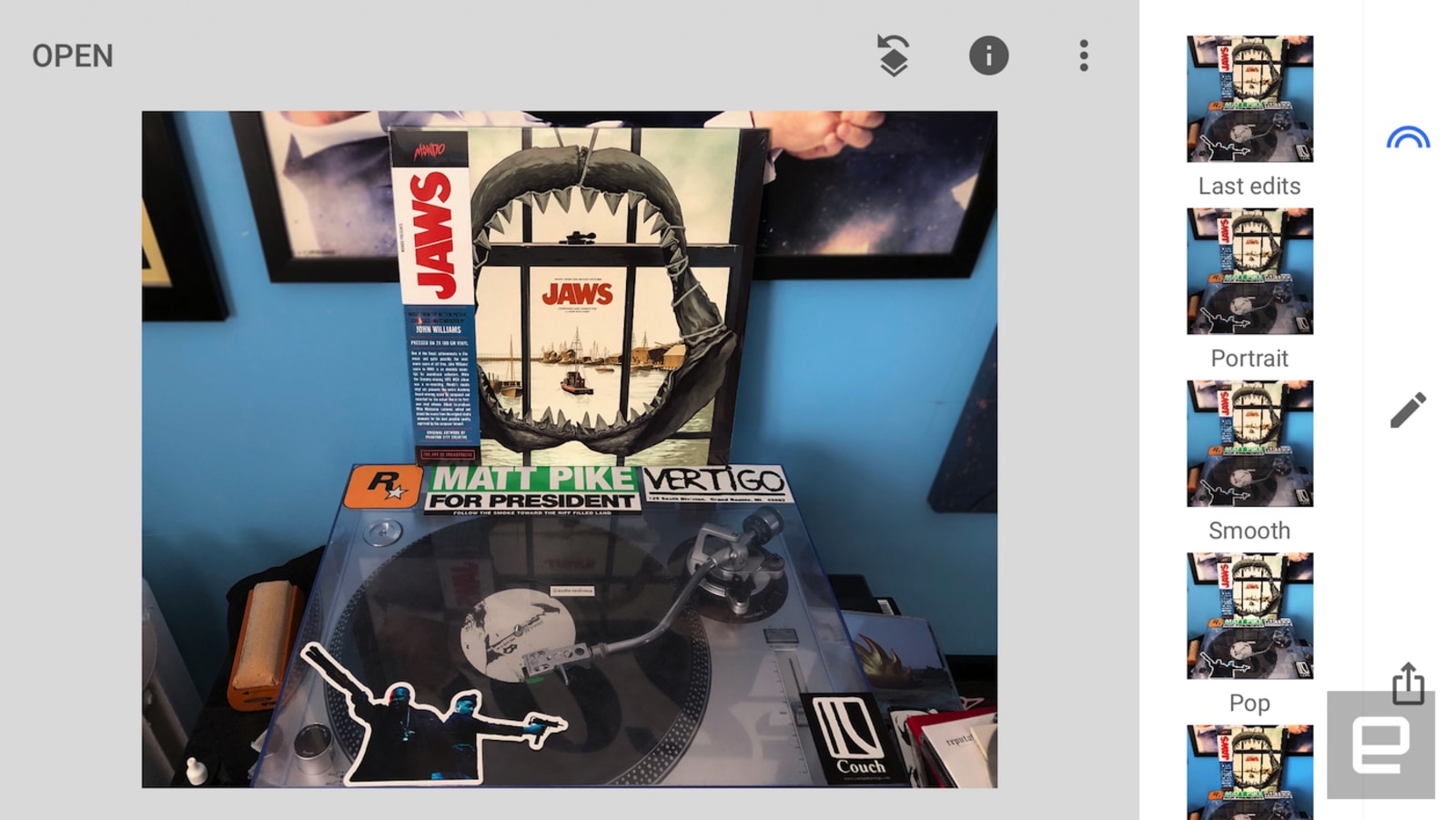
Of all the apps on this list, Google’s Snapseed might strike the best balance between capabilities and overall user-friendliness. The free photo-editing app leans on AI to detect faces and has a number of handy presets that can take your photos from flat to dramatic with the press of a button (“portrait” is especially versatile). Speaking of presets, you can also make custom settings for easier batch editing. Snapseed also has perspective-correction tools for when you aren’t able to get a shot lined up just right.
Features like double exposure and head posing are a little gimmicky, but things like manually adjustable curves for color channels, contrast and saturation help make up for those. Maybe best of all, you can overwrite an original photo upon export rather than creating a copy. It’s a small step toward reducing clutter on your device or cloud storage library, but it makes a big difference.

Timothy J. Seppala/Engadget
VSCO
If you routinely find yourself cursing Instagram’s algorithm, maybe VSCO (right) is the app for you. In addition to its editing tools and photo presets, the app is also a full-fledged social network with private messaging and a feed of pictures from the community, VSCO itself and people you’re following. The app also offers how-tos, GIF editing, video editing and support for RAW capture and editing. And, of course, there are myriad presets (free and paid) if you need to post something in a hurry but don’t want to sacrifice style. Ponying up for a subscription grants access to interactive presets that mimic classic film stocks like Fuji Pro 400H and Kodak Portra 160 and 400.
Prisma
Prisma became passé shortly after its debut, but that doesn’t mean its cloud-powered photo editing is any less impressive. The app’s distinctive, artistic filters truly stand out from what’s available elsewhere, taking inspiration from pointillism, Monet, fractals and a ton of styles in between. You can make your own painterly looks as well, and can even apply it or a premade style to video too. Taking a photo or video and making it look like a work of fine art is dead-simple (one press does it all), which makes Prisma an attractive proposition for both newcomers and the more experienced among us.

Timothy J. Seppala/Engadget
The downside is that Prisma’s headlining feature requires a data connection, so editing away from home will run your battery down and count toward whatever data cap you might have. Just remember to turn off the watermark before exporting; it’s not like anyone will need help identifying where you edited your latest masterpiece.
Photoshop Express
For when you need some extra muscle for your mobile edits, there’s Photoshop Express. In addition to a smattering of filters and presets, Express also features powerful local adjustments for things like red-eye and blemish removal. There are also features for making collages and adding professional-looking text overlays to photos. Another unique feature is its selection of crop settings. You can trim a picture to fit different social-media needs, be it a Facebook cover photo, YouTube thumbnail or even a LinkedIn background.
And like Lightroom, if you’re an Adobe CC subscriber your edits will sync across devices. You can even export a photo from the mobile app to desktop, and once the upload is complete Photoshop will open on your computer so you can make any advanced changes before publishing. Yeah, it feels pretty futuristic.

Steve Jobs Introduced the MacBook Air Exactly 10 Years Ago Today
Today marks the tenth anniversary of the late Steve Jobs unveiling the MacBook Air, the world’s thinnest notebook at the time.
After introducing the AirPort Time Capsule and sharing some iPhone and Apple TV news, Jobs walked over to his podium, grabbed a manilla envelope, and pulled out the sleek MacBook Air. The crowd at Macworld erupted with applause as Jobs held the ultra-light notebook in the palm of his hand.
The thinness came at a cost. The base model ran $1,799 for a 1.6GHz Intel Core 2 Duo processor, 2GB of RAM, and an 80GB hard drive. A maxed out version was also available for $3,098, around $300 more than the base Mac Pro at the time, with a faster 1.8GHz processor and a 64GB solid-state drive.
MacBook Air was all about firsts. The notebook was Apple’s first without a CD/DVD drive, first to ditch a range of ports and connectivity options, first with a multi-touch trackpad, first to have the option for SSD storage, first to weigh just three pounds or less, and first with a mercury-free display.
A single design decision also epitomized the past decade of Apple: a flip-down door on the right side of the machine provided access to only a single USB port, a headphone jack, and a micro-DVI port.
We’ve seen Apple go down this path many times since: it introduced the MacBook with just a single USB-C port, reduced the MacBook Pro’s connectivity to Thunderbolt 3 ports, and removed the headphone jack on the iPhone 7. Each change generated controversy, but ultimately set the course for its future.
Stephen Hackett of 512 Pixels has shared a great piece titled The MacBook Air: A Decade’s Worth of Legacy over at MacStories that dives into the notebook’s history. He also put together the video below.
A decade later, the MacBook Air remains a product in Apple’s lineup, but likely only because it is a lower-cost option. Beyond a minor speed bump last June, the notebook hasn’t been updated since March 2015, and it very well may be discontinued once Apple feels able to sell its 12-inch MacBook for around $999.
Related Roundup: MacBook AirTag: Steve JobsBuyer’s Guide: MacBook Air (Neutral)
Discuss this article in our forums
Nearly all new US electricity capacity was renewable in 2017
Renewable energy played an important role in the US last year… although you might not want to cheer too loudly. Data from both the Rhodium Group and the Energy Information Administration shows that solar and wind power represented 94.7 percent of the net new electricity capacity (15.8GW out of 16.7GW) added in 2017. However, that’s mainly because fossil fuel power continued to fade away. Electrek noted that plant closures removed 11.8GW of utility-scale fossil fuel power from the equation — this was more a testament to the decline of coal than a triumph for green tech.
In a sense, renewable energy was bound to face an uphill battle. Solar and wind power had a banner year in 2016 (16.7GW in new utility capacity), with solar power in particular setting a record for new installations. Unless that breakneck pace kept up, the 2017 figures were never going to be especially flattering. There was an important milestone, mind you. Solar and wind electricity surpassed a combined 10 percent of electricity use for the first time in March, so it’s clearly finding some use.
The environment didn’t see much benefit, mind you. CO2 emissions dropped 1 percent in 2017, which sounds fine until you realize that emissions dropped an average of 1.6 percent between 2005 and 2016. The EIA even expects emissions to increase in 2018.
The data represents a mixed bag as a result. This suggests that the Trump administration’s early efforts to prop up fossil fuels aren’t having much success, and that the market will gradually shift to renewables regardless of the White House’s intentions. However, it’s not necessarily booming to the extent it did in the past. And when the US government clearly isn’t interested in offering a helping hand, a resurgence is considerably less likely.
Via: Electrek
Source: Rhodium Group
Google freezes addiction center ads after word of sketchy referrals
Google rarely stops advertising for an entire category, but it’s making that exception to halt some serious abuses. The search firm has temporarily stopped running addiction center ads worldwide after a report revealed that sketchy referral services in the UK were earning huge, undisclosed referral fees (to the tune of tens of thousands of dollars) from addiction centers looking for new patients. The company had already stopped offering these ads in the US following concerns about the practice in September, but the complexity and “varying degrees of regulation” around the world had persuaded it to stop all activity while it searched for a “better way” to help addicts.
The move will phase out ads through a gradual region-by-region process. When they come back will depend on Google figuring out a safe way to provide ads without allowing companies that rely on giant referral commissions.
The incident illustrates the challenges Google faces as a de facto health resource for many internet users. While it wants to steer people toward help, it also has to deal with dodgy companies that prey on these same vulnerable people. The momentary pause may have only come after media stories drew attention to the problem, but it’ll still be helpful if it leads to more trustworthy health ads.
Source: TechCrunch
 AIVAnet