


FCC: Officer behind Hawaii false missle alert thought it was real
The FCC has published the preliminary findings of its investigation into Hawaii’s false missile alert, and it suggests that the story didn’t play out as you might have heard. Where initial reports claimed the Hawaii Emergency Management Agency officer who triggered the mass panic clicked on the real alert by mistake, the FCC said the officer fully intended to click it — because they’d misinterpeted a mangled message. Reportedly, the midnight shift supervisor had played a standard recording that included both the usual “exercise, exercise, exercise” language and the text from a real Emergency Alert System message, which includes “this is not a drill.” Although other officers saw this was a drill, the one who clicked the alert was convinced it was real.
The rest of the report is more predictable. The FCC cited both “inadequate safeguards” for false alerts and a “lack of preparation” for the event of a false alarm. It notified the state governor, Pacific Command and Honolulu police almost immediately, but its outreach to others was thwarted by congested phone lines. It didn’t decide to broadcast the corrective emergency alerts until about 20 minutes after the false alarm, and another 18 minutes after that to actually send it.
Hawaii has already taken steps to prevent future gaffes, and the FCC expects to make its own recommendations with its final report.
The report comes right as the FCC has made changes to how Wireless Emergency Alerts work. Carriers will have to deliver “more geographically precise” alerts, with no more than an 0.1-mile overshoot, as of November 30th 2019. Companies will also have to let you keep alerts for 24 hours (or until you delete them) so that you can revisit them if necessary. While this wouldn’t have affected the Hawaii incident, it could prevent some unnecessary alerts. It could also reduce the risk of desensitizing the public — you don’t want to miss a life-or-death alert because you’ve received one too many irrelevant warnings.
Source: FCC (PDF 1), (2)
What Trump means when he talks nukes at the State of the Union
President Donald Trump is expected to cover five main topics in his first State of the Union address tonight, including the economy, immigration, infrastructure and trade. The fifth topic, national security, will pull the spotlight to North Korea and the erratic, ad hominem nuclear standoff between North Korean leader Kim Jong-un and Trump himself.
The tension of this relationship has spilled over to Twitter, where Trump has lobbed insults and threats at Kim over the past year. Trump called Kim “little Rocket Man” and declared the US’ “nuclear button” was “much bigger and more powerful” than Kim’s. In August, Trump promised “fire and fury” if North Korea didn’t stop testing nuclear weapons, and Kim later called Trump a “mentally deranged dotard.”
Meanwhile, North Korea carried out more than a dozen nuclear tests throughout 2017, including launching intercontinental ballistic missiles theoretically capable of striking the US mainland. Its most recent ICBM test was in November.
Despite the public peacocking and Trump’s historically cavalier attitude toward nuclear weapons, his administration hasn’t outlined its official plans for the US stockpile. That changes in February, when the White House is set to release the 2018 Nuclear Posture Review, an update from the 2010 position endorsed by President Barack Obama.
This is Trump’s chance to lay out his vision for modernization — and a draft of these plans leaked earlier this month, giving us a peek at the administration’s approach to nuclear weapons on the world stage. When Trump discusses North Korea and nuclear technology during the State of the Union, here’s what he’s actually saying.

Low yield, high volume
Much of the draft review follows in the footsteps of previous administrations, keeping intact Obama’s $1.25 trillion plan to update aging nuclear infrastructure and warheads, largely in response to Russia’s modernization efforts. As enemies in the Cold War, the US and Russia hold a vast majority of the world’s nuclear arsenal: At the height of the standoff, the US built 45,000 nuclear weapons, while the USSR manufactured 95,000. Disarmament agreements since then have nudged those numbers down, and there are currently 15,000 nuclear weapons on Earth. The US has 6,800 warheads while Russia has an estimated 7,000.
Presidents since Richard Nixon have reduced the size of the US nuclear arsenal: George HW Bush cut 9,500 weapons from the program, or 41 percent, while President George Bush eliminated 5,000 warheads, or roughly half of the remaining stockpile. Obama took a less aggressive approach, allocating money for modernization and jettisoning just 702 warheads by 2016.
However, the Trump proposal would actually add nuclear warheads to the US inventory in the form of “low-yield weapons.” The draft NPR calls these “supplements,” and they’re largely in response to the perceived Russia threat. The US has an existing stockpile of about 1,000 low-yield weapons.
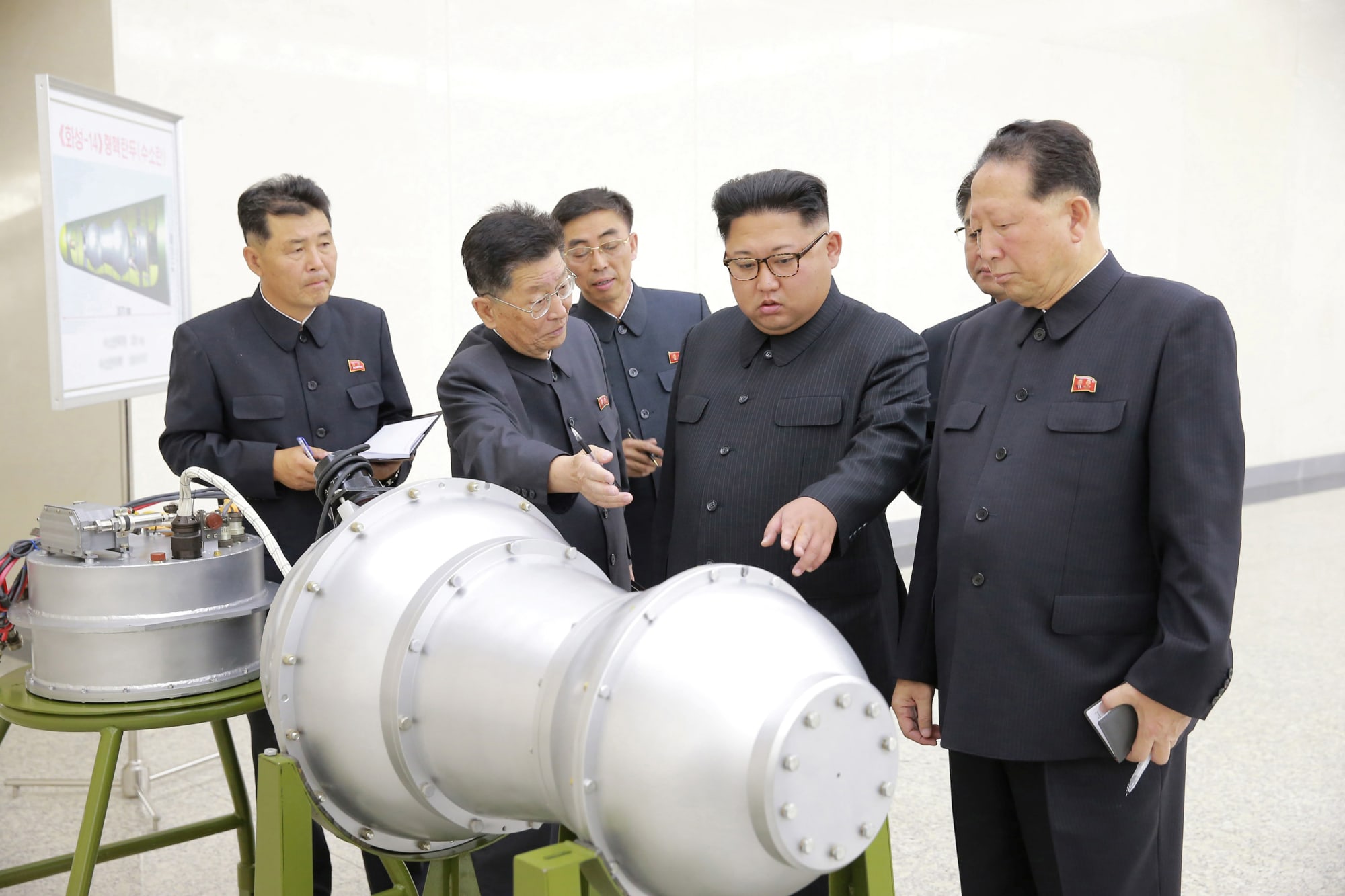
“These supplements will enhance deterrence by denying political adversaries any mistaken confidence that limited nuclear employment can provide a useful advantage over the United States and its allies,” the review reads. “For example, Russia’s belief that limited nuclear first use, potentially including low-yield weapons, can provide such an advantage is based, in part, on Moscow’s perception that its greater number and variety of non-strategic nuclear systems provide a coercive advantage in crises and at lower levels of conflict.”
Despite the name, low-yield nuclear weapons are monstrous, city-destroying forces, comprising any warhead under 20 kilotons. Little Boy and Fat Man, the nuclear bombs dropped on Japan during World War II, were low-yield, and they killed more than 120,000 people combined, scorching Hiroshima and Nagasaki bare.
The US and other countries are constantly researching new types of nuclear weapons. Recently, scientists have been focused on building more agile and accurate nuclear bombs, including ideas like directed-energy devices, which would explode in a targeted direction.
“The most recent that I’ve seen — and it strikes me as just bizarre — is that they’ve started strapping GPS guidance systems onto nuclear bombs so that it can be guided the same way our cruise missiles and so forth are,” Richard Rhodes, author of The Making of the Atomic Bomb, told Engadget in May. “Instead of being, let’s say, accurate within 30 feet of a target, it would be accurate within 3 feet of a target.”
The draft NPR doesn’t mention GPS-guided missiles or directed-energy devices specifically, though these are the future technologies keeping scientists busy around the world. There are nine countries with nuclear-weapons capabilities today: The US, Russia, China, France, the United Kingdom, Pakistan, India, Israel and North Korea.
The draft argues many of these countries are building up their nuclear inventories, giving the US reason to beef up its own stockpile. In the age of nuclear proliferation, this is a tired story — it’s essentially the same reason the Obama administration gave to justify its $1.25 trillion modernization plan, though the Trump NPR paints a pointedly bleak portrait of world affairs:
[Russia and China] have added new types of nuclear capabilities to their arsenals, increased the salience of nuclear forces in their strategies and plans, and engaged in increasingly aggressive behavior, including in outer space and cyber space. North Korea continues its illicit pursuit of nuclear weapons and missile capabilities in direct violation of United Nations Security Council resolutions. …There now exists an unprecedented range and mix of threats, including major conventional, chemical, biological, nuclear, space and cyber threats, and violent non-state actors. These developments have produced increased uncertainty and risk.
In this din of fear, the draft review proposes lowering the barrier for deploying nuclear weapons.
Extreme circumstances
The draft takes its cue from the 2010 NPR when it says, copied verbatim, “The United States would only consider the use of nuclear weapons in extreme circumstances to defend the vital interests of the United States, its allies, and partners.” However, the updated version expands the definition of such events: “Extreme circumstances could include significant non-nuclear strategic attacks. Significant non-nuclear strategic attacks include, but are not limited to, attacks on the US, allied, or partner civilian population or infrastructure.”
Essentially, the draft opens the door for the US to respond to a devastating cyberattack with a nuclear strike. Perhaps a low-yield strike, even. Previously, the US has been averse to a first-use scenario, pledging to launch nuclear weapons only if the country were directly targeted by other nukes.

“It’s actually incredibly alarming that the Trump administration is putting forth the idea that we could use nuclear weapons in response to a cyberattack,” Alexandra Bell of the Center for Arms Control and Non-Proliferation told National Public Radio on Monday. “The Trump plan actually puts multiple options on the table — nuclear weapon in response to a chemical attack, to a biological weapons attack, to an attack on civilians without a real description of where that threshold is and really widens the options for President Trump to use nuclear weapons.”
Diplomacy
Post-nuclear politics are finicky, as world leaders play chicken with world-destroying weapons. This has been the norm for more than 50 years: Countries with nuclear weapons can grab the world’s immediate attention by making a threat or even just (loudly, publicly) investing in their arsenals. Whenever the US makes noise about its nuclear weapons, for instance, Russia is sure to respond with its own announcements and investments, and vice versa.
This is nuclear diplomacy in action. The US Intelligence Community’s 2017 Worldwide Threat Assessment acknowledges this aspect of the nuclear ecosystem, particularly in regards to North Korea — a country that does not actually want to use its nuclear weapons, according to experts.
“We have long assessed that Pyongyang’s nuclear capabilities are intended for deterrence, international prestige, and coercive diplomacy,” the assessment reads.
To that end, the US and other countries have signed a series of treaties meant to deter nuclear proliferation, and even rid the world of nuclear weapons altogether. The most notable of these is the Nuclear Non-Proliferation Treaty, enacted in 1970. Signatories agree to not build or acquire new nuclear weapons, and promise to disarm completely. One hundred and ninety-one countries have signed the NPT, including the US and Russia. North Korea signed it in 1985 but withdrew in 2003.

The United States now faces a more diverse and advanced nuclear-threat environment than ever before.
A draft of the 2018 Nuclear Posture Review
Adding nuclear weapons to the US stockpile is in direct opposition to the NPT, and the authors of the draft review are aware of this fact.
“The United States remains committed to its efforts in support of the ultimate global elimination of nuclear, biological and chemical weapons … Nevertheless, global threat conditions have worsened markedly since the most recent 2010 NPR, including increasingly explicit nuclear threats from potential adversaries,” the draft reads. “The United States now faces a more diverse and advanced nuclear-threat environment than ever before, with considerable dynamism in potential adversaries’ development and deployment programs for nuclear weapons and delivery systems.”
The view from here
Just as the State of the Union offers a chance for the president to lay out his vision of the future, the draft Nuclear Posture Review provides a snapshot of the Trump administration’s approach to national security and its view of the world in general. It’s a fairly terrifying planet from this lens, one that Trump has vowed to fight with “fire and fury” — much as Harry S. Truman, the president who dropped the nuclear bombs on Hiroshima and Nagasaki, predicted in his diary in 1945:
“We have discovered the most terrible bomb in the history of the world. It may be the fire destruction prophesied in the Euphrates Valley Era, after Noah and his fabulous Ark.”
Apple Senior VP Eddy Cue Announced as Featured Speaker for SXSW 2018
Apple’s senior vice president of internet software and services Eddy Cue has been announced as a Featured Speaker for 2018’s South By Southwest Conference event. SXSW takes place from March 9-18 in Austin, Texas, and Cue will lead a talk focused on startup companies and the tech sector, accompanied by CNN senior reporter Dylan Byers.
Other speakers include Steve Jobs biography writer Walter Isaacson, Reddit CEO Steve Huffman, Star Wars: The Last Jedi writer/director Rian Johnson, Waymo CEO John Krafcik, YouTube CEO Susan Wojcicki, and more.
During last year’s SXSW conference, Apple Music Beats 1 radio host Zane Lowe appeared as a speaker.
“The speakers announced today feature a diverse group of leaders and innovators that make SXSW the foremost destination for creative people,” said Hugh Forrest, Chief Programming Officer. “As SXSW celebrates the 25th year of Interactive and Film, the cross-industry talent announced today reflects the ongoing convergence of the modern world, the trends we see throughout our programming, and the paramount reason for our now unified conference experience.”
The full schedule of events for this year’s SXSW can be found online. Besides keynote speakers discussing a variety of topics, the Austin-based festival includes film screenings, concerts, gaming events, a comedy festival, and more.
At Apple, Cue oversees the iTunes Store, Apple Music, Apple Pay, Apple Maps, iCloud, and the iWork and iLife suites of apps. He had previously headed Siri development, but work on Apple’s AI assistant shifted to software engineering chief Craig Federighi sometime last year. The move was confirmed by Apple in September.
Tags: Eddy Cue, SXSW
Discuss this article in our forums
Apple’s Decision to Delay Some New Features and Focus on Software Quality Extends to Mac
Apple’s reported plans to delay some features planned for iOS 12 until next year will similarly extend to the Mac, although to a lesser degree, according to Mark Gurman, reporting for Bloomberg News.
Gurman’s sources corroborate an earlier report from Ina Fried at Axios, which claimed that Apple’s software engineering chief Craig Federighi disclosed the revised plans during a meeting with employees earlier this month.
While the shift in strategy appears to extend to macOS, it reportedly will not affect the development cycles of watchOS or tvOS.
The company told its software engineering groups about the change this month, one of the people said. The shift will also affect this year’s update to Mac computer software, but to a lesser degree, the person said, adding that planned upgrades to Apple Watch and Apple TV software won’t be affected.
Apple’s plans to focus on the quality of its current software platforms will presumably result in a greater emphasis on bug fixes, performance improvements, and the general stability of its operating systems.
The shift in strategy follows a few embarrassing mishaps for Apple in recent months, including a major security vulnerability that enabled access to the root superuser account with a blank password on macOS High Sierra version 10.13.1. Apple promptly fixed the critical bug in a security update.
Just weeks later, MacRumors was alerted to a security flaw in macOS High Sierra version 10.13.2 that allowed the App Store menu in System Preferences to be unlocked with any password. While this bug was much less serious, it was still system behavior that obviously shouldn’t have been possible.
Apple had a similar shift in strategy in 2015 with the release of iOS 9, and with some other macOS updates in recent years, according to the report, so this isn’t Apple’s first time doubling down on the polish of its software.
The report also corroborates that Apple was planning a redesigned grid of app icons on the home screen in iOS 12, but that change is now delayed until 2019 along with expanded photo management capabilities. There’s also word of a multiplayer mode for augmented reality games, but it’s unclear when it’ll be ready.
Gurman still expects some smaller improvements to the Photos app to roll out in 2018, while the original report by Fried mentioned enhancements to the Health app and parental controls are still planned for release this year.
Related Roundups: iOS 11, macOS High SierraTag: bloomberg.com
Discuss this article in our forums
Apple Expected to Report Highest Revenue in Single Quarter in Company’s History
Apple is set to report its earnings results for the first quarter of its 2018 fiscal year at 1:30 p.m. Pacific Time on Thursday.
The fiscal quarter reflects Apple’s sales between October 1 and December 30 of 2017.
Apple provided the following guidance for its fourth quarter back on November 2:
• revenue between $84 billion and $87 billion
• gross margin between 38 and 38.5 percent
• operating expenses between $7.65 billion and $7.75 billion
• other income/expense of $600 million
• tax rate of 25.5 percent
Apple’s guidance suggests the company will easily beat its current all-time quarterly revenue record of $78.4 billion set a year ago.
Wall Street analysts forecast that Apple will report $87.06 billion revenue and earnings per share of $3.83, according to 29 estimates averaged by Yahoo Finance.
A quarter-by-quarter look at Apple’s revenue since the 2009 fiscal year:Apple’s FY Q1 Rev.
• 2014: $57.6B
• 2015: $74.6B
• 2016: $75.9B
• 2017: $78.4B
• 2018: $84B+
MacRumors has compiled fiscal first quarter estimates from several financial institutions and analysts tracking Apple’s financial results and stock. The figures are listed below, ranked from highest to lowest in revenue.

Key Takeaways and What to Look For
• Was the iPhone X a hit? Apple began taking iPhone X orders on October 27, roughly four weeks after the quarter began, so investors will be closely examining Apple’s total number of iPhones sold to see if the flagship smartphone had a measurable impact. Apple doesn’t reveal iPhone sales on a model-by-model basis, however, so its total will include sales of the iPhone 8, iPhone 8 Plus, and older models in its smartphone lineup. Apple’s mark to beat is 78.3 million iPhones sold in the year-ago quarter.
As noted by Apple analyst Neil Cybart in his earnings preview for Above Avalon, Apple’s average selling price for iPhones will also be an important metric. With the iPhone X starting at $999 in the United States, investors will undoubtedly be looking for a sizeable increase in the iPhone lineup’s ASP.
• Will the HomePod delay have any affect? Apple originally said that its HomePod speaker would launch in December, which would have been within the final month of the quarter. Instead, orders began last week, after the quarter, and this could have a marginal impact on Apple’s forecasted revenue.
• How strong will Apple’s second quarter guidance be? Apple’s forecasted revenue for the second quarter of its 2018 fiscal year, reflecting the January-March period, should prove whether iPhone X demand has significantly declined as suggested by The Wall Street Journal and Japan’s Nikkei Asian Review. Apple CEO Tim Cook has dismissed these types of reports in the past, noting that the company’s supply chain is very complex and that any singular data point is not a great proxy for what’s going on.
Tim Cook in January 2013: pic.twitter.com/OwoprY8N3U
— Joe Rossignol (@rsgnl) January 29, 2018
• Will there be services growth? Apple said it reached over $30 billion revenue in its 2017 fiscal year for services, such as the App Store, Apple Music, iCloud, and iTunes, making this part of its business the size of a Fortune 100 company. Investors will be looking for continued growth in this category. The mark to beat is $7.1 billion in the year-ago quarter.
• iMac Pro orders began on December 14, roughly two weeks before the end of the quarter, which could give a small boost to Mac sales.

Cook and Apple’s financial chief Luca Maestri will discuss the company’s earnings results on a conference call at 2:00 p.m. Pacific Time on Thursday. MacRumors will transcribe the call as best as possible for those unable to listen.
Tags: earnings, AAPL
Discuss this article in our forums
Honor View 10 review: a OnePlus 5T challenger emerges
The flagship space is saturated with contenders on all sides and typically they come at a high price. Companies like OnePlus have been trying to shake things up by making their flagships at least somewhat affordable, and users have been clamoring for more offerings that tick more boxes than most mid-range devices, while still maintaining their mid-range price point. Honor has been trying to find that balance, from its Honor 7X — an impressive offering for under $200 — to its latest flagship offering, the Honor View 10 (aka V10).
The Honor View 10 rivals that of the OnePlus 5T in its spec sheet and design, while bringing some Eastern flair to the software — and all for less than $500. This is the Honor View 10 review.
Design

Called the V10 in other markets, the View 10 looks quite nice. Our unit has a dark blue metallic tint which shines brightly on the front around the screen and has a more softly reflective matte finish on the back. The corners and sides are rather rounded and the phone is just thick enough to allow room for the headphone jack on the bottom.
Other colors are available but this dark blue is great: understated on first glance and then striking. The spartan backing, with just the Honor logo in the middle and dual camera setup in the corner, where both lenses individually pop out, is especially nice. Yes, that might mean the lens is in danger of scrapes and scratches, but it certainly gives the Honor View 10 a distinct look.

Despite having a 5.99-inch screen, the phone’s handling is helped by its taller 18:9 aspect ratio. The result is a phone with a low screen-to-body ratio and a great looking front broken up by only a couple of features. Up top are the usual sensors and so on, but beneath the screen is a capacitive home button with an embedded fingerprint reader. That capacitive button can have multiple functions via gesture controls.
The capacitive fingerprint reader lets you navigate via gesture controls
A navigation setting allows for taps and swipes to trigger what would otherwise be the soft keys — back, home, and recent apps. This frees up the screen for more work and play. After getting used to the trigger for Google Assistant — swipe up from anywhere underneath the screen — this One Button mode became second nature. Even if it adds to the overall footprint of the phone, the single capacitive key is very useful.

Display
Editor’s Pick
OnePlus 5T review: it’s all about that screen
Buy now from OnePlus
With the OnePlus 3T, we got virtually the same body as the OnePlus 3, but packed with a new processor, more RAM, and a bigger battery. This year though, there isn’t a …
18:9 aspect ratios are hardly unique anymore, but it is nice to see Univisium coming to more phones than just high-end flagships. Much like the OnePlus 5T, this screen is kept at Full HD+ resolution. It’s an IPS panel which does get bright enough for outdoor viewing, though I do wish it got just a little bit brighter. Colors are also where they should be, with Honor’s tuning providing saturation on par with other high-performing IPS panels, though it does not reach the same levels of OLED vividness.

Text and media all look fine on this screen, but I had to go into the settings and shrink down the rendering sizes. Elements provided by EMUI seem created for a 1080p screen, but not necessarily one this big. This is more of a software peeve than a knock against the screen. It was easily fixed — bringing down the setting by one notch made everything look proper and not bloated.
If there is one thing missing here, it is an always-on display. Plenty of manufacturers have been including this to make seeing one’s notifications easier and I wish the View 10 had it too. It’s got an LCD panel, meaning it would consume more battery than on an OLED screen, but the feature still would have been useful.
Performance
Honor spared little expense making sure this phone has top-notch performance. Though it’s only just starting to happen in the West, it’s pretty normal in Asian markets to have over 4 GB of RAM and a high amount of storage. The View 10 comes with 128 GB of storage and 6 GB of RAM. No matter how you cut it, that is great to have on a phone at this price.
Honor spared little expense making sure this phone has top-notch performance: the View 10 comes with 128 GB of storage, 6 GB of RAM and the Kirin 970

See also
What is the Kirin 970’s NPU? – Gary explains
Neural Networks(NN) and Machine Learning (ML) were two of the year’s biggest buzzwords in mobile processoring. Huawei’s HiSilicon Kirin 970, the image processing unit (IPU) inside the Google Pixel 2, and Apple’s A11 Bionic, all feature dedicated hardware solutions …
Honor takes the specs sheet a step further by putting in the latest Huawei HiSilicon processor, the Kirin 970. Yes, the one with the Neural Processing Unit (NPU). The true benefits of neural processing are yet to be proven — this is the first time consumers are seeing this kind of chipset, after all, and its applications are still rather limited — but this is a feature which should be better utilized over time.
For now, the NPU works in the camera for automatically finding the right scene mode and for optimizing memory handling based on your usage habits, but there is little else differentiating this phone’s performance from other flagship devices. To that end, the Kirin 970 still does its core job well in providing reliable, smooth, and fast performance.
Hardware
The View 10’s feature set reflects its design and also sticks to the basics. A microSD card slot can increase the already high amount of built-in storage, and all the connections you’d expect are available. It even has NFC for contactless payment platforms. There is no IP certification on this phone, however, so users will have to be a bit more careful to keep everything dust-free and dry.

Though calls were just fine on the T-Mobile network, using this European version of the phone kept me on HSPA+ and Wi-Fi most of the time. That means my battery experience wasn’t quite indicative of what users might get on mostly LTE connectivity.
The 3,750 mAh battery got me through a day start to finish without any problems
Nonetheless, the phone’s 3,750 mAh battery got me through a day start to finish without any problems. Screen-on time, in particular, got up to six hours while I was mainly on Wi-Fi playing mobile games and watching YouTube. With fast charging solutions, it doesn’t take long for the phone to get back to 50 percent, either. You will be relying on a USB Type-C charger, however, as wireless charging is not included in this metal-clad device.
Speaking of YouTube, I have to give a nod to the onboard speaker. It is easy to scoff at a bottom-facing mono speaker unit, but I was surprised to hear some decently loud and rich audio. Being able to put a pair of headphones in easily, thanks to the headphone jack, was also appreciated.

Camera
On an affordable flagship phone, cameras tend to be the make-or-break feature on an otherwise great package. The camera of the View 10 puts its best foot forward with a dual lens system much like the one found on the OnePlus 5T. The phone’s rear features a 16 MP f/1.8 aperture shooter, with a monochrome 20 MP f/1.8 secondary sensor for adding detail to color photos or taking crisp B&W shots. Together with the potential power of the NPU, this combined camera package can yield some sharp and enjoyable photos, except when using the 13 MP front-facing camera.

I hesitate to say the front-facing camera is all that bad, because it is really just down to Honor’s tuning of the software. The View 10 clearly takes a lot of cues from its original Chinese market, where most front-facing cameras focus on beauty modes and tend to be very soft. The camera tends to overexpose for a brighter photo and still yields an overly soft selfie even when all the modes are off.
The beautification mode is also available with background bokeh effects — turn them on and things get even softer than before, and my freckles simply disappear. If you want to keep your facial features intact but maintain a soft background, the Wide Aperture mode allows for similar effects but the results can be spotty. This beauty mode might be great for someone who appreciates the airbrushed look, but that person is not me. The best I can say is that the front-facing camera is certainly capable of good photos, but what that actually means to each individual user could differ.


Portrait mode and wide aperture modes are available for the rear cameras as well, and when used with some extra care, the photos coming out of the phone can be pretty great. Sharpness is where it should be — essentially the opposite of the front-facing camera — and colors are mostly accurate. The camera tends to overexpose when tapping darker areas, but a bit of work on the compensation slider will make the photo look more accurately exposed. As I said, with a little bit of extra attention to detail, the View 10’s cameras do their job pretty well.

There are plenty of other modes included in this camera package, like HDR, which is a mode rather than a toggle (a personal pet peeve). There are also pro modes and more artsy modes if you want to get fancy. I also like that the video mode has the ability to use the Wide Aperture setting while recording. It can lead to some interesting — albeit very artificial — depth of field footage. However, the camera is already pretty wide at f/1.8, so bokeh is not hard to come by.

Unfortunately, you will need very steady hands because there is no OIS on the View 10. This is a problem immediately apparent in video recordings, but it also hinders the phone’s low light performance. A prompt for the user to “hold hands still” while sharpening the image reflects a long shutter due to the lack of lighting. During that time basically any movement will make the photo blurry. OIS would have been a great addition to an otherwise quite capable dual lens setup, but affordability often creates that kind of give-and-take situation.
You will need very steady hands because there is no OIS on the View 10 camera


Software
The software experience differs from many established UIs in the West. Honor is a company from the East, after all, and it brings with it some of the common tropes found in Chinese spins on Android. It lacks an app drawer by default, but you can change the “Home Style” in the settings or just get a new launcher altogether.
Unlike some phones released in Asia that we’ve imported for review, this Honor View 10 is made for Europe, so all the textual elements fit properly in the interface.
Dive deeper into the settings menu and you’ll find a ton of different ways to customize the experience too. We already mentioned the navigation dock earlier, where the one capacitive key can be used for anything that the soft keys would otherwise do. Aside from that are some app-centric abilities, like putting access to some apps behind a lock or making more than one instance of, for example, a social media application.

Speaking of social media, a nice feature in the gallery app allows for one-click sharing of photos straight to Snapchat. This is more useful for people who are on that network, but it can be handy and it eliminates having to use the often shoddy built-in Snapchat camera.
Finally there is Face Unlock, which is basically what it sounds like — after recognizing the user’s face, the phone will unlock and go straight into the home screen quickly. It works about as good as similar features found on other phones, but Honor added a couple other functions into the mix. One ability shows sensitive information in notifications on the lock screen only when recognition is achieved. The phone can also wake when raised, which makes for a fast unlocking experience when coupled with Face Unlock.

Overall, there are some good features added to this version of Android and launching with Android 8.0 Oreo is a big plus, too. EMUI has its fans but it also has some detractors, so if you’ve had contact with any other Huawei or Honor phones recently, you’ll already know how you feel about it.
Specs
| Display | 5.99-inch IPS 1080 x 2160 resolution 403 ppi 18:9 aspect ratio ~78% screen-to-body |
| Processor | HiSilicon Kirin 970 |
| GPU | Mali-G72 MP12 |
| RAM | 4/6 GB |
| Storage | 64/128 GB microSD card expansion up to 256 GB |
| Cameras | Rear cameras Main sensor: 16 MP RGB, f/1.8 aperture Secondary sensor: 20 MP monochrome, f/1.8 aperture Front camera: 13 MP, f/2.0 aperture |
| Audio | Bottom-facing speaker |
| Sensors | Fingerprint Hall Accelerometer G-sensor Electronic compass Gyroscope Proximity Ambient light |
| Battery | 3,750 mAh |
| Material | Metal unibody |
| IP rating | None |
| Networks | GSM, HSPA, LTE |
| Connectivity | Wi-Fi: 802.11 a/b/g/n/ac, dual-band, Wi-Fi Direct, hotspot Bluetooth 4.2 with aptX HD GPS NFC Infrared |
| Ports | USB Type-C 3.5 mm audio jack |
| SIM | Dual Nano-SIM |
| Software | Android 8.0 Oreo EMUI |
| Colors | Navy Blue, Midnight Black, Beach Gold, Aurora Blue, Charm Red |
| Dimensions and weight | 157 x 75 x 7 mm 172 g |
Gallery

Pricing and final thoughts
The Honor View 10 price tells a good story. Any phone with features like this that comes in under $500 is going to pique our interest. Though there are even cheaper phones available and certainly higher-powered phones (at higher prices too), this phone’s market segment includes pretty much just the OnePlus 5T.

We will do a comparison between the two soon, but the bottom line is this: Honor has done a great job delivering a high-end experience at a mid-range price, and with potential improvements to the Kirin 970’s NPU still to come, the View 10 could maintain relevance longer than even some big ticket flagships. The Honor View 10 is done very well, and at this price point the whole package puts up a very convincing argument for anyone in the market for a OnePlus 5T.
Don’t get burned! How to back crowdfunding projects the smart way
In the world of crowdfunding, there’s no such thing as a sure thing.
Kickstarter and Indiegogo may look and feel like online stores, but there’s no guarantee that you’ll get something in return for the money you pledge to a campaign. Most crowdfunding platforms only require that creators make a “good faith effort” to deliver on their promises. That means they face no consequences (aside from angry backers and some bad press) if the project misses its delivery date — or even fails entirely.
To make matters worse, there are a million things that can go wrong between the successful funding of a campaign, and the delivery of the final product to your doorstep. The creator could underestimate the amount of funding they need to finish the project. Manufacturing issues could cause long delays. Hell, sometimes projects fail because creators get too much funding, and don’t know how to scale their production processes and fulfill an unexpectedly large volume of orders. Oftentimes, it’s not that the creator was intentionally trying to scam everyone — it’s just that despite their best efforts, something went wrong.
For these reasons, backing a crowdfunding project always involves some level of risk. If you understand the common causes of crowdfunding failures and delays, however, you can make smarter choices about the projects you pledge to support — and still get an awesome deal on that self-balancing electric scooter with laser headlights.
How to avoid getting burned
Over the years, I’ve backed dozens of different Kickstarter projects; only one has failed to deliver (don’t worry, I got a refund). I attribute this long history of not getting screwed over to two things: a dash of luck and a heaping helping of careful consideration. Before I pledge support to a project, I look at a range of different things to determine if the project is likely to be successful. To help you out, I’ve arranged those tips into a handy checklist that you can easily remember with the mnemonic “CRACK.”
While there’s still no guarantee that you won’t get burned, the CRACK method will help you spot red flags and decrease your chances of getting left empty-handed (and empty-pocketed).
C: Consider complexity
Some ideas are easier to bring to life than others. A machined titanium bottle opener, for example, requires only a simple CAD design and enough money to cover materials cost, machining, and shipping. Any issues with the design or manufacturing process could likely be resolved in a couple days, and wouldn’t require large sums of money to fix.
Keep an eye out for real photos of the actual product. If all you see are renderings, that’s a red flag.
A robot that plays fetch with your dog, however, is much more complex to create. In addition to sophisticated hardware, such a robot would also require custom software, which the creators have to write, test, and debug before they can ship the product. Furthermore, this hypothetical robot would likely have lots of custom parts. If the creators encounter manufacturing problems with any of these parts, the whole project will likely be delayed.
Simply put, the more complex the project, the higher the possibility of failure. The only problem with this strategy, of course, is that more complex crowdfunding projects are often the most enticing. If you absolutely must consider backing a project that combines hardware, software, and other components that are tricky to manufacture, make sure that the creator has developed a functional prototype. If the project is merely at the conceptual stage, there’s a high likelihood that it will take a long time to see through to completion. Keep an eye out for real photographs of the actual product. If all you see are renderings, that should be a red flag.
R: Research the creators
This should go without saying, but if you’re going to give someone money, you should know who you’re supporting. Click on their profile. Google their name. Look for their accounts on LinkedIn and Facebook, and try to find professional profiles on their personal or corporate websites. If you can’t find any information about them online, and they don’t link to personal or company profiles on the campaign page, then you should be wary of forking over your hard-earned cash to them.
The MummyPod
This is important for two reasons. First of all, a creator’s presence or lack of transparency says a lot. If a person (or group) isn’t willing to show their face and expose their identity to potential backers, the project is — as a rule — sketchy. If the creator remains anonymous, their reputation isn’t at stake if the project fails to deliver, and they could screw backers over without suffering any repercussions. Conversely, if the creator provides personal information and an existing public image, it shows that they’re confident enough in their idea to put their reputation on the line. That’s a good sign.
Second, knowing the creator’s background will help you judge their competency and gauge their fitness to complete the project. Let’s say you’re considering pledging money to a Kickstarter campaign that’s promising an amazing new sleeping bag. If the creator is a burgeoning outdoor gear company that’s independently funded, the project probably has a good chance of delivering. If it’s a random dude who sewed together a prototype in his garage, you might want to think twice about pledging — or at the very least, dial back your delivery date expectations.
You don’t need to stalk the person, but taking 10 minutes to look into their background, experience, and areas of expertise should always be on your pre-pledge checklist. Which brings us to our next step:
A: Analyze their background
After you’ve examined the creator specifically, you should turn your attention to their past achievements. Again, this will help you determine not only if the creator is capable of completing the project, but also how likely they are to complete it on time.
If the creator doesn’t have a track record of product development and delivery, approach with caution.
If the creator has product development experience, and has successfully manufactured something before, there’s a higher likelihood they’ll be able to deliver on a new project. They get bonus points if they’ve built something similar to what they’re promising in return for your pledge. Add extra bonus points if they’ve produced large volumes of said products, and have experience manufacturing at scale.
If the creator doesn’t have a track record of successful product development and delivery, approach with caution. We’re not saying you shouldn’t back the project (giving young startups/inventors/entrepreneurs a chance to prove themselves is a fundamental part of crowdfunding!), but if you do, be prepared for potential delays. If a creator hasn’t completed a similar project before, chances are good that they’ll run into hiccups somewhere along the line. Nothing ever goes perfectly.
For these reasons, second-generation projects are usually no-brainers to back — i.e., projects in which the creator successfully delivered a product to backers, and has returned to Kickstarter to raise funds for the production of a new-and-improved version. It generally means that the creator has already ironed out all the first generation’s design problems, and knows exactly what needs to happen for a successful manufacturing run. These are the projects you can toss money at with confidence — but that doesn’t mean you should pledge support and then never check back.
C: Check the comments
Most crowdfunding platforms provide some sort of comments section where backers can chime in with questions and get direct feedback from the project’s creators — often on a public forum that everyone can see. If you’re thinking of backing a project, these comment threads are a great resource that can provide tons of insight.
Charles Eshelman/Getty Images
For starters, the comment section can help you gauge how responsive the creators are. If there are tons of questions on the page and the creator hasn’t answered any, that’s a bad sign. If, however, the creator responds to most questions within a couple days, and doesn’t provide evasive answers, then they’re probably not out to scam everyone.
On top of that, commenters often spot potential issues that you yourself never would have thought to inquire about. I’ve encountered numerous campaigns that make sensational (and extremely enticing) claims about a product — and then find those claims have been thoroughly debunked in the comments section by somebody who spent hours researching the project independently.
Sure, sometimes the comments are uninformed, inarticulate, and totally alarmist (there’s almost always a guy who type-screams “FRAUD!” and threatens class-action lawsuits after the shipping date gets pushed back two months), but those are the exception, not the rule.
Don’t just check once, either. A campaign’s comments are a resource that’s available throughout the entire lifecycle of a crowdfunding project. Which brings us to the final point on our checklist:
K: Keep an eye on it
Pledging your money is only the beginning. Your journey doesn’t stop there, and you definitely shouldn’t just sit back, relax, and do nothing until a package arrives at your door (or doesn’t). Any problems that the creator might encounter will most likely pop up during tooling, manufacturing, or delivery — all of which generally happen after the campaign meets its funding goal and gets a “successful” badge slapped on it. As such, it behooves you to keep an eye on the project’s progress throughout the entire process.
You definitely shouldn’t just sit back, relax, and do nothing until a package arrives at your door (or doesn’t).
Luckily, most creators are relatively active when it comes to issuing updates and sending out newsletters about their progress. After all, backers have given them the means to chase their dream, so the majority are very good about communication. If they aren’t, however, you should be proactive about checking up on things periodically. Visit the campaign page, check for updates, and take another peek at the comments.
If the creators have gone silent, reach out to them and politely ask for a status update. No response? Hope for the best and prepare for the worst. At best, they’re having trouble and there will be delays. At worst, the project has suffered a critical setback and is spiraling toward failure. If at any point you feel like the project you backed is headed in that direction, get in touch and ask for a refund. There’s no guarantee you’ll get one, but in any case, it’s best to ask before the creator burns through all the pledge money completely.
That’s not to say you should only check up on a project if you get the impression it’s floundering. Even if the project appears to be headed in the right direction, you should still keep an eye on it. More specifically, it’s usually a good idea to circle back and check out the comments section after shipping has commenced and the product has been delivered to the earliest backers (assuming you backed a project that offers a tangible reward). If the final product is substandard or significantly different than what the creators promised, then other backers will usually sound off in the comments section. If you’re diligent, you might be able to request a refund before your package ships.
Editors’ Recommendations
- Kickstarter lets you subscribe to creators with Drip
- Awesome tech you can’t buy yet: Paper machines, mailbox minders, and more
- Awesome tech you can’t buy yet: Tiny selfie drones, smart toilet seats, and more
- Awesome tech you can’t buy yet: Seaweed straws, graphene batteries, better bits
- Awesome tech you can’t buy yet: A clip for your dip and a toilet for your cat
Every app gives me recommendations, but none of them are any good
Everything is going to suck until it gets better, but the wait is making me want to uninstall a whole bunch of apps.

The future is contextual computing, right? We keep being told that is the bright, shiny thing to look forward to. Wake up in the morning, and all the apps on my phone know what I want. My music app has the perfect playlist to start my day, my news app has information from sources I find reliable, and my social networks have a few suggestions for some information I may have missed overnight that could be cool. When I get home from work, my video apps know what I want to watch and can point me towards some new things in the event that I don’t have anything new to watch that night.
It’s a cool idea for a future, but right now none of my apps are anywhere close to delivering on that promise. And if I’m being honest, this horrible in-between stage is making my phone a lot less fun.

As is often the case with my phone, this all started with Google. I had a friend from out of town who wanted to get food somewhere new, and so I fired up Maps to grab a list of local eats. I got ratings for a few decent places, we picked one, and all jumped in the same car to go grab a bite. On the five-minute drive to the pub, we passed three restaurants that weren’t anywhere in Google’s list. Each looked like solid options for exactly the thing we were looking to do, but were nowhere to be found in Google’s suggestions. The reason, as near as I could find, was because these restaurants didn’t participate in Google’s partnership program for listings on Maps. I could find these restaurants if I searched for them individually, complete with links to menus, but these listings didn’t appear in Google’s recommendation engine no matter what I did.
Hulu was the next thing that day to totally miss the mark. The new UI for Hulu is supposed to be built to suggest things to me I want to watch, and one would assume that engine is at least somehow based on things I have watched. But when season three of The Path hit Hulu, the app did absolutely nothing to tell me it was available to watch. In fact, by the time I had found it on my own, I was several episodes behind. This sort of thing should be a slam dunk for Hulu, to tell me the next season of a Hulu Original show I have already started watching is available to watch. Instead Hulu wants to suggest that I start watching Bob’s Burgers, a show I have already watched in its entirety on Hulu, from Episode One.
Most of this is, in one way or another, a form of growing pains.
After both of these apps managed to fail me so spectacularly on the same day, I went looking for a recommendation system on any app on my phone that worked the way I wanted it to. Google Play Music suggested three of its radio stations, each filled with songs that have nothing to do with the original artist suggested to me. Amazon’s suggestion system for things I like isn’t even close. The Play Store suggests games to me I would never play. Twitter is constantly suggesting I follow politicians and celebrities and other people that have nothing to do with any of my normal activity on that site. Facebook has started sorting my notifications by what it thinks I want to see, which has making it an even bigger dumpster fire. Basically, everything with some sort of machine learning thing and the promise of a better way to show me what I might want sucks. The only app I found with any kind of accuracy was Netflix, and that’s almost not fair because my family watches basically everything Netflix makes these days.
Most of this is, in one way or another, a form of growing pains. None of these recommendation systems were ever going to work perfectly overnight, but most of these seem to fail in really obvious ways right now. And to be honest, Google needs to be scrutinized more heavily that most here. With the announcement of Google I/O 2018 recently dropped, it’s important to keep in mind we’re almost a year into Google’s promise to devote its machine learning and AI empire to creating a personalized Google just for you. Outside of watching Google Now die on the vine so Assistant can rise, it’s not entirely obvious to me how Google has gotten any closer to delivering on this promise after a year, and that’s from the perspective of someone who uses Google for almost everything day in and day out.
If Google is supposed to be a leader in this space, the example for every other company to follow, it’s hardly surprising so many of these services aren’t able to deliver what has been promised.
What display color setting are you using on the Pixel 2?
Natural vs. Boosted vs. Saturated.
The Pixel 2 XL launched with a pretty underwhelming display, and while it’s still not the best the market has to offer, it’s since gotten a lot better thanks to customizable color profiles that you can change on the fly.

Users have three of these to choose from, including Natural, Boosted, and Saturated. I was personally rocking Saturated on my baby Pixel 2 for a while, but I’ve since moved to Boosted as I’ve come to appreciate the more life-like colors.
One of our forum users popped the question to our community to find out what profile they’re using on the phone, and these are a few of the responses.
BruceLeeX
01-28-2018 11:20 AM“
I’ve stuck with Boosted and have appreciated the more natural colors than in saturated mode.
Reply
whiteshadow001
01-28-2018 05:28 PM“
I prefer natural because I hate the oversaturated colors. I like natural because when taking pictures it’s more true to what the naked eye sees. And none of them help keep burn in down over the rest.
Reply
NMCynthia
01-28-2018 05:35 PM“
I’ve used both Natural and Boosted, and am currently staying on Natural. I find Saturated to be too intense, bordering on fake looking.
Reply
01-28-2018 07:12 PM“
Natural or Boosted. Mostly Natural but depends on what Icon pack I am using.
Reply
What about you – What display setting are you rocking on your Pixel 2/2 XL?
Join the conversation in the forums!
Google Pixel 2 and Pixel 2 XL
- Pixel 2 FAQ: Everything you need to know!
- Google Pixel 2 and 2 XL review: The new standard
- Google Pixel 2 specs
- Google Pixel 2 vs. Pixel 2 XL: What’s the difference?
- Join our Pixel 2 forums
Best Buy
Verizon
Google Store
Project Fi
LG G6 launching in Moroccan Blue, Lavender Violet, and Raspberry Rose
The LG Q6 is also getting new Moroccan Blue and Lavender Violet options.
We’re expecting LG to unveil the G7 (or whatever it’s 2018 flagship is called) this coming March, and while it should be a darn nice phone, there’s still a lot to like about the G6. The G6 continues to be one of the most underrated Android phones around, but LG is hoping that’ll change at least a little by making it available in a few new colors.

The G6 was previously available in Astro Black, Ice Platinum, Mystic White, Terra Gold, and Marine Blue, but it’s now gaining Moroccan Blue, Lavender Violet, and Raspberry Rose. These are all colors that were previously limited to just the V30, and yes, that’s the same Raspberry Rose that stole our hearts at CES in early January.
In addition to the G6, LG is also making the more affordable Q6 available in Moroccan Blue and Lanedner Violet.
LG says these new colors will be launching first in its home country of Korea this coming February and that’ll they’ll come to “key markets”afterward.
Moroccan Blue and Raspberry Red are the two options that catch my eye the most, and I certainly hope this is an indicator that LG will continue to experiment with new colors with the G7 and V40 this year.
What about you? Which of the above styles catches your fancy?
LG G6
- LG G6 review!
- LG G6 specs
- LG G6 vs. Google Pixel: The two best cameras right now
- Everything you need to know about the G6’s cameras
- LG forums
Verizon
Sprint
T-Mobile
AT&T
B&H
 AIVAnet