


Google I/O 2018 kicks off on May 8, and we may get to see Android P
I/O 2018 event teaser includes references to Android P.
In characteristic fashion, Google launched a scavenger hunt containing clues to the dates of its annual developer conference. Google I/O 2018 will return to the Shoreline Amphitheatre from May 8 to May 10, and it looks like we’ll get a first look at Android P at the event.

The initial tweet turned out to be binary code for the google.com/io page, which led users to a Street View pointed at the reception area of a Google Developers office.
Plans are coming along for #io18… pic.twitter.com/48VpqvVqWU
— Google Developers (@googledevs) January 24, 2018
The folks in the Discord discussion group were able to solve the puzzle to reveal the date and location of I/O 2018. One of the clues included a pineapple cake, which is a subtle hint at a possible name for the next version of Android.
I/O 2017 focused on Android O, Google Assistant updates, the entry-level Android Go platform, standalone Daydream headsets, and much more. Considering the attention Google lavished on Assistant earlier this month at CES, we’re likely to hear more about the company’s future plans in this area.
Video: Honor View 10 review
There hasn’t been much competition in the affordable flagship space since the OnePlus 5T took the crown last year, but Honor aims to change that with the View 10.
For £449 (no official U.S. pricing at this time), the Honor View 10 boasts Huawei’s most powerful Kirin 970 chipset, with the same Neural Processing Unit found on the Mate 10 Pro for AI enhancements. It’s one of the few phones running Android Oreo, and Huawei’s EMUI 8 firmware brings additional software features.
Check out Hayato’s video review in the link above — and for more detailed thoughts, read the full written review and our comparison against the Honor 7X.
- Android Central on YouTube
- Honor View 10 review
- Honor View 10 video review
Qualcomm hit with $1.2 billion fine by the EU for paying Apple to use its chips
Qualcomm found to be in violation of EU antitrust laws by making ‘significant payments to Apple.’
Things aren’t looking good for Qualcomm. The European Commission has levied a €997 million ($1.23 billion) fine against Qualcomm for “abusing its market dominance in LTE baseband chipsets.” The regulator found that Qualcomm violated EU antitrust laws by making “significant payments to Apple” on the condition that it would exclusively use Qualcomm chipsets in iPhones and iPads.
By doing so, the EU regulator alleged that Qualcomm shut out its rivals from competing effectively, enabling the chip vendor to solidify its position as the market leader.

From the EU ruling:
In 2011, Qualcomm signed an agreement with Apple, committing to make significant payments to Apple on condition that the company would exclusively use Qualcomm chipsets in its “iPhone” and “iPad” devices. In 2013, the term of the agreement was extended to the end of 2016.
The agreement made clear that Qualcomm would cease these payments, if Apple commercially launched a device with a chipset supplied by a rival. Furthermore, for most of the time the agreement was in place, Apple would have had to return to Qualcomm a large part of the payments it had received in the past, if it decided to switch suppliers.
This meant that Qualcomm’s rivals were denied the possibility to compete effectively for Apple’s significant business, no matter how good their products were. They were also denied business opportunities with other customers that could have followed from securing Apple as a customer.
The deal was originally signed in 2011, and was extended until 2016 a few years later. Apple started exploring other options following the end of the agreement, resulting in the use of Intel LTE modems in the iPhone 7 and 7 Plus.
The $1.2 billion fine by itself won’t hurt Qualcomm’s bottom line significantly as it represents 4.9% of the company’s overall revenue in 2017, but it is one of many regulatory battles Qualcomm is facing right now. The company is embroiled in a bitter patent fight with Apple, and is simultaneously fending off a $100 billion takeover bid by Broadcom.
For its part, Qualcomm has stated that it will appeal the EU commission’s ruling. From Don Rosenberg, executive vice president and general counsel of Qualcomm:
We are confident this agreement did not violate EU competition rules or adversely affect market competition or European consumers. We have a strong case for judicial review and we will immediately commence that process.
The BlackBerry Motion is the future of Android phones

The BlackBerry Motion is a solid Android phone with a price that’s a bit too high to stomach.
For better or worse, the BlackBerry Motion is the future of Android. Neither flashy nor charming, the Motion is plain and utilitarian. It gets the job done. It’s a purpose-built device for a small slice of the smartphone buying public, one that values qualities that don’t stand out. At $450 unlocked, the Motion is arguably overpriced for what it is, but BlackBerry has never had trouble getting its admittedly small core audience to pay a premium.
That BlackBerry Tax, if I may be so bold, bundles a certain amount of confidence in the post-purchase experience, both from a security and reliability perspective. The Motion is pretty rugged, and aside from my Pixels has the most current security patch of any phone in my office. It’s also a decent performer, has insanely good battery life, and an excellent software experience. Here’s why I think you shouldn’t overlook it now that it’s available unlocked in the U.S.
See at Amazon
1. The battery lasts forever
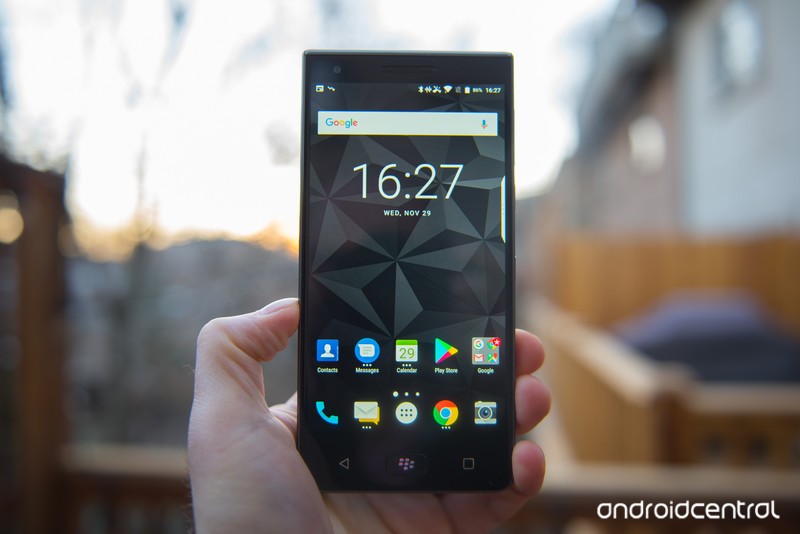
The future of Android is a battery that doesn’t quit. Most people don’t necessarily leave their phones unplugged overnight, but the Motion can and does last well into the following day without a nighttime top-up. The 4,000mah battery is enormous, but it doesn’t make the phone itself oversized — it’s just big enough to tip over into phablet territory.
The phone is also powerful enough not to make you feel bad about using a phone with such a big battery because you’re not sacrificing one for the other. Like the BlackBerry KEYone, the Motion just flies through everything — except between then and now, BlackBerry must have fixed whatever was causing the stuttering and slow app launching that plagued the KEYone when it debuted last year.
2. BlackBerry is great at software … and security updates
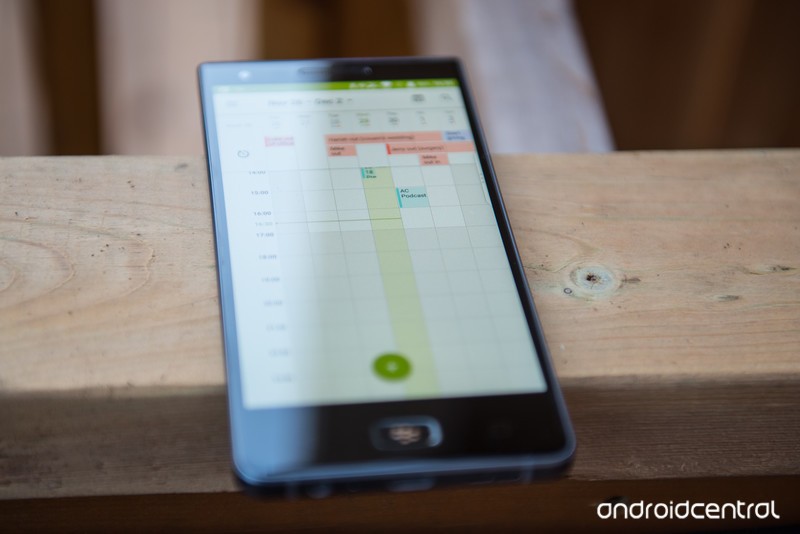
With the Motion, you’re not buying a Pixel or even a OnePlus phone; you’re buying a BlackBerry. While we don’t know the company’s long-term record when it comes to platform and security updates — remember, the Priv doesn’t count because it was sold prior to the formation of BlackBerry Mobile — we have a decent amount of data to work with. The KEYone has managed to maintain near-monthly software updates on carriers and in the unlocked market alike, and Motion is likely to receive the same attention.
The reason is simple: BlackBerry built security updates into the design of the phone; the company committed to releasing monthly security updates to carriers, so the unlocked models benefit from that work already being done.
On the software side itself, BlackBerry’s take on Android is subtle and easy to understand, but steeped in the productivity legacy that, over the years, many people (including me) have come to appreciate. I’m not going to say that the Motion’s software is as smooth as the Pixel 2 nor as feature-rich as the Galaxy Note 8, but like so much else with the phone it falls somewhere in the middle.
3. The keyboard is outstanding
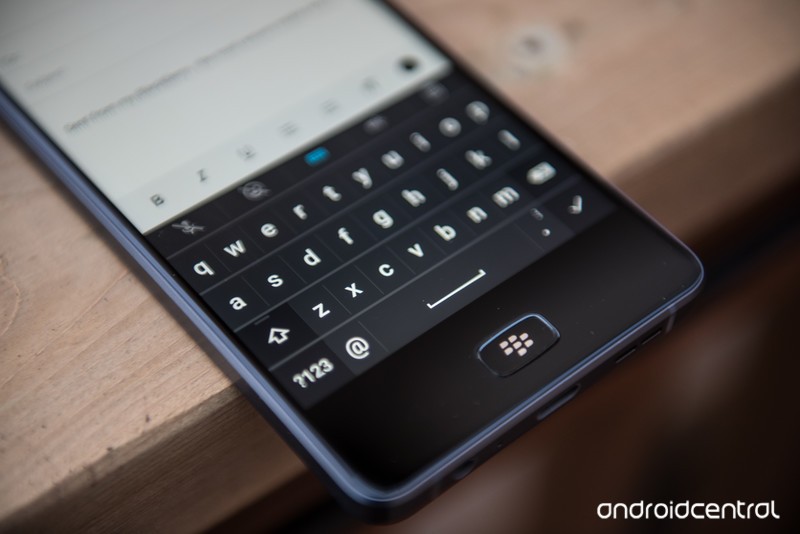
I’m a big fan of Google’s official Android keyboard, Gboard, but whenever I pick up the Motion I’m always struck by how fast I can type on BlackBerry’s on-screen equivalent. Obviously, the Motion lacks the hardware keys that make the KEYone so enticing, so the alternative needs to be just as good, and for the most part, it delivers.
Even as Gboard’s prediction engine has improved over the years, there’s something nice about being able to flick up on a particular letter to complete a word that makes BlackBerry’s on-screen keyboard so satisfying to use, especially for longer-form work like documents and emails. That you still can’t download it on non-BlackBerry devices is an indication that the company knows what it has and wants to keep it for itself. Good choice, in my opinion.
The best keyboards for Android
4. It’s rugged and water resistant
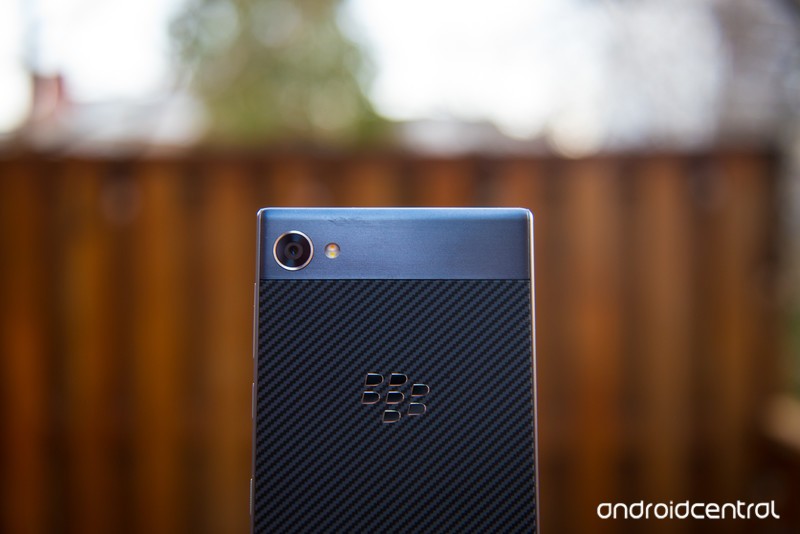
The Motion is the first BlackBerry with an IP67 ingress rating, which means it can withstand up to one meter of water for 30 minutes. That’s not uncommon these days — most decent phones above $500 have some sort of ingress protection — but in this price range, it’s still rare.
Moreover, the phone is pretty rugged; I’ve been knocking it around in my pocket or bag going on two months now (yes, this write-up is a long time coming) and it looks no worse for the wear. It may not feel as hefty as the KEYone — there’s more plastic than metal in here, largely to keep the price down — but it’s a substantial device that will sustain some abuse.
5. It’s a BlackBerry
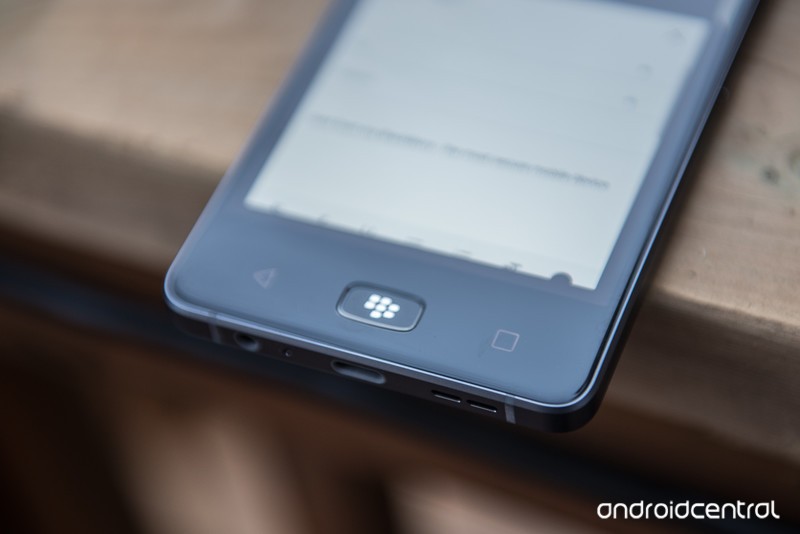
Yeah, yeah, yuck it up. I’ll wait. See, a lot of people dismissed the Priv when it debuted in 2015, but it became a veritable critical darling (if not a financial success). Same with the KEYone, except there’s evidence to suggest that the phone is singlehandedly carrying TCL into 2018. Demand is so good there’s even a bronze one now.
And yes, the Motion lacks BlackBerry’s signature differentiator, the hardware keyboard, but it’s a fundamentally solid product backed up by a company (well, two companies) that isn’t going anywhere. At $450, it’s not cheap, I’d wager there are a fair number of people willing to spend that extra hundred or so for the BlackBerry name. And if not, wait a few months: the phone will invariably get discounted to $350 before the summer (just a prediction, but one with precedent).
Why you wouldn’t want the BlackBerry Motion
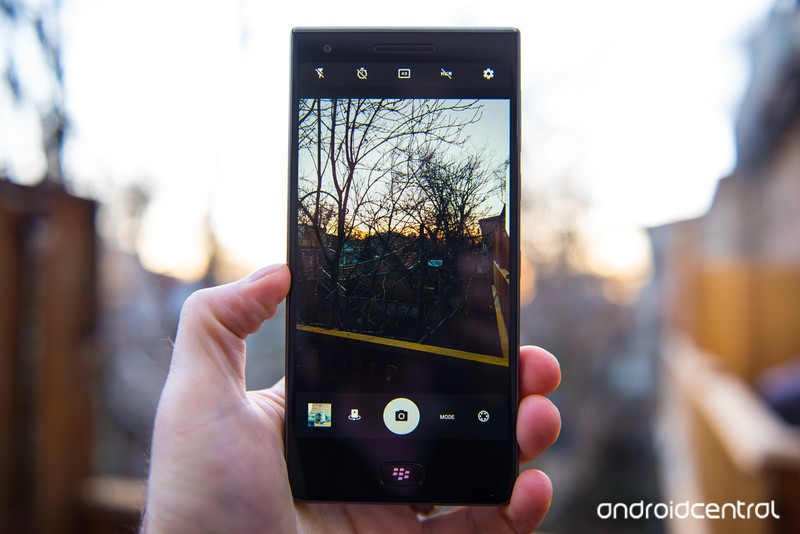
It’s not all lollipops and rainbows over here for the BlackBerry Motion. See above — at $450, it’s not cheap. While there’s a subset of BlackBerry loyalists willing to spend that on a mid-range phone, most others — especially others buying their own phones and not having one foist upon them from a corporate overlord — would like see slicker, cheaper alternatives and balk at the Motion’s asking price.
The Motion does a lot more right than wrong, but some people may not be able to get over its price — or its bad camera.
Especially so if imaging is a concern. The Motion has a 12MP camera, but that’s just a number on paper; this thing is nowhere near as good as its equal-resolution peer in the KEYone. Indeed, I found it difficult to take a photo with the Motion that I’d be willing to share anywhere.
And finally, if you’re interested in using this unlocked phone on Sprint, Verizon, or any other CDMA network, you’re out of luck — this is a GSM-only device. Not a huge deal, but it pretty much halves the potential U.S. market.
The future of Android
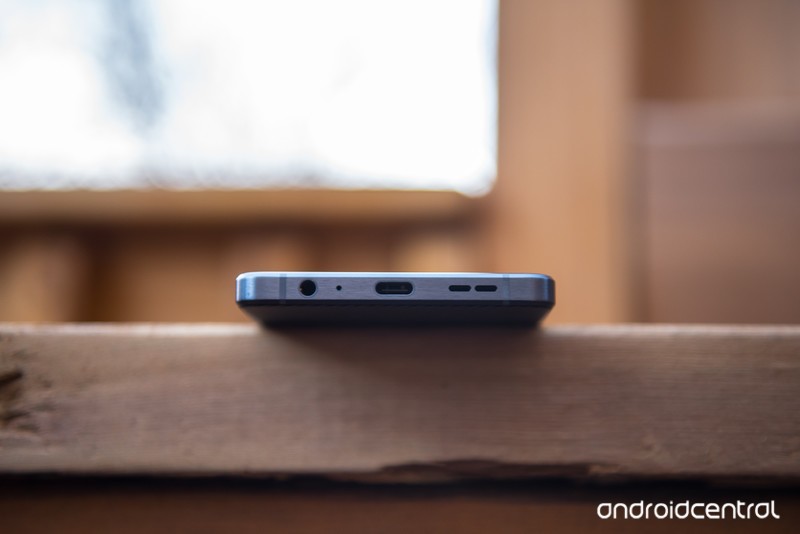
It’s not hard to grasp: Android is maturing, and so are the phones that run it. While people still clamber for the $1000 flagships, the real growth is in the affordable space, and the diversity of choice allows anyone to find the phone that is right for him or her. The BlackBerry Motion isn’t the best mid-range phone on the market — not by a longshot — but it’s got enough appeal to enough people to peacefully co-exist with products from Honor and Motorola and others.
My take is this: I highly recommend the BlackBerry Motion unless imaging is a priority. It has a camera, but it’s not good. Its other flaws are more forgiveable.
See at Amazon
BlackBerry KEYone
- BlackBerry KEYone review
- KEYone vs. Priv: Battle of the BlackBerry keyboards
- BlackBerry KEYone specs
- The latest KEYone news
- Join the discussion in the forums
Amazon
Best Buy
BlackBerry Mobile
Are you interested in a foldable smartphone?
Here’s our forum users’ take on foldable smartphones.
For years, the mobile industry has been filled with rumors at one point or another about foldable smartphones. This is one of those talking points that continues to rear its head every now and then, but 2018 could be the year that this tech finally comes to light.

ZTE released the first “foldable” smartphone we’ve seen in a while with the Axon M last year, but it featured two separate displays that were connected by a hinge mechanism. However, Samsung may be ready to show off the long-rumored Galaxy X this year – a smartphone with a single display that can fold up into a smaller form factor.
There have been reports of ZTE and LG also interested in doing something along these lines, and with all this news about folding smartphones going around, our forum users decided to share their take on this whole thing.
Tim1954
01-22-2018 01:30 PM“
I’m not interested in folding phones as such, but a bit more flexibility would be sweet. These delicate glass devices are a bit too much. Might consider the S9 Active this year, I’m tired of having to be so careful with my phone. And I don’t much like the edge screen either…
But certainly, the technology is amazingReply
Morty2264
01-23-2018 04:45 PM“
I’m not very interested in a foldable phone for myself; however, I am very interested in seeing how they “will come about” and it’ll be cool to test them out in the store.
As far as what we’d probably see in the foldable phone, I think it will be hinge-less – with state of the art tech. It’s Samsung, after all – I’m sure they’ll pull out all the stops for this phone! 🙂
Reply
Retinella
01-23-2018 08:20 PM“
The only way I’d be interested in a foldable phone is if it was hinge-less, not delicate, and have all the current specs for 2018 (SD 845, etc).
Reply
Laura Knotek
01-22-2018 02:40 PM“
I’m not interested. The design would be too cumbersome to carry around and use, plus moving parts add an additional potential failure point.
Reply
What about you? Do you have any interest in a foldable smartphone?
Join the conversation in the forums!
Samsung Galaxy S9 supposedly shows up in hands-on video
It’s a Samsung phone with an Infinity Display, but is this really the Galaxy S9?
The Samsung Galaxy S9 will be announced in just a little over a month at MWC in Barcelona, and there’s a lot we’re expecting from the phone – including an adjustable camera aperture, Snapdragon 845 processor, even slimmer bezels, and more. Leading up to its launch, a video new has popped up that supposedly shows someone getting a bit of hands-on time with the Galaxy S9.
In the video, we can see someone testing out the touch sensitivity of the S9 with a screen protector installed by quickly tapping different buttons on the keyboard. We don’t get a very clear look at the phone since the clip is just 10 seconds long and is at a maximum resolution of 240p (🤢), but something we can see for sure is that Samsung’s Infinity Display is front and center just like on the Galaxy S8.
However, is this truly a video of the Galaxy S9? While it’s certainly possible that early units of the S9 are out in the wild, the video in question doesn’t show enough for me to say for certain one way or another. It’s certainly exciting to think that this may be our first hands-on look at Samsung’s latest flagship, but it’s also possible that this could be a dummy unit.
In any case, do you plan on buying the Galaxy S9 when it’s released?
Samsung Galaxy On7 Prime is designed to fuel your impulse buying habits
Plex just made the best video app for Google Daydream

Plex, the popular home media server application, is now VR ready. Say hello to Plex VR on Daydream.
VR continues to grow in popularity but one thing that’s still not as awesome as it can be is watching your own content. Plex is here to change that with Plex VR, available starting today for Google Daydream. The app is free to download, separate to the main Plex app but with almost all of the same great features available.
There are added perks for Plex Pass subscribers, but no one is excluded from this party. Well, unless you don’t have a Daydream-compatible phone, that is.
Same great Plex, now in VR
If you’re a Plex user, then the translation to VR feels pretty much as you’d expect it to. While the whole interface has been designed from scratch for the immersive experience, nothing is out of the ordinary. Menus still feel familiar, and you can still access all your content in a large grid right in front of your eyes.
The only content you can’t enjoy initially in Plex VR is live TV, nor can you schedule DVR recordings. But, any content already on your server or stored locally on your device can be enjoyed in Plex VR.
That means you can watch your existing 2D video content, along with now support for both flat and 3D 360-degree video as well as VR180.
The menus are entirely separate from the viewing screen, so even if you’re watching something, the menu will float in front of the video player rather than taking it over. When watching 2D video, the player can be resized and moved around to anywhere within your virtual environment. So if you’re laying in bed, you just move it up to the ceiling.
Watch together or watch alone

One of the best features of Plex VR is Watch Together. You and up to three other people can sit and enjoy a video together in complete synchronization for both voice and video. There’s a push to talk option so you’re not letting any background noise ruin your buddy’s enjoyment, and even if you don’t own the media that someone else wants to watch, you’re given temporary access to it.
You’ll see a 3D avatar of each other person you’re watching with, and if any of those people start browsing the library to find the next thing to watch, only they will see the menu. Everyone else has an unobstructed view of the video.
It’s even possible to pick up the popcorn or coffee cups off the table in the apartment and throw them at your friends. As you know you will.
Watch together is one of the few parts of Plex VR that requires a Plex Pass subscription. However, anyone can try it out completely free for a week to see what it’s like.
An immersive environment

Part of what makes Plex VR so exciting is the attention to detail. I had the chance to check out Plex VR in a demo and things you might consider frivolous really make a difference.
For example, when you hit play on a video, the blinds in your apartment come down and the ‘room’ becomes darker. When you pause or stop, the blinds go back up and the room gets brighter again. You’re not limited to the apartment setting either, something Plex is quite keen on. To ensure the experience doesn’t become stale and boring, there are different scenes, three of which are available at launch.
Instead of building a boring playlist, you can pull cards out of your Plex library and toss them on the sofa.
Besides the luxury apartment, there’s also the void, a minimalist floor with a starry night sky free from distractions, and there’s a drive-in theater complete with a vintage car with a working horn and tumbleweed you can grab. As with watch together, the drive-in is a Plex Pass perk but free for a week to everyone.
It’s not just the visuals where the detail persists. Your friends will be able to see the content you’re watching, even whereabouts you are in the playback. You can resize the video window for 2D content by simply scrolling up and down on the Daydream controller trackpad, and 3D and 360-degree content is labeled as such so it stands out in your library.
And I particularly like that instead of building a boring playlist, you can pull cards out of your Plex library and toss them on the sofa or the floor or the table to simply pick up and watch when your current video ends.
Available immediately

Plex VR is a separate app available from the Google Play Store for Daydream supported devices and it should be available at some point on January 24.
Download Plex VR (free)
Android Oreo now rolling out to unlocked Moto X4
The Moto X4 gets more Oreo love.
The Moto X4 is one of the better mid-range Android handsets you can buy right now, and if you’re interested in picking one up, it’s important to note that there are two main versions – the retail/unlocked one and the Android One version on Project Fi. The latter of these two was updated to Android Oreo in late December, and now the former is finally getting some similar treatment.

On Lenovo’s official forums, a representative from the company confirmed that Oreo has been deployed to the unlocked Moto X4. It’ll take a few days before all units are updated, so if you haven’t received any new software on your device just yet, just be patient and give it a few days.
When Oreo does arrive, you’ll be able to start using picture-in-picture, notification dots, Android’s new emojis, and plenty more.
If you own a retail/unlocked Moto X4, have you gotten the Oreo update yet?
Android Oreo
- Android Oreo review!
- Everything new in Android Oreo
- How to get Android Oreo on your Pixel or Nexus
- Oreo will make you love notifications again
- Will my phone get Android Oreo?
- Join the Discussion
Launcher 10 brings a dash of Windows Phone to Android
If you just can’t let go of Windows Phone, Launcher 10 for Android might be a good option.

The dream of a Windows-powered smartphone is effectively over, leaving some holdovers to make the decision to jump to either iOS or Android. I’m of the opinion that Android is by far the better option in this case, owing to the customizability of the OS for things like replacing the default smart assistant with Cortana, the default browser with Edge, and so on. But if you yearn for a more “Windows 10-like” experience, there are options out there.
You can customize Android with home launchers, allowing you to tailor the functionality of the home screen to your desire. Some of them add special features and other improvements over Android’s default home screen, bringing customizable app drawers, widgets, and other functionality. Redmond produces a very robust launcher, dubbed the Microsoft Launcher. However, I’m not a fan. It’s just not as sexy as Windows 10 Mobile was. It’s all business and no style, which is fine if that’s what you’re looking for, but I simply wanted something more.
Say hello to Launcher 10, one of the Android home screen options I’ve been using regularly. It’s the closest thing you can get to a real Windows Phone experience on Android today.
Features with feeling
Launcher 10 brings the Windows 10 Mobile home screen experience to Android as faithfully as possible given the restrictions imposed by the OS. Of course, you’re not going to get rich picture Live tiles for the vast majority of apps, but Launcher 10’s developers cleverly emulated the feel of Windows 10 Mobile where possible.


You can pin apps as tiles on Launcher 10, and with a modest in-app purchase, you can unlock the ability to display notification text and counts directly on the tiles, which very closely mimics the functionality found in many Windows 10 Mobile apps, such as Twitter and Outlook.
The home screen works exactly as you’d expect coming in from Windows Phone.
Additionally, some of the system apps, like Photos and Contacts, come with custom tile experiences that pull information from those apps to create a more Windows-like experience. The Photos tile, for example, will cycle through recent images, and the Contacts tile shows off that familiar scrolling display picture collage.
As for customization, the home screen works exactly as you’d expect coming in from Windows Phone.You can long press to change the position and size of a tile or unpin it completely. Swipe right to access the app list, and then long press to pin apps to the home screen. You can even drag tiles on top of each other to create folders, just like on Windows 10 Mobile and Windows 10 PCs.


Customization and notifications
Just like Windows Phone, Launcher 10 brings many of the tile customization features you might remember, with a few extras.
You can customize the number of tile-columns available far beyond what was available on Windows 10 Mobile, although depending on your screen resolution, you might want to stick with the default three columns, or Windows 10 Mobile’s “more tiles” four columns.

You have the option of displaying notification content as Live tiles, which is useful for certain apps. If you dive into Android’s settings, you can block Launcher 10 from handling notifications for specific apps, too, giving you a degree of control over which apps show text and which don’t.
Launcher 10 also comes with tiles for a pinned system Calendar, showing events. Sadly, my BlackBerry KEYone seems to have replaced the default Calendar app on Android, preventing me from testing this feature. However, the Contacts tile and Gallery Live tiles work well, showing off your contacts and recent images with rich animations that closely resemble Windows 10 Mobile.
There are a few additional aspects of customization that weren’t available on Windows 10 Mobile, such as altering the padding space between tiles, the size of text labels, adding additional start screens, and altering which apps use your accent color or simply use a color based on the app’s branding.
Downsides
While Launcher 10 has great tile functionality, gorgeous and fluid animations, and some great features, it’s sorely lacking in customizability in other areas. For example, there is no option to change the way the Gallery tile handles pictures, as seen on Windows 10 Mobile.
It also seems odd that the app doesn’t have the option of using third-party calendars for tiles either, considering it could just be set up to poll the app for information using Android’s permissions system.

It would be nice if the app had the option to customize tiles more directly, too, or perhaps provide a framework for developers to bring Live tile functionality directly to the launcher, although that probably wouldn’t be practical.
In closing
You’re never going to get a full Windows 10 Mobile Live tile experience on Android, due to the OS limitations, but Launcher 10 is a damn fine attempt to recreate that magic Windows Phone fans yearn for.
Launcher 10 is frequently updated. It offers a free trial, and a couple of cheap in-app purchases for Live tile functionality and the ability to remove ads are in the settings menu. It’s a polished product that works well even on more modest Android devices, and although it has clear limitations that might frustrate Windows Phone veterans, it’s as close as we can get on Google’s platform.
What launchers do you use on Android? Let us know in the comments.
Download Launcher 10 (free)
Vivo X20 Plus launches with in-display fingerprint sensor and I want one
It’s 2018 and you can buy a phone with a fingerprint sensor underneath the display.
We saw a lot of crazy tech at this year’s CES, and while I wasn’t personally in Vegas to check out everything first-hand, one of the products that caught my attention the most was the Vivo X20 Plus – or, as it’s more commonly known, the first phone with a fingerprint sensor underneath its display.

The Vivo X20 Plus made its way through China’s TENAA earlier this month, and just a couple days later, the phone is now ready for prime-time. Although pricing details have yet to be announced, pre-orders will officially open in China at some point today, January 24.
Vivo’s main selling point with the X20 Plus is definitely the fingerprint sensor tech, but the rest of the phone isn’t a slouch by any means. The screen is a 6.43-inch OLED panel with a resolution of 2160 x 1080 and 18:9 aspect ratio, two 12MP cameras can be found on the back, the Snapdragon 635 is powering the phone, and a 3,905 mAh battery should offer more than enough stamina.
If the Vivo X20 Plus is the future of biometric security, sign me up.
It’s unclear if/when the Vivo X20 Plus will make its way out of Chinese markets, but that hasn’t stopped me from desperately wanting to get my hands on the thing. The rear-mounted fingerprint sensor on my Pixel 2 works just fine, but the little nerd in me can’t help but jump for joy at the fact that this technology is actually available in a phone that people can buy.
The X20 Plus likely won’t ever come to the U.S., and while that is a bummer, it’s only a matter of time before more OEMs follow suit. Vivo might be the first company to ship a phone with a fingerprint sensor underneath the display, but it won’t be the last.
It still remains to be seen if this new fingerprint sensor tech offers any real consumer benefits over what we’ve had on our phones for years at this point, but even if it functionally works just the same, that’s perfectly fine by me. If I can place my finger on a screen, have it properly register the biometrics, and unlock my phone, I’ll be more than happy.
Now that my little rant is over, what are your thoughts on phones with in-display fingerprint sensors?
Vivo’s in-display fingerprint sensor shows the future of smartphone biometrics
 AIVAnet