


Apple Seeds Fifth Beta of watchOS 4.2.2 to Developers
Apple today seeded the fifth beta of an upcoming watchOS 4.2.2 update to developers, 10 days after seeding the fourth beta and more than a month after releasing watchOS 4.2, an update that introduced support for Apple Pay Cash.
Once the proper configuration profile has been installed from the Apple Developer Center, the new watchOS beta can be downloaded through the dedicated Apple Watch app on the iPhone by going to General –> Software update.
To install the update, the Apple Watch needs to have at least 50 percent battery, it must be placed on the charger, and it has to be in range of the iPhone.
We don’t yet know what features or improvements might be included in the watchOS 4.2.2 update, as no outward-facing changes were discovered in the first four betas.
It’s possible this update focuses mainly on bug fixes, and if that’s the case, we won’t know the extent of the changes until it sees a public release complete with release notes. Should new features be discovered in the fifth watchOS 4.2.2 beta, we’ll update this post.
Related Roundups: Apple Watch, watchOS 4Buyer’s Guide: Apple Watch (Buy Now)
Discuss this article in our forums
Prepare for liftoff! Here’s 7 crazy facts about the SpaceX Falcon Heavy rocket
Like many folks, we were super excited about this week’s Falcon Heavy rocket static-fire engine test. Unfortunately, the demonstration of the SpaceX rocket which Elon Musk hopes will one day wing its way to Mars was cancelled at the eleventh hour due to logistical and safety concerns.
While no new date has yet been announced, you can entertain yourself in the meantime by feasting on some of these astonishing stats about Musk’s red planet rocket.
It’s the world’s most powerful operational rocket
SpaceX
Being, essentially, three Falcon 9 rockets strapped together (a single Falcon 9 with two additional Falcon 9 first stages acting as boosters), the Falcon Heavy promises to swat away the pesky confines of gravity like a giant swatting away a fly.
SpaceX hails it as the “world’s most powerful rocket,” and that’s no exaggeration. In fact, it is the most powerful operational rocket in the world by a factor of two, boasting more than 5 million pounds of thrust. To put that figure in perspective, it’s the equivalent of eighteen 747 airplanes firing at once.
Its maiden flight will carry a fairly unusual payload
Elon Musk/Instagram
You know Elon Musk is deadly serious about the success of his Falcon Heavy maiden flight when he promises that its cargo will include his personal Tesla Roadster as a dummy payload.
As Musk wrote on Twitter, the first Falcon Heavy’s “payload will be my midnight cherry Tesla Roadster playing ‘Space Oddity.’ Destination is Mars orbit. Will be in deep space for a billion years or so if it doesn’t blow up on ascent.” We totally hope he’s not kidding. At any rate, it beats firing monkeys and dogs into space.
It can carry a whole lot more than just a Tesla Roadster, though
Emiliano C. Diaz de Leon/Twitter
The Falcon Heavy’s 27 engines and three cores are capable of transporting more than 54 metric tons (119,000 lb), including passengers, luggage, crew and fuel.
That’s equivalent to a 737 jetliner and more than twice the payload of the next closest operational vehicle, the Delta IV Heavy. Only the Saturn V moon rocket, which was last flown in 1973, was able to deliver more payload to orbit.
It has taken longer than planned
Even before its recent delay, the Falcon Heavy was running late. Announced in 2011, it was originally supposed to have its maiden voyage back in 2013 or 2014, only for that date to be pushed back.
In 2015, SpaceX said the first rocket launch would happen in early 2016. When no launch transpired, that date was pushed back to late 2016. Then, after one of SpaceX’s rockets exploded on a Florida launchpad in 2016, that date was put on hold until 2017. In the middle of the year, Musk tweeted that this would happen in November, before delaying it once more to January — and now beyond that as well.
“It actually ended up being way harder to do Falcon Heavy than we thought,” Musk said last year. “Really way, way more difficult than we originally thought. We were pretty naive about that.”
Given the scale of the undertaking, delays are no great surprise, of course. Hopefully early 2018 will turn out to be the time when this eagerly anticipated test launch does finally happen — for real this time!
It is “competitively priced”
Elon Musk/Instagram
Everyone’s idea of affordable is a bit different, but SpaceX is confident that the Falcon Heavy offers “competitive pricing.” A fully kitted-out version will set you back $90 million on a standard payment plan.
Too rich for your blood? SpaceX will offer “modest discounts,” although you’ll probably need to buy a few rockets to secure this. Or arrive at the showroom in a brand new Tesla Model X.
It has impressive fuel economy (although not as good as Elon Musk wants)
NASA
Unlike the Tesla, Falcon Heavy needs actual honest-to-goodness fuel to power it, but at least it promises pretty good fuel economy. Not only does it (as mentioned) claim 2x the payload of the next closest operation vehicle, the Delta IV Heavy, but also that it will deliver this at just one-third the cost.
As of April 2016, the idea is that Falcon Heavy will be able to lift 2,268 kg to GTO (geostationary transfer orbit) for a cost of $3,968.25 per kilo. That’s more than 3.5x the $1,100 per kg that Musk stated was his ultimate goal with SpaceX when appearing before the U.S. Senate Committee on Commerce, Science and Transportation in May 2004.
Still, it’s an impressive step in the right direction — and the plan to have a recoverable upper stage should lead to a further reduction in cost for subsequent missions.
There’s something bigger coming down the track
The Falcon Heavy was designed from day one with the mission of playing a key role in Musk’s dream of carrying humans to Mars. But it won’t be the final piece in the puzzle.
As Gwynne Shotwell, president and COO of SpaceX, told Ashlee Vance, author of Elon Musk: How The Billionaire CEO of SpaceX and Tesla is Shaping Our Future: “Our Falcon Heavy will not take a busload of people to Mars. So, there’s something after Heavy. We’re working on it.”
As has since been revealed, that “something” would be the Interplanetary Transport System, a.k.a. The Big F***ing Rocket.
Editors’ Recommendations
- Cool your jets: SpaceX again postpones Falcon Heavy rocket launch test
- Elon Musk posts pics of huge Falcon Heavy rocket ahead of debut launch
- Everything you need to know about the SpaceX Falcon Heavy rocket
- Did SpaceX lose the classified Zuma payload during its latest launch?
- Elon Musk’s Tesla Roadster is ready for its long journey to Mars
Apple redesigns App Store web interface to be more in line with iOS
The Apple App Store has gotten some serious design overhauls in the last few years — if you’re on an iOS device. The web interface of the App Store, however, has largely remained the same. Until now, that is.
Apple has finally rolled out a major redesign to the web interface of the App Store, making it look a lot more like the iOS app. The redesign includes larger images, a bigger focus on curating apps and reviews of those apps, and so on. On web pages for apps, you’ll also see a notice that says “This app is only available on the App Store for iOS devices.”
Also included in the redesign are new screenshots, which show how the app will look on the iPhone X — Apple’s flagship phone, and its only phone without a standard rectangular design. The screenshots are basically the same, but they now have rounded corners — so they look a little more modern. You’ll also be able to toggle easily to iPad screenshots with a button right above the images.
The move makes sense. Apple recently removed the App Store from the iTunes desktop app, making the web interface the only way to access the App Store on a computer. That came in iTunes 12.7, which also removed Books and iTunes U. So far, Apple has been running with a relatively outdated design on the web.
It also makes sense from an ease-of-use perspective. Those that are used to accessing the App Store on their iPhone or iPad will now be able to more easily make their way around the web interface if they need to. As noted by 9to5Mac, the redesign brings the App Store a little more in line with the web interface of Apple Music. Apple Music is probably a little more widely used on computers than the App Store — users will want to listen to music on their computers, but not necessarily download iOS apps to them — so it makes sense why Apple tackled Music first.
If you like, you can check out the redesigned web interface of the App Store for yourself here.
Editors’ Recommendations
- Cortana takes fashion tips from Apple in potential interface overhaul
- Apple iPhone X review
- Porsche Design Huawei Mate 10 hands-on review
- Yi 360 VR Camera review
- Pencil this in: Newton Calendar now available on iPhone and iPad
The best curved monitors you can buy right now
The PC is only one-third of your desktop experience. Sure, it’s at the heart of your day-to-day computing, but you need a great way to see what you’re actually doing too. A curved display is the best way to view your work, play PC games, and watch video content because the shape complements your eyeballs for an easier, more natural viewing experience.
Manufacturers typically market the curvature of a display using numbers like 1800R. That essentially means if the display were to create a complete circle, the radius would be 1,800 millimeters. Thus, the panel becomes flatter as the number grows higher because the resulting theoretical circle is larger and wider. An 1800R curvature seems to be the sweet spot although our list of the best curved monitors includes models with 1500R and 2300R curves.
Most of what you’ll find below include synchronization technology for games, wide viewing angles, and resolutions of 1,920 x 1,080 and above. As always, we provide our favorite along with solutions for professionals, customers on a budget, and two units chosen specifically for AMD and Nvidia gamers. If you’re looking for an ultra-wide display, we have a separate list here.
Our Pick
Samsung CF791 ($950)
Kicking off our list is Samsung’s 34-inch CF791 with a 1500R curvature. Based on VA technology, it supports 125 percent of the sRGB color space, 88 percent of the NTSC space, and supports up to 16.7 million colors. This rainbow is backed by a 3,440 x 1,440 resolution at 100Hz, a brightness of 300 nits, a decent static contrast ratio of 3,000:1, and a response time of four milliseconds.
According to the specifications, the display relies on quantum dot technology. These “dots” are little particles smaller than a strand of hair that capture and re-emit light. Their color depends on their size and shape: a 2nm dot produces blue whereas a 6nm dot produces pure red. And due to their size and shape, each quantum dot’s color is “pure” because the light doesn’t spill into the colored light of a neighboring quantum dot.
Other features provided with this display include two built-in speakers, two HDMI ports, one DisplayPort connector, one headphone jack, and two USB-A 3.1 Gen1 ports. It also includes AMD’s FreeSync technology, which will synchronize the panel’s refresh rate with the frames-per-second output of a Radeon-branded graphics card or discrete chip. Without this synchronization, you could see visual screen tearing and stuttering as the PC’s graphics output fluctuates while the panel’s refresh rate remains the same.
That said, Samsung’s display caters to gamers with a fast response time and the company’s Game Mode, which optimizes the display specifically for gaming to reduce input lag. Typically, displays process loads of information that can bog down their internal processors, which can result in frames that are rendered a little too late. Game Mode turns off processes/features to get the best performance possible.
You can read our review here.
Buy one now from:
Amazon
For Professionals
HP Z38c ($1200)
This is our largest display in the batch with a 37.5-inch screen, a 3,840 x 1,600 resolution at 60Hz, and a curvature of 2300R. That means it’s also the least curvy on the list, but that’s okay: There’s plenty of curve to comfortably get the job done. The big selling point here is the panel’s color aspect, as it provides 98 percent of the sRGB color space, and supports a hefty 1.07 billion colors. It’s backed by IPS panel technology, which already promises deep, rich colors and 178-degree viewing angles.
The HP Z38c sports a maximum brightness level of 300 nits, a static contrast ratio of 1,000:1, and a response time of five milliseconds. Port-wise, you’ll find one HDMI, one DisplayPort, and one USB-C 3.1 Gen1 connection mounted on the back. There are no built-in speakers, nor will you find any type of audio output on this display.
The benefit of having USB-C on the display is that it supports high-quality DisplayPort video output. That said, if your parent PC’s DisplayPort connector is already occupied by an existing display, you can tether this display to the PC’s USB-C port (if available) that supports the 4K resolution at 60Hz. Technically, you can use a USB-C to USB-C cable, or a USB-C to DisplayPort cable given this panel includes a DisplayPort connector.
You can read our review here.
Buy one now from:
Amazon
For Nvidia Gamers
AOC AGON AG352UCG ($900)
We couldn’t have a list without a display supporting Nvidia’s G-Sync technology, even more so given that the other panels in our roundup feature AMD FreeSync. Nvidia’s version serves the same purpose: to synchronize the panel’s refresh rate with the frames-per-second output of a GeForce-branded graphics card or discrete chip. This feature reduces screen tearing and stuttering, and eliminates the annoying input lag associated with using Vsync.
The AOC AGON AG352UCG consists of a 35-inch screen based on MVA panel technology to support 178-degree viewing angles, 100 percent of the sRGB color space, 72 percent of the NTSC color space, and 16.7 million colors. It’s capable of a 3,440 x 1,440 resolution at 100Hz, a brightness of 300 nits, a static contrast ratio of 2,000:1, and a response time of four milliseconds. The curvature is 1800R, making it curvier than the HP Z38c mentioned above, but flatter than our top pick, the Samsung CF791.
Connectivity-wise, you’ll find one HDMI port, one DisplayPort connector, two USB-A 3.1 Gen1 ports (one charges), and an audio jack that complements the two built-in two-watt speakers. Also packed into this display are several AOC technologies such as LowBlue Monitor for reducing blue light emissions, FlickerFree to minimize the annoying flickering that cause eye fatigue, and SceneLight. This latter feature is the panel’s built-in illumination on the back that you can customize using the company’s software.
Buy one now from:
Amazon
For AMD Gamers
BenQ EX3200R ($450)
Although technically we already have a FreeSync panel on our list, BenQ’s EX3200R provides a slightly flatter presentation (1800R), a smaller size of 31.5 inches, and a lower resolution of 1,920 x 1,080 at 144Hz. That’s the highest refresh rate of the batch, meaning the panel can render a Full HD frame 144 times per second to present a highly smooth visual experience. Backing this refresh rate is AMD’s FreeSync technology that will synchronize that rate with the output of a Radeon-branded graphics card or discrete chip.
The display is based on VA panel technology to produce 178 degree viewing angles, support for 72 percent of the NTSC color space, and support for up to 16.7 million colors. All this color is backed by a maximum brightness of 300 nits, a contrast ratio of 3,000:1, and a response time of four milliseconds. Port-wise, you’re provided with one DisplayPort connector, one Mini DisplayPort, one HDMI, and one headphone jack. Unfortunately, there are no built-in speakers.
Despite the FreeSync technology, BenQ’s display isn’t specifically targeting gamers. The company’s feature set is more about an overall viewing experience, such as Cinema Mode that fine-tunes colors for video. It also supports Full HD video playback at 24p, 25p, and 30p, which translates to a full 24/25/30 frames per second. Movies and TV shows are typically shot at 24 frames per second to support international TV standards, but many directors are now ignoring the industry standard by pushing higher frame rates, such as Peter Jackson’s The Hobbit trilogy shot in 48p.
You can read our review here.
Buy one now from:
Amazon
For Any Budget
Samsung C27F398 ($280)
This panel is the smallest model on our list with a 27-inch screen and a 1,920 x 1,080 resolution at 60Hz. It’s based on VA panel technology supporting 178-degree viewing angles, 16.7 million colors, and 72 percent of the NTSC color space. The display has a curvature of 1800R, thus it resides between our top pick, and HP’s display built for professionals. Honestly, 1800R is rather standard in curved displays given the shape does a fine job complementing the roundness of your eyeballs.
Other technical features packed into Samsung’s budget display include a maximum brightness of 250 nits — the lowest in our batch — a static contrast ratio of 3,000:1, a response time of four milliseconds, and AMD FreeSync. There are no built-in speakers, but you’ll find a headphone jack along with one HDMI port, and one DisplayPort connector. All of this hardware is packed into a stylish, “ultra-slim” form factor measuring less than 0.5 inches thick.
Outside the base hardware aspects, Samsung’s C27F398 includes Eye Save Mode to reduce blue light emissions and eye-fatiguing flicker, and what the company calls Active Crystal Color technology that promises deep blacks and bright whites. It’s “eco-friendly” too given the display doesn’t have any polyvinyl chloride (a synthetic plastic polymer), and includes an automatic brightness adjustment component to save power.
Buy one now from:
Amazon
Editors’ Recommendations
- Samsung’s huge CHG90 wins first DisplayHDR approval with its stunning picture
- Samsung’s CJ791 declutters the desktop with a QLED display packing Thunderbolt 3
- HP Z38c ultrawide curved monitor review
- High-end gaming comes to CES with MSI’s curved gaming monitors
- Best gaming monitors
Finding a parking space is as easy as talking with SpotHero and Android Auto
Parking is as easy as talking now that SpotHero has debuted voice-activated, in-car parking reservations by way of Google Assistant in Android Auto. At CES 2018, the parking reservation service debuted a new integration that helps drivers find and secure parking spaces with nothing more than their voice. Thanks to Google Assistant’s integration into Android Auto (which is making its way into an increasing number of cars), folks will soon have the ability to search and then pay for parking in an entirely hands-free manner.
Upon launch, the SpotHero feature will be available in more than 50 major markets throughout the U.S. and other parts of North America, and should be as easy as saying, “Hey Google, book parking.” The functionality depends upon SpotHero’s end-to-end parking mobility platform known as HeroConnect, which allows for automotive, transportation, and technology companies alike to offer parking reservations and transactions in their native platforms.
“By working with the Google Assistant to bring voice-activated parking to drivers, we see huge opportunities to improve not only the parking experience, but the driving experience overall,” said SpotHero’s chief product officer Anthony Broad-Crawford. “At SpotHero, we built our parking mobility platform, HeroConnect, to make parking frictionless for drivers on whatever device they choose and to make integrating with our platform as easy as possible for our partners.”
SpotHero has worked alongside Google for quite some time, and boasts being a top-ranked app in the Maps and Navigation category of Google Play. In October 2017, the app served as a partner for Pay with Google, making it easier still for drivers to efficiently pay for their parking and be on their merry way. Of course, SpotHero doesn’t work exclusively with the Android family — in fact, the app is currently running a promotion that allows you to save 20 percent off parking fees when you use Apple Pay.
Parking has become something of a hot topic in the auto industry, with BMW recently acquiring Parkmobile. The move, the automaker said, will help address urban mobility issues, particularly in the realm of traffic — around 30 percent of most gridlock is said to be caused by folks looking for parking spaces. But with help from folks like SpotHero, this could soon change.
Editors’ Recommendations
- With its acquisition of Parkmobile, BMW looks to help you find a parking spot
- Ultimate Ears Blast review
- Bosch is using cameras, streetlights, and sensors to make cities more livable
- Everything you need to know about Apple Park
- As wildfires raged, the Forest Service was capturing the immensity in VR
These are all the Android One phones available today

Here’s what you need to know about the current wave of Android One phones.
The first iteration of the Android One program turned out to be a failure due to a combination of bad timing and poor marketing. Google wasn’t able to effectively advertise the devices to the masses, and as a result, the audience it was trying to target never knew about the phones that were available.
So Google went back to the drawing board and settled on a two-pronged strategy: Android One got a facelift and moved to the mid-tier segment to fill the void left by the Nexus program, and Android Go was envisaged for the entry-level category.
We’re yet to see Android Go devices in the market, but the reintroduction of Android One bears a closer look. Several phones have debuted over the course of the last five months, and for the first time Google has launched Android One-branded devices in the U.S. in the Moto X4 and the HTC U11 life. With handsets available across a wide variety of markets and price points, there’s no dearth of choice if you’re looking for a capable phone with pure Android.
Xiaomi Mi A1
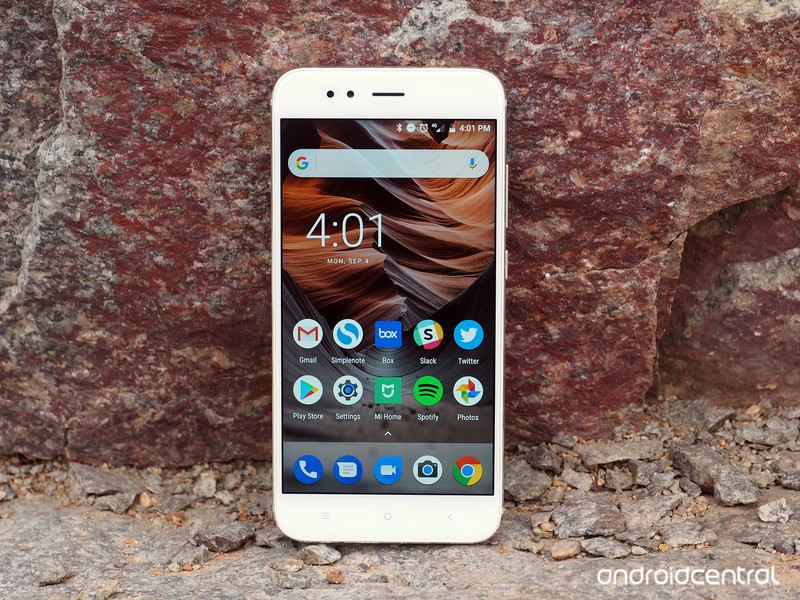
Xiaomi’s Mi A1 is one of the best value-for-money phones around. For what amounts to $220, you get a 5.5-inch Full HD panel, Snapdragon 625 chipset, 4GB of RAM, 64GB of storage, dual 12MP cameras with a dedicated zoom lens for 2x optical zoom, Wi-Fi ac, Bluetooth 4.2, and a 3080mAh battery.
Xiaomi Mi A1 review: Best of both worlds
The Chinese manufacturer hasn’t put a foot wrong with the Mi A1, but the main drawback with the phone is availability. The Mi A1 is officially sold in India and other Southeast Asian markets, and has recently made its debut in Europe for €229. If you’re looking to pick it up from a country where it isn’t officially available just yet, then your best bet is to go through a Chinese retailer.
See at GearBest
Motorola Moto X4
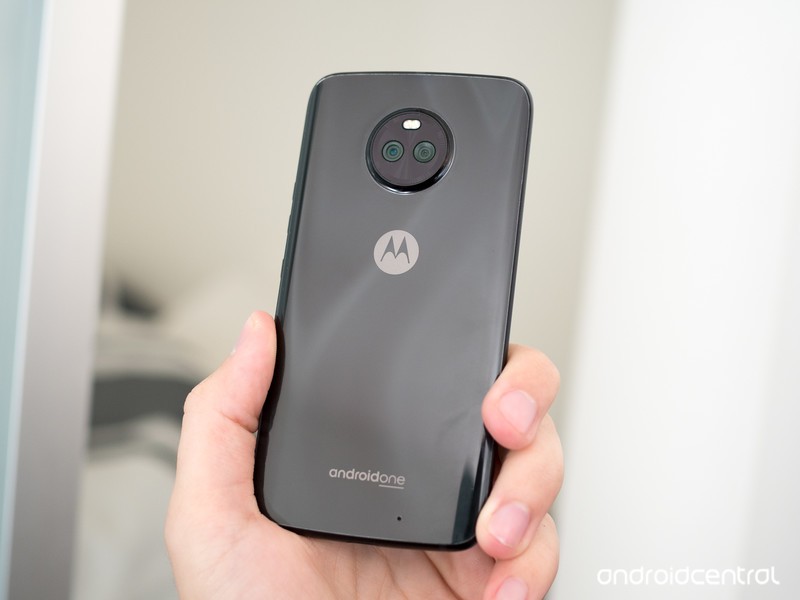
The Moto X4 is an important device as it’s the only device outside the Nexuses and Pixels that is officially certified to work on Project Fi. There’s plenty to like with the phone, and the decent hardware combined with Project Fi’s service makes it a potent combination.
Moto X4 review: A mid-range phone done right
On the hardware front, the Moto X4 offers a 5.2-inch Full HD panel backed by Gorilla Glass 3, Snapdragon 630, 3GB of RAM, 32GB of storage, dual 12MP + 8MP cameras at the back along with a 16MP front shooter, IP68 certification, and a 3000mAh battery. The phone retails for $399 in the U.S., and is up for sale in India for ₹22,999 ($360) for the variant with 4GB of RAM and 64GB of storage.
See at Google
HTC U11 Life

The U11 Life has a lot of hardware similarities with the Moto X4. You get a 5.2-inch Full HD screen, Snapdragon 630, 3GB of RAM and 32GB of storage, and IP67 dust and water resistance. You lose out on the dual cameras — with the phone sporting a single 16MP shooter at the back — but you do get a 16MP camera up front as well.
HTC U11 Life review: High style at a low price, with compromises
HTC has opted for differentiation with a feature called Edge Sense, a squeezable frame that lets you launch the camera or Google Assistant by just pressing down on the sides of the phone. Other specs include a 2600mAh battery, and while that’s decent enough to last the better part of a day, the phone doesn’t have a 3.5mm jack. You do get HTC’s USonic earbuds bundled in the box though. Not bad considering the phone costs $349.
See at HTC
Y!Mobile X1/X2/S1/S2

If you’re looking to pick up an Android One phone in Japan, SoftBank’s Y!Mobile has you covered. The carrier has a strong lineup of phones, including Sharp’s X1 and S1, Kyocera’s S2, and the HTC X2.
Let’s kick off with Sharp’s offerings first: both the X1 and S1 feature Full HD IGZO panels and are dust and water resistant. The X1 has a 5.3-inch screen, is powered by the Snapdragon 435, and offers 3GB of RAM/32GB storage, microSD slot, 16MP rear camera, 8MP front shooter, and a huge 3900mAh battery.
The S1 features a 5.0-inch screen, Snapdragon 430, 2GB of RAM/16GB storage, microSD slot, 13MP camera, 8MP front camera, and a 2530mAh battery. Both Sharp phones are on Android 8.0 Oreo.
Coming over to the Kyocera S2, the budget phone has a 5-inch 720p display, Snapdragon 425, 2GB of RAM and 16GB of storage, microSD slot, 13MP rear shooter, a 2MP front camera, and 2300mAh battery. The S1 is available on monthly plans starting as low as $20 (¥2,138).
Finally, the HTC X2 offers a 5.2-inch Full HD panel, Snapdragon 630, 4GB of RAM, 64GB of storage, microSD slot, 16MP front and rear cameras, and a 2600mAh battery. The phone is certainly the most feature-rich when seen next to other Android One devices in the country, and that corresponds to a monthly plan of $30 (¥3,434).
See at Y!Mobile
General Mobile GM6/GM5/GM5 Plus

Turkey’s General Mobile 4G was the first Android One device to feature a Snapdragon chipset. The phone made its debut in 2015, and while Indian vendors rolled out Android One devices a year prior, they were running MediaTek’s MT6582 platform.
Currently, the Turkish phone manufacturer offers three Android One phones: the GM6, GM5, and the GM 5 Plus. The GM5 and GM5 Plus are older devices running the Snapdragon 617, with the former featuring a 5-inch 720p display with the latter offering a 5.5-inch Full HD panel.
The GM6, meanwhile, features MediaTek’s octa-core MT6737T chipset, and has 3GB of RAM/32GB of storage, 13MP rear camera, 8MP front shooter, and a 3000mAh battery. Crucially, all three devices have received the Oreo update.
See at General Mobile
Your favorite
What Android One phone piques your interest? Let us know in the comments!
How to install the OxygenOS Open Beta on your OnePlus phone

OxygenOS beta builds let you test-drive the latest features before they’re released to the public.
OnePlus has steadily added features to OxygenOS over the years, making it one of the best manufacturer skins around. The simplicity of OxygenOS combined with its extensibility allows both normal users and enthusiasts alike to the platform.
OnePlus rolls out a steady stream of updates to its devices, but if you’re looking to get an early look at the features that are currently in the pipeline, you’ll have to download the beta builds. Open beta builds available for all devices released in the last eighteen months, which include the OnePlus 3/3T, OnePlus 5, and the OnePlus 5T.
The Open Beta is the proving ground for new features, so you’re bound to run into a few bugs along the way. Furthermore, if you switch to a beta build, you won’t receive stable OTAs anymore; you’ll have to flash a stable build to go back to receiving regular updates. With that out of the way, let’s take a look at how to switch to the beta build.
How to download OxygenOS Open Beta

First up, you’ll have to download the particular beta build for your device. OnePlus has a download section on its site with all the available builds as well as detailed instructions on how to flash the files. In this instance, I’ll be showing how to install the latest OxygenOS beta on the OnePlus 5.
Before we get started, you’re going to need a few things:
- A OnePlus device (obviously). Beta builds are available for the OnePlus 3, 3T, 5, and the 5T
- PC to transfer the beta build to your phone. You can also use a Mac, but you’ll need to install Android File Transfer first
- A USB cable to connect your phone to your computer (you can use the one that came in the box)
Everything in order? Let’s get started:
Go to downloads.oneplus.net and navigate to the ROM downloads section.
Choose the latest Open Beta ROM. For the OnePlus 5, it’ll be the OxygenOS Open Beta 4.
Clicking on the ROM will open a new page with flashing instructions as well as the changelog of the build.
Navigate to the bottom of the page and hit the Download button to download the build to your phone.
How to install OxygenOS Open Beta
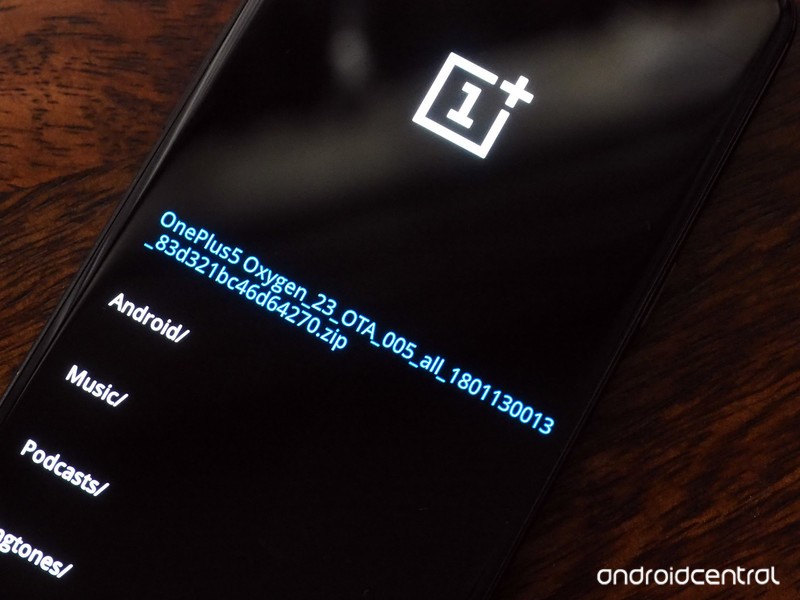
Once the download is complete, you’ll have to connect your phone to your PC via a USB cable and copy the file over to the phone’s internal storage. Here’s the breakdown:
Connect your phone to your PC with a USB cable
You’ll see a prompt on your phone that says, “USB charging this device.” Tap it to display the list of options and select Transfer files.
Locate the downloaded .zip file on your computer, open the context menu with a right-click, and hit Copy.
From Windows Explorer, select the drive for your phone (for the OnePlus 5, it’s OnePlus A5000), and double-click Internal shared storage.
You’ll have to paste the downloaded .zip file here. Open up the context menu again, select Paste, and wait for the transfer to finish.
After the file is transferred, disconnect the cable and turn off the phone.
You’ll need to boot into recovery mode to install the ROM. Turn on your phone again by long-pressing the power and volume down buttons simultaneously.
After doing so for about six seconds, the phone will boot into recovery mode. Choose English as the language by scrolling down using the volume buttons. Use the power button to make the selection.
Select Install from internal storage.
Select the downloaded .zip file (it’ll be the first in the list).
At the install package screen, hit Yes.
You’ll see a screen with a progress bar detailing the status of the update. Once it finishes, you’ll see an update success screen with an option to reboot the phone. Select Yes and you’ll boot into the beta build.
Now that you’ve successfully installed the beta ROM, you’ll receive new updates on the beta channel as they’re available. OnePlus actively engages with the community over new feature additions, so if you’d like to see something added to the ROM, you can do so from the feedback app that comes pre-installed with the beta ROM.
Note: These instructions assume you have a Windows PC. If you’re using a Mac, you’ll need to use Android File Transfer from Finder to perform the transfer to internal storage.
OnePlus 5T and OnePlus 5
- OnePlus 5T review: Come for the value, not the excitement
- OnePlus 5T specs
- Should you upgrade from the OnePlus 3T?
- OnePlus 5T vs. Galaxy S8: Beast mode
- All of the latest OnePlus 5T news
- Join the discussion in the forums
OnePlus
Amazon
The U.S. smartphone industry has an LG problem

LG needs to rebuild, but it may be too late.
A few years ago, I was in New York for the launch of the LG G3. It was the first phone I’d touched with a Quad HD display and was pretty well built (though plastic) and fairly fast (though not the fastest) and overall people seemed pretty happy with the phone. That year, the company went on to sell over 10 million of them, so LG must have been fairly happy.
Back in New York, though, in a room filled with other journalists, members of LG’s executive team explained how the G3 was the culmination of what its loyal customers wanted. That it took feedback from its millions of fans and turned that advice, as best it could, into a phone — one that went on to sell well over 10 million units.
This past week, LG announced that its mobile division lost money for the 11th consecutive quarter. Its vice chairman and CEO, Jo Seong-jin, said in an interview that “We will unveil new smartphones when it is needed. But we will not launch it just because other rivals do. We plan to retain existing models longer by, for instance, unveiling more variant models of the G series or V series.” After that, the company confirmed that the “G” brand is going away, and that the G7 itself would be scrapped — in both name and design — in favor of something new, delaying the phone’s inevitable launch well into the second quarter of 2018.
LG’s in a good position to do this, since, despite losses in the mobile space, its overall business is thriving. The company leads the field in OLED television innovation, and had a banner year in appliance sales. Its LG Display business is ramping up quickly, even though hiccups led to the problematic Pixel 2 XL.

To us in North America, especially those attuned to the highs and lows of the quickly-changing mobile industry, LG’s market share plateau and tepid customer loyalty sees a company in retreat, as so many others, from Nokia to Palm to BlackBerry have done before it. But LG’s business is diverse and robust, and we only see the proverbial tip of the iceberg; back in native South Korea, LG enjoys enormous influence, and like Samsung dominates a wide range of industries, from manufacturing to robotics to autonomous vehicles and even medical equipment.
LG has a great relationship with the Big Four U.S. carriers, which means a retrenchment is not a death knell.
It’s important to point this out because it helps explain why LG has, despite failing to find success in the smartphone space, maintained the twice-yearly release cadence that many Android manufacturers have slid into since 2014 or so. Smartphones are not just potential profit vehicles but hero products that, for LG, Samsung, Sony and other vertically-integrated companies, consolidate and focus expertise in disparate areas into a single point. Indeed, it’s presumed that Sony has never made any money from its smartphone business, but feels it needs to make them because the smartphone is the center of our digital lives. Sony also makes the imaging sensors that go into almost every high-end smartphone.
But this brings us to today: LG is all but admitting defeat — last year it released two of its best phones ever in the G6 and V30, but hasn’t managed to move the needle above 10% market share in the U.S. At the same time, Chinese competition from Oppo, Vivo, and Huawei have affected its place in Asian markets, reinforcing its need to do well in the U.S.
The irony in all of this is that LG’s mobile revenue is actually increasing, and that the G6 led to a 9% rise in smartphone sales in the U.S. in the third quarter. But the company faced extremely strong competition from Samsung and Apple, and that trend won’t soon abate. The U.S. market is becoming a two-horse race, dividing its riches between Samsung and Apple with very little left for even the strongest of third parties. Huawei’s thwarted attempting to enter the U.S. market should be a soothing reprieve for LG and others — the Chinese company is the world’s number three smartphone vendor and had every intention of dethroning the dominant players before long — but will not ultimately change anything.

This context somewhat justifies LG’s decision to ditch its “G” smartphone branding, rethink its entire mobile strategy, and stop committing to annual product refreshes. People are holding onto their phones for longer, and only a small number replace them on an annual basis, despite carrier leasing deals encouraging frequent trade-ins.
LG’s excellent relationship with the Big Four U.S. carriers likely means that any changes made to release cadences will be met with approval and understanding, and the change in strategy may mercifully mean less time between announcement and release. But there is unlikely to be any one recipe for a resurgence in the U.S. market, and LG’s recent struggles reinforce the difficulty in finding success in great products.
LG V30
- LG V30 review: The no-BS flagship
- Top LG V30 camera features
- Full LG V30 specs
- LG V30 vs. G6 vs. GS8
- The V30 is the first phone to support 600MHz spectrum
- Join our LG V30 forums
Amazon
Best Buy
Verizon
AT&T
What do you think about OnePlus’s credit card fraud?
Our forum users share their thoughts about certain OnePlus customers experiencing credit card fraud after buying something from OnePlus’s site.
At the beginning of this week, OnePlus officially announced that certain customers that had purchased items from its website had been experiencing fraudulent activity on their credit cards. This resulted in OnePlus removing the option to pay with a debit/credit card directly on its site, and now it’s a waiting game to see how long it’ll take OnePlus to get this situation cleared up.

It’s currently assumed that this credit card fraud is a result of something going on with OnePlus’s payment processor and not OnePlus itself, and in the midst of all this, some of our forum users got to talking about their thoughts on this whole situation.
Here’s what they had to say:
ODog2323
01-16-2018 06:42 AM“
Have you ever had your card info stolen? Not so hilarious.
Sure, OP may not be the ones directly responsible…just about every company who takes card payments does so using using a third party…but this is still on OP’s turf, so it could be a big problem for them.
My company went through something like this a while back. It’s a nightmare!
Reply
newcollector
01-16-2018 07:27 AM“
Yes, it is OP’s responsibility to get this sorted out. I am sure they know what contractor is responsible and have an idea where the hack occurred if indeed it is a case of stolen cards. It could be an inside job. At least OP did not try to cover it up. Not that it makes it any easier for those who are affected.
Hopefully those affected do get their credit fixed and that OP steps up to offer…
Reply
Morty2264
01-16-2018 10:12 AM“
I too have heard that anyone using PayPal was not affected. I’m feeling bad for OnePlus – they’ve had some bad press of late. Good phones though. So hopefully this gets sorted quickly!
Reply
01-16-2018 05:19 PM“
I just got a text and phone call from Chase. Someone tried to charge over $300. They declined the charge and the account is now closed. Ordered my 5T last week and still waiting on it to be delivered. The delivery was delayed for 3 days and now I’m worried about the phone’s performance since it’s been sitting around in below freezing temperatures. Maybe I should just give it up and send it back….
Reply
If you’re a OnePlus customer, we’d like to hear from you – Does the recent credit card fraud affect your decision to do future business with the company?
Join the conversation in the forums!
OnePlus 5T and OnePlus 5
- OnePlus 5T review: Come for the value, not the excitement
- OnePlus 5T specs
- Should you upgrade from the OnePlus 3T?
- OnePlus 5T vs. Galaxy S8: Beast mode
- All of the latest OnePlus 5T news
- Join the discussion in the forums
OnePlus
Amazon
Google Now is being left to wither and die as Google Assistant takes the focus

One of Google’s standout features has been left to die, and that’s sad to see.
Google Now used to be really useful. It used to be so good that I only used Google Now Launcher on every phone because I needed to have Google Now just a swipe away on my home screen. Any other launcher felt like it was keeping me disconnected from information that I relied on every day.
As we turned the calendar over to 2018, and just spent a week at CES 2018 seeing a huge emphasis on Google Assistant, it looks like Google’s happy to let the traditional Google Now feature set — aka the “feed” — wither and die. In the past six months, Google Now has gone from a must-have feature to something I have stopped looking at regularly and even forgotten about for days at a time. It’s no longer helpful, insightful or useful.

Every morning, I used to unlock my phone, swipe to the right on my home screen and scroll through Google Now. I’d get updates on the weather, traffic, sports scores, upcoming calendar events, reminders about important emails and more. Throughout the day, when something was really important, I’d get a notification telling me about it — things like a stark change in the weather, an accident on my route to an appointment or breaking news.
Google Now used to be the start of my daily routine; now it’s an afterthought, at best.
Now, my engagement with Google Now (ahem, feed) is sporadic and mostly disappointing. Swiping over on my home screen today shows me … just a bunch of poorly-targeted news stories. Some based on things I like, others perhaps tangentially so, and many that are clearly jumping out on a limb to show me what’s “trending” even though I have no interest in it. How did the once-wonderful Google Now turn into the same annoying throwaway feature as Samsung’s Flipboard Briefing and HTC’s News Republic in BlinkFeed?
Google Now no longer shows me a single piece of information on appointments, calendar events, commute times or anything of the sort. I rarely get reminders for upcoming events or bills or other information from Gmail. There’s one small card with upcoming weather, but that’s just about the easiest possible thing to show and is available anywhere.


A subset of these things has been moved behind an “upcoming” button — one that’s found in different places depending on your phone and launcher — and even in here I don’t get the same great layout of up-to-date information at a glance that I once had. It’s not even close, actually. This was the reason to use Google Now, and it’s relegated to a second press and a different interface, entirely removed from the spontaneity and immediacy of being right there next to my main home screen. The useful notifications, too, have disappeared. At best I’ll get a reminder about a sports game starting or a big drop in a stock ticker I’ve searched. Sigh.
What the hell is Google doing with the Google Now feed? Ignoring it, as far as I can tell.

As Google Now dies a slow death, Google Assistant has of course taken the focus. Many of the core features of Google Now in terms of following what you do and what you like to tailor answers and information to you in particular is integrated into the new Assistant experience. It works across a variety of devices, with and without screens, and does so primarily with voice interactions — and that’s precisely the reason why it can’t replace Google Now in the way I used to love it. Google Assistant works great for a question and answer, or a short interaction with a couple of phrases — but the number of visual interactions are extremely limited, as are the ways that Assistant can “push” information to you when you need it.
The ‘old’ Google Now and new Google Assistant can work together in harmony — and that’s what I want.
In many ways, the “old” Google Now was a far better assistant than Google Assistant is today. Today’s version of Google Assistant is sitting there, waiting to help you when you ask it to — and it’s ridiculously smart when you do. But a proper personal assistant does things before you ask, and has information waiting for you before you’re ready to see it. Google Now may not know if you prefer coffee or tea in the morning, but it will prepare both before you’re out of bed; Google Assistant knows your drink preferences, but it sits there and waits for you to wake up, shuffle into the kitchen and say “Google, make me some coffee” before it does anything. That’s a key difference in user experience.
With how little the two services actually overlap, it wouldn’t be a stretch to think that they could be put together on your phone. Bring back Google Now as it once was: a visual feed of super-useful information based on all sorts of data Google has about you and your habits. Stop pushing piles of useless news that I don’t care about, or let me turn it off entirely. And take this renewed respect for how good Google Now was and put it dead-center with the Google Assistant’s interface on my phone. When I talk to it, give me the Assistant’s voice commands and knowledge base. But if I just want to scroll and see what’s there for me before I even ask, let me have it in the same place.
Until then, I won’t be using Google Now anymore.
Google Pixel 2 and Pixel 2 XL
- Pixel 2 FAQ: Everything you need to know!
- Google Pixel 2 and 2 XL review: The new standard
- Google Pixel 2 specs
- Google Pixel 2 vs. Pixel 2 XL: What’s the difference?
- Join our Pixel 2 forums
Best Buy
Verizon
Google Store
Project Fi
 AIVAnet