


‘Overwatch’ comic unavailable in Russia because of homophobic law
Overwatch’s comic series, which attempts to add more backstory to the swathe of characters inside the team shooter, has just published its Christmas special. Alongside festive cheer, present-giving and the rest, the issue reveals that Tracer is gay. She shares a kiss with her partner after sharing presents, and that’s about it. While Overwatch has insinuated that the game’s cast may have more than one LGBT character, this is the first time it’s been pointed out explicitly. It’s all too explicit for Russia, and the country has banned the comic.
While it’s not saying the reason outright, the ban is likely due to the kiss between two women, falling under “gay propaganda” aimed at minors.
As Kotaku reports, Russian Overwatch fans can see the cover, but cannot click through. Instead they get a huge warning box outlining that the comic isn’t available “in accordance with Russian law”, although it doesn’t mention the specific law outright. The government can fine, imprison and deport anyone who flouts this — a rule that also covers public demonstrations or speeches.
Blizzard hasn’t yet responded to our request for comment on the issue, but we’ll update here when we hear back.
Via: Kotaku
Source: Twitter (@Malkythera)
Celebs ask Twitter to tackle a specific harassment case
Twitter has frequently been accused of waiting until harassment campaigns are big enough to make the news before it responds to them — just ask Leslie Jones. And unfortunately, it looks like history might just repeat itself. Comedians Patton Oswalt, Tim Heidecker and others are calling on Twitter to take action following allegations that “alt-right” figure Mike Cernovich is conducting a sustained harassment campaign against Tim & Eric collaborator Vic Berger IV in retaliation for jokes and videos making fun of Cernovich.
When Berger engaged following an email (including the mistake of asking fans to write Cernovich), Cernovich went ballistic. He made sustained, serious claims that Berger was part of an “active pedophile ring,” and alleged that Berger was directly commanding a handful of supporters who sent disgusting direct Twitter messages. That, in turn, prompted a much larger wave of harassment from Cernovich supporters. There were hundreds of tweets, Facebook messages and emails accusing Berger of being a pedophile, including a few serious death threats. Cernovich himself claimed to be conducting an “investigation” into Berger’s practices, and viewers in his Periscope streams were clearly eager for doxxing campaigns and other forms of abuse. Berger is currently staying away from Twitter and has contacted both lawyers and police out of fear for his family’s safety.
Will be off Twitter until this is settled. This is serious & horrifying. Police/lawyers involved. Have to protect my family.
— Vic Berger IV (@VicBergerIV) December 19, 2016
Hey @jack? Please look into this? Cernovich is looking to hurt a good friend of mine, using your platform. Thank you. https://t.co/8MEyUCMzY9
— Patton Oswalt (@pattonoswalt) December 21, 2016
Stand with @VicBergerIV https://t.co/WmibmaL4yl
— Tim Heidecker (@timheidecker) December 21, 2016
It’s not a completely clean-cut situation. While Berger didn’t explicitly ask for hostility against Cernovich, any call to action by a popular, verified Twitter user stands a good chance of being misinterpreted by overzealous defenders. The problem is that Cernovich and his camp not only made damaging false claims, but escalated the situation rather than trying to defuse it. And he has a history of fanning the flames. He frequently makes pedophile accusations against people he disagrees with, and has spread related bogus conspiracy theories like Pizzagate. Berger just happens to be one of the few targets to respond.
We’ve asked Twitter for its response to the calls for help and will let you know if it has something to say. However, the incident suggests that Twitter’s abuse controls, while improving, still fall short. Ideally, users shouldn’t have to wait until stars are rushing to their defense before Twitter comes to the rescue — especially not when the attackers have a history of spreading false stories and whipping their followers into a frenzy.
Source: Patton Oswalt (Twitter), NYMag
Quicken for Mac 2017 Gains Auto Backup and Other Features in New Update
Finance and budgeting software Quicken for Mac was updated to version 4.4 this week, adding a handful of useful new features ranging from auto backup to improvements to summary reports.
With Auto-Backup, Quicken will back up five files at a time to a user-set location whenever someone logs out of the app, preventing data from being accidentally lost. A new Transaction Sidebar indicator has been added, which highlights all accounts that have new transactions when connected accounts are refreshed.
Comparison and summary reports can be exported or copied to a spreadsheet for printing or data analysis, and there’s a new Total column in the summary report. New report comparison customization options make it easier to compare the current period with previous periods on a quarterly or monthly basis.
First released in October, Quicken 2017 features a new interface, a range of custom report options, and Quicken Bill Pay for paying for bills directly within the app.
Quicken for Mac 2017 can be downloaded from the Quicken website or from the Mac App Store for $74.99. [Direct Link]
Tag: Quicken
Discuss this article in our forums
Apple’s Sixth-Oldest Store Relocating on January 28 After 15 Years
Apple has announced its Northshore retail store in Peabody, Massachusetts, an outer suburb of Boston, will be relocating to MarketStreet, an open-air shopping and entertainment center in nearby Lynnfield, Massachusetts.
The new location will be open starting Saturday, January 28, which is presumably around the time when Apple Northshore will permanently close. No exact time was specified, but 10:00 a.m. local time is typical for Apple Store grand openings.
MarketStreet Lynnfield is located approximately 5 miles from Northshore Mall, where Apple’s current store in the North Shore region of Massachusetts is located. Apple Northshore opened on September 1, 2001 as only the company’s sixth retail store overall, retaining its classic black facade with two Apple logos for over 15 years.
Only four other Apple Stores remain with the classic storefront design:
- Apple Woodfield in Schaumburg, Illinois
- Apple Tice’s Corner in Woodcliff Lake, New Jersey
- Apple Southpoint in Durham, North Carolina
- Apple Cherry Creek in Denver, Colorado
Apple currently has 490 retail stores worldwide after its latest location at Qibao in Shanghai opened on December 10.
Related Roundup: Apple Stores
Discuss this article in our forums
Rodeo Stampede: Sky Zoo Safari – A really long name for a really cool game (App Review)

I am constantly looking for my next mobile gaming fix because I have a job that has a lot of “hurry up and wait” moments. I need games that I can play a few rounds of while waiting for a client, or that I can put away and ignore at a moments notice when the day picks up the pace. Yodo1 Games has an excellent track record of pushing out these kinds of games, with claims to fame such as Crossy Road and Mega Jump 2. Rodeo Stampede: Sky Zoo Safari is the latest gaming offering to come from Yodo1. It’s got a long name, but that name houses a boat load of fun! Let’s take a look.
Developer: Yodo1 Games
Price: Free/IAP
Download: Google Play, iOS
The Setup
Jumping into the game is quick and easy. You start off riding on a slow animal. The game then prompts you on how to control your cowboy. The one-handed controls are to simply hold a thumb on the screen to ride on the animals, release your thumb to leap forward through the air. While you’re airborne, there’s an outline on the ground a little bit in front of you. When you touch the screen again, you will lasso any animal in that circle and begin to ride again. Once you learn these basics, the game cuts you lose and lets you start wrangling animals all on your own.
Overview
 And we’re off to rope us some animals!
This game is a continual runner game with loads of animals for you to ride on. Each animal has a different speed and endurance. If you run out of endurance, your animal will get angry, which will result in different things depending on what you are riding. They could run extremely fast, buck around wildly making it harder to control, or buck you off entirely, sending you flying forward similar to a jump whether you’re ready or not. If you are riding a fast animal, like an Ostrich, you’ll hit some blazing fast speeds, but you’ll run out of endurance much faster. A buffalo is pretty slow, but you’ll be able to take your time to dodge obstacles and line up jumps better since he is much more tolerant of you on his back. There are even some animals that will eat you or otherwise immediately end your run once their endurance runs out, so be careful. Also, the longer your run goes for, the smaller your lasso area gets, so long runs require precision and split second decisions to make it from animal to animal.
As you ride along, the game will point out new animals that you haven’t ridden before. Once you lasso one of these, a circle with a heart will pop up. When the indicator is full, that animal is added to your zoo, will appear in the wild more frequently, and will be available for you to start your run with. There are multiple breeds of each animal, ranging from just slight color variations to some really bizarrely cool creatures, like a tie-dye elephant or an ostrich wearing armor. If you are a collector, there is no shortness of animals to collect.
 Caught another one!
One of the coolest things is the way that the game handles its upgrade system. All the different breeds and variations of animals that you ride on all get added to your zoo and their habitats can be upgraded, which in turn gives that animal type additional abilities or stats. Every couple of hours you can also open the zoo to the public and get ticket sales for the number of habits and upgrades you have. It’s not as involved as some games with their zoo care, but it is a very nice visual touch to an age old upgrade menu.
There are a few in-app purchases, but most are your standard fare. Coin doubler, unlimited revives, and coin packs are available to boost your game. You also have to wait an arbitrary amount of time for missions to unlock after beating the previous one, so there is a purchase for that as well.
The only downside is that it does take a while to really unlock some of the cooler animals and missions. There are boss missions available that offer some unique items, but they only unlock after you complete a bunch of other missions. Having to wait for the next missions to unlock can take a long, long time. Unfortunately, this will probably turn off most players before they get to the more interesting animals and environments.
The Result
Rodeo Stampede is a super fun game. There are loads of unlockables and some really cool animals to collect. In-app purchases are unobtrusive and totally optional, but the game progression is much slower without them, and some players may quit before getting to the meat of the game. Overall, it’s a game everyone should take for a spin for the moments when you need to waste a little time.
Reddit user’s Galaxy S6 edge+ battery ruptured and scorched his nightstand

It’s not just the Note 7.
Reddit user ReturnThroughAether reported this morning that his AT&T-brand Samsung Galaxy S6 edge+ caught fire on his nightstand as it was charging using the company’s first-party AC adapter, scorching his nightstand and giving him quite a scare. He writes:
Woke up this morning (yesterday technically. 12/20) just in time to get ready for work and looked over to find my phone has exploded. Luckily I don’t keep it on my bed, as you can see it scorched my night stand. I’ve talked to Samsung and my carrier. The phone had no problems before, no overheating. I think I’m done with Samsung for a while, really gonna miss the photos I had from Africa in the fall. Dammit Samsung, I was still in your corner after the Note 7 stuff too.


Images credit: /u/ReturnThroughAether
He goes on to say that he previously had a Galaxy S6 edge that, while its battery stayed intact, had experienced battery performance problems before.
Before, during and after the Galaxy Note 7 incident, we heard myriad incidents of Samsung devices rendered useless by ruptured batteries. This is yet another example. While this isn’t cause for alarm and a recall of past Samsung products, it is yet another reminder that our phones, which increasingly contain our entire lives, should be treated with caution and charged in places that have little chance of injuring people. Thankfully this situation didn’t lead to any personal injuries, but that nightstand is going to need some TLC.
We’ve reached out to Samsung for comment.
Samsung Galaxy S6
- Galaxy S6 review
- Galaxy S6 complete specs
- Galaxy S6 news | GS6 edge news
- Galaxy S6 beginner’s guide
- Galaxy S6 forums | GS6 edge forums
- Shop for accessories
Amazon
Verizon
AT&T
Sprint
T-Mobile
What you need to know about Dual Apps in MIUI 8

Dual Apps lets you run two instances of an app simultaneously.
One of the headlining feature additions in MIUI 8 is Dual Apps, which allows you to run two instances of an app at the same time. The feature is especially handy if you have two social media accounts and are looking to access them from the same device.
And yes, with Dual Apps, you can run two WhatsApp accounts on the same phone. The feature is pretty straightforward: head into the phone’s settings to toggle dual app functionality for the app you’re looking to clone, following which you’ll see a separate icon for the app on your home screen.
Each instance of the app is siloed and runs independently of the other. Here’s how you can set up and start using Dual Apps in MIUI 8.
How to enable Dual Apps in MIUI 8
Open Settings from the home screen.
Navigate to Dual apps.
Toggle the app you want to clone.
That’s it! Once you clone an app, you’ll see two icons for that specific app on your home screen, with the cloned version featuring an indent that indicates that it is the secondary app.
Each instance has its own data and settings, but uninstalling the original app will result in the cloned app being deleted as well. The corollary isn’t true: if you want to revert to a single instance, you can delete the cloned version without it affecting the default app in any way.
With the feature enabled, I was able to run two WhatsApp accounts on the Mi Note 2. I use a single WhatsApp account (which in itself is tedious), but if you rely on two accounts regularly, Dual Apps is a nifty addition.
What do you guys use Dual Apps for?
Audio distortion on the Google Pixel: What you need to know

The good news is your Pixel isn’t broken.
Shortly after the launch of Google’s Pixel and Pixel XL, a handful of users started complaining about audio distortion issues through the speaker when the media volume is set to maximum, or close to it. While it was originally difficult to reproduce, and the issue was dismissed as a hardware issue affecting a small number of phones, it turns out there’s a real audio problem with these phones. Before you go asking Google or Verizon to replace your Pixel in hopes of getting one that isn’t affected, there’s a few things you need to know.
This probably isn’t a hardware issue

Thanks to Reddit user badmark, there’s a quick and reliable way to recreate this audio distortion on your phone. Download Perfect Piano from the Play Store, crank up your volume to max, and run your finger across the keyboard. Anyone who has ever listened to music through a blown speaker probably felt a sinking feeling in their gut when hearing that Pixel audio distortion. It’s a terrible sound, and while some users can generate this distortion across many apps, every Pixel and Pixel XL here in the office only offers up that crunching audio through this piano app.
This is clearly a problem in need of a fix, and Google has recognized this and claims to be looking into it.
What does all of this mean? Well, a couple of things. First, this either is a partial hardware problem or a 100% software problem. Currently it’s not clear which, because the problem appears to be more severe on some phones than others. It could be that Google is using multiple hardware suppliers for the speaker and some are more susceptible than others, or it could be that some users reporting the problem are exaggerating.
The suggestion that this is all software is based on an assumption made by users experimenting with a third-party ROM that “fixes” the problem. It’s not yet clear if the “fix” is the result of actual software changes, adjustments to the equalizer, or simply operating at a slightly lower volume that isn’t triggering the distortion. Remember, dropping the volume down just one level on an affected Pixel and Pixel XL makes this issue go away. There are a lot of variables and so far not enough tests have been done to be conclusive.
This is clearly a problem in need of a fix, and Google has recognized this and claims to be looking into it. Google didn’t fully acknowledge the issue until the above video gained popularity, and until recently had been offering warranty replacement of phones that appeared to have this audio distortion. That’s a lot of mixed messages, all pointing at waiting to see how Google handles this issue.
What can be done about it?

Naturally, there are folks unwilling to wait for Google to decide this problem needs fixing. That’s understandable if you’ve been frustrated by this audio issue since October like some, but most Pixel owners are only discovering this week that this issue exists and that their phone is affected. In either case, there are three clear options available to you:
- Keep your volume off of the highest setting and wait for Google to explain and fix this issue.
- Avoid apps that trigger this audio distortion until Google explains and fixes this issue.
- Unlock your phone, install a replacement bootloader, and use that install a third party audio mod that “fixes” this issue.
Waiting and continuing to keep an eye on Google’s product forums doesn’t feel like a great solution, and that’s because it’s not. Like the Nexus 6P before it, this audio glitch will eventually be addressed by Google. There’s no ETA for it, and Google still hasn’t made it clear exactly what this problem is. It’s probably going to be a month or two, and the update will arrive alongside the monthly security patch.
Going the route of installing a third-party ROM means you’re installing software with large red letters on it making sure you understand the creator isn’t liable in any way if you brick your phone, which isn’t great for everyone. Also, if your Pixel came from Verizon or EE, there’s a few extra steps involved to remove locks on the bootloader. This process is fairly well documented, but it’s not a good idea unless you know exactly what you are doing. As a general rule, if you need step by step instructions to install a third-party bootloader on your phone, this probably isn’t for you.
If you’re still not sure what you want to do about this issue, the Android Central forum thread on this issue is a great place to look. You’ll find other Pixel owners taking a look at how to address this issue, which may make it easier to determine which solution is best for you!
Google Pixel + Pixel XL
- Google Pixel and Pixel XL review
- Google Pixel XL review: A U.S. perspective
- Google Pixel FAQ: Should you upgrade?
- Pixel + Pixel XL specs
- Understanding Android 7.1 Nougat
- Join the discussion in the forums!
Google Store
Verizon
Porsche Design Mate 9: $1500 Worth of Smartphone?
The Porsche Design Mate 9 phone won’t make you feel like you’re bombing down the Autobahn with a Swedish supermodel, blasting electronica and whipping around curves at 160km/h. At this price, you might really want to buy it if that’s your kind of lifestyle already. If you’re a jet-setting yacht-owning gadabout, dip your silver spoon into this review.
MrMobile gets into the infinity pool on this one, and takes a lap around what works well, and what should turn your nose up. With Michael Fisher’s jeweler’s eye, you’ll know if you’ve got a diamond or a cubic zirconia. It’s the Porsche Design Mate 9, this week on MrMobile.
Stay social, my friends
- YouTube
- Le web
- Snapchat
Deck your phone with these ho-ho-holiday wallpapers

A holiday poem, and some wallpapers, too!
‘Tis four days before Christmas,
So time to deck the halls.
We’ve decked the tree and the car,
And the ceilings and the walls.
But we’ve missed something special,
For your desktop is bare.
Time to get a festive wallpaper,
For your Android phone to wear.
So enjoy these five walls,
Some cute and some merry.
And happy holidays from AC,
Time to steal some rum from Jerry!
Disneyland Paris Christmas

This is the holiday wallpaper I’ve used for two years now, and I love it to pieces. I have the ever-charming Chateau de la Belle au Bois Dormant from Disneyland Paris shining in the distance, snow falling across the beautiful wintery scene, and a Santa boot left Cinderella-style on the steps (bet he’s missing that in this weather). This wallpaper is whimsical, yet refined, and the strong blue-white-red color scheme lends itself well to theming, with Glim red-variant icons for my dock and color-variable widgets when I get the whim.
Disneyland Paris Christmas
It’s Christmas Time by Anyzamarah

Fractals are all around in the winter, and they make lovely wallpapers, from snowflakes, to Christmas trees to the most ornate ornaments you’ll ever see. This is a wallpaper that can draw you in with its remarkable detailing and stun you with its beauty. You’ll be hard pressed to put this away at the end of the season.
It’s Christmas Time by Anyzamarah
Arctic Christmas
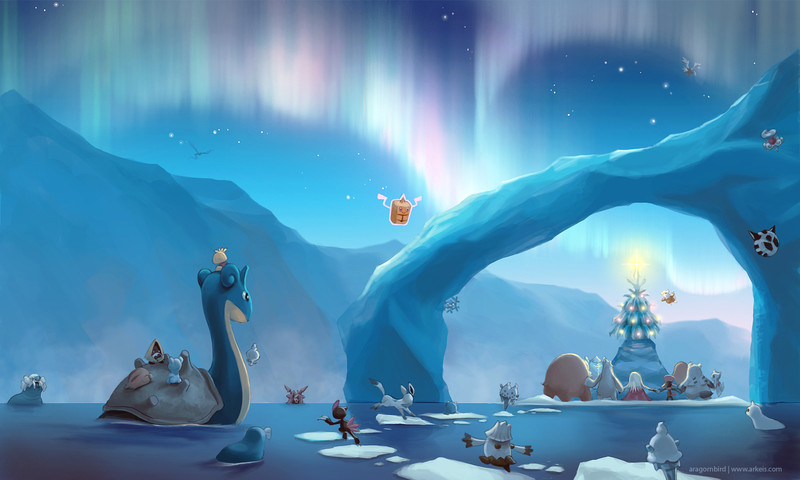
Once you’ve caught your Santa Pickachus in Pokémon Go, why not grab a holiday wallpaper with our favorite Ice-type Pokémon? From the magestic Lapras to the dark and mysterious Weavile, Pokémon from all over the frozen north come together to celebrate the holiday together and light up the winter’s night under the glow of the aurora.
Artic Christmas by arkeis-pokemon
Candy Cane Queen
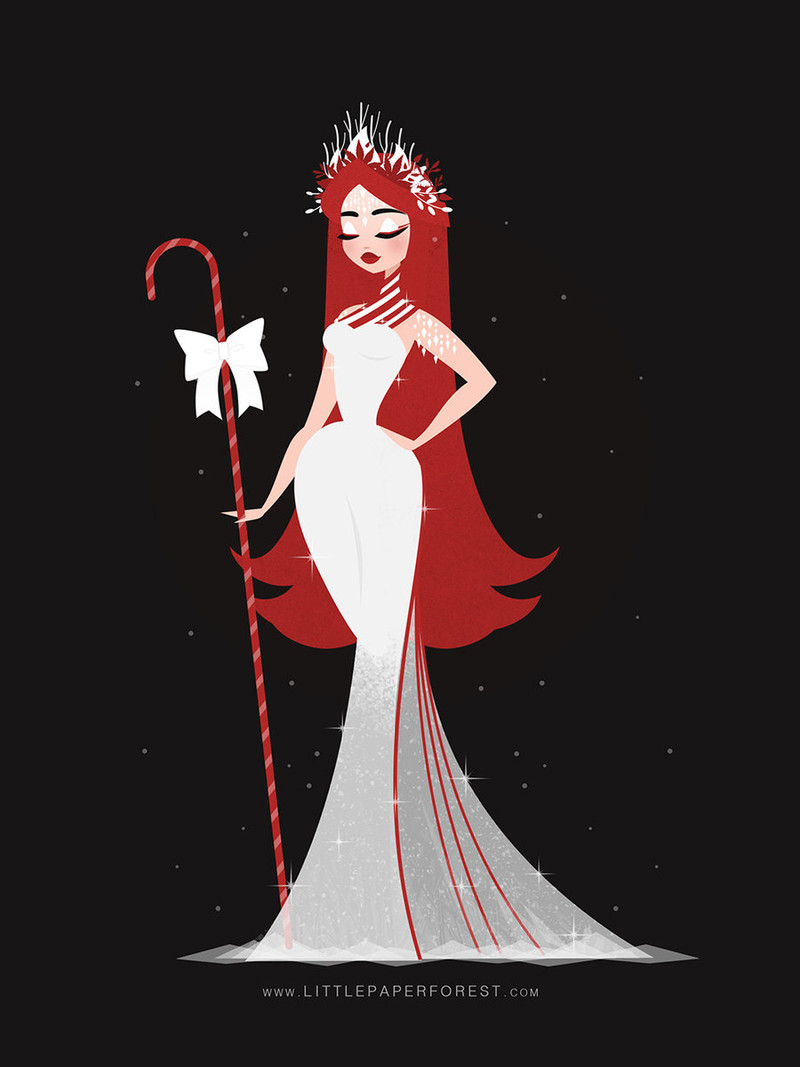
It’s easy to go overboard with candy canes at Christmas time, but this remarkable Candy Cane Queen by littlepaperforest does it right. The stripes aren’t everywhere, and they’re not garish, they’re lovely accents instead. And her crown of holiday leaves and flowers is a stroke of genius. Her figure is also something to make me envious every time I look at my home screen, so there’s that, too.
Candy Cane Queen by littlepaperforest
MERRY CHAOSMAS EVERYPONY by BlackGryp0n

A lot of shows do Christmas wrong. Really, really wrong in some cases (cough cough Star Wars cough cough). But My Little Pony does it right. Not only is Hearth’s Warming Eve its own holiday with historical and magical importance, but it makes the carols and merrymaking an important part of the holiday. Of course, Discord’s take on Hearth’s Warming Eve is bound to be a bit more… lively. And really, as chaotic as Christmas is, it should be Discord’s holiday.
Now if you’ll excuse me, I need to go sing Pinkie’s Present at the top of my lungs.
MERRY CHAOSMAS EVERYPONY by BlackGryp0n
 AIVAnet